
ReelFarm Pricing, Plans & TikTok Workflow Fit
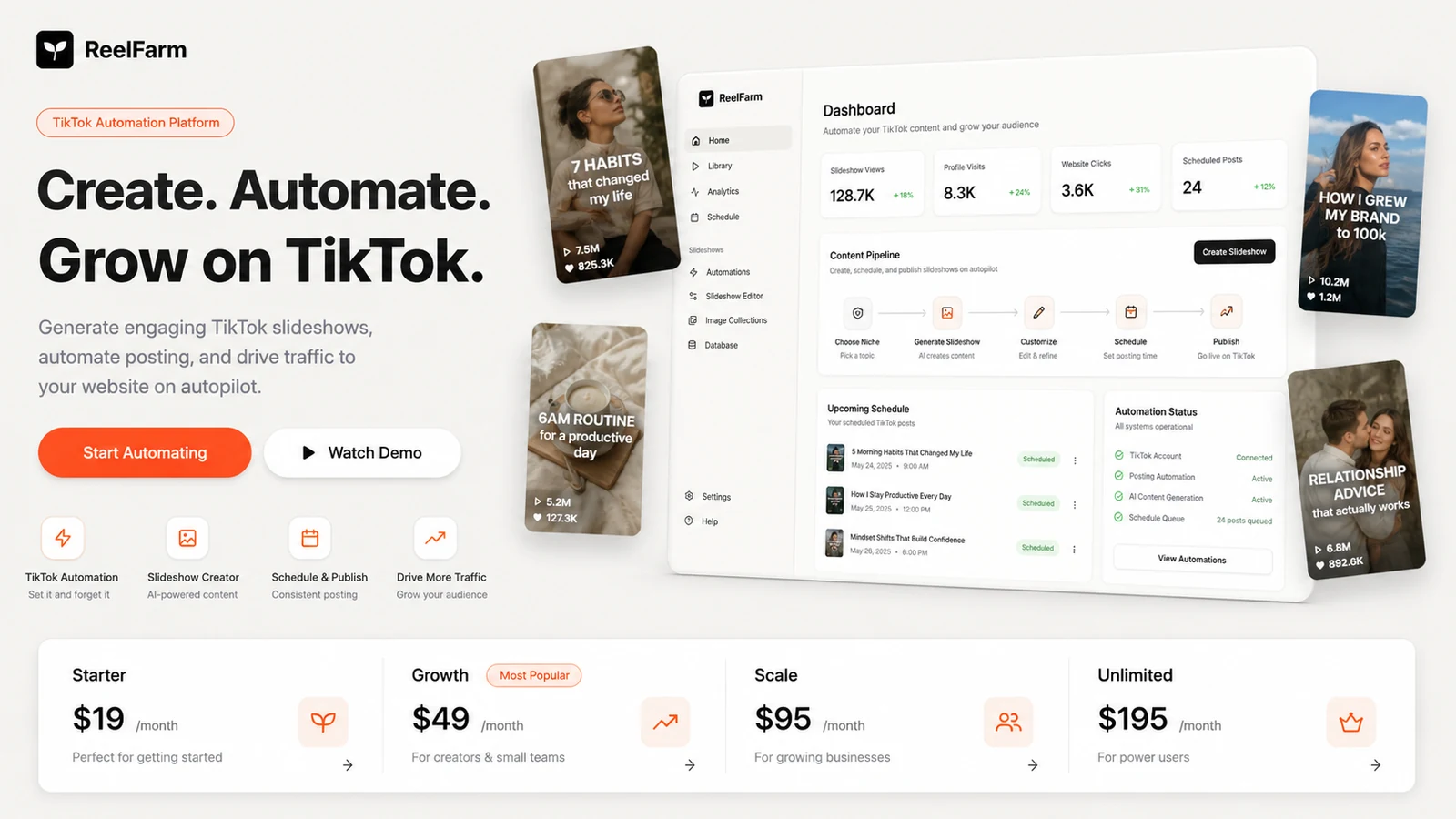
ReelFarm is a creator and marketing automation tool for turning short-form video work into a repeatable TikTok publishing system. Its strongest fit is not a buyer who wants one polished cinematic video. It is a buyer who needs repeatable slideshow, hook, demo, and social posting workflows that can feed organic traffic back to a website, product, app, or campaign.
Fit → price → checkout
Use these routes after the official-site check: coupon first, review for fit, compare if unsure.
ReelFarm pricing snapshot
Fast commercial checks before pricing, coupons, or a deeper review.
ReelFarm product tour for TikTok automation fit
Watch this demo as a workflow check, not just a feature preview. The useful question is whether ReelFarm can turn your content idea into a repeatable TikTok posting rhythm without making the output feel careless, repetitive, or risky for your niche. Pay attention to automation setup, slideshow creation, and how much manual review you would still need before publishing.
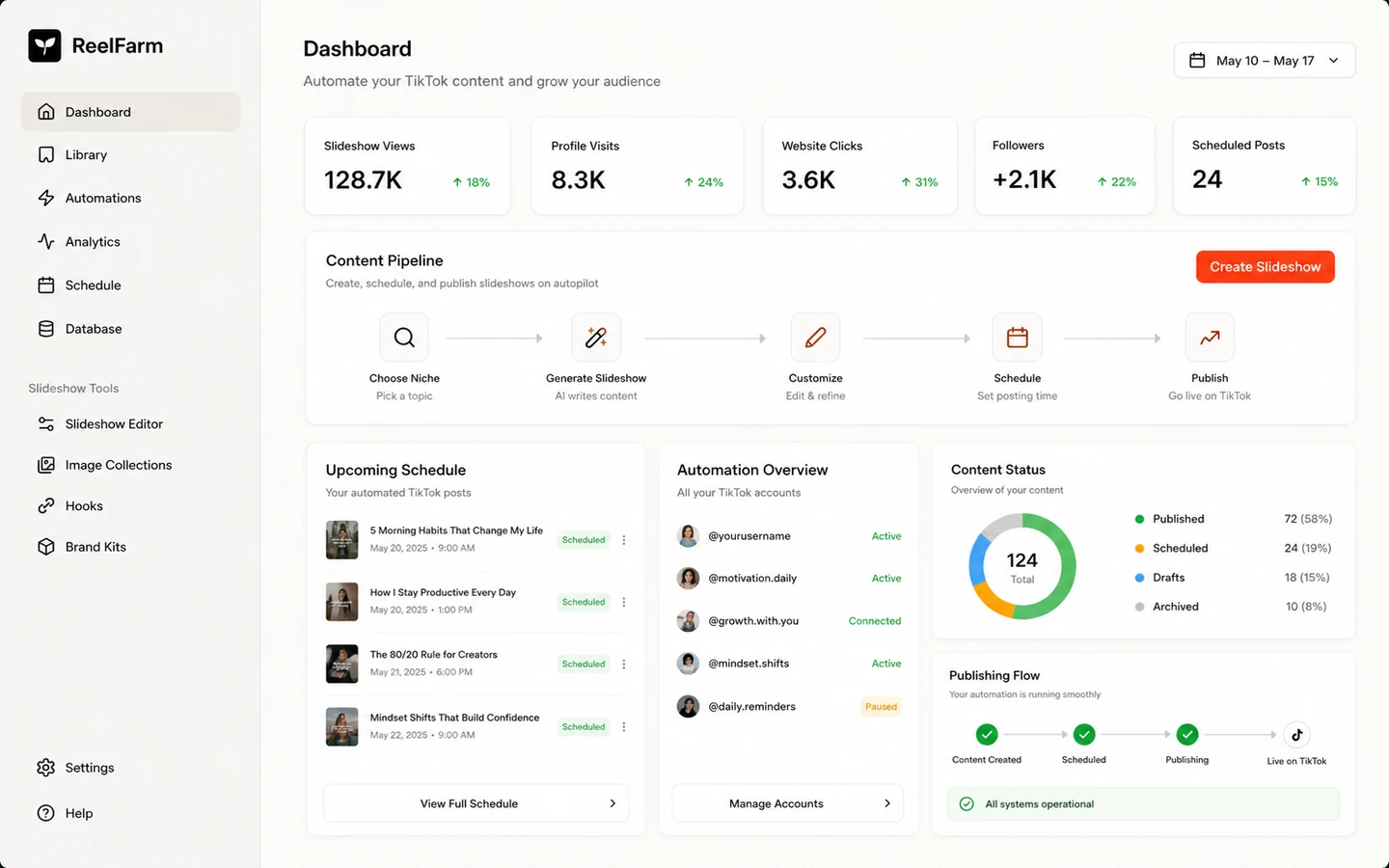
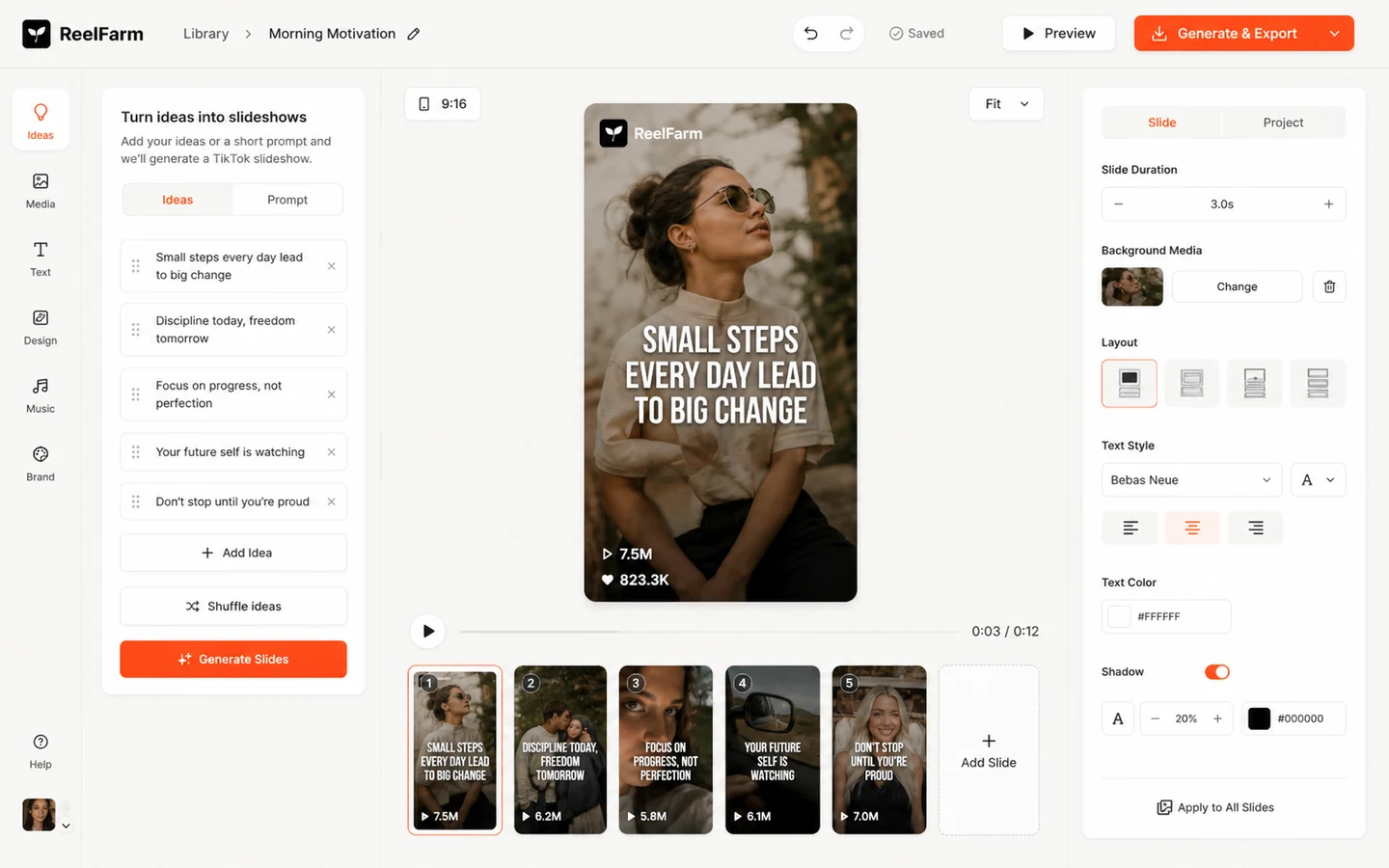
ReelFarm belongs on a store page when the buyer is comparing TikTok automation tools, not when they only want a generic AI video generator. The practical question is whether the product can help you publish useful short-form content consistently without creating template fatigue, account risk, or unused monthly credits.
What ReelFarm actually does
ReelFarm helps users create and publish TikTok-oriented videos, especially slideshow-style and faceless content workflows. The official positioning is clear: generate content that can drive traffic back to a product, website, app, or business. That makes the tool more interesting for marketers with a repeatable content angle than for buyers who only need a one-off video asset.
- Use it to test repeatable slideshow and TikTok automation workflows.
- Judge it by posting cadence and content quality, not only by video generation speed.
- Treat traffic strategy, account health, and content rights as part of the buying decision.
Pricing path and plan fit
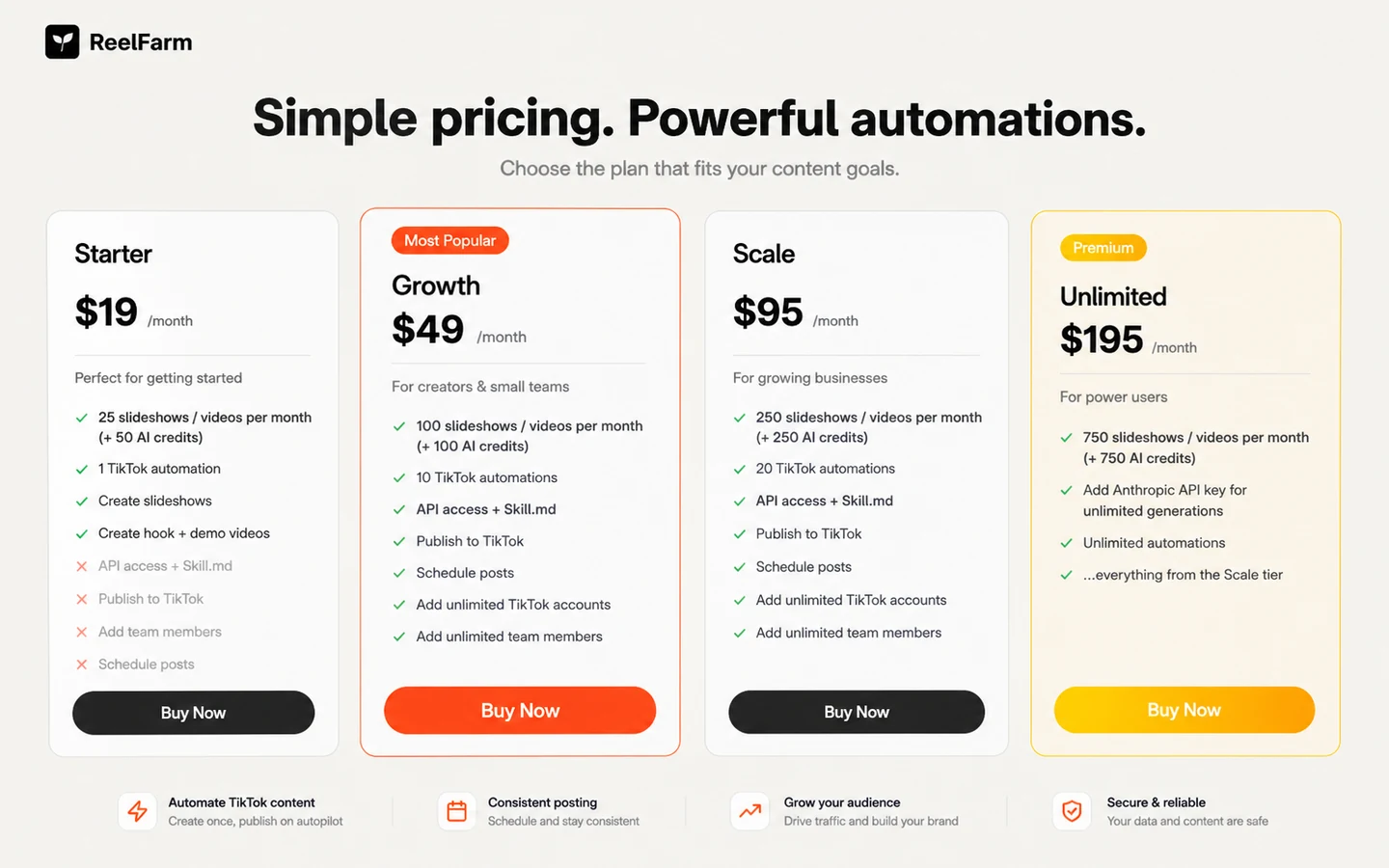
ReelFarm's public pricing starts at $19/month for Starter, then moves to $49/month for Growth, $95/month for Scale, and $195/month for Unlimited. The plan names matter less than the operating limit. If you plan to post daily across multiple accounts, the Starter tier may be a test path rather than a real scaling plan.
- Starter is the cleaner low-risk test if one automation and 25 monthly videos are enough.
- Growth and Scale make more sense when the buyer has multiple accounts or a daily posting rhythm.
- Unlimited should be justified by a real content operation, not by fear of running out of credits.
Watch the automation workflow before checkout
This walkthrough is useful because it shows how ReelFarm fits into the messy part of the job: turning ideas into repeatable TikTok output. As you watch, pay attention to how much review, editing, account setup, and publishing judgment still sits with the user. That is the difference between helpful automation and content that only looks automated.
API, teams, and account workflow
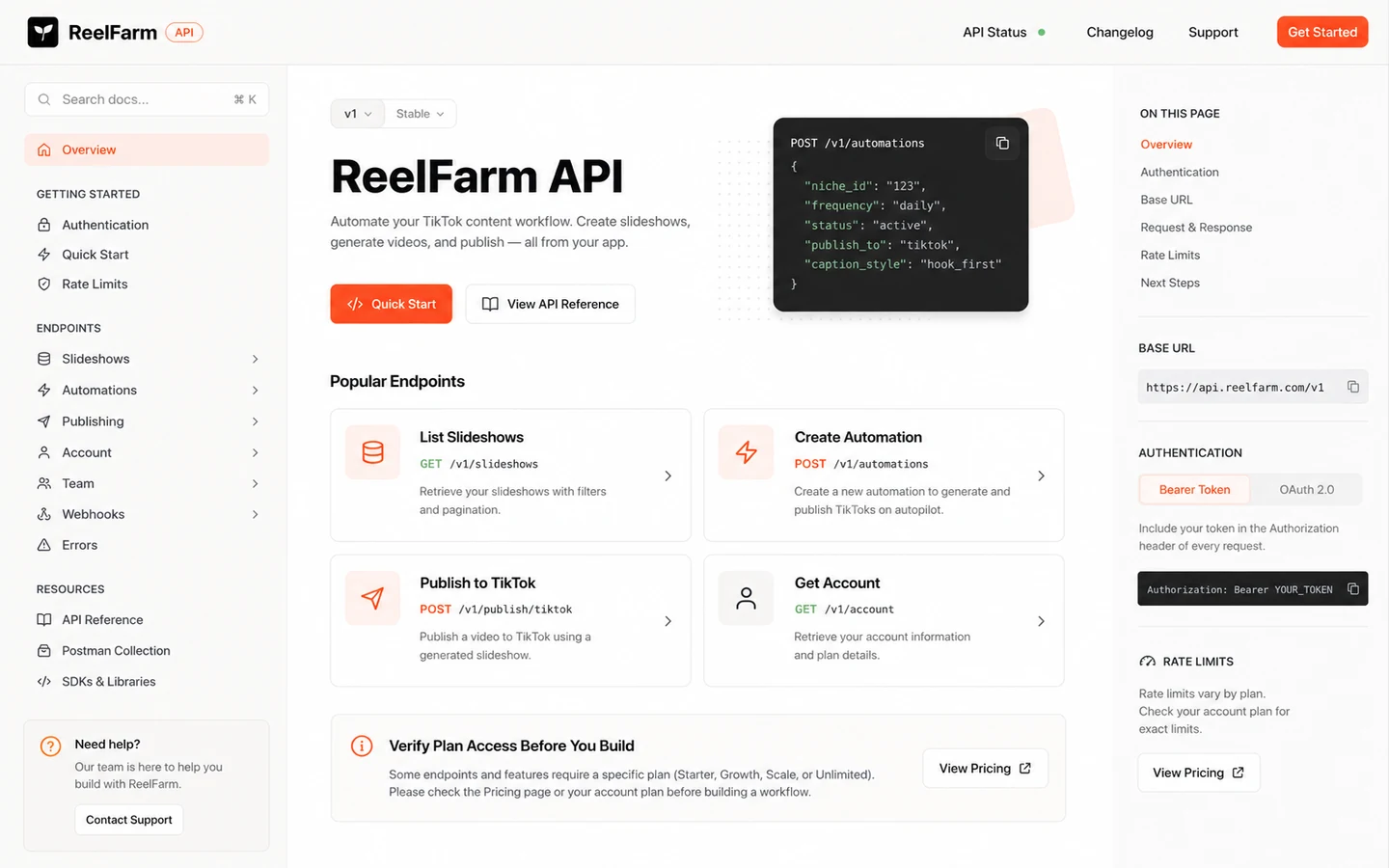
ReelFarm is not only a simple video generator. The homepage and documentation point toward team use, TikTok account workflows, YouTube upload support, and API-based automation. That matters for agencies and technical users, but it also adds verification work. Confirm which plan includes the exact access you need before designing a system around it.
- Check API access on the current plan page and docs before building around it.
- Confirm how many TikTok accounts and automations your plan supports.
- Decide who reviews posts before they go live, especially for client accounts.
Content rights and publishing risk
ReelFarm's terms make an important point for commercial users: buyers remain responsible for platform compliance and the rights around the content they publish. That is especially important when using moodboard-style images, AI-generated assets, or posts across TikTok and YouTube. A buyer should treat this as a content operations tool, not a legal shortcut.
- Use your own licensed images when commercial rights matter.
- Check TikTok and YouTube rules before automating posts at scale.
- Keep human review in the workflow for brand and compliance-sensitive content.
Safest next step for ReelFarm buyers
The safest next step is to start with fit, not a coupon search. Check the official pricing section, test the free entry path if it is available in your account, and create a few posts that reflect your real niche. If the output is useful and your account can handle the cadence, compare Starter, Growth, Scale, and Unlimited by monthly usage. If quality or account strategy still feels uncertain, read the review before moving to a checkout or deal path.
- Use the review page when workflow fit is still unclear.
- Use the pricing path when credit and automation limits are the main question.
- Use the coupon or deal path only after ReelFarm already looks like the right tool.
Best savings path from this store page
This is the clearest savings route to check once the product already looks like a fit.
ReelFarm lists a Scale tier for buyers who need a larger monthly content allowance, more TikTok automations, API access, scheduling, and team support.
$195 per month premium tier
Free research path
Use comparison routes when the category fit is still open
Use these comparison routes when the product still looks plausible, but the category fit is not fully settled.
AKOOL is a better comparison when the buyer wants avatar-led or branded AI video output rather than slideshow automation.
Revid AI may fit buyers who want a broader short-form video workflow before committing to ReelFarm's TikTok automation angle.
Keep this only as an internal database route if your taxonomy maps it into creator assets; it is not the natural first comparison for TikTok automation.
Verification points worth checking before you click out
Where this store usually fits best in the workflow
ReelFarm fits buyers who want a repeatable faceless content engine using slideshow-style posts instead of camera-based production.
The tool makes more sense when the buyer already knows where TikTok traffic should go, such as a website, Shopify product, SaaS app, or newsletter.
Agencies can evaluate ReelFarm when they need multiple TikTok accounts, team collaboration, and repeatable client posting workflows.
API documentation makes ReelFarm worth checking for teams that want slideshow generation, scheduling, or publishing inside a larger content system.
Practical checkpoints before and after signup
- Define the niche, content angle, and destination page before testing ReelFarm.
- Check whether the free entry path lets you inspect the workflow without committing to a paid month.
- Create examples that match your real content style, not only easy demo topics.
- Review whether the posts feel useful and native enough for your audience.
- Calculate planned posting volume against monthly video, slideshow, AI credit, and automation limits.
- Check whether team members, TikTok accounts, scheduling, and API access match the plan you are choosing.
- Warm up TikTok accounts carefully and avoid judging the product only by the first few posts.
- Review content rights, platform rules, and refund restrictions before using a large share of credits.
Fast-read signals for workflow fit and buying friction
Questions readers usually ask before choosing this store
What is ReelFarm best for?
ReelFarm is best for buyers who want to create and publish short-form TikTok content repeatedly, especially faceless slideshow-style content. It is strongest when the buyer has a clear niche, a traffic goal, and a posting rhythm to maintain.
Does ReelFarm have a free plan or free trial?
ReelFarm's official site promotes a free entry path, but buyers should verify the exact free trial or free signup limits inside the current account flow. Do not assume the free path gives the same credits, automations, or publishing access as a paid plan.
Which ReelFarm plan should most buyers start with?
Most buyers should start by testing the workflow, then compare Starter, Growth, Scale, and Unlimited by videos, AI credits, automations, and account needs. Starter can be enough for a small test, while Growth or Scale becomes more relevant for serious posting volume.
Should I rely on a ReelFarm coupon code?
Public coupon claims should be treated as checkout tests, not guaranteed savings. The more reliable buying path is to confirm official pricing, check any live deal route, and make sure the plan limits match the workflow before paying.
What should I verify before paying for ReelFarm?
Verify current plan prices, monthly credit limits, TikTok automation limits, refund restrictions, API access, team features, image rights, and whether your account strategy is ready for consistent posting.
Choose the next route that matches what you still need to decide
The strongest next click depends on whether you still need product judgment, a savings route, or a broader category comparison.