
Anymail Finder Pricing, Plans & Lead Fit
Anymail Finder is a verified B2B email finder for sales, recruiting, and outreach teams that care more about deliverability than simply collecting the largest possible contact list. It finds emails by person, domain, company name, decision-maker role, LinkedIn URL, bulk file, browser extension, or API, then charges mainly when a result is marked valid.
Fit → price → checkout
Use these routes after the official-site check: coupon first, review for fit, compare if unsure.
Anymail Finder pricing snapshot
Fast commercial checks before pricing, coupons, or a deeper review.
Anymail Finder product tour
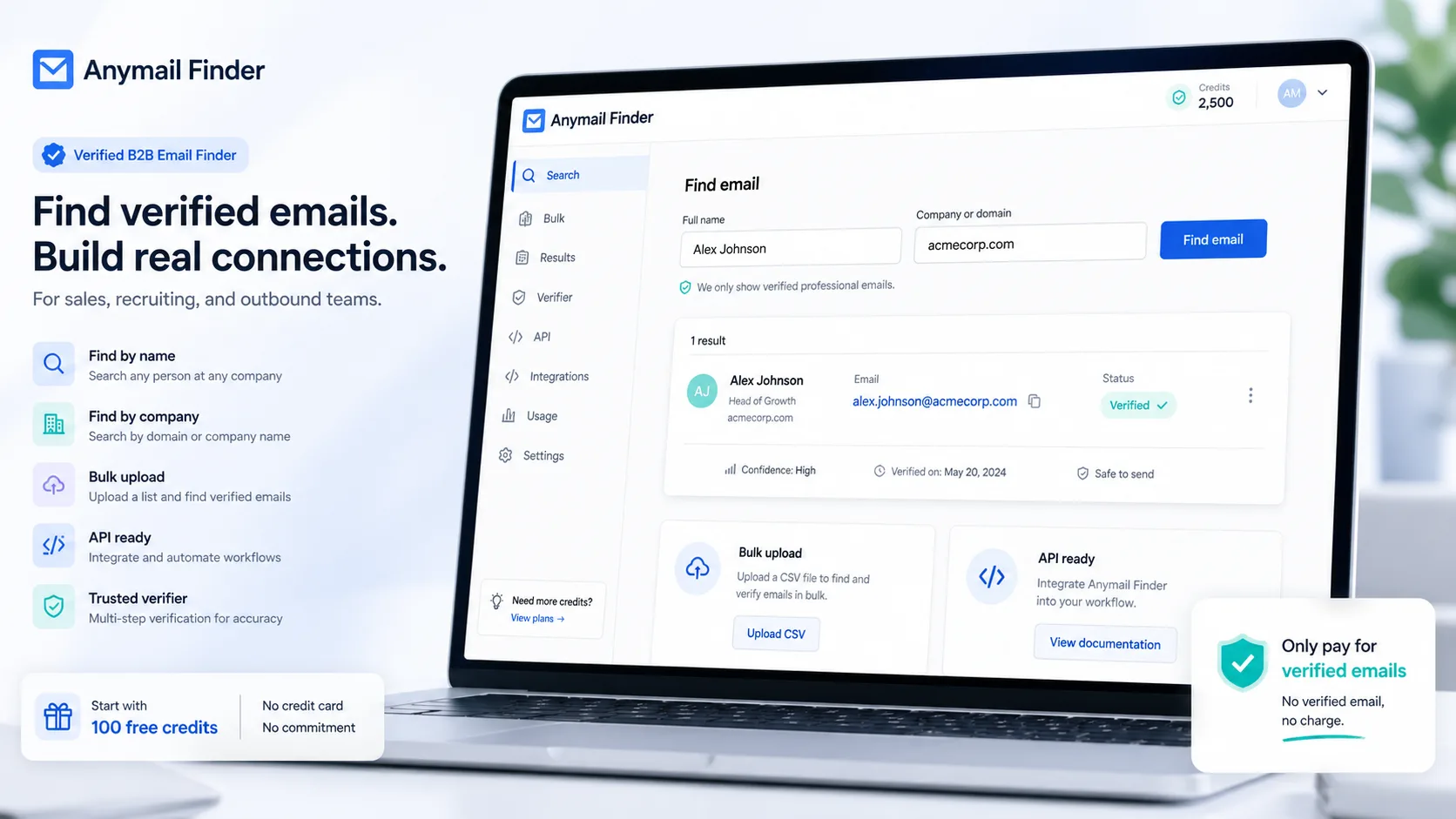
The strongest media path for Anymail Finder is practical rather than decorative: show the email lookup flow, pricing credits, API documentation, and Chrome extension so buyers can judge whether the product fits a real prospecting workflow.
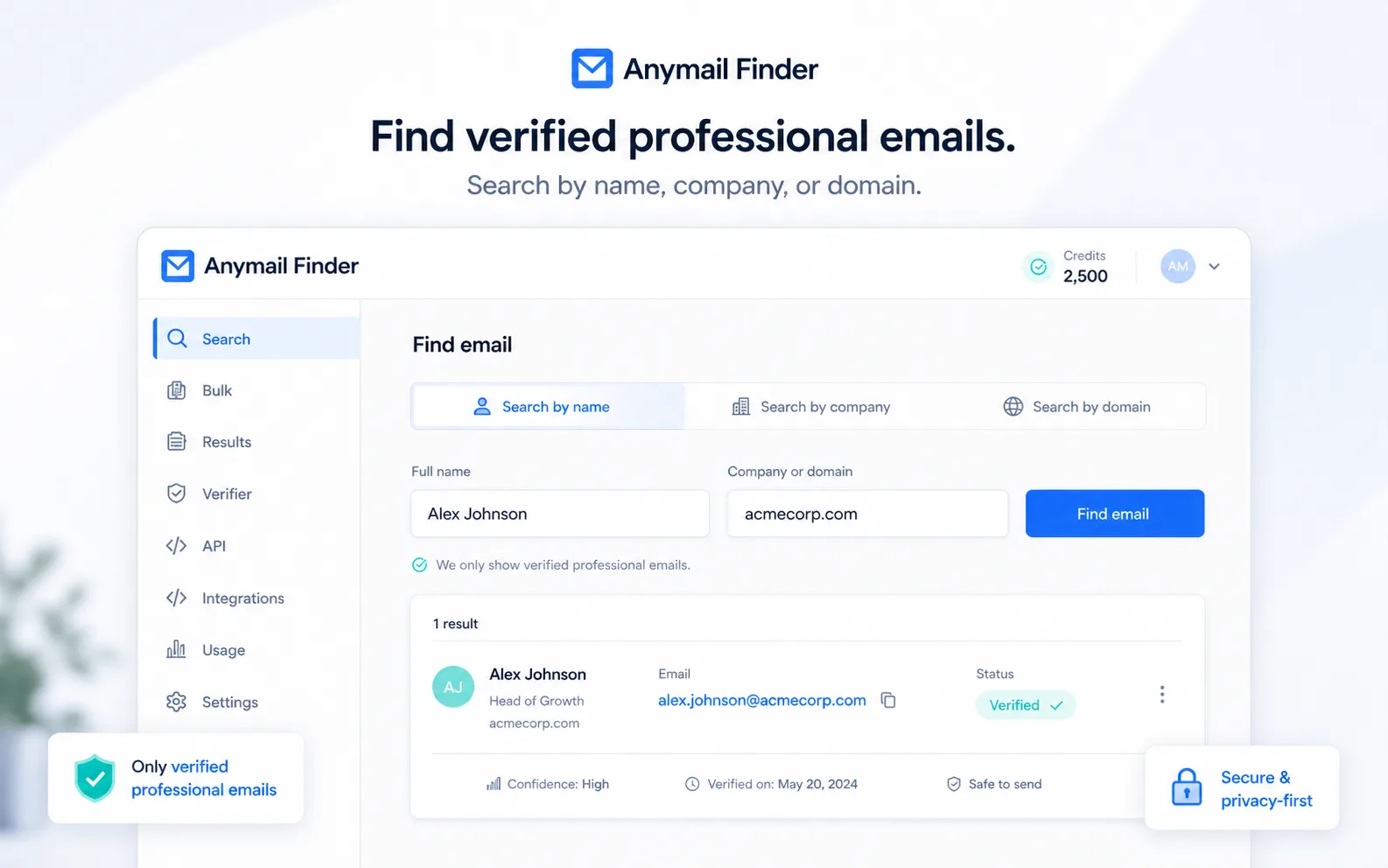
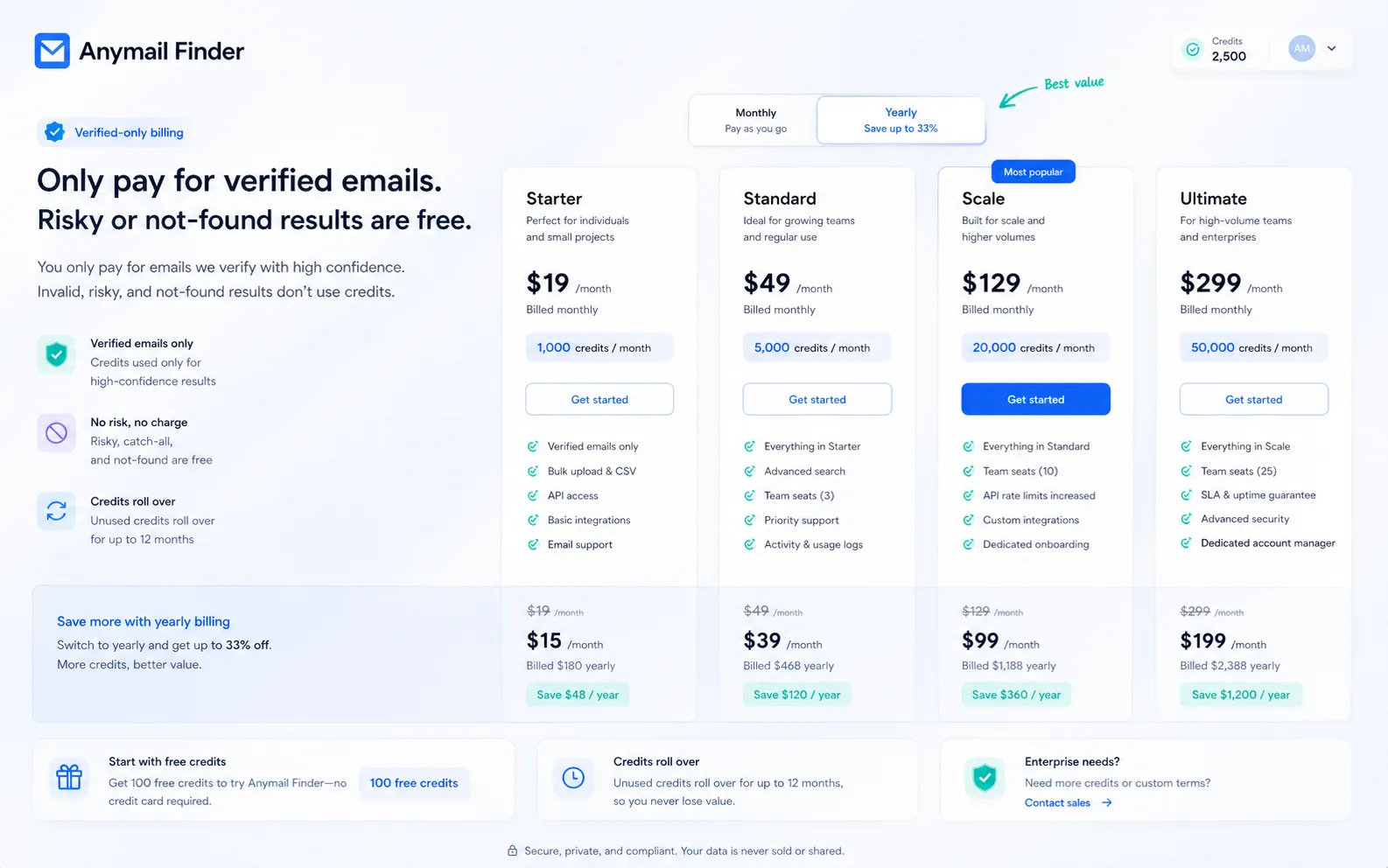
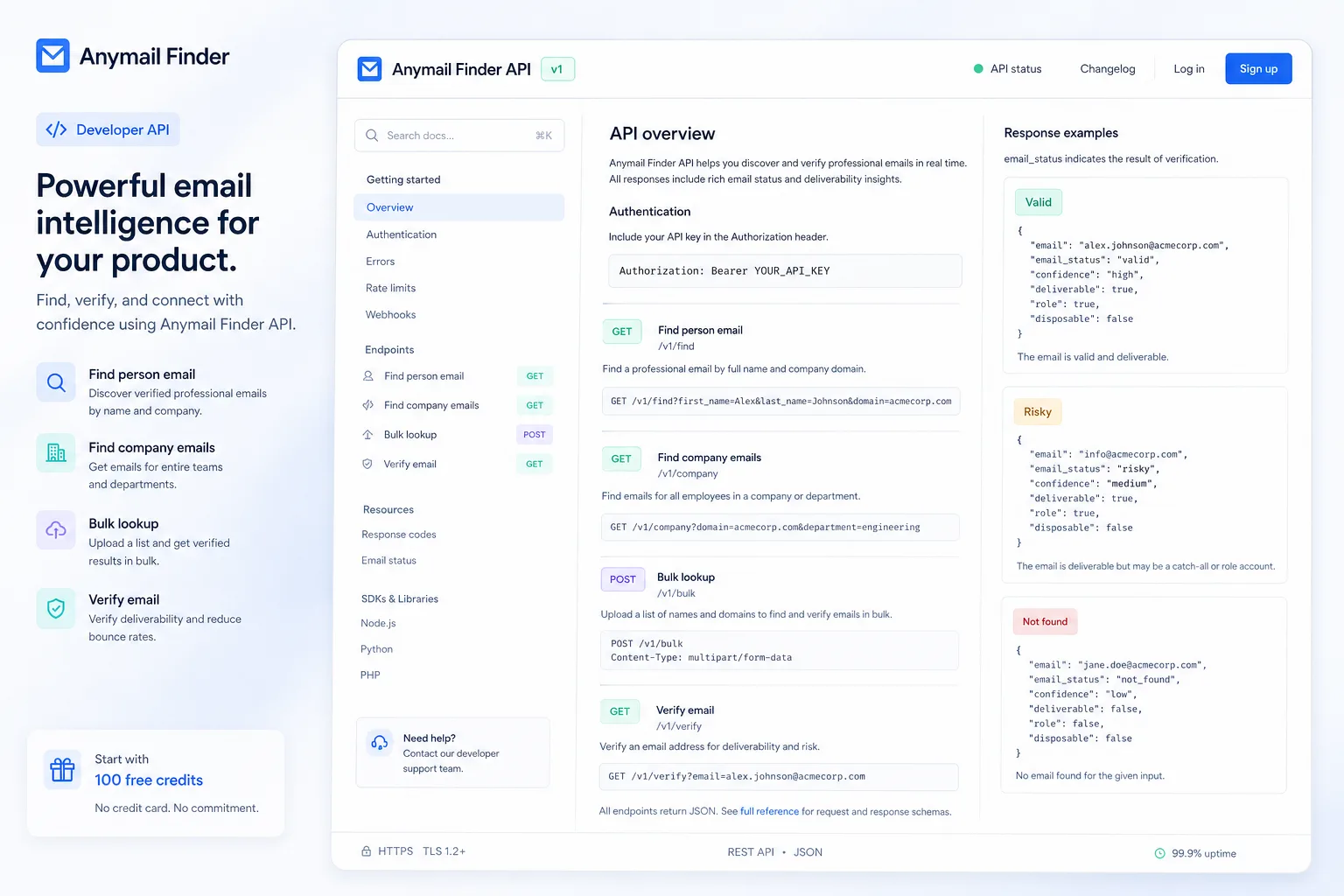
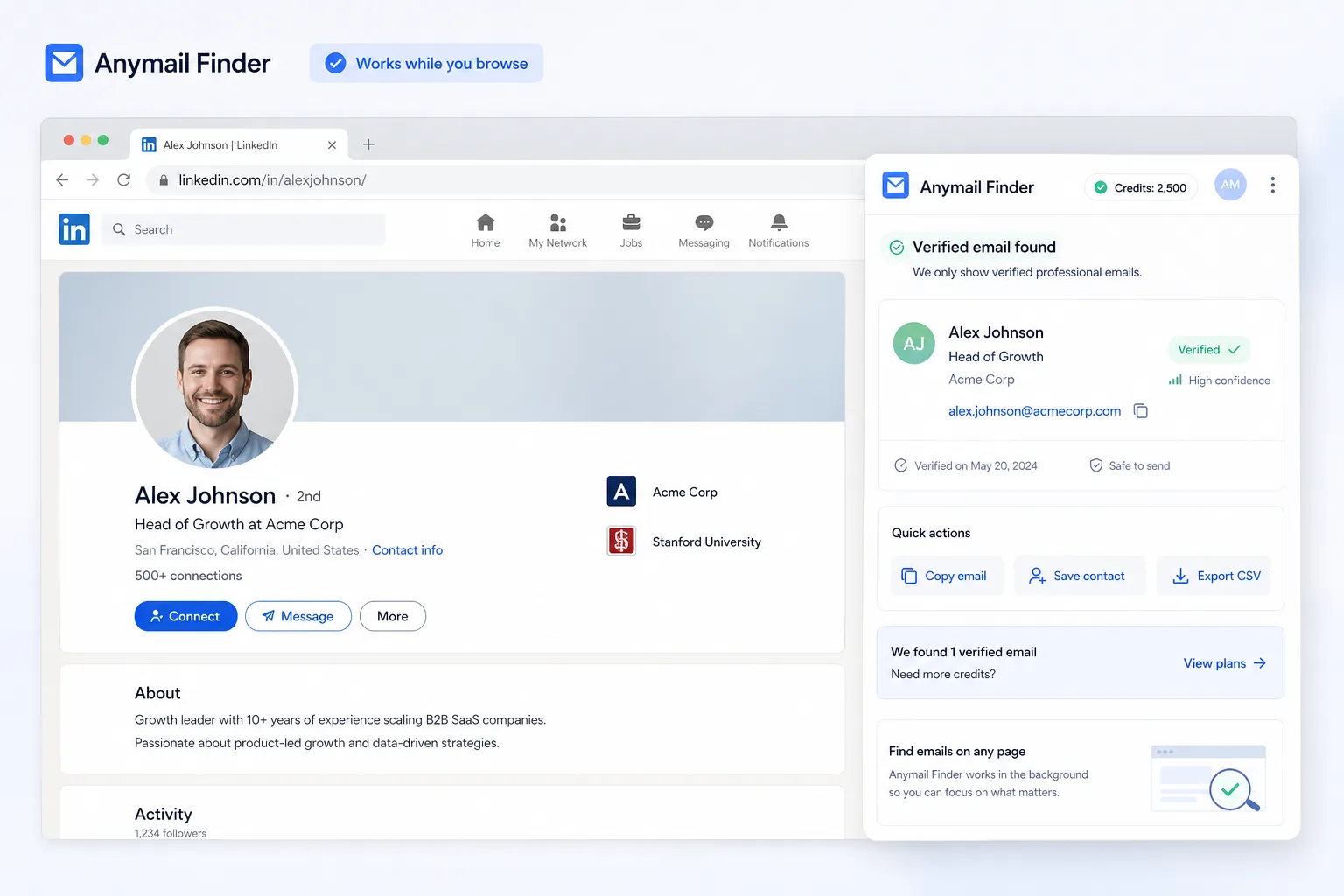
Anymail Finder should be judged as a B2B email finding and verification tool, not as an AI video or creator product. The practical buying question is simple: will its verified-only credit model produce enough usable contacts for your outreach workflow to justify the plan price?
What Anymail Finder actually does
Anymail Finder helps users find professional email addresses from details like a person's name, company, domain, decision-maker role, or LinkedIn URL. The product's main promise is not just finding more possible emails, but returning emails that have been checked before they are charged as valid.
That distinction matters for outbound teams. A cheap email finder can look attractive until catch-all, risky, or stale contacts damage sender reputation. Anymail Finder is more interesting for buyers who would rather pay for fewer verified contacts than bulk-export a larger but less certain list.
- Find emails by person name and company
- Search by domain or company name
- Find decision-maker emails by role or department
- Use LinkedIn URL lookup, bulk upload, extension, or API workflows
Pricing, credits, and the real buying pressure
The public pricing story is credit-based. Anymail Finder says plans start at $29 per month, new accounts receive 100 free credits, and buyers pay only when a verified, deliverable email is found. The annual route advertises 33% savings, while risky, not-found, and duplicate searches are handled differently from ordinary credit burn.
The practical checkpoint is volume. If you only need a few lookups, the free-credit test may be enough to judge quality. If you plan to run lists every week, compare the plan's verified credit volume against the number of usable contacts your campaign actually needs.
- Starting price is publicly stated at $29/month
- 100 free credits are available for new accounts
- Yearly plans advertise 33% savings
- Risky and not-found results are described as free
Watch a second walkthrough before relying on the workflow
A second video belongs inside the body because Anymail Finder is easier to judge when a buyer can see the lookup behavior in a practical email-finding context, not only from a product-tour block. Watch for how the user enters names, company details, or domains, and whether the workflow looks fast enough for the volume you expect.
The buying decision should stay practical: does the lookup flow save enough time, and do the returned contacts feel reliable enough for your outreach process?
Where it fits in a sales or recruiting stack
Anymail Finder is strongest when it sits between prospect research and outreach execution. You can use it to enrich a target account list, verify names before importing into a CRM, or connect lookup through an API, Make, Zapier, or internal workflow.
It is not trying to replace the whole outbound stack. Buyers who need sequencing, inbox rotation, deliverability warmup, intent signals, or CRM-native account intelligence will still need other tools around it.
- Use it before importing prospects into a CRM or sequencer
- Use API or automation routes for repeatable enrichment
- Use the Chrome extension for lighter browser-based research
- Pair it with separate outreach tools when campaign sending is required
Refund and checkout checks
Refund language needs careful handling. The pricing FAQ says refunds may be available for the most recent payment when results were poor with proof of more than 3% bounces, or when the charge happened within 72 hours and less than 10% of credits were used. The terms also include non-refundable fee language, so the safest copy is conditional, not absolute.
Before checkout, buyers should confirm the final amount, billing interval, credit amount, trial or free-credit rules, and the exact refund path with support if the plan is larger than a simple test.
- Verify the refund conditions before paying
- Check whether credits expire or roll over in the way you expect
- Confirm tax, currency, and renewal terms at checkout
- Keep proof if you plan to rely on a bounce-rate refund claim
Safest next step
The safest first step is to test the free credits with real prospects from your own workflow. Use names, domains, or LinkedIn URLs that resemble your actual target list. Then judge the result quality, credit usage, and speed before upgrading.
If the test looks good, move to the pricing page and compare monthly versus yearly plans. If fit is still unclear, read the review page before the coupon route. If you need a broader database or built-in campaigns, compare Anymail Finder with tools like Hunter, Findymail, Snov.io, Apollo, or GetProspect before committing.
- Test with real prospect records first
- Use pricing only after workflow fit is clear
- Use the coupon path only when there is a verified live savings route
- Compare broader sales intelligence tools if you need more than email lookup
Best savings path from this store page
This is the clearest savings route to check once the product already looks like a fit.
The entry monthly route is better for teams that want a small paid test before locking in yearly billing or higher-volume credit usage.
Credit rollover value path
Bulk and API route
Use comparison routes when the category fit is still open
Use these comparison routes when the product still looks plausible, but the category fit is not fully settled.
Hunter is the cleaner comparison when a buyer wants a broader email finder with a familiar free-plan path and simple domain search.
Findymail is worth checking when the buyer prioritizes B2B data quality and sales prospecting workflows beyond basic lookup.
Snov.io is more relevant when the buyer wants email finding plus outreach campaign tools in the same ecosystem.
Apollo is the heavier alternative when the buyer needs a larger sales intelligence database and engagement workflow, not just verified email lookup.
Verification points worth checking before you click out
Where this store usually fits best in the workflow
Use Anymail Finder to find and verify work emails for specific prospects before adding them to a CRM or outreach sequence.
Recruiters can use the name, company, domain, or LinkedIn URL lookup paths when they already know who they want to contact.
Agencies can test free credits on a small account list, then decide whether the verified-only billing model fits recurring client outreach.
Technical teams can connect the API or automation routes when email lookup needs to happen inside an internal product, spreadsheet, CRM, or data workflow.
Practical checkpoints before and after signup
- Confirm Anymail Finder is being evaluated as an email finder, not an AI video or creator tool.
- Prepare a real sample list with names, companies, domains, or LinkedIn URLs before testing.
- Compare expected credit volume against the number of usable contacts your campaign needs.
- Use the 100 free credits on representative prospects, not random examples.
- Track valid results, risky results, not-found cases, duplicates, and time saved.
- Decide whether the result quality justifies moving from test to paid plan.
- Verify monthly versus yearly billing, checkout currency, tax, included credits, and refund conditions.
- Do not assume a public coupon code exists unless the active coupon path verifies one.
- Prefer annual billing only when monthly usage is predictable.
- Start with one outreach workflow before connecting the API or automation routes.
- Recheck bounce rate, deliverability, and credit usage before renewing or upgrading.
Fast-read signals for workflow fit and buying friction
Questions readers usually ask before choosing this store
What does Anymail Finder actually do?
Anymail Finder finds and verifies professional email addresses for B2B outreach. It can search by person name, domain, company name, decision-maker role, LinkedIn URL, bulk file, browser extension, or API.
Is Anymail Finder best for creators or sales teams?
Sales, recruiting, marketing, and lead generation teams are the better fit. The uploaded workbook categorized it near AI video and creator workflows, but official sources show the real product role is verified email finding.
Does Anymail Finder have a free plan or trial?
It does not appear to be a permanent free-plan product. The official pricing flow promotes 100 free credits for new accounts, and the Chrome listing mentions a 3-day trial path, so buyers should confirm the current entry terms at signup.
Are Anymail Finder coupon codes the best savings path?
Not usually. The clearer savings route is free-credit testing, verified-only billing, and annual plan savings. Treat coupon codes as optional unless the active coupon path verifies a real code at checkout.
What should I verify before paying?
Check live pricing, currency, tax, credit volume, annual billing, credit rollover, free-credit expiry, API access, team sharing, and refund conditions. Refunds should be described as conditional, not guaranteed.
Choose the next route that matches what you still need to decide
The strongest next click depends on whether you still need product judgment, a savings route, or a broader category comparison.