Raycast Pricing, Plans & Workflow Fit
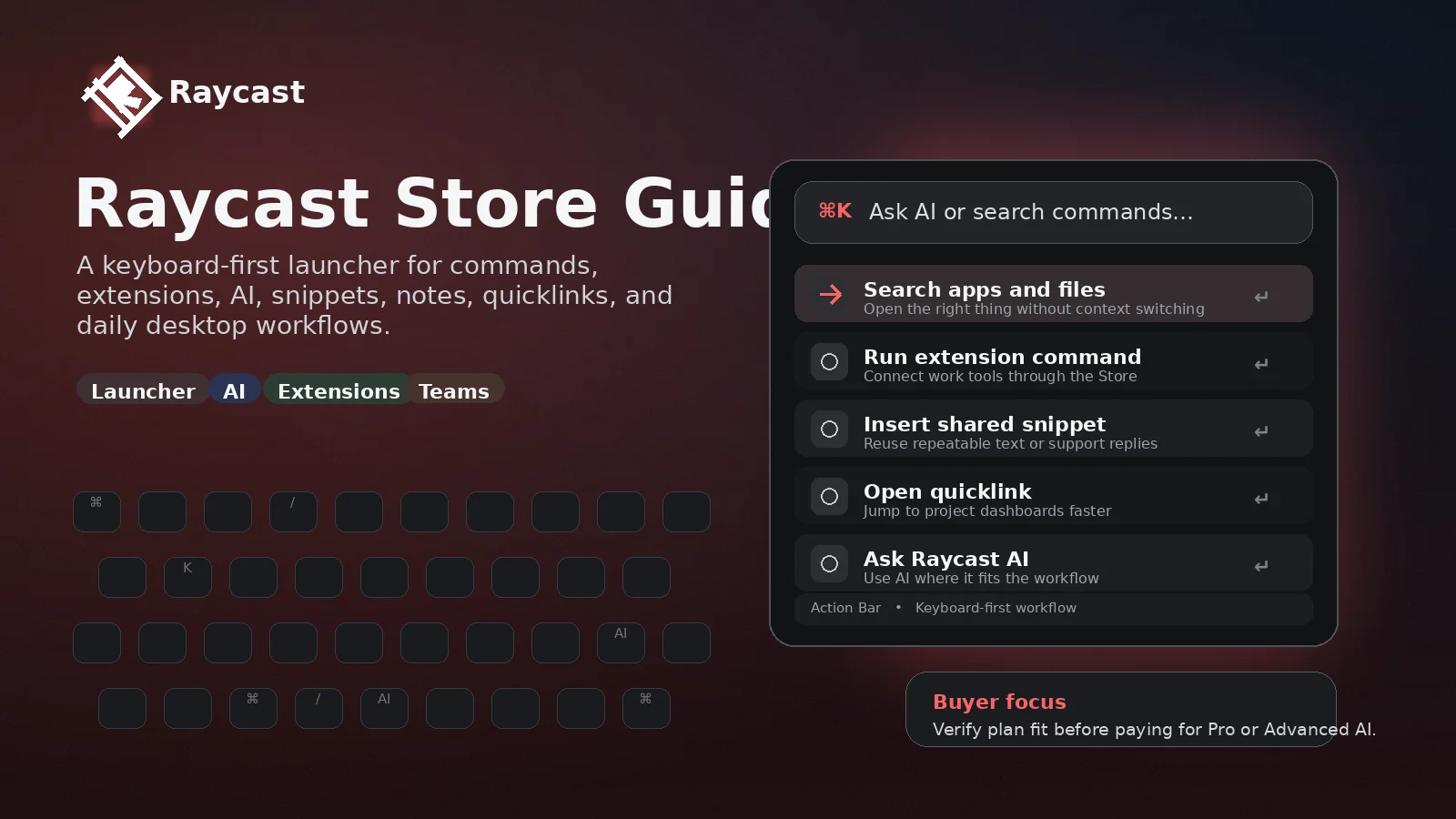
Raycast is best understood as a keyboard-first productivity launcher that has grown into a desktop workflow hub with extensions, snippets, window management, notes, AI, sync, and team sharing. It is not a simple AI chatbot subscription. The paid plan makes more sense when Raycast becomes part of a daily operating rhythm, especially for Mac power users, developers, operators, and teams that rely on repeatable commands.
Fit → price → checkout
Use these routes after the official-site check: coupon first, review for fit, compare if unsure.
Raycast pricing snapshot
Fast commercial checks before pricing, coupons, or a deeper review.
Raycast product tour
Raycast is easier to judge visually because the product lives in a command palette, not a traditional dashboard. The media plan should help buyers understand the launcher flow, the pricing split between free and paid features, the extension ecosystem, and the team controls that only matter once Raycast becomes part of a real workflow.
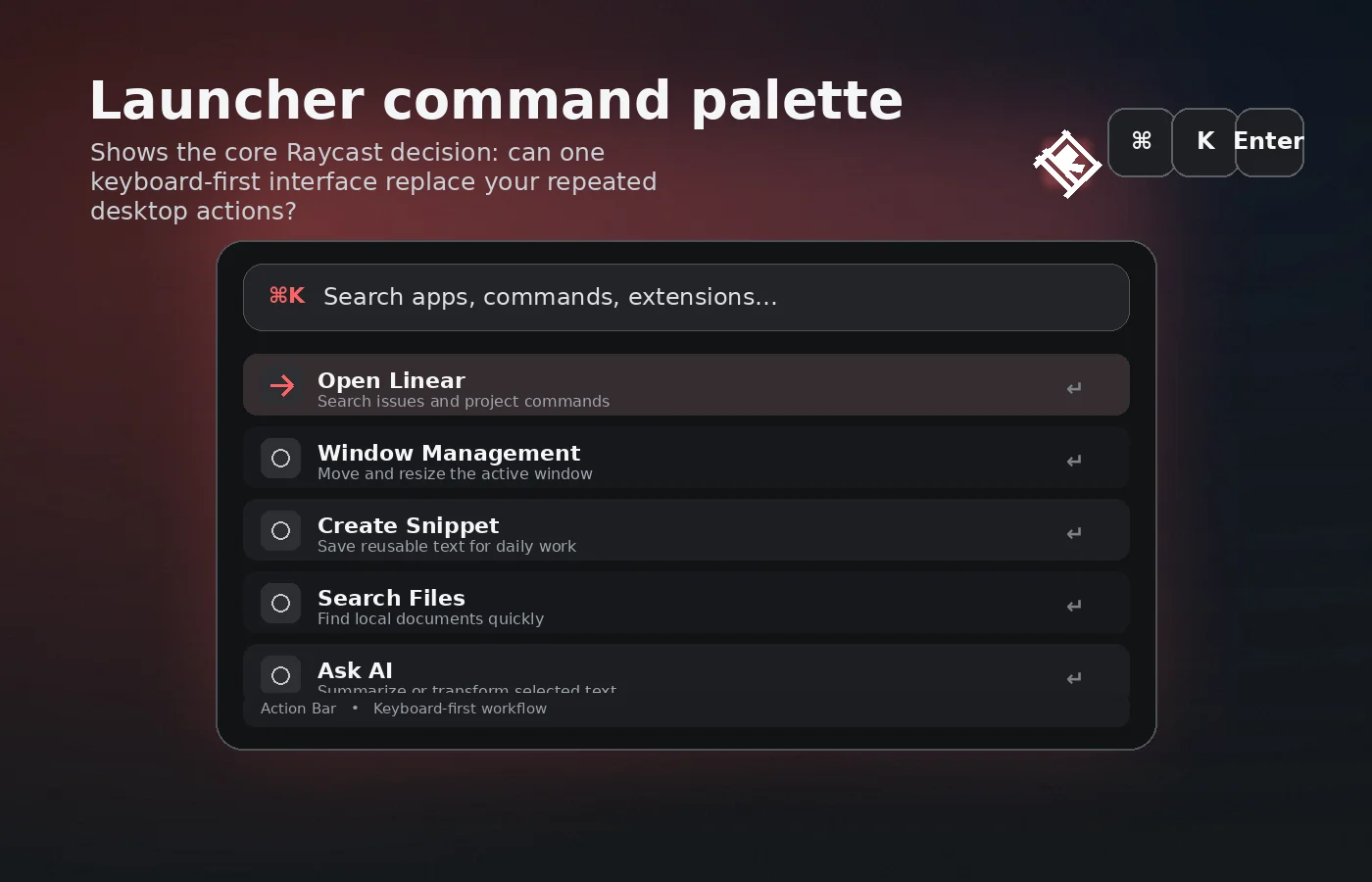
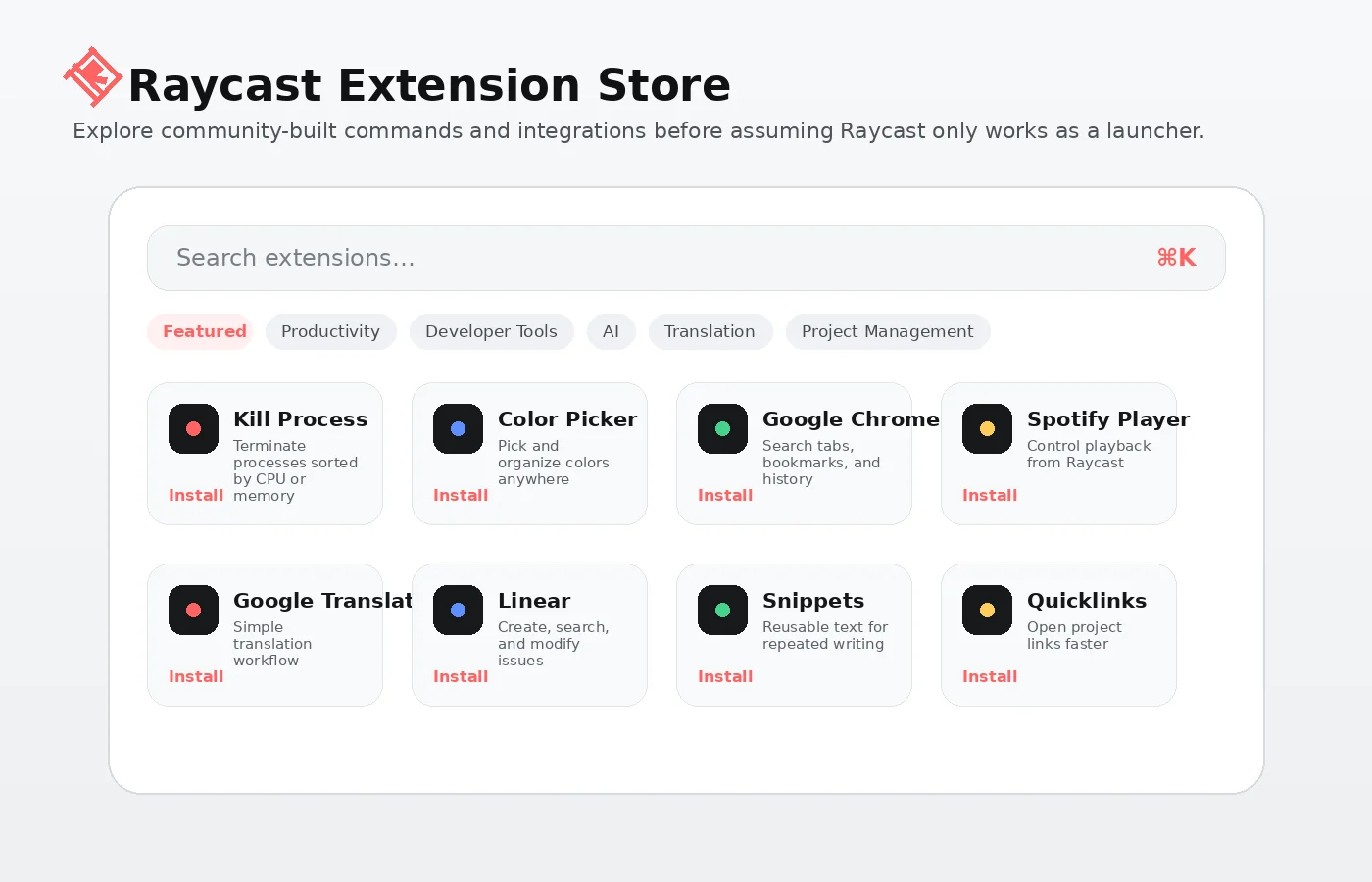
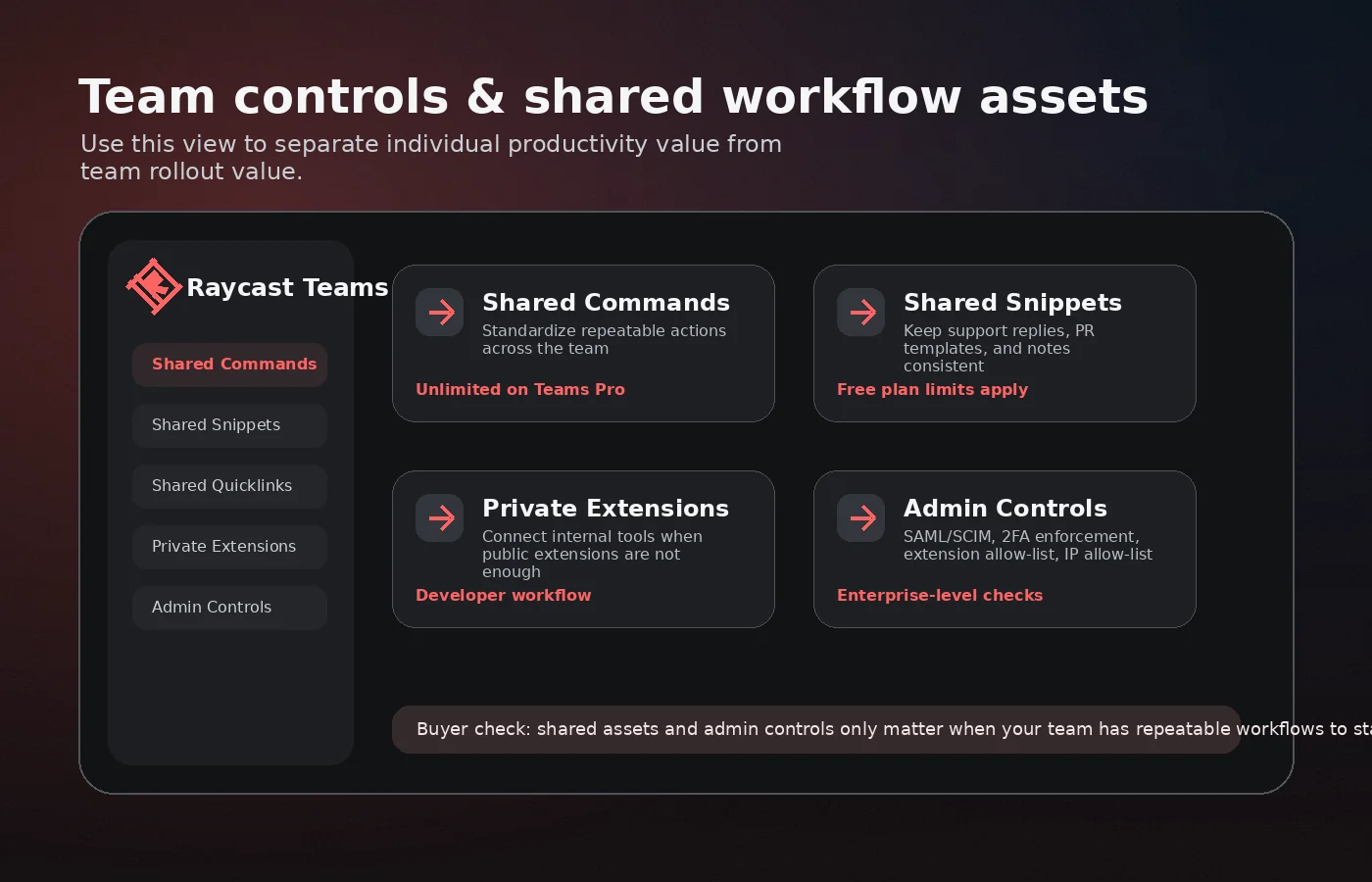
Raycast should be evaluated as a daily workflow layer, not as another generic AI subscription. The right buyer is usually asking whether a command palette, snippets, quicklinks, extensions, notes, AI, and team sharing can reduce repeated desktop friction enough to justify configuration time and possible subscription cost.
What Raycast actually does
Raycast gives users a fast launcher and command palette for opening apps, running commands, searching tools, using snippets, managing windows, calculating, launching quicklinks, taking notes, and extending workflows through its store and developer ecosystem. The product is strongest when the buyer has repetitive desktop actions that can be compressed into keyboard-driven commands.
- Open apps, commands, quicklinks, snippets, calculator, windows, notes, and extension actions from one launcher.
- Add community or custom extensions when the built-in tools do not cover the workflow.
- Use Raycast AI when the buyer wants AI inside the operating system flow instead of a separate browser tab.
Free plan versus Pro plan
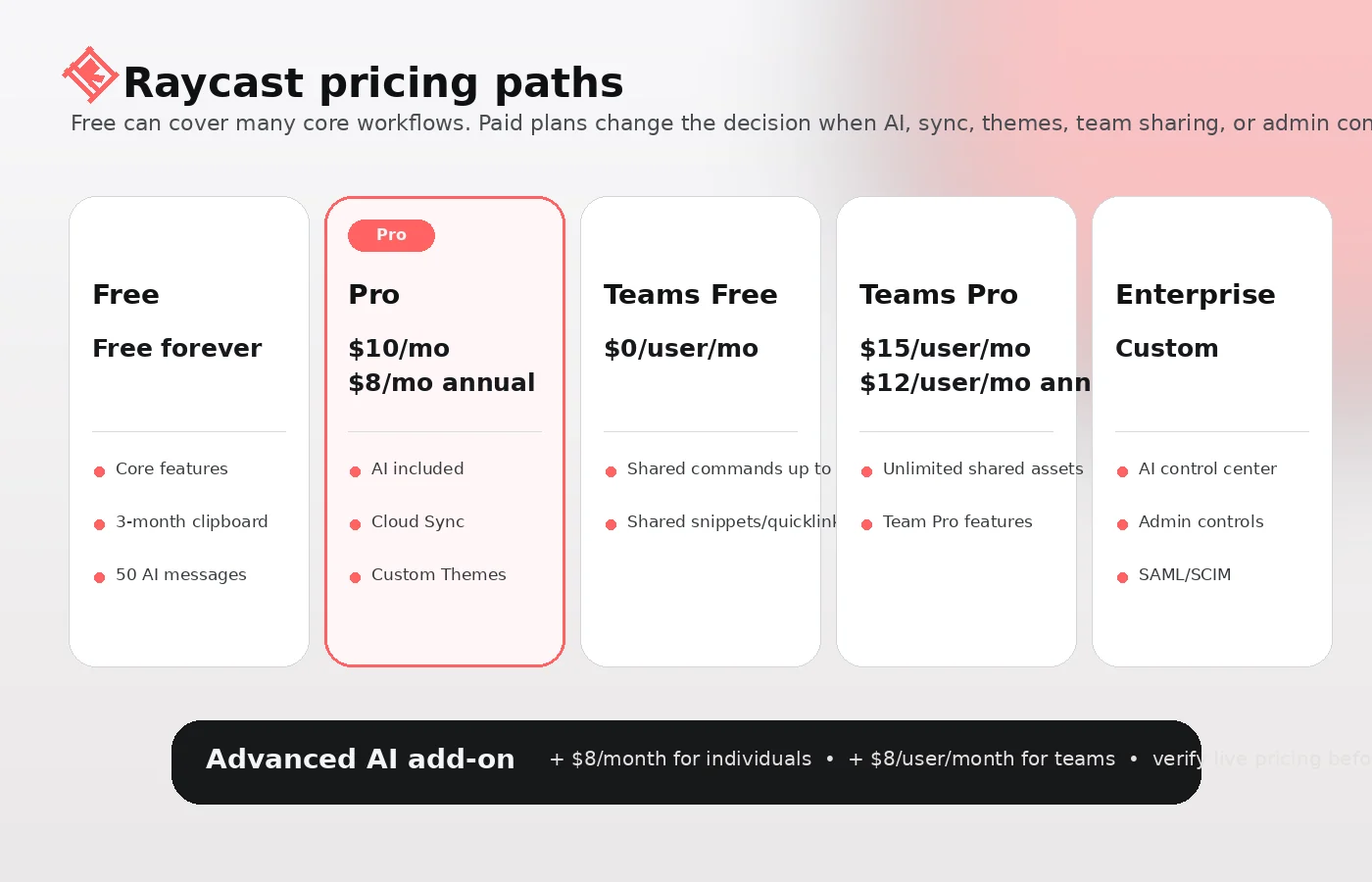
Raycast has a meaningful free plan, so the paid decision should start with what Pro actually adds. The public plan table shows the free tier covering core launcher features, thousands of extensions, custom extensions, developer tooling, limited AI messages, three months of clipboard history, and five Raycast Notes. Pro adds stronger AI access, Cloud Sync, custom themes, translation, unlimited notes, unlimited clipboard history, and custom window management commands. The Advanced AI add-on is separate, so buyers should not assume the base Pro price covers every advanced model need.
- Free is suitable for testing the launcher, command palette, extensions, snippets, and core workflows.
- Pro is more logical when Cloud Sync, AI, custom themes, translation, or unlimited notes become daily requirements.
- Advanced AI should be treated as a separate cost check, not a hidden free upgrade.
Where Raycast fits in a real workflow
Raycast fits best when the buyer uses a Mac or supported desktop setup all day and wants less context switching. Typical fits include launching tools, opening project links, saving reusable snippets, managing windows, running extension commands, checking calendars, searching files, and asking AI questions without leaving the keyboard. It is less compelling when the buyer only wants occasional AI chat or a simple app search replacement.
- Best for people who already feel friction in app switching, link hunting, repeated text, and small desktop actions.
- Less urgent for users who rarely customize workflows or mostly work inside one browser app.
- Most valuable after the buyer invests time in setup, shortcuts, and personal command habits.
Team and developer fit
Teams should look beyond the individual Pro price. Raycast for Teams supports shared commands, shared snippets, shared quicklinks, private extensions, and organization controls. Developers can also build extensions with the Raycast API using React, Node.js, and TypeScript. That makes Raycast more attractive for technical teams with repeatable internal workflows, but it may be overkill for teams that only need basic task management or a shared wiki.
- Teams Free can be enough for light sharing, but Teams Pro removes many sharing limits.
- Private extensions are relevant when the organization has internal tools, employee directories, brand assets, or operational shortcuts.
- Admin and AI control features matter most for organizations with governance requirements.
Pricing, annual savings, and add-on risk
The public pricing table shows a free starting point, monthly and annual Pro pricing, Teams Free, Teams Pro, Enterprise, and the Advanced AI add-on. The annual discount is useful only after the buyer knows Raycast will be used consistently. For AI-heavy buyers, the add-on can matter more than the base plan, especially if the desired workflow depends on advanced models rather than core launcher productivity.
- Pro lists $10 monthly or $8 monthly with annual billing.
- Teams Pro lists $15 per user monthly or $12 per user monthly with annual billing.
- Advanced AI is listed separately at +$8 per month or +$8 per user per month on paid Pro paths.
What buyers should verify before checkout
Before paying, buyers should verify the live pricing table, annual billing total, Pro trial availability, Advanced AI requirements, Windows beta status, platform feature parity, team sharing limits, API or private extension needs, and refund language for their region. Raycast is strong enough to deserve a serious test, but it is also configurable enough that a shallow checkout decision can lead to paying for features that never become habits.
- Check whether the workflow is mainly macOS, Windows beta, iOS companion, or mixed platform.
- Confirm whether the free plan already covers enough of the work.
- Review terms before choosing annual billing or rolling out Teams Pro.
Best next step with Raycast
The safest next step is to install Raycast free, set up three to five repeated commands or snippets, test the AI message allowance, and compare whether the workflow still feels useful after a few working days. If it does, read the Raycast review for tradeoffs, then open the pricing or coupon route to check the current paid path. If the buyer only wants generic AI chat, a browser assistant or AI workspace may be a cleaner comparison.
- Start with the free plan and a narrow workflow test.
- Read the review before paying if fit is still unclear.
- Use the coupon or pricing route only after the product already looks right.
Best savings path from this store page
This is the clearest savings route to check once the product already looks like a fit.
A public Raycast partner deal page reports a checkout coupon for new accounts. Treat it as a researched partner path, not an official Raycast pricing-table discount.
Reported Pro checkout coupon
Try Pro before paying
Use comparison routes when the category fit is still open
Use these comparison routes when the product still looks plausible, but the category fit is not fully settled.
Taskade is closer when the buyer wants a shared AI workspace with tasks, docs, and collaboration rather than a keyboard-first desktop launcher.
Monica is a better comparison when the main need is a browser-based AI assistant rather than OS-level commands, snippets, and extensions.
Sider fits buyers who want AI assistance around reading, writing, and browser work without adopting a full launcher workflow.
Blitzit is more relevant when the buyer's real issue is task execution and focus instead of app launching, extension commands, and desktop automation.
Verification points worth checking before you click out
Where this store usually fits best in the workflow
Use Raycast when repeated app launches, window actions, snippets, quicklinks, and small commands are slowing down daily desktop work.
Use Raycast Pro when asking AI from the command palette is more convenient than switching to a separate chatbot or browser tab.
Use Teams Pro when shared snippets, commands, quicklinks, private extensions, and admin controls can standardize how a team works.
Use Raycast's API and extension ecosystem when the buyer has technical workflows that benefit from custom commands and internal shortcuts.
Practical checkpoints before and after signup
- Install Raycast and set up a few repeated commands, snippets, quicklinks, and window actions.
- Use the free AI message allowance to test whether AI in the command palette fits the workflow.
- Avoid judging Pro before the free plan has been used during real workdays.
- Compare Cloud Sync, Raycast AI, custom themes, translation, unlimited notes, and unlimited clipboard history against real habits.
- Add the Advanced AI cost if the workflow depends on advanced models.
- Check the 14-day Pro trial language on the live pricing page.
- Decide whether Teams Free sharing limits are enough before moving to Teams Pro.
- Test shared commands, snippets, quicklinks, and private extensions with a small group first.
- Review admin controls, AI control center needs, and feature parity before broader rollout.
- Recheck monthly versus annual usage before renewal.
- Remove Advanced AI if the team is not using it enough.
- Compare Raycast against lighter tools if the launcher habit never formed.
Fast-read signals for workflow fit and buying friction
Questions readers usually ask before choosing this store
What is Raycast best for?
Raycast is best for keyboard-first users who want one fast place to open apps, run commands, use snippets, manage windows, access extensions, take notes, and bring AI into desktop work. It is strongest when the buyer has repeated actions worth compressing.
Does Raycast have a free plan?
Yes. Raycast publicly lists a free plan with core launcher features, thousands of extensions, custom extensions, developer tooling, limited AI messages, clipboard history, and a smaller notes allowance. The free plan is the right first test for most buyers.
Is Raycast Pro worth paying for?
Raycast Pro is worth considering when AI, Cloud Sync, custom themes, translation, unlimited notes, unlimited clipboard history, or custom window management commands become part of daily work. If those features are only occasional curiosities, the free plan may be enough.
Does Raycast have coupon codes?
A reliable public coupon code was not verified. The safer savings route is to test the free plan, compare monthly versus annual billing, check whether Advanced AI is needed, and then use the current DealBestDaily route after Raycast already fits the workflow.
What should I compare before choosing Raycast?
Compare Raycast against the real job you need done. Taskade is closer for shared AI workspace and tasks, Monica or Sider are closer for browser-based AI help, and Blitzit is closer for focus or task execution. Raycast wins when the buyer specifically wants a desktop launcher and command layer.
Choose the next route that matches what you still need to decide
The strongest next click depends on whether you still need product judgment, a savings route, or a broader category comparison.