
Blitzit Pricing, Plans & Focus Fit
Blitzit is a task manager and focus timer built around one practical idea: capture the work, estimate the time, start a focused session, and keep the active task visible until it is done. It fits buyers who like simple task lists but need stronger execution pressure than a normal checklist gives them. The newer direction also adds mobile apps, integrations, session tracking, and early AI assistant features, so Blitzit is becoming more than a Pomodoro timer without turning into a heavy project management suite.
Fit → price → checkout
Use these routes after the official-site check: coupon first, review for fit, compare if unsure.
Blitzit pricing snapshot
Fast commercial checks before pricing, coupons, or a deeper review.
Blitzit product tour
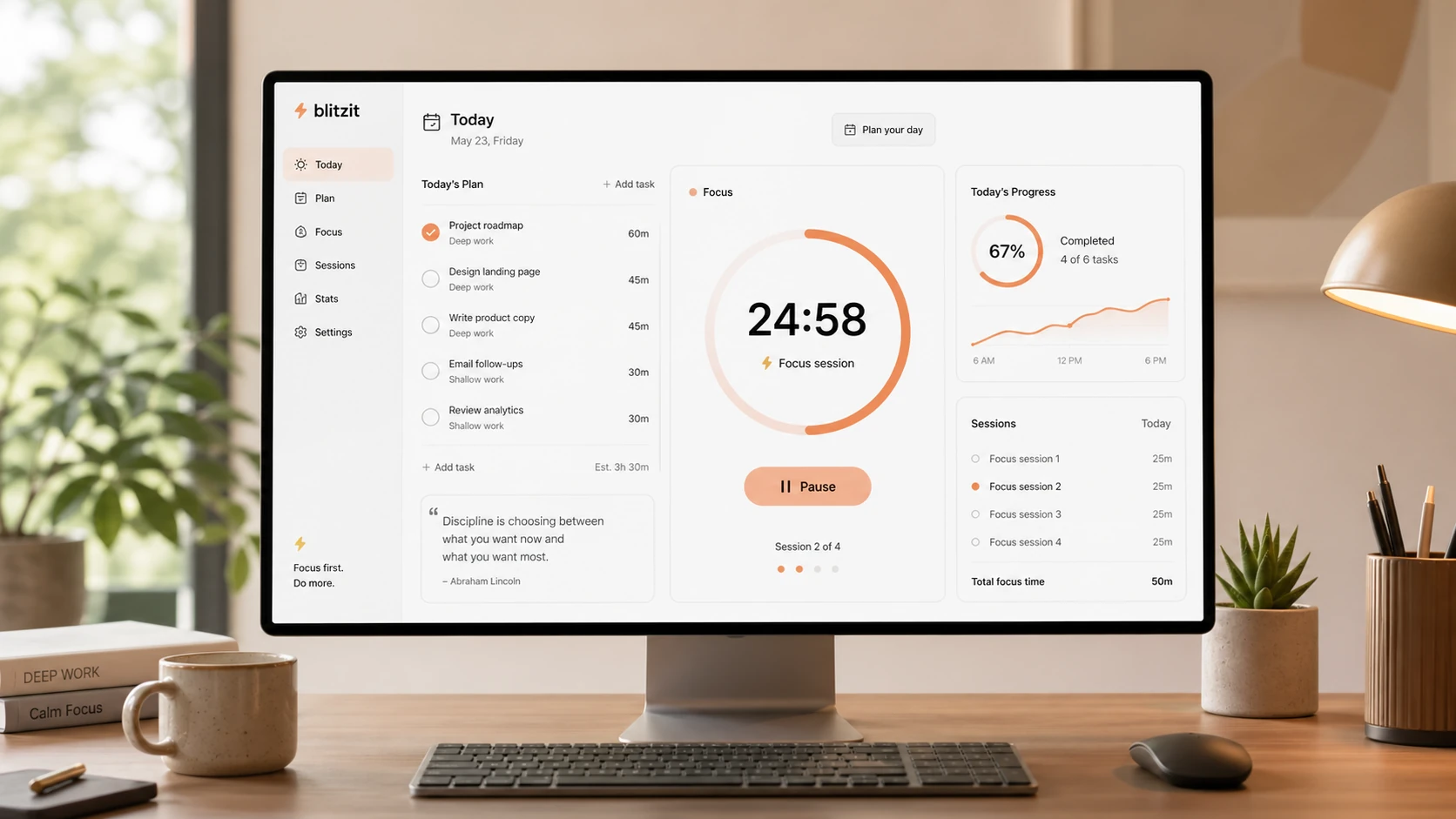
Blitzit is easiest to judge by watching how a task moves from capture to focus mode. The useful buyer visuals are not decorative productivity shots. They are the daily task list, active timer, pricing area, mobile capture flow, reports, and the newer AI assistant layer because those screens decide whether Blitzit feels like a real execution system or just another list app.
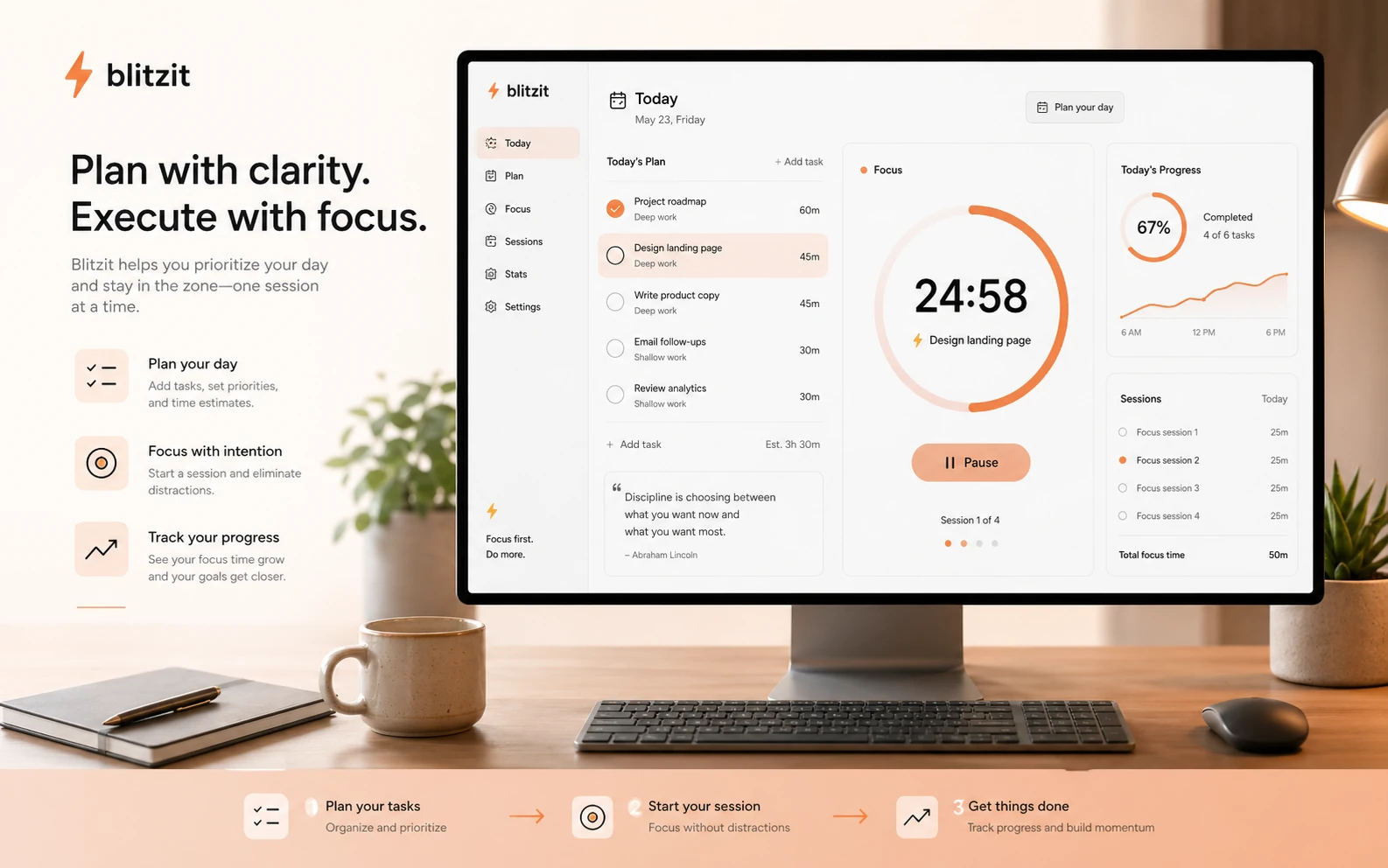
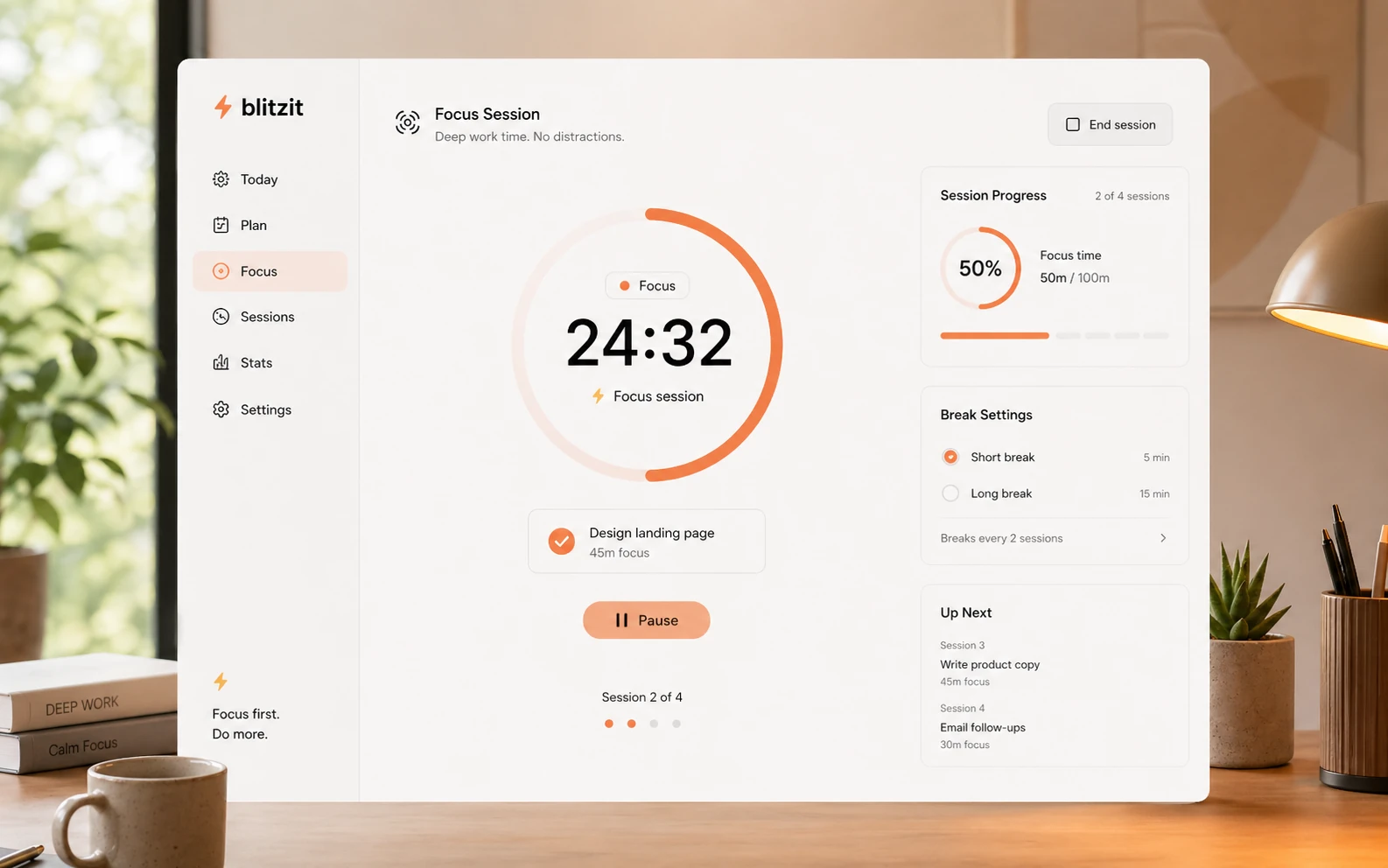
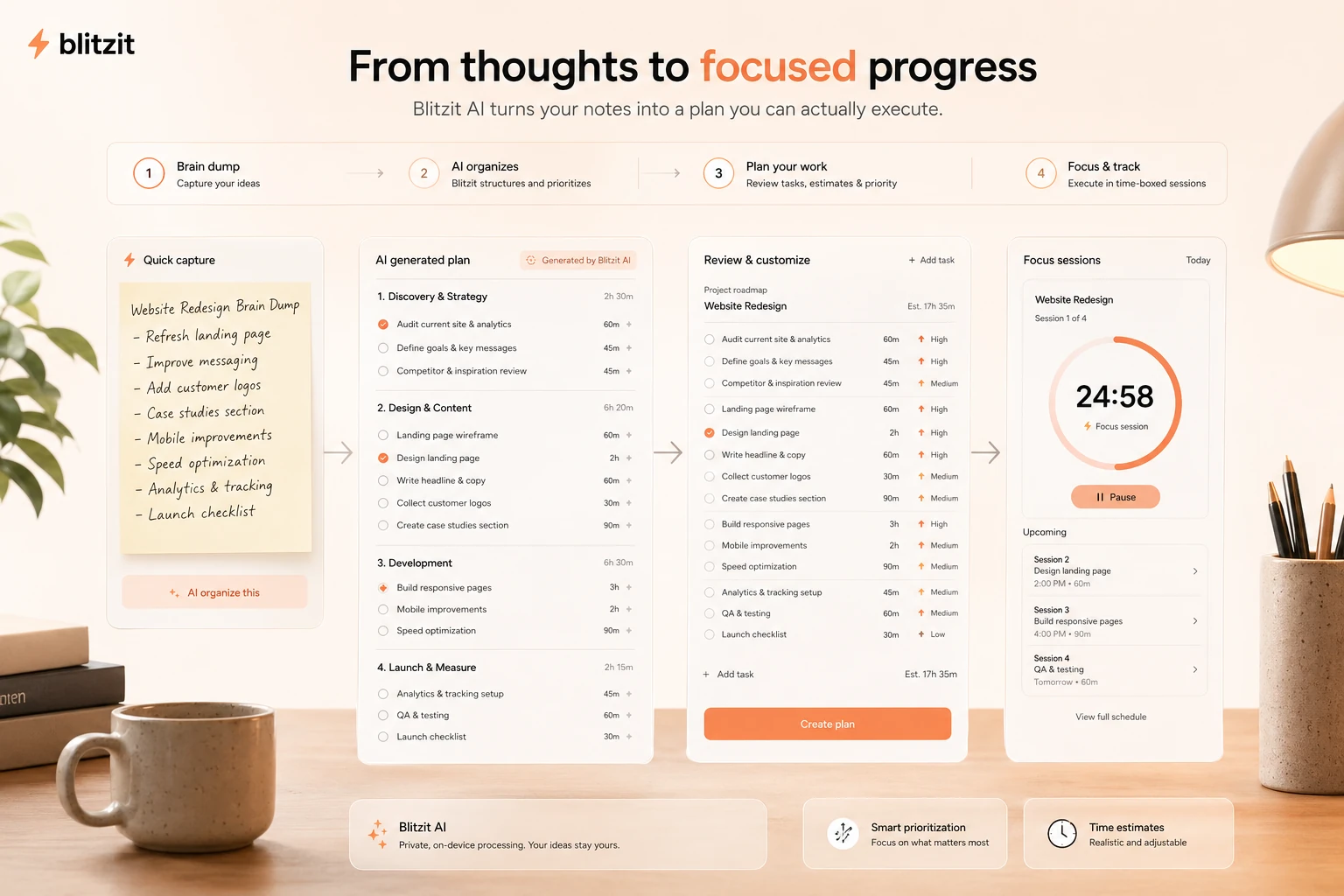
Blitzit should be evaluated as an execution app, not just another task database. The buyer question is simple: will this help me finish more of the tasks I already know I should do? Its strongest angle is the combination of tasks, estimated time, active timer, Pomodoro rhythm, schedule, notes, recurring work, reports, and newer AI-assisted task capture.
What Blitzit actually does
Blitzit combines a to-do list with a persistent focus timer. You plan a day or week, create lists, add notes and subtasks, estimate how long tasks should take, then move into focus mode where the active task and timer stay visible.
This makes Blitzit different from a normal checklist. A task manager stores work. Blitzit pushes the user to start, track, and finish work. That is why it makes more sense for freelancers, students, creators, and busy professionals than for teams looking for a complete project management system.
- Combines task capture, scheduling, notes, subtasks, recurring tasks, and timers
- Supports Pomodoro-style work sprints and breaks
- Tracks estimated time, done time, overtime, and productivity patterns
Pricing and plan fit
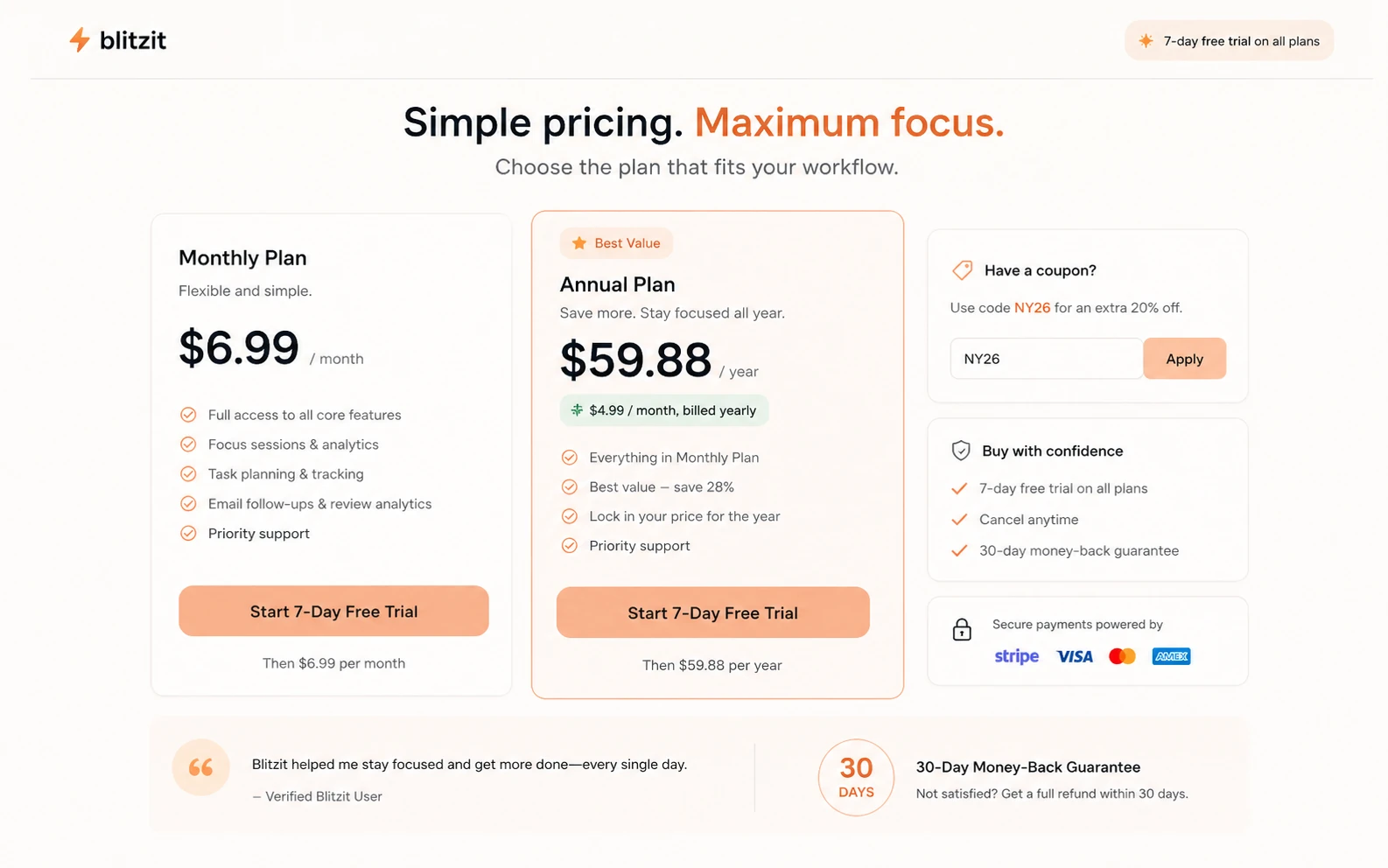
Blitzit's visible pricing is simple, but the buyer should still read it carefully. The public pricing area shows a 7-day trial, a monthly plan at $6.99, and an annual path displayed as $4.99 per month with $59.88 paid yearly. It also shows limited deal messaging with a NY26 coupon and 30-day money-back language.
The practical decision is not just price. Monthly billing is safer for a short test after the trial. Annual billing is more attractive when Blitzit becomes a daily habit. A lifetime deal can be appealing for buyers who already know they like the workflow, but it should be checked against current availability and refund language.
- Trial first, then compare monthly, annual, and lifetime paths
- Annual billing is the lowest visible recurring path but requires paying yearly
- Coupon and lifetime pricing should be checked live because deal messaging can change
Focus mode is the real product test
A lot of productivity apps look useful during setup and then disappear when the actual work starts. Blitzit's focus mode is the part that needs to pass the buyer test. The active task, timer, Pomodoro rhythm, reminders, and visible panel should make it easier to stay with one task long enough to finish it.
Buyers who like time blocking, Pomodoro, body doubling, or visible countdowns may feel the benefit quickly. Buyers who dislike timers or prefer open-ended work sessions may find Blitzit too prescriptive.
- Best for people who respond well to visible timers and short execution loops
- Useful when task estimates often slip and need feedback from real tracked time
- Less useful for users who only want passive task storage
Mobile, reports, and daily planning
Blitzit's mobile page focuses on capturing tasks with context, notes, subtasks, priorities, and time estimates from the phone. The homepage also shows productivity reporting, list filtering, punctuality review, and session tracking. That gives Blitzit a broader planning loop than a simple countdown timer.
The buyer should still verify feature parity. Mobile apps and reports can be decisive for students and professionals who plan away from a desk, but buyers should confirm the current iOS or Android experience before making Blitzit their main task system.
- Mobile task capture supports notes, subtasks, priorities, and time estimates
- Reports help review behavior, list performance, and time spent
- Session tracking is useful for people who want a lighter alternative to separate time tracking apps
AI, MCP, and integrations
Blitzit's newer direction includes Blitzy, an AI assistant that can turn thoughts into tasks, notes, subtasks, and schedules. The refreshed product update also describes a unified API, improved integrations, native mobile apps, and the foundation for Blitzit AI. The MCP page positions Blitzit as a way to turn ChatGPT and Claude conversations into tasks.
That is promising, but buyers should treat it as a workflow test rather than a buzzword. The value depends on whether AI-created tasks become clear next actions, not whether the product has AI labeling on the homepage.
- Blitzy is positioned around turning brain dumps into tasks, notes, subtasks, and schedules
- MCP positioning connects ChatGPT and Claude conversations to task creation and execution
- Integration value should be tested against the buyer's current calendar, notes, and task stack
What to verify before checkout
Before paying, verify the active pricing page, checkout route, coupon status, refund language, and plan limitations. Blitzit is changing quickly, with mobile, integrations, session tracking, AI, and MCP work appearing across official pages. That pace is good for a product that is improving, but it also means old pricing screenshots and third-party deal pages can fall out of date.
The safest buyer move is to install Blitzit, run a normal workday through it, and only then compare the monthly, annual, and lifetime paths.
- Confirm whether NY26 or any other coupon still works at checkout
- Verify whether lifetime access is active and whether the displayed price matches the checkout
- Check current mobile app behavior, reports, AI features, MCP access, integrations, and billing management
- Use the refund window only as a safety net, not as a reason to skip the trial
Best next step for buyers
The cleanest path is to start with the trial, not the coupon page. Test one full planning and execution cycle: add a task list, estimate time, run focus mode, use notes or subtasks, schedule recurring work, and review the report afterward.
If Blitzit clearly changes how much work you finish, the annual plan or lifetime deal becomes worth comparing. If the timer feels like pressure you will ignore, a simpler to-do app or a heavier planner may be a better fit.
- Start with the trial and a real workday
- Move to pricing only after the focus workflow feels useful
- Compare alternatives if you need more project planning, team collaboration, or calendar automation
Best savings path from this store page
This is the clearest savings route to check once the product already looks like a fit.
Blitzit shows the lifetime checkout price against a higher stated value, giving buyers a simple price-anchor check before choosing pay-once access.
One-time productivity workflow path
Session tracking workflow included
Use comparison routes when the category fit is still open
Use these comparison routes when the product still looks plausible, but the category fit is not fully settled.
Todoist is better for broad task capture and cross-platform task management, while Blitzit is stronger when the buyer wants visible focus sessions tied to each task.
Sunsama is better for structured daily planning and calendar-led routines, while Blitzit is lighter and more timer-driven.
TickTick is better for buyers who want a mature all-purpose task app with habits and calendars, while Blitzit focuses harder on timed execution.
Akiflow is better for power users centralizing tasks from many tools, while Blitzit is simpler for users who want task plus timer momentum.
Verification points worth checking before you click out
Where this store usually fits best in the workflow
Blitzit fits people who start the day with a list, estimate task time, and need a visible timer to keep the next action in front of them.
The timer, work sprint, break, and focus mode workflow make sense for users who already respond well to structured work intervals.
Students, creators, and solo professionals can use Blitzit to split work into lists, subtasks, timed sessions, and reports without adopting a heavy team PM system.
Blitzy and MCP workflows may help buyers turn messy notes, conversations, or AI chat outputs into tasks that are easier to execute.
Practical checkpoints before and after signup
- Start with the 7-day trial and run one real day through Blitzit.
- Confirm whether you prefer monthly billing, annual billing, or a lifetime deal.
- Check current coupon status, refund language, mobile behavior, and AI availability.
- Create separate lists for work, personal tasks, recurring work, and deep-focus projects.
- Add time estimates to important tasks instead of using Blitzit as a plain checklist.
- Test notes, subtasks, scheduling, recurring tasks, and focus mode before judging value.
- Start one task at a time, use the visible timer, and compare estimated time against actual completion time.
- Review reports and punctuality data to find tasks that are consistently underestimated.
- Keep Blitzit lightweight by avoiding unnecessary list complexity.
- Upgrade only if the focus timer changes completion behavior during the trial.
- Choose annual or lifetime access only when Blitzit feels like a daily habit, not a nice idea.
- Compare Todoist, TickTick, Sunsama, or Akiflow if team planning or advanced task intake matters more than focus sessions.
Fast-read signals for workflow fit and buying friction
Questions readers usually ask before choosing this store
Is Blitzit a normal to-do list app?
Not exactly. Blitzit includes task lists, but the main difference is the visible timer and focus workflow. It is built to help the user start and finish tasks, not just store them.
Does Blitzit have a free plan?
A permanent free plan was not the clearest public buying path during this update. The official pricing area shows a 7-day free trial, then monthly and annual paid plans.
How much does Blitzit cost?
The official pricing area shows $6.99 per month for the monthly plan and $4.99 per month equivalent on the annual plan with $59.88 paid yearly. Blitzit also shows limited coupon messaging and separate lifetime deal pages, so buyers should verify live checkout before paying.
Is Blitzit better than Todoist or TickTick?
Blitzit is better when the buyer wants task execution tied to a timer and focus mode. Todoist or TickTick may be safer for broader task management, habits, collaboration, or long-term cross-platform task organization.
What should I check before buying Blitzit?
Check whether the timer workflow helps during the trial, whether the active coupon still works, whether lifetime access is still available, and whether the current mobile, AI, MCP, reporting, and integration features match your real workflow.
Choose the next route that matches what you still need to decide
The strongest next click depends on whether you still need product judgment, a savings route, or a broader category comparison.