
Podpage Pricing, Plans & Podcast Site Fit
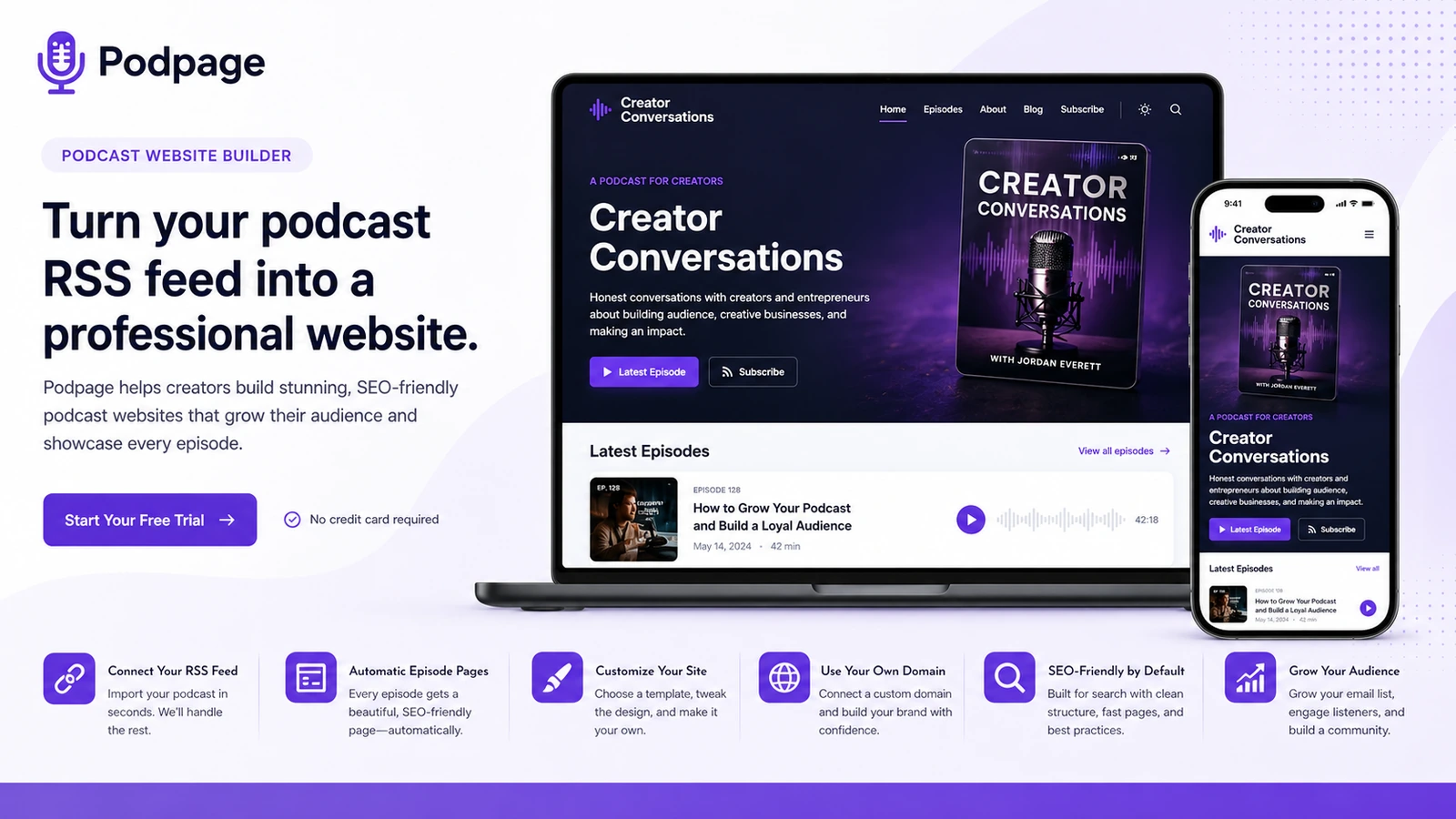
Podpage is a podcast website builder for creators who already have a podcast feed and want a clean site without managing WordPress, hosting, themes, plugins, and manual episode updates. Its strongest value is automation: paste an RSS feed, choose a template, connect a domain, and let episode pages stay current as new episodes go live.
Fit → price → checkout
Use these routes after the official-site check: coupon first, review for fit, compare if unsure.
Podpage pricing snapshot
Fast commercial checks before pricing, coupons, or a deeper review.
Podpage product tour
The product tour should be read through the lens of a podcast creator who wants a site online quickly, not a developer evaluating a blank website builder. Buyers should look for RSS import, template control, episode page quality, custom domain setup, audience tools, and the point where a higher plan becomes necessary.
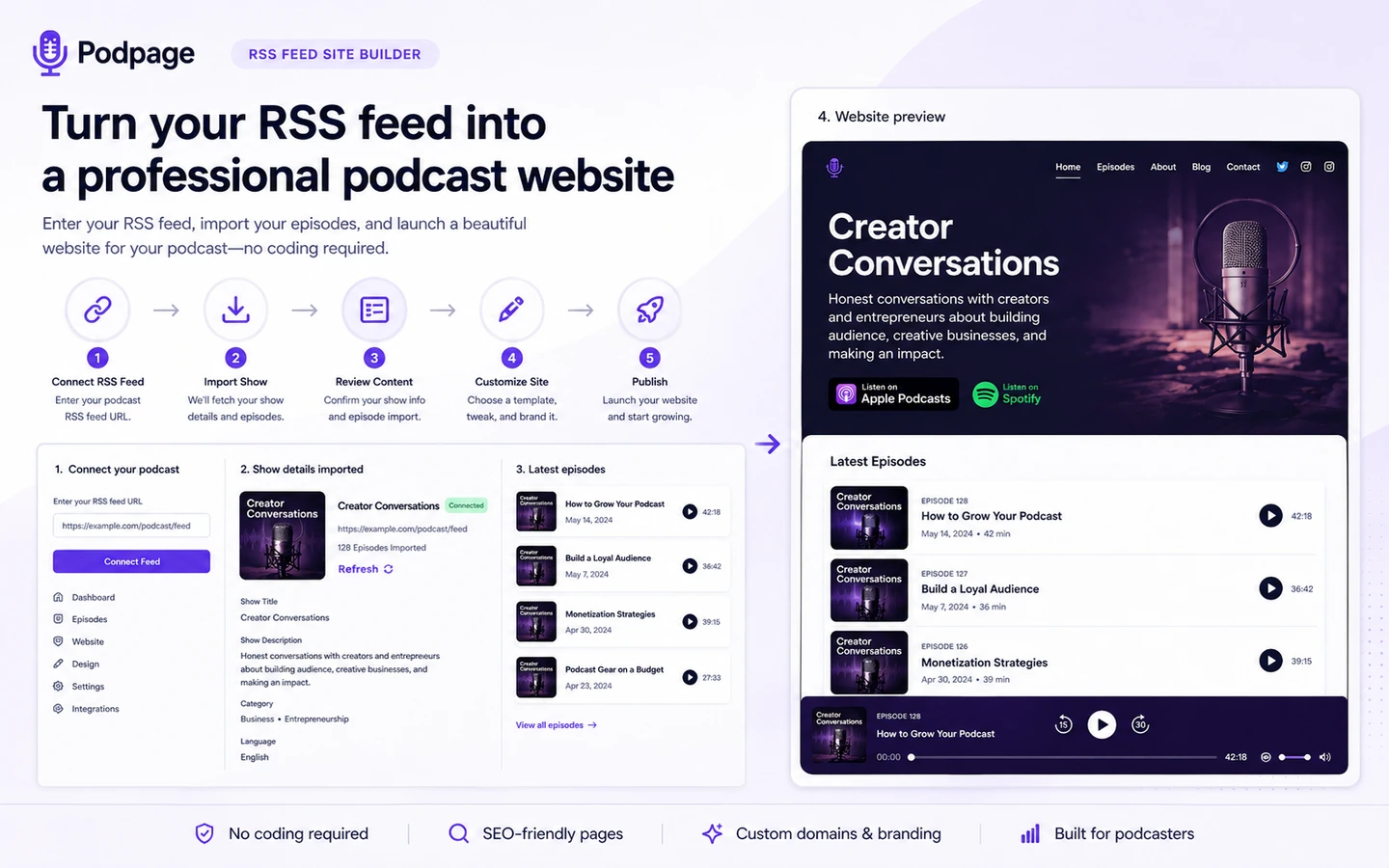
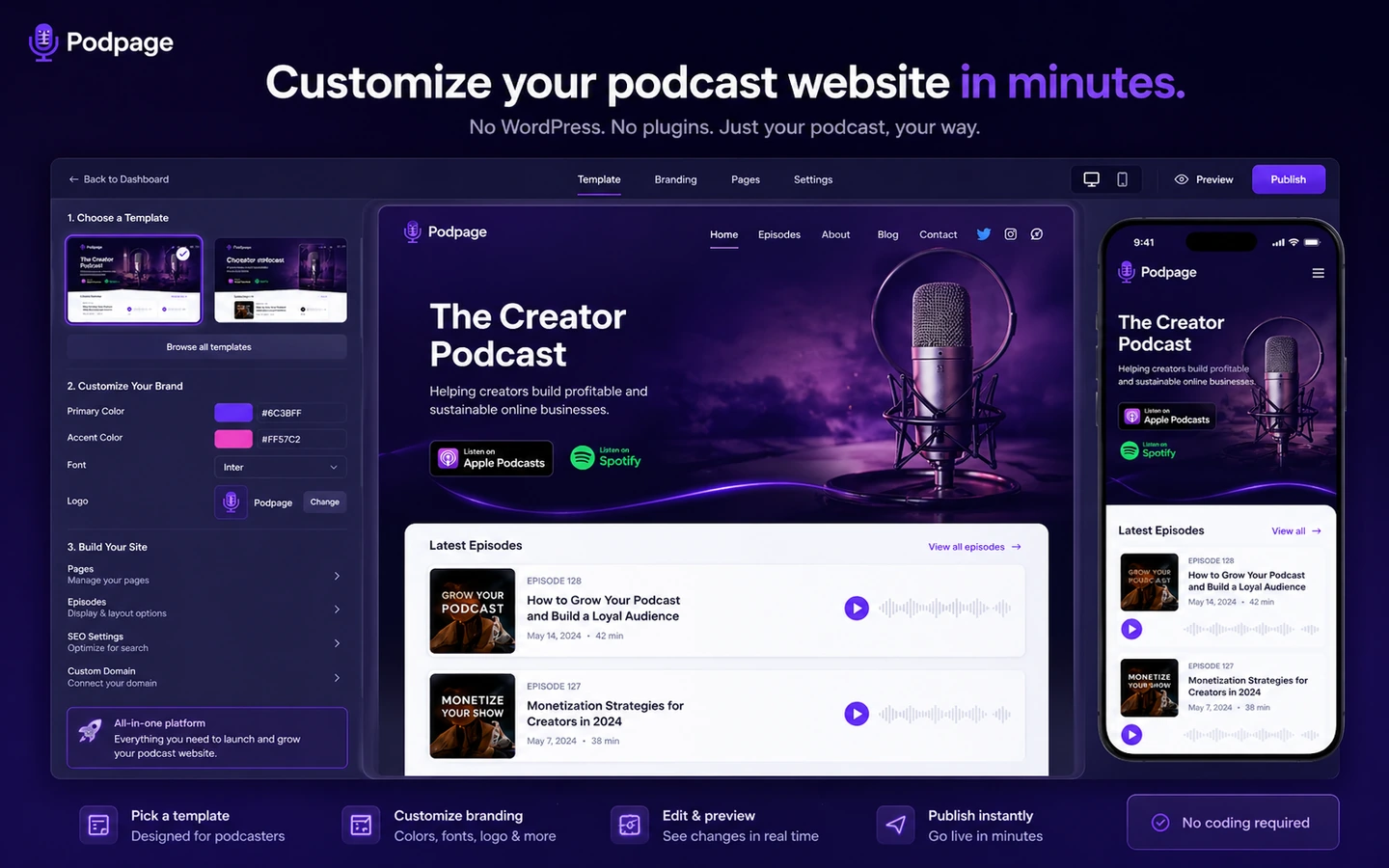
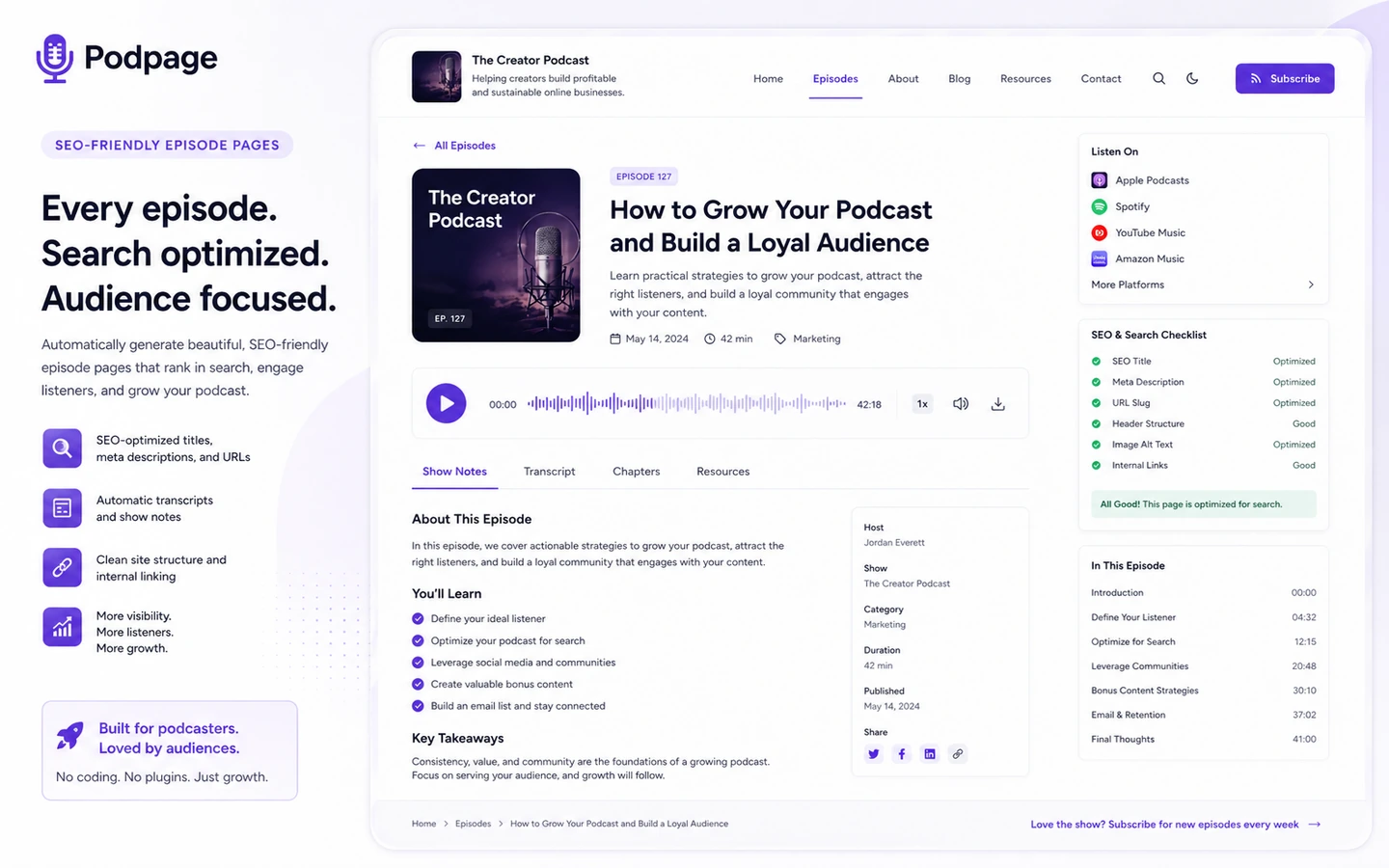
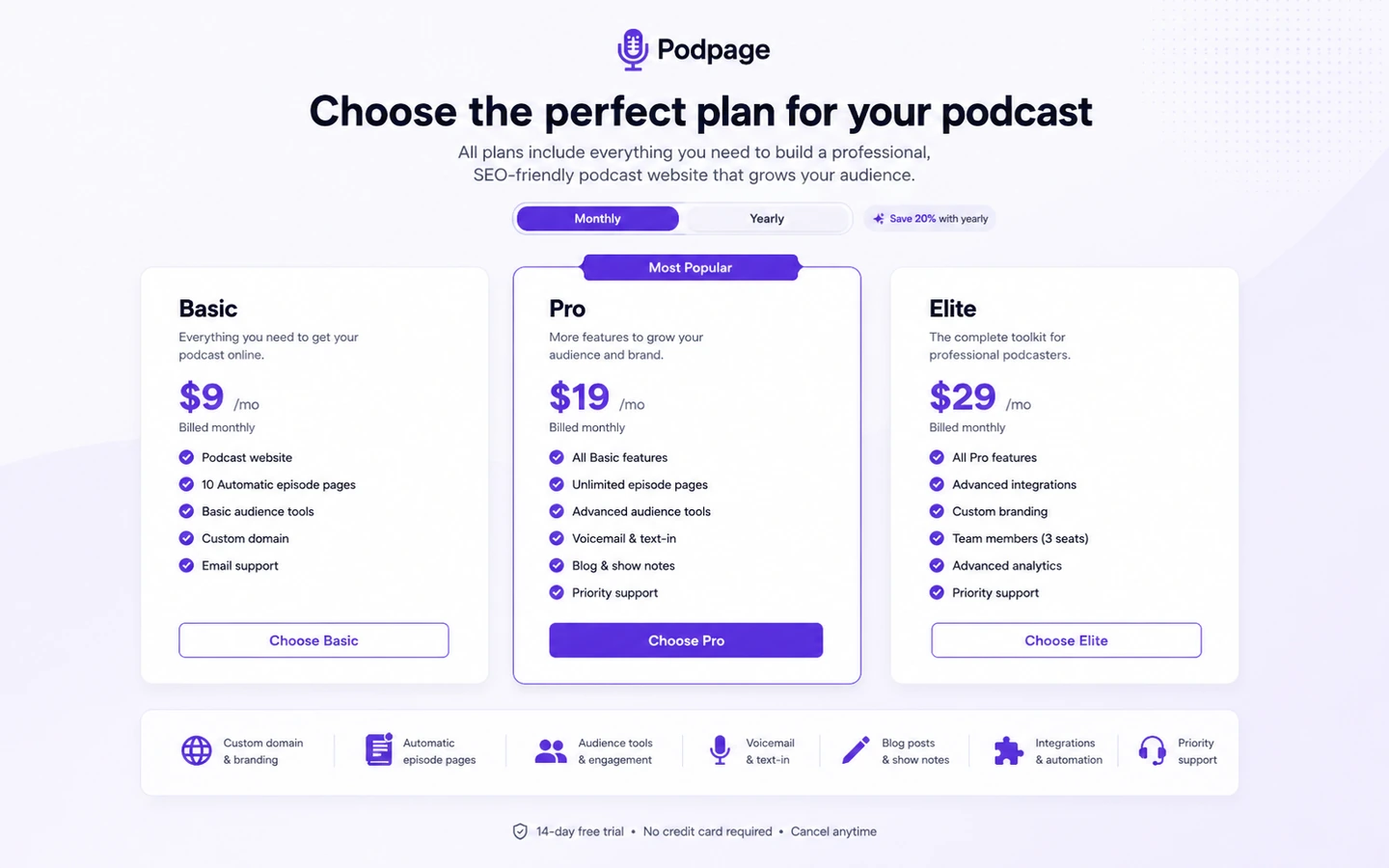
Podpage is best understood as a podcast website shortcut, not a generic site builder. The buyer already has a podcast, wants a site that stays synced with new episodes, and does not want to spend time maintaining WordPress, plugins, templates, hosting, and episode pages by hand. The buying decision comes down to how much website control the show needs, whether Basic is enough, and whether Pro or Elite features are worth paying for.
What Podpage actually does
Podpage turns a podcast RSS feed into a hosted podcast website. Instead of manually creating episode pages, copying show notes, and updating the site every time a new episode goes live, the buyer connects the show feed and lets Podpage build the site around it. That workflow is useful when the podcast website is mainly a listener hub, search surface, and credibility asset.
- Imports podcast episodes from an RSS feed.
- Creates podcast-focused website pages and templates.
- Supports custom domains and SEO-friendly episode pages.
- Adds audience tools on higher plans for email capture, reviews, voicemail, shortlinks, landing pages, and blog content.
Where the plan choice starts to matter
Basic can make sense when the buyer wants the core podcast website, custom domain, episode imports, and SEO-friendly pages. Pro becomes more relevant when the website also needs listener engagement and marketing features. Elite is the plan to inspect when SEO, transcription, coaching, and more serious growth tooling are part of the reason for buying.
- Use Basic for the cleaner site-first path.
- Compare Pro when email capture, voicemail, reviews, blog posts, shortlinks, and integrations matter.
- Review Elite when advanced SEO, transcription, and coaching are part of the decision.
Why the 14-day trial matters
The trial is the safest way to judge Podpage because the buyer can test the exact podcast feed, template feel, dashboard, site pages, and custom domain path without entering a card. A trial with a real show is more useful than comparing generic website builder feature lists because Podpage's value is tied to how well it handles podcast-specific workflows.
- Connect the real RSS feed.
- Preview templates and mobile layout.
- Check episode pages and navigation.
- Verify whether the show needs Pro or Elite features.
The audience-growth layer
Podpage becomes more than a simple show page when the buyer uses audience tools. Email capture, newsletter pages, voicemail, reviews, blog posts, custom pages, shortlinks, and integrations can make the site feel like a lightweight podcast marketing hub. The tradeoff is that these features push the buyer toward higher plans, so they should be judged against actual audience goals.
Custom domain and privacy checks
A podcast website becomes more credible when it sits on the buyer's own domain, but that also introduces setup and privacy responsibilities. Podpage supports custom domains and listener-facing features, while its terms make the podcast owner responsible for consent and lawful handling of listener data collected through forms, surveys, and similar features.
- Confirm the custom domain setup path before launch.
- Check cookie banner and privacy-related integrations if the site collects listener data.
- Review email capture, contact forms, and survey usage before publishing.
How Podpage compares to nearby choices
The closest decision is not always another generic website builder. Some buyers should compare Podpage against podcast hosting, podcast creation tools, WordPress themes, or broader website builders. Podpage wins when the buyer wants a podcast-first website that updates automatically. It loses ground when the buyer needs deep design control, broad ecommerce, custom membership logic, or a full creator platform.
- Compare Castos when hosting and private podcasting matter more than website automation.
- Compare Podcastle when content creation and recording are the bigger bottleneck.
- Compare Simvoly when the buyer wants a broader website and funnel builder.
- Compare GeneratePress when the buyer prefers a WordPress theme and self-managed site stack.
Safest next step before checkout
The safest next step is to build a trial site with a real podcast feed, not to chase a discount first. If the generated pages, template, navigation, and custom domain path feel right, then compare Basic, Pro, and Elite against the exact growth tools needed. Only after that does it make sense to check the offer route or coupon page for current savings.
- Start the trial with a live RSS feed.
- Check whether Basic covers the site requirement.
- Move to Pro or Elite only if the show will use the extra audience or SEO tools.
- Read refund and renewal terms before annual billing.
Best savings path from this store page
This is the clearest savings route to check once the product already looks like a fit.
Podpage lists Basic at a lower annual monthly equivalent for podcasters who need a simple automated podcast website with strong episode pages.
Elite from $39/month yearly
Save 37% annually on Basic
Use comparison routes when the category fit is still open
Use these comparison routes when the product still looks plausible, but the category fit is not fully settled.
Better to compare when podcast hosting, private feeds, or a broader podcast infrastructure stack matters more than a standalone website builder.
A closer fit when the buyer's main problem is recording, editing, and producing podcast content rather than publishing a podcast website.
Worth checking when the buyer wants a broader website and funnel builder instead of a podcast-specific site that starts from an RSS feed.
Better for buyers who want a lightweight WordPress theme and control over hosting, plugins, and custom site architecture.
Verification points worth checking before you click out
Where this store usually fits best in the workflow
Podpage fits podcasters who need a credible website live quickly and do not want to build every episode page by hand.
The product makes sense when the default host page feels too thin and the creator wants a stronger owned destination for listeners, search traffic, and sponsors.
Pro-level audience tools can help shows collect emails, display reviews, receive voicemail, publish blog content, and create landing pages around campaigns.
Podpage is useful for creators who value automatic updates and lower maintenance more than plugin-level control, custom development, or complex site architecture.
Practical checkpoints before and after signup
- Confirm the podcast RSS feed is active and representative of the show.
- List the site features that matter before comparing Basic, Pro, and Elite.
- Decide whether the site is mainly for listeners, search, sponsors, email capture, or all of these.
- Build the site from the real feed and check episode pages, navigation, template fit, and mobile layout.
- Test the custom domain path before assuming setup will be simple.
- Review whether audience features require a higher plan.
- Compare annual and monthly billing with the expected lifetime of the podcast website.
- Read the refund and renewal language before paying.
- Use the coupon or offer path only after the workflow fit is clear.
Fast-read signals for workflow fit and buying friction
Questions readers usually ask before choosing this store
What is Podpage best for?
Podpage is best for podcasters who already have a podcast feed and want a professional website that updates automatically. It is strongest when the buyer wants custom domain support, SEO-friendly episode pages, and podcast-specific tools without managing WordPress or a generic site builder.
Does Podpage have a free plan?
The current official buyer path emphasizes a 14-day free trial with no credit card required, followed by paid Basic, Pro, and Elite plans. Older third-party pages may mention a free tier, but buyers should rely on the current Podpage pricing page before making a decision.
How much does Podpage start at?
The official annual pricing table shows Basic starting at $12 per month when billed annually, while monthly Basic is shown at $19 per month. Pro and Elite cost more, so buyers should compare plan features against the audience and SEO tools they actually need.
Is Podpage better than WordPress for a podcast website?
Podpage is easier when the buyer wants a managed, podcast-first site that imports episodes and reduces maintenance. WordPress can be better when the buyer wants deeper design control, custom development, advanced plugins, or a broader content and business site.
What should buyers verify before paying for Podpage?
Buyers should verify the current billing toggle, refund window, custom domain setup, Basic versus Pro feature gates, whether Elite SEO features matter, and how listener data will be collected through email forms, contact forms, voicemail, surveys, or integrations.
Choose the next route that matches what you still need to decide
The strongest next click depends on whether you still need product judgment, a savings route, or a broader category comparison.