Podcastle Pricing, Plans & Creator Fit
Podcastle is now operating under the Async brand, but its buyer promise is still easy to recognize: record, edit, clean up, subtitle, dub, repurpose, and publish audio or video content in one browser-based workflow. It fits creators who want fewer separate tools, especially podcasters and video creators who care about remote recording, fast cleanup, captions, clips, and AI-assisted editing.
Fit → price → checkout
Use these routes after the official-site check: coupon first, review for fit, compare if unsure.
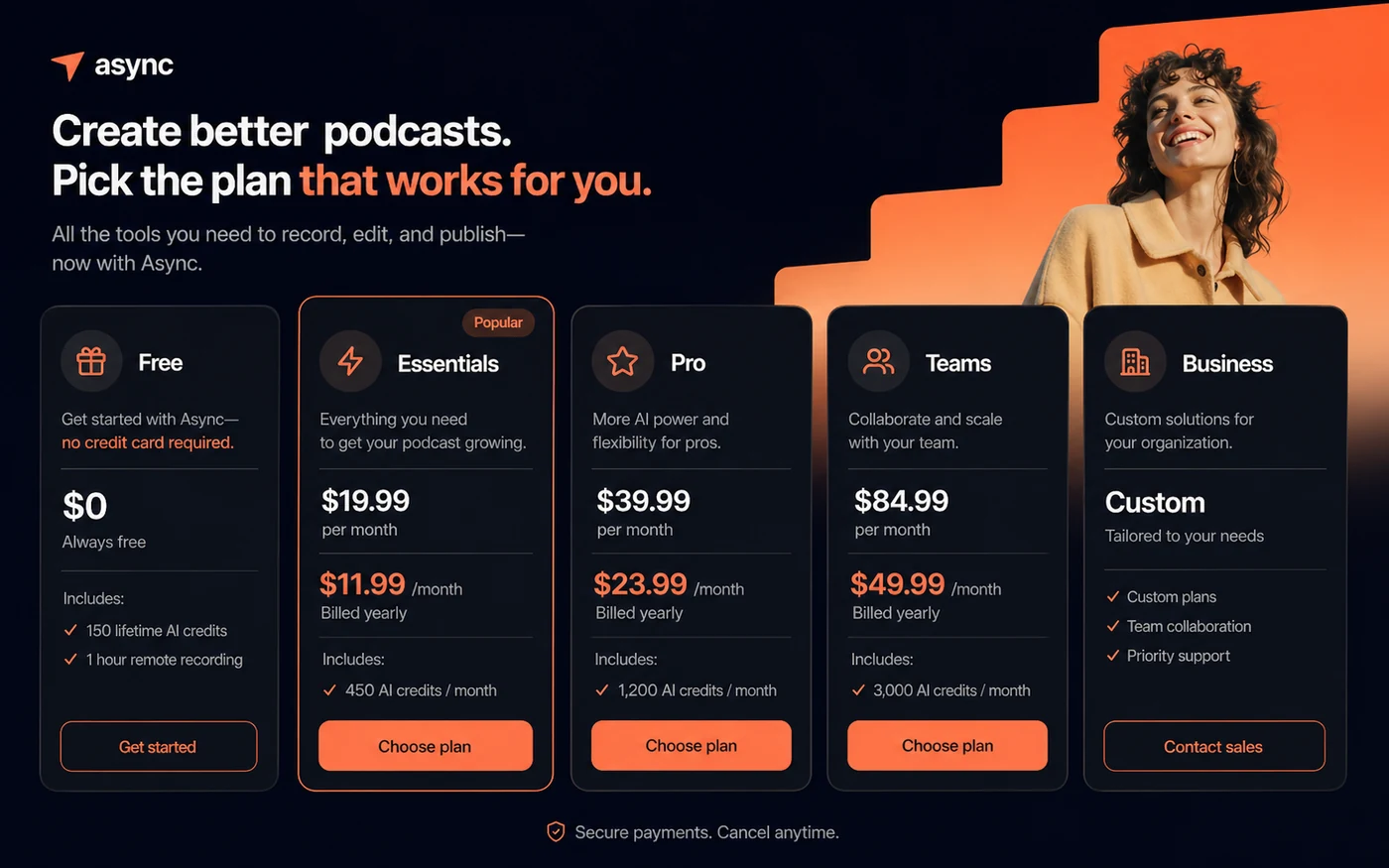
Podcastle pricing snapshot
Fast commercial checks before pricing, coupons, or a deeper review.
Best for testing recording and basic workflow before upgrading
Help center also lists $19.99 monthly pricing
Help center also lists $39.99 monthly pricing
Help center also lists $84.99 monthly pricing, with Business as custom
Podcastle product tour for creators
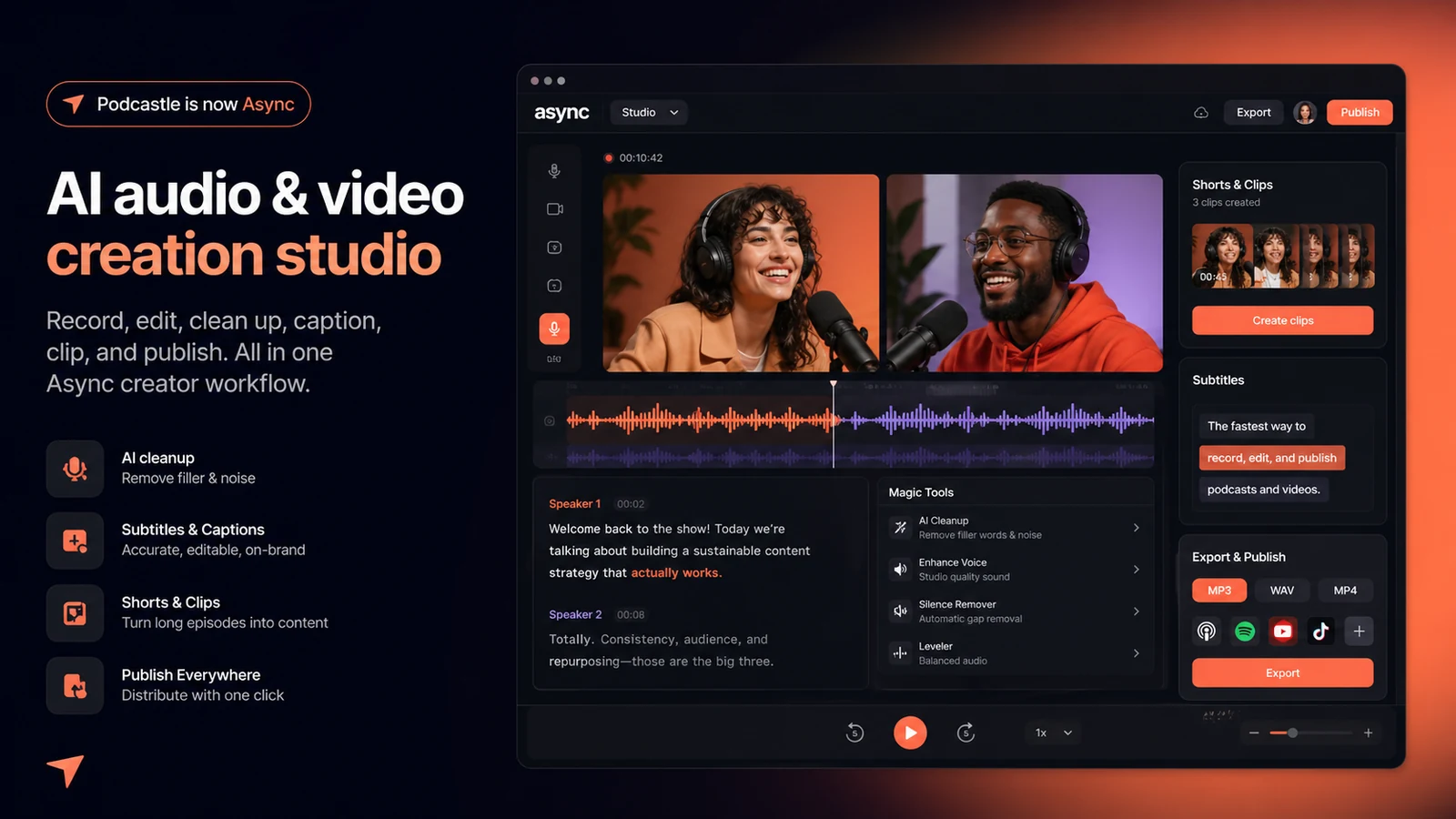
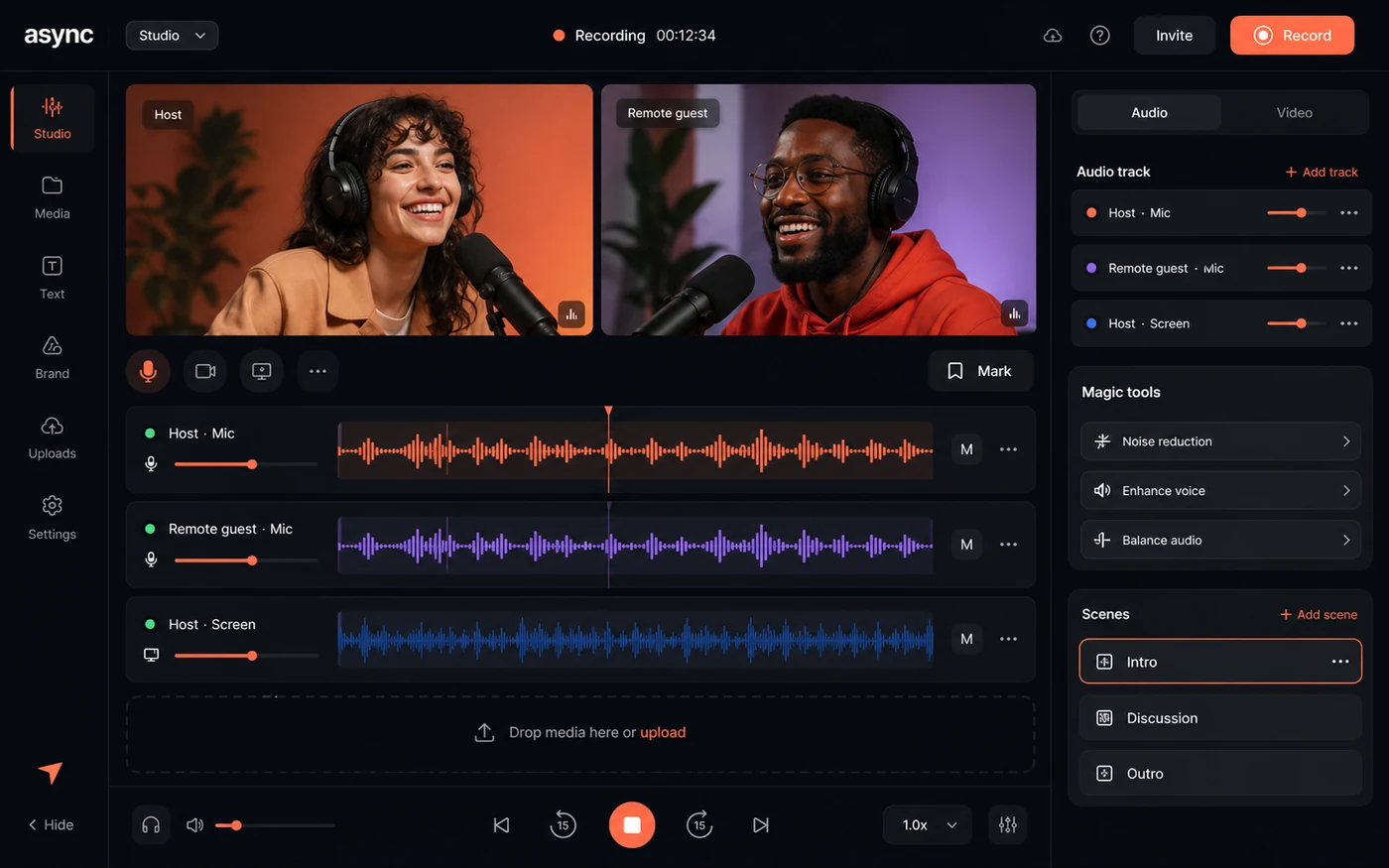
The product tour should help buyers see the workflow behind the promise: recording, editing, AI cleanup, subtitles, clips, and publishing. For Podcastle, the visuals matter because the buying decision depends on whether one browser workspace can replace several separate podcast and video tools.
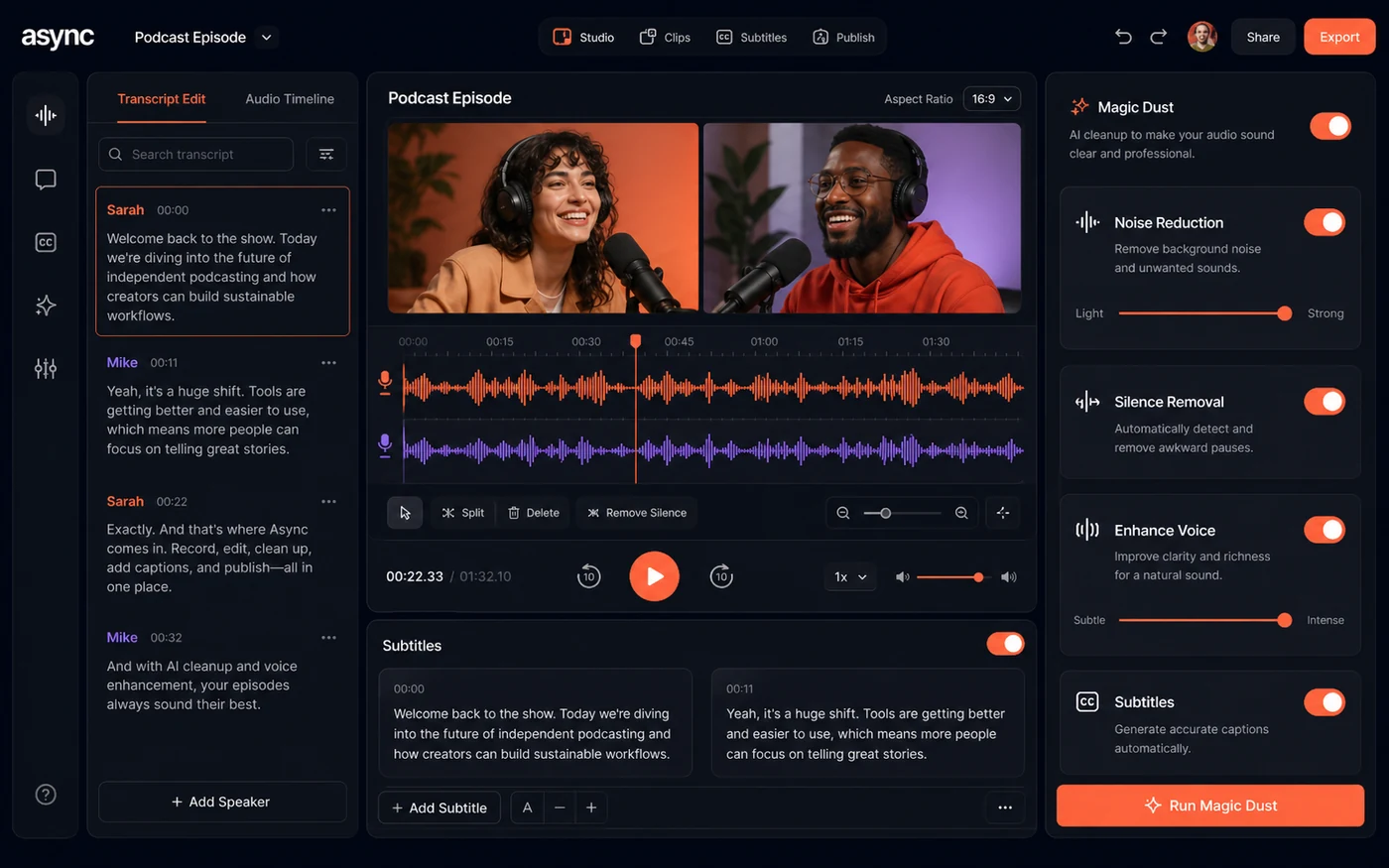
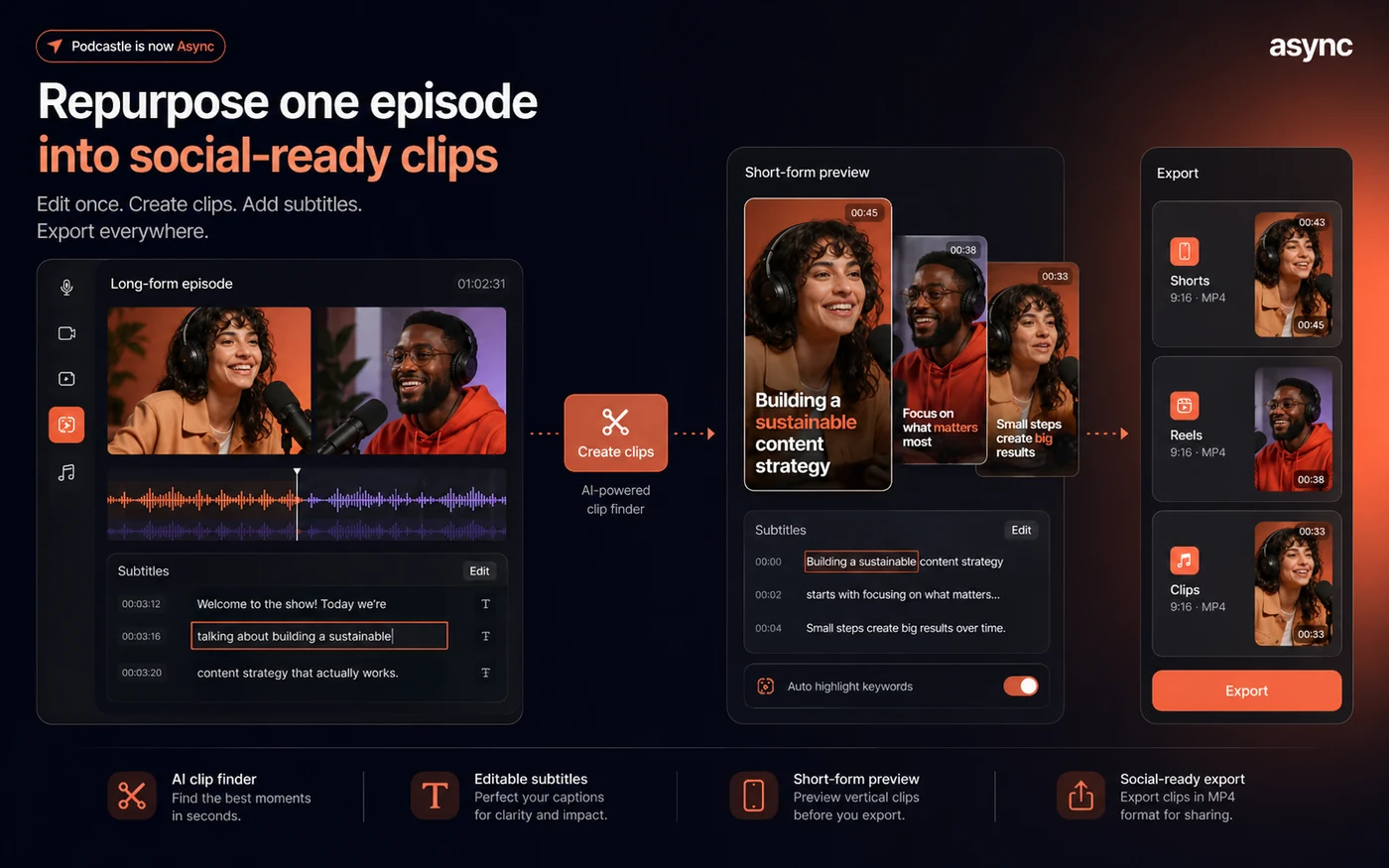
Podcastle is no longer just a simple podcast recorder in the way many older reviews describe it. The current public product redirects to Async, which positions the platform around a broader audio, video, voice, dubbing, clips, and AI editing workflow.
That makes the store-page decision slightly more complex. A buyer is not only asking whether Podcastle can record a podcast. The better question is whether one subscription can replace a recorder, transcription tool, audio cleanup tool, video editor, subtitle tool, clip generator, and sometimes a voice or dubbing tool.
What Podcastle actually does now
Podcastle, now under the Async brand, helps creators record, edit, enhance, subtitle, dub, repurpose, and publish audio or video content. The platform is built for podcasting and creator workflows, but the product has expanded into AI video editing, AI voices, clips, dubbing, music and sound effects, and developer-facing voice API use cases.
For a solo podcaster, the appeal is practical: record an episode, clean the audio, remove long silences, generate a transcript, edit from text, and export or publish without moving between several apps. For a video creator, the value is closer to a fast content repurposing workflow.
- Record audio and video with remote participants.
- Clean audio with AI tools such as Magic Dust, noise reduction, silence removal, and auto leveling.
- Transcribe and edit content from text.
- Create subtitles, clips, dubbing, AI voices, and social-ready assets depending on plan and credits.
Free plan versus paid plan fit
The Free plan is useful because buyers can try the workflow without a credit card. That is the right first move for most new users. The limit is that serious production depends on higher recording hours, better video quality, stronger download options, more transcription, more credits, watermark removal, and larger cloud storage.
Essentials is the more natural fit for regular creators who need cleaner audio, 4K-oriented output, and higher usage than the free tier. Pro fits heavier video and podcast production where advanced AI features, more credits, more transcription, and greater storage are easier to justify.
- Use Free to test recording, editing, and export comfort.
- Use Essentials when the workflow is real but still mostly solo.
- Use Pro when production volume, transcription, AI editing, and media quality matter more.
- Use Teams or Business when collaboration, brand control, onboarding, and support become part of the decision.
AI credits are part of the real price
Podcastle's current Async pricing is not just a flat subscription decision. AI features use credits, and the pricing page shows different monthly credit allocations by plan. That matters for buyers using AI clips, AI reframe, dubbing and lipsync, subtitles, thumbnails, video generation, image generation, music generation, or avatars.
A buyer who mostly records and cleans audio may not feel the credit system as heavily. A buyer generating video clips, dubbing content, or experimenting with AI video models can run into credit math much faster. Before upgrading, compare base price, included credits, top-up behavior, and which AI features are likely to be used every month.
- Check included monthly credits before choosing a plan.
- Confirm whether your target AI features consume credits.
- Do not assume yearly billing gives all annual credits immediately.
- Treat top-up credit packs as part of the possible monthly cost.
Video tutorial worth watching before upgrading
This workflow video is useful because it shows Podcastle from a creator's editing perspective rather than only a pricing-page perspective. Watch for how much time the tool saves after recording, especially around editing, cleanup, subtitles, and content repurposing.
The right question is not whether Podcastle has many features. The right question is whether the interface shortens the actual path from raw recording to publishable episode or clip. If the workflow still feels slow or overbuilt for your process, the free plan may be enough for now.
Refund, cancellation, and checkout checks
Async's terms are worth reading before upgrading because refund and credit language is not something buyers should discover after using paid features. The terms describe a 7-day free trial and cancellation before the trial ends. They also state that subscription charges are generally not refunded once processed and that consumed or purchased credits are non-refundable.
The pricing FAQ adds that a 7-day refund policy applies to new subscriptions for the initial upgrade, excluding AI credits used. The safest interpretation is simple: test before paying, upgrade only when the workflow is clear, and avoid spending credits casually if refund eligibility matters.
- Cancel during the trial if the workflow does not fit.
- Verify whether the refund path applies to your exact upgrade.
- Avoid consuming AI credits until you understand credit and refund rules.
- Keep an eye on renewal timing, especially after annual billing.
Relevant alternatives to compare
Podcastle is strongest when the buyer wants an all-in-one content creation workspace. The closest comparisons depend on the job. Riverside is often a stronger comparison for remote podcast and interview recording. Descript is a stronger comparison for text-based editing and creator video workflows. Adobe Podcast is a simpler comparison for audio cleanup and enhancement. Cleanvoice is worth comparing when the main problem is filler words, noise, and spoken audio cleanup rather than full production.
Podcastle is worth shortlisting if you want recording, cleanup, transcription, video editing, subtitles, clips, hosting, and AI content features in one place. It is less compelling if you only need one specialized job and already have a mature production stack.
- Compare Riverside if remote recording quality is the main decision.
- Compare Descript if text-based editing and creator video workflow are the priority.
- Compare Adobe Podcast if the need is mostly audio enhancement.
- Compare Cleanvoice if filler-word cleanup and spoken-audio polish are the narrow problem.
Best savings path from this store page
This is the clearest savings route to check once the product already looks like a fit.
Podcastle now routes core pricing through Async. The free plan is the safest first step for checking recording, editing, AI credits, and export workflow before moving into Essentials, Pro, Teams, or Business.
Use this offer as a buyer-safe entry point. Pricing, plan limits, and promotional availability can change at checkout.
Official pricing positions Essentials for solo creators getting started
Official pricing positions Pro for professional creators who ship weekly
Use comparison routes when the category fit is still open
Use these comparison routes when the product still looks plausible, but the category fit is not fully settled.
Often stronger for remote interview recording and studio-style capture workflows.
Often stronger for text-based editing, screen/video editing, and creator post-production.
Simpler fit when the buyer mainly needs AI audio enhancement, not a full production workspace.
More focused on speech cleanup, filler words, and podcast audio polish.
Verification points worth checking before you click out
Where this store usually fits best in the workflow
Podcastle fits creators who want to record, clean, transcribe, edit, and publish episodes without building a complex tool stack.
The platform can help turn recorded conversations into captioned clips for social channels, provided the buyer watches credit usage and export limits.
Magic Dust, noise reduction, silence removal, and auto leveling make sense for creators recording in imperfect rooms.
Teams and Business paths make more sense when collaboration, brand consistency, support, onboarding, and larger storage become part of the buying decision.
Practical checkpoints before and after signup
- Try the Free plan and complete a small recording-to-export workflow.
- Check whether the current product branding, plan names, and limits are under Async rather than older Podcastle pages.
- Compare monthly and yearly billing only after confirming the workflow fits.
- Test audio cleanup, transcription, text-based editing, subtitle workflow, and export quality.
- Watch how quickly credits are consumed by the AI features you actually plan to use.
- Check whether watermark removal and download quality are acceptable for your publishing channel.
- Read refund, cancellation, and AI credit rules before using paid credits.
- Verify whether Essentials, Pro, Teams, or Business is the correct path for recording hours, storage, collaboration, and AI usage.
- For team use, confirm admin, brand, support, and rollout requirements before buying seats.
Fast-read signals for workflow fit and buying friction
Questions readers usually ask before choosing this store
Is Podcastle still called Podcastle?
Podcastle currently redirects to Async, and the official public pages now use Async branding. For buyer decisions, the safest source of truth is the current Async website, pricing page, terms, and help center.
Does Podcastle have a free plan?
Yes. The current pricing page includes a Free plan, and the FAQ says no credit card is required to sign up for the Free plan. It is best used to test the workflow before committing to a paid subscription.
What is the cheapest paid Podcastle plan?
The public homepage shows a creator starting point from $11.99 per month. Async's help center describes Essentials at $19.99 monthly or $11.99 per month when billed yearly. Buyers should verify the live pricing page before checkout.
Are Podcastle AI credits refundable?
Async's terms state that credits are non-refundable once consumed or purchased. The pricing FAQ also says used AI credits are excluded from the new-subscription refund path, so buyers should avoid heavy AI credit use until they understand the rules.
Who should compare Podcastle against alternatives?
Compare alternatives if your main need is narrower than Podcastle's all-in-one workflow. Riverside may fit remote recording better, Descript may fit text-based editing better, Adobe Podcast may fit simple audio enhancement better, and Cleanvoice may fit speech cleanup better.
Choose the next route that matches what you still need to decide
The strongest next click depends on whether you still need product judgment, a savings route, or a broader category comparison.