MakeUGC Creative Fit, Pricing & Plans
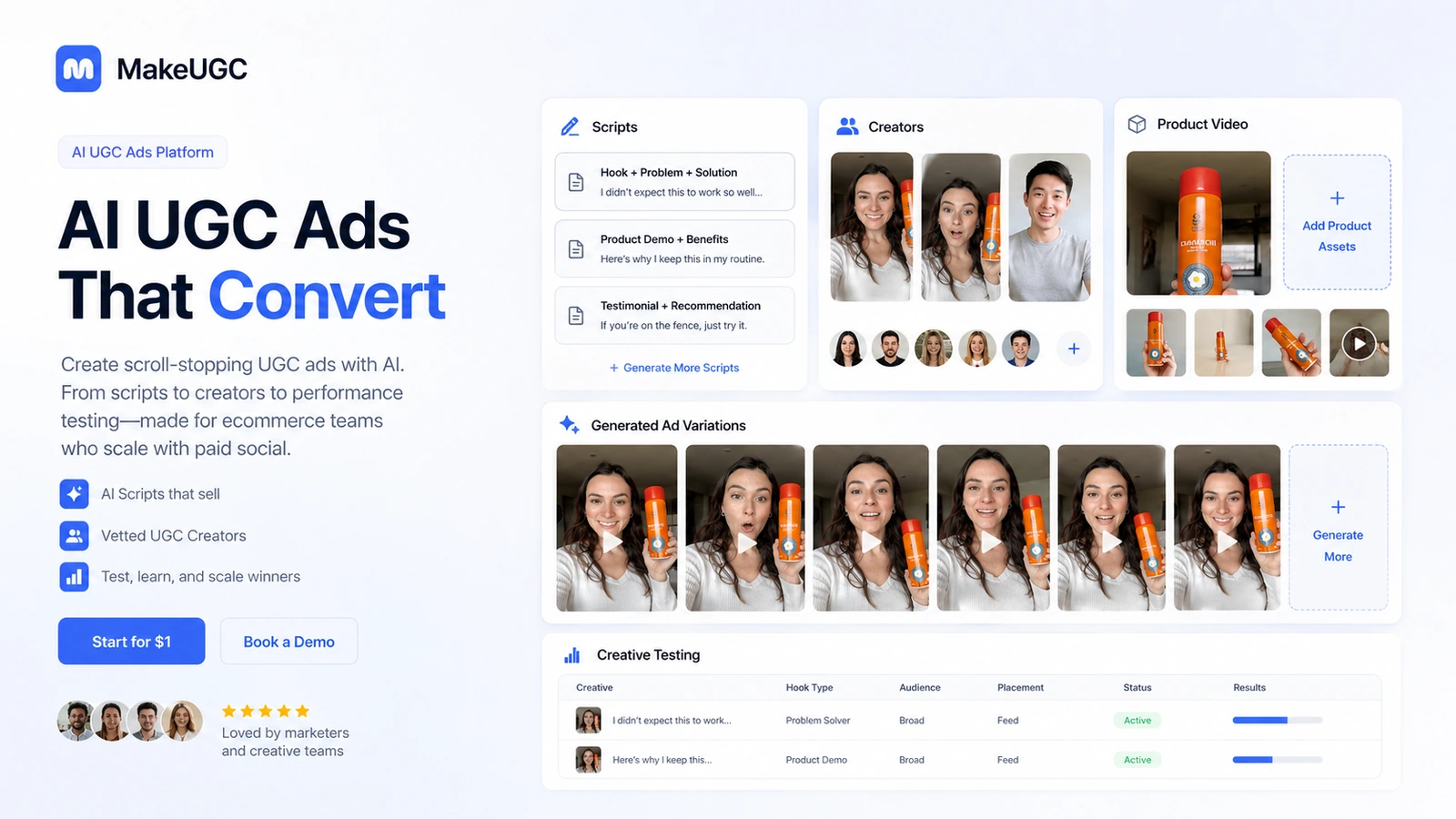
MakeUGC is an AI UGC ad creation platform for brands, ecommerce teams, media buyers, and creators who need more ad variations without booking human creators for every test. It turns scripts, AI actors, reference videos, product images, B-roll, language options, and creative agents into test-ready ad videos. The buying decision should center on creative volume, plan credits, output realism, refund limits, and whether the buyer has a real testing cadence.
Fit → price → checkout
Use these routes after the official-site check: coupon first, review for fit, compare if unsure.
MakeUGC pricing snapshot
Fast commercial checks before pricing, coupons, or a deeper review.
MakeUGC product tour
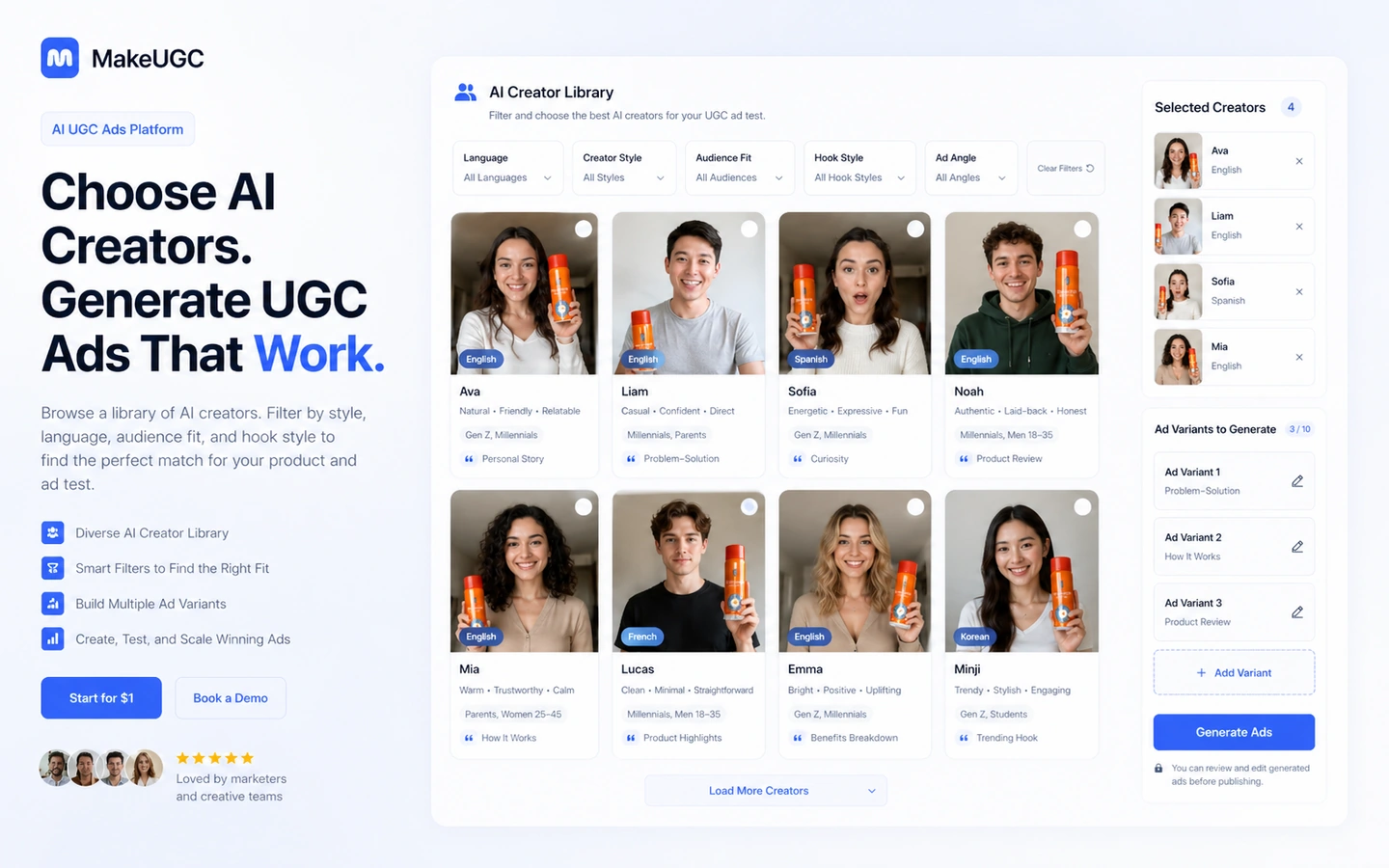
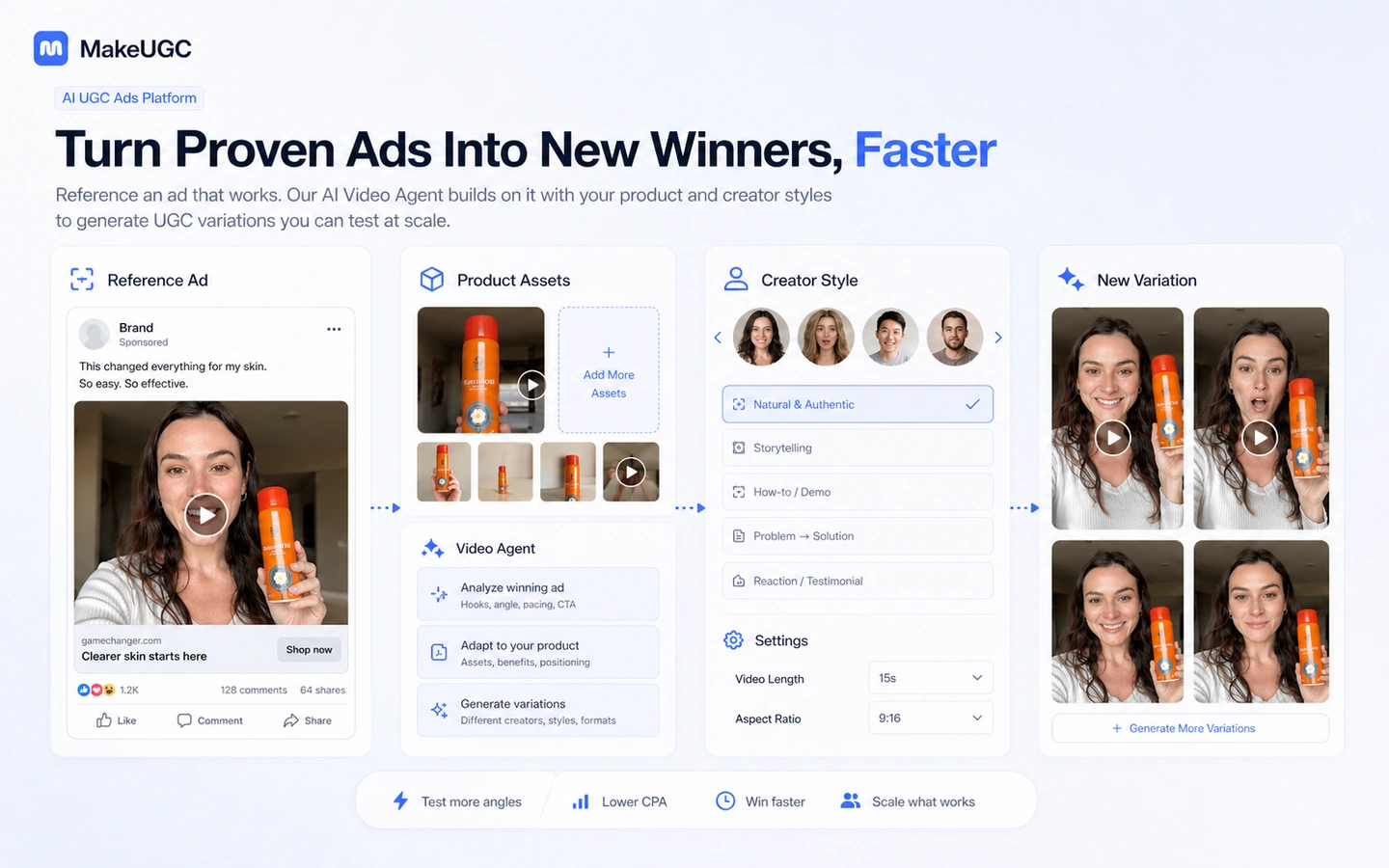
The product tour focuses on the core buyer decision: can MakeUGC turn scripts, AI actors, product visuals, and reference-ad ideas into enough usable creative variations to justify a subscription. The most important screens are the script workflow, creator selection, Video Agent, product-in-hand assets, and pricing limits.
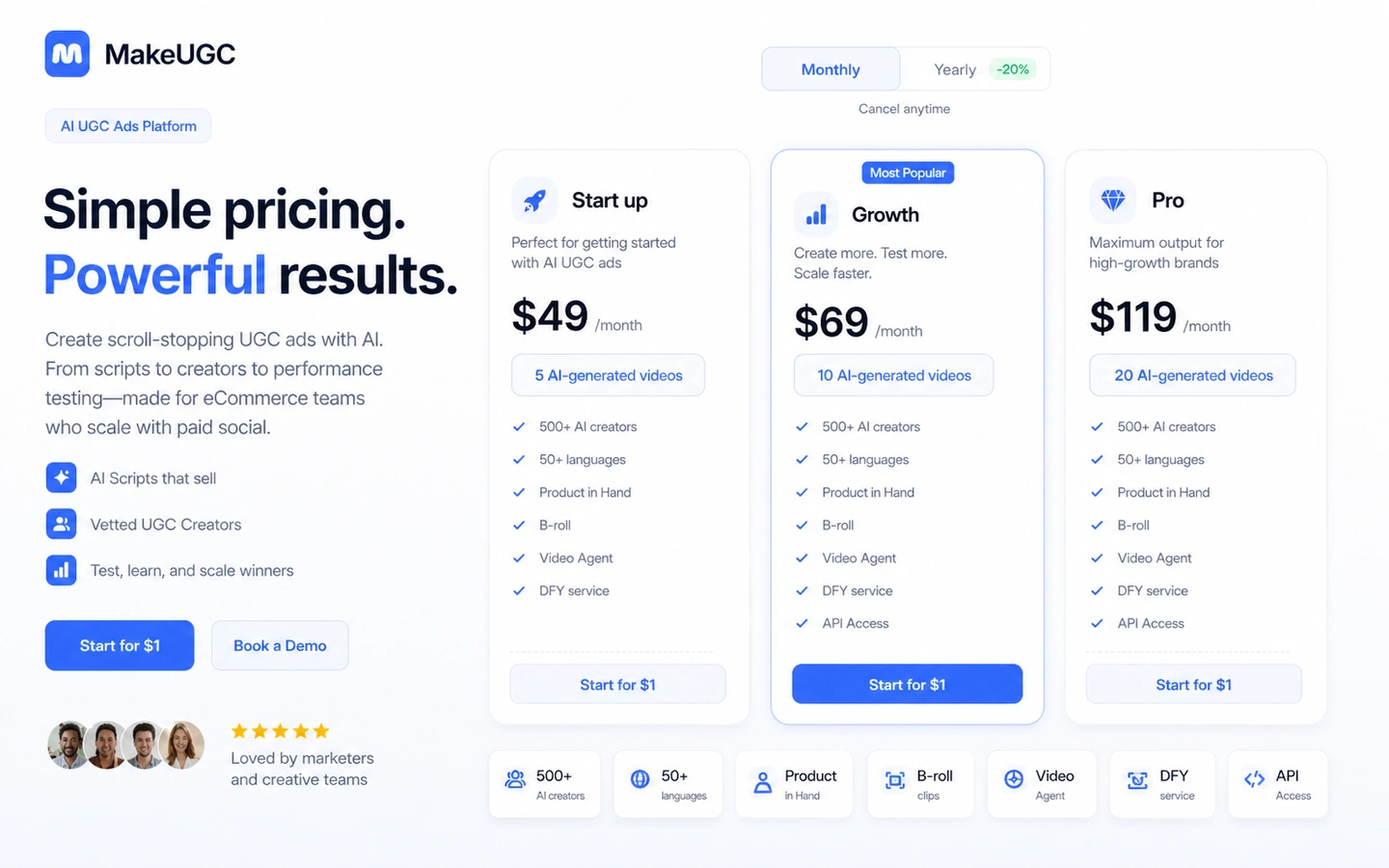
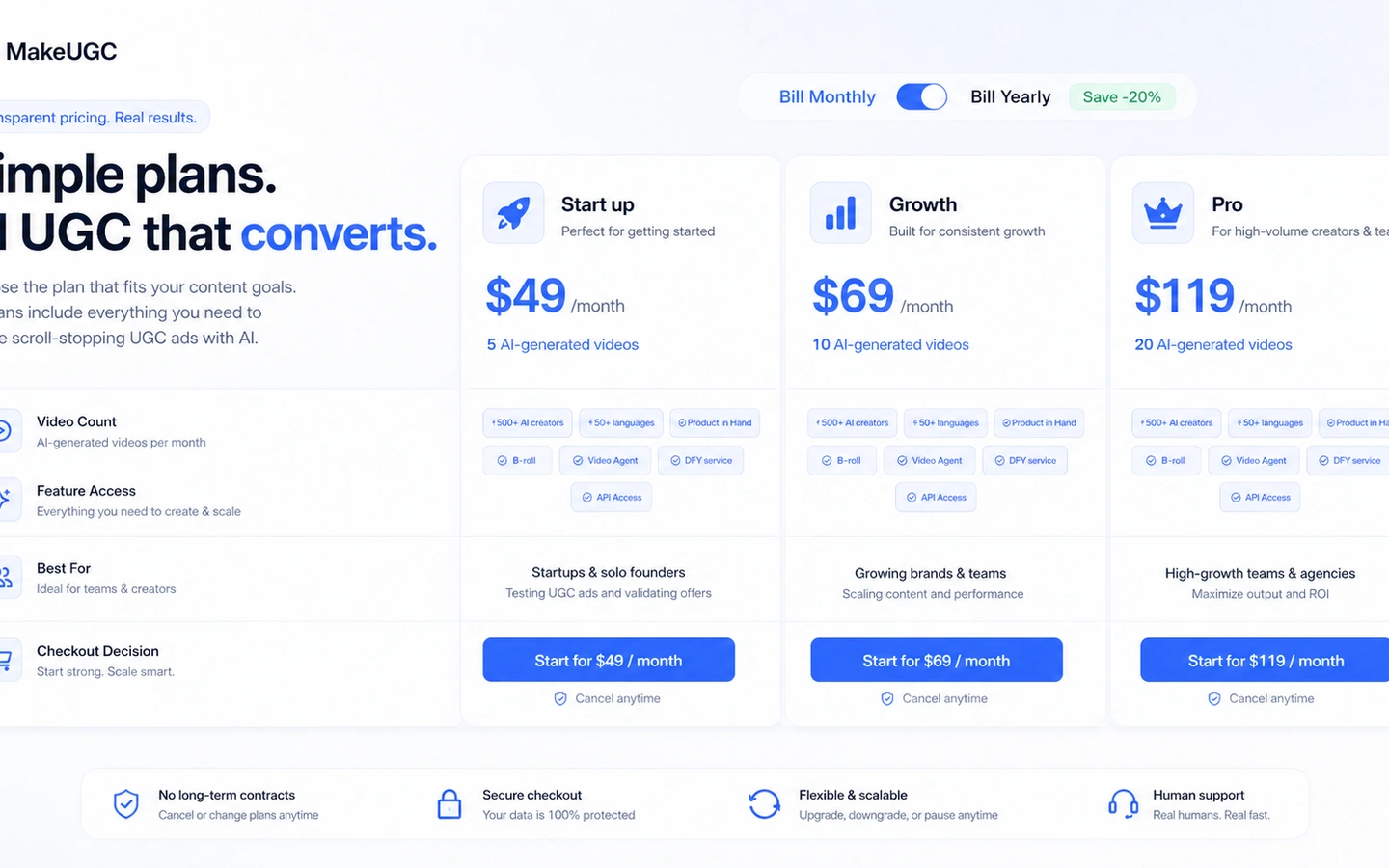
MakeUGC belongs in the AI ads and creative-testing lane. The buyer question is not whether it can generate a nice-looking avatar video. The stronger question is whether the brand has enough campaigns, products, hooks, and testing discipline to turn credits into useful ad variations.
What MakeUGC actually does
MakeUGC helps marketers create AI UGC-style ads from scripts, AI actors, reference videos, product images, and creative agents. The workflow is built for paid-social and ecommerce testing, where a team needs many angles and creator-style variations faster than it can book, brief, film, and edit real creators.
- Creates AI UGC-style videos from scripts and AI actors.
- Supports reference-ad recreation through Video Agent workflows.
- Includes creator selection, product-in-hand style assets, B-roll, AI image ads, languages, and generation tools.
- Fits brands that already know what products, offers, and hooks they want to test.
Pricing and plan fit
Pricing is visible, but it still needs careful reading. The monthly tab shows Start up at $49 per month, Growth at $69 per month, and Pro at $119 per month. The annual view shows lower monthly equivalents, starting at $39, and different video-count framing. Enterprise is sales-led and includes more hands-on support such as strategy calls, DFY service, and API access. Buyers should compare the exact billing view they intend to use, not copy one number from the page.
- Use monthly pricing if you are still validating creative output.
- Consider annual billing only after the tool proves useful for repeated ad tests.
- Check credit use for Talking Actor, OmniHuman, Nova V2, Product in Hand, B-roll, and Sora-style tools.
- Treat Enterprise as a different buying path because it adds service and API depth.
Video context for creating product UGC
This tutorial is useful because it walks through MakeUGC as a product-ad workflow rather than a generic AI video demo. Watch for how scripts, creators, and product assets are combined, then compare that process with your own campaign needs before paying.
Where MakeUGC is strongest
MakeUGC is strongest when a team already has a product, offer, target audience, and paid-social testing loop. The platform can help create new hooks, recreate proven formats, localize ads, generate B-roll, and produce creator-style videos quickly. That is most valuable when each output is tied to a real test, not stored as unused content.
- Testing multiple hooks for the same product.
- Recreating proven ad structures with a new product angle.
- Producing creator-style videos across languages or formats.
- Scaling ad creative faster than manual creator sourcing.
Refund and trial risk
The refund policy deserves a close read. MakeUGC says refund eligibility depends on credit usage and time active, and manual or creative services are not refundable. The terms also describe payments as non-refundable except where required by law. That does not mean buyers should avoid the tool, but it does mean they should test carefully and avoid spending credits casually during evaluation.
- Understand the $1 trial policy before starting.
- Use only the credits needed to judge real output quality.
- Avoid starting with DFY or manual creative services unless the scope is clear.
- Cancel or upgrade based on real test outputs, not curiosity.
How MakeUGC compares with nearby tools
MakeUGC should be compared with AI video and creative-testing tools by the job it performs. HeyGen is often closer to business avatar video and localization. AKOOL is broader in AI avatar and visual generation. Quickads is closer when the buyer needs ad creative ideation and campaign assets, not only UGC-style actor videos. The right comparison depends on whether the bottleneck is actors, ad volume, editing, scripting, or media buying workflow.
- Choose MakeUGC when UGC-style ad variations are the core bottleneck.
- Choose a broader avatar platform when training, sales, or corporate video is also important.
- Choose an ad-creative workflow tool when briefs, formats, and campaign assets matter more than AI actors.
- Choose manual creators when authenticity and brand trust are more important than speed.
Best next step before checkout
The safest next step is to open the pricing page, map expected monthly video volume, then use the smallest useful test path. If the buyer does not already know the product, hook, angle, and campaign channel, the review page should come before any deal path. If fit is already clear, the pricing or coupon route can be used after the refund and trial rules are understood.
- Write a real ad brief before starting the trial.
- Generate a small set of videos and compare them against current creatives.
- Check monthly versus annual billing after output quality is proven.
- Use the deal path only after plan fit and refund limits are clear.
Best savings path from this store page
This is the clearest savings route to check once the product already looks like a fit.
A public creator tutorial shares a MakeUGC checkout code for eligible buyers. Treat it as a researched coupon path and verify it before subscribing.
Start creating from a low-cost entry path
Entry subscription path
Use comparison routes when the category fit is still open
Use these comparison routes when the product still looks plausible, but the category fit is not fully settled.
HeyGen is broader for business avatar video, localization, and polished presenter content, while MakeUGC is more focused on UGC-style ad variation and creative testing.
AKOOL is a broader AI avatar and visual-generation platform, while MakeUGC is easier to evaluate when the buyer's priority is product-led UGC ads.
Quickads belongs closer to ad creative workflow and campaign asset generation, while MakeUGC centers on AI creators and UGC-style video output.
Verification points worth checking before you click out
Where this store usually fits best in the workflow
MakeUGC fits teams that need to turn several hooks into UGC-style ad videos quickly, then compare performance across TikTok, Meta, or similar paid-social channels.
The Video Agent and content-library style workflow makes sense when a buyer wants to adapt a reference ad structure to a new product or campaign angle.
DTC and ecommerce teams can use MakeUGC to produce more product-led ad variants before deciding which angles deserve human creator shoots or bigger media spend.
Language and AI actor options can help brands test localized creative faster, as long as the buyer checks voice, lip-sync, audience fit, and cultural tone before publishing.
Practical checkpoints before and after signup
- Prepare one real product, offer, hook list, and target channel before opening MakeUGC.
- Decide whether the test needs Talking Actor, Product in Hand, B-roll, languages, or Video Agent.
- Read the trial and refund policy before using credits.
- Generate a small number of realistic campaign variants instead of spending credits on random ideas.
- Compare outputs against current winners, not against an abstract idea of realism.
- Track whether script quality, actor fit, and editing speed actually improve the creative workflow.
- Verify monthly versus yearly price, credit rules, video counts, and cancellation terms.
- Check whether Enterprise is needed for DFY support, Slack support, strategy calls, or API access.
- Confirm refund limits before using a large share of credits.
- Tie every generated video to a campaign test or creative-learning goal.
- Review credit use weekly so the plan does not become expensive experimentation.
- Recheck annual billing only after the platform consistently produces useful ad variants.
Fast-read signals for workflow fit and buying friction
Questions readers usually ask before choosing this store
What is MakeUGC best for?
MakeUGC is best for ecommerce brands, media buyers, agencies, and advertisers that need many AI UGC-style video ad variations for testing. It fits buyers with real products, campaign hooks, and a repeatable testing cadence.
How much does MakeUGC cost?
The official pricing page currently shows monthly pricing from $49 per month for Start up, $69 per month for Growth, and $119 per month for Pro. The annual view shows lower monthly equivalents, starting at $39, so buyers should verify the exact billing view and checkout price before paying.
Does MakeUGC have a free plan or free trial?
MakeUGC does not present a permanent free plan as the main path. It promotes a $1 start or trial route, and that path is governed by a dedicated trial policy, so buyers should treat it as a paid promotional test rather than a free trial.
Are there MakeUGC coupon codes?
Public coupon codes should not be assumed. The more reliable savings paths are the $1 start route, annual billing, active checkout offers, or a verified DealBestDaily offer route if one is confirmed at publishing time.
What should I verify before buying MakeUGC?
Verify monthly versus annual pricing, video counts, credit usage, feature gates, Product in Hand access, B-roll tools, Video Agent access, API or DFY requirements, cancellation timing, and refund eligibility before checkout.
Choose the next route that matches what you still need to decide
The strongest next click depends on whether you still need product judgment, a savings route, or a broader category comparison.