
Jogg AI Pricing, Plans & Creator Fit
Jogg AI is best understood as an AI avatar video platform for creators, marketers, agencies, and e-commerce teams that want to turn scripts, links, images, or product URLs into presenter-led videos without filming. The strongest fit is not a one-off novelty clip. It is repeatable production of UGC-style ads, avatar explainers, product videos, translated content, or short educational videos where speed matters more than frame-by-frame manual control.
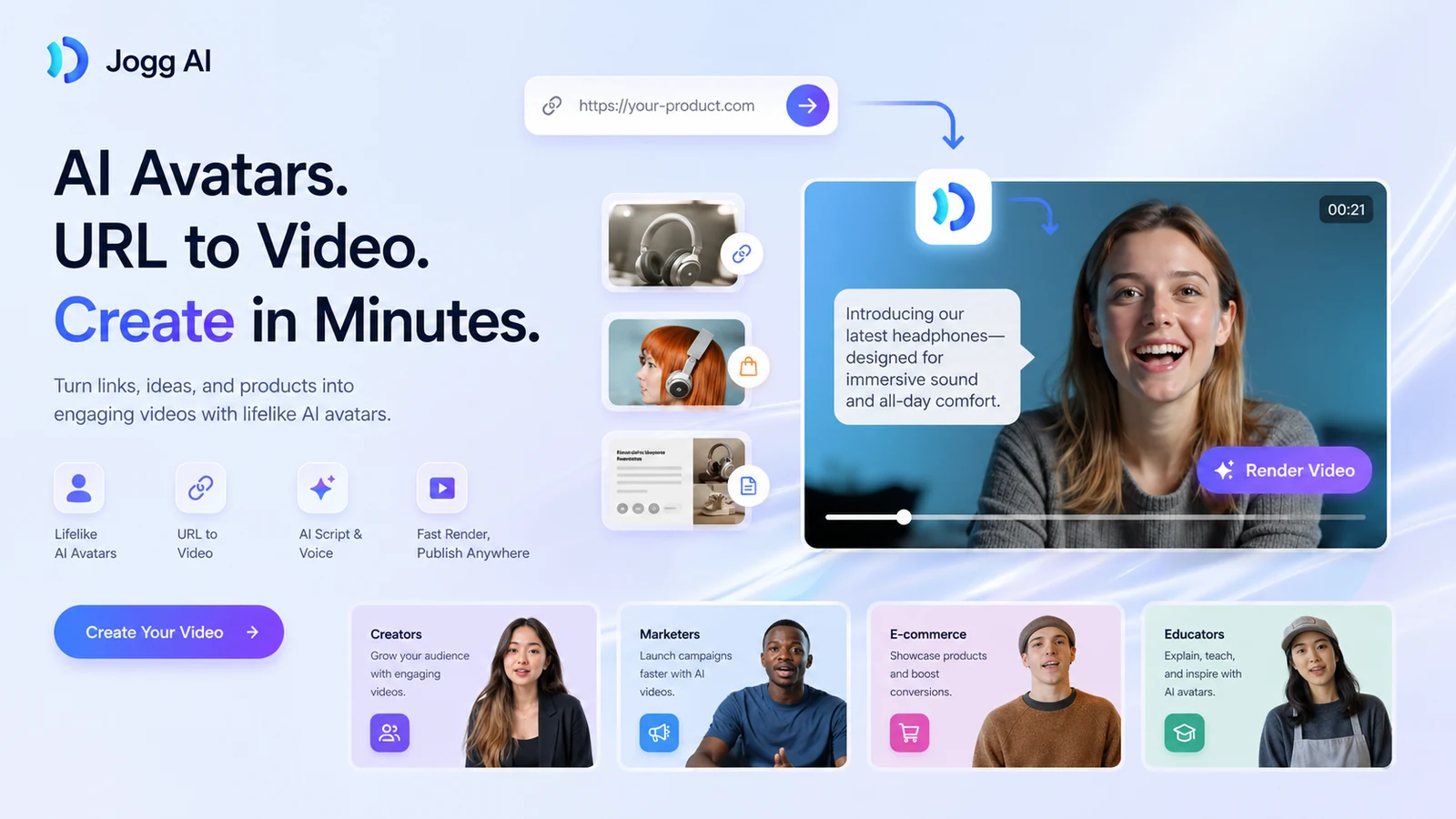
Fit → price → checkout
Use these routes after the official-site check: coupon first, review for fit, compare if unsure.
Jogg AI pricing snapshot
Fast commercial checks before pricing, coupons, or a deeper review.
Jogg AI product tour
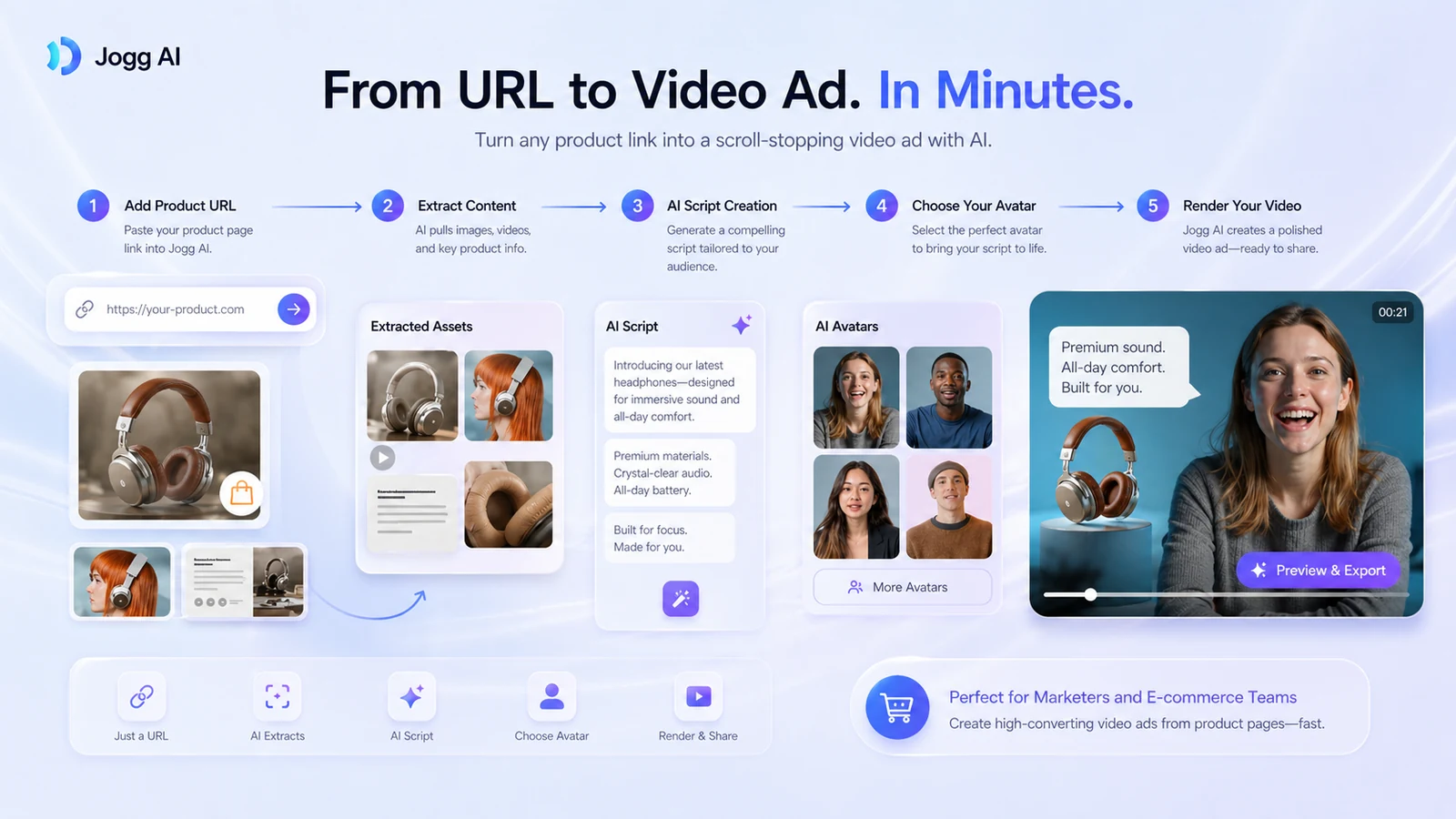
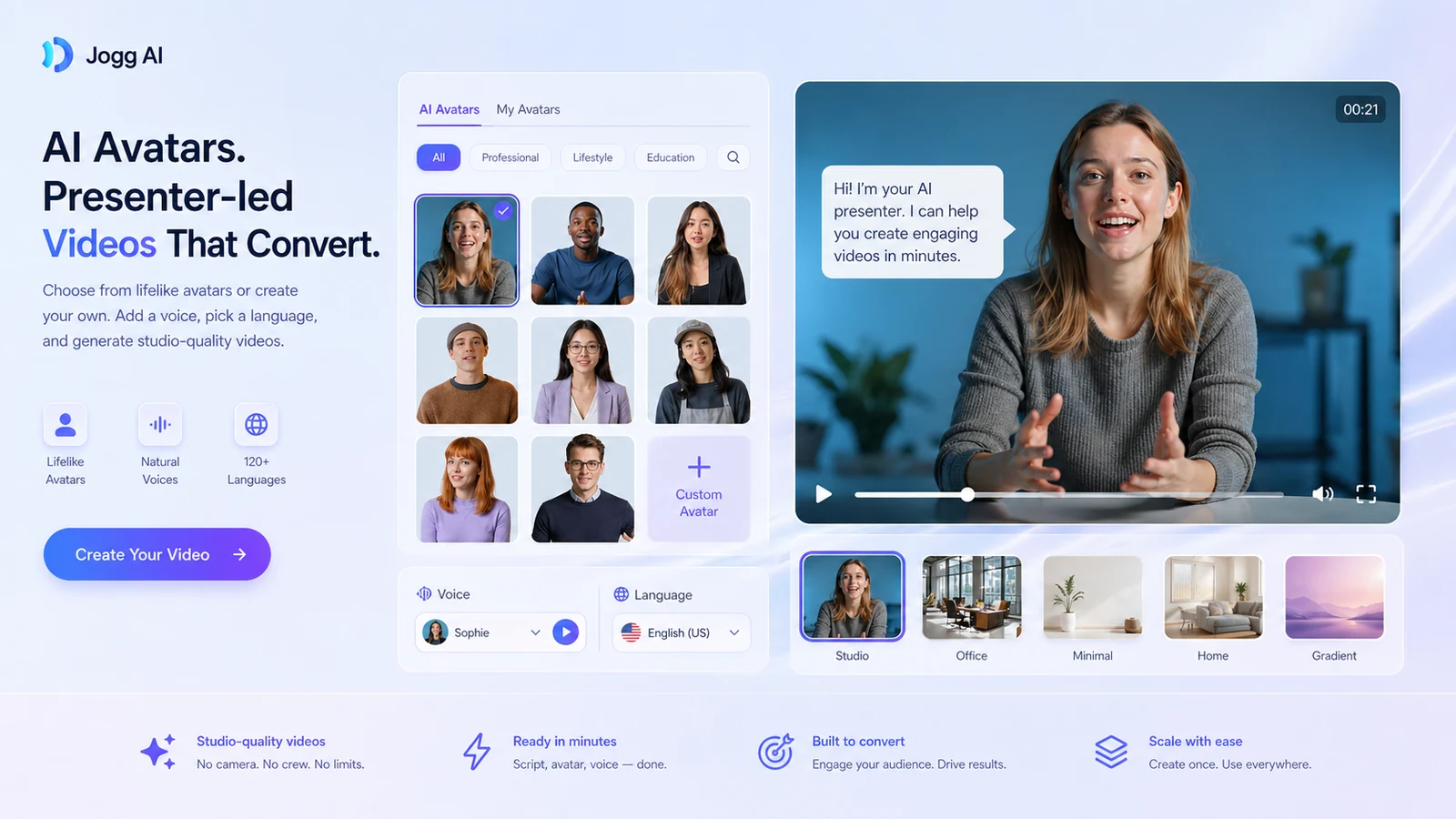
The main product tour should help buyers understand JoggAI as a video-production workflow, not just an avatar gallery. The useful screens are pricing, URL-to-video creation, avatar selection, and team or brand controls because those decide whether a creator can publish regularly without overbuying.
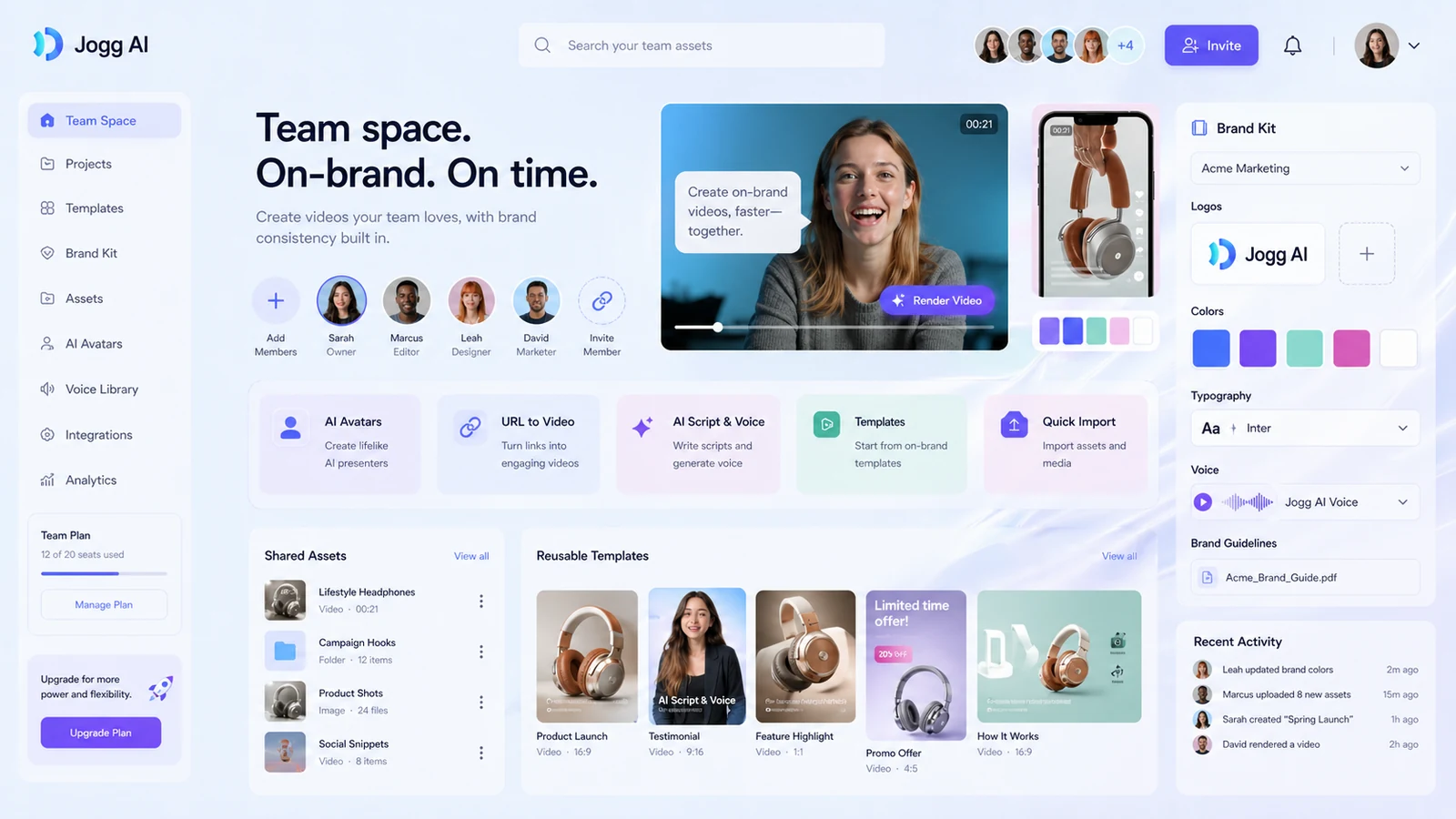
Jogg AI is a practical store page candidate because the buying decision is not simply whether AI avatars look impressive. The real question is whether the buyer can turn a script, link, product image, or marketing idea into enough publishable videos to justify the credits, plan limits, and non-refundable payment terms.
What Jogg AI actually does
JoggAI helps users create avatar-led videos from scripts, product URLs, images, talking photos, podcast content, and translated video workflows. The official site frames the product around social content, video ads, AI avatars, URL-to-video, product video, and creator workflows, which makes it more useful for repeatable marketing output than for deep manual editing.
- Create AI avatar videos without filming a human presenter.
- Turn product URLs or product images into short marketing videos.
- Use talking photo, video translation, podcast video, and AI script features around the core avatar workflow.
- Test output quality with free credits before buying a paid tier.
Pricing and credits need a careful read
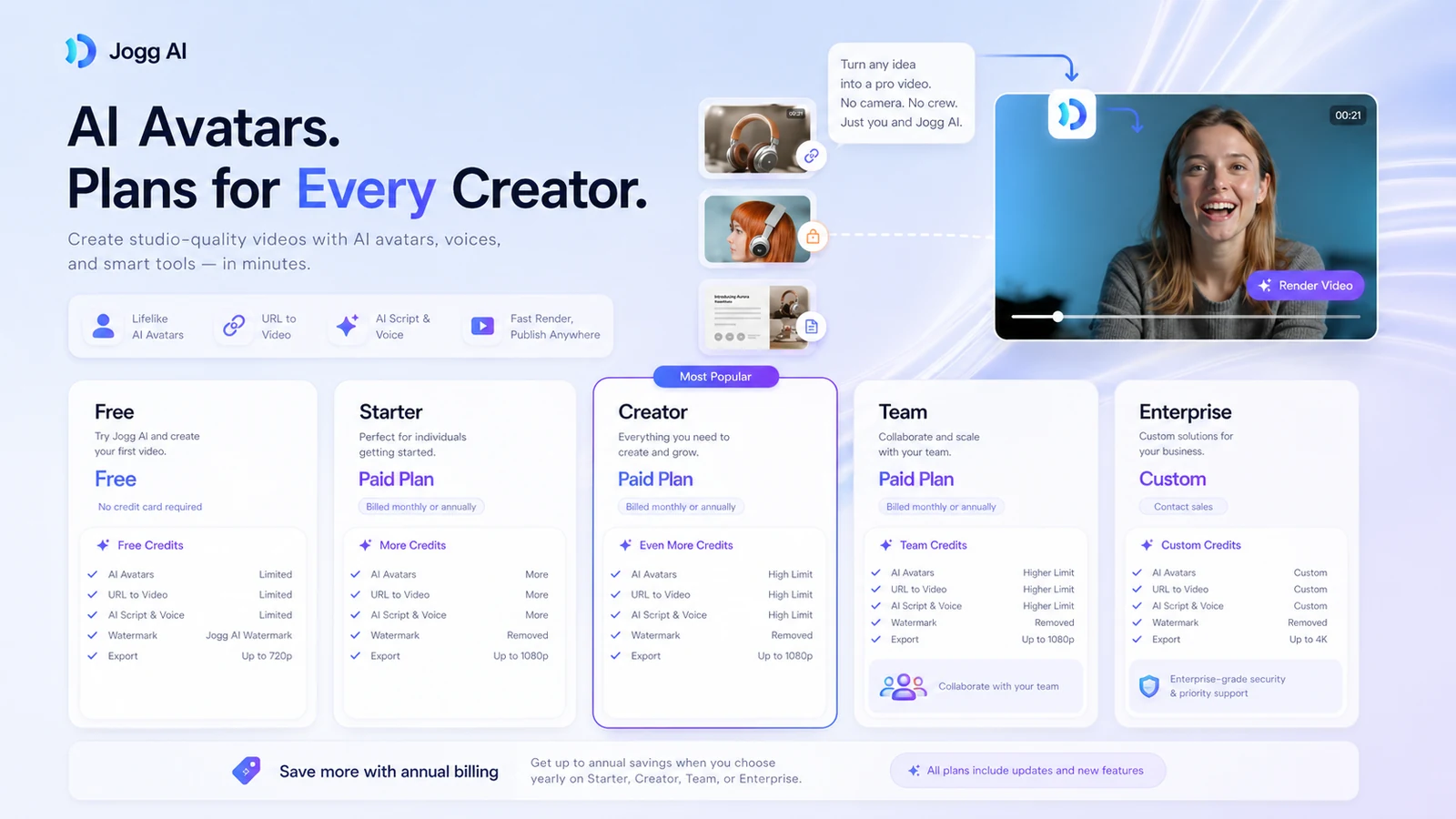
The pricing page includes a Free plan with 3 credits and several paid paths. It also shows annual billing savings and promotional values, which means the visible price can vary by billing view, plan card, or campaign. For a buyer, the more important question is how many finished videos can be exported with the plan, how long those videos can be, whether the watermark is removed, and whether custom avatars or AvatarX are included.
- Free is useful for testing, not for proving long-term production value.
- Credit allowance and video length should be checked before price alone.
- Annual billing can look attractive, but refund terms make testing first safer.
Where the product fits best
JoggAI is most attractive when the buyer already has a repeatable video need: product pages that need ad variations, scripts that need a presenter, translated marketing clips, training snippets, or faceless creator content. It is weaker when the buyer expects a full video editor, frame-level control, or human-quality performance across every voice and avatar combination.
- Good fit: UGC-style ads, product demos, explainers, faceless clips, and translated avatar videos.
- Possible fit: agencies that need fast drafts before polishing top performers elsewhere.
- Poor fit: buyers who need exact cinematic editing, complex motion design, or guaranteed realism in every render.
A second video worth watching before rollout
The API-side workflow is worth a separate look for technical teams because it changes the buying question. A solo creator may only care about the web app, but an e-commerce operator or agency may care about whether product videos can be generated through an automated URL-to-video pipeline. Watch for API credit cost, output control, and whether the generated video still needs human review before publishing.
Public coupons versus safer savings paths
There are third-party coupon pages that mention JoggAI discounts, but store buyers should be careful. The more reliable savings paths are the official free plan, annual billing savings, visible pricing-page promotions, or a discount that appears directly at checkout. If a coupon code does not appear on the official checkout path, treat it as unverified until it works.
- Check official pricing first.
- Verify any coupon at checkout before counting it as savings.
- Compare annual savings against refund risk and expected monthly output.
Best alternatives to compare
The closest alternatives depend on the job. Compare AKOOL if you care about broader avatar and creative video tooling, HeyGen or Synthesia if the priority is established avatar-video presentation workflows, and Fliki if the project leans toward text-to-video narration rather than product URL ads. JoggAI is most compelling when URL-to-video, avatar presenters, and fast ad variation sit in the same workflow.
- AKOOL: broader creative avatar and visual generation angle.
- HeyGen: established avatar-video workflow and business presentation fit.
- Synthesia: stronger enterprise training and corporate video angle.
- Fliki: more narration-first text-to-video path for creators.
Best savings path from this store page
This is the clearest savings route to check once the product already looks like a fit.
JoggAI pricing shows yearly billing with a 50% savings message and discounted annual-equivalent prices across paid plans. This is the cleanest official savings path because it does not depend on a coupon code working at checkout.
Use this offer as a buyer-safe entry point. Pricing, plan limits, and coupon acceptance can change at checkout.
Free plan includes limited credits for testing
Reported 30% off JoggAI pricing plans
Use comparison routes when the category fit is still open
Use these comparison routes when the product still looks plausible, but the category fit is not fully settled.
Better to compare when the buyer wants broader creative avatar, image, and video generation rather than a URL-to-video ad workflow.
Better to compare when presentation-style avatar videos and polished business communication are the priority.
Better to compare for corporate training, internal enablement, and enterprise-friendly avatar video workflows.
Better to compare when the buyer wants narration-led text-to-video content more than avatar product ads.
Verification points worth checking before you click out
Where this store usually fits best in the workflow
Creators can use JoggAI to produce presenter-style videos without appearing on camera, especially for short explainers, faceless content, and social clips.
Product teams can test URL-to-video and product-avatar workflows to turn product pages or images into short creative variations for ads and social posts.
Marketers can explore video translation, language support, and avatar presenters when they need the same message adapted for multiple regions.
Teams can use spaces, member roles, and brand kits when the workflow needs shared templates, consistent assets, and review across multiple creators.
Practical checkpoints before and after signup
- Pick one real script, product URL, or image-based video use case.
- Decide whether success means speed, output quality, lower production cost, or more ad variations.
- Check avatar realism, lip sync, subtitle quality, voice fit, render speed, and watermark behavior.
- Track how quickly credits are consumed by real drafts and exports.
- Compare monthly and annual billing, credit limits, video duration, custom avatar count, team seats, API access, and refund risk.
- Use a smaller paid tier first unless the workflow already has predictable video volume.
- Review finished videos before publishing and track which generated clips actually improve ad or content performance.
- Re-check pricing and plan limits before renewal or team expansion.
Fast-read signals for workflow fit and buying friction
Questions readers usually ask before choosing this store
What does Jogg AI do?
Jogg AI creates AI avatar videos from scripts, links, images, product URLs, talking photos, and related video workflows. It is mainly useful for creators, marketers, e-commerce sellers, and teams that need faster avatar-led video production without filming.
Does Jogg AI have a free plan?
Yes. The official pricing page lists a Free plan with 3 credits, limited tool access, standard processing, and watermarked exports. Treat it as a testing path, not as proof that a paid plan is worth it for your workflow.
How much does Jogg AI cost?
The official pricing page lists Free, Starter, Creator, Team, and Enterprise paths, with public monthly values and annual billing savings. Because promotional pricing can change, buyers should verify the live checkout price and credit allowance before paying.
Are Jogg AI payments refundable?
JoggAI Terms state that payments are non-refundable except where required by law. Buyers should test with free credits, understand the billing interval, and cancel through account settings before renewal if the tool does not fit.
What should I compare Jogg AI against?
Compare AKOOL for broader creative avatar tooling, HeyGen or Synthesia for established avatar-video presentation workflows, and Fliki if your main need is narration-led text-to-video content rather than URL-to-video ad creation.
Choose the next route that matches what you still need to decide
The strongest next click depends on whether you still need product judgment, a savings route, or a broader category comparison.