
HelpDesk Pricing, Plans & Support Team Fit
HelpDesk is a browser-based ticketing system for teams that need a shared place to manage customer emails, support requests, ticket status, priorities, tags, assignments, automations, and reporting. It sits closer to customer service operations than to a generic AI chatbot, even though newer AI features can help with tagging, summarizing, and response work. The product makes the most sense for a small or mid-sized support team that has outgrown a shared inbox. The buying decision is less about whether HelpDesk can receive tickets. It can. The real question is whether the team needs per-agent ticket management, collaboration, reporting, automation, and the broader Text ecosystem enough to justify per-user pricing.
Fit → price → checkout
Use these routes after the official-site check: coupon first, review for fit, compare if unsure.
HelpDesk pricing snapshot
Fast commercial checks before pricing, coupons, or a deeper review.
HelpDesk product tour
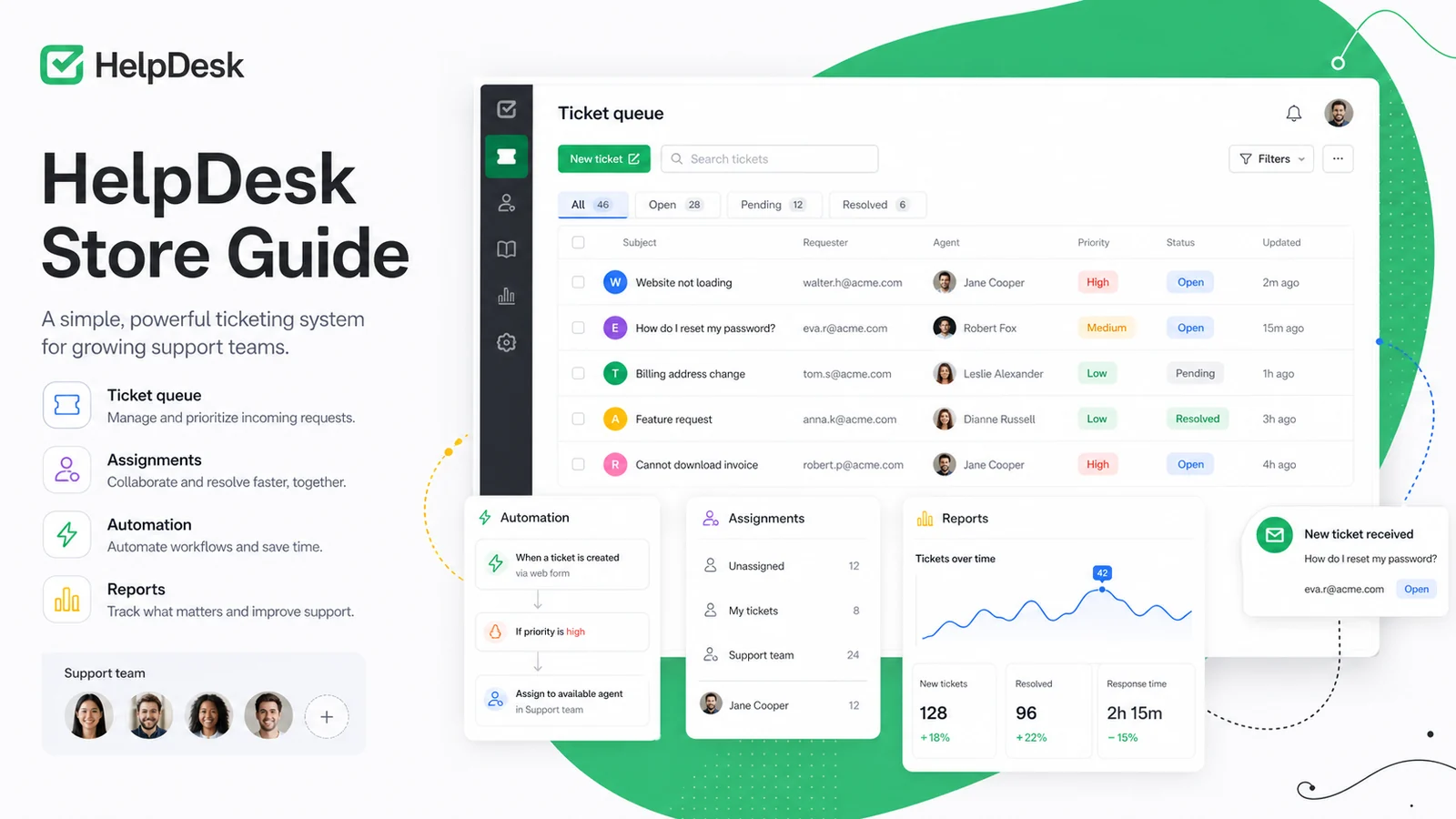
HelpDesk's product tour is most useful when viewed through a support-operations lens. Buyers should look at how tickets move through queues, how agents avoid duplicate work, how managers read performance reports, and whether the pricing page fits the number of paid seats the team really needs.
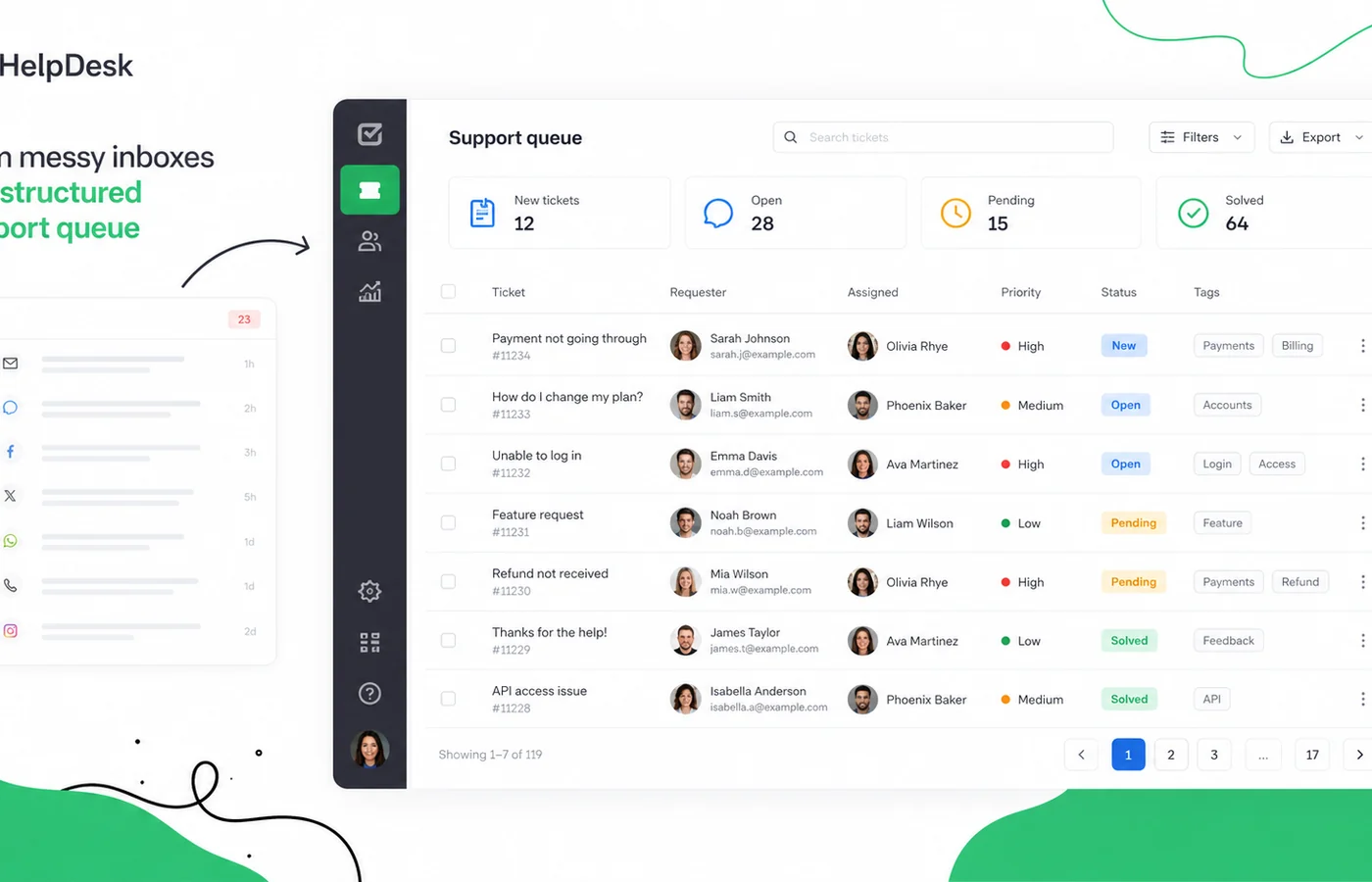
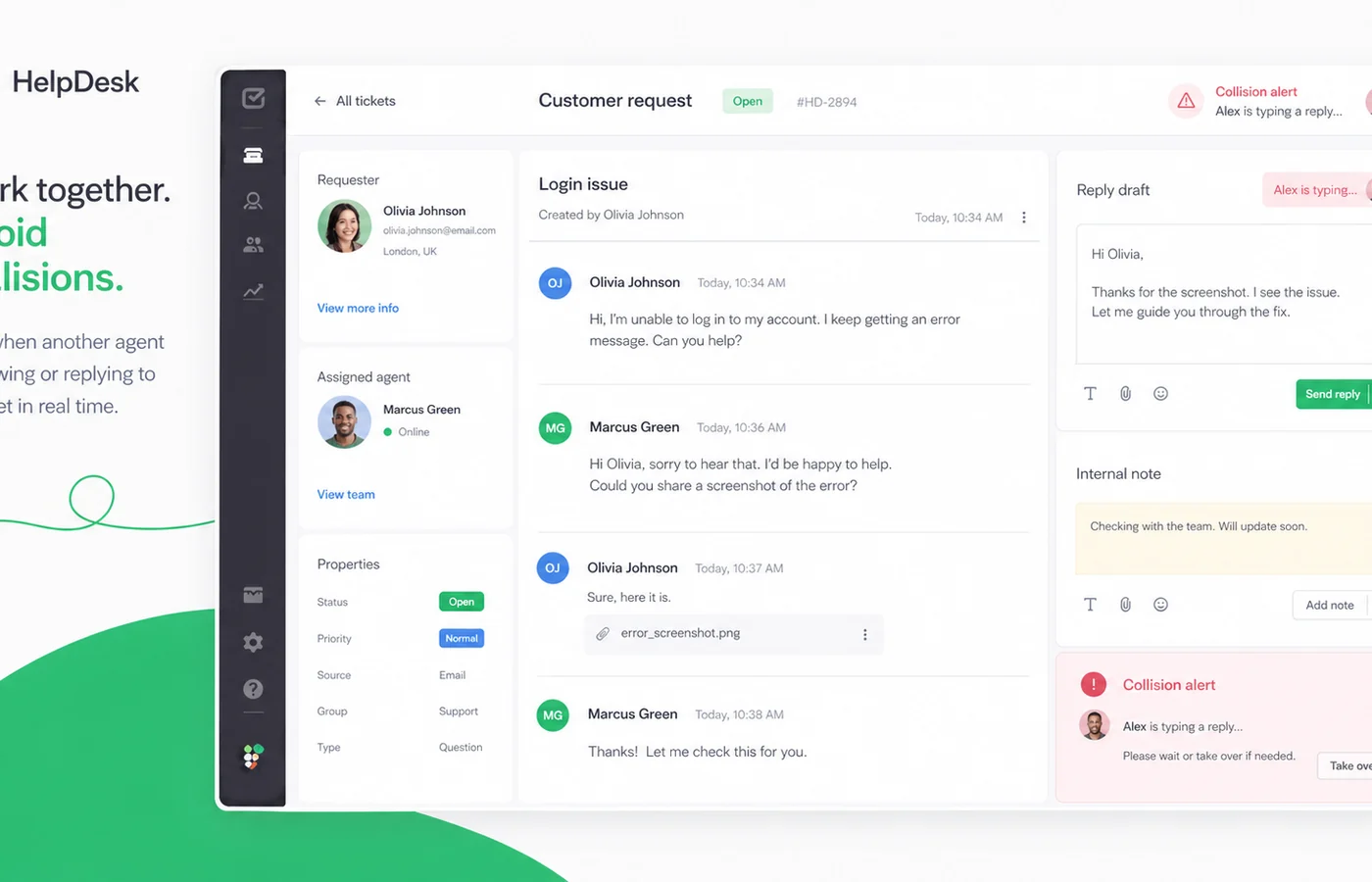
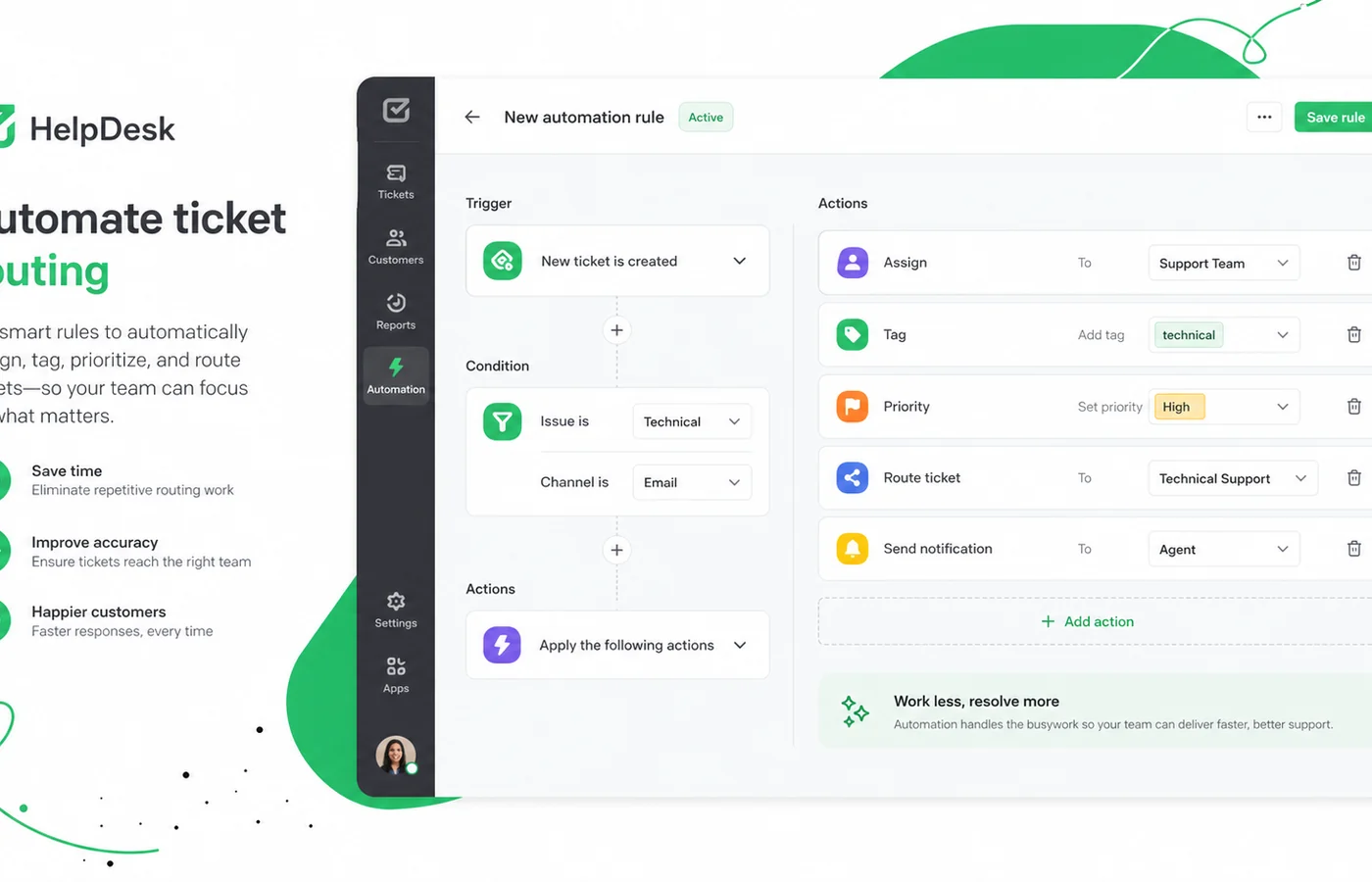
HelpDesk is best evaluated as support queue software, not as a broad marketing automation tool. Its job is to turn incoming customer messages into tickets that agents can assign, filter, prioritize, collaborate on, and measure.
That makes the product attractive for teams where email support is becoming hard to control. The buyer should not judge it from the feature list alone. A better test is simple: add the real support agents, create or import a few realistic tickets, build one saved view, try one automation rule, and then check whether the plan price still feels reasonable.
What HelpDesk actually does
HelpDesk gives support teams a shared browser-based ticketing system. Instead of letting customer requests sit inside personal inboxes, it centralizes tickets with statuses, priorities, tags, requester information, assignment options, history, and collaboration features.
The product is useful when a team needs accountability around who owns each request, what has already been answered, and how quickly support work is being resolved. It is less compelling if the company only receives a handful of simple messages each week.
- Centralizes customer requests into a shared ticket queue
- Supports statuses, priorities, tags, requester details, and ticket history
- Helps agents avoid duplicate work with collaboration signals
- Adds reports and analytics for managers tracking support performance
Who gets the best fit from HelpDesk
HelpDesk fits teams that already have a repeatable support process. A small SaaS business, ecommerce support team, service business, IT support team, or customer success group can use it to keep cases visible and reduce handoff confusion.
It is also a sensible fit for teams that already like Text ecosystem products. HelpDesk can connect with related tools such as LiveChat, ChatBot, KnowledgeBase, and marketplace integrations, so the product can sit inside a broader customer communication stack.
- Best for teams handling recurring customer questions
- Useful when several agents need shared visibility
- Stronger when reporting and performance tracking matter
- More attractive when integrations are part of the support stack
Pricing and plan fit
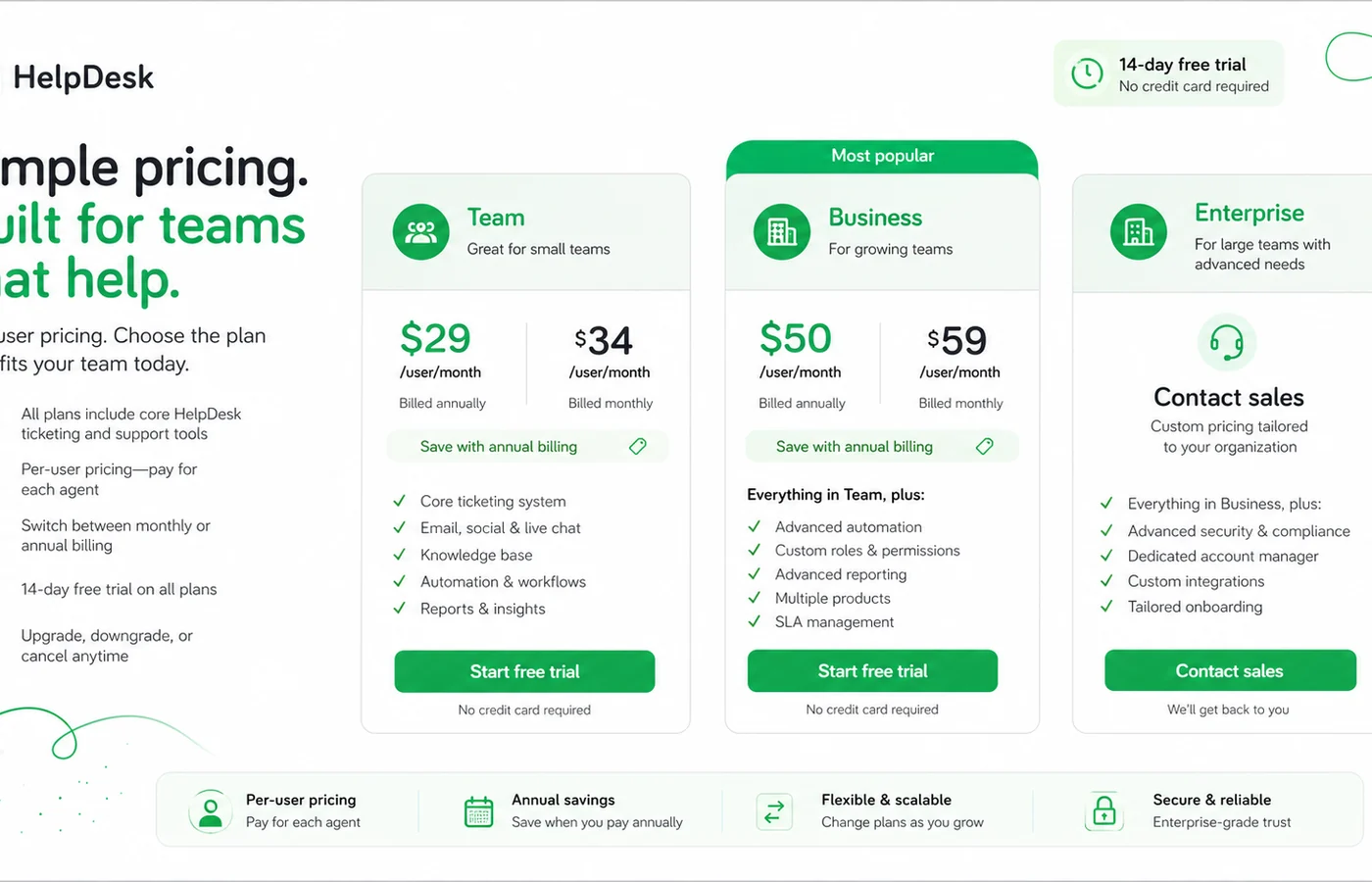
HelpDesk's price should be read as per-agent support software pricing. The Team plan starts at $29 per user per month when billed annually, while Business starts at $50 per user per month when billed annually. Enterprise is custom.
The free trial is useful because it gives buyers Business-plan access for 14 days without a credit card. The risk is that trial comfort can make the Business plan feel normal before the buyer has checked whether Team is enough. Count active agents, compare annual versus monthly billing, and decide whether Business features are required before paying.
- Team starts from $29 per user per month when billed annually
- Business starts from $50 per user per month when billed annually
- Enterprise uses an individual contract
- Annual billing offers a 15% discount per agent
Video walkthrough for workflow fit
A second product walkthrough is useful after the pricing check because it lets buyers look at the practical workflow again: receiving tickets, assigning work, replying, filtering queues, and tracking performance. The goal is not to admire the interface. The goal is to decide whether the team can live inside this tool every support day.
AI, automation, reporting, and API depth
HelpDesk has moved beyond a basic inbox by adding automation, AI assistance, reports, integrations, and API access. Official feature pages describe AI tag suggestions, similar tickets, ticket summaries, automation rules, reports, and analytics. The API docs also confirm developer integration paths.
These features matter most when support volume is high enough to make routing, prioritization, tagging, and reporting painful. A low-volume support inbox may not need this much structure. A growing team usually does.
- AI support includes tag suggestions, similar-ticket context, and ticket summaries
- Automation rules can reduce repetitive assignment and routing work
- Reports help managers track response and resolution performance
- API access supports custom integration needs
What to verify before checkout
Before checkout, buyers should verify five things: the number of active agents, whether Team is enough, whether Business features are required, whether annual billing makes sense, and how HelpDesk support handles refund requests. Those checks protect the buyer from paying for more plan than the support process can justify.
Public coupon codes do not appear to be the main savings route. The practical saving is more likely to come from trial testing, correct plan selection, and annual billing once fit is clear.
- Confirm agent count and viewer needs
- Check monthly versus annual billing
- Verify Team versus Business feature gates
- Ask about refund handling if annual billing feels risky
Safest next step
The safest next step is to start the free trial with a real support scenario. Add more than one agent, route a few realistic tickets, test saved views, try one automation, and review the reporting screen. After that, compare Team and Business pricing against the number of active seats.
If the workflow still feels right, the pricing page is the next stop. If the buyer mainly needs live chat, chatbot automation, or broader CRM automation, compare HelpDesk with LiveChat, ChatBot, or ActiveCampaign before committing.
- Start with the free 14-day trial
- Test real agent collaboration before choosing a plan
- Use pricing only after workflow fit is clear
- Compare adjacent tools if chat, chatbot, or CRM automation is the real need
Best savings path from this store page
This is the clearest savings route to check once the product already looks like a fit.
A public coupon directory reports a working HelpDesk checkout code. Keep this as a researched coupon path and verify the discount before payment.
Use this path carefully because the code was found on a public coupon directory rather than the official HelpDesk pricing page.
Try the Business plan free
Team plan from official pricing
Use comparison routes when the category fit is still open
Use these comparison routes when the product still looks plausible, but the category fit is not fully settled.
LiveChat is a closer fit when real-time chat is the main buyer need, while HelpDesk is stronger for asynchronous ticket queues and support case tracking.
ChatBot is worth comparing when automated customer conversations are the priority, while HelpDesk is better for human-agent ticket management and queue visibility.
ActiveCampaign fits marketing automation and customer journeys better, while HelpDesk is more focused on support tickets, agents, and resolution workflows.
Verification points worth checking before you click out
Where this store usually fits best in the workflow
HelpDesk is useful when a team needs to replace scattered support emails with a shared ticket queue that shows ownership, urgency, and history.
Teams with several agents can use HelpDesk to reduce duplicate replies, create shared views, assign tickets, and keep request context visible.
Managers can use reports and analytics to review ticket volume, first response time, resolution time, and agent or team performance.
HelpDesk is a better fit when the buyer wants connections with LiveChat, KnowledgeBase, marketplace apps, API workflows, or broader Text ecosystem tools.
Practical checkpoints before and after signup
- Clarify whether the real problem is ticketing, live chat, chatbot automation, or CRM follow-up.
- Count active support agents before comparing HelpDesk pricing.
- Review Team versus Business features before using the trial as the plan benchmark.
- Test with real support messages, not only sample tickets.
- Create one saved view, one automation rule, and one reporting check.
- Invite at least two agents if collaboration is the main reason to buy.
- Compare monthly flexibility against the annual 15% discount.
- Confirm refund handling if buying annually.
- Use the DealBestDaily route after verifying the official price and plan fit.
- Start with one support queue before adding every team or department.
- Define ticket tags, statuses, and assignment rules early.
- Recheck pricing when agent count or department coverage expands.
Fast-read signals for workflow fit and buying friction
Questions readers usually ask before choosing this store
What does HelpDesk actually do?
HelpDesk is a browser-based ticketing system for managing customer support requests. It helps teams turn incoming messages into organized tickets with status, priority, tags, assignments, requester details, collaboration context, and reporting.
Is HelpDesk free?
HelpDesk does not appear to offer a permanent free plan. It offers a 14-day free trial with access to Business-plan features and no credit card requirement. After the trial, buyers choose Team, Business, or Enterprise.
How much does HelpDesk cost?
Public pricing starts at $29 per user per month for Team when billed annually. Business starts at $50 per user per month when billed annually, and Enterprise uses a custom contract. Monthly billing is available at a higher per-user price.
Does HelpDesk usually have coupon codes?
A reliable public coupon-code path was not verified from official sources. The better savings check is the 14-day trial, the 15% annual discount, correct plan selection, and the live DealBestDaily route before checkout.
What should buyers verify before paying?
Buyers should confirm active agent count, Team versus Business feature needs, monthly versus annual billing, refund request handling, and whether the product is solving ticketing needs rather than live chat, chatbot, or CRM automation needs.
Choose the next route that matches what you still need to decide
The strongest next click depends on whether you still need product judgment, a savings route, or a broader category comparison.