
LiveChat Pricing, Plans & Support Fit
LiveChat is best understood as a mature website chat and customer communication platform for teams that need real-time support, visitor context, routing, reporting, integrations, and agent workflows in one place. It is not the cheapest live chat route, so the buying question is less about whether the software is capable and more about whether the per-agent pricing is justified by support volume, sales value, and the need for a polished customer-facing widget.
Fit → price → checkout
Use these routes after the official-site check: coupon first, review for fit, compare if unsure.
LiveChat pricing snapshot
Fast commercial checks before pricing, coupons, or a deeper review.
LiveChat product tour
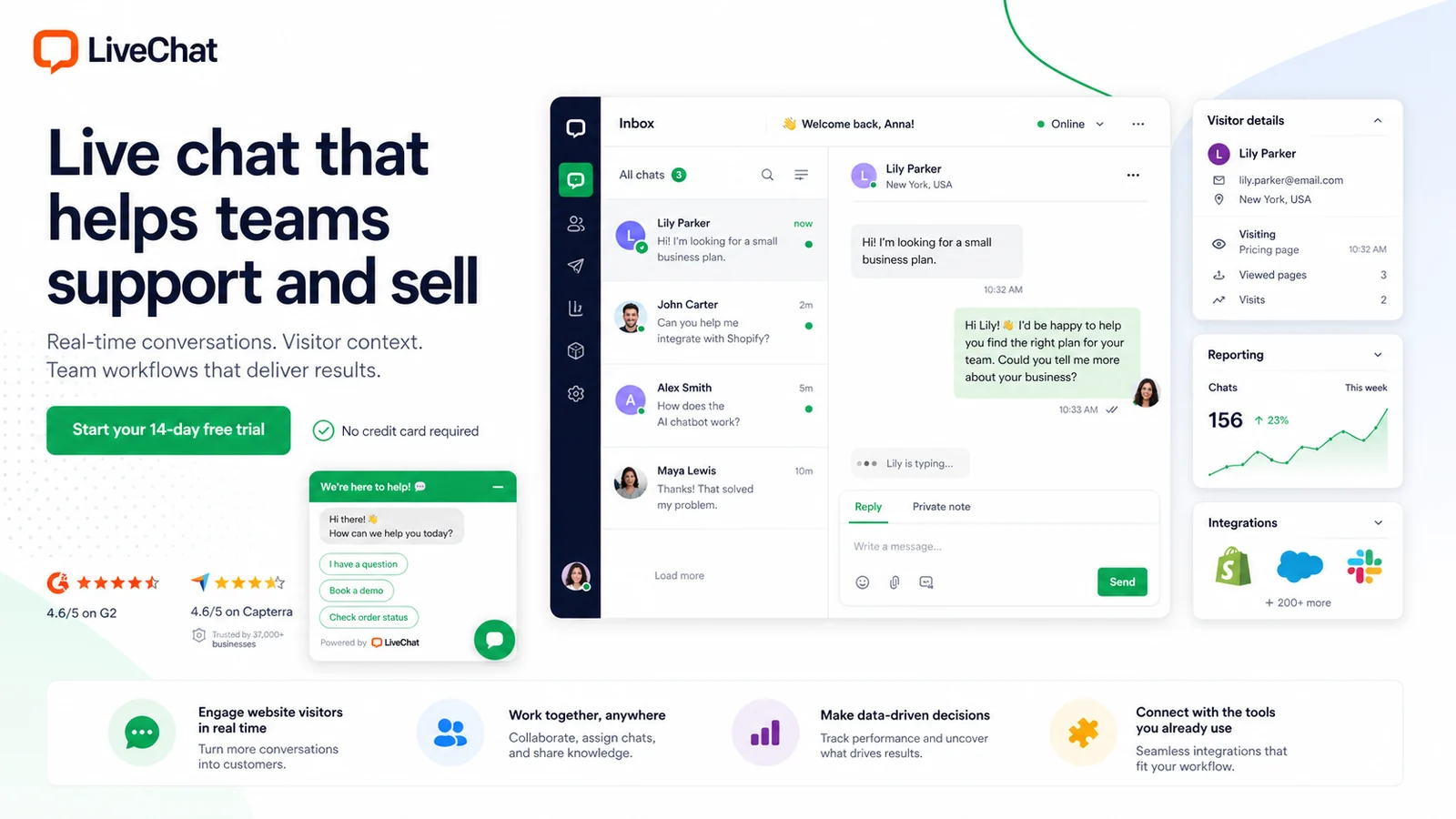
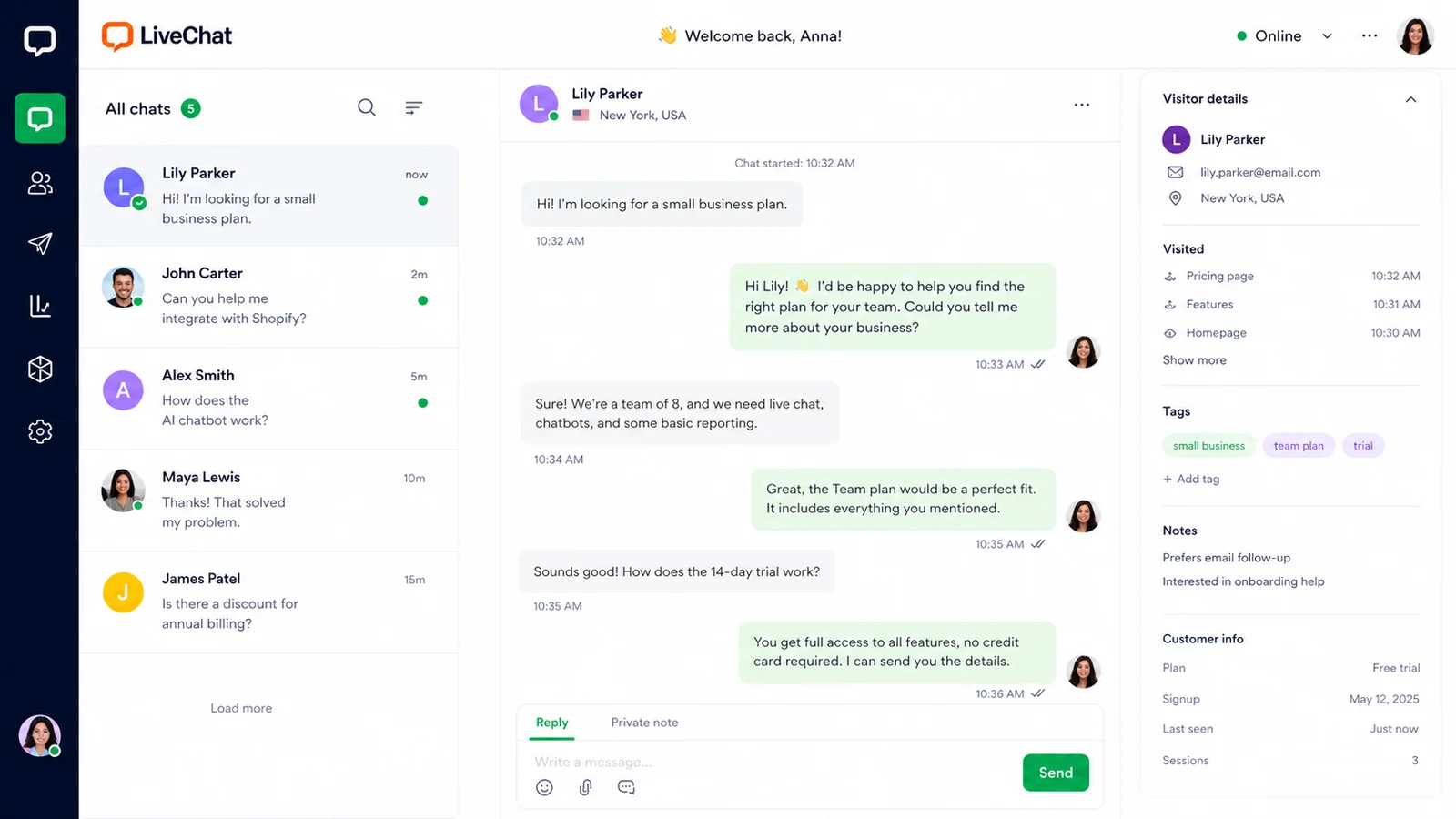
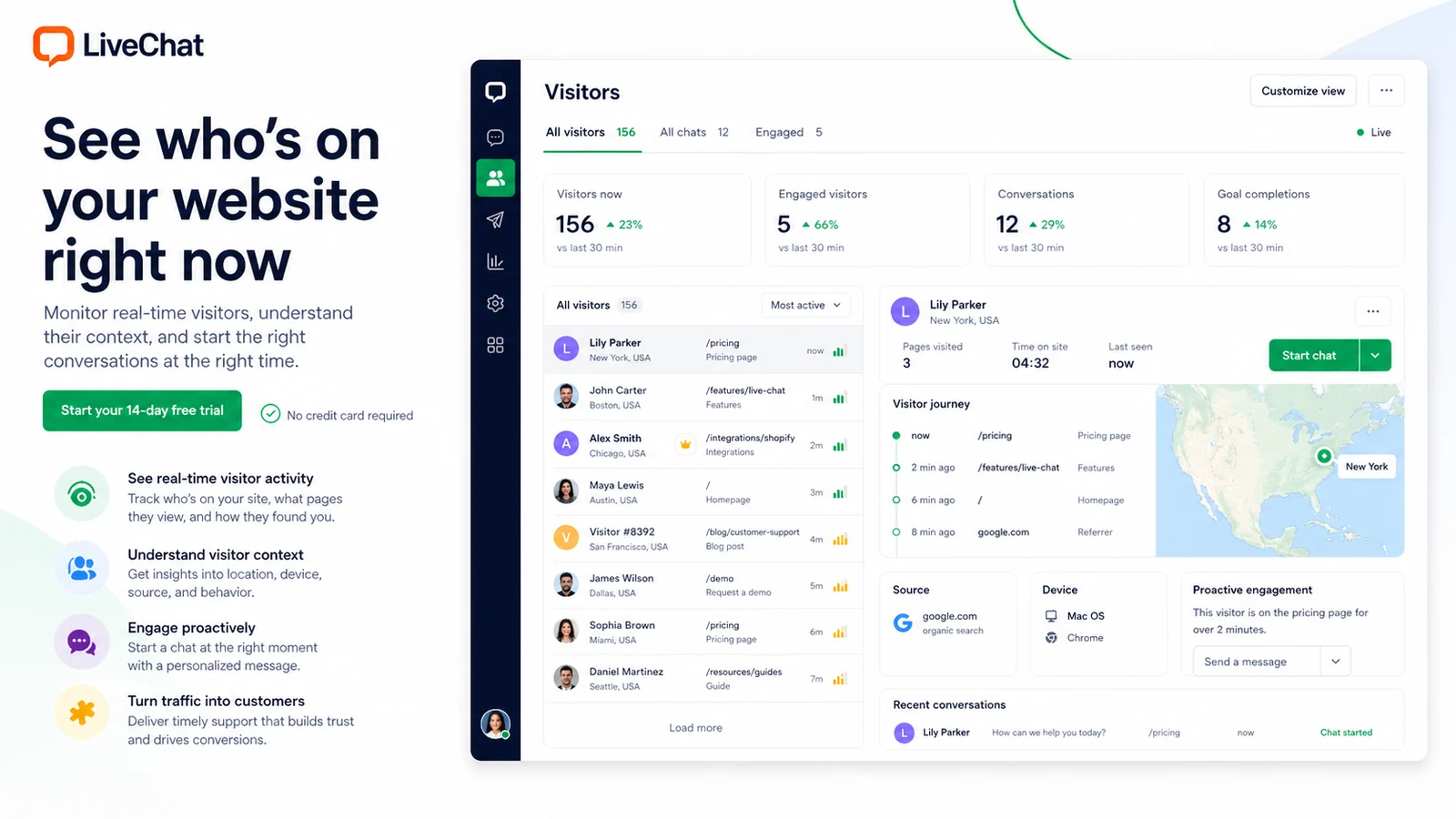
The most useful LiveChat visuals are the ones that show how a buyer moves from installation to daily support work: pricing, chats, visitor traffic, reporting, and integrations. These screens matter because LiveChat is a workflow tool, not just a button that appears on a website.
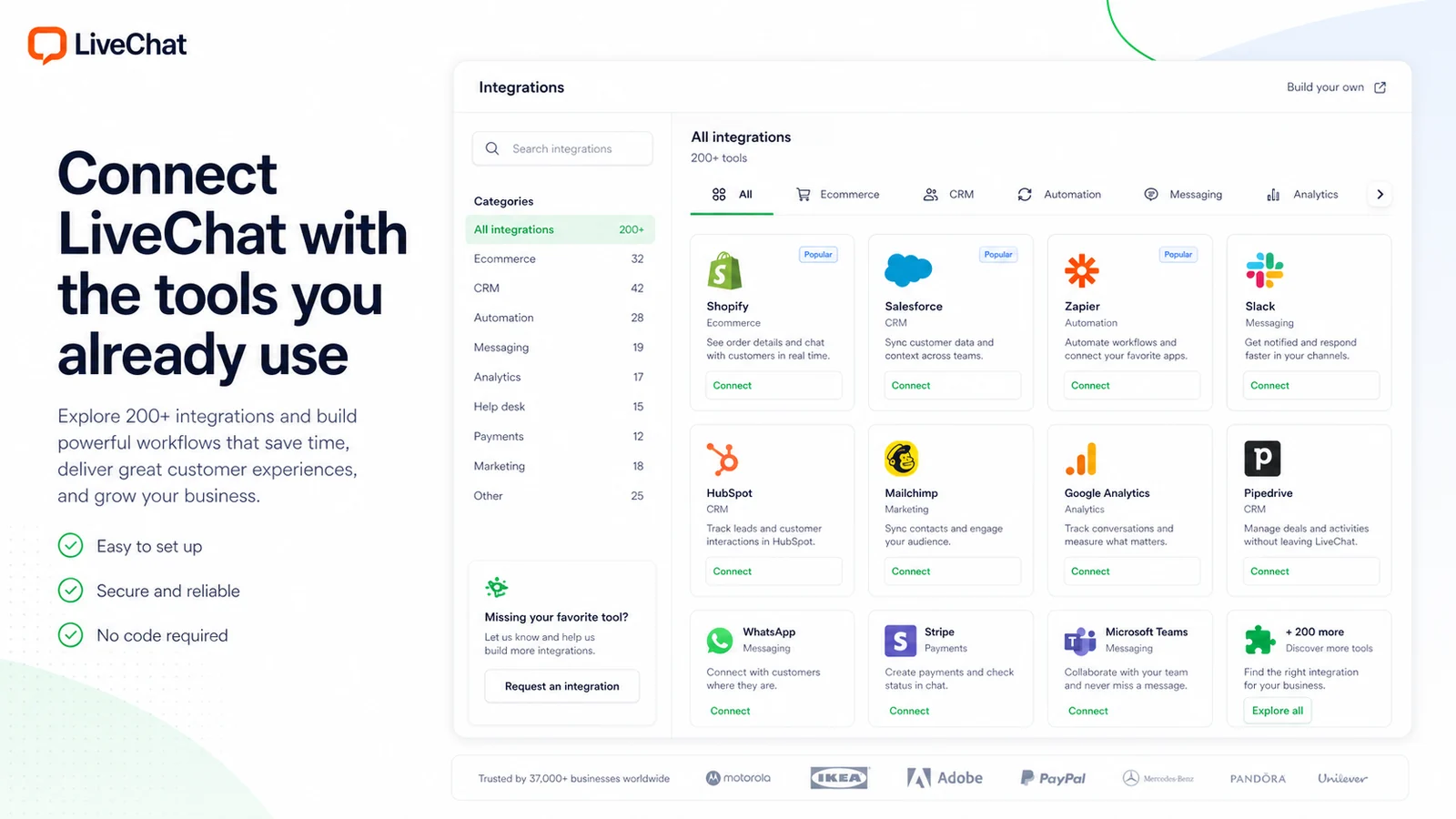
LiveChat deserves a store page that focuses on fit and plan logic, not generic praise. The product is mature, but the real buyer decision is practical: will the team use live chat often enough, and will the per-agent subscription pay back through faster support, better sales conversations, or cleaner customer routing?
What LiveChat actually does
LiveChat adds a chat widget to a website and gives agents a workspace for conversations, visitor context, archives, team management, reports, and integrations. It is strongest when a business wants real people to handle support or sales chats, with automation and APIs supporting the workflow rather than replacing the team completely.
- Website chat widget for customer conversations.
- Agent workspace for active chats and past conversations.
- Visitor traffic view, reports, integrations, and team controls.
Pricing is mainly an agent-count decision
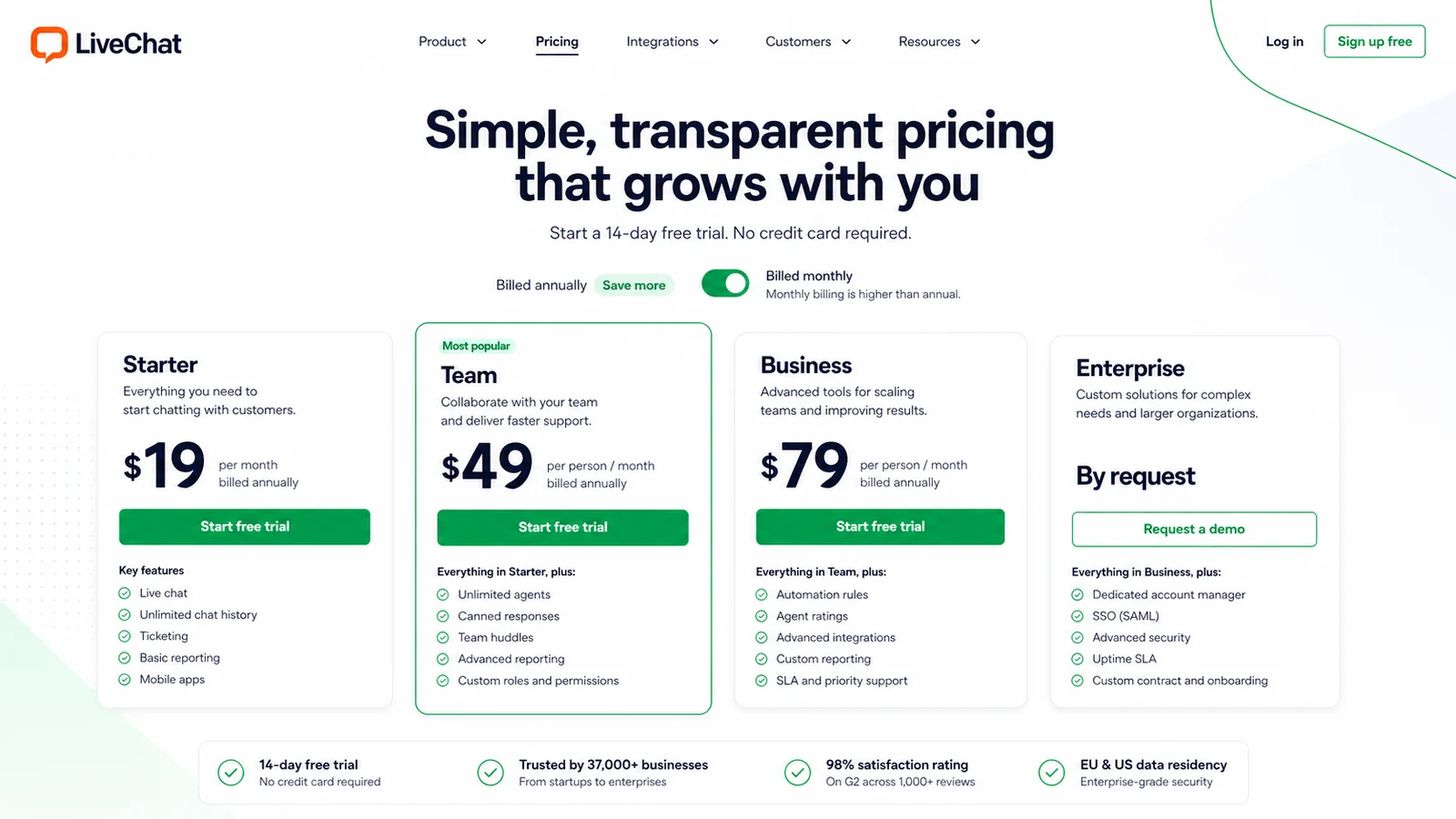
The public pricing starts low enough to test seriously, but LiveChat is not a flat one-price tool for every team size. Starter is the entry path, while Team and Business add more management, reporting, and scale-oriented features. The biggest mistake is comparing LiveChat only by its lowest annual price instead of multiplying cost by the number of agents and the features they need.
- Starter is the cheapest paid entry point.
- Team and Business are more relevant when multiple agents or deeper reporting matter.
- Enterprise is a custom sales path for larger organizations.
Trial value and refund risk
The 14-day trial is the safest part of the LiveChat buying path because it lets a team test widget setup, active chats, canned responses, reporting, routing, and integrations before payment. The refund language is much less forgiving, so the trial should be treated as the real decision window rather than a casual preview.
- Start with the free trial before entering a paid plan.
- Test LiveChat with real pages, real agents, and real customer questions.
- Avoid paying until cancellation and refund terms are understood.
Where LiveChat fits best
LiveChat fits companies that want support and sales conversations to happen inside a controlled, measurable workflow. Ecommerce teams can benefit from visitor context and integrations. Service teams can benefit from archives, canned responses, groups, and reporting. The fit is weaker when a website only needs a basic contact form or a free chat widget for occasional messages.
- Best for active support and sales teams.
- Useful for ecommerce and lead-generation websites.
- Less compelling for very low-traffic sites with rare customer conversations.
Integrations and technical flexibility
LiveChat is stronger when it can connect to the tools a team already uses. Its marketplace supports ecommerce, CRM, social, automation, and support workflows, while APIs and SDKs give technical teams a route for custom widgets or deeper integrations. That flexibility is valuable, but only if the buyer has the internal process or developer support to use it.
- Marketplace depth supports ecommerce, CRM, messaging, analytics, and support workflows.
- APIs and SDKs are useful for custom implementation work.
- Technical flexibility is only valuable if the team can maintain the setup.
Safest next step before checkout
The safest next step is to open the pricing page, start the trial, and test the smallest real workflow that proves value. For most teams, that means installing the widget on one important page, assigning one or two agents, using canned responses, checking archives, and reviewing reports after a real test window. Move to a coupon or deal path only after the product fit is already clear.
- Open pricing and confirm the current plan table.
- Run a trial with real support or sales conversations.
- Use the review page for fit, then the coupon path for final checkout verification.
Best savings path from this store page
This is the clearest savings route to check once the product already looks like a fit.
A G2 Deals listing reports a first-payment LiveChat discount through a promotional link. Treat this as a partner deal path, not a universal coupon code.
This is a link-based partner discount path rather than a public coupon code.
Try LiveChat before paying
Save with annual billing
Use comparison routes when the category fit is still open
Use these comparison routes when the product still looks plausible, but the category fit is not fully settled.
Choose ChatBot when the main need is no-code automation and bot flows rather than a human-agent live chat workspace.
Compare Chaport if the team wants a simpler live chat and customer messaging tool before committing to LiveChat's per-agent pricing.
Check Social Intents when chat needs to live closer to Microsoft Teams, Slack, or lightweight team messaging habits.
Use ActiveCampaign as the next tab when marketing automation and email follow-up matter more than website chat operations.
Verification points worth checking before you click out
Where this store usually fits best in the workflow
LiveChat fits teams that need agents to answer customer questions quickly, reuse canned responses, review archives, and keep conversation history organized.
Online stores can use LiveChat to answer product, shipping, and checkout questions before buyers leave the page, especially when ecommerce integrations are part of the workflow.
Service businesses can use the chat widget to catch high-intent visitors, route questions to the right person, and move promising leads into CRM or follow-up workflows.
Companies with developer resources can use APIs, SDKs, and webhooks to connect LiveChat with custom systems, internal tools, or advanced messaging flows.
Practical checkpoints before and after signup
- List the pages where live chat can create measurable value.
- Decide how many agents need access before comparing plan prices.
- Check whether the needed integrations exist in the marketplace or API documentation.
- Install the widget on a controlled test page before a wider rollout.
- Test canned responses, agent status, archives, visitor tracking, and reports with real conversations.
- Confirm whether Starter is enough or whether Team or Business features are necessary.
- Compare annual and monthly billing against the number of agents.
- Read the subscription policy before paying.
- Treat public coupon claims as unverified until checkout confirms the final price.
- Track chat volume, response time, solved issues, and sales impact.
- Revisit plan fit before adding more agents.
- Audit integrations periodically so LiveChat stays connected to the wider support workflow.
Fast-read signals for workflow fit and buying friction
Questions readers usually ask before choosing this store
What is LiveChat best for?
LiveChat is best for support and sales teams that want a professional website chat widget, agent workspace, visitor context, reporting, and integrations. It is especially useful when live conversations already affect revenue, response quality, or customer satisfaction.
Does LiveChat have a free plan?
LiveChat does not present a permanent free plan on its public pricing path. It offers a 14-day free trial with no credit card required, then buyers need to choose a paid plan or speak with sales for Enterprise.
How much does LiveChat start at?
The lowest public annual price is Starter from $19 per month. Monthly billing is higher at $25 per month, while Team and Business use per-person pricing, so the real cost depends heavily on agent count and billing interval.
Are LiveChat payments refundable?
Buyers should not assume refund flexibility. LiveChat's subscription policy says previous payments are not refundable, and Text's terms say paid service fees are upfront and non-refundable. The trial should be used carefully before paying.
What should I compare before choosing LiveChat?
Compare LiveChat against simpler live chat tools if budget is tight, against ChatBot if automation is the main goal, and against marketing automation platforms if email or lifecycle campaigns matter more than website chat. The safest next step is pricing first, trial second, coupon or deal verification last.
Choose the next route that matches what you still need to decide
The strongest next click depends on whether you still need product judgment, a savings route, or a broader category comparison.