
ChatBot Pricing, Plans & Support Fit
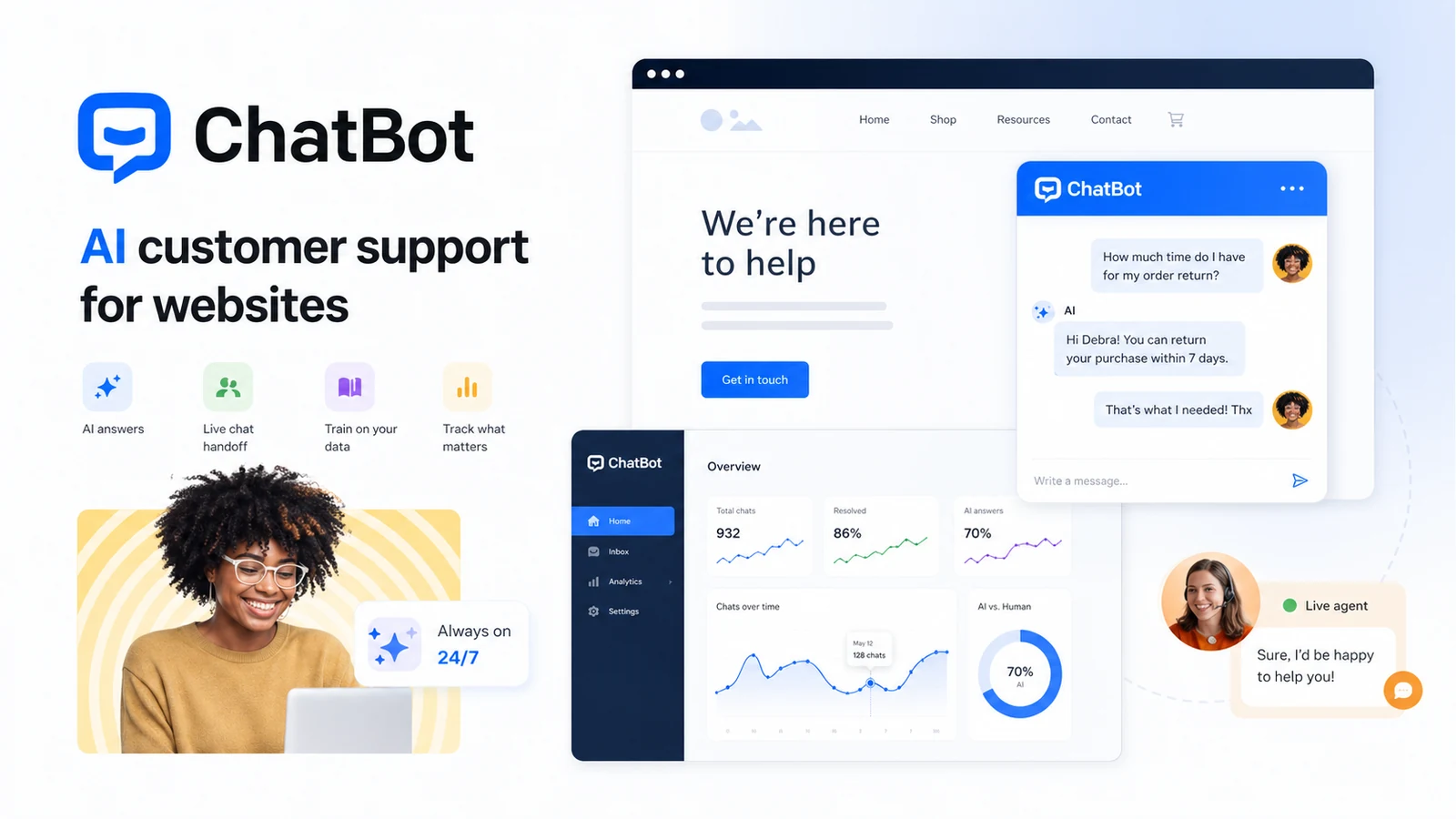
ChatBot by Text is best understood as a customer-support automation platform for websites, not a generic AI assistant. It combines an AI agent, live chat, shared inbox, ticketing, workflows, analytics, and integrations into a paid support stack. The product makes the most sense when a team already has repeat customer questions, enough traffic to justify automation, and a real plan for training the bot on support content.
Fit → price → checkout
Use these routes after the official-site check: coupon first, review for fit, compare if unsure.
ChatBot pricing snapshot
Fast commercial checks before pricing, coupons, or a deeper review.
ChatBot product tour
The useful buyer tour for ChatBot moves from AI setup to visual building, ecommerce or website chat behavior, analytics, and pricing. The goal is not to admire a chatbot demo. It is to decide whether the team can train it, monitor it, hand conversations to humans, and afford the plan once real support volume appears.
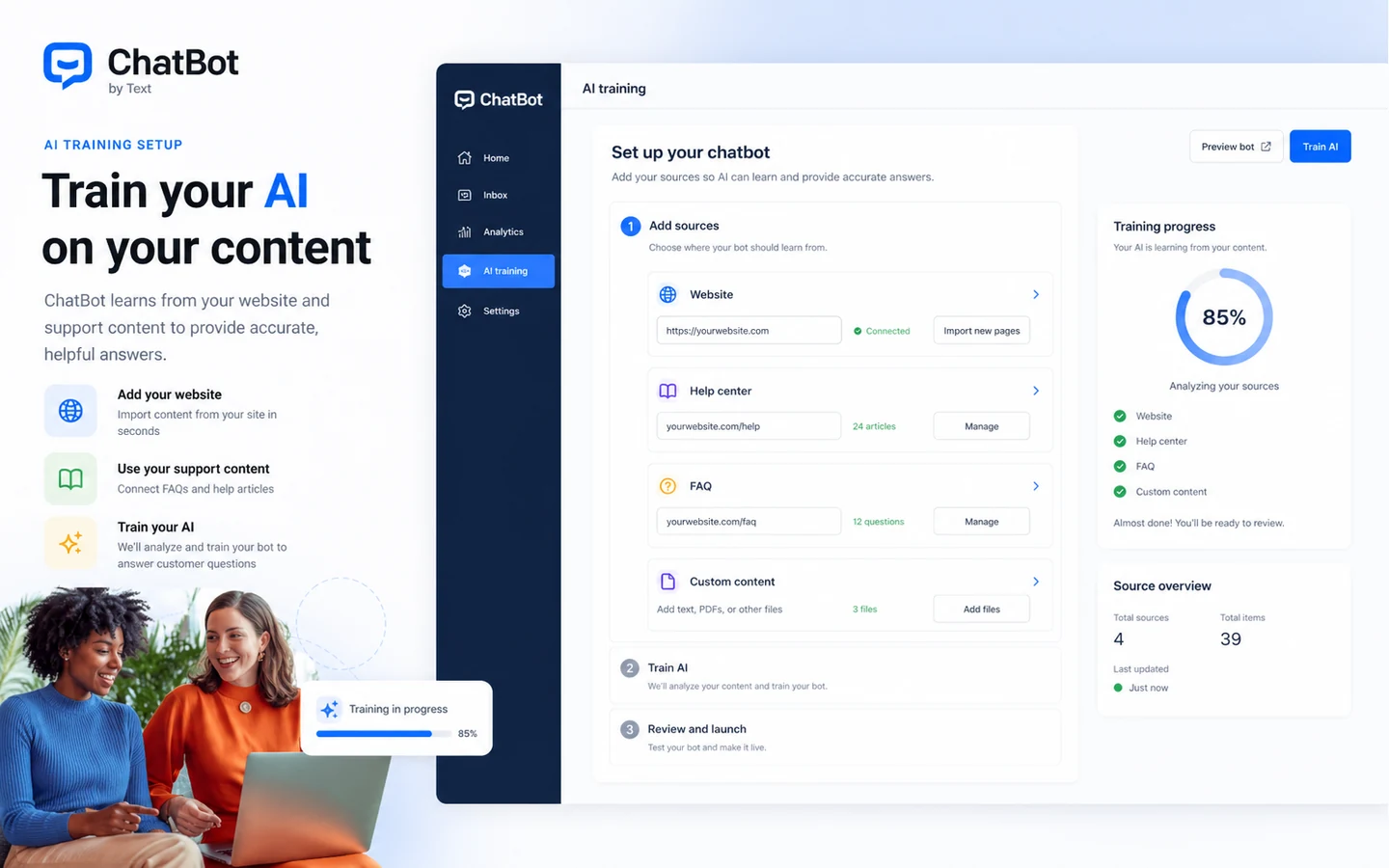
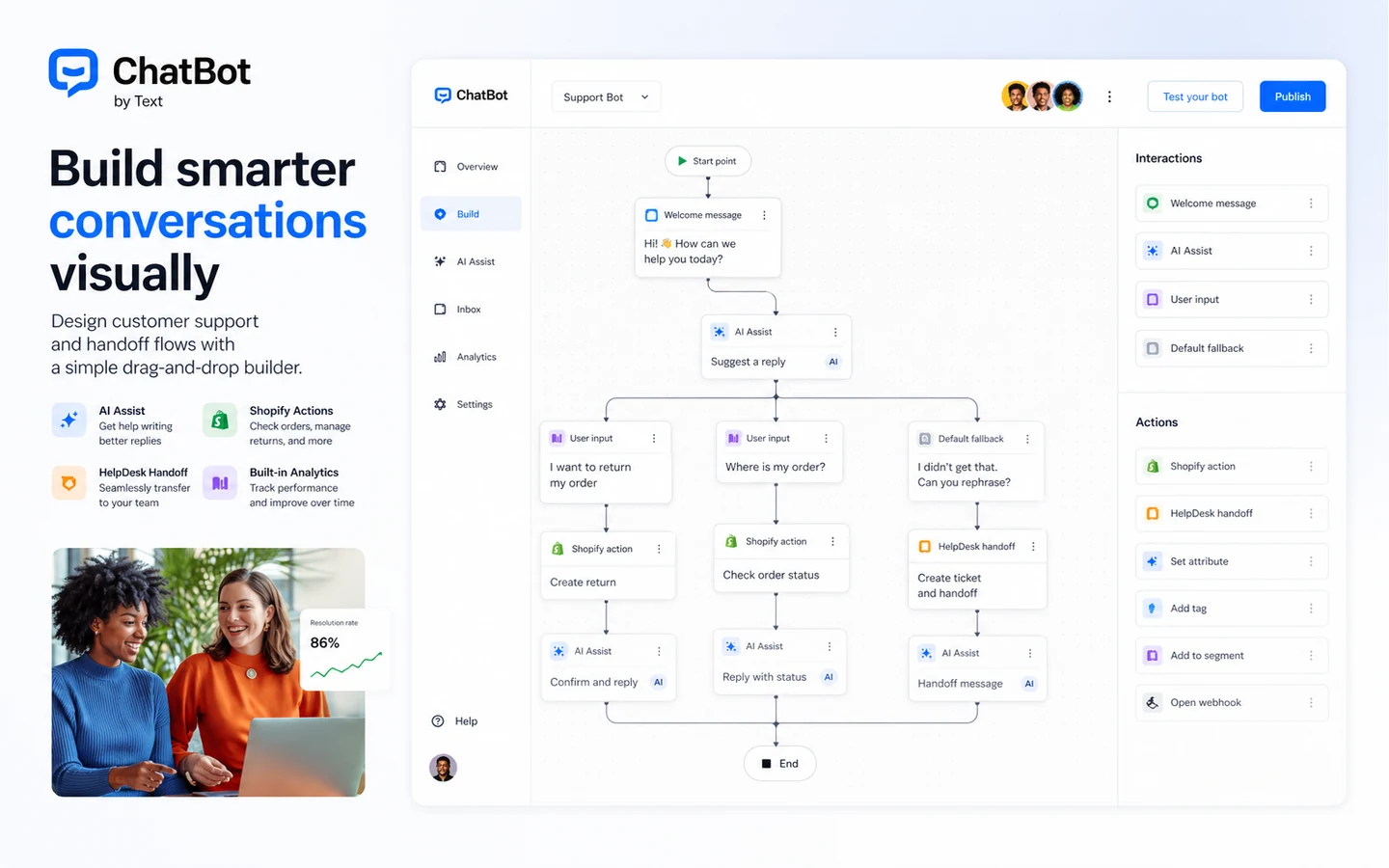
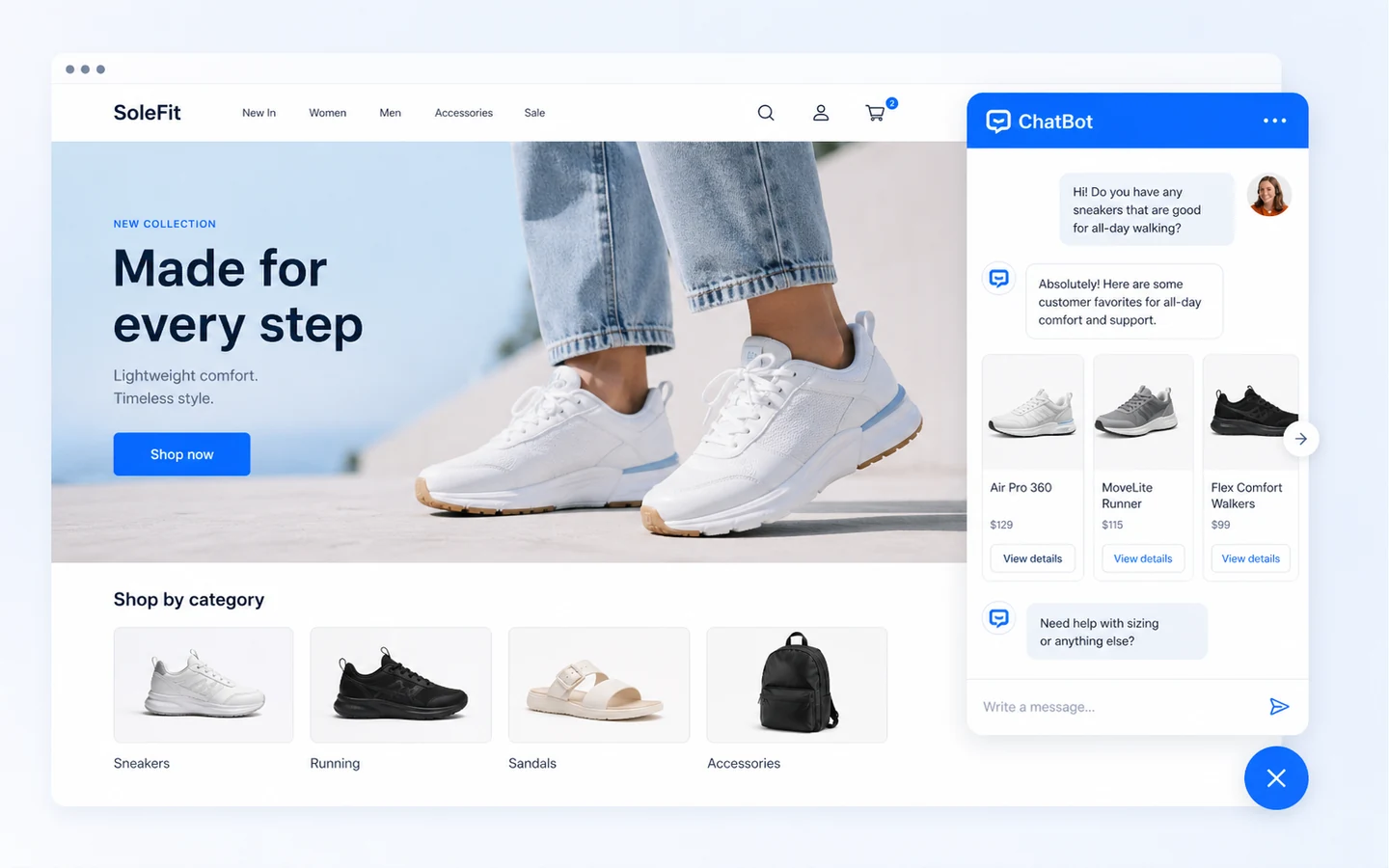
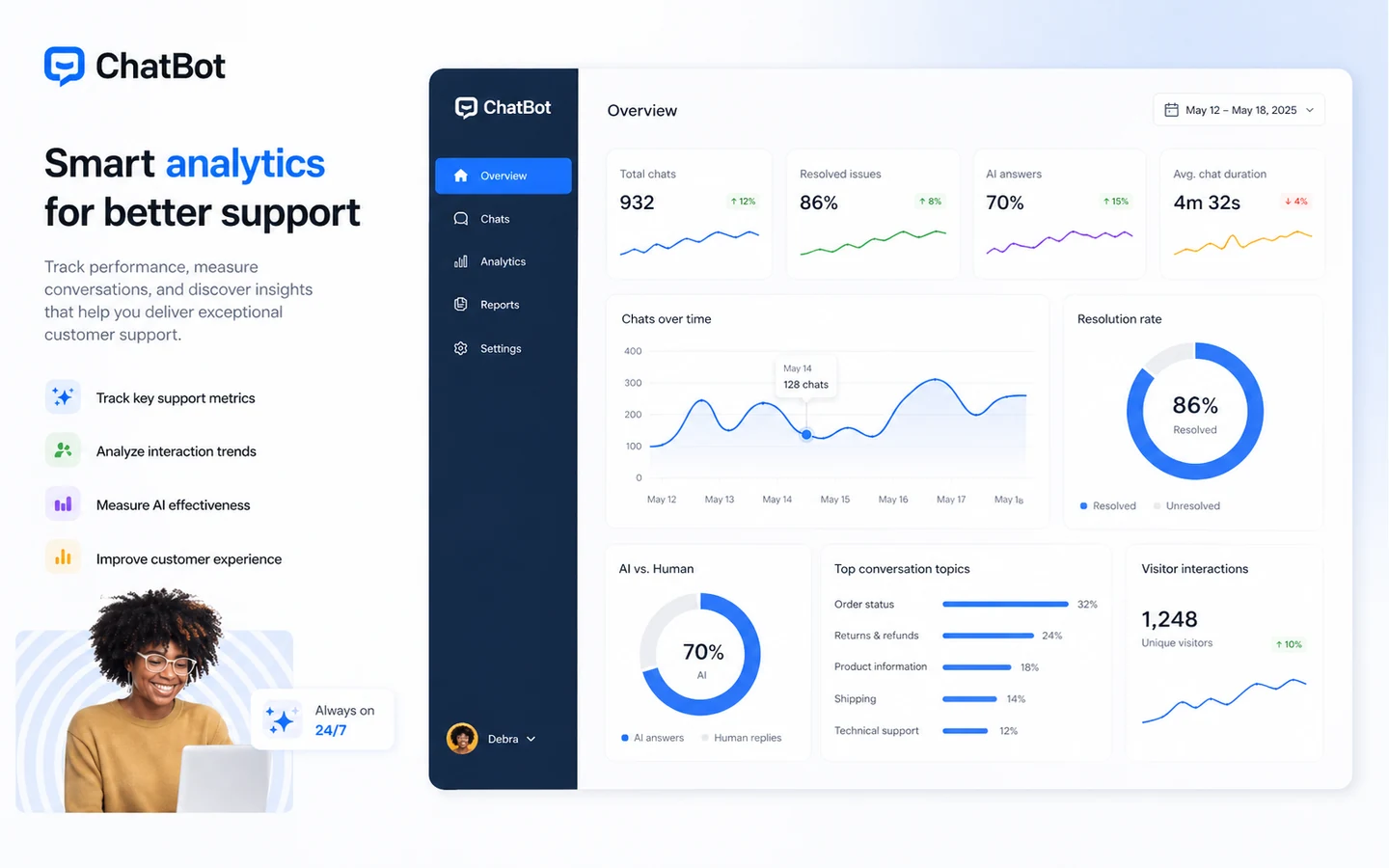
ChatBot is worth evaluating when your website has enough repeat conversations to justify automation. The mistake is treating it as a generic AI badge for a homepage. A buyer should test whether it can answer real support questions, escalate correctly, connect to the existing support stack, and stay within plan limits once traffic grows.
What ChatBot actually does
ChatBot by Text combines an AI agent, live chat, shared inbox, ticketing, workflow automation, analytics, and a customizable website widget. In practical terms, it is built for teams that want to reduce repetitive support work while keeping a human support path available. The product is strongest when the company already has help content, product policies, order questions, or lead qualification scripts that can be turned into repeatable chatbot flows.
- AI responses for common customer questions
- Website chat widget with support handoff
- Shared inbox and ticketing for follow-up work
- Workflows, analytics, and integrations
Pricing and plan fit
The public pricing decision starts with the Essential plan at $19 per user per month when billed annually, or $25 per user per month on monthly billing. Growth is positioned for teams that need more AI resolutions and advanced reporting, while Enterprise is the custom route. The important detail is that the price is not just about seats. Included AI resolutions, extra-resolution charges, campaign features, reporting, branding, and support controls may decide which plan is actually usable.
- Essential is the lowest public paid tier
- Growth adds more AI resolutions and deeper reporting
- Enterprise is the custom path for larger teams
- Extra AI resolutions can affect the real monthly cost
Trial, coupon, and savings path
The cleanest low-risk path is the 14-day free trial. Because a permanent free plan was not verified, the trial should be treated as the real test window, not a casual account to keep forever. A public coupon code was not verified in this pass, so the safer savings logic is simple: test the workflow first, compare annual billing, and only then check whether DealBestDaily or the official checkout is showing any current offer.
- Start with the no-credit-card trial
- Use real support questions during the trial
- Compare annual billing only after workflow fit is clear
- Check current offer routing before checkout
Video walkthrough for the builder
The Visual Builder walkthrough is useful because it focuses on how conversations are actually created and controlled. Buyers should watch for whether the builder feels manageable for the people who will maintain the bot every week, not only for the person setting it up once. The decision it clarifies is whether ChatBot can be owned by a support or marketing team without creating a developer dependency for routine conversation edits.
Integrations and technical fit
ChatBot is stronger when it plugs into tools the team already uses. The official integration list includes paths such as Chat Widget, LiveChat, HelpDesk, Facebook Messenger, WordPress, Shopify, Slack, Zapier, Freshdesk, and Zendesk. The docs also show widget and API control, which matters for teams that want the chatbot to react to page behavior, open or hide the widget, or connect to internal workflows.
- Good fit for teams using website chat and support tools
- Worth checking for ecommerce and SaaS support workflows
- API and widget controls support more technical implementation
- Integration depth should be verified before annual billing
Best next step
Buyers who are still unsure about support volume should start with the trial and review page before chasing a coupon route. Buyers who already know ChatBot fits their workflow can move to pricing and offer checks. The strongest buying sequence is trial, workflow proof, plan comparison, then checkout. That order avoids the common mistake of buying chatbot software because the concept sounds useful while the team has not tested real conversations.
- Start with workflow proof, not the discount path
- Use the review page if fit is still unclear
- Use pricing and coupon pages after the tool already makes sense
- Recheck plan limits before renewal or team expansion
Best savings path from this store page
This is the clearest savings route to check once the product already looks like a fit.
ChatBot by Text offers a 14-day free trial with no credit card required. This is the safest official first step before testing annual billing or partner-link discounts.
Use this as the primary ChatBot offer because it is official, visible on the product site, and does not require trusting a third-party coupon claim.
Reported partner-link discount
Essential from $19 per user per month annually
Use comparison routes when the category fit is still open
Use these comparison routes when the product still looks plausible, but the category fit is not fully settled.
LiveChat is the closer comparison when the buyer wants human live chat depth first and AI automation second.
HelpDesk is worth comparing when ticket management matters more than a front-end chatbot experience.
Chatbase is a better comparison for buyers focused on AI chatbot knowledge-base setup rather than a broader support suite.
Social Intents deserves a look when the main need is live chat inside Microsoft Teams, Slack, or Google Chat.
Verification points worth checking before you click out
Where this store usually fits best in the workflow
ChatBot fits teams that receive repeat questions about orders, accounts, returns, onboarding, billing, or product usage and want AI to handle the first response before escalation.
Marketing and sales teams can use ChatBot to qualify visitors, collect details, and route better conversations to the right person instead of letting every chat enter the same queue.
Ecommerce teams can use ChatBot for product guidance, return questions, order support, and common shopping hesitations, but accuracy and escalation rules need careful testing.
ChatBot makes more sense when the buyer can replace or connect parts of the existing live chat, inbox, ticketing, and automation workflow rather than adding another isolated tool.
Practical checkpoints before and after signup
- List the top 20 support questions the bot must answer correctly.
- Confirm whether the website, ecommerce platform, CRM, and support tools are covered by official integrations.
- Estimate user seats and monthly AI resolution needs before comparing plans.
- Train the bot on real help content, product pages, policies, and FAQs.
- Test handoff from AI answer to human support for sensitive or unclear issues.
- Check reporting to see whether unresolved questions are easy to spot.
- Compare the annual and monthly billing totals.
- Verify AI resolution allowances and extra-resolution costs.
- Confirm cancellation, renewal, and any current checkout offer with the official page.
- Review failed answers weekly and improve training content.
- Track whether the chatbot reduces repetitive support work or only adds another queue.
- Recheck the plan when traffic, team size, or support volume changes.
Fast-read signals for workflow fit and buying friction
Questions readers usually ask before choosing this store
Is ChatBot best for support teams or general AI chat?
ChatBot is better treated as support automation software for websites, not a general AI chat companion. It fits teams that need AI answers, live chat, ticketing, integrations, and analytics around real customer conversations.
Does ChatBot have a free plan?
A permanent free plan was not verified. The official pricing page presents a 14-day free trial with no credit card required, then paid plans starting from the Essential tier.
What should buyers verify before paying for ChatBot?
Buyers should verify the current seat price, annual versus monthly billing, included AI resolutions, extra-resolution cost, required integrations, cancellation process, and whether the support team can maintain the bot after launch.
Is ChatBot cheaper than simpler chatbot tools?
Not necessarily. ChatBot can be reasonable when the buyer needs AI, live chat, shared inbox, ticketing, and reporting together. A simpler chatbot builder may be cheaper if the need is only a lightweight FAQ or lead capture widget.
Does ChatBot support API or advanced implementation work?
Yes. ChatBot documents API and chat widget controls, and the pricing page references API access. Technical teams should still verify the exact limits and implementation path before committing to a plan.
Choose the next route that matches what you still need to decide
The strongest next click depends on whether you still need product judgment, a savings route, or a broader category comparison.