
Gling Pricing, Plans & Creator Editing Fit
Gling is best understood as an AI-assisted desktop video editor for YouTube-style talking-head creators, not a general AI video generator. Its strongest use case is turning raw recorded footage into a cleaner first cut by removing bad takes, silences, filler words, and repetitive manual trimming. The buying decision is mostly about creator volume: occasional users can test the free plan, while regular YouTubers need to compare the Plus, Pro, and Elite hour limits before paying.
Fit → price → checkout
Use these routes after the official-site check: coupon first, review for fit, compare if unsure.
Gling pricing snapshot
Fast commercial checks before pricing, coupons, or a deeper review.
Gling product tour
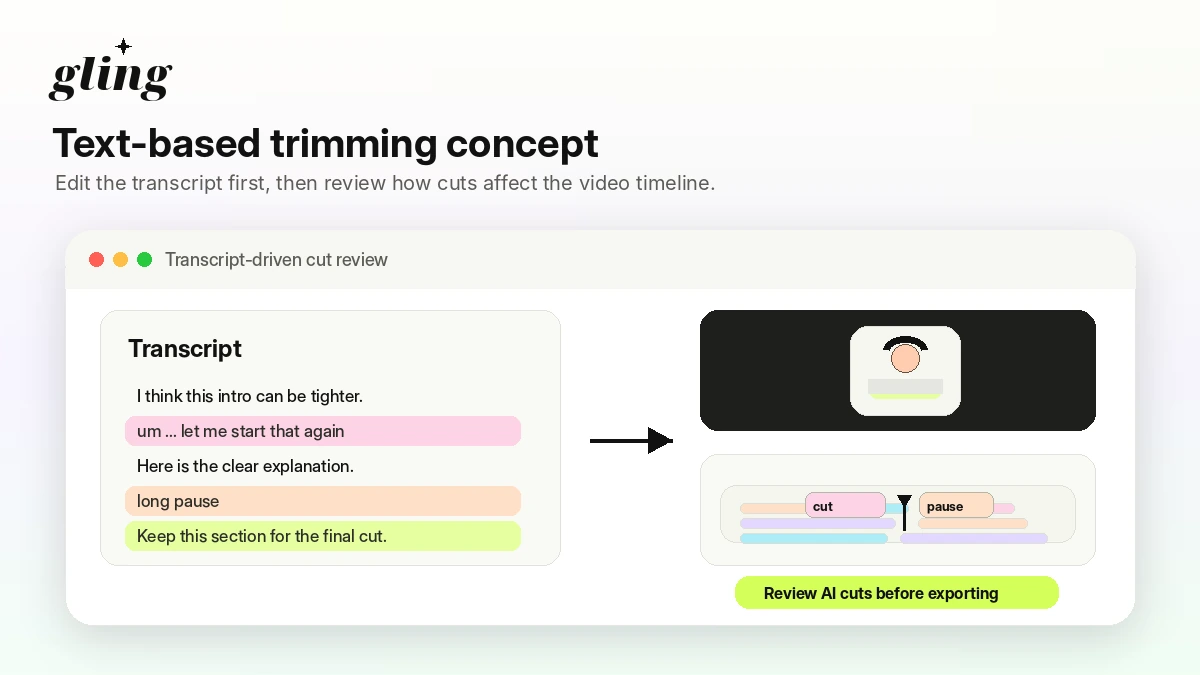
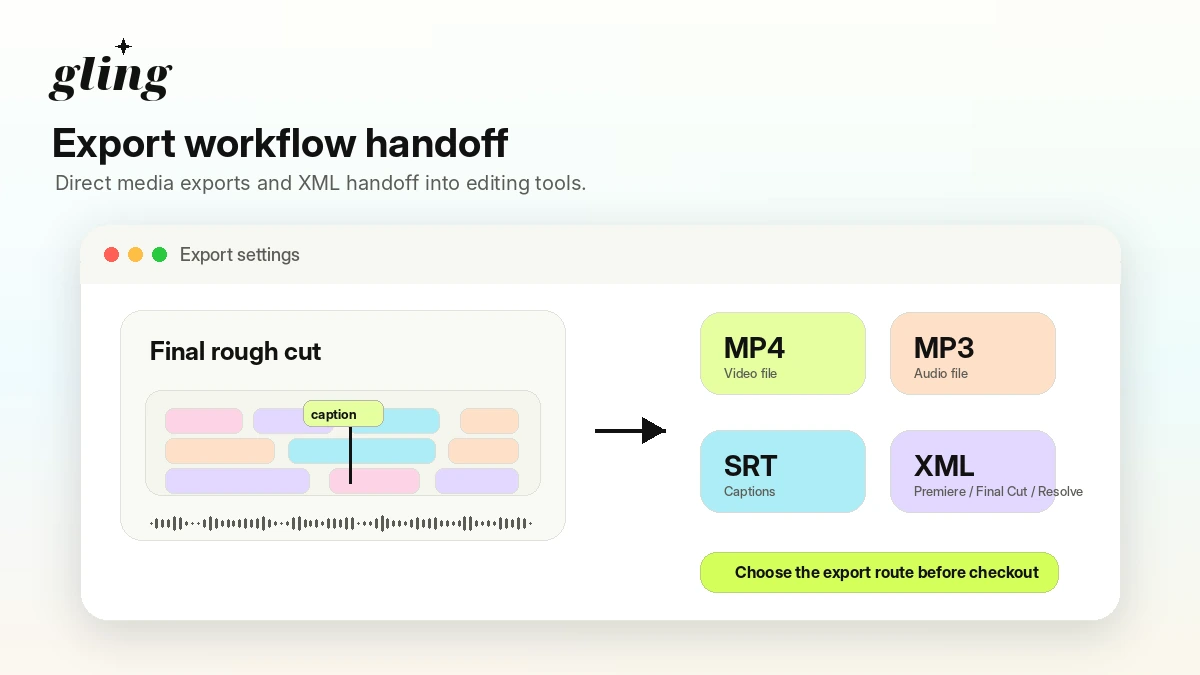
These Gling visuals focus on the real buying question: whether the product saves enough editing time on talking-head footage to justify the plan limit. Buyers should look past the AI label and compare upload flow, transcript trimming, watermark rules, and export paths.
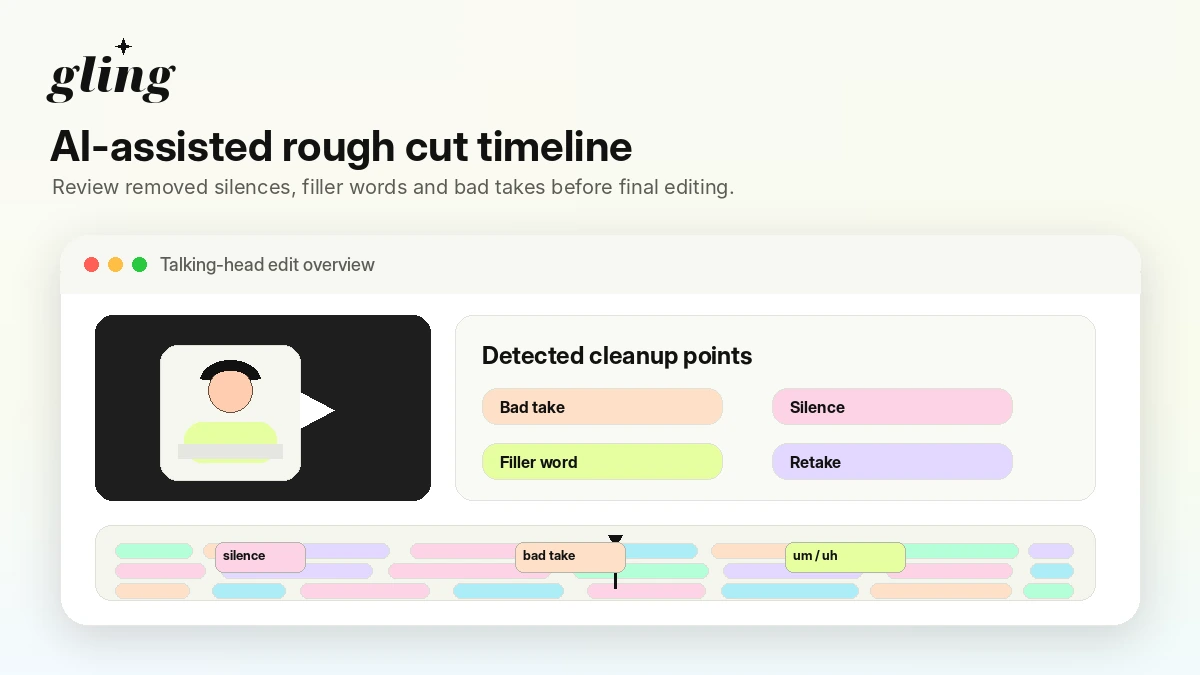
Gling belongs in the AI video and creator workflow category, but the practical buying question is simple: do you record enough talking-head or voice-led footage that automated cleanup saves real time every month? It is not trying to be a full studio suite. It is closer to a rough-cut accelerator for creators who want to remove bad takes, pauses, filler words, and friction before exporting a cleaner edit.
What Gling actually does
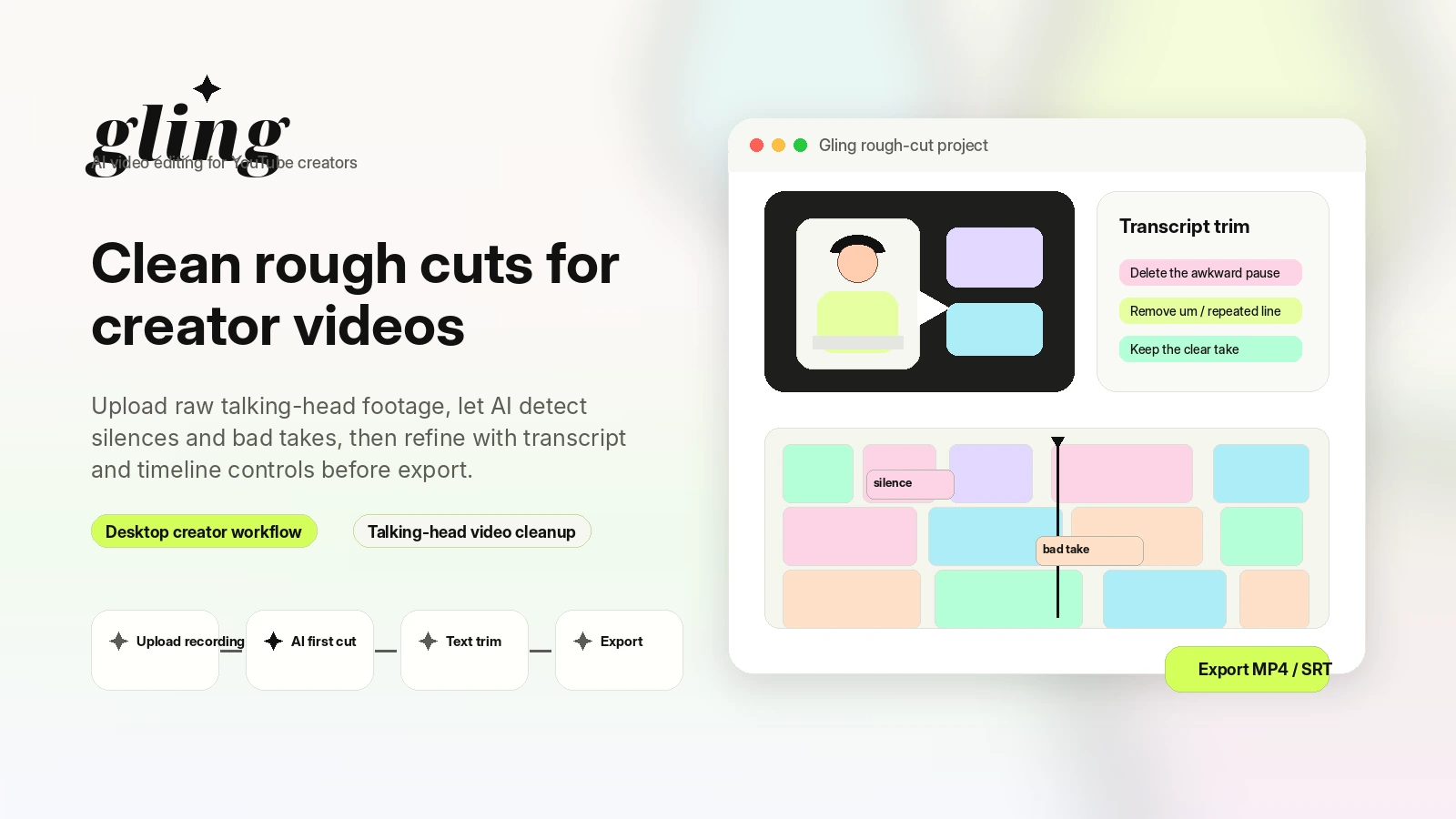
Gling takes raw creator recordings and uses AI to prepare a cleaner first edit. The official workflow centers on uploading a recording, letting the system transcribe and analyze it, then removing unwanted takes, silences, and filler words. From there, creators can refine the edit manually, add captions or framing improvements, and export either a finished file or an XML workflow for a traditional editor.
- Upload raw talking-head, tutorial, commentary, or podcast-style footage
- Use AI to remove bad takes, silences, and filler words
- Refine the edit with transcript-based controls before export
- Export MP4, MP3, SRT, or XML for a larger editing workflow
Who Gling fits best
The best fit is a creator who records regularly and loses time cutting dead space, repeated lines, filler words, and awkward pauses. That includes YouTubers, educators, solo marketers, course creators, podcasters with video, and subject-matter experts who speak to camera. The weaker fit is a team that needs approvals, a social clipping engine, or advanced finishing tools inside one app.
- YouTubers producing tutorials, commentary, reviews, or explainers
- Course creators cleaning lessons or voice-led instructional footage
- Solo marketers editing talking-head demos or webinar-style content
- Editors who want an AI cleanup pass before finishing elsewhere
Pricing and plan fit
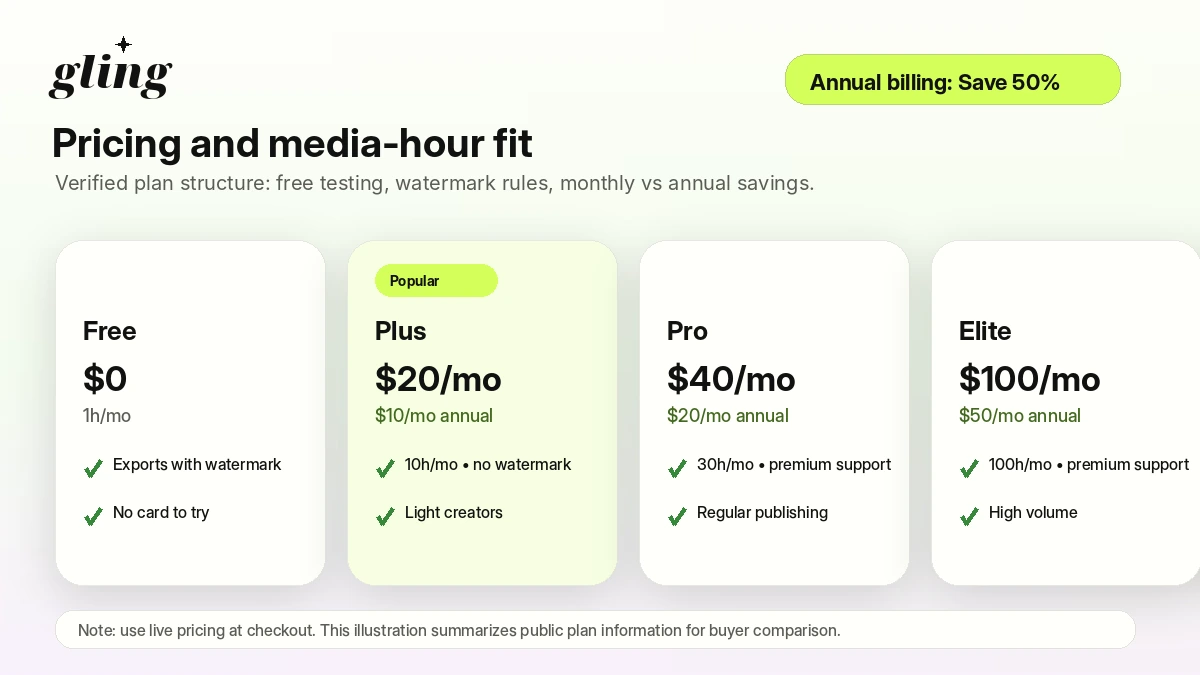
Gling's pricing is easier to understand when you start with media hours rather than feature names. Free is mainly for testing, with 1 hour of AI-edited media per month and watermark exports. Plus raises the limit to 10 hours. Pro raises it to 30 hours and adds premium support. Elite moves to 100 hours for high-volume creators. The annual toggle can make the monthly equivalent look much cheaper, but annual only makes sense if your channel will consistently use the hours.
- Free: 1 hour per month with watermark exports
- Plus: 10 hours per month, paid monthly or annually
- Pro: 30 hours per month with premium support
- Elite: 100 hours per month for higher-output workflows
Free plan, trial value, and upgrade trigger
The free plan is useful because it gives buyers a low-risk way to see whether Gling understands their footage. It is not the same as a full production plan. Watermarked exports and restricted advanced export behavior mean the free path is best for testing transcript accuracy, cut quality, captions, and workflow feel. Upgrade only when you know the monthly hour limit and watermark-free export are worth paying for.
- Use the free plan to test AI cuts and transcript accuracy
- Check how watermark exports affect your evaluation workflow
- Upgrade only when the included monthly hours match your publishing schedule
What to verify before checkout
Before paying for Gling, verify the live price, whether you are looking at monthly or annual billing, the number of hours included, watermark and export behavior, and how cancellation works. Also check whether the plan supports the export style you need. A creator who finishes everything in Gling has different requirements from an editor who expects to move cuts into Premiere Pro, Final Cut Pro, or DaVinci Resolve.
- Confirm monthly versus annual billing at checkout
- Check whether the plan includes enough AI-edited media hours
- Verify watermark removal and export formats before using paid work publicly
- Read current cancellation, refund, and unused-hour terms
Alternatives and safest next step
Gling should be compared against adjacent video tools based on the job, not just the AI label. If you need avatar or brand-video generation, AKOOL may deserve a look. If you want more text-to-video or voice-led content generation, Fliki can be a closer comparison. If you want template-driven marketing video creation, Pictory may fit a different buyer. The safest next step is to test Gling free with real raw footage, then read the review if fit is still uncertain, and only then check the pricing or coupon route.
- Compare AKOOL when the buying question is avatar or brand video generation
- Compare Fliki when the workflow is closer to script-to-video or voice-led content
- Compare Pictory when marketing video templates and content repurposing are more important
- Use the Gling review before the coupon page if workflow fit is still unclear
Best savings path from this store page
This is the clearest savings route to check once the product already looks like a fit.
Gling lists annual billing as a 50% saving path, with Plus, Pro, and Elite priced lower when paid annually.
Free plan includes 1 hour of AI edited media per month.
Third-party coupon trackers report 10% off on eligible Gling orders.
Use comparison routes when the category fit is still open
Use these comparison routes when the product still looks plausible, but the category fit is not fully settled.
AKOOL is a closer fit when the buyer wants avatar, brand video, or visual campaign generation rather than cleaning recorded creator footage.
Fliki is more relevant when the workflow starts from text, voice, or script-to-video production rather than a talking-head editing timeline.
Pictory can make more sense for marketing teams turning scripts or long-form content into templated videos.
Verification points worth checking before you click out
Where this store usually fits best in the workflow
Use Gling when the creator records tutorials, commentary, product explainers, or educational videos and wants faster removal of pauses, bad takes, and filler words.
Gling can help instructors clean long lesson recordings before publishing, especially when the footage is speech-heavy and does not require advanced visual effects.
Video podcasters can use Gling as a first-pass cleanup tool, then finish complex edits in a dedicated editor if multicam, branding, or pacing decisions need more control.
Gling can prepare cleaner cuts before moving the project into Premiere Pro, Final Cut Pro, or DaVinci Resolve through XML export workflows.
Practical checkpoints before and after signup
- Pick one real raw recording with pauses, retakes, and filler words.
- Check whether the free plan is enough to evaluate the editing quality.
- Decide whether your final export is MP4, SRT, MP3, or XML into another editor.
- Review transcript accuracy and whether Gling removes the right parts.
- Check captions, auto framing, title ideas, and chapter suggestions only if they support your publishing workflow.
- Estimate how many raw footage hours you will edit in a normal month.
- Compare Plus, Pro, and Elite by media-hour limit rather than headline price alone.
- Verify monthly versus annual billing, unused-hour rules, watermark behavior, and refund terms.
- Open the review page before the coupon path if you are still unsure whether Gling fits your editing stack.
Fast-read signals for workflow fit and buying friction
Questions readers usually ask before choosing this store
What is Gling best for?
Gling is best for creators who record talking-head, tutorial, commentary, podcast, or lesson-style videos and want AI help cutting bad takes, silences, filler words, and rough footage before publishing or finishing the edit elsewhere.
Does Gling have a free plan?
Yes. Gling's official pricing page lists a Free plan with 1 hour of AI-edited media per month and unlimited video export with watermark. The pricing FAQ also says no credit card is needed until purchasing a subscription.
How much does Gling cost?
At this update, Gling shows Free at $0, Plus at $20 per month, Pro at $40 per month, and Elite at $100 per month on monthly billing. Annual billing shows lower monthly equivalents, so buyers should confirm the live toggle and final checkout price.
Are Gling coupon codes usually available?
A reliable public coupon code was not verified during this update. The more dependable savings path is to use the free plan first, compare monthly versus annual pricing, and then check the live DealBestDaily route or checkout page for any automatic offer.
What should I verify before buying Gling?
Verify your required monthly media hours, watermark rules, export formats, annual billing commitment, cancellation process, refund language, and whether Gling's rough-cut workflow fits your real footage before paying.
Choose the next route that matches what you still need to decide
The strongest next click depends on whether you still need product judgment, a savings route, or a broader category comparison.