
Adalo Pricing, Plans & App Builder Fit
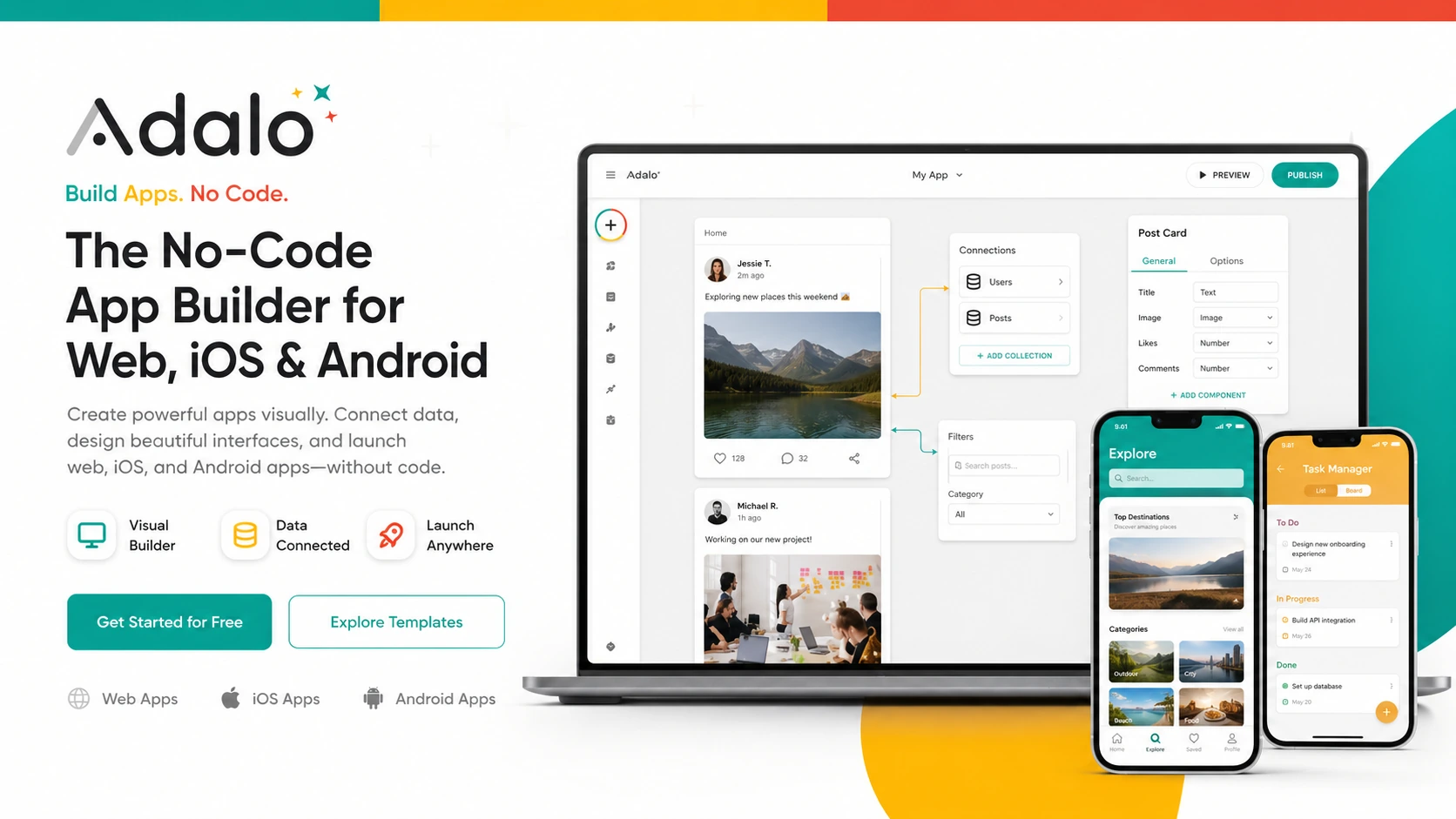
Adalo is best understood as a visual no-code app builder for people who want to create database-driven web, iOS, and Android apps without owning a traditional engineering workflow. It is more relevant when the buyer has a clear app idea, a simple data model, and a need to publish or test quickly than when the buyer only wants abstract automation.
Fit → price → checkout
Use these routes after the official-site check: coupon first, review for fit, compare if unsure.
Adalo pricing snapshot
Fast commercial checks before pricing, coupons, or a deeper review.
Adalo product tour
The most useful Adalo visuals are the ones that show the builder canvas, data structure, publishing path, and pricing gates. Buyers should use the tour to decide whether Adalo feels like a realistic app-building workflow before looking for a deal.
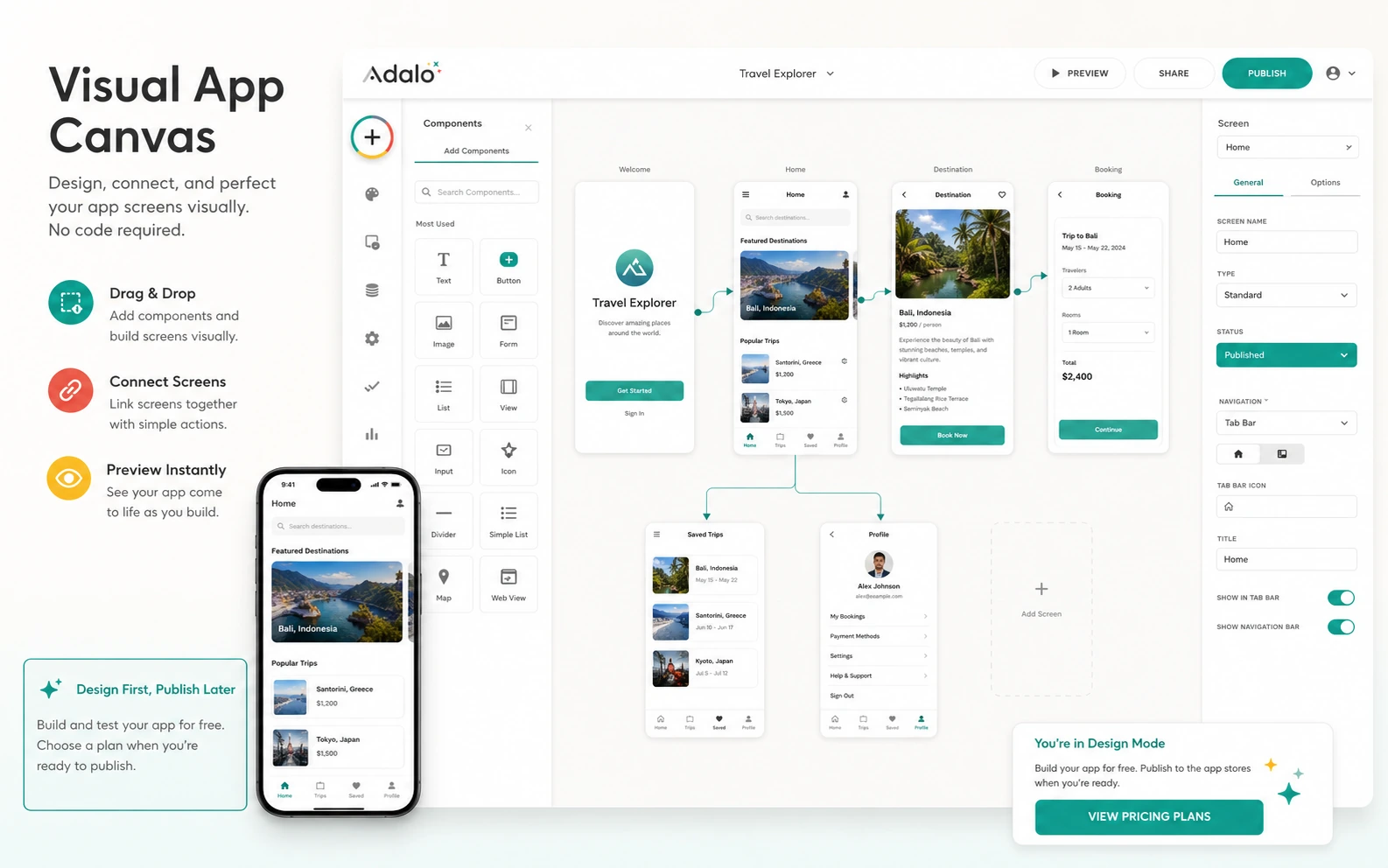
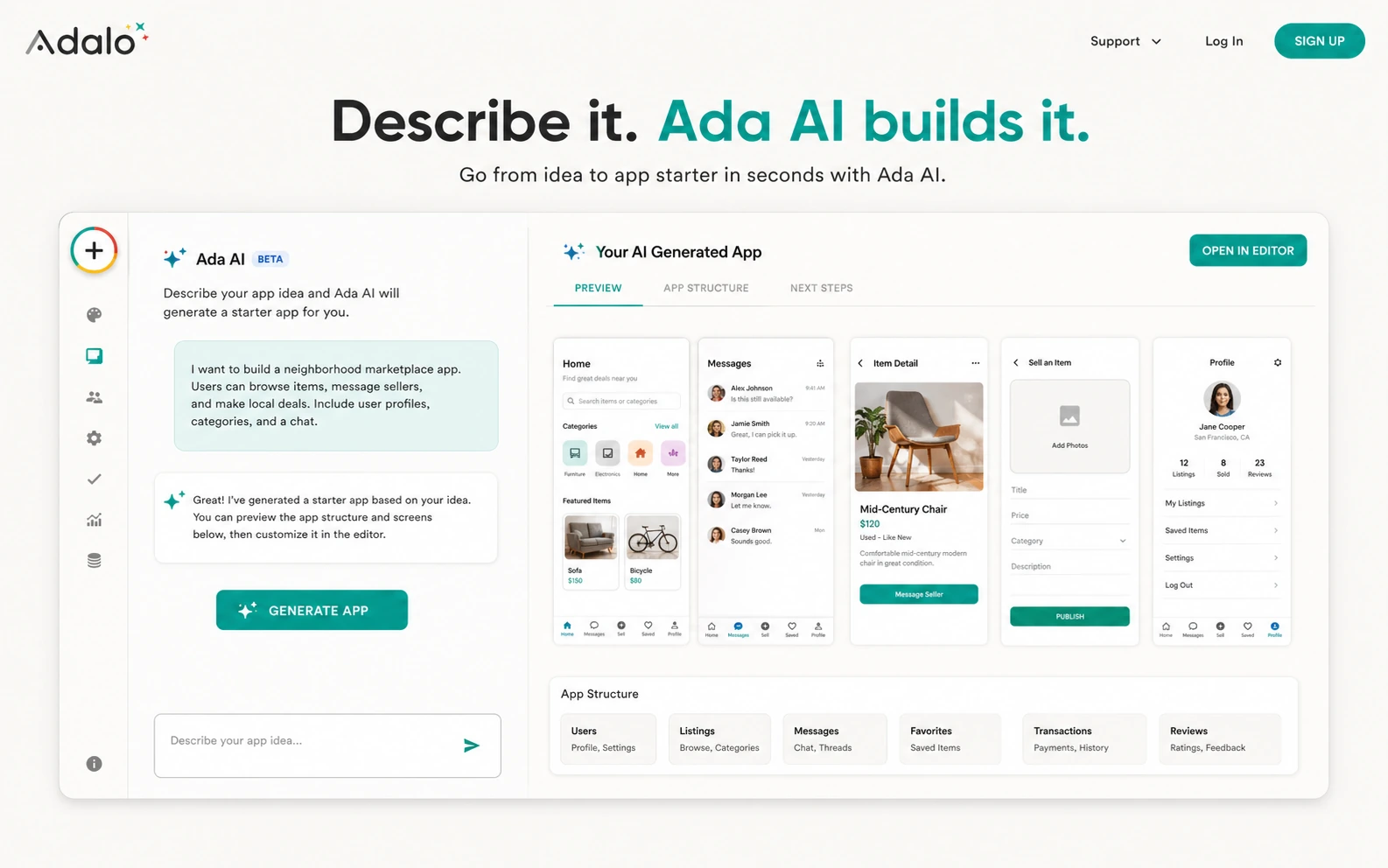
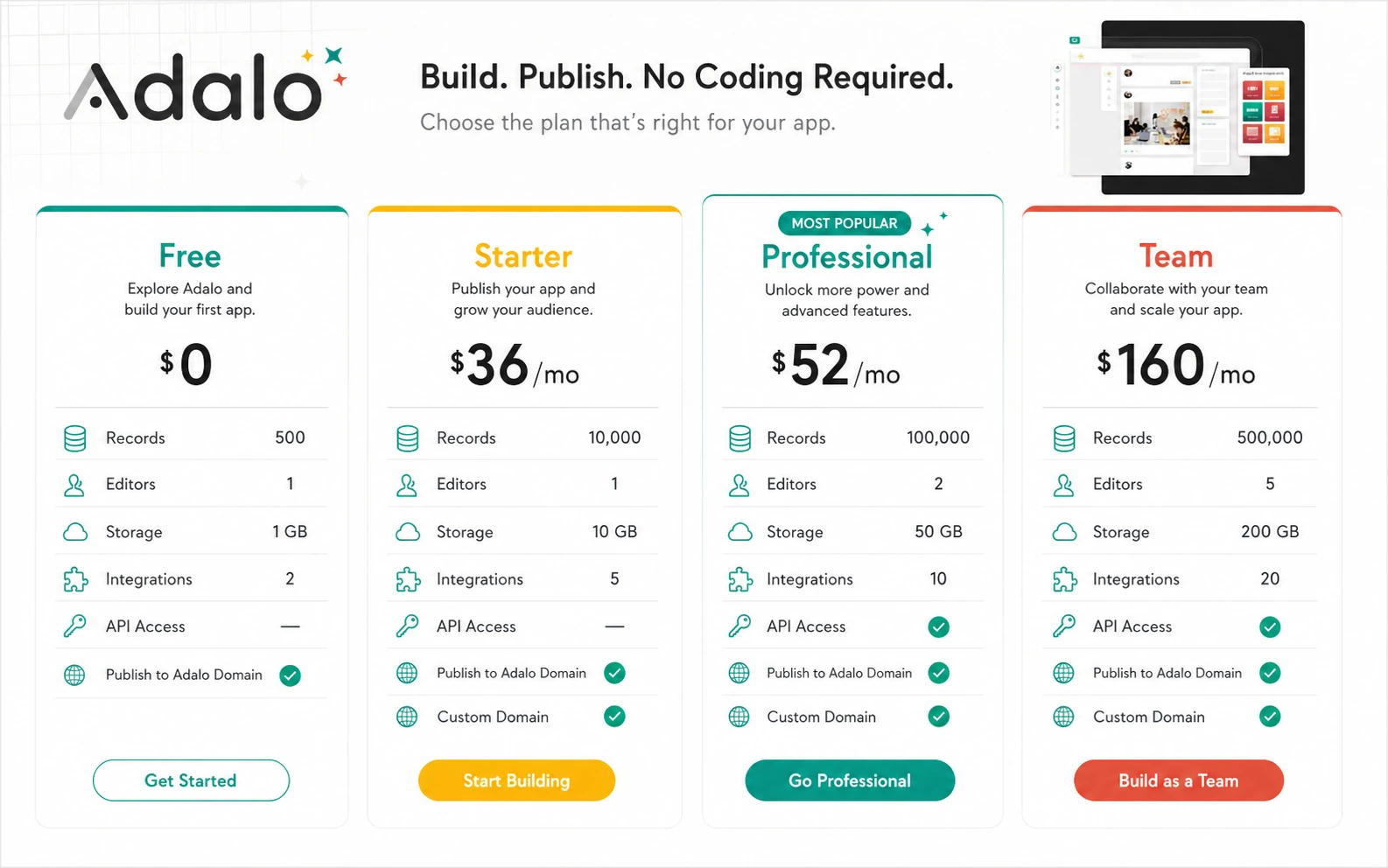
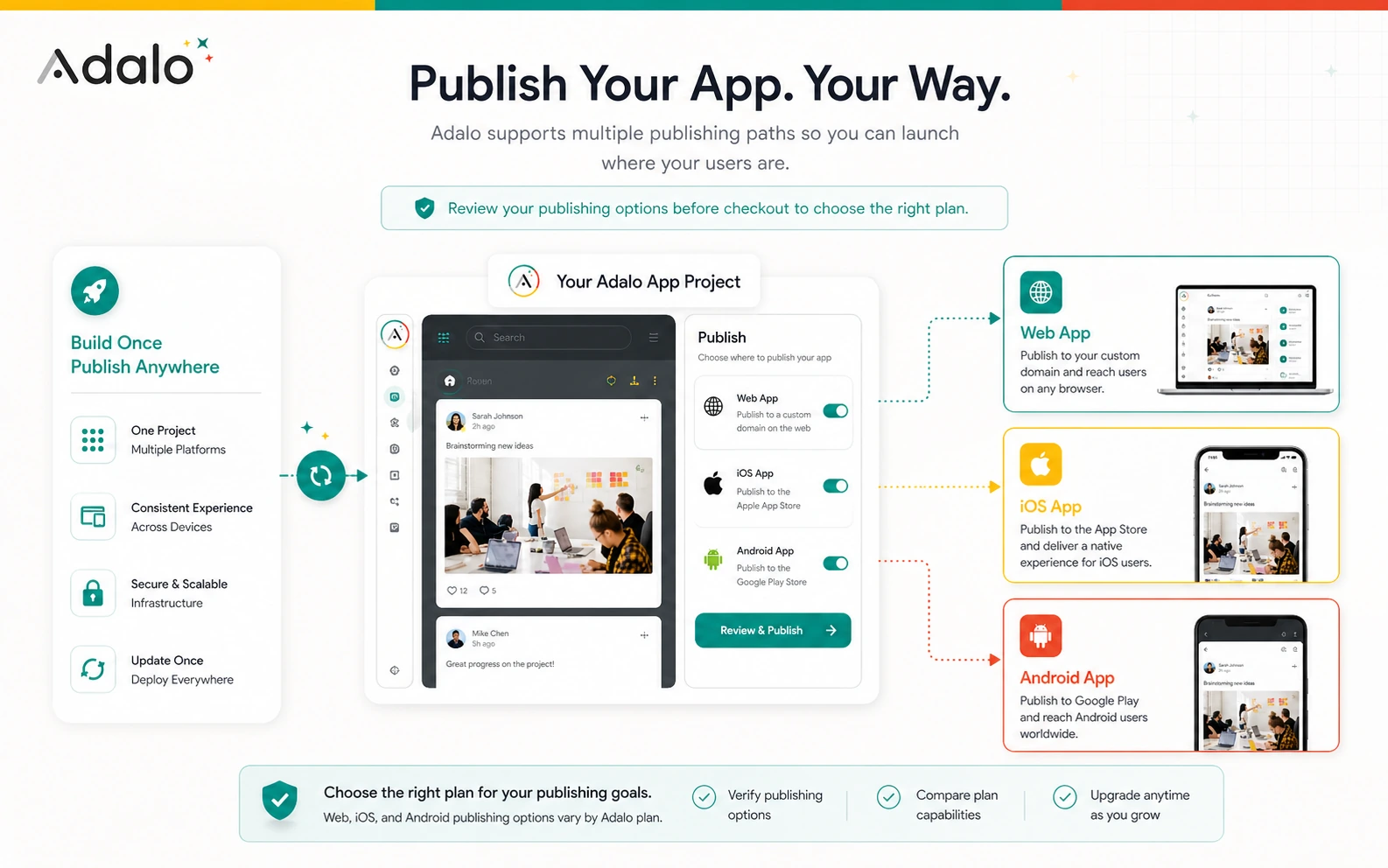
Adalo should be evaluated as a practical app-building platform, not just another no-code logo in a directory. The important question is whether the buyer has a real app idea, a workable data model, and a reason to publish to web or mobile stores. Pricing only makes sense after that fit check.
What Adalo actually does
Adalo lets a buyer design database-driven apps on a visual canvas, use AI to start or edit the build, preview the result, and publish to web, iOS, or Android from one project. That makes it attractive for founders who want an app-shaped product without starting with code, but it still asks the buyer to think clearly about screens, users, data, and publishing.
- Build and edit app screens visually
- Use Ada AI assistant for prompt-based app generation and edits
- Connect app screens to Adalo's hosted database or plan-gated external data sources
- Publish to web and, on paid paths, app stores
Where Adalo pricing starts to matter
The free plan is useful for early building, testing, and learning the editor. The price decision starts when the buyer needs a published app, no Adalo branding, more editors, custom integrations, API features, or larger storage. That is why Adalo should be compared by project stage, not by sticker price alone.
- Free is useful for validation and learning
- Starter is the first serious path when publishing is needed
- Professional and Team become relevant when collaboration, integrations, and API features matter
The data model is the quiet buying test
A good Adalo project usually starts with the database, not with colors and templates. If the buyer cannot explain the main collections, relationships, and user actions, the app may become confusing even if the editor is friendly. This is where teams should slow down and test the logic on the free plan.
- List the main data collections before building too many screens
- Check whether user roles and permissions are simple enough for Adalo
- Verify external data needs before assuming the lowest paid plan will work
Watch a separate walkthrough before committing
A second walkthrough is useful because it shows the buyer what daily editing can feel like after the first impression. Use this video to watch how the builder handles screens, components, and basic app logic, then compare that workflow with your own app idea before choosing a paid tier.
What buyers should verify before checkout
The safest Adalo checkout is boring and specific. Confirm the live plan price, billing interval, published app count, storage, collaborator count, integrations, API availability, and app store publishing path. If the app needs iOS or Android distribution, also budget for Apple and Google developer accounts.
- Monthly versus annual billing
- Published app count and editor count
- Custom actions, external collections, API, and Xano availability
- Separate Apple and Google developer fees
Best next step for Adalo buyers
The safest next step is to build a small version on the free plan, review whether the canvas and data model feel workable, then open the pricing page only when publishing or collaboration becomes necessary. If fit is still uncertain, read the full review before using the coupon path. If the product already fits, use the deal route only after confirming the final checkout terms.
- Use free build mode for the first working prototype
- Read the review when fit or limitations are still unclear
- Use the pricing or deal path when the app is ready for publishing
Best savings path from this store page
This is the clearest savings route to check once the product already looks like a fit.
A public coupon directory lists a community-tested Adalo checkout code. Treat it as a researched coupon path and verify the discount before upgrading.
Build free before publishing
Save 20% with annual billing
Use comparison routes when the category fit is still open
Use these comparison routes when the product still looks plausible, but the category fit is not fully settled.
BASE44 is closer if the buyer wants an AI-first app-generation workflow and is still comparing prompt-led builders against visual no-code editing.
Jet Admin deserves a look when the main need is internal admin panels and operational dashboards rather than customer-facing mobile apps.
Make is a better comparison when the buyer mainly needs automation between existing tools, not a custom app with screens and database logic.
Albato fits buyers who need app-to-app integrations and workflow automation before they need a full visual app builder.
Verification points worth checking before you click out
Where this store usually fits best in the workflow
Adalo fits a founder who wants to test a database-backed app idea quickly, especially when the first version can be validated with simple screens, clear user actions, and a limited data model.
A local business or service team can use Adalo for booking flows, directories, member portals, customer dashboards, or lightweight operational apps when a custom build would be too slow.
Freelancers and agencies can use Adalo to turn a scoped client idea into a working prototype, but they should define publishing, ownership, and maintenance expectations before accepting the project.
Adalo can work for internal tools when the team needs screens, forms, data, and user actions in one place, but heavier admin or automation needs may point toward Jet Admin, Make, or Albato.
Practical checkpoints before and after signup
- Define the app's core users, screens, collections, and actions before comparing plans.
- Check whether Adalo's visual workflow matches the buyer's comfort level.
- Compare Adalo against app builders and automation tools separately.
- Use the free plan to test the first version, data model, and device preview.
- Do not upgrade only because the demo looks polished.
- Confirm whether the app needs web-only publishing or native app stores.
- Review the live monthly and annual pricing toggle.
- Check plan limits for published apps, editors, storage, integrations, and API access.
- Budget for Apple and Google developer accounts if native publishing is required.
- Start with the narrowest useful version of the app.
- Track whether users can complete the core workflow without confusion.
- Re-check plan fit before adding collaborators, integrations, or app store distribution.
Fast-read signals for workflow fit and buying friction
Questions readers usually ask before choosing this store
What is Adalo best for?
Adalo is best for founders, small businesses, and agencies that want to build database-driven web or mobile apps visually, especially when the first version can be tested before investing in a custom development team.
Can I use Adalo for free?
Yes. Adalo lists a Free plan with 500 records per app, unlimited screens, unlimited test apps, mobile preview, a hosted Postgres database, and Ada AI assistant access. The free plan is better for building and testing than for a full app store launch.
When do I need a paid Adalo plan?
A paid plan becomes relevant when the project needs publishing, branding removal, more app editors, more storage, integrations, API features, or native app store distribution. Buyers should verify the current plan table before checkout.
Does Adalo have public coupon codes?
No reliable public coupon code was verified during this refresh. The safer savings path is to start free, compare official plan pricing, and use any live DealBestDaily route only after the checkout confirms the final price.
What should I check before buying Adalo?
Check the live plan price, billing interval, refund terms, app editor count, published app count, storage, API access, integration needs, and external Apple or Google developer fees. The plan should match the app you are actually ready to build.
Choose the next route that matches what you still need to decide
The strongest next click depends on whether you still need product judgment, a savings route, or a broader category comparison.