
Jet Admin Pricing, Plans & Builder Fit
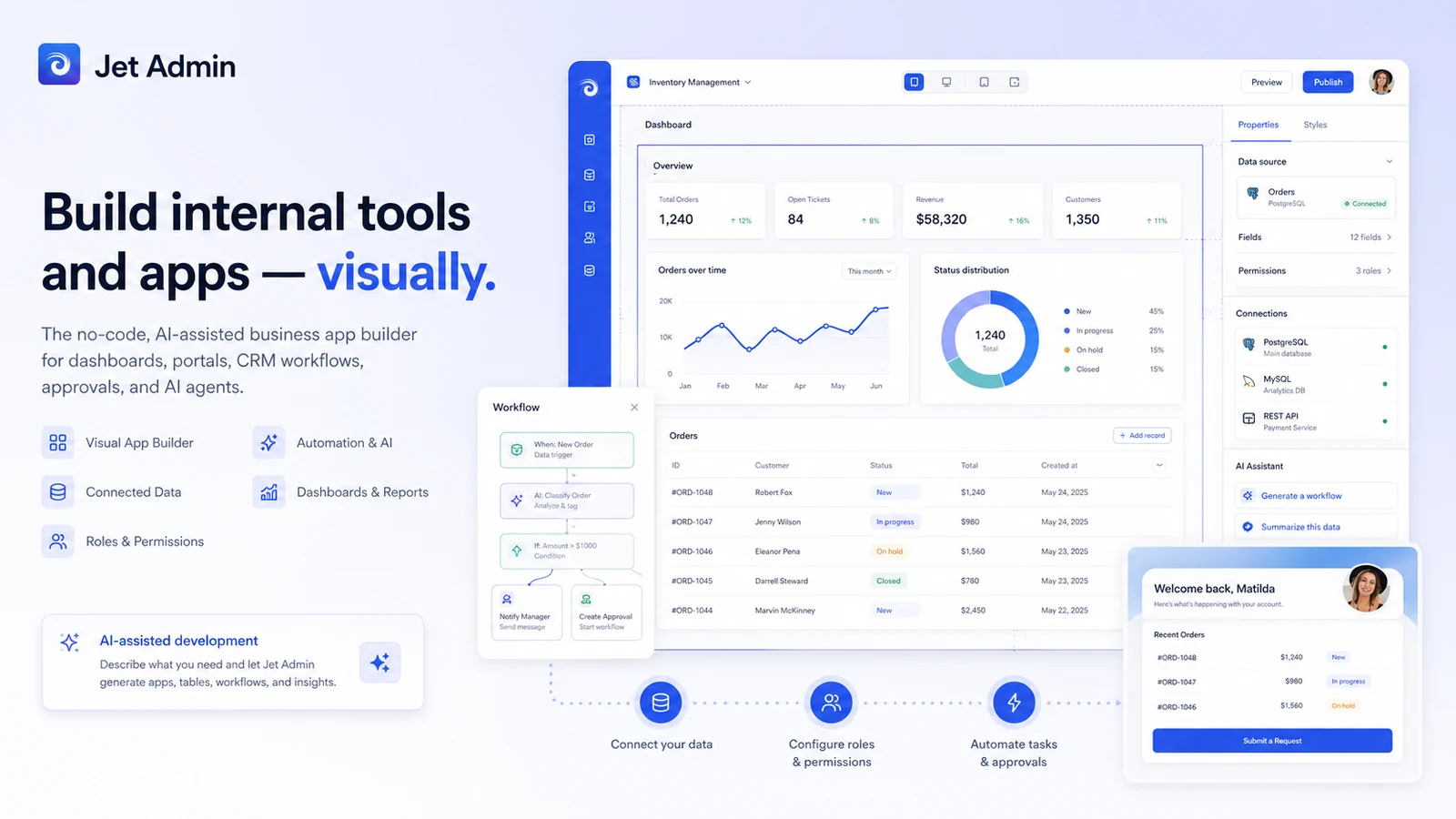
Jet Admin is a no-code and AI-assisted app builder for teams that need internal tools, admin panels, customer portals, dashboards, CRMs, approval apps, and AI-agent style workflows on top of existing business data. Its best fit is not a casual landing page builder. It is closer to a business-app layer for teams that want data connections, permissions, automations, custom components, API access, and deployment options without starting from a blank engineering project.
Fit → price → checkout
Use these routes after the official-site check: coupon first, review for fit, compare if unsure.
Jet Admin pricing snapshot
Fast commercial checks before pricing, coupons, or a deeper review.
Jet Admin product tour
Jet Admin is easiest to evaluate by following the app-building path: connect data, design the interface, set permissions, add workflow logic, then compare the plan tab that matches the actual audience. The strongest visuals for buyers are the builder, pricing tabs, data source connections, permissions, and AI-agent workflow areas because those decide whether Jet Admin is a practical operations tool or too much platform for the current need.
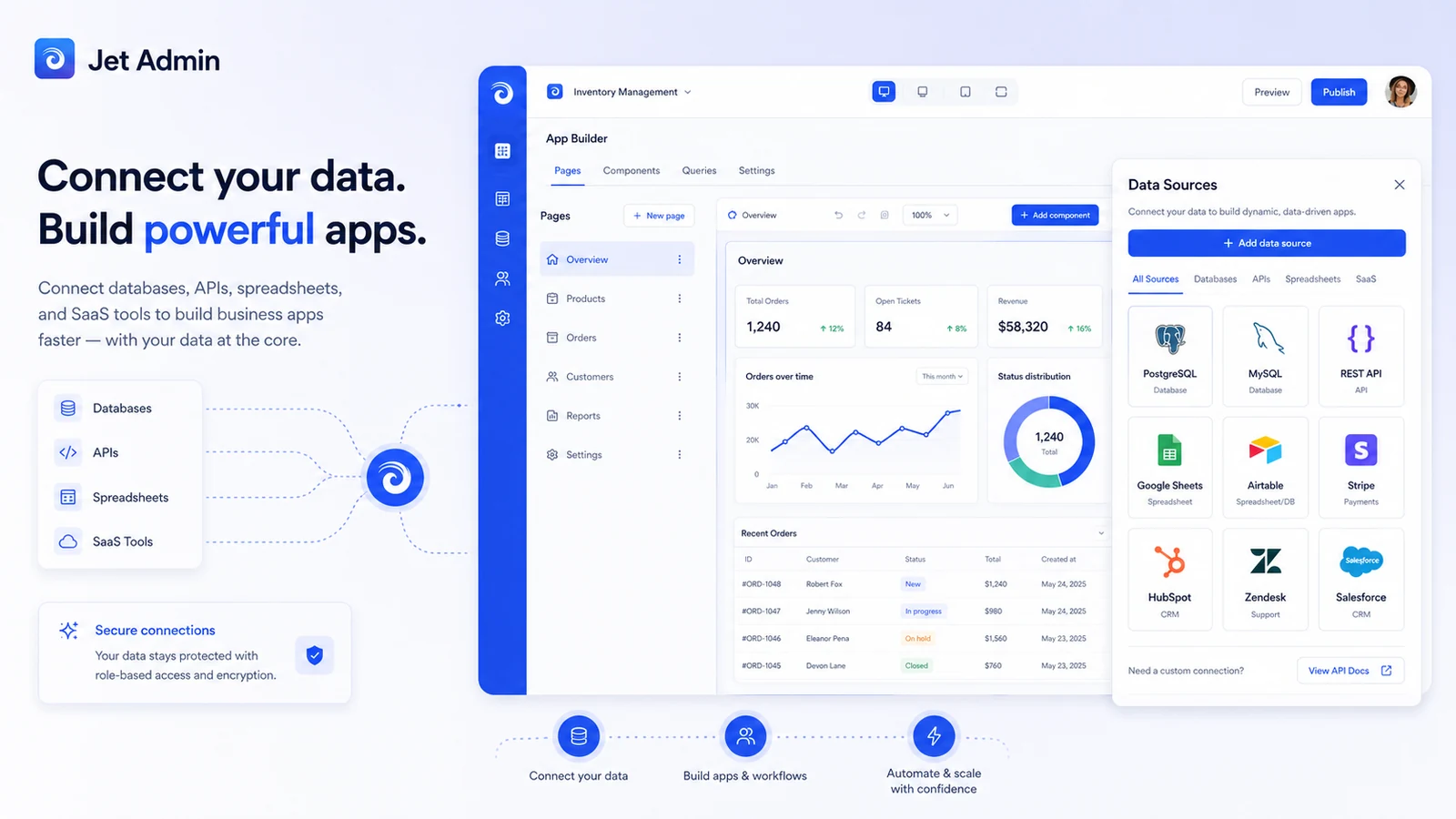
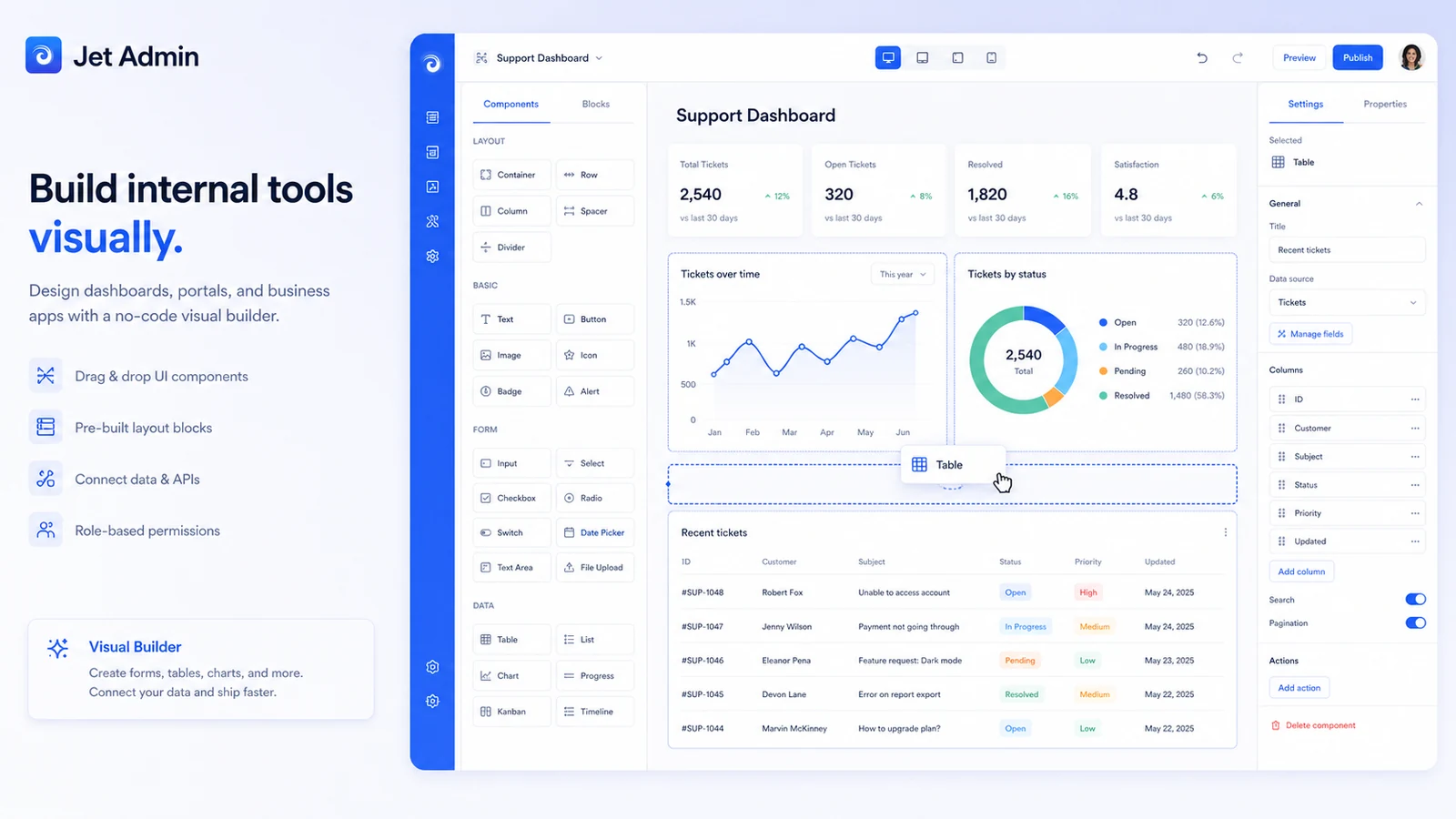
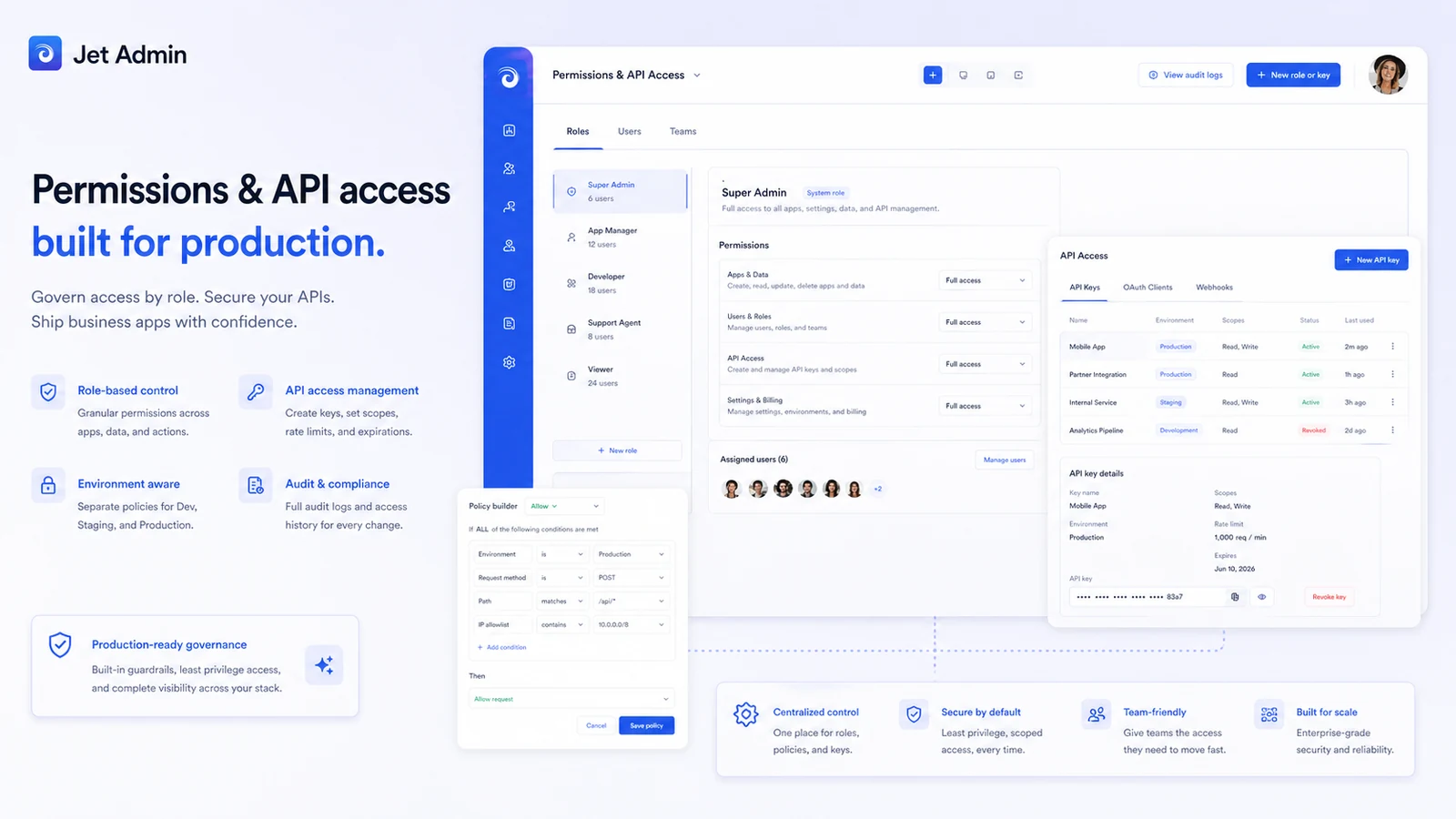
Jet Admin should be judged as a business-app builder, not just a no-code toy. It is built for teams that want to connect data, create internal tools, expose controlled portals, automate operational steps, and add AI-assisted workflows without rebuilding everything from scratch. The buying decision is mostly about fit: the right plan depends on who will use the app, what data it touches, how much governance is required, and whether the workflow is internal, external, or AI-credit driven.
What Jet Admin actually does
Jet Admin helps teams build business apps on top of existing data. That can mean an internal admin panel, a custom CRM, a support dashboard, an approval app, a customer portal, or an AI-agent workflow connected to databases, SaaS tools, APIs, and storage.
The practical value is speed. A team can connect data sources, drag components into an interface, set permissions, add automations, and publish a controlled app faster than building a bespoke internal product from scratch. The tradeoff is that the buyer still needs a real process and a clear data model. Jet Admin is not magic if the workflow itself is undefined.
- Best understood as a no-code business app and internal-tool builder
- Useful for teams with existing data sources and repeatable operational workflows
- Stronger when the buyer needs permissions, automations, API access, and controlled rollout
Pricing and plan fit
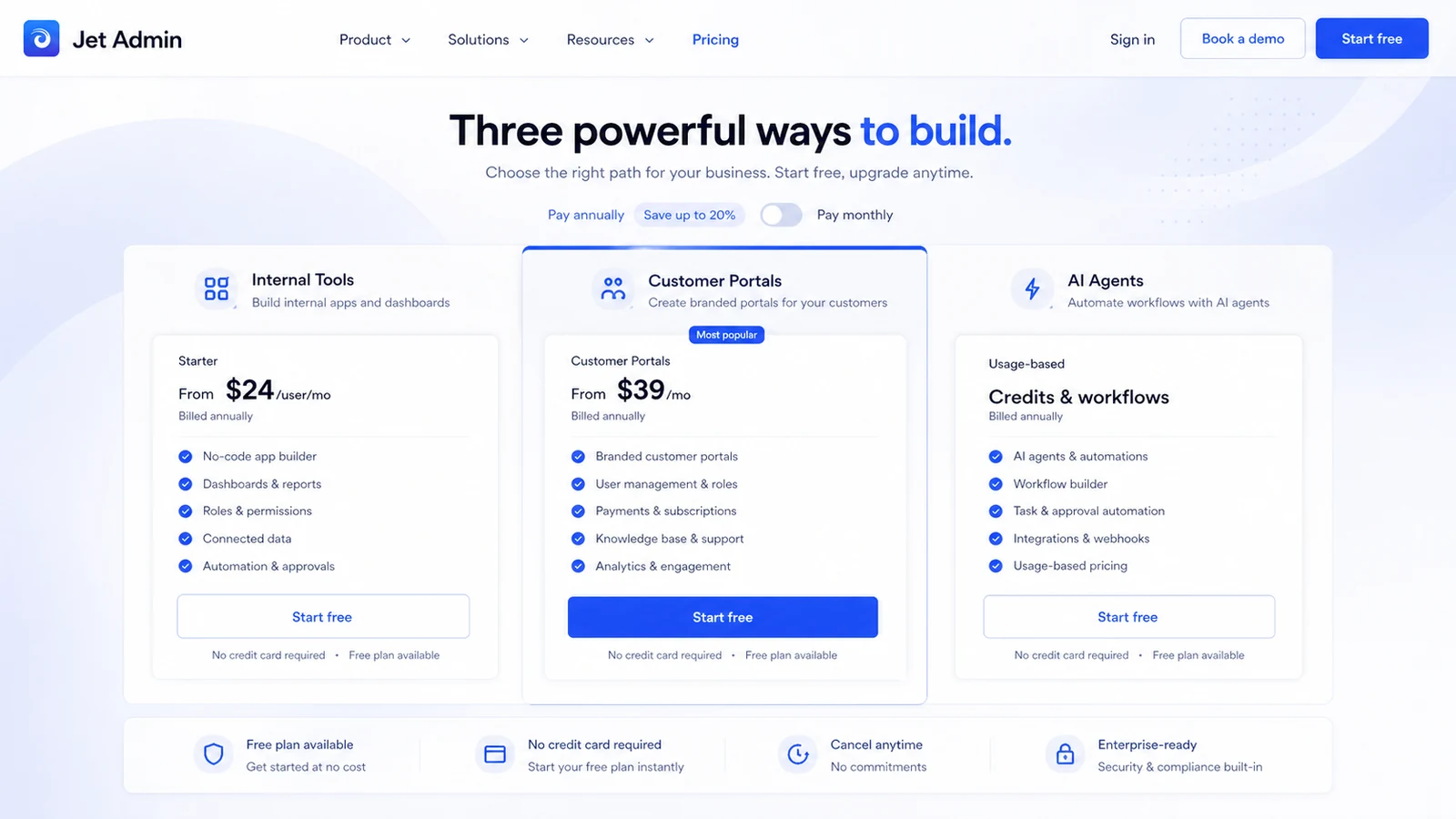
Jet Admin's pricing page is not a single flat software price. It separates customer portal, internal tool, and AI-agent paths. The page shows a free plan, 14-day trial messaging, annual savings, paid internal-tool pricing from $24 per user per month when billed annually, and customer portal pricing from $39 per month when billed annually.
That means the safest plan comparison starts with the audience. Internal tools are tied to employees and workspace users. Customer portals are more about partners, vendors, or customers. AI-agent plans bring credits into the buying logic. A buyer should not pick the lowest number until the actual product tab, user model, and required features are clear.
- Free plan helps validate one app or workflow before committing
- Internal-tool pricing is more sensitive to employee and builder count
- Portal pricing is more sensitive to external user volume and access model
- AI-agent pricing depends on included credits and automation needs
Product tour video for builder fit
The best way to understand Jet Admin is to watch how a business app comes together: data source first, app interface second, permission and workflow rules third. A polished builder screen is useful, but buyers should pay more attention to whether their actual data source, API, CRM, or spreadsheet workflow can be represented cleanly.
- Watch how the portal is structured before thinking about design polish
- Check whether your own user roles and data visibility rules would be similar
- Use the demo to decide whether Jet Admin is platform enough or more than you need
Internal tools, portals, and AI agents are different buys
A startup founder might use Jet Admin to ship an internal dashboard. An operations team might build an approval app. A SaaS team might create a customer portal. A more advanced team might test AI agents that operate across data and workflows. Those are related, but they are not the same buying decision.
This is why Jet Admin's store page should route buyers carefully. A buyer still deciding whether Jet Admin fits should read the review first. A buyer who already knows the use case should go to pricing and check the correct tab. A buyer hunting for savings should only use the coupon path after the plan fit is clear.
- Internal tools support employee workflows and back-office operations
- Customer portals support controlled access for partners, vendors, or customers
- AI agents add credit and automation questions to the buying decision
Data, API, and governance checks
Jet Admin becomes more serious when a team needs more than a prototype. The official pricing and feature areas mention databases, APIs, data syncing, business applications, query builder, computed columns, variables, permissions, environments, activity logs, file storage, API access, custom components, version control, SSO, 2FA, uptime SLA, and self-hosting or on-premise options.
Those features are helpful, but they also create a buying checklist. Before checkout, buyers should confirm which tier includes the controls they need. A cheap plan can become expensive if the team later discovers that API access, custom domains, version control, or SSO sits on a higher path.
- Confirm data source support before judging the builder
- Check API access, custom code, permissions, and environments before team rollout
- Verify SSO, 2FA, audit logs, SLA, and self-hosting needs before enterprise use
Coupon, deal, and checkout path
No reliable public coupon code was verified for Jet Admin during the latest store update. That does not mean there is no way to save. The real savings path is more likely to come from free access, trial use, annual billing, choosing the correct product tab, and avoiding a plan that includes features your workflow does not need.
For DealBestDaily routing, the store page should qualify the buyer, the review page should handle fit and tradeoffs, and the coupon page should handle the active offer path. That sequence is safer than sending every visitor straight to a checkout link.
- Check the free plan or trial before paying
- Compare annual billing after the correct product tab is selected
- Use the coupon route only after plan fit is clear
Best next step for buyers
The safest next step is to build or map one real workflow before choosing a paid plan. Connect the data source you expect to use, define who needs access, check whether the app is internal or external, and list the governance features required for launch.
If the workflow still feels clear after that, move to the pricing page and compare the correct tab. If fit is still uncertain, read the review before chasing a coupon path. Jet Admin is powerful enough to deserve a serious evaluation, but it is not the simplest choice for every buyer.
- Start with one real internal tool, portal, dashboard, CRM, approval app, or AI workflow
- Confirm user count, data sources, API access, permissions, and governance needs
- Move to review or pricing based on whether product fit is already clear
Best savings path from this store page
This is the clearest savings route to check once the product already looks like a fit.
Jet Admin pricing pages show a 14-day trial path for paid plans, giving teams a safer way to test plan fit before committing.
Starter from $24 per user monthly yearly
Use comparison routes when the category fit is still open
Use these comparison routes when the product still looks plausible, but the category fit is not fully settled.
Adalo is a closer fit for buyers focused on building customer-facing mobile or web apps, while Jet Admin is stronger for internal tools, portals, dashboards, data workflows, and controlled business apps.
Albato is more focused on automation between apps, while Jet Admin is more useful when the buyer needs a visual app, portal, or internal tool on top of connected data.
Retool is a stronger comparison for developer-assisted internal tools, while Jet Admin may feel more approachable for teams leaning harder into no-code business app building.
Appsmith is relevant for teams comparing open-source internal tool builders, while Jet Admin may appeal more when hosted no-code setup and portal workflows matter.
Verification points worth checking before you click out
Where this store usually fits best in the workflow
Jet Admin fits teams that need a controlled interface for operations, support, sales, finance, or back-office data without waiting for a full custom admin build.
Jet Admin can make sense when external users need controlled access to selected workflows, records, requests, or dashboards, but buyers should check portal pricing and user volume first.
Product and operations teams can use Jet Admin to build CRM-like views, dashboards, and workflow tools on top of databases, APIs, spreadsheets, and SaaS data.
Jet Admin's AI-agent and AI-field paths are worth testing when automation needs to work with real business data, but buyers should watch credits and governance before scaling.
Practical checkpoints before and after signup
- Clarify whether the project is an internal tool, portal, dashboard, CRM, approval app, or AI workflow.
- List the data sources, user roles, and permissions required before comparing price.
- Read the review page if workflow fit is still unclear.
- Use the free plan or trial against one real data source, not a made-up demo.
- Confirm which pricing tab applies and whether annual billing changes the total.
- Check API access, custom components, team permissions, version control, and SSO needs before selecting a plan.
- Start with the narrowest useful workflow before expanding to more apps or external users.
- Track whether Jet Admin reduces manual work enough to justify paid access.
- Re-check plan limits before adding users, portals, AI credits, or enterprise governance features.
Fast-read signals for workflow fit and buying friction
Questions readers usually ask before choosing this store
What is Jet Admin best for?
Jet Admin is best for building internal tools, admin panels, dashboards, customer portals, custom CRM workflows, approval apps, and AI-assisted business apps on top of existing data sources. It fits teams that already know the workflow they need to support.
Does Jet Admin have a free plan or free trial?
Yes. The public pricing page shows a free path, and paid paths display 14-day trial messaging. Buyers should verify the exact product tab and checkout terms because internal tools, customer portals, and AI agents are priced differently.
How much does Jet Admin cost?
At the latest store update, Jet Admin showed a free plan, internal-tool paid pricing from $24 per user per month when billed annually, customer portal pricing from $39 per month when billed annually, and separate AI-agent pricing logic. Use the live pricing page before relying on any stored number.
Are Jet Admin coupon codes usually available?
A reliable public coupon code was not verified during this update. The safer savings path is to use free access or trial time, compare annual billing, pick the correct plan tab, and confirm the final checkout price before paying.
Who should avoid Jet Admin?
Jet Admin is probably not the right first choice for buyers who only need a simple website, a basic form, or a vague automation idea. It makes more sense after the team has a defined workflow, data source, users, and rollout requirements.
Choose the next route that matches what you still need to decide
The strongest next click depends on whether you still need product judgment, a savings route, or a broader category comparison.