Quick verdict
Jet Admin is worth considering if you need to build a real business app, not just a nice-looking no-code screen.
That distinction matters. Jet Admin sits closer to an internal-tool, customer-portal, dashboard, and AI-assisted business-app builder than a basic form tool or public website builder. It can make sense when you already have a process, a data source, a user group, and a clear reason to control who can view or edit what.
The buyer risk is buying it too early.
If your team cannot describe the app it needs — the data source, the users, the permission model, the workflow, and the rollout path — Jet Admin may feel powerful but unfocused. The homepage makes the platform look broad, and that breadth is real. But broad tools are only valuable when they map to a repeated operational problem.
For my money, the safest way to evaluate Jet Admin is to build one narrow workflow before choosing a paid plan: one database, one internal dashboard or portal, one user role, one approval or data-editing process. If that small test saves time, the platform becomes much easier to justify. If it does not, a discount, trial, or annual billing offer will not fix the mismatch.
Next step: If Jet Admin still matches the business app you need to build, verify the current product tab and plan route before checkout.
Review snapshot
| Review point | Practical take |
|---|---|
| Best for | Internal tools, admin panels, dashboards, customer portals, custom CRM workflows, approval apps, and AI-assisted business workflows |
| Not ideal for | Simple public websites, basic forms, vague automation ideas, or teams without a defined data/workflow model |
| Main use case | Building controlled business apps on top of databases, APIs, SaaS tools, spreadsheets, and business data |
| Pricing note | Free path available; internal-tool paid pricing currently starts from $24/user/month when billed annually; customer portal pricing currently starts from $39/month when billed annually |
| Trial path | Paid paths show 14-day trial messaging, but buyers should verify the live checkout flow |
| Main strength | Combines visual app building, data connections, permissions, automations, portals, and governance options |
| Main concern | Pricing depends heavily on product tab, user model, apps, AI credits, and governance requirements |
| Direct alternatives | Retool, Appsmith, UI Bakery, Budibase-type internal-tool builders |
| Adjacent routes | Adalo for app building, Albato for automation routing |
| Best next step | Test one real workflow before inviting a team, exposing a portal, or moving to annual billing |
What is Jet Admin?
Jet Admin is best understood as a no-code business app builder for teams that need internal tools, customer portals, dashboards, custom CRMs, approval apps, and AI-assisted operational workflows on top of existing data.
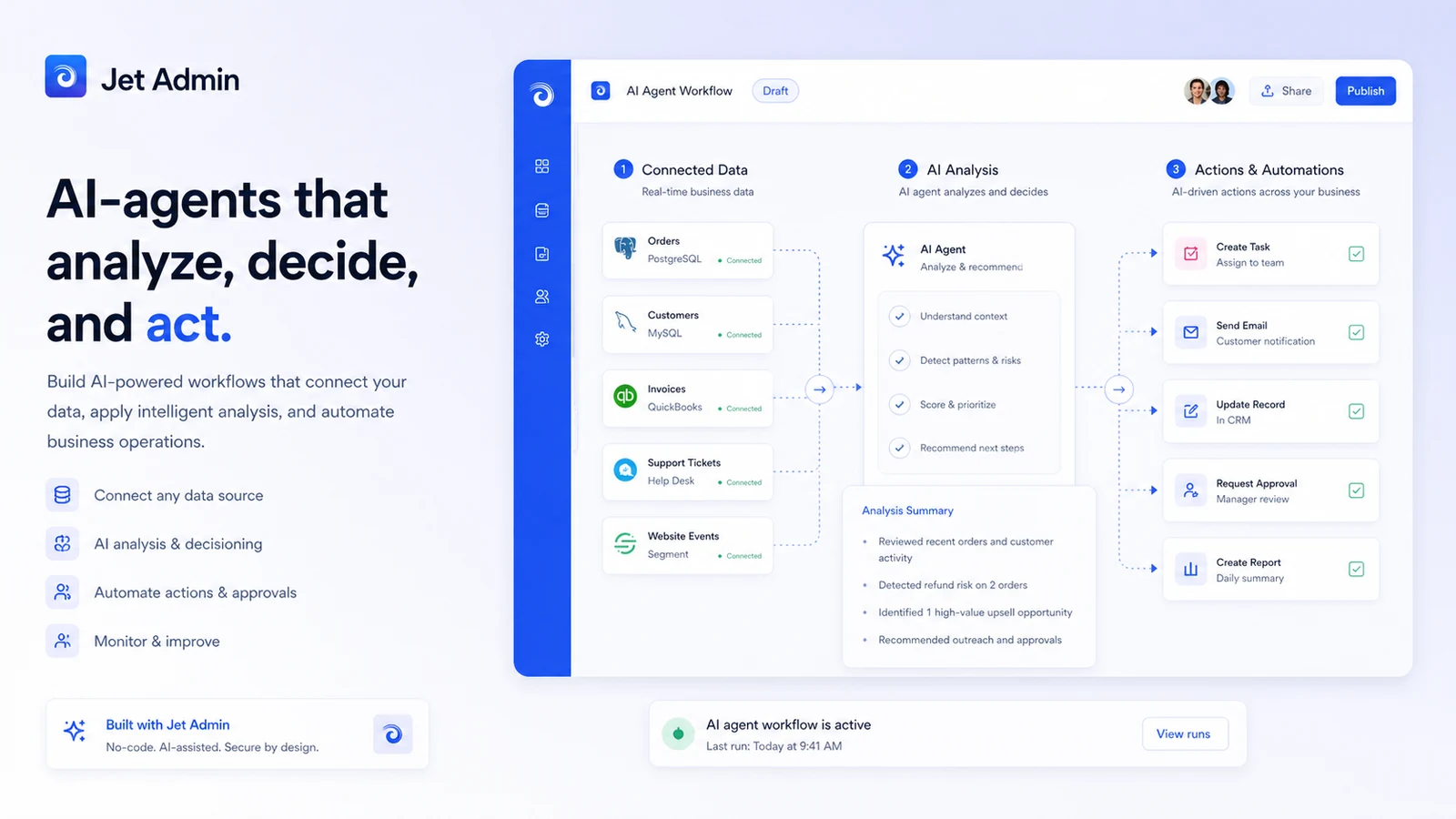
The current public homepage presents Jet Admin as a way to build web apps faster with AI and no-code. It highlights admin panels, customer portals, dashboards, custom CRMs, AI agents, visual building, data editing, external data sync, automations, permissions, AI fields, and self-hosted options. That is a wide product surface.
The important buyer question is not “can Jet Admin build things?” It clearly can build many business-app patterns. The better question is: does your team have a workflow specific enough to benefit from that range?
Our review approach compares public product pages, pricing details, help documentation, deal terms, buyer workflow fit, and nearby alternatives. We do not treat a low starting price, a free path, or a trial badge as proof that the platform fits the buyer.
Jet Admin is not a simple landing page builder. It is also not just an automation tool that moves data from one app to another. It becomes more useful when the buyer needs a visual interface, permissions, data editing, workflow logic, and controlled access around business data.
The common wrong expectation is that no-code means no planning. With Jet Admin, planning still matters. You may not need to write a full custom app from scratch, but you still need to know what data matters, who should access it, what actions users should take, and what controls are required before launch.
Who should use Jet Admin?
Jet Admin makes the most sense for teams with a specific business process that deserves its own controlled interface.
A founder or operator may use it to build an internal dashboard, admin panel, or lightweight CRM around business data. That fit is strongest when the team has already outgrown spreadsheets but does not want to wait for a full engineering sprint.
An operations or support team may use Jet Admin to create tools for approvals, customer records, order workflows, vendor coordination, or back-office updates. The condition is simple: the workflow has to repeat often enough that a custom interface saves real time.
A SaaS or service business may consider Jet Admin for customer or partner portals. This is a different buying decision from internal tools because external users change the access model, branding expectations, support burden, and pricing logic.
An agency or consultant may use it when building similar back-office tools for clients. The value is not only speed; it is the ability to reuse a structured process across dashboards, portals, and admin-style workflows.
A more advanced team may explore Jet Admin’s AI-agent and AI-field paths. I would treat that as a second-stage use case. Start with the business workflow first, then decide whether AI credits or AI-assisted automation actually improve it.
Who should avoid Jet Admin?
I would be careful with Jet Admin if you only need a simple public website, static landing page, or basic form. A business-app builder can technically handle pieces of those jobs, but that does not make it the cleanest tool for them.
I would also avoid starting with Jet Admin if the workflow is still vague. “We need automation” is not specific enough. “We need a support dashboard that lets agents update customer records from Postgres and Stripe with role-based permissions” is much closer to a Jet Admin-shaped problem.
Purely non-technical teams should slow down if advanced data, API, permissions, or deployment decisions are involved. Jet Admin can reduce coding work, but it does not remove the need to understand data relationships, user roles, and operational risk.
Larger companies with strict procurement, security, SSO, audit, self-hosting, or on-premise needs should not judge the product by the entry plan. Those requirements often push buyers into higher or custom paths, and the live plan details matter more than a feature summary.
Finally, developer-heavy teams that want Git-first control, deep code ownership, open-source deployment, or a more engineering-native internal tool stack should compare Retool, Appsmith, and similar options before committing.
How Jet Admin fits into a real workflow
A practical Jet Admin workflow starts before the builder screen.
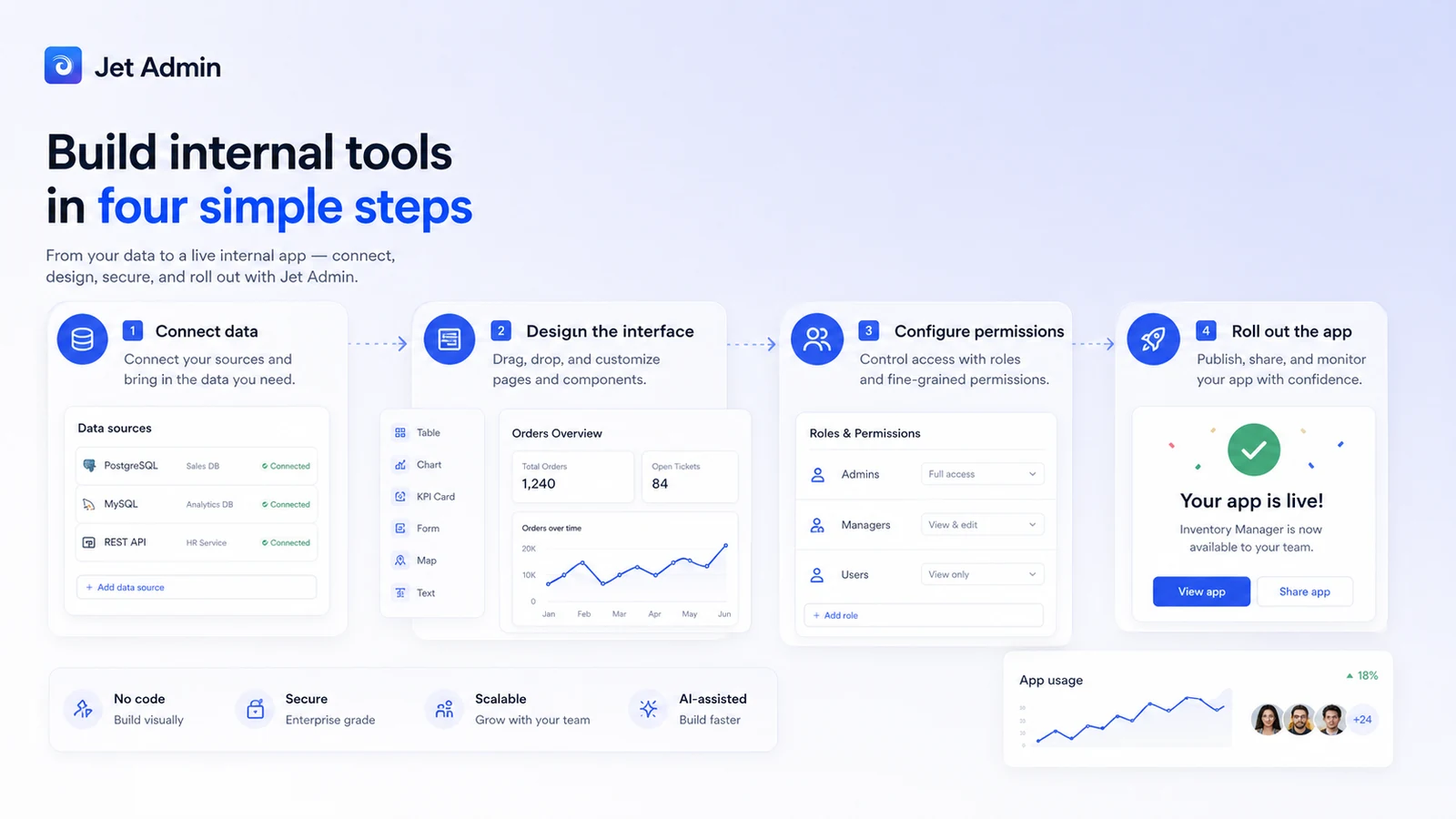
First, define the app. Is it an employee-only internal tool, a customer portal, a partner dashboard, a custom CRM, an approval app, or an AI-assisted workflow?
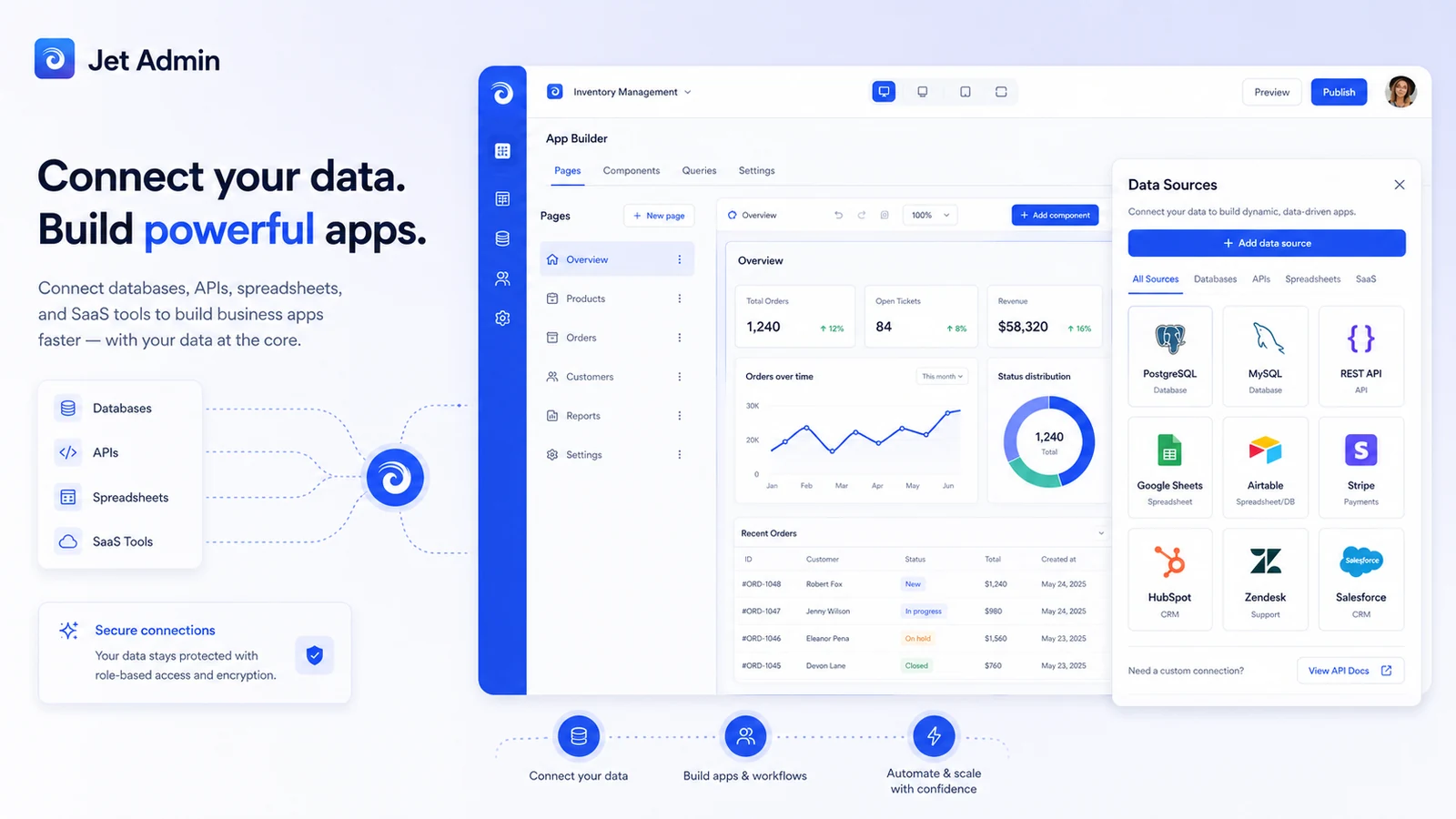
Second, identify the data source. Jet Admin is most useful when it connects to real data such as databases, APIs, SaaS tools, spreadsheets, file storage, or business records. A blank demo can make the builder feel easy, but it does not prove the product can support your real process.
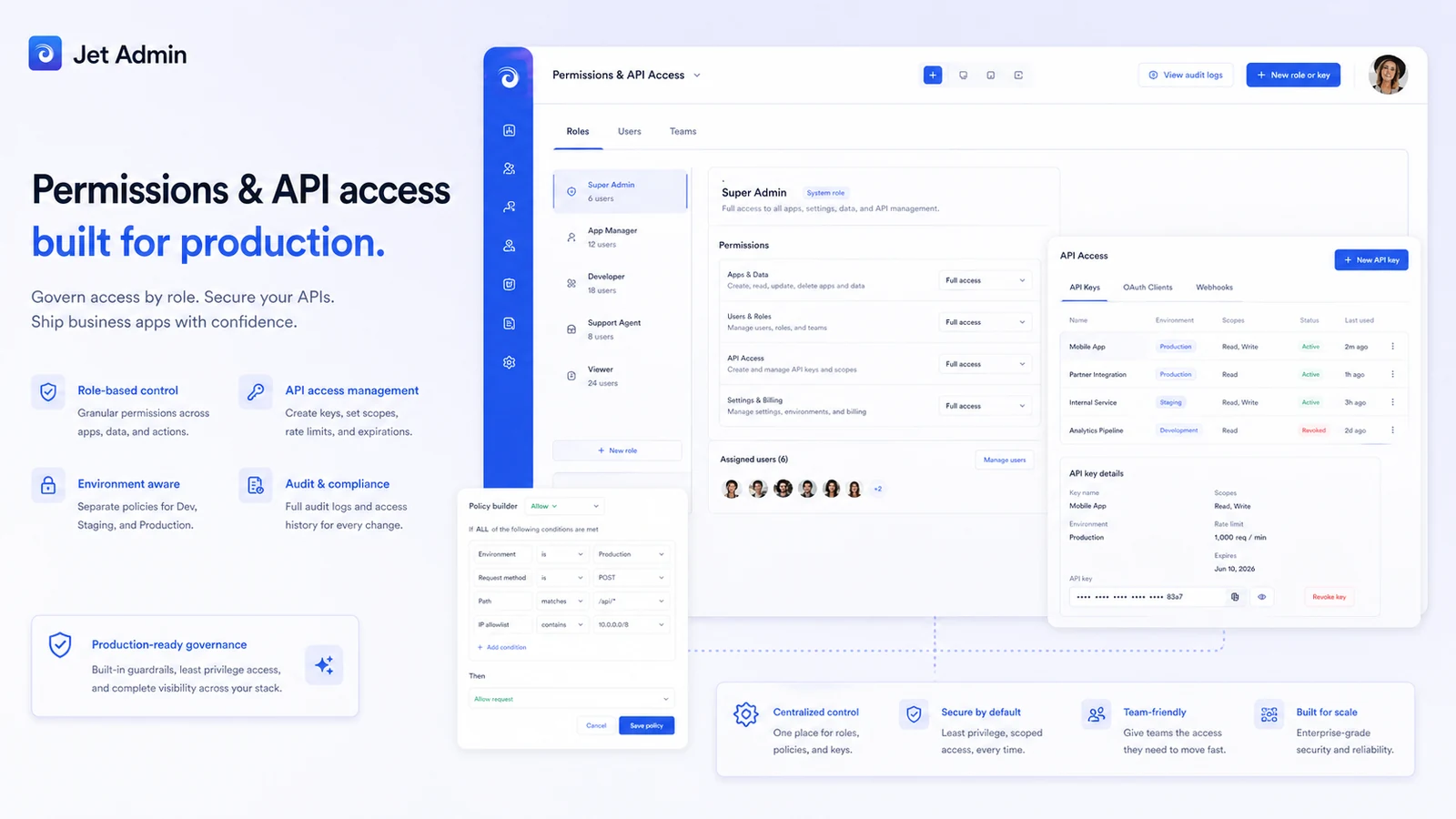
Third, map the users and permissions. Who can view, edit, approve, delete, export, or invite others? This is where Jet Admin becomes more serious than a visual prototype tool.
Fourth, build a small interface. The first version should not be the full company portal. It should be the narrowest workflow that proves value: a record list, detail page, approval step, customer view, or data-editing flow.
Fifth, check rollout controls. If the app touches customer data, billing records, operational queues, or external users, governance features become part of the buying decision.
Jet Admin saves time when the workflow is repeatable and the team would otherwise ask developers to build another internal interface from scratch. It becomes weaker when the buyer has not defined the process, cannot connect the right data source, or only needs a small one-off tool.
Workflow test: Before comparing every feature, try Jet Admin against one real internal tool or portal flow and see whether the builder reduces operational work.
Real-world buyer scenarios
A founder replacing spreadsheet operations
A founder may have customer, order, or onboarding data spread across spreadsheets, Airtable, Stripe, a database, and support tools. Jet Admin can make sense if the founder needs one controlled interface for viewing and editing operational records.
The failure point is overbuilding. If the workflow can stay inside a spreadsheet for another month, Jet Admin may be early. If manual updates are already slowing the team, it becomes more interesting.
An operations team building an approval app
An operations team may need approval queues, role-based actions, task comments, and data updates across systems. Jet Admin fits this better than a simple form tool because the app needs state, permissions, and business logic.
Before paying, I would check whether the required environments, activity logs, version control, and access controls are included in the intended plan.
A SaaS team creating a customer portal
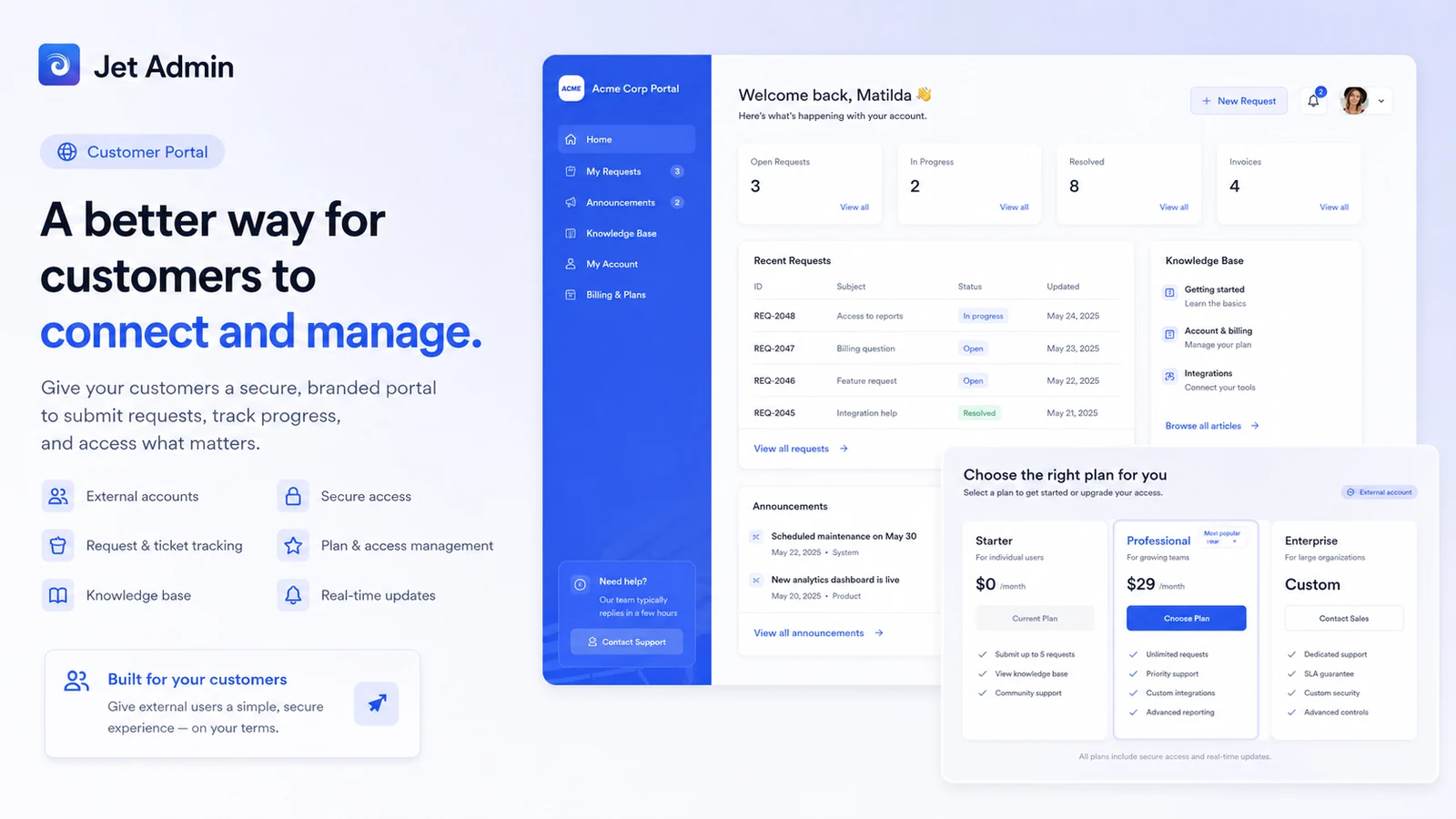
A SaaS company may want customers or partners to log in, view selected data, submit requests, or update records. Jet Admin’s customer-portal path is relevant here, but this is not the same as an internal admin panel.
External users change everything: pricing, branding, permissions, support expectations, and data exposure. I would verify the portal pricing tab before assuming the internal-tool price applies.
A team testing AI-assisted business workflows
Jet Admin’s AI-agent direction may appeal to teams that want automation connected to real data. This can be valuable, but it also introduces AI credits, file storage, model behavior, and governance questions.
I would not buy the AI path because it sounds modern. I would buy it only if the AI step clearly improves a workflow that already needs to exist.
Key features that actually matter
Visual business app builder
The visual builder is the entry point. It lets teams create interfaces for records, dashboards, workflows, portals, and internal apps without starting from a blank codebase.
Buyer note: the builder matters only if your users need an interface. If the real problem is simply moving data between apps, an automation platform may be a better fit.
Data connections and editing workflows
Jet Admin highlights databases, APIs, SaaS tools, spreadsheets, data syncing, query building, computed columns, and data editing. This is the heart of the product.
Buyer note: verify your actual data sources before judging the platform. A tool can look strong in a demo and still fail if your key system is hard to connect or update safely.
Permissions, environments, and activity controls
Team-based permissions, environments, activity logs, version control, SSO, 2FA, and related governance features matter when the app moves beyond a prototype.
Buyer note: do not assume every governance feature is available on the cheapest plan. These features often decide whether the tool is safe for a real team rollout.
Customer portals
Jet Admin can be used for external-facing portals for customers, partners, vendors, or clients. This makes it more flexible than an employee-only internal tool builder.
Buyer note: portals create a different plan calculation. External user volume, branding, access control, and support expectations should be checked before checkout.
AI apps and AI agents
Jet Admin’s current positioning includes AI apps, AI fields, and AI-agent builder capabilities. These can be useful when AI is tied to actual business data and workflow actions.
Buyer note: AI should not be the first reason to buy Jet Admin. The first reason should be the business process. AI is useful when it improves that process, not when it distracts from it.
Pricing and plan value
Jet Admin’s pricing requires more attention than a simple single-plan SaaS product.
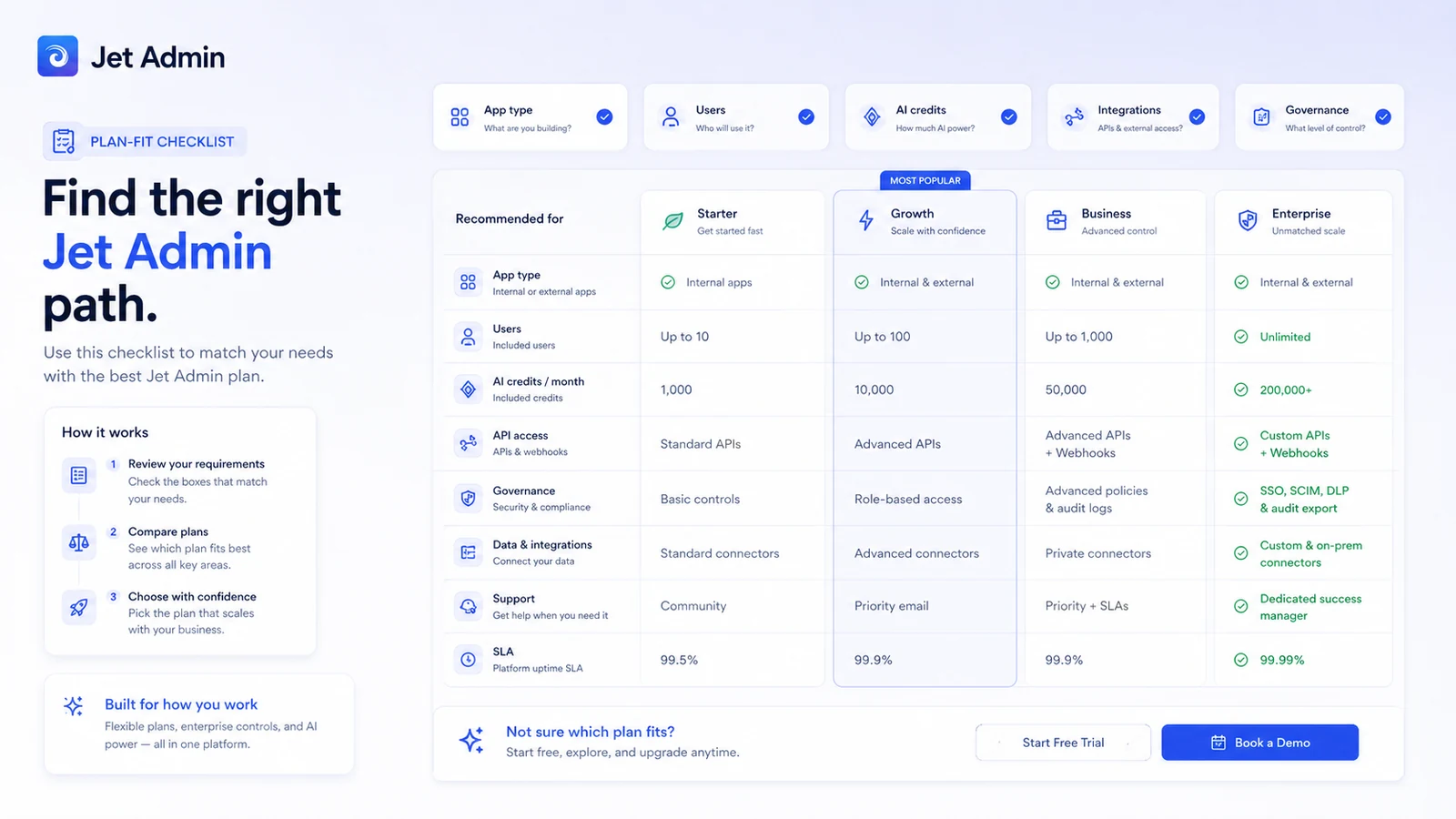
The current public pricing page separates buyer paths for customer portals, internal tools, and AI agents. It also shows a free path and 14-day trial messaging on paid paths. For internal tools, the pricing page currently shows Starter at $24 per user per month when billed annually, with $30 per user per month shown for monthly billing. The Pro internal-tool path appears at $48 per user per month annually, with $60 per user per month shown for monthly billing.
Customer portal pricing follows a different model. The current public pricing page shows a customer portal Starter path at $39/month annually or $49/month monthly, with up to 500 users and 1 app in the visible pricing copy. That should not be compared directly with the internal-tool per-user price.
The AI-agent path introduces another buying layer because credits, file storage, support, and enterprise controls may matter. If your workflow depends on AI usage, check the live pricing page and current credit assumptions before treating the number as final.
The free path is useful for testing a small workflow. It is not enough to prove team-wide value. A paid plan makes more sense after you know which app type you are building, how many users will need access, which data sources are required, and whether governance features are mandatory.
I would be careful with annual billing until the first real app is working. The annual discount can be sensible after the workflow is proven, but it is risky when the team is still discovering whether Jet Admin is the right operating layer.
Pricing check: If Jet Admin still fits, compare the correct pricing tab before choosing monthly, annual, portal, AI-agent, or enterprise paths.
Check Jet Admin pricing Check current offers Read store guide
Free plan, trial, coupon, and checkout notes
Jet Admin has a free path and public 14-day trial messaging on paid paths. That is the safest evaluation route for most buyers.
Use that time to test a real workflow, not a fake demo. Connect one data source. Build one interface. Set one permission model. Try one approval or data-editing flow. If that does not create obvious value, moving to a paid plan will probably not fix the problem.
A reliable public coupon code was not verified in the internal buying notes for this review. That does not mean buyers cannot save. The better savings path is usually plan selection: choose the right product tab, test before annual billing, avoid unused governance features, and do not pay for AI-agent capacity unless the workflow needs it.
If you use the Jet Admin coupon page, treat it as the final checkout check, not the first buying reason. The product fit should come before the offer path.
Refund language deserves caution. The public terms indicate that certain subscription refund requests may be considered case by case at the company’s discretion. That is different from a simple fixed money-back guarantee. The safer path is to rely on the free plan or trial for evaluation and read the current cancellation or refund language before paying.
What I would check before buying Jet Admin
If I were buying Jet Admin for a real workflow, I would check these items before moving from evaluation to paid rollout:
- Which path applies: internal tool, customer portal, or AI agent?
- How many builders, internal users, external users, and apps will be needed in the first 90 days?
- Which data sources must connect: database, REST API, GraphQL, spreadsheet, CRM, billing system, support tool, or storage?
- Does the required plan include API access, custom components, version control, environments, custom domain, and activity logs?
- Is SSO, 2FA, uptime SLA, self-hosting, on-premise deployment, or enterprise support required?
- Will AI credits, file storage, or AI-agent usage become a real cost driver?
- What does the current checkout, cancellation, and refund language say before annual billing?
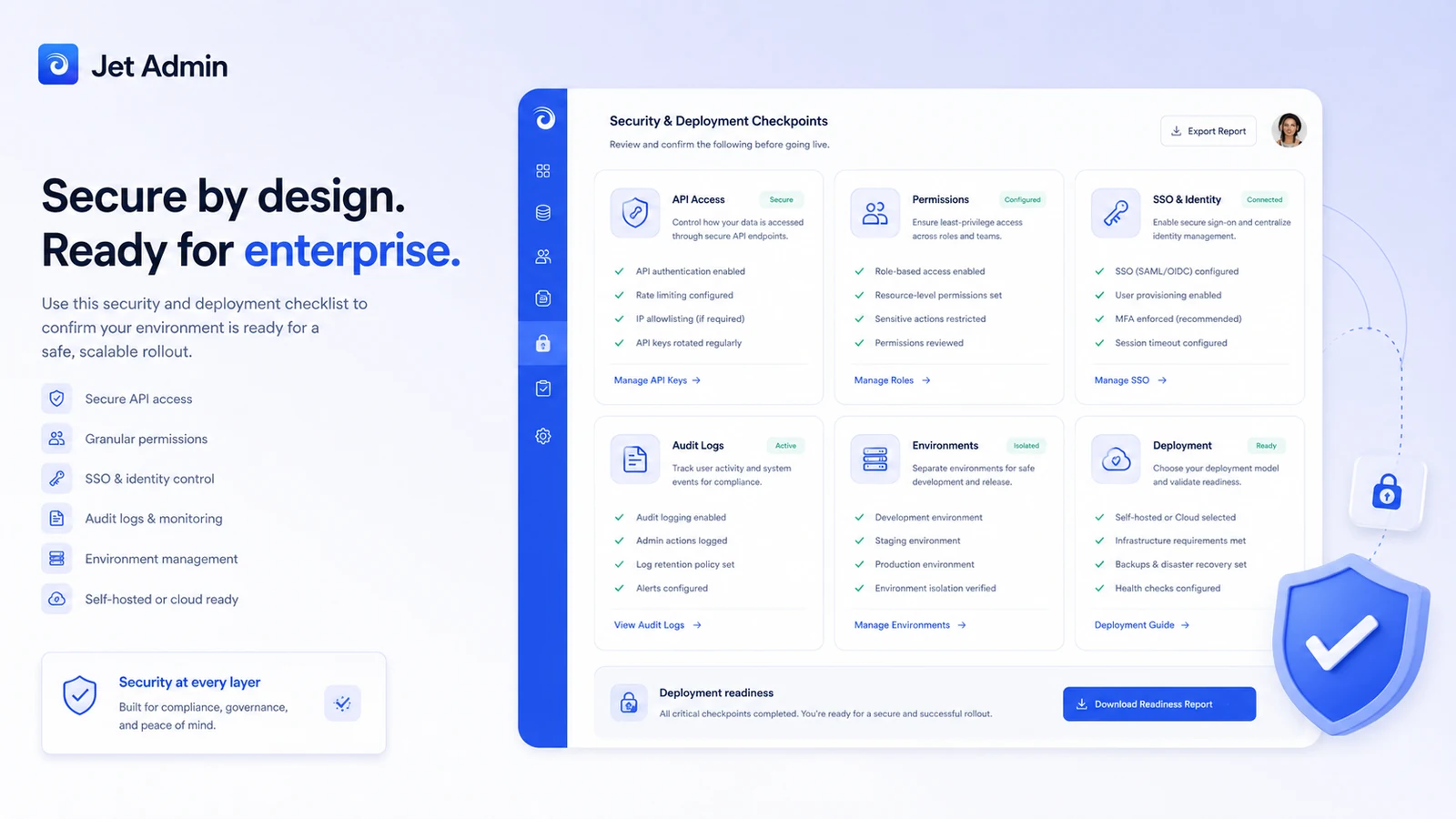
The easy mistake is comparing headline prices without mapping the project. Jet Admin is not one buying decision. It is several buying decisions depending on the app type and user model.
A simple test before paying
Before paying, I would run a small test like this:
- Pick one real internal tool, dashboard, portal, approval app, or CRM-style workflow.
- Connect the actual data source you expect to use in production.
- Build the smallest useful interface, not the full dream app.
- Add realistic permissions for at least two user roles.
- Test whether users can complete the workflow faster than before.
- Check which plan features were needed during the test.
- Compare monthly and annual billing only after the workflow has proven value.
This test keeps the decision grounded. Jet Admin can look impressive because the product surface is broad. But the only thing that matters is whether it helps your team ship a better operational workflow with less friction.
Pros explained
The first major pro is range. Jet Admin can support internal tools, portals, dashboards, CRM-style workflows, approval apps, and AI-assisted business apps. That breadth is useful when a team has several related operational needs.
The second pro is the data-first workflow. A tool like this becomes valuable when it can sit on top of real databases, APIs, spreadsheets, SaaS tools, and business systems. That is more practical than a design-only no-code builder for teams with operational data.
The third pro is governance depth. Permissions, environments, activity logs, API access, custom components, version control, SSO, and self-hosted options can matter when an app moves from prototype to business-critical workflow.
The fourth pro is the evaluation path. Free access and trial messaging reduce the risk of testing Jet Admin before paying. That matters because the platform is too workflow-dependent to judge from screenshots alone.
The fifth pro is portal flexibility. A customer or partner portal is a different problem from an internal admin panel. Jet Admin’s portal path gives buyers a way to evaluate both internal and external app use cases within one platform family.
Cons explained
The first con is pricing complexity. Internal tools, customer portals, and AI-agent workflows are not priced the same way. A buyer can easily look at the lowest number and miss the actual cost driver.
The second con is planning dependency. Jet Admin is not ideal when the buyer has not defined the process. A platform can speed up app creation, but it cannot decide the workflow, data model, and permission structure for you.
The third con is that advanced requirements may move buyers into higher tiers. API access, custom domains, version control, SSO, self-hosting, and enterprise support are not casual checklist items. They can change the plan decision.
The fourth con is refund clarity. The safest assumption is not that the buyer has a guaranteed refund window. Treat the trial and free path as the evaluation period.
The fifth con is category fit. Jet Admin may be more platform than some buyers need. If the job is a simple mobile app, automation between SaaS tools, or a developer-first internal system, a different product may be cleaner.
Green flags and red flags
Green flags:
- You can name the exact internal tool, portal, dashboard, or approval workflow you need.
- You already know the data source and user roles.
- The workflow repeats often enough to justify a custom interface.
- You need permissions, environments, auditability, or controlled rollout.
- The free plan or trial proves a real reduction in manual work.
Red flags:
- You are buying because “no-code + AI” sounds useful, not because a workflow is clear.
- You are comparing internal-tool pricing against portal pricing without understanding the difference.
- You need enterprise governance but are judging only the entry plan.
- You expect a visual builder to solve unclear operations.
- You are moving to annual billing before testing one real app.
Jet Admin vs alternatives
Retool vs Jet Admin
Retool is the stronger comparison for teams that want a more developer-oriented internal tool builder. If your team has engineers who want deeper coding control, more developer-native patterns, and a mature internal-tool ecosystem, Retool may be the better shortlist item.
Jet Admin may still make sense if design flexibility, customer portals, no-code usability, and business-user participation matter more than developer-first control. I would compare these two carefully if the app will become operationally important.
Appsmith vs Jet Admin
Appsmith is relevant for teams that want an open-source-friendly internal tool builder and more control over deployment. It can be a better fit when engineering ownership and self-hosting philosophy matter.
Jet Admin may feel more approachable for business-app and portal workflows where the buyer wants more out-of-the-box no-code structure, visual building, and customer-facing app patterns.
Adalo vs Jet Admin
Adalo is an adjacent route, not a perfect substitute. It is more relevant when the buyer wants to build a customer-facing mobile or web app.
Jet Admin is stronger when the job is internal operations, data editing, dashboards, portals, and controlled business workflows. If the app’s core is business data and permissions, Jet Admin is the more natural comparison. If the core is mobile app experience, compare Adalo.
Albato vs Jet Admin
Albato is also adjacent. It is an automation platform for connecting apps and moving data through workflows.
Jet Admin is different because it gives users an interface to view, edit, approve, and manage business data. If the buyer only needs app-to-app automation, Albato may be simpler. If users need a controlled app layer, Jet Admin is more relevant.
UI Bakery or Budibase vs Jet Admin
UI Bakery and Budibase are useful comparison routes for internal tools and business apps. They may appeal to buyers evaluating the broader internal-tool-builder market.
The practical comparison should be based on data connections, permissions, deployment model, developer involvement, external user support, and pricing. Do not choose based only on homepage polish.
Trust, refund, and buyer-risk notes
Jet Admin touches business data, so trust checks matter more than they would for a simple content tool.
Before paying, verify how your data is connected, where it is stored, which users can access it, and whether the plan includes the controls your team expects. If the app handles customer records, billing details, support queues, vendor data, or financial workflows, access control is not optional.
Self-hosting and on-premise language should be treated as plan-specific. The public pricing page shows on-premise and enterprise-style controls in higher-level paths, but buyers should confirm the exact requirements before making security assumptions.
Refund and cancellation language should also be checked before checkout. If the terms are case-by-case rather than a simple refund promise, the safer evaluation path is free or trial usage.
The biggest buyer risk is overbuying too early. Jet Admin can be a strong platform when the process is real. It can also become another unfinished internal tool project if the team buys before the workflow is clear.
Final verdict
I would consider Jet Admin if your team needs to build internal tools, portals, dashboards, approval apps, custom CRM workflows, or AI-assisted business apps on top of real operational data.
I would skip it if you only need a simple website, basic form, lightweight mobile app, or vague automation idea. Jet Admin is easier to justify when the problem is concrete.
I would compare it with Retool if developers will own the workflow, Appsmith if open-source control matters, Adalo if the goal is a customer-facing app, and Albato if the main need is automation between tools rather than a visual business app.
The safest next step is to test one narrow workflow before paying. Connect one real data source, build one useful interface, check permissions, compare the correct pricing tab, and only then decide whether Jet Admin deserves a bigger role in your operations stack.
