Quick verdict
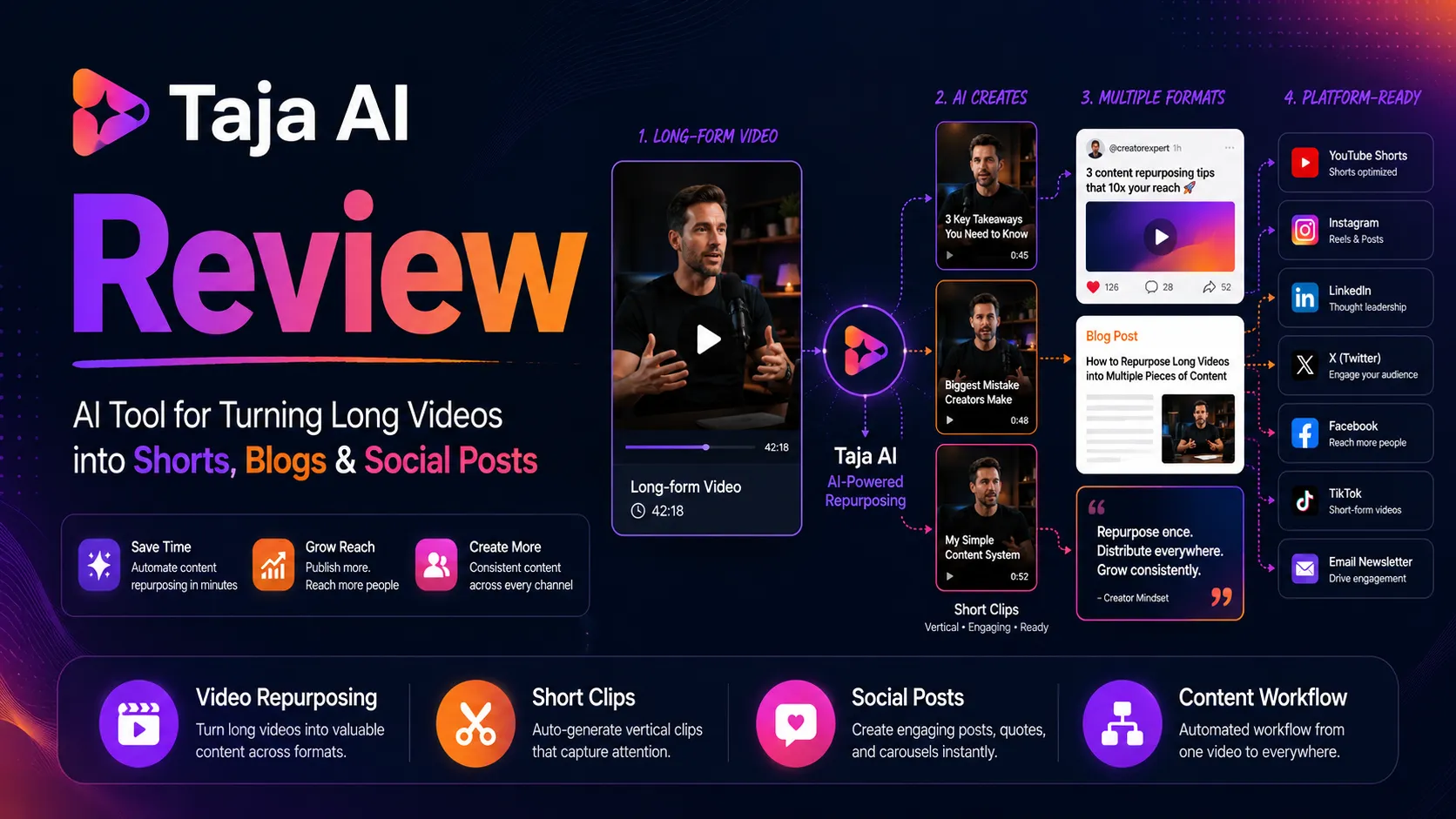
Taja AI is worth a serious look if you already have long-form videos and need a faster way to turn them into shorts, clips, YouTube metadata, social captions, blog-style text, thumbnails, and scheduled posts.
That is the important condition: you already have videos.
I would not judge Taja AI like a magic content button. The homepage makes the workflow look simple: upload a video, generate assets, schedule everywhere. The buying decision is narrower. Does it save enough time on the messy work after recording — title ideas, descriptions, chapters, clips, captions, thumbnails, posts, and scheduling — to justify a subscription?
For some creators, yes.
For others, no.
Taja AI makes the most sense for YouTubers, podcasters, coaches, creators, and small agencies that publish repeatedly. If you post long-form video every week, one recording can become several distribution assets. That is a real workflow. If you publish only a few videos per quarter, the plan limits and automation may look better than the actual return.
The trial matters more than the sales page here. Taja AI offers a 7-day free trial, and the practical test is simple: upload one normal long-form video, generate the full asset set, and judge how much of it you would actually publish after light editing. If the output still needs heavy rewriting, heavy clip selection, or heavy design cleanup, a paid plan becomes harder to defend.
I would treat Taja AI as a creator workflow assistant, not a replacement for editorial taste. It can help you move faster. It cannot decide your channel strategy for you.
Next step: If Taja AI sounds like it fits your publishing workflow, test the live product route before comparing paid plans.
Review snapshot
| Review point | Practical take |
|---|---|
| Best for | YouTubers, podcasters, coaches, solopreneurs, and agencies repurposing long videos every week |
| Not ideal for | Occasional creators, manual editors, or teams that mainly need deep YouTube analytics |
| Main use case | Turning one long-form video into shorts, captions, titles, descriptions, posts, blog-style text, thumbnails, and scheduled content |
| Free path | 7-day trial with a limited workflow test window |
| Paid path | Starter, Professional, and Teams/Agency plans depending on video volume, social sets, seats, and export needs |
| Main strength | Combines repurposing and scheduling instead of stopping at clip generation |
| Main concern | Output quality, plan limits, short trial timing, and direct refund uncertainty need careful checking |
| Alternatives to compare | Klap, Submagic, Opus Clip, TubeBuddy, vidIQ, and broader manual editors depending on the job |
| Safest next step | Run one real video through the trial before choosing monthly, annual, or team billing |

What is Taja AI?
Taja AI is an AI video repurposing and creator workflow platform. Its main promise is to take long-form video and turn it into platform-ready outputs: shorts, clips, captions, YouTube titles and descriptions, chapters, hashtags, thumbnails, blog-style content, social posts, and scheduled distribution.
The product is not only a clipping tool.
That is both the appeal and the risk.
If your real bottleneck is “I record videos, but I do not consistently package them for YouTube Shorts, TikTok, Reels, LinkedIn, X, blogs, and follow-up posts,” Taja AI is targeting that problem directly. It is trying to sit after recording and before publishing.
If your real bottleneck is deep editing, pacing, storytelling, manual B-roll, color, sound design, or serious YouTube analytics, Taja AI is not the whole answer. You may still need a video editor, a dedicated YouTube SEO platform, or a narrower clipping tool.
Based on the public product information and pricing structure, I would place Taja AI in the creator operations category: it helps turn existing video into more distribution assets. That is different from a full editing suite, and it is different from a pure YouTube research tool.
The review question is not “can Taja AI create more outputs?”
It can.
The better question is whether those outputs are useful enough to save you time after human review.
How I am judging Taja AI
For this kind of tool, I would not start with feature count. Feature count can be misleading because a weak title, a weak clip, a weak caption, and a weak thumbnail still create work.
I would judge Taja AI by five practical checks:
| Decision check | Why it matters |
|---|---|
| Video input fit | The tool needs to handle the kind of long-form content you actually publish |
| Output quality | Clips, captions, thumbnails, titles, and posts need to be close enough to publish after light editing |
| Time saved | The workflow should reduce repetitive post-production work, not create another review queue |
| Plan limit fit | Video count, shorts per video, users, social sets, and export options affect the real value |
| Risk control | Trial timing, cancellation, refund uncertainty, and marketplace terms need to be clear before payment |
My evidence confidence is highest around Taja AI’s official positioning, pricing tiers, trial path, video-volume limits, scheduling features, and team-seat structure because those are visible on the official site and pricing page. My confidence is more cautious around output quality because that depends on the buyer’s niche, language, video format, editing standard, and brand voice.
That is where buyers should do their own trial test.
Who should use Taja AI?
Taja AI is most interesting for people who already have a repeat video workflow.
A weekly YouTuber is the obvious use case. You record a long-form video, then need titles, descriptions, chapters, hashtags, Shorts, clips, captions, thumbnails, and posts. If Taja AI can produce a usable first pass, it can take pressure off the publishing process.
A podcaster may also benefit. Long episodes often contain several short-form moments, but finding those moments manually is tedious. Taja AI’s value is not that it magically understands every strong clip. The value is that it can surface options and give you a faster review starting point.
A coach, consultant, or solopreneur may use it differently. One webinar, interview, training, or YouTube video can become a week of smaller social touchpoints. That is useful when consistency matters more than high-end editing control.
Small agencies should look at Taja AI if they manage repeat video repurposing for clients. The Teams/Agency path is more relevant here because seats, unlimited video optimization, social sets, and scheduling matter more when several people are involved.
The common thread is volume.
Taja AI makes more sense when you publish enough video to make the workflow repeatable.
Who should avoid Taja AI?
I would be careful with Taja AI if you publish only occasionally.
A monthly or quarterly creator may still like the idea of turning one video into many assets, but the subscription has to earn its place. If you only process one video now and then, a pay-as-needed editor, a manual clipping workflow, or a simpler tool may be enough.
I would also be cautious if you need frame-level creative control. Taja AI can help with repurposing and formatting, but it is not the same as a professional editing environment. If your brand depends on pacing, sound design, motion graphics, advanced transitions, or custom visual storytelling, you may still need manual editing.
You should also avoid rushing into Taja AI if your main need is YouTube competitor research or keyword analytics. Taja AI includes video idea and optimization features, but tools like TubeBuddy or vidIQ are more natural comparisons when the core problem is YouTube research rather than repurposing.
And if you are buying mainly because a deal page looks attractive, slow down.
A discount is only useful after the workflow is proven. With Taja AI, I would test output quality first, plan limits second, and savings third.
How Taja AI fits into a real creator workflow
A good Taja AI workflow starts before you upload anything.
You should know what you want from one video. Maybe you need three Shorts, one LinkedIn post, a YouTube description, a blog-style summary, a thumbnail idea, and scheduled posts. Maybe you need less. Maybe you need more.
The mistake is uploading a video and judging the tool only by the number of assets generated.
More assets are not automatically useful.
The better workflow looks like this:
- Pick one normal long-form video that represents your actual content.
- Upload or import it into Taja AI.
- Generate the YouTube optimization assets.
- Review the selected clips and shorts.
- Check caption accuracy, hook quality, and vertical framing.
- Review titles, descriptions, chapters, hashtags, and blog-style output.
- Check whether scheduled posts fit the right platform and tone.
- Measure how much manual cleanup is still required.
- Decide whether the workflow saves enough time to justify a paid plan.
That last step is the real buying decision.
Taja AI can be useful if it gives you a strong first pass. It becomes weaker if every output needs the same amount of manual thinking you were already doing.

Workflow check: If you already have a video ready, use the trial on that real asset rather than a polished sample that hides the friction.
Buyer scenarios: where Taja AI makes sense
A solo YouTuber may use Taja AI to keep distribution from falling behind production. This is probably the cleanest buyer story. You already record. You already publish. You just need the post-recording work to move faster.
A podcaster may use it to turn long conversations into short clips and social content. The test here is whether the tool finds moments that actually make sense outside the full episode. If the clip selection is weak, the workflow loses value.
A coach or solopreneur may use it to turn one educational recording into many platform touchpoints. That can be valuable, but brand voice matters. If the generated posts sound generic, you still need to rewrite.
An agency may use Taja AI to standardize client repurposing. That is where the Teams/Agency plan deserves attention. But agencies should be strict. Client content usually needs consistent tone, quality control, and predictable scheduling. Unlimited video optimization only matters if the outputs pass review.
A beginner creator may still test it, but I would not rush into annual billing. Beginners often change formats, posting cadence, and platform focus. A tool that looks perfect in month one may be less relevant after the content strategy changes.
Features that matter most
Taja AI has a broad feature surface, but only a few features decide the buying case.
The first is long-form video optimization. The official site positions Taja AI around uploading or importing a long video, then generating optimized outputs. That is the product’s center of gravity.
The second is shorts and clips generation. This is where buyers will feel the value quickly. If the selected clips are strong, captions look usable, and vertical formatting is close, the tool saves time. If the clips feel random or captions need too much correction, the value drops.
The third is text output. Titles, descriptions, chapters, hashtags, blog-style content, LinkedIn posts, and threads can save time, but they need brand review. I would never publish those blindly. They are better treated as drafts.
The fourth is scheduling. Taja AI is more interesting because it does not stop at generation. Scheduling across platforms can reduce tool-switching for creators who distribute broadly.
The fifth is team fit. Starter and Professional are single-user paths, while Teams/Agency is the obvious route if several people or clients are involved. That difference matters more than the headline price.
Pricing and plan value
Taja AI’s official pricing page currently presents a 7-day free trial, Starter, Professional, and Teams/Agency plans. The monthly plan cards show Starter at $19.99/month, Professional at $49.99/month, and Teams/Agency at $99.99/month. Annual billing is presented as a 20% savings path, with lower monthly-equivalent prices when billed annually.
I would not choose a plan from price alone.
Starter is the testable solo-creator route. It is best for someone who wants to process a limited number of videos and see whether the workflow fits. The important checks are video count, shorts per video, watermark rules, download/export needs, and social scheduling.
Professional is more believable for weekly creators, podcasters, and influencers with heavier publishing needs. The price jump only makes sense if the higher video and shorts limits are actually used.
Teams/Agency is the plan to compare when multiple users, client workflows, more social sets, and higher volume matter. This is not the plan I would pick just because it says unlimited. I would pick it only if the workflow is already proven and the team genuinely needs the capacity.
Annual billing can be a good deal after the tool becomes part of your publishing system. It is a worse idea before that. If you have not tested your own video format, language, editing standard, and scheduling setup, annual savings can turn into annual lock-in.

Pricing check: Compare the current live pricing against your real monthly video volume before choosing monthly, annual, or team billing.
Check Taja AI pricing Read pricing notes Check current offers
Free trial, coupon, and checkout notes
The free trial is the safest place to evaluate Taja AI.
Seven days is not long, but it is enough if you use it correctly. Do not spend the trial clicking around with a sample video. Upload the kind of long-form recording you actually publish. Then check the entire chain: optimization, clips, captions, titles, descriptions, posts, thumbnails, and scheduling.
The trial should answer practical questions:
| Trial question | What to look for |
|---|---|
| Are the selected clips useful? | The moments should make sense outside the full video |
| Are captions accurate enough? | Editing should be light, not a full cleanup job |
| Are titles and descriptions usable? | They should match your channel voice and search intent |
| Are social posts publishable? | Platform-specific tone matters |
| Does scheduling save time? | It should reduce tool-switching, not add complexity |
| Which plan fits? | Video count, seats, social sets, and exports should match real use |
For coupons, I would be careful. Taja AI’s strongest visible savings paths are the trial, annual billing discount, and occasional marketplace or deal routing. A public coupon claim should be tested at checkout, not trusted from an old page.
There is also a difference between direct billing and marketplace billing. If you buy through a marketplace such as AppSumo, that marketplace may present its own deal terms and buyer protection. That does not automatically apply to direct Taja AI subscriptions. Treat them as separate checkout paths.
The buyer-safe order is simple: trial first, workflow review second, pricing or coupon path third.
Checkout caution: Use the coupon route only after the trial proves that Taja AI saves real editing or publishing time.
What I would check before buying Taja AI
Before paying, I would check the parts that affect the workflow after the excitement wears off.
First, video volume. How many long-form videos will you actually process each month? If the answer is uncertain, Starter or trial testing is safer than a bigger plan.
Second, clip quality. Are the generated clips good enough to become Shorts, Reels, TikToks, or LinkedIn posts with light review? If not, the tool may still help, but the value is weaker.
Third, caption accuracy. This matters especially for podcasts, accents, noisy recordings, names, technical terms, and non-English content.
Fourth, export and watermark rules. Buyers should verify what can be downloaded, exported as MP4, posted to platforms, and used without watermark friction on the plan they choose.
Fifth, scheduling. If you already have a social scheduler, Taja AI has to be better or simpler enough to replace part of that workflow. If not, scheduling may be a nice extra rather than a reason to buy.
Sixth, cancellation and refund expectations. The official terms and pricing flow should be checked before payment. A trial reduces risk, but it does not remove the need to understand billing.
Seventh, privacy and platform access. Taja AI may connect with video and social platforms. If you work with client content or sensitive recordings, read the privacy policy and review connected-account permissions before uploading.

Pros and cons explained
Taja AI’s main strength is that it connects several creator tasks in one place. Many tools can make clips. Taja AI becomes more interesting because it also supports YouTube optimization, text output, thumbnail generation, and scheduling.
That kind of chain matters when your bottleneck is consistency.
The second strength is the trial path. A 7-day trial is not generous, but it gives buyers a way to test one real workflow before paying. That is enough to avoid the worst mistake: buying based on the demo instead of your own content.
The third strength is the plan ladder. Starter, Professional, and Teams/Agency make sense as buyer stages: solo testing, heavier creator use, and collaborative or agency work.
The cons are just as important.
The first con is output dependency. Taja AI’s value depends on the quality of clips, captions, thumbnails, and posts for your niche. If you need heavy manual edits, the automation story weakens.
The second con is trial pressure. Seven days can disappear quickly. Buyers need to test immediately, not casually.
The third con is refund uncertainty for direct subscriptions. I would not treat a marketplace money-back guarantee as direct subscription protection unless that is exactly where you are buying.
The fourth con is fit. Taja AI is not the deepest manual editor, the deepest YouTube analytics platform, or the narrowest caption-polish tool. It is a broader repurposing workflow. That is useful only when you need the broader workflow.
Green flags and red flags
The first green flag is clarity of use case. Taja AI is not vague about what it wants to do. It is built around turning long-form video into publishable assets across platforms.
The second green flag is scheduling. Generation is useful, but distribution is where many creators fall behind. A combined generate-and-schedule workflow can be valuable.
The third green flag is team path. Agencies and small content teams have a clear plan to compare instead of forcing a solo tool into a collaborative workflow.
The red flags are mostly buyer-fit red flags, not necessarily product red flags.
If you do not publish enough video, skip or stay on the lowest-risk path.
If your content needs careful editing and storytelling, do not expect Taja AI to replace a creative editor.
If your channel depends heavily on research, competitor analysis, or keyword strategy, compare dedicated YouTube SEO tools first.
If you are unclear about cancellation, annual billing, or marketplace terms, do not rush payment.
Taja AI vs alternatives
Taja AI should be compared by workflow, not by category label.
If you mainly need long-video-to-short-video clipping, Klap is one of the cleaner comparisons. Klap-style workflows are easier to judge when the goal is finding short-form moments and formatting them quickly.
If caption styling and short-form polish are the priority, Submagic may be the more direct comparison. It is especially relevant for creators who care less about full scheduling and more about short-video presentation.
If you mainly need YouTube SEO research, compare tools like TubeBuddy or vidIQ. Taja AI includes optimization and idea features, but dedicated YouTube research tools may be stronger when the decision starts with keywords, competition, and channel analytics.
If you need broader editing, compare a manual editor or a tool like Descript before assuming Taja AI is enough. Repurposing is not the same as full creative editing.
DealBestDaily also connects Taja AI to nearby creator-tool routes like 1of10 and Aitubo, but I would treat those as adjacent workflow checks, not direct one-to-one replacements. Aitubo is more creative-generation oriented, while 1of10 sits closer to broader creator or idea workflows depending on the buyer’s job.

Compare before buying: If your main need is only shorts, captions, or YouTube SEO, compare a narrower tool before committing to Taja AI.
Trust, privacy, and marketplace notes
Taja AI’s official site is clear enough about the product promise and the main plan structure. The pricing page gives buyers a practical comparison across trial, Starter, Professional, and Teams/Agency.
The more cautious areas are billing expectations, refund assumptions, marketplace deal differences, and data handling.
The privacy policy matters because a tool like this may touch video content, social publishing connections, and platform permissions. If you are uploading client videos, private training, internal webinars, or sensitive business content, read the privacy policy before using the workflow heavily.
Marketplace signals are useful but should be interpreted carefully. AppSumo listings can give you a sense of buyer adoption, praise, and complaints. They may also include marketplace-specific refund protection or lifetime-deal terms. That is helpful only if you are buying through that route. Direct Taja AI subscriptions should be evaluated through the official pricing, account, and terms flow.
I would not rely on old third-party pricing screenshots. Pricing, plan names, and plan limits can change. The live pricing page and checkout screen should be the final source before payment.
Final verdict
Taja AI is a practical tool for a very specific buyer: someone who already creates long-form video and needs a faster way to package it into shorts, posts, YouTube metadata, thumbnails, blog-style output, and scheduled distribution.
That buyer can get real value.
A weekly creator can turn one recording into multiple platform assets. A podcaster can test whether long episodes produce usable clips. A coach or solopreneur can turn teaching content into social distribution. An agency can consider the Teams/Agency path if the client workflow is repeatable enough.
But I would not buy Taja AI just because it creates a lot of outputs.
The value is not the number of assets. The value is the number of assets that are good enough to publish after light review.
I would consider Taja AI if you publish video consistently, need help with repurposing and scheduling, and are willing to use the trial seriously. I would skip it if you only publish occasionally, need professional manual editing, or mainly want deep YouTube research and analytics.
The safest path is simple: start the trial, process one real long-form video, check output quality, compare the plan limits, and only then decide whether Starter, Professional, Teams/Agency, annual billing, or a deal route makes sense.

