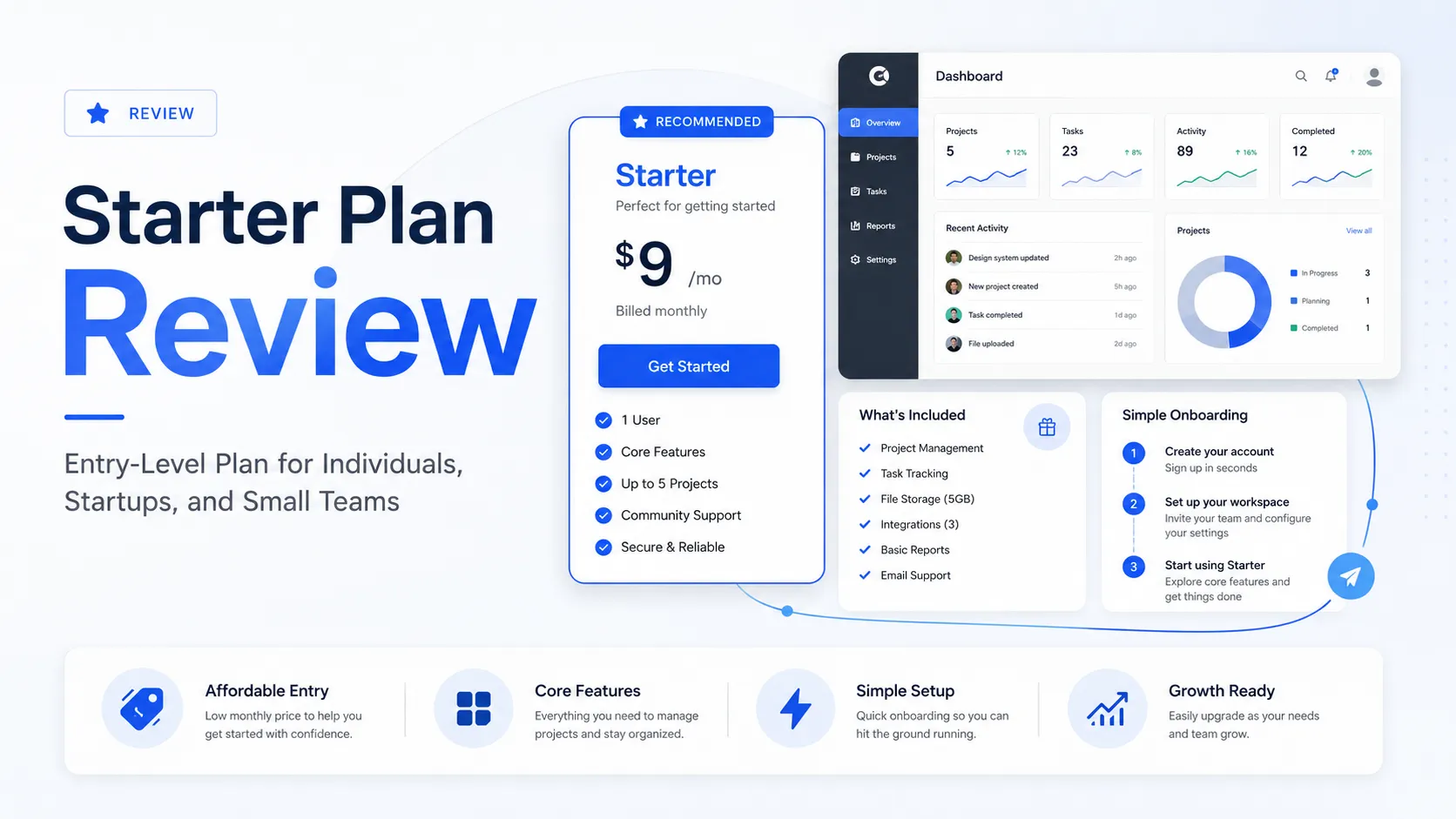
Quick verdict
Starter Plan is useful if you want the smallest realistic path into Shopify selling. It is not the plan I would choose if you are already trying to build a full ecommerce brand.
That difference is the whole review.
The buying decision is not just, “Is this cheap?” It clearly is. Shopify publicly positions Starter Plan at a low monthly entry price, with product links, social selling, simple online store pages, checkout, order management, access to apps, POS support, and a path to upgrade later. For a beginner testing demand, that is appealing.
But the plan is intentionally narrow.
If your customers already find you through Instagram, TikTok, WhatsApp, email, SMS, DMs, live chat, or a link-in-bio page, Starter Plan can be a practical first step. You can create products, share links, accept payments through Shopify checkout, and learn whether anyone is actually willing to buy.
If you need a polished storefront, collections, staff accounts, deeper templates, advanced shipping controls, richer SEO content, or a more scalable store architecture, Starter Plan will probably feel too small very quickly.
For my money, Starter Plan should be treated as a validation plan. Use it to answer one question: “Can I get real buyers from the channels I already have?” If the answer is yes, the plan has a job. If the answer is no, a low monthly price or coupon route will not fix the mismatch.
Next step: If your first sales channel is social, messages, or simple product links, verify the current Starter Plan pricing and trial route before choosing a higher ecommerce plan.
Check Starter Plan pricing Read store guide Check current offers
Review snapshot
| Review point | Practical take |
|---|---|
| Best for | Solo sellers, creators, and beginners testing product demand through social channels |
| Not ideal for | Teams, larger catalogs, content-heavy stores, or brands that need serious storefront control |
| Main use case | Product-link selling, DMs, link-in-bio commerce, simple checkout, and early order management |
| Pricing angle | Low monthly entry cost, but buyers must verify regional pricing and transaction fees |
| Trial path | Shopify may present a start-for-free or trial route depending on account and region |
| Main strength | Lets a seller test Shopify checkout without committing to a fuller ecommerce build |
| Main concern | Missing storefront, staff, collection, template, shipping, and fee advantages may force an upgrade |
| Best direct alternatives | Shopify Basic, Wix, Squarespace, Square Online, BigCommerce |
| Best next step | Test one real social-selling workflow before treating Starter as a long-term plan |
What is Starter Plan?
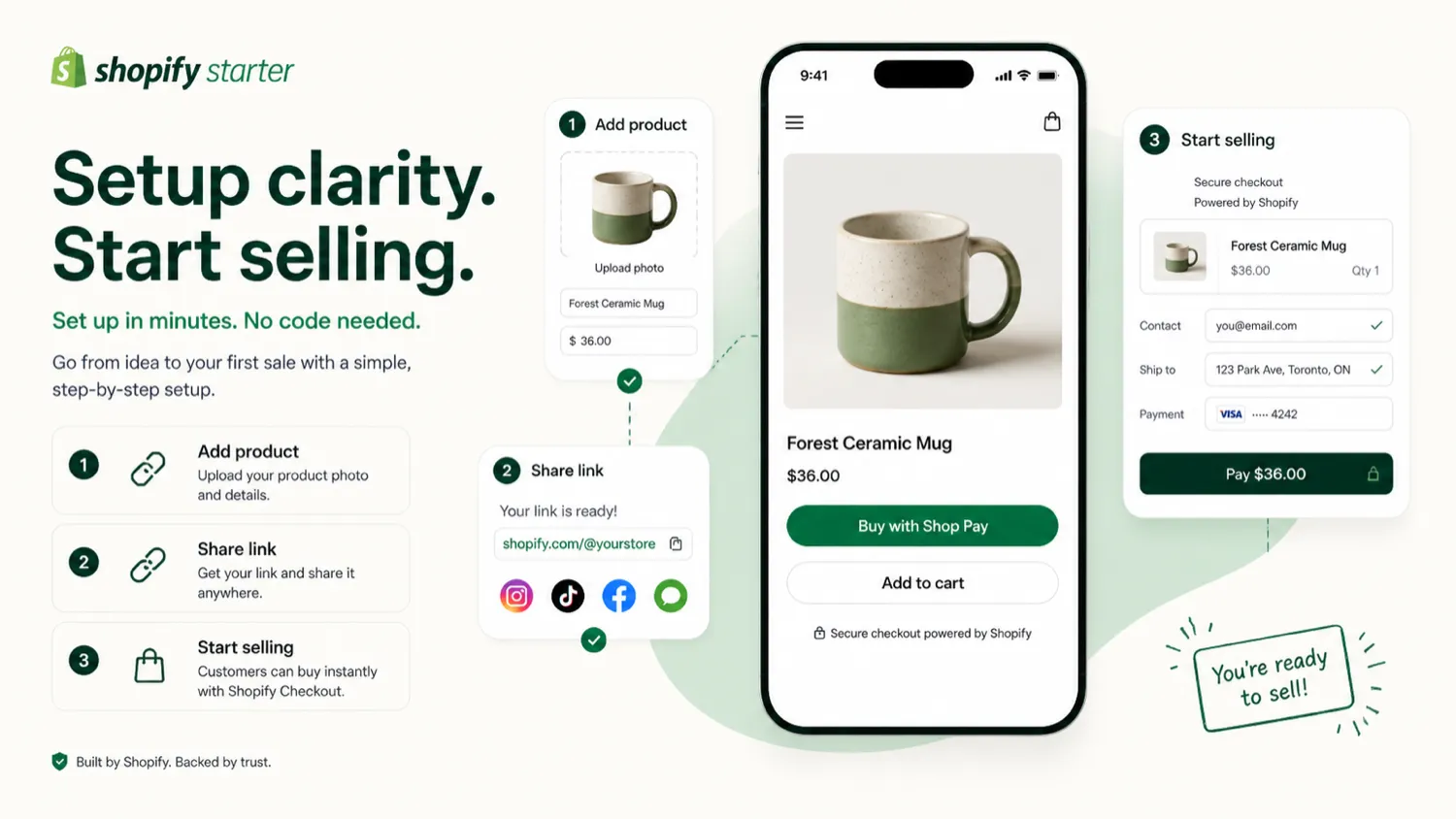
Starter Plan is Shopify’s lightweight entry plan for merchants who want to start selling without building a full online store first.
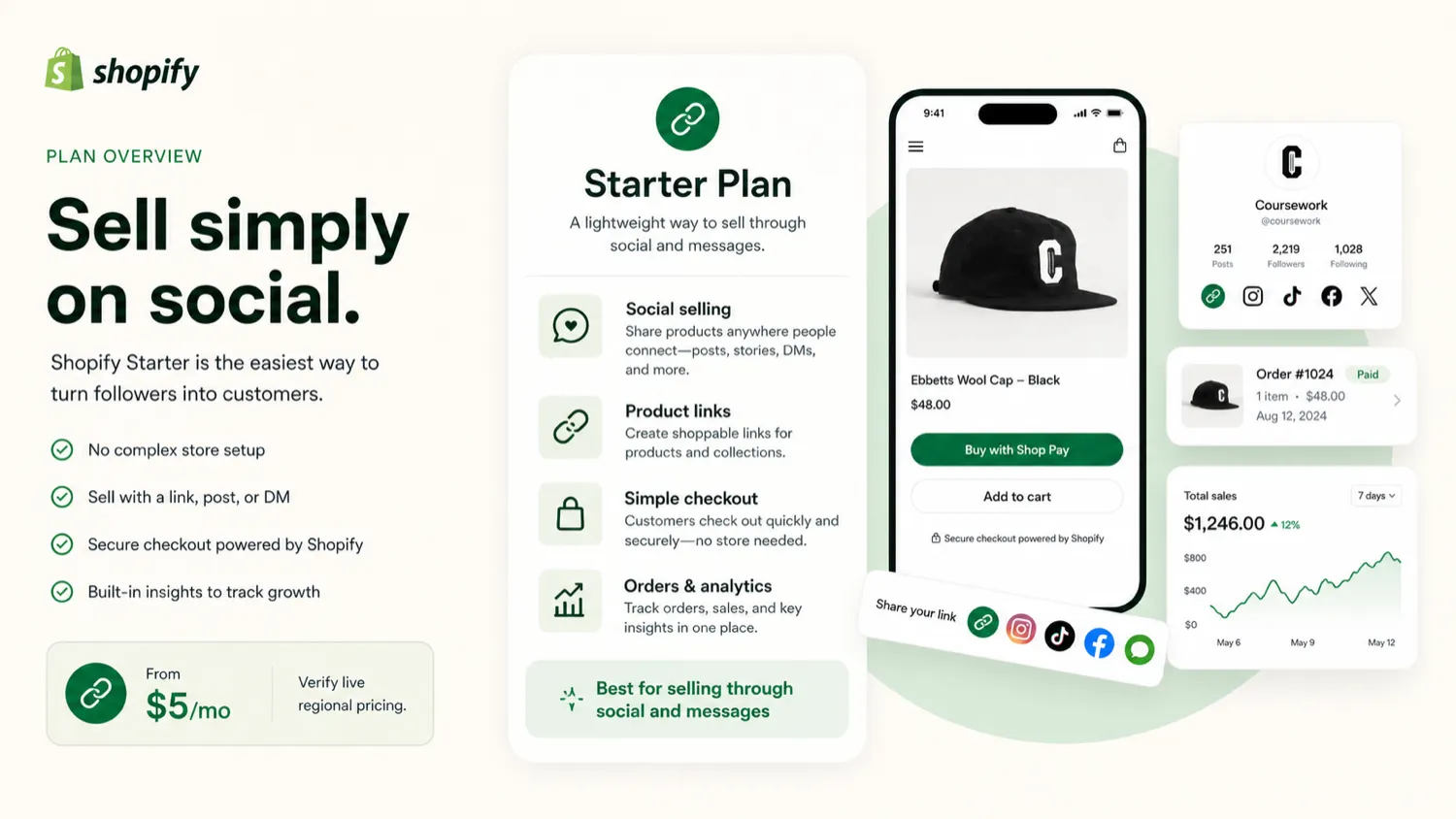
The public positioning is straightforward: create a simple selling setup, share product links through social media or messages, use Shopify checkout, manage orders, and upgrade later when the business needs more structure. Shopify’s own Starter page frames it around social media, email, SMS, WhatsApp, product links, and anywhere else a seller can share a product link.
That makes the plan easy to misunderstand.
Starter Plan is not a separate AI tool. It is not an AI design product. It is not a complete ecommerce website builder in the same sense as Shopify Basic, Grow, Advanced, or Plus. It is a stripped-down Shopify entry route for people who need checkout and product-link selling more than they need a complete storefront.
A creator with a small audience can use it to sell a digital product, a limited physical product, a merch item, a simple bundle, or a first offer from a link-in-bio page. A side project can use it to test whether demand exists before building a bigger store. A market-stall seller or small merchant can use Shopify’s mobile selling tools as part of a very lean commerce setup.
The tradeoff is obvious: simplicity comes from removing depth.
That is not automatically bad. It only becomes bad when the buyer expects the wrong thing.
Who should use Starter Plan?
Starter Plan makes sense when your selling motion is already simple.
The clearest buyer is a solo seller with one product or a small set of products. They do not need a rich storefront yet. They need a checkout link, a product page, basic order management, and a way to test whether social traffic can become paid orders.
Creators are another natural fit. If your audience already lives on Instagram, TikTok, YouTube, WhatsApp, email, or a community channel, a simple product link can be enough for a first commercial test. You do not always need a full store before you know whether anyone wants the product.
It can also work for beginners who want to learn Shopify slowly. Instead of starting with themes, collections, staff permissions, apps, SEO pages, shipping logic, and conversion optimization all at once, Starter Plan lets the buyer learn the basics: product, checkout, order, fulfillment, customer communication, and simple reporting.
I would also consider it for a short validation phase. For example, a seller might run a small campaign, share product links through social content, track orders, and decide whether the next move is Shopify Basic or a different ecommerce platform.
The pattern is simple: Starter Plan is best when the seller’s current problem is “I need to accept real orders” rather than “I need to build a serious store.”
Who should avoid Starter Plan?
I would avoid Starter Plan if the store needs to look and behave like a real ecommerce brand from the beginning.
That includes sellers who need product collections, deeper theme control, custom templates, staff accounts, advanced shipping, richer content pages, stronger SEO structure, or more professional storefront browsing. Those are not minor details. They often decide whether a customer trusts a store enough to buy.
Starter Plan is also weak for teams. Shopify Help states that the Starter plan does not support adding staff accounts, and that merchants need to upgrade to higher plans for that capability. If more than one person needs operational access, Starter is probably the wrong starting point.
It is also not ideal for catalog-driven stores. If customers need to browse by category, compare products, filter collections, read content, and understand a broader brand story, a product-link-first setup may feel thin.
And I would be careful if your expected sales volume is already meaningful. Starter’s low monthly price can look cheaper than a higher Shopify plan, but transaction fees and missing features can change the math. Once real revenue starts coming in, the cheapest monthly plan is not automatically the cheapest operating path.
Finally, avoid it if you came here because the product was categorized near AI design tools. The public source material points much more strongly to Shopify Starter/social commerce than to a standalone AI design product. If your real buying job is AI image generation, product visuals, or creative automation, you should compare adjacent tools instead of trying to force Starter Plan into that role.
How Starter Plan fits into a real workflow
A useful Starter Plan workflow starts before Shopify.
The seller should already have a product idea, a buyer audience, and a channel where links can realistically get clicked. Without that, Starter Plan is just a cheap dashboard with no traffic source.
The workflow I would use is simple:
- Pick one product or one small offer.
- Create the product in Shopify.
- Set up the basic product page and checkout path.
- Share the product link through one or two real channels.
- Track clicks, orders, questions, refunds, and customer friction.
- Decide whether the business needs more storefront depth before upgrading.
That is where Starter Plan becomes useful. It removes enough setup friction to let the seller test a real buying moment.
The part I would not do is spend weeks trying to make Starter behave like a full store. If you are fighting the limits of the plan before your first serious sales test, that is a signal. You may need Shopify Basic, a different website builder, or a fuller ecommerce setup instead.
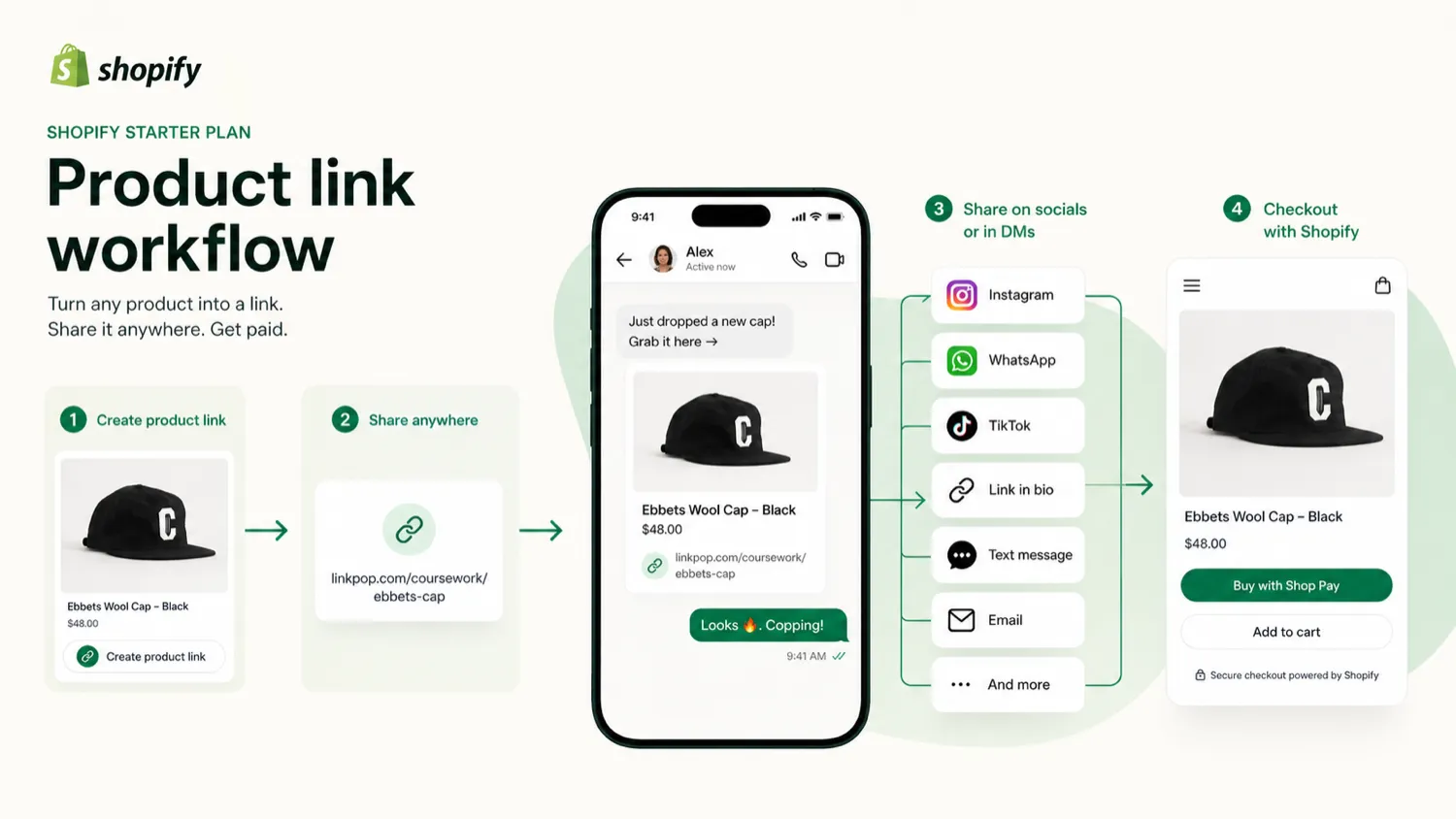
Workflow check: Starter Plan is worth a closer look only if you can name the channel where your first buyers will come from.
Features that actually matter
The most important Starter Plan feature is not the low price. It is the ability to sell without building a full store first.
The useful pieces are practical:
| Feature | Why it matters |
|---|---|
| Product links | Lets sellers share products through social posts, messages, email, SMS, or link-in-bio flows |
| Simple online store | Gives a basic product-page and checkout presence without a full site build |
| Shopify checkout | Lets a buyer use Shopify’s payment and checkout infrastructure instead of a handmade payment route |
| Order management | Helps new sellers receive, manage, and fulfill orders from one admin area |
| Reports and analytics | Gives a basic read on whether the selling test is working |
| POS support | Can help sellers accept in-person payments in simple retail, event, or market contexts |
| Upgrade path | Lets the seller move into higher Shopify plans when the business outgrows Starter |
The unavailable features matter just as much.
Shopify Help lists key Starter limitations, including no staff accounts, no product collections, limited theme/template options, no third-party carrier-calculated shipping, and no POS Pro subscription. That does not make the plan bad. It makes the plan specific.
If you need social selling, simple checkout, and early validation, those limits may be acceptable. If you need a brand store, they are warning signs.
Pricing and plan value
Starter Plan is attractive because the monthly price is low. Shopify’s Starter page states that the plan costs $5 USD per month, with a 5% transaction fee when using Shopify Payments. Buyers outside the United States should still verify the price and fees shown in their own account and region before making a final decision.
I would not judge this plan by the monthly fee alone.
The real pricing question is: “How long will I stay on this plan before the missing features or transaction fees make an upgrade more sensible?”
For a seller testing one product, the answer might be weeks or a few months. That is fine. Starter Plan can function like a low-cost validation path.
For a seller building a catalog, paid traffic funnel, content-driven brand, or professional storefront, the answer may be almost immediately. In that case, Starter can create a false sense of savings. You save on the monthly subscription, but lose time because the plan does not support the store you actually need.
The cheapest plan is not automatically the best deal.
A practical buyer should compare:
| Cost factor | Starter Plan decision question |
|---|---|
| Monthly plan fee | Is the low entry cost useful for a short test? |
| Transaction fees | Will sales volume make a higher plan cheaper or more rational? |
| Theme/storefront limits | Will the simple store hurt trust or conversion? |
| Staff access | Do you need team operations now? |
| Collections/catalog structure | Do customers need to browse by category? |
| Shipping controls | Do you need carrier-calculated shipping or more advanced logistics? |
| Upgrade timing | What feature will force you to leave Starter? |
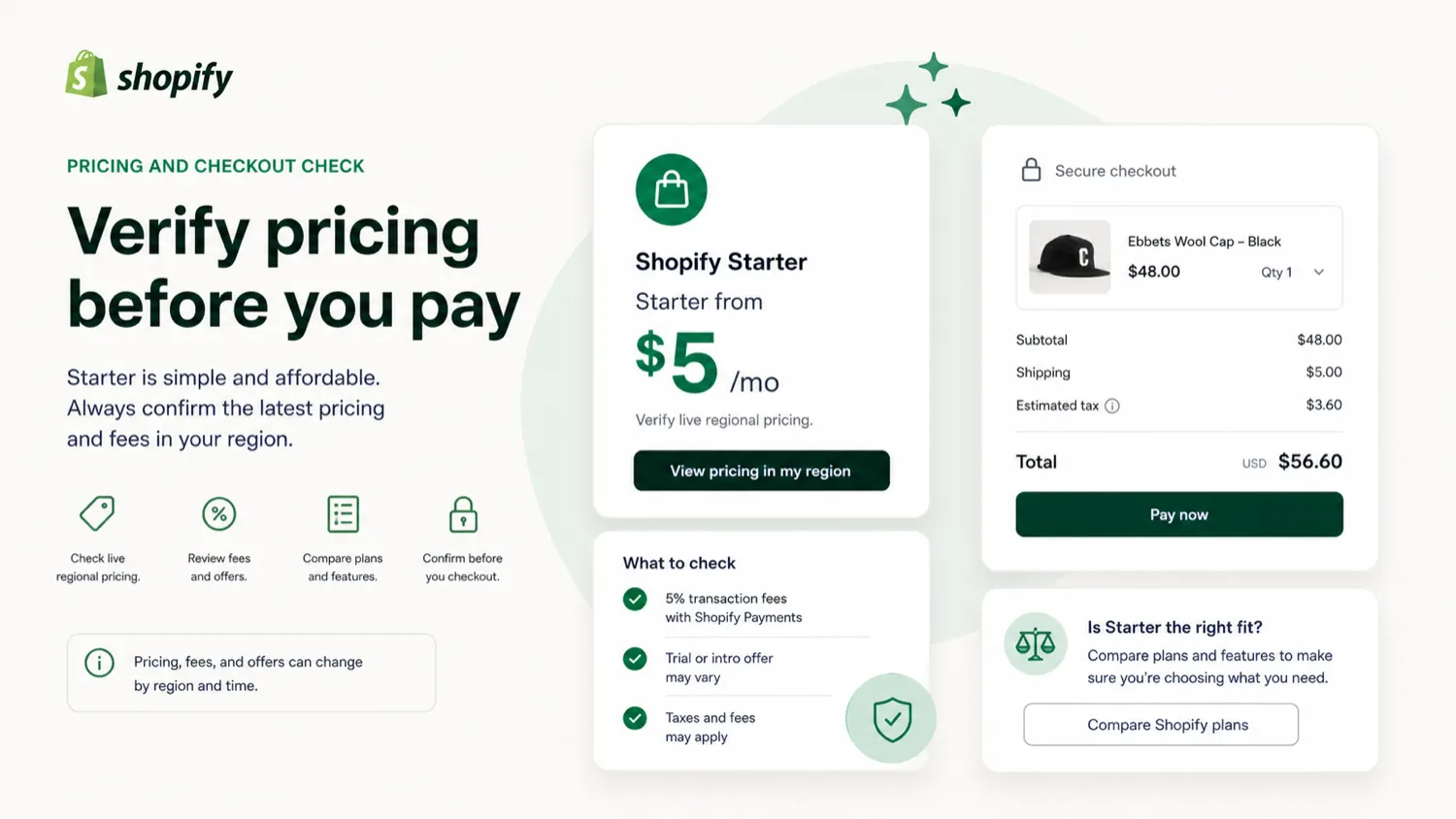
Pricing check: Before treating Starter Plan as the cheapest option, compare the live plan price, transaction fees, and the first feature that would force you to upgrade.
Free trial, coupon, and checkout notes
Starter Plan should be approached as a low-cost test, not as a coupon-first purchase.
Shopify often promotes free-trial or start-for-free routes, but the exact offer, conversion timing, and first paid charge can vary by region, account status, and active campaign. The safer buyer move is to read the checkout screen carefully before activating a plan.
The refund position also matters. Shopify’s help documentation says subscription plan charges are generally non-refundable. That means the buyer should not rely on getting money back after forgetting to cancel, choosing the wrong plan, or leaving a paid month unused.
For coupons, I would be even more careful.
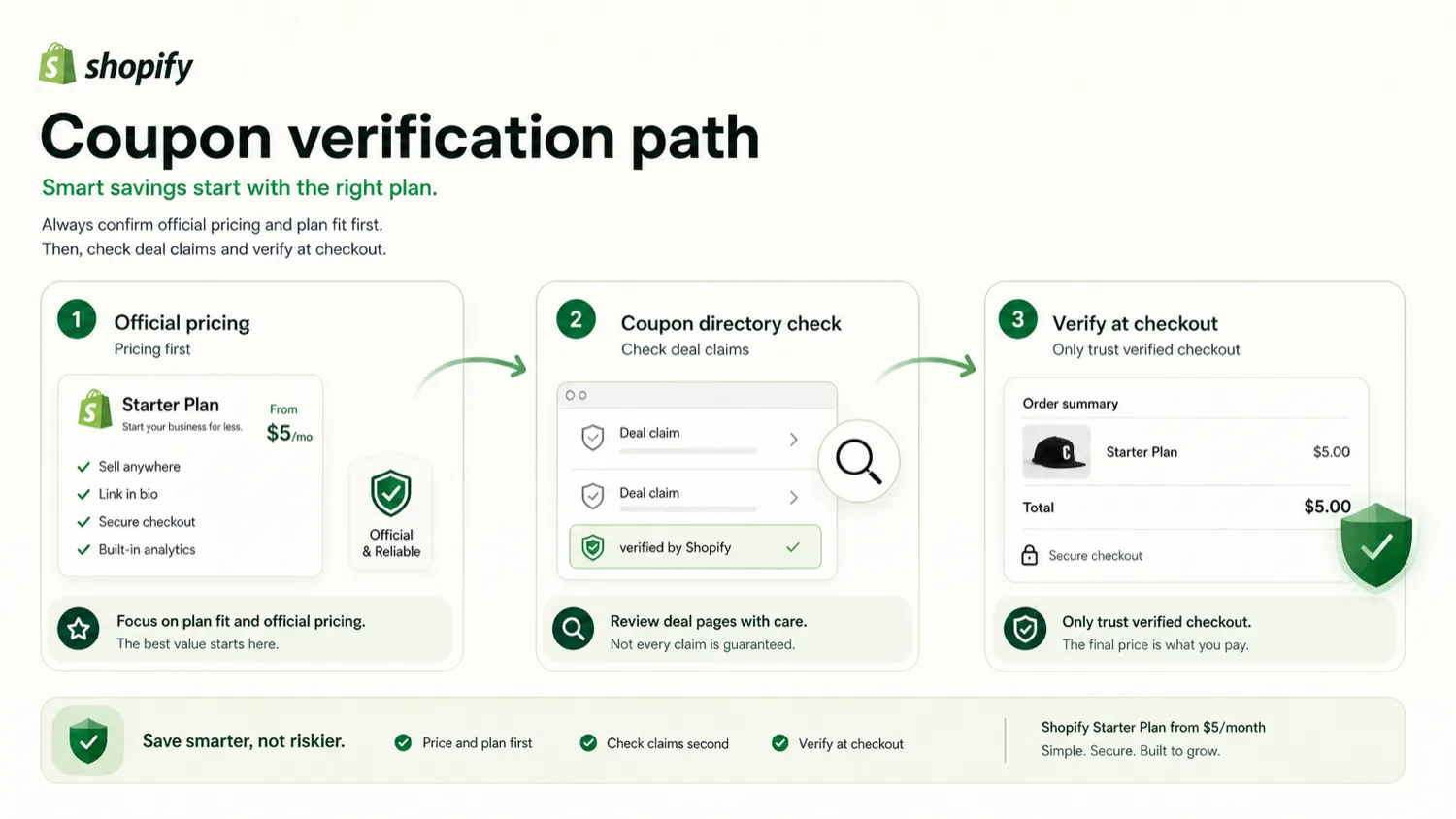
Public coupon pages can exist around a route, but a review should not treat coupon claims as product facts. If a code is not freshly verified at checkout, it should not be presented as reliable. A discount can improve the purchase, but it should not be the reason you choose Starter Plan.
The buying order should be:
- Confirm the workflow fit.
- Verify the current official price and fees.
- Check trial conversion and cancellation timing.
- Confirm refund stance.
- Check active offers only after the plan still makes sense.
That order protects the buyer better than chasing a coupon first.
What I would check before buying Starter Plan
Before paying, I would check six things.
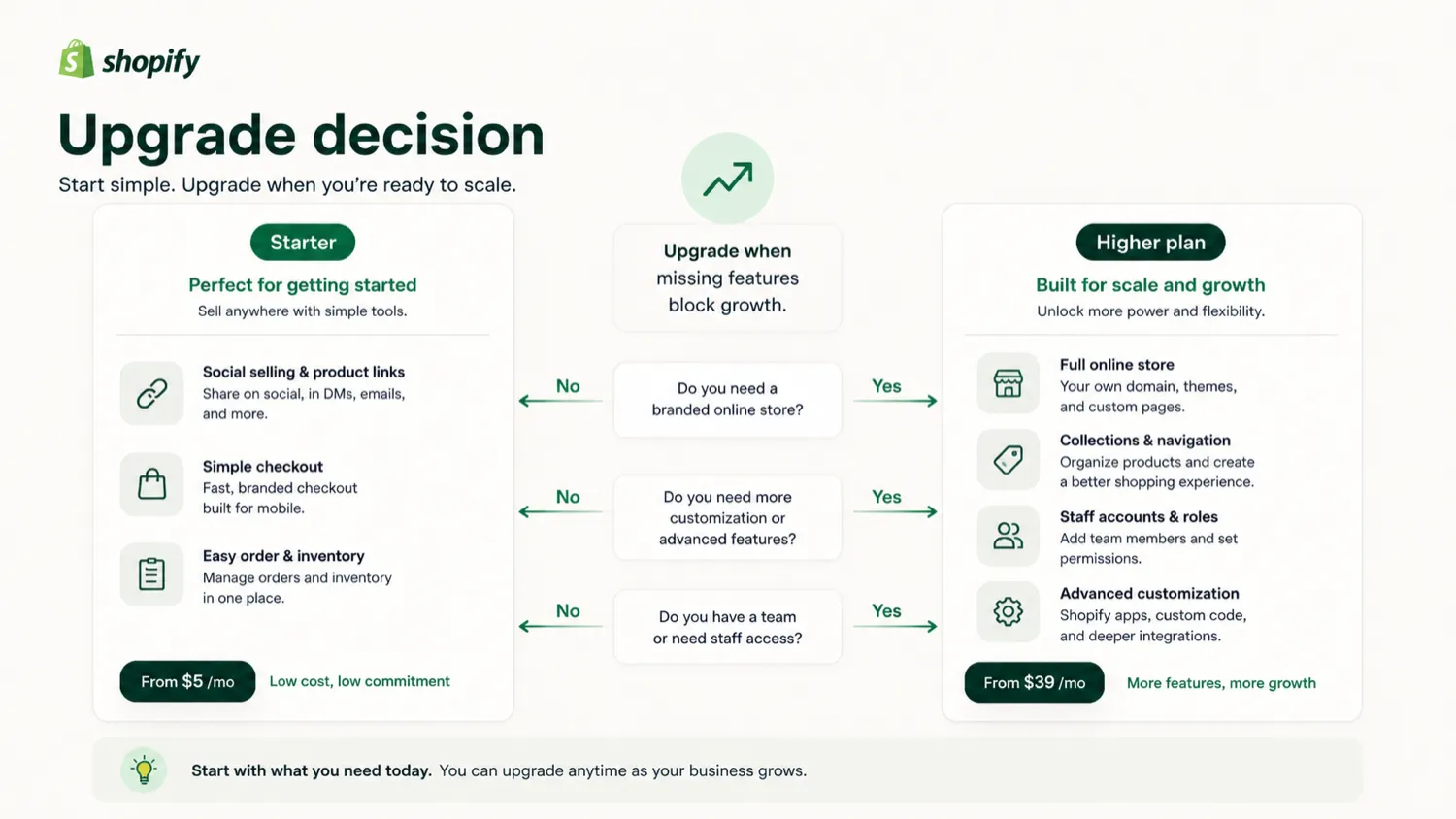
First, I would confirm availability. Shopify Help notes that Starter Plan is available for new merchants and those in the free trial period. If you are already on another plan or in a different account state, do not assume the same route is available.
Second, I would verify the live regional price. The official Starter page gives a USD reference, but Shopify pages can localize pricing by country and account context. The checkout page matters more than an old blog post.
Third, I would check transaction fees. A low monthly price is helpful only if the fee structure still makes sense against expected revenue.
Fourth, I would inspect the missing features list. No staff accounts, no product collections, limited templates, and restricted advanced shipping can be a small issue or a deal-breaker depending on the store.
Fifth, I would decide what would trigger an upgrade. If the answer is “as soon as I get my first few orders,” Starter may still be useful. If the answer is “before launch,” you may be starting on the wrong plan.
Sixth, I would check cancellation and refund language before the trial converts. This is not exciting, but it is the kind of detail that prevents annoying billing surprises.
A simple test before paying
I would not overcomplicate the test.
Pick one product. Pick one channel. Pick one sales message. Then see whether real buyers click, ask questions, and purchase.
A good Starter Plan test might look like this:
| Test step | What it proves |
|---|---|
| Create one real product | Whether the offer is clear enough to sell |
| Share one product link | Whether your audience responds to direct selling |
| Track clicks and orders | Whether the channel has buying intent |
| Review customer questions | Whether your product page lacks important information |
| Calculate total fees | Whether Starter stays economical after real sales |
| Decide upgrade trigger | Whether Basic or another platform should come next |
The mistake is treating Starter as a permanent ecommerce strategy before you have data.
If the test works, you have a better reason to upgrade. If the test does not work, you learned cheaply.
That is the strongest argument for Starter Plan.
Pros and cons explained
What I like
The low monthly cost makes the first test easier. New sellers often overbuild before they know whether the product has demand. Starter Plan pushes the buyer toward a simpler question: can this product sell through the channels I already have?
I also like that it keeps sellers inside the Shopify ecosystem. Checkout, order management, basic reporting, apps, and an upgrade path can matter if the test becomes serious. A seller who starts cheaply is not trapped outside a larger commerce system.
The social-selling fit is real. Product links, DMs, email, SMS, and link-in-bio workflows are how many creators and small sellers begin. A traditional full store is not always required for the first dollar.
What concerns me
The plan can be misunderstood as a full ecommerce builder. It is not. The missing staff, collection, template, and advanced shipping features can become visible very quickly.
The transaction-fee math needs attention. If sales grow, a higher plan may become more rational even though the monthly fee is higher.
The refund stance is not forgiving. Because subscription plan charges are generally non-refundable, buyers should set cancellation reminders and avoid casual activation.
The public coupon layer also needs caution. For Starter Plan, the official price and checkout terms are more important than unverified coupon claims.
Green flags and red flags
Green flags
Starter Plan has a clear role: social selling and simple checkout for new merchants. I like tools and plans that know what they are for.
The plan is also low-risk if used correctly. A seller can test product demand without committing to a higher monthly ecommerce bill.
The upgrade path is another positive. If the store grows, Shopify makes it possible to move into a broader plan without starting from zero.
Red flags
The biggest red flag is buyer overexpectation. If someone wants a polished store, Starter Plan is probably too thin.
The second red flag is fee blindness. A low subscription cost can hide the real cost of selling once transactions begin.
The third red flag is billing casualness. Subscription charges are generally non-refundable, so trial timing and cancellation discipline matter.
The fourth red flag is category confusion. If the buyer expected an AI design, product photo, or creative-generation tool, Starter Plan is the wrong object to evaluate.
Starter Plan vs alternatives
Starter Plan’s closest comparison is not an AI tool. It is a set of ecommerce and selling paths.
| Alternative | Better fit when… | Tradeoff |
|---|---|---|
| Shopify Basic | You need a real customizable online store, collections, more storefront depth, and stronger ecommerce structure | Higher monthly cost, but often more appropriate for serious stores |
| Wix | You want a website-first builder with ecommerce features and more visual control at the site level | Less Shopify-native commerce depth for sellers who want the Shopify ecosystem |
| Squarespace Commerce | You care about polished design, content pages, and a brand-forward store experience | May be less flexible for complex ecommerce operations than Shopify |
| Square Online | You sell in person and want a commerce setup tied closely to POS | Less natural if your future plan is a larger Shopify-based ecommerce operation |
| BigCommerce | You need more scalable ecommerce architecture from the beginning | Heavier than needed for simple social-selling tests |
For internal DealBestDaily routing, the comparison is different. The provided adjacent routes, 1of10 and Aitubo, are not direct ecommerce alternatives. They are more relevant if the buyer’s actual need is AI design discovery or AI visual generation rather than social commerce checkout.
That distinction matters.
If you want to sell a product, compare ecommerce plans. If you want to create product visuals, compare AI image or design tools. Do not let a mixed category label push you into the wrong purchase path.
Review methodology and evidence confidence
I would treat the evidence confidence for Starter Plan as high for the core product role and moderate for buyer-specific cost outcome.
The core role is clear because Shopify’s official Starter page and Help Center describe the plan as a lightweight route for social selling, product links, messaging apps, simple online store pages, checkout, order management, reports, and upgradeability.
The cost outcome is more buyer-specific. The public Starter price is simple, but regional pricing, transaction fees, payment setup, trial route, and upgrade timing can change the real cost. That is why I would avoid making a universal “cheapest plan” claim.
The risk profile is also clear enough: missing features and non-refundable subscription charges are practical buyer issues. They do not make the plan bad. They make it important to buy with the right expectation.
Final verdict
Starter Plan is a good plan when you use it for the right job.
I would consider it if you are a creator, solo seller, or beginner who wants to test a product through social media, DMs, email, SMS, WhatsApp, TikTok, Instagram, or a link-in-bio workflow. In that situation, the low entry price and Shopify checkout can be genuinely useful.
I would skip it if you already need a proper ecommerce storefront, product collections, staff accounts, stronger templates, advanced shipping, content pages, or a more professional brand experience. You will probably outgrow the plan too fast.
I would compare it with Shopify Basic if the store needs to look serious from the beginning. I would compare it with Wix or Squarespace if design and website presentation matter more than Shopify’s commerce ecosystem. I would compare it with Square Online if in-person selling is central. And I would only look at 1of10 or Aitubo if your actual problem is AI visual creation, not selling.
The safest path is simple: use Starter Plan to test demand cheaply, not to avoid building the store your business already needs.
