Starter Plan Pricing, Selling Fit & Next Step
Starter Plan is best handled as a lightweight social commerce entry path rather than a full ecommerce storefront. It is useful when a new seller wants to test product links, social media selling, direct message selling, and Shopify checkout without building a complete online store first.
Fit → price → checkout
Use these routes after the official-site check: coupon first, review for fit, compare if unsure.
Starter Plan pricing snapshot
Fast commercial checks before pricing, coupons, or a deeper review.
Starter Plan product tour
The video tour is useful for buyers who want to see whether Starter Plan is enough for social selling before paying for a fuller ecommerce plan. Watch for how product links, checkout, and setup steps work, because those details decide whether the low monthly fee is helpful or too limited.
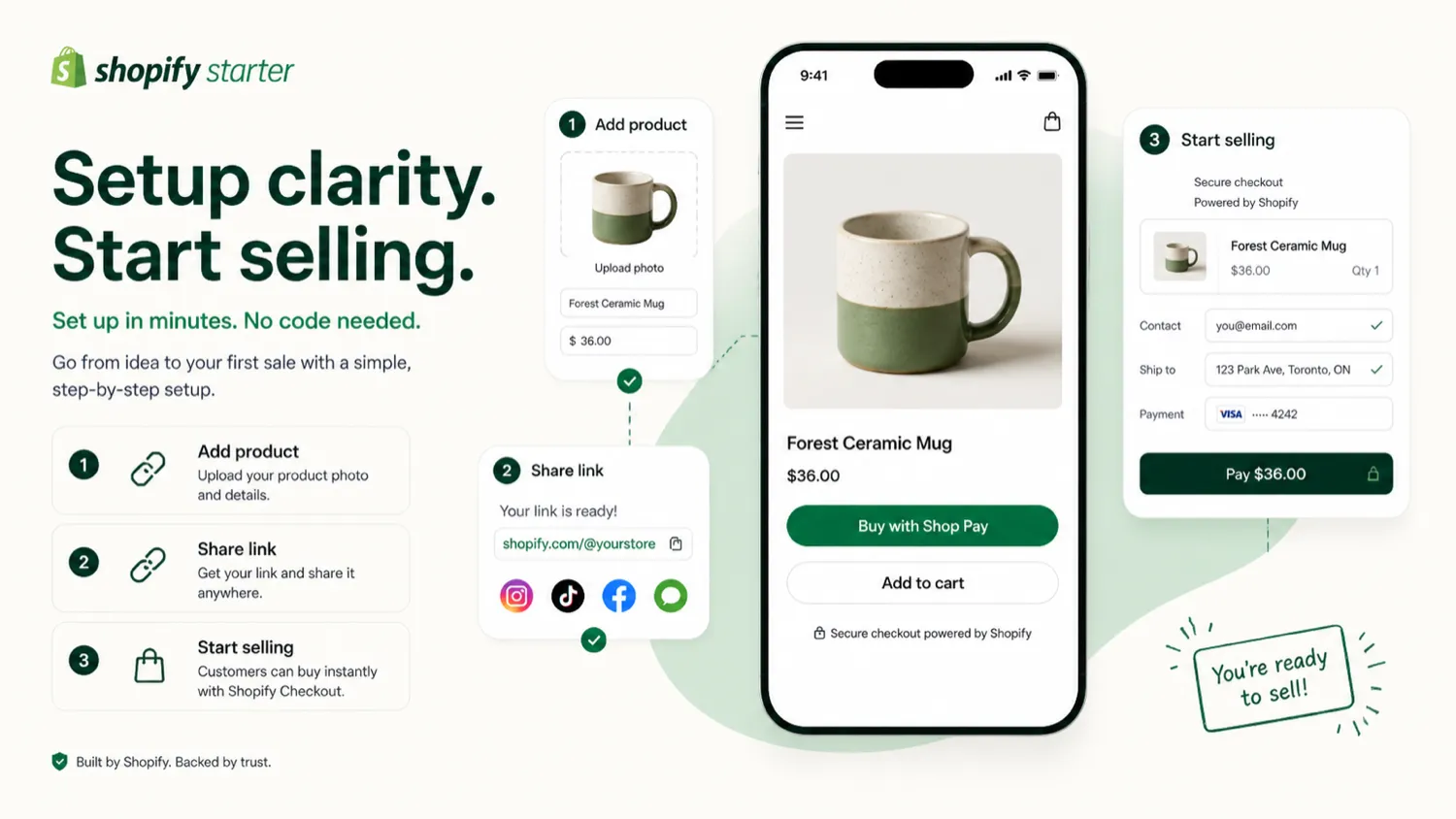
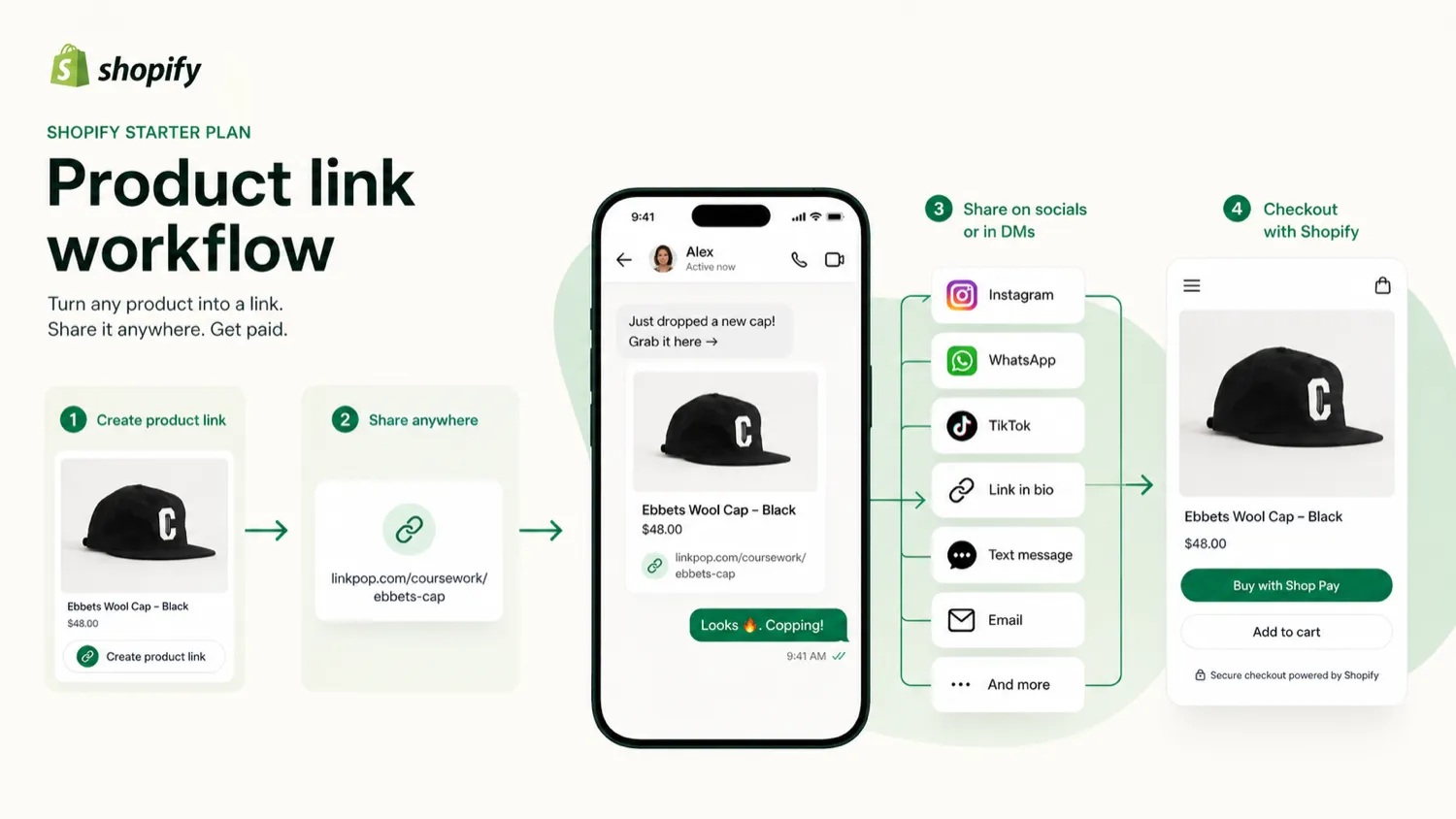
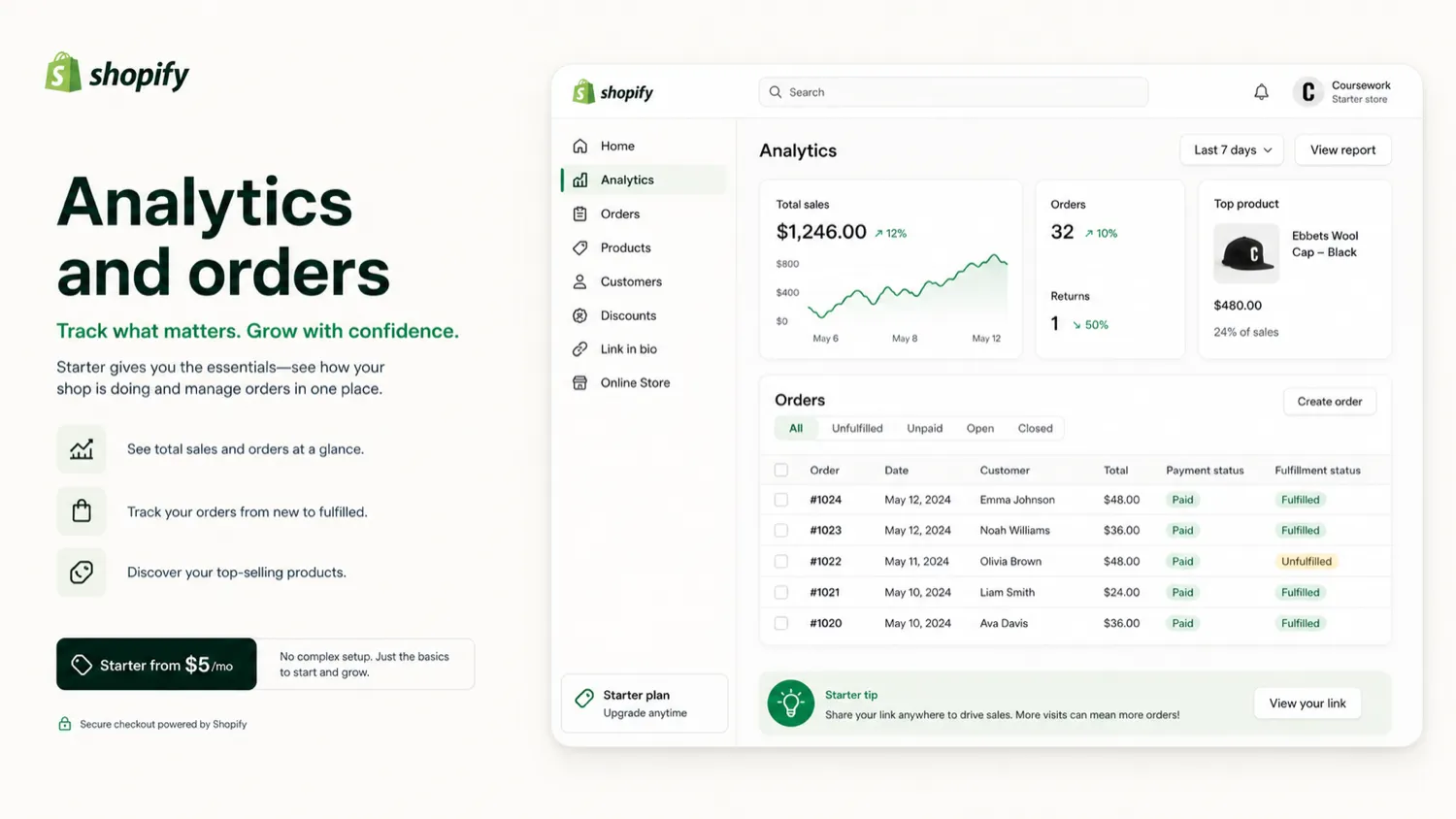
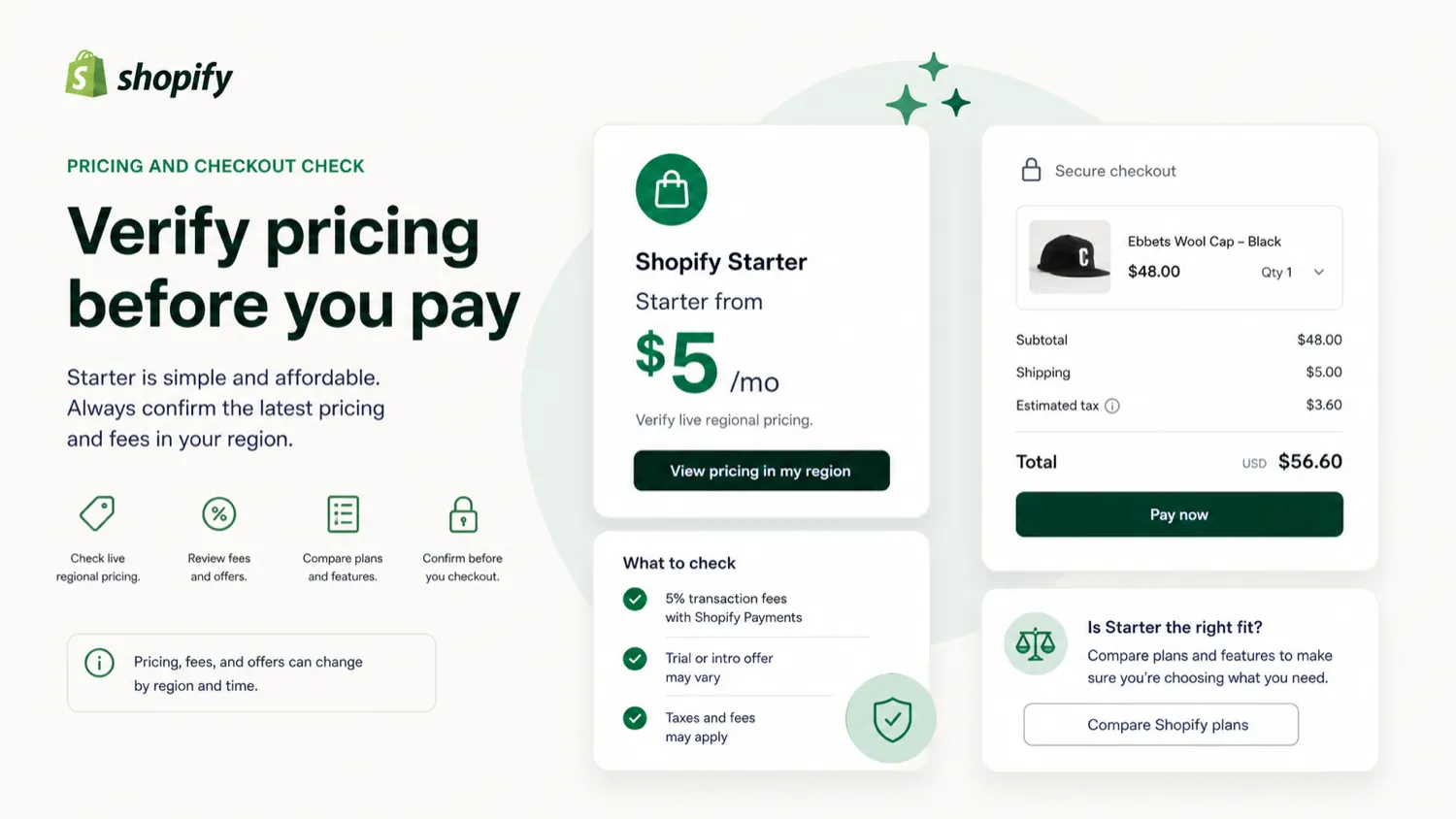
Starter Plan should be evaluated as a starter social-selling path, not as a complete ecommerce system and not as a confirmed AI design product. The buyer question is simple: can you sell through product links, messages, and social channels for a while, or do you already need the structure of a fuller Shopify plan?
What Starter Plan actually does
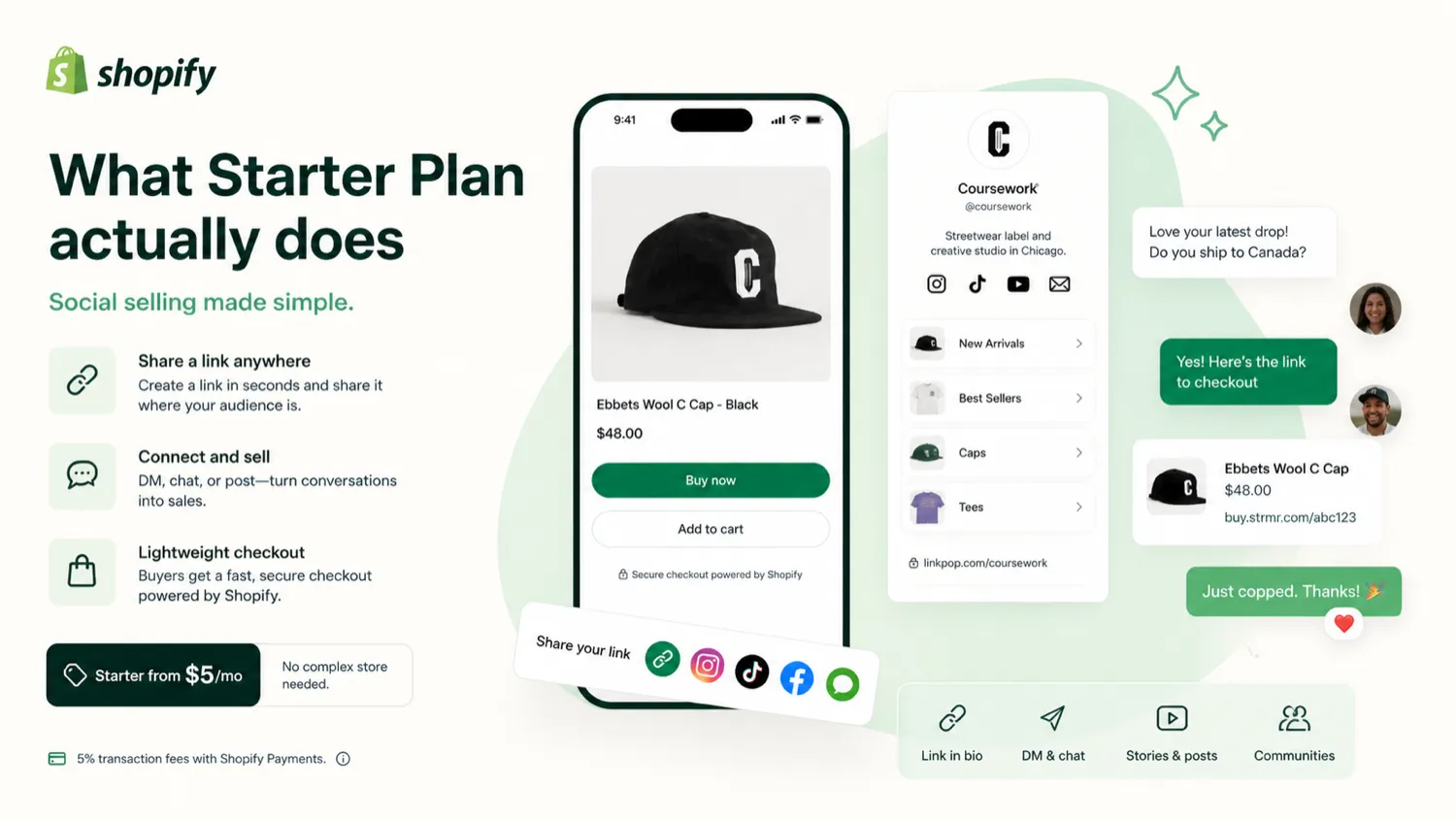
Starter Plan gives new sellers a lightweight way to sell products without building a full online store first. The core idea is to create product pages or product links, share them through social media or messages, and let Shopify handle checkout, orders, basic analytics, and support around the transaction.
- Sell through social media, messages, product links, and a simplified online store.
- Use Shopify checkout instead of assembling a separate payment flow.
- Manage orders and basic performance from the Shopify admin.
Who it fits best
Starter Plan fits creators, small sellers, side projects, and early product tests where the main goal is proving demand. It is not designed for a mature store that needs multiple staff members, complex catalogs, deep customization, or a marketing site around the products.
- Best for solo sellers with a simple product offer.
- Useful for creators with existing social reach.
- Practical for testing one small catalog before building a larger store.
Pricing and fee check
The low monthly price is the headline, but the full cost also includes transaction fees and the limits of the plan. Shopify's official page may localize the price by region, while third-party references commonly discuss a 5 USD monthly entry point. The buyer should confirm the current regional checkout price before making any public claim.
- Confirm the monthly price shown in your account region.
- Check transaction fees before comparing Starter with Basic.
- Look at upgrade cost before building the whole business around the entry plan.
Video guide for setup clarity
This setup video is useful for buyers who want to see the practical flow before choosing a plan. Watch for the steps around activating the plan, setting up products, and understanding what the Starter workflow does not include, because those gaps are usually where new sellers make the wrong purchase.
- Watch how the plan is activated and where setup decisions appear.
- Pay attention to whether the workflow feels too limited for your store idea.
- Use the video as a practical checkout-readiness check, not just a tutorial.
What buyers should verify before checkout
The safest buyer path is to verify four things: live regional price, trial conversion, refund stance, and missing features. Starter Plan can be a smart first click, but it becomes frustrating if the buyer later discovers they needed staff accounts, product collections, deeper templates, or lower transaction fees from the start.
- Check whether Starter is available for your account and region.
- Confirm whether the trial converts automatically and when billing begins.
- Review unavailable features in Shopify Help before publishing your store link.
How to treat public coupon claims
Starter Plan has public coupon directory pages, but the descriptions around starterplan.io are mixed and sometimes appear to blend coupon data, Shopify Starter references, and generic store text. For DealBestDaily, that means the store page should use coupon routing carefully and avoid displaying any coupon-code claim unless the offer was verified in the current checkout flow.
- Use the official plan page as the first source for pricing.
- Use coupon pages only as a secondary savings check.
- Do not reveal or promote public codes unless they have a fresh verification path.
Best next step
If the buyer already sells through social content, DMs, email, SMS, or a link-in-bio workflow, the next step is to check the official Starter page and confirm the live price. If the buyer needs a real storefront, product collections, a blog, staff access, or deeper design control, the safer next step is to compare Starter against Shopify Basic or another ecommerce platform before checkout.
- Use Starter if social selling is enough for the next test.
- Compare higher plans if storefront quality matters now.
- Read the review before using a coupon route when classification or fit is unclear.
Best savings path from this store page
This is the clearest savings route to check once the product already looks like a fit.
A public coupon directory reports a second Starter Plan checkout code with recent community activity. Use it only as a backup test path.
Reported first-purchase discount path
Reported low-price product path
Use comparison routes when the category fit is still open
Use these comparison routes when the product still looks plausible, but the category fit is not fully settled.
Verification points worth checking before you click out
Where this store usually fits best in the workflow
A creator can use Starter Plan to test a small set of products through Instagram, WhatsApp, TikTok, email, or a link-in-bio workflow before building a full store.
A new seller with a few products can validate demand, checkout experience, and order handling before paying for a more complete ecommerce plan.
A beginner can learn Shopify checkout, orders, analytics, and fulfillment basics without committing immediately to a higher monthly plan.
A growing seller can use Starter Plan for the first stage, then compare the cost and missing features before moving to Basic or a higher plan.
Practical checkpoints before and after signup
- Confirm whether Starter Plan is available for your account and region.
- Check the live monthly price, trial terms, transaction fees, and refund language.
- Make sure social selling or product-link selling is actually enough for your next sales test.
- Build only the simplest product flow first so you can test whether customers will buy.
- Track which sales channels actually produce clicks and orders before investing in a larger store build.
- Compare transaction fees, staff needs, collections, storefront customization, and reporting needs.
- Upgrade only when the missing features are blocking sales or operations, not just because the dashboard feels limited.
Fast-read signals for workflow fit and buying friction
Questions readers usually ask before choosing this store
Is Starter Plan a full ecommerce store builder?
Not really. It is better understood as a lightweight social selling and checkout entry path. It can help a new seller start taking orders, but it is not the same as building a more complete ecommerce storefront with deeper templates, collections, and team operations.
How much does Starter Plan cost?
Public sources commonly discuss a 5 USD monthly entry price, while Shopify's own pages may show localized pricing by region. Buyers should verify the live checkout price, transaction fees, and trial terms in their own Shopify account before publishing any pricing claim.
Does Starter Plan have a free trial?
Shopify promotes a start-for-free path, and third-party coverage often references a trial. The safe buyer action is to confirm the current trial terms, conversion date, and first paid charge directly in Shopify before activating the plan.
What is the biggest limitation of Starter Plan?
The biggest limitation is that it stays intentionally lightweight. Staff accounts, product collections, deeper storefront customization, and some advanced commerce features require higher plans, so Starter is best for testing rather than scaling a mature store.
Should buyers use a coupon page before choosing Starter Plan?
Only after the plan fit is clear. Coupon pages can be checked as a secondary savings route, but the buyer should first verify official pricing, transaction fees, missing features, trial conversion, and refund terms. A coupon is not useful if the plan cannot support the selling workflow.
Choose the next route that matches what you still need to decide
The strongest next click depends on whether you still need product judgment, a savings route, or a broader category comparison.