Quick verdict
Relay.app is worth considering if you have a real workflow to automate, not just a vague feeling that your team “should use AI more.”
That is the first filter I would use.
Relay.app combines plain-English workflow creation, a visual automation builder, AI steps, integrations, and human-in-the-loop controls. That sounds attractive, but the buying decision is narrower: can one repeated process run through Relay.app often enough to justify the plan, step limits, AI credits, and team setup?
For my money, Relay.app is strongest for founders, operators, consultants, and small teams with recurring sales, support, recruiting, reporting, content, or internal operations work. It is less convincing for buyers who only need one simple app-to-app connection, teams that want deep engineering control, or anyone choosing a paid plan before testing a real workflow.
The Free plan is useful because it gives you a low-risk way to build one workflow and see whether the product fits. The main caution is that free usage does not prove long-term cost. Monthly steps, AI credits, shared connections, and annual billing can change the real buying decision quickly.
The safer path is simple: map one actual workflow, build it on the Free plan, monitor step and AI credit usage, and only then decide whether Professional or Team makes sense.
Next step: If Relay.app looks like a fit, check the live product route and current plan structure before assuming the Free plan will cover real monthly usage.
Review snapshot
| Review point | Practical take |
|---|---|
| Best for | Founders, operators, consultants, and small teams building repeatable AI-assisted workflows |
| Not ideal for | One-off automation users, heavy technical teams, or buyers who need self-hosted backend control |
| Main use case | Visual workflows across apps with AI steps, approvals, manual inputs, and run monitoring |
| Free path | Free plan for testing workflow fit before paying |
| Paid path | Professional for solo users who outgrow Free; Team for shared workflows and multi-user use |
| Main strength | AI-friendly workflow automation that still keeps human approval in the process |
| Main concern | Real cost depends on step volume, AI credits, team usage, and annual billing confidence |
| Direct alternatives | Make, Zapier, n8n, Albato |
| Adjacent route | Adalo if the real goal is building an app interface |
| Best next step | Build one real workflow before choosing annual billing |
What is Relay.app?
Relay.app is a no-code workflow automation platform for teams that want to connect apps, run ordered workflows, use AI inside those workflows, and keep humans in the loop where judgment still matters.
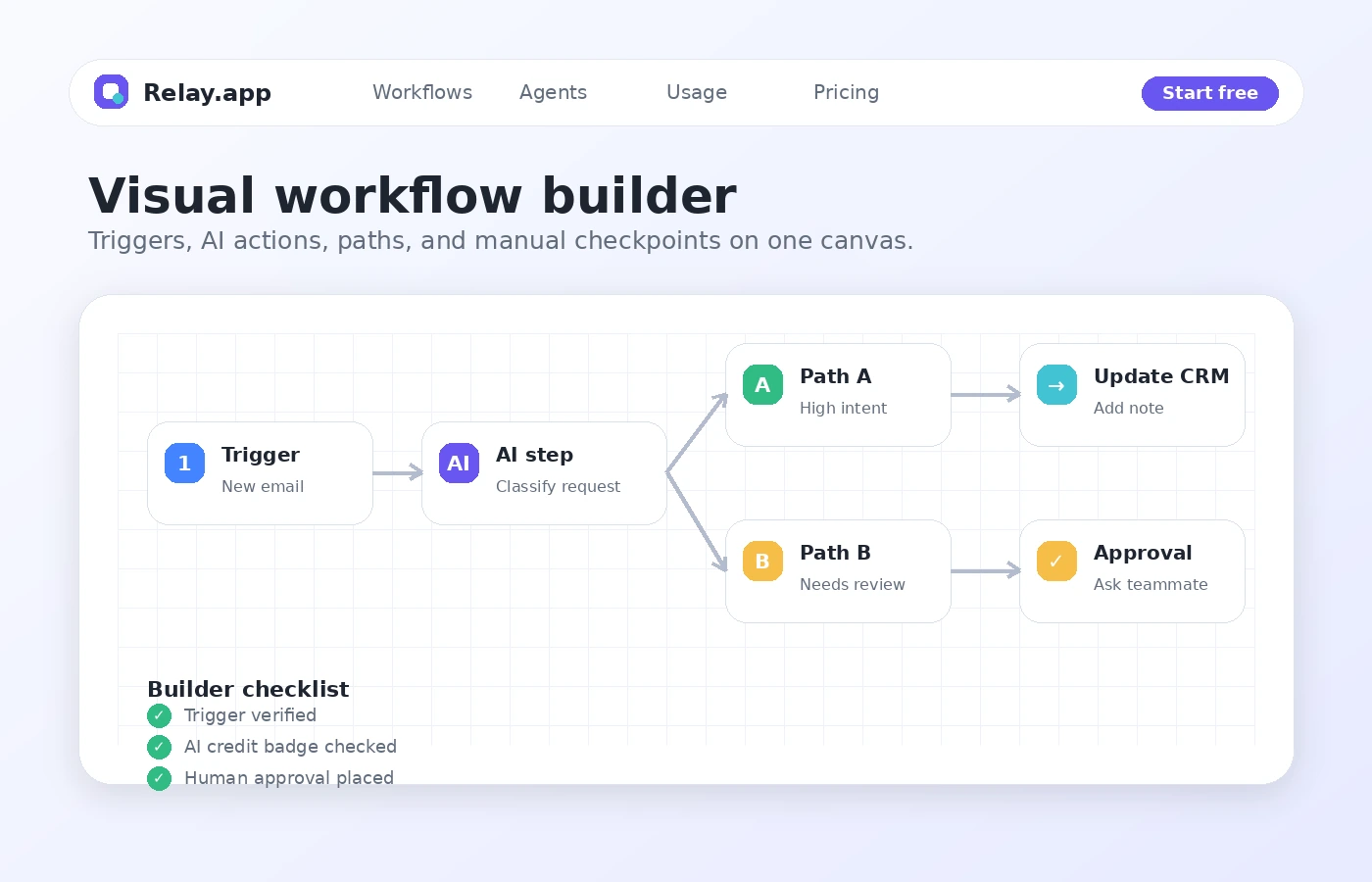
It is not just a chatbot, not a spreadsheet automation trick, and not a no-code app builder. It is closer to a modern workflow automation workspace. A workflow can start with a trigger, move through app actions, call AI steps, route through paths, pause for approval, collect manual input, and then continue into another system.
That matters because many AI automation tools sell the dream of “agents” without making the process easy to inspect. Relay.app’s value is not only that it uses AI. The more useful idea is that AI sits inside a visible workflow that a person can review, adjust, and monitor.
Our review approach compares public product pages, pricing details, help documentation, deal terms, buyer workflow fit, and nearby alternatives. I would not treat a low monthly price or an AI label as proof that Relay.app fits your process. The product becomes interesting only when it saves time inside a workflow you already repeat.
Who should use Relay.app?
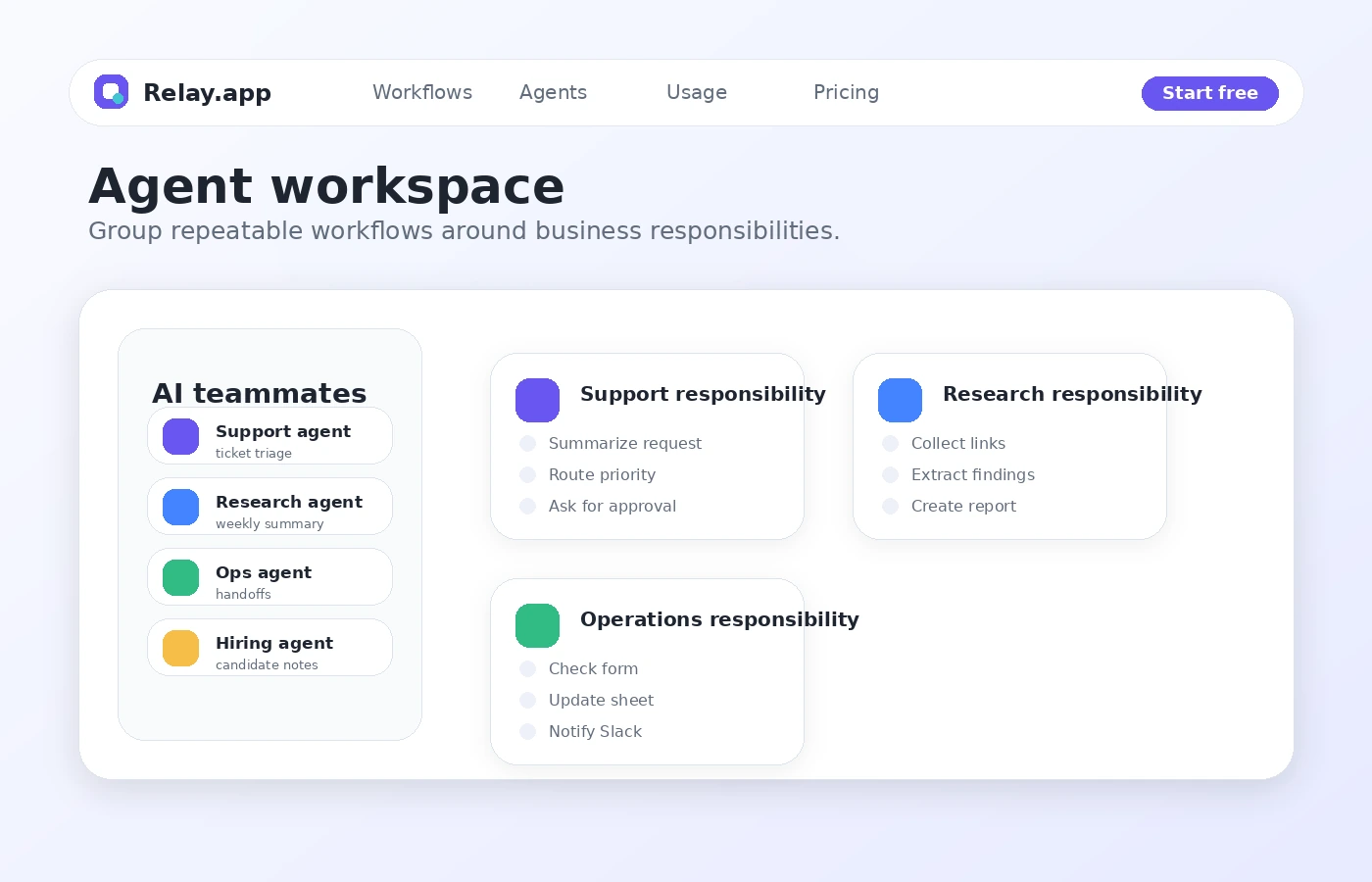
Relay.app makes the most sense for founders, operators, consultants, and small teams with recurring operations work. Sales follow-ups, support triage, onboarding steps, recruiting summaries, internal reporting, and client handoffs can fit the general shape of a Relay.app workflow.
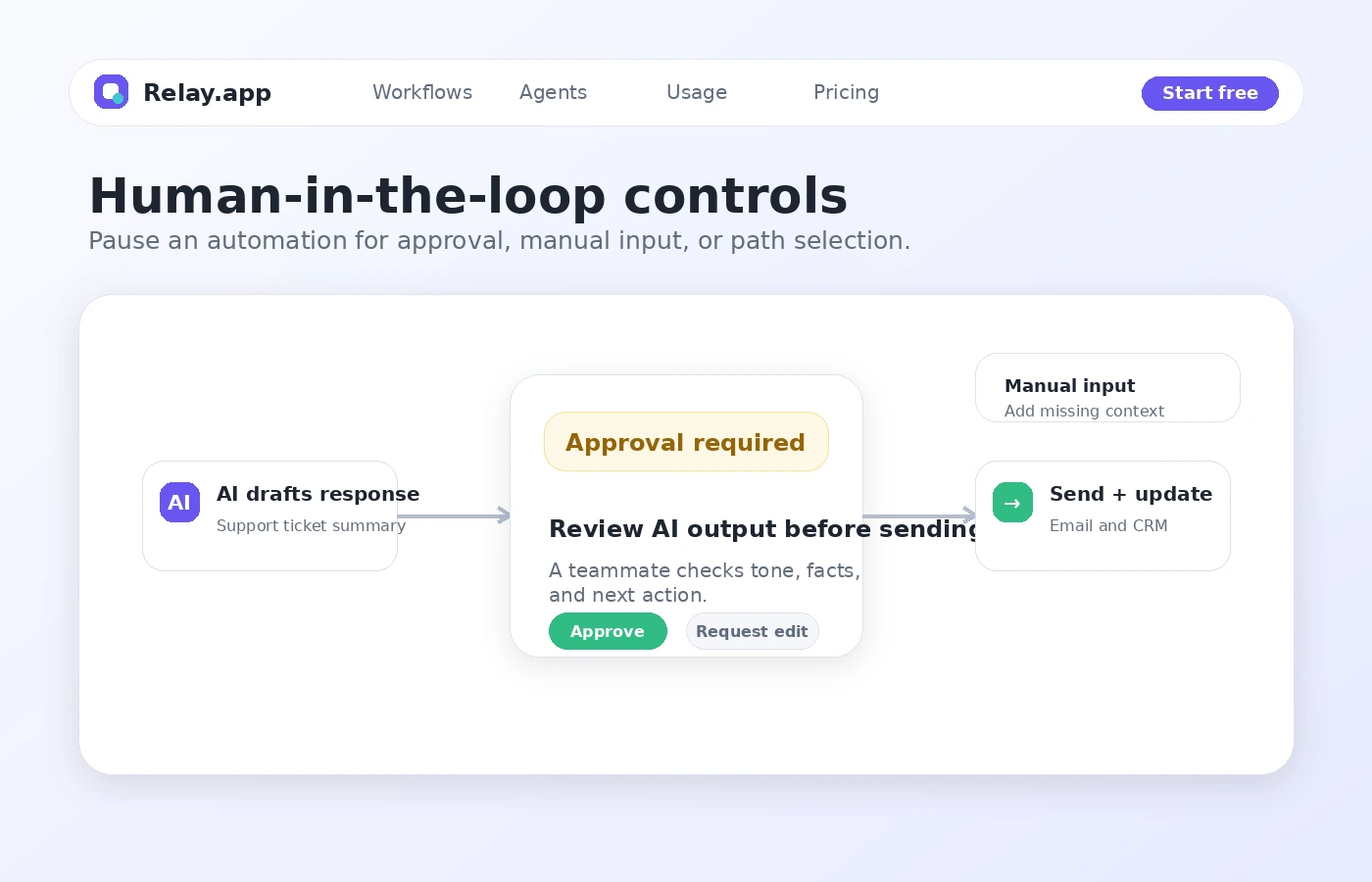
It is especially relevant when a teammate still needs to approve an AI-generated summary, provide missing context, or choose the next path before a workflow acts. That is the practical middle ground: use AI to reduce repetitive work, but keep judgment in the process where mistakes would matter.
Who should avoid Relay.app?
I would avoid Relay.app if you do not have a repeatable process yet. Building workflows feels productive, but if the underlying task is unclear, automation may only make confusion faster.
I would also be careful if you only need one basic app connection, expect unlimited AI usage, or need self-hosting, deep backend control, source-level customization, or a developer-owned automation stack. Relay.app becomes more compelling when you need multiple steps, AI, approvals, branches, shared workflows, or visibility.
How Relay.app fits into a real workflow
A good Relay.app workflow starts before you open the builder.
First, choose one recurring business process. Not “automate marketing.” Something narrower: summarize new sales calls and draft follow-ups, route support tickets by category, collect applicant context, turn meeting notes into tasks, or produce a weekly internal update.
Then map the trigger. What event starts the workflow? A new email, a form submission, a CRM update, a row in a table, a scheduled time, or another app event?
Next, list the steps. Which app needs to be read? Which data needs to be transformed? Where does AI actually help? Where does it create risk? Does a human need to approve the output before it reaches a customer, candidate, lead, or internal stakeholder?
The decision point is not whether the demo looks smooth. The decision point is whether the workflow stays understandable after it runs ten, fifty, or a few hundred times.
Real-world buyer scenarios
A founder automating sales follow-up
A founder may use Relay.app to collect lead context, summarize a call or form submission, draft a follow-up, pause for approval, then update a CRM or send a message. This is a good fit when the sales process repeats and the founder wants consistency without losing control. The first thing to verify is whether the workflow can run with the actual tools used in the business.
A support team triaging requests
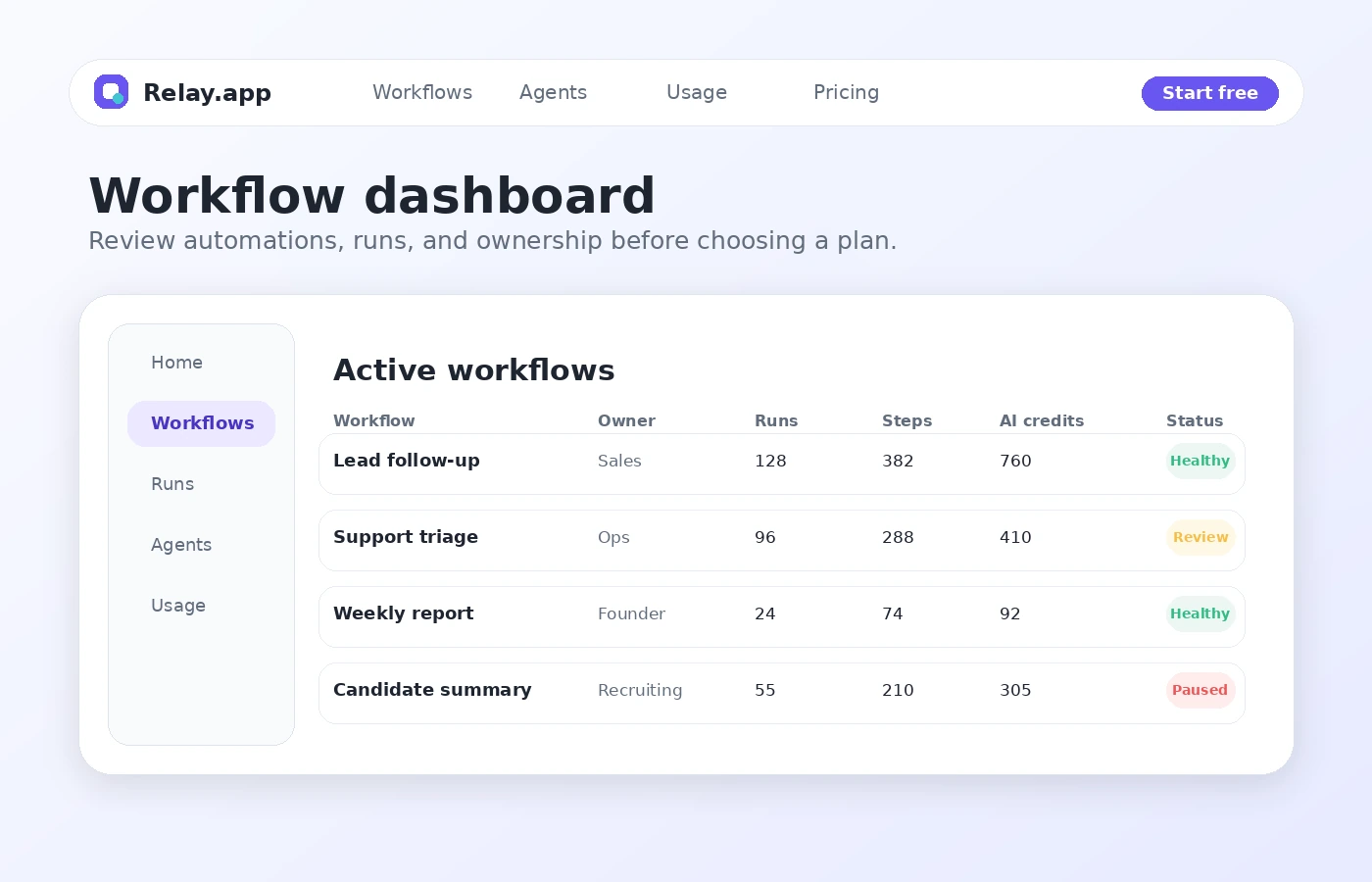
A support or operations team may use Relay.app to classify incoming requests, summarize details, route tasks, and ask a teammate to approve the next step. This is where human-in-the-loop controls matter. AI can help with structure and speed, but customer-facing support still needs judgment.
A team creating recurring internal reports
A team may use Relay.app to gather updates from apps, summarize the results, format a report, and send it to Slack, email, Notion, or another workspace. This works best when the data sources are stable and the report structure repeats.
Key features that actually matter
Plain-English workflow creation
Relay.app’s plain-language angle is useful because automation usually breaks at the translation layer. A business user knows the process, but not always the technical structure. If Relay.app can help turn a natural-language instruction into a visible workflow, it lowers the barrier for non-technical operators.
Buyer note: plain English should not replace review. Always inspect the generated workflow before letting it act on real business data.
Visual workflow builder
The visual builder is the part I would spend the most time with. It should show the trigger, ordered steps, AI actions, branches, waits, and approval points clearly enough that someone can maintain the process later.
Buyer note: a workflow is only useful if your team can understand it after the person who built it is no longer in the room.
Human-in-the-loop controls
This is one of Relay.app’s more important buying angles. For sales, support, recruiting, content, finance, and operations work, full automation can be risky. Approval steps, manual inputs, and path selection give teams a way to keep judgment in the process.
Buyer note: human approval is not automatically a benefit. Put it only where a mistake would matter.
AI steps and AI credits
Relay.app can use AI for prompts, extraction, summaries, classification, translation, transcription, structured outputs, and related workflow tasks. That is useful when AI reduces repetitive thinking or formatting work.
Buyer note: build a test workflow that uses the same AI steps you expect to use later, then check credit consumption.
Pricing and plan value
Relay.app pricing is relatively easy to understand at the plan-label level, but the real value depends on usage.
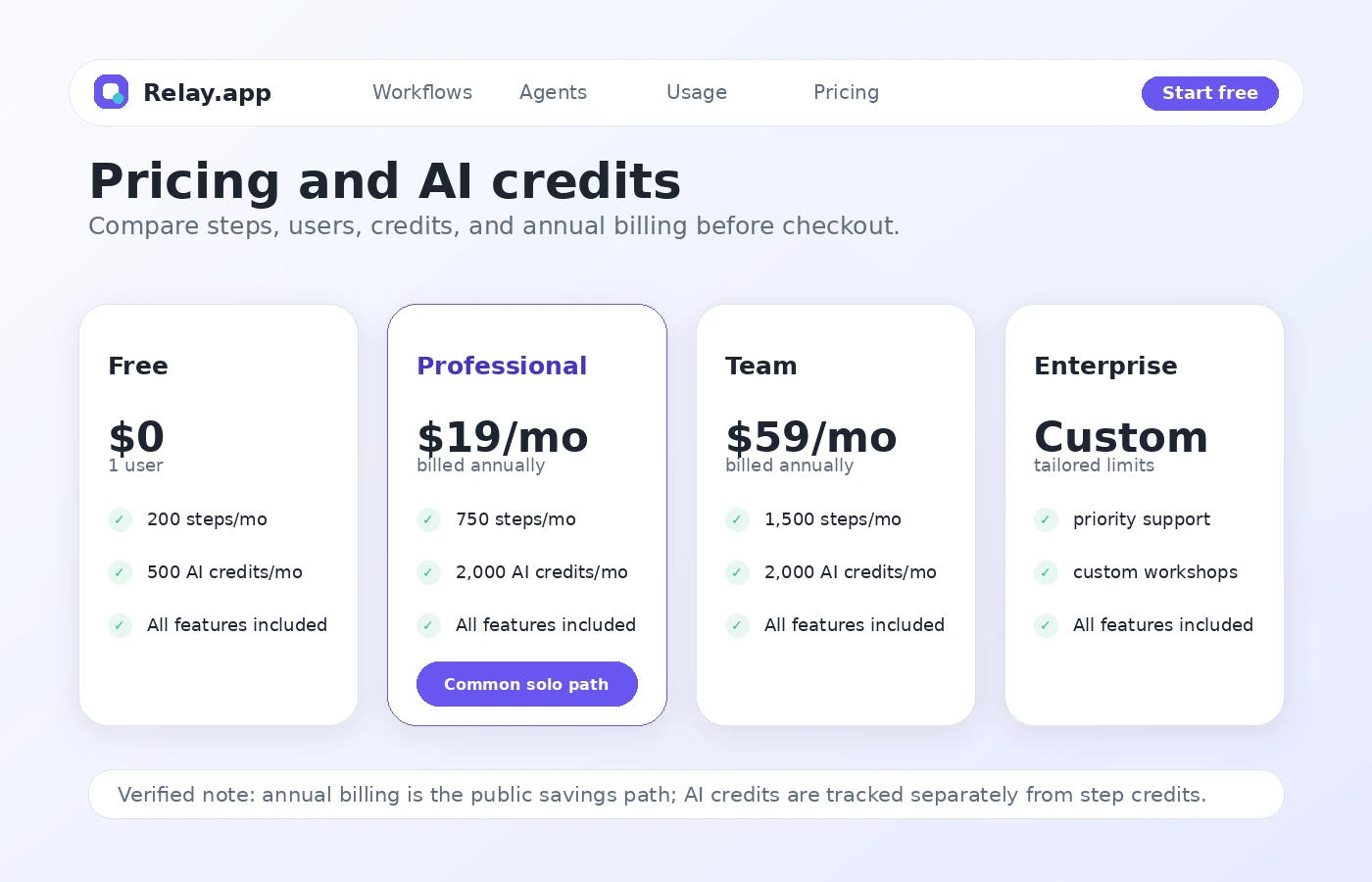
At the time of this review, the public pricing page shows a Free plan at $0 with one user, 200 steps per month, and 500 free AI credits per month. Professional starts at $19 per month when billed annually, includes one user, 750 steps per month, and 2,000 free AI credits per month. Team starts at $59 per month when billed annually, includes 10 users, shared workflows, shared connections, 1,500 steps per month, and 2,000 free AI credits per month. Enterprise is custom.
That makes the Free plan the right starting point for most buyers. It is enough to test whether Relay.app feels usable and whether one real workflow can be built cleanly. It is not enough to prove long-term team economics.
Professional makes sense when one person needs more monthly workflow volume than Free allows. Team makes sense when the workflow is no longer owned by one person or when shared connections matter. Enterprise is the route to check if custom usage limits, priority support, training, compliance needs, or custom integrations are part of the buying decision.
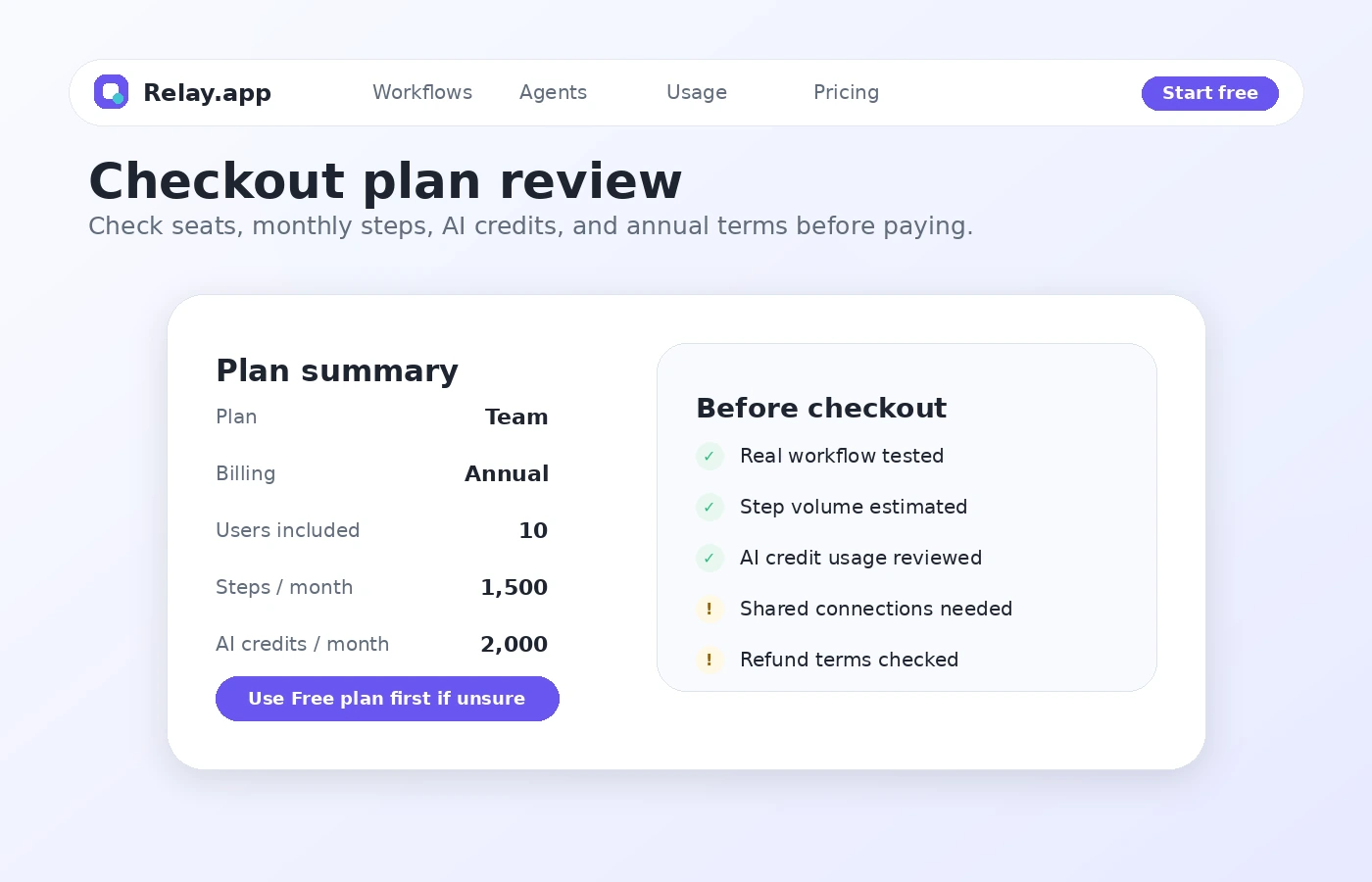
The part I would watch closely is AI credit usage. AI credits can be consumed by model prompts, scraping, transcription, text-to-speech, and similar AI-related actions. A workflow that looks cheap on paper may become less predictable if it runs often and uses AI at several points.
I would not move to annual billing until one real workflow has run long enough to reveal monthly step and AI credit patterns.
Pricing check: Before choosing a paid plan, compare live step limits, AI credits, shared workflow needs, and current checkout terms against one real monthly workflow.
Check Relay.app pricing Check current offers Read store guide
Free plan, trial, coupon, and checkout notes
Relay.app’s Free plan is the strongest safe entry point.
A free plan is not the same as a full trial for your team. It is a testing lane. Use it to answer practical questions: can you connect the right apps, build the workflow, use the AI step correctly, add approval where needed, and understand usage after real runs?
A public coupon code was not something I would build the buying decision around here. The better savings path is plan discipline: start free, prove the workflow, then compare monthly and annual billing. If active offers are available, check them only after the product fit is clear.
The checkout order I would follow is: build on Free, run realistic data, check step and AI credit usage, compare Professional vs Team, read cancellation terms, then choose monthly before annual if usage is still uncertain.
What I would check before buying Relay.app
If I were buying Relay.app for a real workflow, I would check these points before paying:
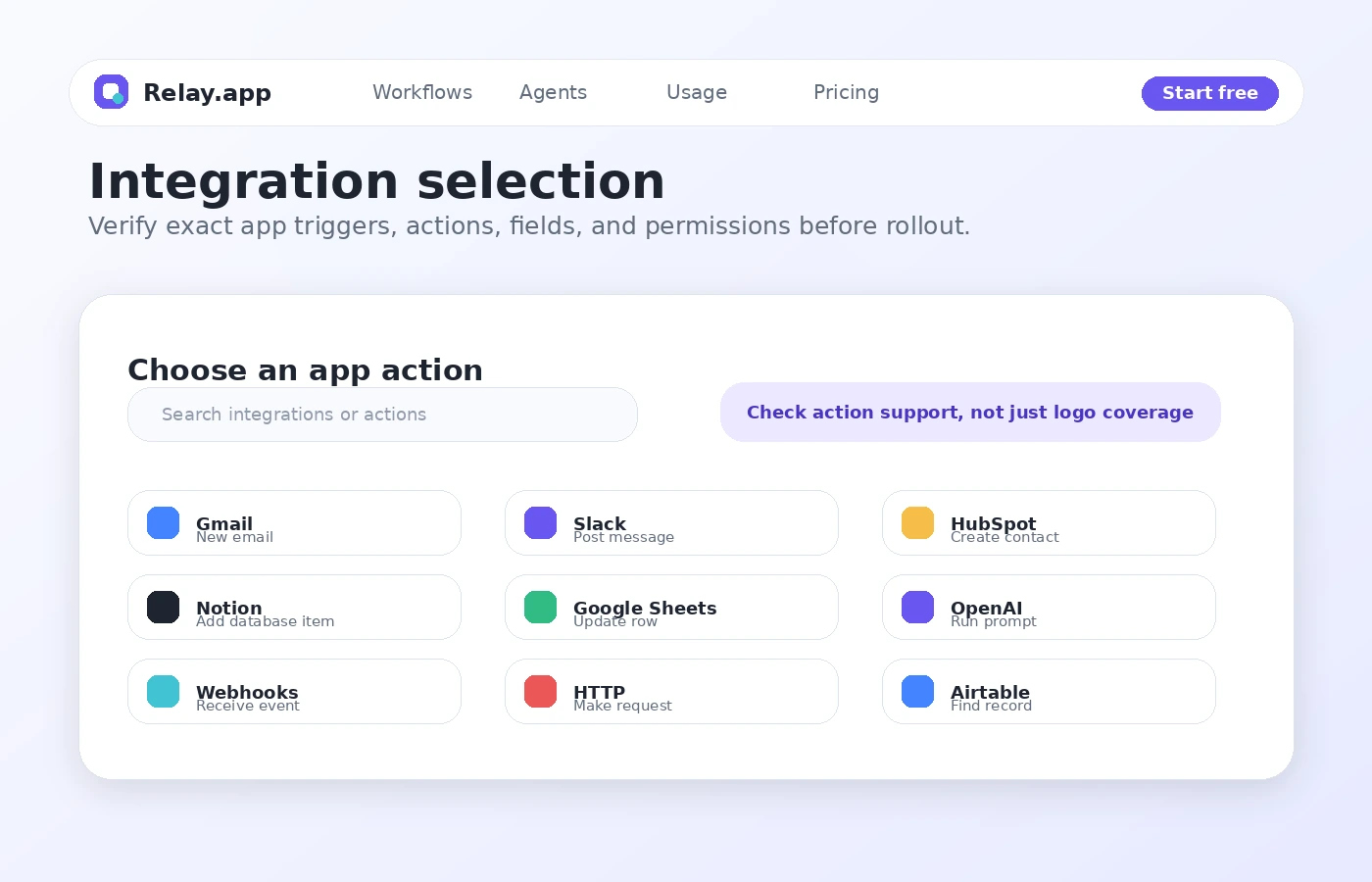
- Whether the exact trigger and action I need exists for each app in the workflow.
- Whether the Free plan can run a realistic version of the workflow, not a toy example.
- How many steps a normal monthly workflow would consume.
- Which AI actions consume credits and how quickly those credits are used.
- Whether one user is enough or whether shared workflows and shared connections are required.
- Whether annual billing is safe given the current refund and cancellation terms.
- Whether Make, Zapier, n8n, or Albato fits the same workflow better.
The easy mistake is comparing automation tools by feature count. The better check is boring but useful: can this one workflow run every week without someone babysitting it?
A simple test before paying
Before paying, I would run a small test like this:
- Pick one workflow that already repeats in your business.
- Write down the trigger, required data, AI step, approval point, and final output.
- Build the workflow on the Free plan using the real apps you expect to use later.
- Run it with realistic sample data, not a perfect demo input.
- Inspect whether the AI output is good enough to approve or still needs heavy editing.
- Check step usage and AI credit consumption after several runs.
- Decide whether the workflow saves enough time to justify Professional or Team.
This test is intentionally narrow. If Relay.app cannot prove value on one repeated process, paying for a broader automation stack will not fix the problem.
Pros explained
Relay.app’s first real pro is approachability. It tries to make AI workflow automation understandable for people who do not think like automation engineers. That matters for founders and operators who know the business process but do not want to manage a complicated backend.
The second pro is the human-in-the-loop model. Many AI automation tools push toward full autonomy too quickly. Relay.app is more attractive when a workflow needs AI help but still benefits from approval, manual input, or path selection before an important action runs.
The third pro is the Free plan. It gives buyers a way to test with limited risk. A product in this category should not require annual commitment before the buyer has built one real workflow.
Cons explained
The biggest con is usage predictability. Step limits and AI credits are not hard to understand, but they require honest estimation. A workflow that runs a few times during testing may behave very differently once it becomes part of daily operations.
The second con is refund caution. The terms do not present a simple no-questions money-back window for ordinary cancellation. That does not make the product bad, but it does make annual billing a decision to delay until workflow fit is proven.
The third con is integration verification. Support for an app name is not the same as support for the exact trigger, action, field, permission, or shared account behavior your workflow needs.
Green flags and red flags
Green flag: you can name one workflow that already wastes time every week.
Green flag: the workflow benefits from AI, but still needs human approval before the next action.
Green flag: your team wants visual ownership instead of a fragile chain of hidden automations.
Green flag: Free plan testing gives you enough room to prove the first workflow before paying.
Red flag: you are buying because the annual price looks cheaper, not because the workflow has been tested.
Red flag: you cannot estimate monthly step volume or AI credit usage.
Red flag: your workflow requires an app action that you have not verified in the integration list or docs.
Red flag: your team wants deep engineering control, self-hosting, or a custom backend automation layer.
Relay.app vs alternatives
Relay.app belongs in the same buying conversation as workflow automation tools, AI automation platforms, and no-code operations tools. But not every nearby tool is a direct replacement.
Make vs Relay.app
Make is the more obvious comparison if you want a mature visual automation platform with broad workflow depth. Relay.app may still make more sense if the buyer wants a more approachable AI-first workflow experience with human review built into the process.
Zapier vs Relay.app
Zapier is often the familiar default for simple app-to-app automation. Relay.app is the more interesting comparison when the workflow needs visual ownership, AI steps, approvals, and more deliberate human handoffs.
n8n vs Relay.app
n8n is stronger for technical teams that want deeper control and more developer-friendly automation patterns. Relay.app is better suited to teams that want less technical friction and more accessible workflow creation.
Albato vs Relay.app
Albato is worth checking when the buyer’s priority is practical integration routing and a potentially different pricing fit. Relay.app may be stronger when AI steps, approvals, and team workflow visibility are central to the use case.
Adalo vs Relay.app
Adalo is an adjacent route, not a direct replacement. It belongs in the comparison only if the buyer’s real need is building a no-code app interface rather than automating work between existing tools.
Trust, refund, and buyer-risk notes
Relay.app has several trust signals that make it easier to evaluate: a public pricing page, public docs, visible plan limits, documentation for step and AI credit usage, and official language around compliance for Enterprise buyers.
That said, I would still treat the buying decision carefully.
First, verify pricing at the live pricing page and checkout. Automation pricing can change, and third-party summaries may lag behind official plan details.
Second, confirm the refund and cancellation language before annual billing. The current terms present fees as generally non-refundable, so the safest buyer behavior is to prove the workflow before committing longer-term.
Third, check AI credit usage. AI-heavy workflows can involve model prompts, scraping, transcription, text-to-speech, or other actions that consume credits differently from normal workflow steps.
Fourth, review data and compliance needs, including app permissions, connected accounts, and customer data handling. Do not assume every integration covers every action; check the exact trigger, action, permission, and shared connection behavior before rollout.
Final verdict
Relay.app is a strong candidate if your team wants AI-assisted workflow automation that is easier to understand than many older automation tools and safer than letting AI run without human checkpoints.
I would consider it if you have one or more repeated workflows where AI can help summarize, classify, draft, extract, or route information, but where a person still needs to approve key steps. I would also consider it if your team wants a visual workflow layer that non-engineers can inspect and improve.
I would skip it if your process is still vague, if you only need a single simple connection, or if your team needs deep engineering control. I would also slow down if annual billing looks attractive but you have not tested step usage and AI credit consumption with real data.
The practical answer is this: start with the Free plan, build one workflow that mirrors real work, monitor steps and AI credits, then decide whether Professional or Team fits. If the workflow saves time and remains easy to maintain, Relay.app can be a smart automation layer. If the workflow is unclear or rarely used, the cheaper decision is not buying yet.
