Relay.app Pricing, Plans & Automation Fit
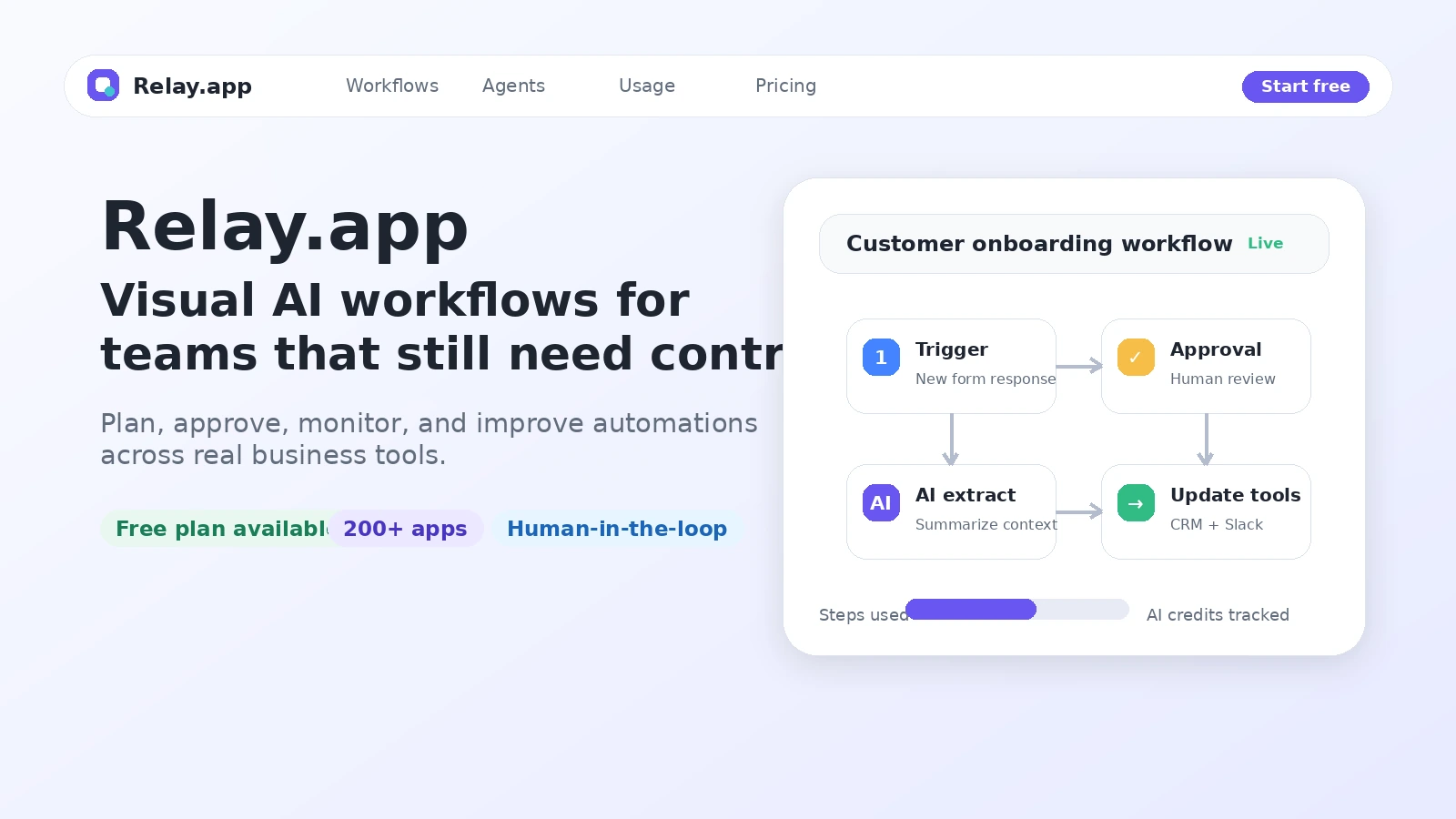
Relay.app is a no-code workflow automation platform built around visual workflows, AI steps, app integrations, and human-in-the-loop controls. It is best understood as an automation workspace for teams that want reliable business processes across existing tools, not as a simple chatbot, app builder, or one-click AI assistant.
Fit → price → checkout
Use these routes after the official-site check: coupon first, review for fit, compare if unsure.
Relay.app pricing snapshot
Fast commercial checks before pricing, coupons, or a deeper review.
Relay.app product tour
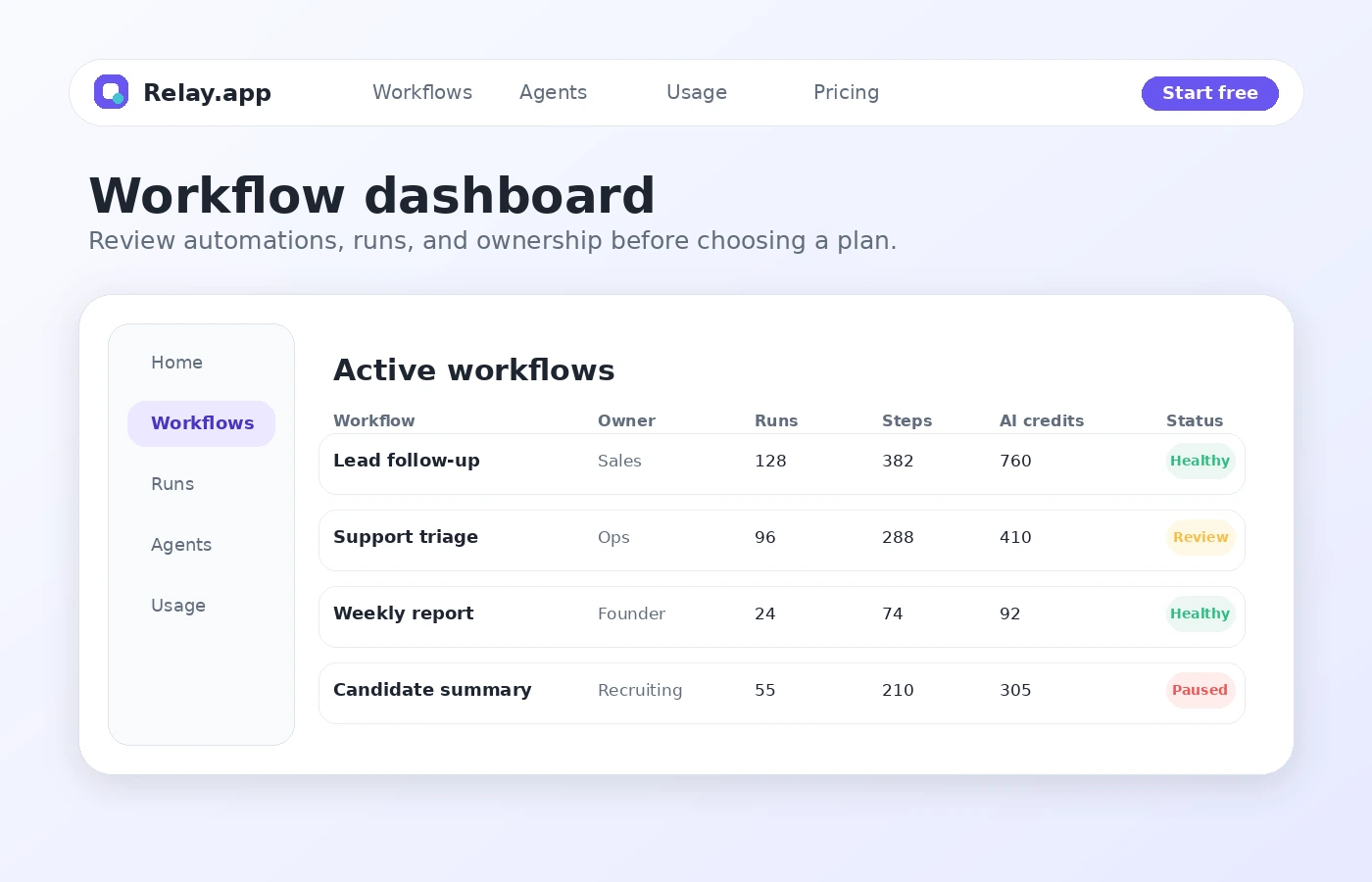
The product tour gives buyers a practical way to judge whether Relay.app feels like a usable automation workspace: visual enough for non-engineers, structured enough for serious workflow ownership, and clear enough to monitor steps, AI credits, approvals, and team usage.
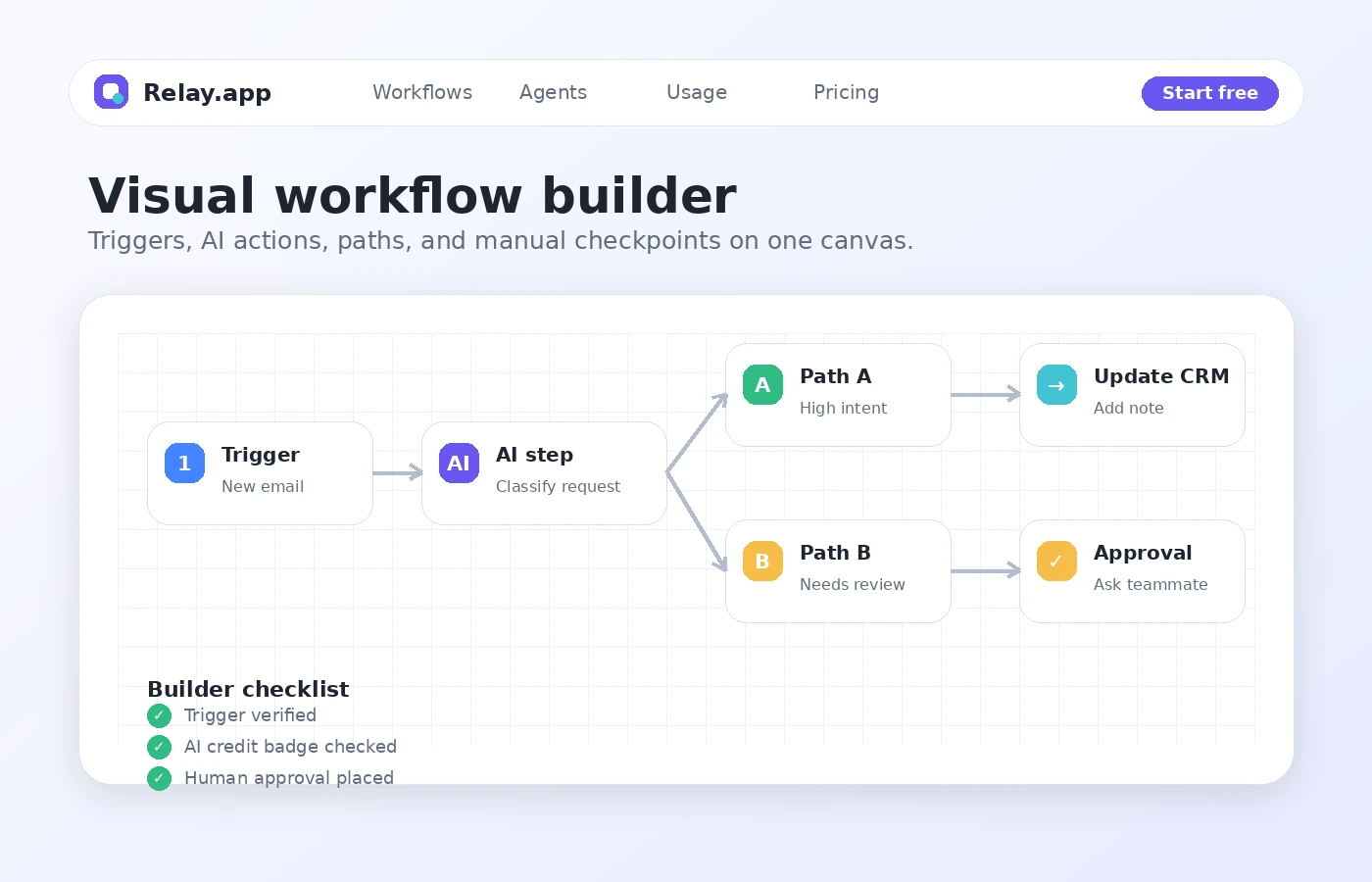
Relay.app is easiest to evaluate when you start with the workflow, not the feature list. A buyer should pick one real recurring task, map the trigger, list the steps, decide where AI belongs, and then check whether a human needs to approve or adjust the result before anything important happens.
What Relay.app actually does
Relay.app helps teams build no-code automations across the apps they already use. A typical workflow starts with a trigger, moves through ordered steps, and can include app actions, AI prompts, data extraction, summarization, approvals, waits, paths, loops, and run monitoring. The practical value is not that it uses AI. The value is that AI sits inside a visible workflow that people can inspect and improve.
- Build automations from triggers, app actions, AI steps, and conditional paths.
- Use AI for extraction, summarization, classification, translation, transcription, and structured outputs.
- Keep manual review in the process when judgment or approval is still needed.
Pricing and plan fit
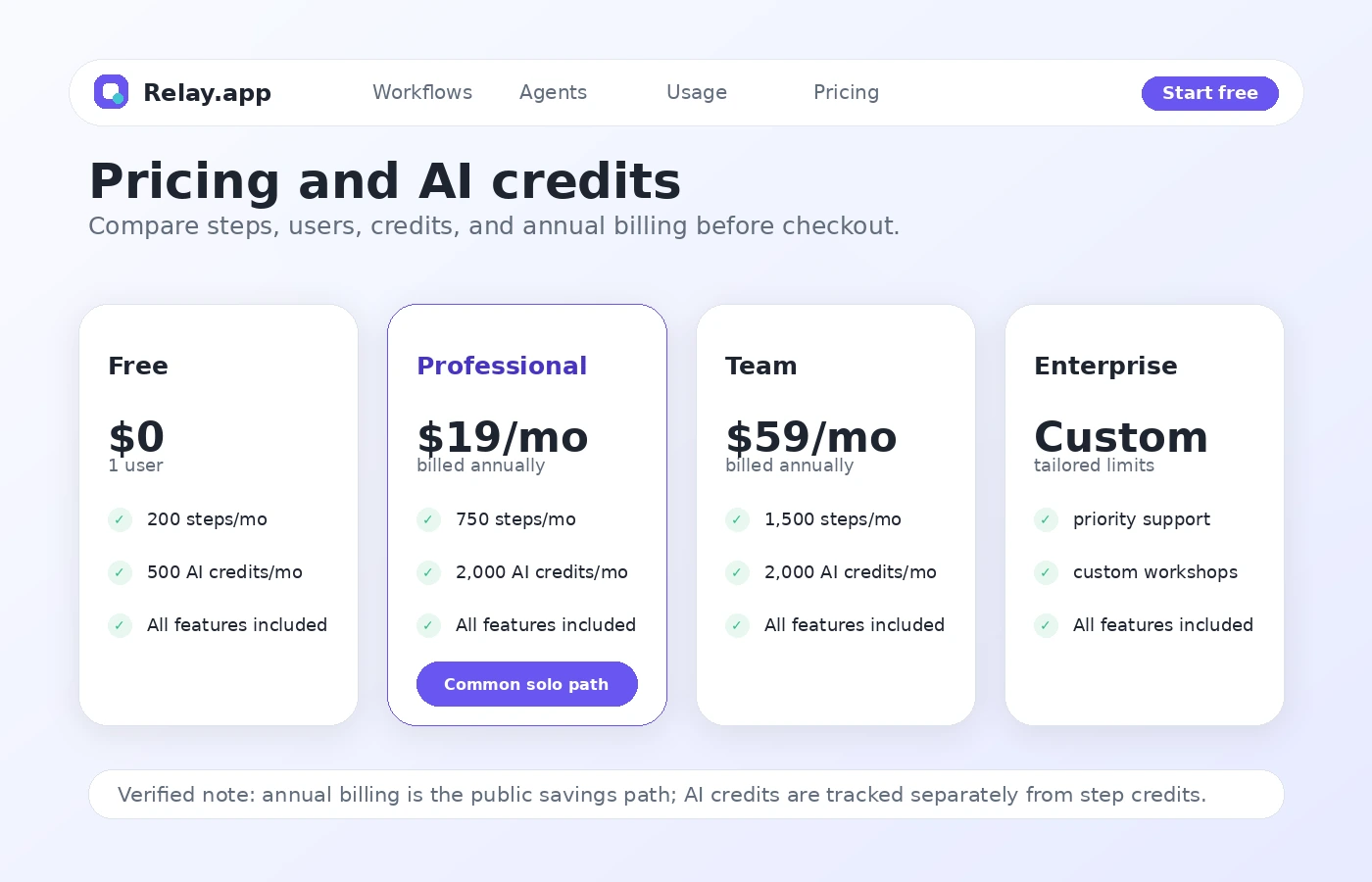
The public pricing path is buyer-friendly because there is a real Free plan, a solo Professional plan, a Team plan, and an Enterprise option. The Free plan is useful for proving fit, but not a serious signal that recurring business automation will stay free. The plan decision should compare monthly step limits, included AI credits, team seats, shared workflow needs, and whether annual billing makes sense after a successful test workflow.
- Free gives one user 200 steps per month and 500 AI credits per month.
- Professional starts at $19 per month when billed annually for one user.
- Team starts at $59 per month when billed annually and includes 10 users.
AI credits can change the real cost
Relay.app separates step usage from AI credit usage. A workflow always consumes step credits when it runs, while AI credits are used by features such as model prompts, web scraping, transcription, text-to-speech, and image generation. That means a cheap-looking plan can become a poor fit if the workflow depends heavily on AI-heavy steps.
- Estimate how often the workflow will run in a normal month.
- Check whether each run uses AI credits in addition to step credits.
- Use Relay.app's usage views to monitor step and AI credit consumption before scaling.
Where human-in-the-loop matters
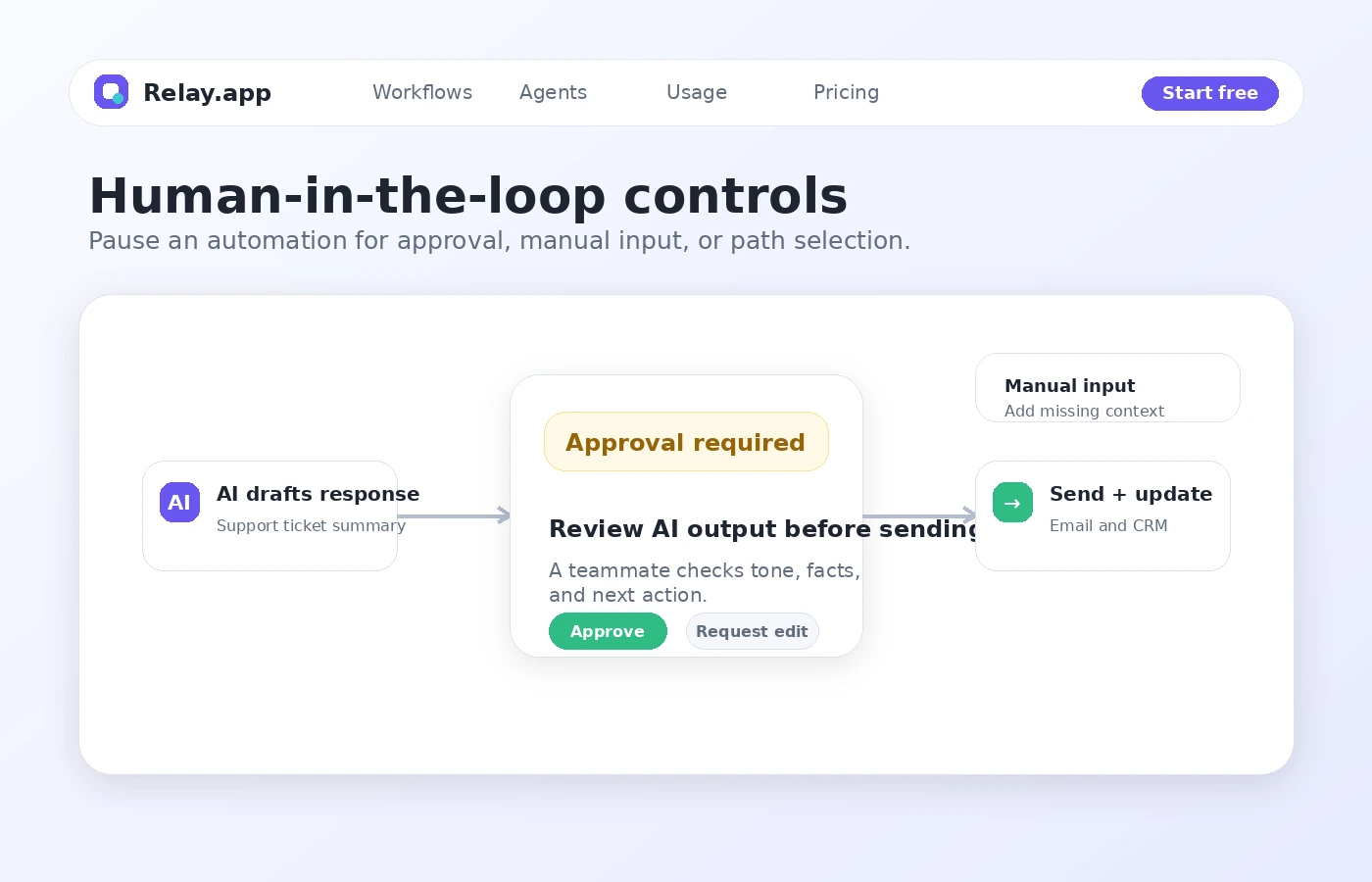
Relay.app is especially interesting for workflows where a person still needs to check an AI result, approve a next step, provide missing data, or choose a path. This matters for support replies, sales follow-up, content review, recruiting, finance handoffs, and other workflows where full automation can create mistakes if it runs without a pause point.
- Use approvals when a human needs to review the AI result.
- Use manual inputs when a teammate must provide context before a workflow continues.
- Use manual path selection when a workflow has more than one acceptable next step.
Watch the AI agents workflow before upgrading
Relay.app's agent concept makes more sense after watching how workflows and AI actions sit together. The video below is useful for buyers who are evaluating Relay.app as an AI automation platform rather than a basic app connector. Watch for how tasks are grouped, how tools are used, and where the buyer would still want human oversight.
What buyers should verify before checkout
Before paying, the buyer should verify the exact integration, trigger, action, team permission, step volume, and AI credit behavior for the workflow they plan to use. Relay.app looks approachable, but recurring automation can become expensive or fragile if the buyer only checks headline pricing and ignores what happens after a workflow runs daily.
- Confirm the needed apps and actions are supported.
- Check if shared connections are needed for the team.
- Estimate monthly runs, steps, and AI credit usage.
- Read cancellation and refund language before annual billing.
- Compare Relay.app against Make or Albato if integration coverage is the main decision.
Best next step with Relay.app
The best next step is to open Relay.app's pricing page and the product walkthrough side by side, then build one narrow test workflow. If the workflow works and the usage numbers look predictable, the review page can help with deeper tradeoffs and the coupon path can confirm whether DealBestDaily has a better current route. If the workflow does not work on the Free plan, a paid plan will probably not fix the strategy problem.
- Use the store page for the quick commercial snapshot.
- Use the review page for workflow fit and tradeoffs.
- Use the coupon route only after Relay.app already looks like the right tool.
- Compare alternatives when integration coverage or technical control is the deciding factor.
Best savings path from this store page
This is the clearest savings route to check once the product already looks like a fit.
The Professional plan is the entry paid path for one user who needs more steps and more AI credits than the free plan allows.
Team workspace pricing path
Buy more credits or connect your own account
Use comparison routes when the category fit is still open
Use these comparison routes when the product still looks plausible, but the category fit is not fully settled.
Make is the more obvious comparison when the buyer wants a mature visual automation platform with very broad workflow depth and does not specifically need Relay.app's AI-first, human-in-the-loop style.
Albato is worth checking when app connection coverage and lower-friction integration routing matter more than Relay.app's agent and approval workflow model.
Adalo is not a direct automation replacement, but it belongs in the next tab if the buyer's real goal is building a no-code app interface rather than automating work between existing apps.
Verification points worth checking before you click out
Where this store usually fits best in the workflow
Relay.app can fit teams that want to extract lead context, draft a follow-up, route it for human review, and then update CRM or email tools. The buyer should verify the exact CRM and email actions before assuming the workflow will cover every sales handoff.
Ops and support teams can use Relay.app to classify incoming requests, summarize context, create tasks, and ask a teammate for approval before the next action runs. This is where human-in-the-loop controls matter more than raw automation speed.
Relay.app can support repeatable research, sourcing, enrichment, and summary workflows when the team wants a visible process instead of scattered manual work. The buyer should check AI credit usage if scraping or enrichment will run often.
Teams can use Relay.app to gather updates from tools, format summaries, push results into docs or Slack, and keep manual review in the loop. This works best when the report structure repeats and the data sources are stable.
Practical checkpoints before and after signup
- List the real recurring workflow before comparing plan prices.
- Check the integration page for the exact app trigger and action needed.
- Watch a beginner workflow video to understand the visual builder before judging fit.
- Build one workflow using the same apps and data the team will use later.
- Run tests and inspect whether steps and AI credits are consumed as expected.
- Add an approval point if the AI output needs human judgment.
- Choose Professional for solo use when the free limits are too tight.
- Choose Team only when shared workflows, shared connections, or multiple users are needed.
- Review annual billing and refund terms before committing.
- Start with one high-confidence workflow instead of automating every process at once.
- Monitor run errors, usage, AI credit consumption, and approval bottlenecks.
- Re-check plan fit after the workflow runs for a full billing cycle.
Fast-read signals for workflow fit and buying friction
Questions readers usually ask before choosing this store
What is Relay.app best for?
Relay.app is best for buyers who need no-code workflow automation across existing apps, especially when the workflow includes AI steps, approvals, manual inputs, or team handoffs. It is strongest when there is already a repeatable business process to automate.
Does Relay.app have a free plan?
Yes. Relay.app publicly shows a Free plan with one user, 200 steps per month, and 500 AI credits per month. That is useful for testing a real workflow, but buyers should not assume it is enough for recurring team automation.
Is there a Relay.app coupon code?
A reliable public coupon code was not verified. The safer savings path is to start with the Free plan, compare monthly and annual billing, and check the DealBestDaily route only after Relay.app already looks like the right fit.
What should I verify before paying for Relay.app?
Verify the exact apps, triggers, actions, shared connection needs, step limits, AI credit usage, cancellation terms, and annual billing total. For AI-heavy workflows, also check whether extra credits or direct model connections are needed.
What are the best Relay.app alternatives to compare?
Make is the closest alternative when broad visual automation depth is the main priority. Albato is worth checking for integration routing and pricing fit. Adalo only makes sense as a comparison when the buyer's real need is a no-code app interface rather than workflow automation.
Choose the next route that matches what you still need to decide
The strongest next click depends on whether you still need product judgment, a savings route, or a broader category comparison.