Quick verdict
Pinpoint is worth a serious look if your hiring process has outgrown spreadsheets, shared inboxes, and lightweight applicant tracking tools.
But I would not judge it like a cheap plug-and-play recruiting app.
The real question is narrower: does your team have enough hiring complexity to justify a sales-led ATS, a custom pricing conversation, implementation planning, integration checks, and contract review? If the answer is yes, Pinpoint can make a lot of sense. If the answer is no, the demo may feel impressive without proving that you need the system.
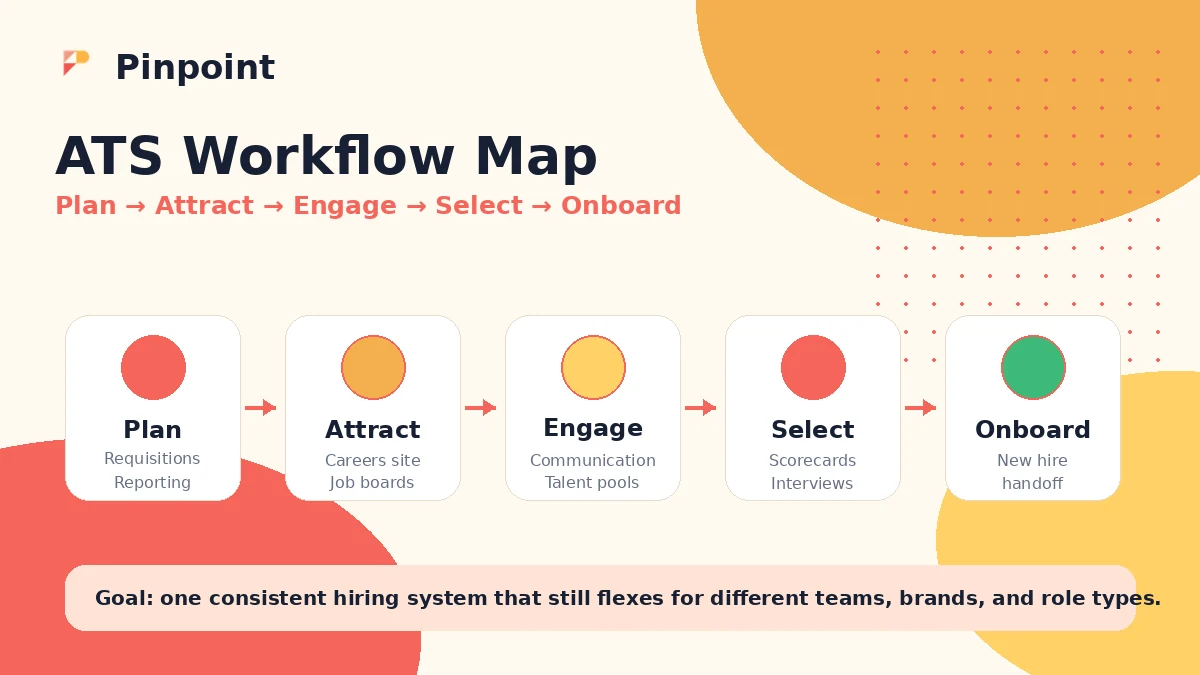
Based on the current public product pages, Pinpoint is built for in-house talent teams that want one place for planning, attracting, engaging, selecting, and onboarding candidates. It is not just a resume inbox. The stronger buying case is hiring manager collaboration, workflow consistency, candidate communication, reporting, approvals, and integration into a wider HR stack.
The main caution is pricing clarity. Pinpoint routes buyers through a request-pricing path instead of publishing a simple self-serve rate card. That is not automatically bad for an ATS, but it changes how you should evaluate the product. You need to go into the demo with your hiring volume, departments, approval steps, reporting needs, integrations, and support expectations already written down.
The easy mistake is treating the demo as the decision. I would treat the demo as the start of the decision. The written quote, contract terms, implementation scope, data export language, renewal rules, and integration responsibilities are where the real buying judgment happens.
Next step: If Pinpoint still looks like a fit, review the current buyer route and prepare your ATS questions before requesting pricing.
Review snapshot
| Review point | Practical take |
|---|---|
| Best for | In-house talent teams managing repeated hiring workflows, hiring managers, approvals, reporting, and candidate communication |
| Not ideal for | Tiny teams that only need a basic job posting form, simple applicant inbox, or transparent self-serve price before a sales call |
| Main use case | Running a structured ATS process across plan, attract, engage, select, and onboard stages |
| Pricing style | Request-pricing and custom quote rather than public checkout pricing |
| Free plan or trial | No public self-serve free plan or simple free trial path was clear enough to treat as confirmed |
| Main strength | ATS workflow depth with candidate experience, hiring manager collaboration, automation, reporting, integrations, and API materials |
| Main concern | Quote clarity, implementation scope, reporting needs, cancellation language, and whether the platform is more than the team needs |
| Direct alternatives | Greenhouse, Workable, Lever, Zoho Recruit |
| Best next step | Map hiring workflow first, watch the demo, then request a written quote with implementation and contract details |
What is Pinpoint?
Pinpoint is an applicant tracking system for in-house hiring teams. In plain language, it helps teams manage the path from planning roles to attracting candidates, engaging applicants, selecting the right people, and supporting onboarding.
That matters because Pinpoint is not positioned as a tiny hiring widget. Its current public messaging is about bringing hiring work together for recruiters, hiring managers, leadership, candidates, and external recruiting partners. The homepage highlights automations, workflow builder, AI Hiring Copilot, candidate communication, bulk actions, offer management, reporting, analytics, scorecards, interview self-scheduling, approvals, and oversight.
So the product category is clear: ATS and talent acquisition workflow software.
The common wrong expectation is thinking that an ATS is only useful if it collects resumes. That is the entry-level job. Pinpoint is more interesting when the problem is operational: too many hiring managers chasing feedback, too many roles moving through different processes, poor visibility into time-to-hire, scattered candidate communication, weak reporting, or inconsistent candidate experience.
Our review approach looks at public product pages, request-pricing signals, developer/API materials, security and privacy documentation, third-party review patterns, and nearby ATS alternatives. I do not treat a quote-based product as “good value” or “expensive” until the buying scope is visible.
For Pinpoint, the buying decision should start with hiring DNA. How does your team actually hire? How many roles run at once? Who approves candidates? Who gives feedback? Where does data need to go after a hire? If those answers are messy, Pinpoint becomes more relevant. If those answers are simple, you may not need a deeper ATS.
Who should use Pinpoint?
Pinpoint makes the most sense for talent teams that need structure, not just software.
A growing in-house recruiting team is the most obvious fit. If recruiters are managing several open roles, coordinating hiring managers, standardizing scorecards, tracking candidate communication, and reporting to leadership, Pinpoint has a clearer reason to exist. The product is built around the reality that recruiters and hiring managers do not always want to live in the same level of detail.
A company with multiple hiring workflows is another strong fit. Retail, hospitality, education, healthcare, distributed teams, and multi-location businesses often hire in more than one pattern at the same time. A senior role, early-career role, high-volume role, and compliance-sensitive role may all need different process controls. Pinpoint’s broader workflow positioning is more credible when that complexity is real.
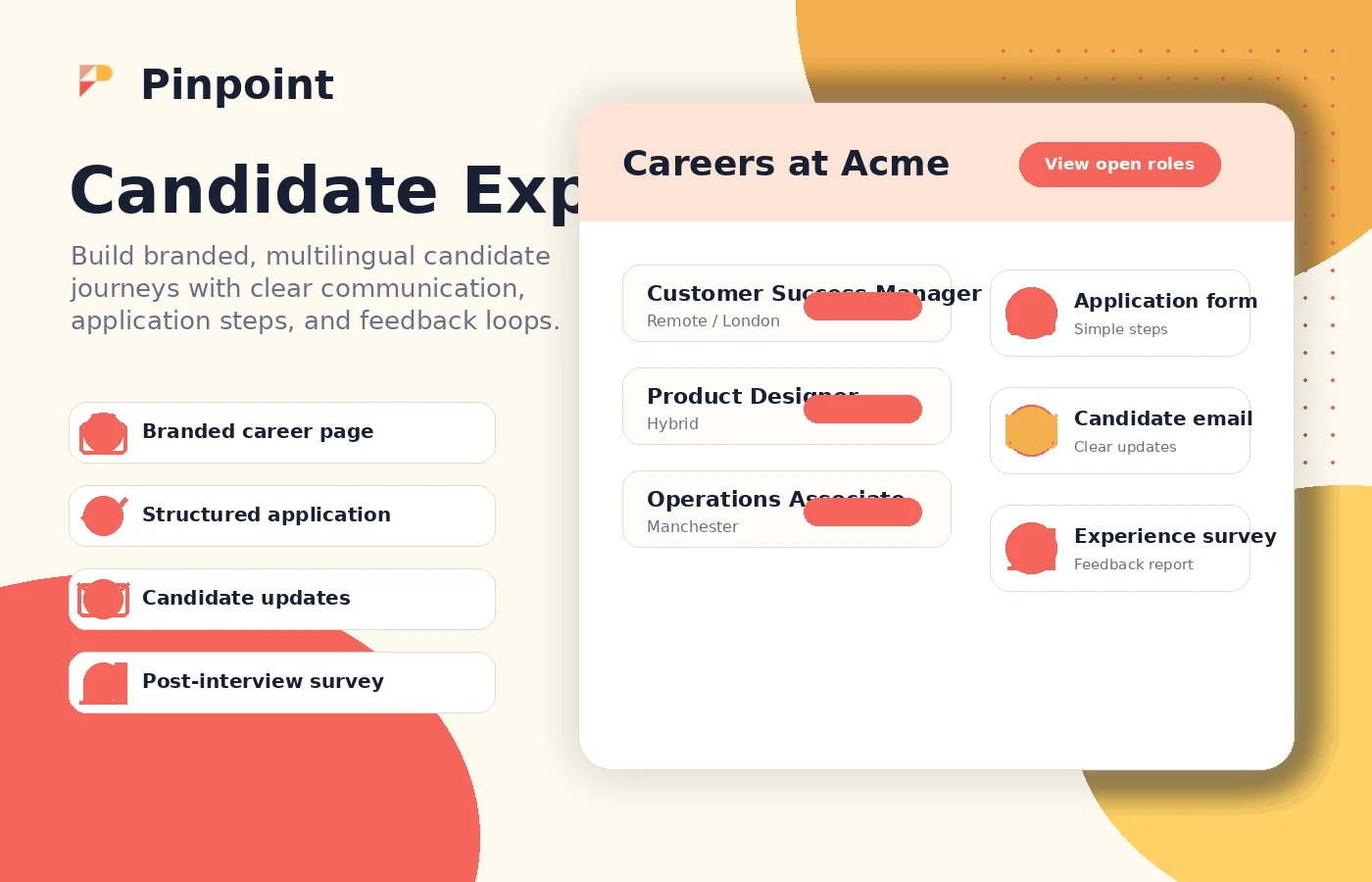
Hiring teams that care about candidate experience should also look at it. Branded career experiences, candidate communication, application flow, interview scheduling, and feedback loops can matter a lot when hiring is competitive. This is not just cosmetic. A clumsy hiring process can quietly lose good candidates.
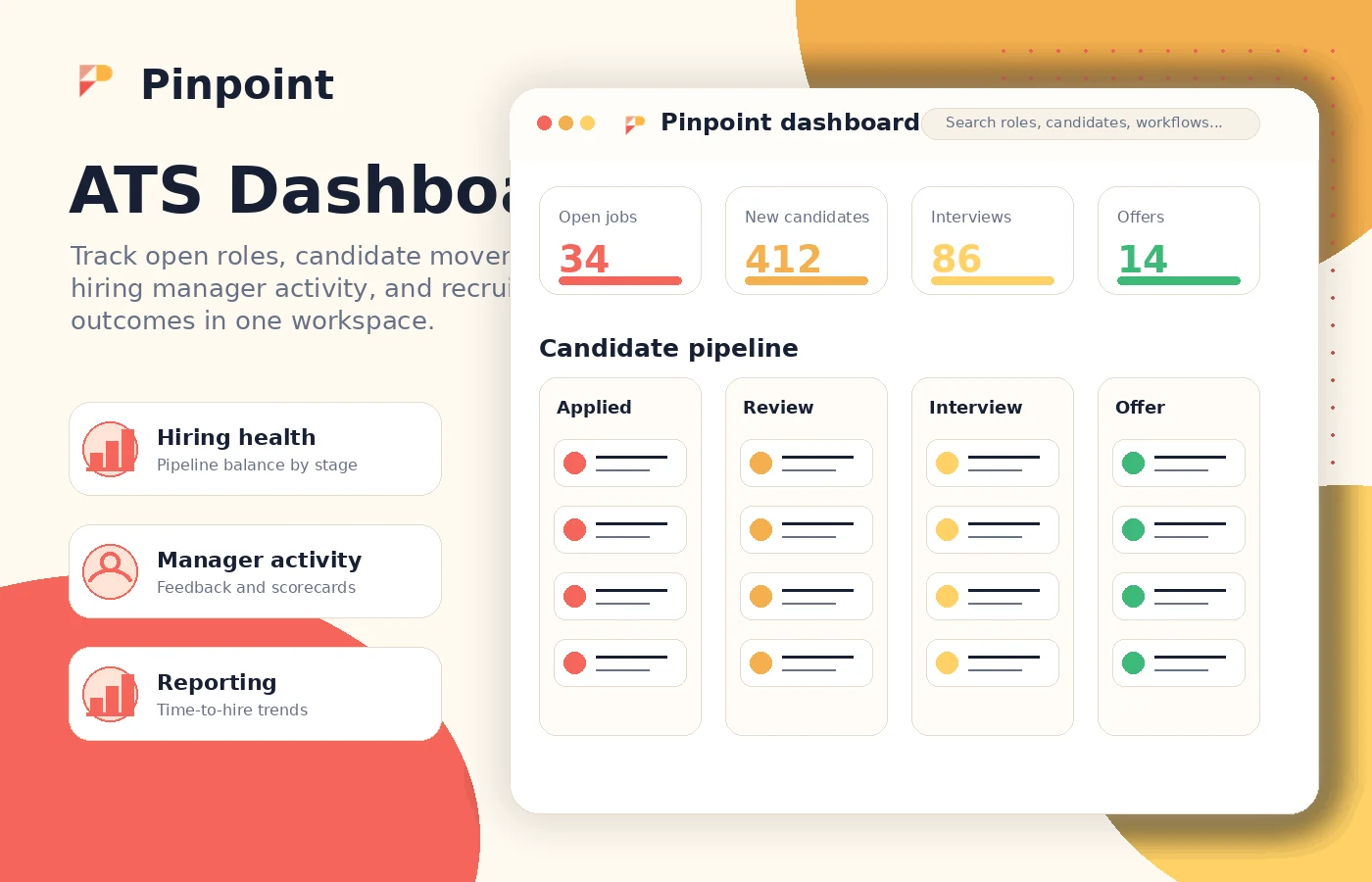
Leadership-heavy teams may value Pinpoint if reporting and oversight are part of the purchase. The official homepage emphasizes dashboards, time-to-hire and cost-per-hire metrics, compliance and audit trails, scoped access, and forecasting. That is useful only if leadership will actually use those signals.
Finally, technical or operations-heavy buyers may consider Pinpoint because it publishes API documentation and emphasizes integrations. But I would still verify every required connection before signing. API availability is not the same thing as a finished integration plan.
Who should avoid Pinpoint?
Pinpoint is probably too much if you only hire occasionally.
A solo founder hiring one or two people a year may not need a full ATS conversation. A simple job board tool, a lightweight ATS, or even a structured hiring spreadsheet may be enough until the process becomes painful.
I would also be cautious if you need transparent public pricing before speaking to sales. Pinpoint’s official buying path is request-pricing. That may be reasonable for a complex ATS, but it is not ideal for buyers who want to compare three monthly prices in an afternoon and start immediately.
Teams that want a trial-first buying motion should also slow down. The public pricing path does not present a simple self-serve free plan or clear free trial in the way many lighter SaaS tools do. If evaluation access matters, ask directly whether a sandbox, pilot, or proof-of-concept option is available.
Pinpoint may also be a mismatch if your internal team cannot prepare for the demo. That sounds harsh, but it matters. A sales-led ATS demo is only useful when you can say, “Here is our workflow, here are our pain points, here are the integrations, here is how we measure success.” Without that, the demo can become a guided tour instead of a serious evaluation.
And I would avoid buying purely because of a deal path. Public coupon codes are not the normal center of gravity for a quote-based ATS. The better savings path is buying the right scope, not chasing a small discount on the wrong contract.
How Pinpoint fits into a real workflow
A realistic Pinpoint workflow starts before the software.
First, the team defines how hiring works today. That includes requisition approval, job posting, candidate intake, screening, interview scheduling, scorecards, hiring manager feedback, offer workflow, onboarding handoff, reporting, and data retention.
Then Pinpoint becomes the operating layer. Recruiters can manage jobs and candidates, hiring managers can review and score without becoming system administrators, leadership can see pipeline and performance signals, and candidates can move through a more polished experience.
The place where Pinpoint can save time is repetitive coordination. Chasing hiring manager feedback, moving candidates between stages, scheduling interviews, keeping candidate communication consistent, and reporting on pipeline health are exactly the kinds of work that become expensive when handled manually.
The place where human judgment still matters is hiring design. Pinpoint can support a process, but it cannot decide what your process should be. If your scorecards are weak, approvals are vague, interviewers are inconsistent, or job requirements are unclear, the ATS will expose those problems rather than automatically solve them.
I would evaluate Pinpoint with a workflow like this:
- Pick one active or recently completed hiring process.
- Map each stage from requisition to offer or onboarding.
- Identify where delays and confusion happen.
- Ask Pinpoint to show those exact steps in the demo.
- Confirm what can be configured by your team and what requires vendor help.
- Check how reporting, integrations, permissions, and data export work.
- Compare the quoted scope against the actual workflow value.
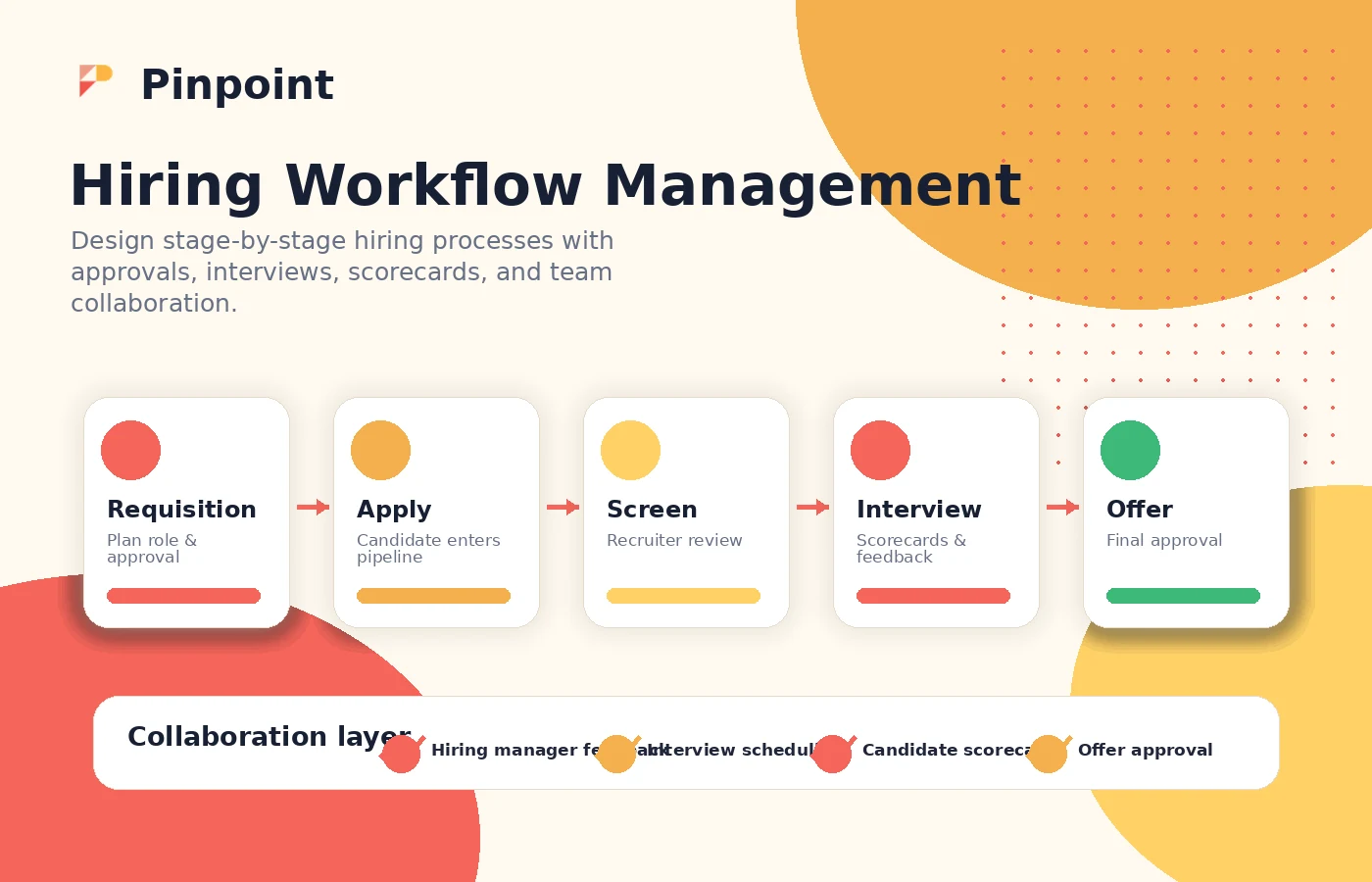
Workflow check: If your current hiring process already has multiple roles, stakeholders, and approval steps, use Pinpoint's demo to test those exact scenarios.
Real-world buyer scenarios
A mid-size company hiring across departments is a good example. Marketing, sales, customer success, operations, and product may all need different interview stages and hiring manager behaviors. Pinpoint may fit if the team needs one ATS that keeps those differences organized without making recruiters rebuild everything manually.
A high-volume hiring team has a different problem. The issue is not one perfect candidate journey. It is concurrency: many candidates, many stages, repeated communication, scheduling pressure, fast decisions, and reporting. Pinpoint can be relevant if automations, bulk actions, candidate communication, and manager-friendly review reduce admin load.
An organization with leadership reporting pressure should judge Pinpoint through dashboards and metrics. If executives want visibility into time-to-hire, cost-per-hire, pipeline health, compliance, and regional performance, the ATS must do more than store applicants. But the buyer should ask whether the reporting is flexible enough for their internal definitions.
A small team hiring a few roles a year should be more cautious. Pinpoint may still be pleasant to use, but pleasant software is not the same as necessary software. If the team does not have repeated hiring pain, a lower-cost ATS with public pricing may be a safer first step.
Key features that actually matter
Hiring workflow and automation
Pinpoint’s workflow and automation layer matters because recruiting work gets messy quickly. When every role has different stages, approvers, scorecards, interviewers, and candidate communication needs, a basic applicant inbox starts to break.
Buyer note: ask the demo team to build or walk through your real workflow, not a generic one. The value is in matching your process.
Hiring manager collaboration
A lot of ATS projects fail quietly because hiring managers do not use the system. Pinpoint’s positioning around mobile-friendly review, structured scorecards, interview self-scheduling, collaborative hiring, ownership, and approvals is important because managers are often the bottleneck.
Buyer note: judge the hiring manager experience separately from the recruiter experience. Recruiters may tolerate complexity that managers will ignore.
Candidate communication and experience
Candidate experience is not only a branding issue. It affects speed, response rates, candidate confidence, and drop-off. Pinpoint’s candidate-facing workflow, communication management, branded experience, and application flow are useful if your current process feels disjointed.
Buyer note: test the candidate journey as if you were an applicant. A good ATS should not only feel good to the admin team.
Reporting, oversight, and compliance
Pinpoint emphasizes executive dashboards, reporting, compliance, audit trails, scoped access, and capacity planning. This matters for teams that need to prove hiring performance, diversity efforts, process fairness, or regional oversight.
Buyer note: reporting is where buyers should push hard. Ask which reports are configurable, which can be exported, and which require workarounds.
Integrations, API, and security posture
Pinpoint publishes developer API materials and security/privacy pages. The official enterprise messaging also references API, webhooks, role-based access, SSO, SCIM, audit logs, GDPR/CCPA/UK GDPR/APAC support, and recognized certifications.
Buyer note: do not stop at “there is an integration.” Confirm whether your exact HRIS, calendar, assessment, background check, analytics, and BI tools are supported in the package you are quoted.
Pricing and plan value
Pinpoint pricing should be treated as sales-led and custom until your team receives a written quote.
The official request-pricing page does not publish a simple public starting price. It explains that company size does not always correlate with hiring complexity and routes buyers to see the product and get pricing. That framing is important. Pinpoint is not asking you to pick between three public tiers with a checkout button. It is asking you to talk through your company, hiring process, and complexity.
That can be fine for a serious ATS. Many recruiting systems become difficult to price cleanly because the real cost depends on users, jobs, locations, hiring volume, modules, implementation, support, integrations, data migration, security requirements, and contract terms.
But it also means buyers should not rely on third-party estimates as final pricing. Estimate pages can help frame the negotiation, but they are not the checkout truth. The only price that matters is the written quote tied to your scope.
Before judging value, I would ask:
- Is the quote monthly, annual, or annual-only?
- Are implementation and onboarding included?
- Are all modules included, or are some sold separately?
- Are integrations included or scoped as custom work?
- How many users, jobs, locations, brands, or workflows are included?
- What happens if hiring volume changes?
- What are the renewal, cancellation, and data export terms?
A paid Pinpoint contract makes more sense when hiring complexity is expensive enough that a better ATS can reduce admin, speed up hiring, improve candidate experience, and create cleaner reporting. It makes less sense when your team just wants a simple way to collect applications.
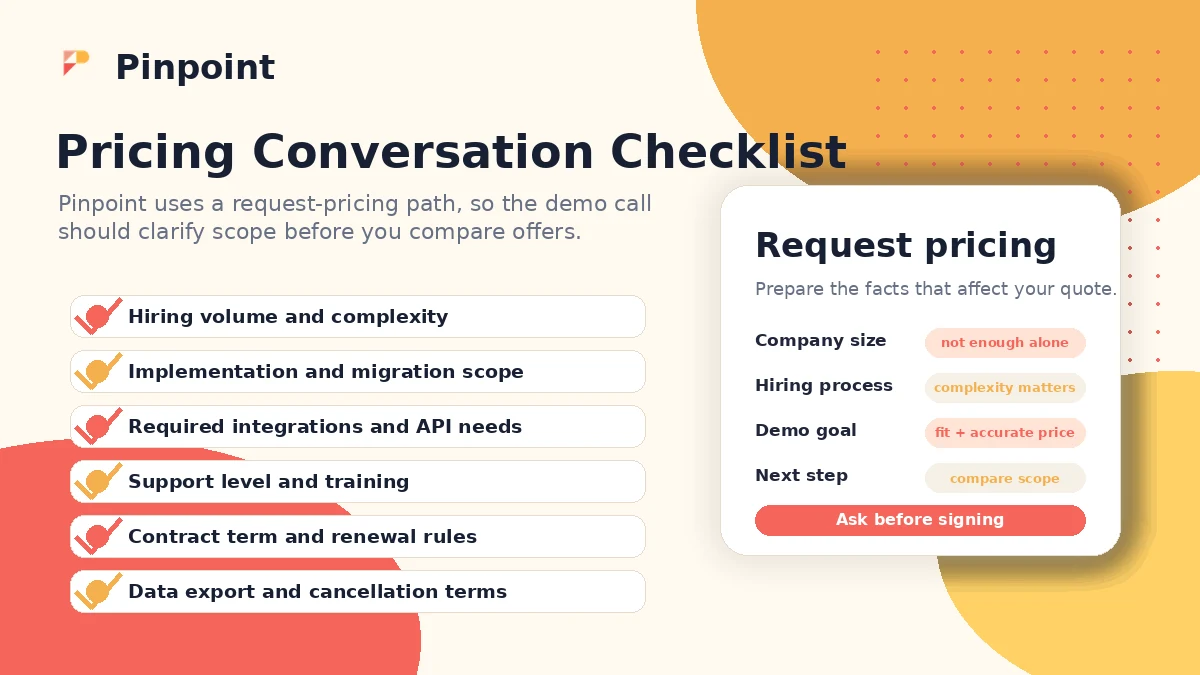
Pricing check: Before treating Pinpoint as affordable or expensive, request a written quote that separates subscription, implementation, support, and integration scope.
Free plan, trial, coupon, and checkout notes
I would not approach Pinpoint like a coupon-first SaaS purchase.
A public self-serve free plan was not clear enough to treat as confirmed from the official pricing path. A simple free-trial checkout path was also not the center of the official buying flow. That does not mean evaluation access is impossible. It means buyers should ask directly about demo access, sandbox access, pilot options, implementation evaluation, or proof-of-concept steps.
The coupon path is also secondary. For a quote-based ATS, savings usually come from scope control: choosing the right modules, avoiding unnecessary extras, negotiating the contract term, clarifying implementation responsibilities, and confirming support expectations. A public coupon code is unlikely to be the main commercial lever.
The safer checkout order is:
- Map your hiring process.
- Watch the demo with real workflow questions.
- Request pricing based on actual scope.
- Compare against at least two ATS alternatives.
- Review contract, renewal, cancellation, data export, and implementation terms.
- Only then check the current deal or coupon route as a final commercial step.
If you want the current buyer routing in one place, use the Pinpoint store guide first. If the product still fits after that, check the Pinpoint coupon page as a final step, not the starting point.
What I would check before buying Pinpoint
If I were buying Pinpoint for a real recruiting team, I would check these items before signing anything:
- Workflow fit: Can Pinpoint match your real recruiting stages, approval rules, scorecards, and hiring manager actions?
- Quote scope: What exactly is included in the subscription price, and what costs extra?
- Implementation: Who handles setup, migration, training, custom workflows, and integrations?
- Reporting: Can the system produce the metrics leadership actually uses, not just default dashboards?
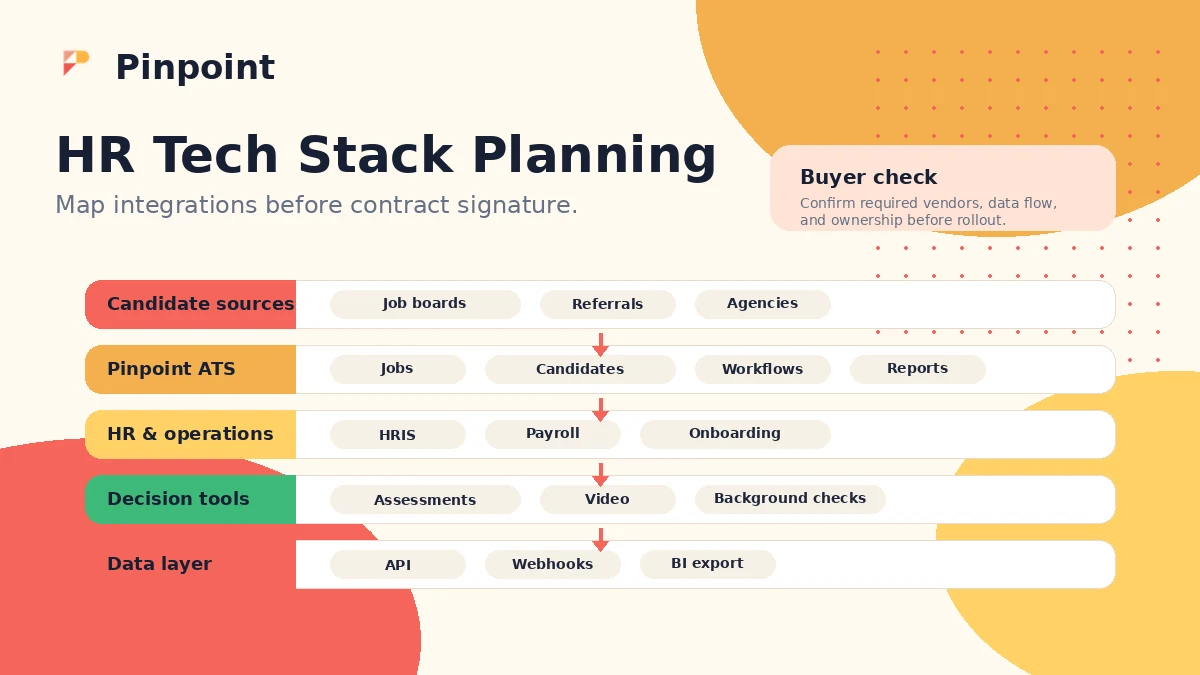
- Integrations: Are your HRIS, calendars, job boards, assessments, background checks, video tools, and BI systems supported directly?
- Security and privacy: Do role-based access, permissions, retention, GDPR/CCPA needs, SSO, SCIM, audit logs, and data location requirements fit your organization?
- Contract risk: What are the renewal, cancellation, refund, early termination, and data export terms?
The first thing I would verify is not the feature list. It is whether your team can make a clear business case for changing the hiring system.
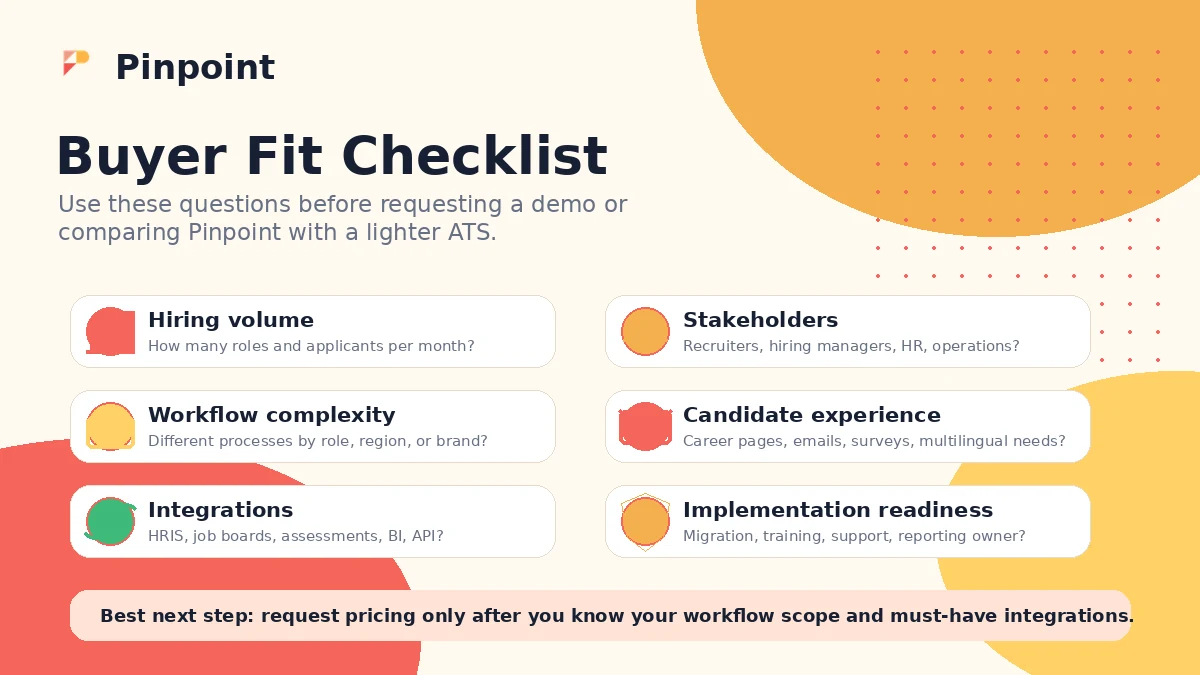
A simple test before paying
Before committing to Pinpoint, I would run a small evaluation like this:
- Choose one real hiring workflow that recently caused friction.
- Write down every stage, handoff, approval, interview, scorecard, and communication point.
- List every system that touches the workflow, including HRIS, calendar, job boards, background checks, assessments, and reporting tools.
- Ask Pinpoint to demonstrate that exact workflow.
- Ask which steps are configurable by your team and which require vendor support.
- Request a written quote based on that workflow, not a vague company profile.
- Compare the result with Workable, Greenhouse, Lever, or Zoho Recruit before signing.
This test is simple, but it changes the conversation. You are no longer asking, “Does Pinpoint have features?” You are asking, “Does Pinpoint reduce our hiring friction enough to justify the contract?”
Pros explained
The first real pro is hiring manager adoption. Third-party review patterns often mention ease of use and manager-friendly experiences, and Pinpoint’s own product messaging is clearly aware of that problem. This matters because a recruiter-only ATS can look organized while hiring managers continue to work through email and side conversations.
The second pro is workflow coverage. Pinpoint covers more than candidate storage. Planning, attracting, engaging, selecting, onboarding, reporting, automation, and candidate experience all show up in the official product story. That gives it a stronger case for teams with operational recruiting pain.
The third pro is security and integration readiness. Public security/privacy materials, developer documentation, API/webhook language, and enterprise controls make Pinpoint easier to evaluate for teams with real procurement requirements. You still need to verify scope, but the evaluation material is there.
The fourth pro is its fit for complexity without looking like a legacy enterprise monster. Based on public positioning and user-review patterns, Pinpoint seems to aim for a balance: enough ATS depth for serious teams, but a user experience that hiring managers can actually adopt.
Cons explained
The biggest con is pricing opacity. Quote-based pricing can be reasonable, but it slows comparison. Buyers who need a clear public price, fast checkout, or low-risk trial-first workflow may find Pinpoint harder to validate than a more transparent ATS.
The second con is possible overkill for small teams. If hiring is occasional, simple, or founder-led, Pinpoint may be more structure than you need. The risk is not that the product is bad. The risk is paying for operational depth before your team has operational pain.
The third con is that reporting and customization deserve close attention. User-review patterns praise the platform overall, but reporting depth, dashboard customization, and some request/chat handling appear as areas to verify. If analytics is a major buying reason, do not assume default reporting will satisfy leadership.
The fourth con is contract risk. Because the buying path is sales-led, the final value depends heavily on what is included in the quote. Implementation, integrations, support, renewal rules, cancellation, and data export should be reviewed before procurement approval.
Green flags and red flags
Green flag: your team can clearly describe the hiring process Pinpoint needs to support. That usually means the demo can be specific enough to be useful.
Green flag: hiring managers are part of the evaluation. If they like the workflow, scorecards, scheduling, and review experience, adoption risk goes down.
Green flag: your organization has reporting, compliance, security, or integration requirements that a lightweight ATS cannot handle comfortably.
Red flag: the main buyer motivation is “we need an ATS” without a documented pain point. That is how teams buy more system than they need.
Red flag: pricing questions are left until the end. With Pinpoint, the commercial conversation should happen early enough to shape the evaluation.
Red flag: nobody owns implementation internally. Even vendor-supported ATS projects need process owners, admin owners, and hiring-manager adoption work.
Pinpoint vs alternatives
Pinpoint should be compared with ATS tools, not generic HR software.
Greenhouse vs Pinpoint
Greenhouse is the stronger benchmark if your company wants a widely known ATS ecosystem with mature recruiting operations and enterprise-style procurement comparisons. It may be the safer comparison for larger teams that want a major category leader.
Pinpoint may still make sense if you want a more focused buying conversation around hiring manager adoption, candidate experience, and flexible workflows rather than choosing the most established enterprise name. Compare the Greenhouse store guide if enterprise ATS maturity is part of your decision.
Workable vs Pinpoint
Workable is often the better comparison for teams that want clearer self-serve validation, faster setup, and a more straightforward ATS buying path. If your team wants to test quickly and avoid a heavier sales-led process, Workable may feel easier.
Pinpoint may make more sense when the team is less concerned with immediate checkout and more concerned with custom workflow fit, implementation support, hiring manager adoption, and candidate experience. Compare the Workable store guide if public pricing and speed matter more.
Lever vs Pinpoint
Lever is worth comparing when recruiting pipeline visibility, candidate relationship management, and nurturing talent relationships are central to the buying case. It can be especially relevant for teams that treat recruiting as long-term relationship building, not only applicant processing.
Pinpoint may still be stronger if the immediate pain is ATS workflow structure, hiring manager usability, and candidate experience across different types of hiring. Compare the Lever store guide if CRM-style recruiting is a priority.
Zoho Recruit vs Pinpoint
Zoho Recruit is the more budget-sensitive and ecosystem-friendly comparison for teams that want ATS basics without a heavier premium buying process. It may fit companies already using Zoho products or teams that need a more accessible entry point.
Pinpoint is the more natural shortlist item when the team needs a deeper ATS conversation, stronger hiring-manager adoption, and more structured implementation thinking. Compare the Zoho Recruit store guide if cost sensitivity is the main pressure.
Trust, refund, and buyer-risk notes
Pinpoint handles sensitive hiring data, so trust evaluation should be part of the purchase.
The public security and privacy materials are a positive signal. Pinpoint references recognized certifications, role-based access, granular permissions, region-specific data retention and privacy controls, API and webhooks, and support for multiple privacy/regulatory contexts. That is helpful for procurement teams.
Still, security claims do not replace internal review. Your team should verify:
- data processing terms
- sub-processors
- retention controls
- candidate consent workflows
- regional data requirements
- access permissions
- audit logs
- SSO and SCIM needs
- data export rights
- deletion or anonymization process
Refund and cancellation deserve extra caution because the official public pricing path is not a simple checkout page. I would not assume a standard refund window unless the written agreement says so. Ask about contract length, early termination, renewal notice period, non-renewal process, data export, service credits, implementation fees, and what happens if the rollout does not match expectations.
For AI-related features, I would also ask about governance. Pinpoint has public material about responsible AI, and the homepage references AI hiring features. In recruiting, that is not a small detail. Buyers should understand how AI-assisted scoring, matching, or copilot workflows are governed, reviewed, explained, and controlled by human decision-makers.
The safest posture is simple: treat Pinpoint as a serious ATS procurement decision, not a discount software purchase.
Final verdict
I would consider Pinpoint if your team has real hiring complexity: multiple workflows, hiring managers, candidate communication issues, reporting pressure, integration needs, or a candidate experience that no longer fits a lightweight process.
I would skip it if you only need a basic applicant inbox, transparent public pricing, a quick self-serve trial, or a temporary hiring tool for a few open roles.
I would compare it with Workable if speed and pricing transparency matter, Greenhouse if enterprise ATS maturity matters, Lever if recruiting relationship management matters, and Zoho Recruit if budget sensitivity matters.
The safest next step is not to ask, “Is Pinpoint good?” The better question is, “Can Pinpoint support the hiring workflow we actually run, at a contract scope we can justify?”
If you can answer that clearly before the demo, Pinpoint becomes a credible ATS shortlist option. If you cannot, slow down and map the process first.