Quick verdict
Mailivery is worth a serious look if you run cold outreach from multiple inboxes and need a deliverability routine, not just another email marketing dashboard.
That distinction matters. Mailivery is not trying to replace your CRM, sequence builder, offer, list quality, or sender strategy. It sits closer to the infrastructure layer: connect mailboxes, create warm-up interactions, watch reputation signals, monitor blacklists, and decide whether your outreach setup is healthy enough to scale.
The best fit is a team that already knows why inbox placement is fragile. If you are warming one casual inbox, Mailivery may feel bigger than you need. If you manage several mailboxes for sales reps, clients, campaigns, or a SaaS workflow, the unlimited-mailbox angle becomes more interesting because the decision shifts from “how many inboxes do I have?” to “how much shared daily warm-up volume do I actually need?”
I would be careful with two things before paying. First, email warm-up is not a guarantee. Poor lists, bad DNS setup, aggressive sending, weak copy, or spammy behavior can still hurt you. Second, the refund language is not a soft safety net after payment. The 7-day trial is the real evaluation window, so I would only start it when I could test real mailboxes that week.
For current buyer routing, start with the Mailivery store guide and check the live plan table before opening the coupon path.
Next step: If Mailivery fits your cold outreach workflow, verify the current pricing limits and trial terms before connecting production inboxes.
Review snapshot
| Review point | Practical take |
|---|---|
| Best for | Cold outreach teams, agencies, and platforms managing multiple mailboxes |
| Not ideal for | Buyers expecting guaranteed inbox placement or a casual one-inbox warm-up tool |
| Main job | Warm up connected mailboxes, monitor reputation signals, and support deliverability routines |
| Pricing model | Subscription plans based around shared daily warm-up volume, unlimited mailboxes, team-user limits, and add-on-style capacity checks |
| Trial path | 7-day trial with payment details required, so cancellation timing matters |
| Main strength | Unlimited-mailbox positioning plus warm-up, blacklist monitoring, verification, analytics, team, and API paths |
| Main concern | Deliverability is never guaranteed, and live plan limits should be verified before checkout |
| Direct alternatives | MailReach, Warmup Inbox, Lemwarm, Warmy, TrulyInbox, and other email warm-up platforms |
| Adjacent routes | ActiveCampaign for automation; ClickFunnels for funnel infrastructure |
| Best next step | Test real mailbox connection and dashboard usefulness during the trial before annual billing |
What is Mailivery?
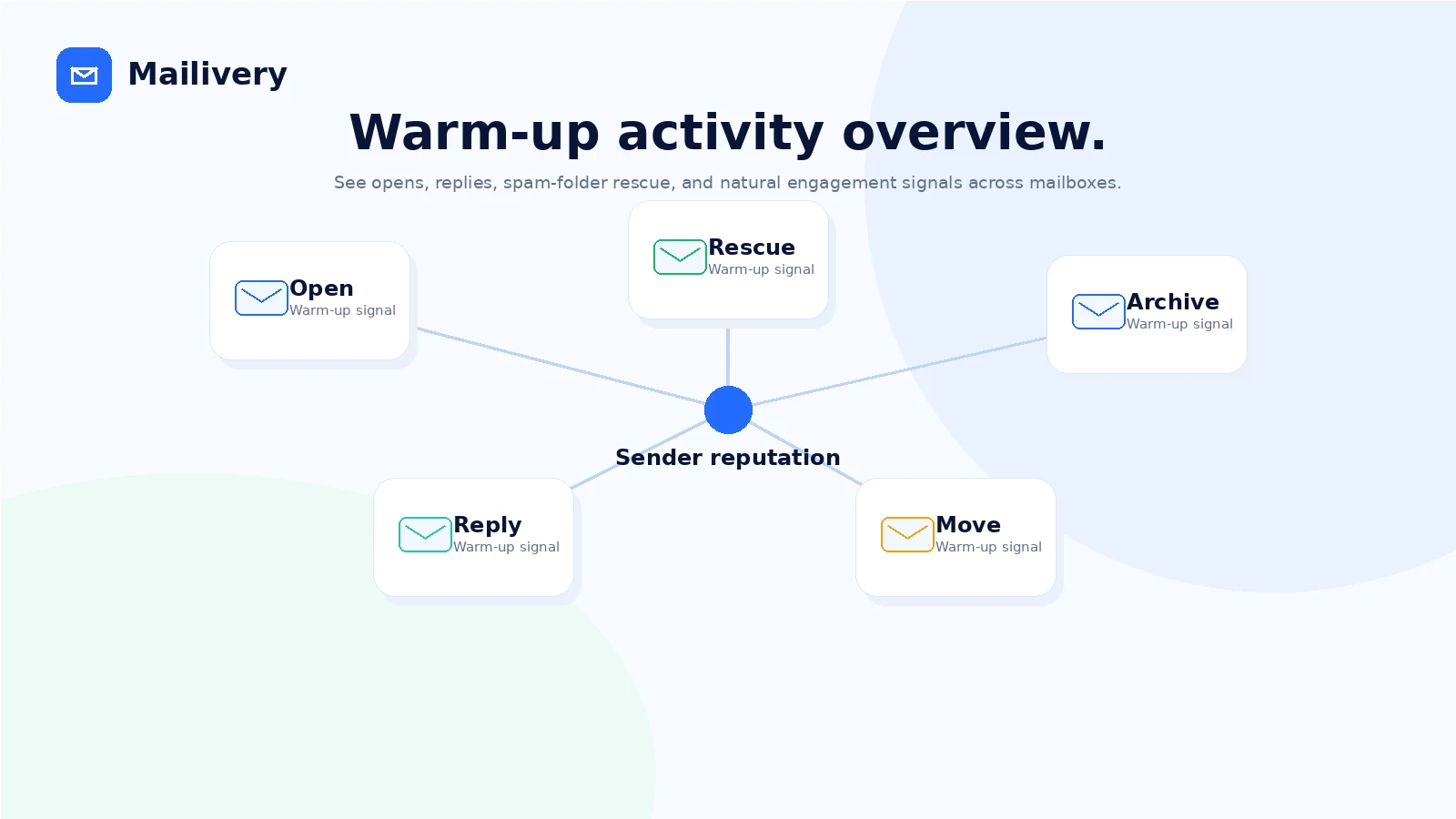
Mailivery is an email warm-up and deliverability tool for cold outreach teams. Its core idea is simple: connected mailboxes exchange controlled interactions through Mailivery’s network, including sending, receiving, opening, replying, and moving messages out of spam or promotions when needed. The goal is to support sender reputation so real outreach has a better chance of reaching the primary inbox.
That sounds simple on the homepage. The buying decision is not.
A warm-up tool is only useful if it fits a larger deliverability process. You still need proper domain setup, sensible sending volume, clean lists, compliant outreach, realistic copy, and enough patience to let sender reputation build over time. Mailivery can support that routine; it should not be treated as a button that repairs every outreach problem.
Mailivery’s current public positioning is stronger for multi-inbox buyers than for casual senders. It highlights unlimited connected mailboxes, AI-assisted peer-to-peer interactions, spam and reputation analytics, blacklist monitoring, email verification, team management, and API access. That makes it feel closer to a deliverability operations layer than a tiny personal inbox warmer.
Our review approach compares public product pages, pricing details, legal terms, API documentation, buyer workflow fit, third-party review signals, and nearby alternatives. I would not treat a coupon, low monthly entry price, or “unlimited mailbox” headline as proof that the product fits. The real test is whether Mailivery gives you a measurable routine that helps you manage sender reputation without creating a bigger operational mess.
Who should use Mailivery?
Mailivery makes the most sense for outbound teams warming several inboxes before or during cold email campaigns. If the team is adding domains, rotating sender accounts, or gradually increasing campaign volume, a warm-up and monitoring layer can help make that process less blind. The condition is that someone still owns deliverability hygiene outside the tool.
Agencies are another strong fit. If you manage inboxes for clients, the unlimited-mailbox positioning can be attractive because per-inbox pricing gets expensive quickly. But the buyer should verify team-user limits, shared warm-up volume, client reporting needs, and whether agency use fits current terms before presenting it as part of a managed service.
SaaS platforms and CRMs may also care about Mailivery because of the API path. If warm-up needs to live inside another product or client workflow, API access, mailbox onboarding, health metrics, and webhook support become more important than a pretty dashboard. I would still confirm API cost, access process, downstream-user responsibilities, and support scope before building around it.
Small sales teams may use Mailivery if they need a repeatable mailbox health routine. This is especially true when the team has enough inboxes that unlimited connections create real value, but not so much complexity that they need a fully custom deliverability operation.
A buyer trying to recover reputation may also consider it, but with a caveat. Warm-up can support recovery work, but it does not erase poor outreach history. If your domain, list, copy, or send behavior is the root problem, Mailivery is only one part of the repair plan.
Who should avoid Mailivery?
I would be careful with Mailivery if you have only one low-volume inbox and no real outbound system. The product may still work, but you may not need the team, API, shared-volume, or blacklist-monitoring depth that makes Mailivery more interesting.
I would also avoid buying it if you expect guaranteed inbox placement. The terms make the correct point: deliverability results depend on many factors outside the platform, including email content, sending practices, domain reputation, and mailbox-provider policies. That is not a small legal detail. It is the reality of this category.
Teams that cannot test during the trial should wait. A 7-day trial is useful only if you are ready to connect real mailboxes, inspect the dashboard, check cancellation controls, and decide quickly. Starting the trial casually, then forgetting about it, is the easy mistake here.
Buyers who need a broad email marketing platform should also compare adjacent tools instead of forcing Mailivery to solve the wrong job. If the real need is segmentation, automations, newsletters, customer journeys, or CRM-style messaging, ActiveCampaign is a more relevant internal route. If the real problem is landing pages and funnel infrastructure, the ClickFunnels offer path is a different category entirely.
Finally, avoid Mailivery if your company cannot accept third-party mailbox connection, metadata processing, and warm-up interactions as part of the workflow. Email deliverability tools need access to sensitive sending infrastructure. That has to pass your internal security, compliance, and client-approval process before the pricing even matters.
How Mailivery fits into a real workflow
A sensible Mailivery workflow starts before signup.
First, estimate how many inboxes you need to warm and how many warm-up interactions per day each mailbox actually requires. The pricing page frames Mailivery around shared daily warm-up volume, so this estimate matters more than the “unlimited mailboxes” headline.
Second, check your sending foundation. SPF, DKIM, DMARC, domain age, sending cadence, list quality, and campaign copy still matter. If those are weak, Mailivery may produce activity, but it cannot make a reckless outreach setup safe.
Third, start the trial only when you can connect real mailboxes. A fake test account will not tell you much. You want to see whether the setup flow works for Gmail, Google Workspace, SMTP, Microsoft 365, SendGrid, or whichever connection path your team actually uses.
Fourth, inspect the dashboard. Look for warm-up activity, spam or promotions movement, reputation signals, blacklist monitoring, and whether the team can understand what is happening without babysitting the account every hour.
Fifth, decide whether the plan tier matches real volume. If you need more daily interactions than the entry plan supports, the cheapest plan is not actually the cheapest fit. If you need several users or client visibility, team limits matter too.
Workflow test: If you are evaluating Mailivery, start the trial only when your real mailboxes, DNS checks, and volume estimate are ready.
Real-world buyer scenarios
A small outbound team with five new sender inboxes may be a good Mailivery fit if the team wants one place to warm accounts and monitor reputation signals. The risk is buying too little daily volume and assuming “unlimited mailboxes” means unlimited useful warm-up. In that case, the plan limit matters more than the mailbox count.
An agency managing inboxes for several clients has a stronger reason to evaluate Mailivery. The economics of volume-based pricing can become attractive when per-inbox tools get expensive. But agency buyers should check user permissions, client reporting, API needs, allowed resale or managed-service use, and the non-refundable subscription language before annual billing.
A SaaS platform that wants to embed warm-up into its own product should look closely at the API path. Mailivery’s public API pages discuss mailbox connection, warm-up control, health metrics, custom templates, and webhook notifications. That is useful, but it also creates more responsibility. You are not just buying a dashboard; you are potentially building a deliverability feature for downstream users.
A solo founder sending from one inbox should be more skeptical. Mailivery may still help, but the buyer should compare direct warm-up alternatives and decide whether a simpler per-inbox tool is easier to manage. For one low-volume mailbox, operational simplicity can beat broader platform depth.
Key features that actually matter
Unlimited connected mailboxes with shared limits
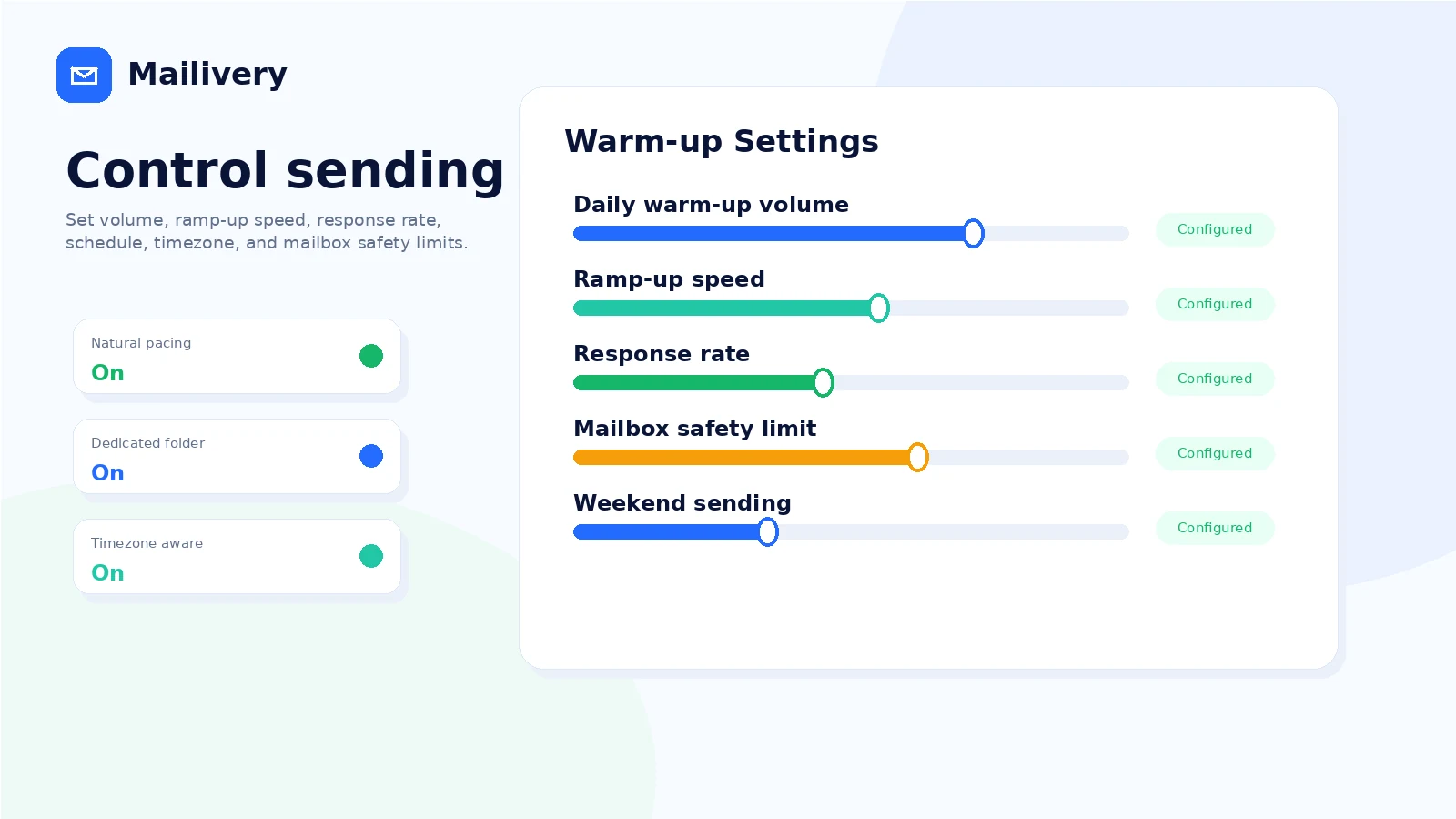
This is the feature that changes the buying math. Mailivery does not position the core plans as a simple per-inbox charge. Instead, it lets buyers connect unlimited mailboxes while plan limits control shared daily warm-up volume, response rate, users, blacklist monitors, and related capacity.
Buyer note: unlimited mailboxes are useful only if the selected plan has enough shared activity for the number of inboxes you plan to warm.
AI-assisted peer-to-peer warm-up
Mailivery uses AI-generated content and a peer-to-peer mailbox network to create interactions that look more natural than static template pings. The practical value is not that AI makes deliverability guaranteed. The value is that the warm-up activity can run in the background while you monitor whether mailbox reputation signals are moving in the right direction.
Buyer note: treat warm-up as support for sender behavior, not as proof that future campaigns will land in the inbox.
Spam, reputation, and blacklist monitoring
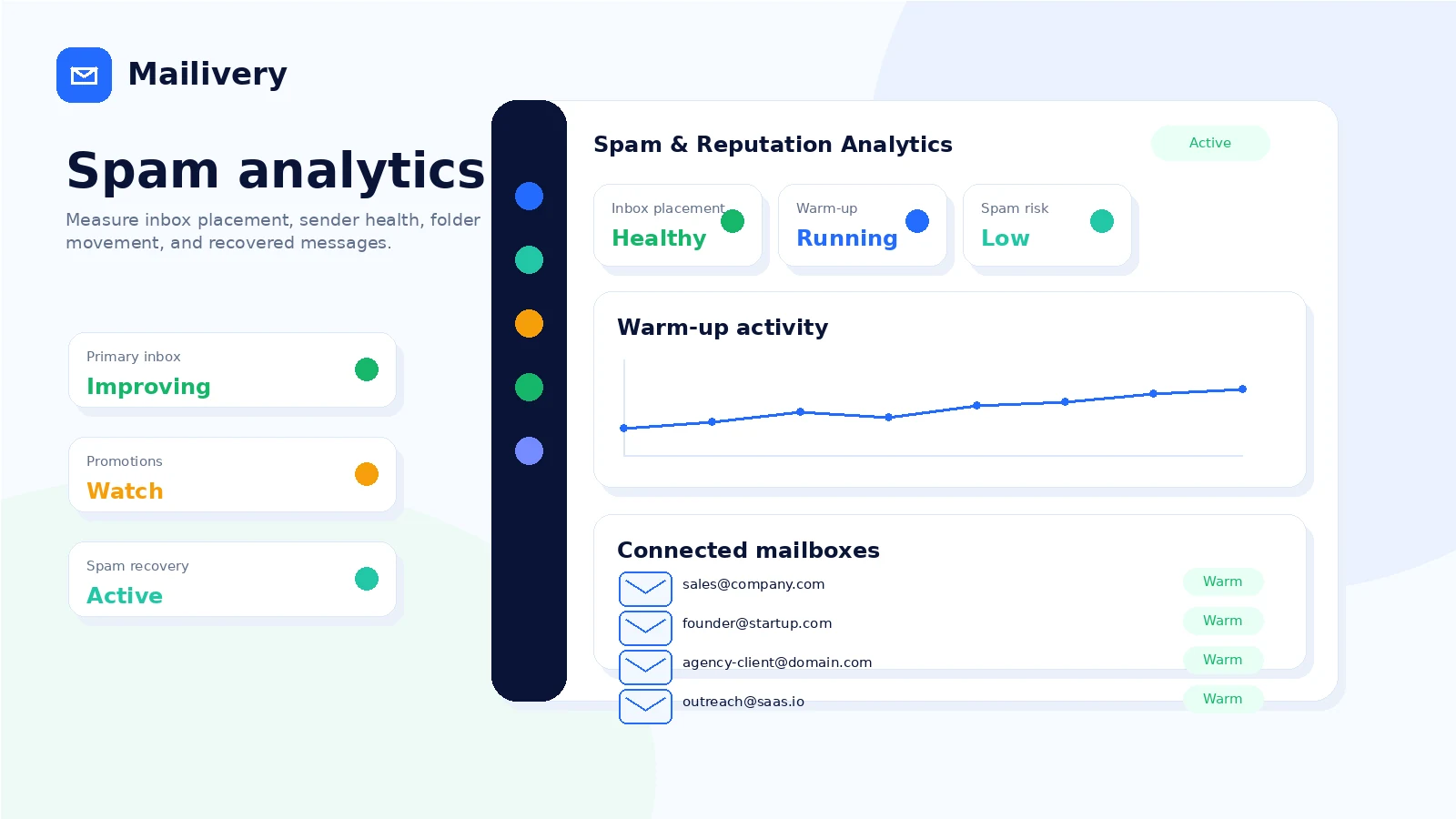
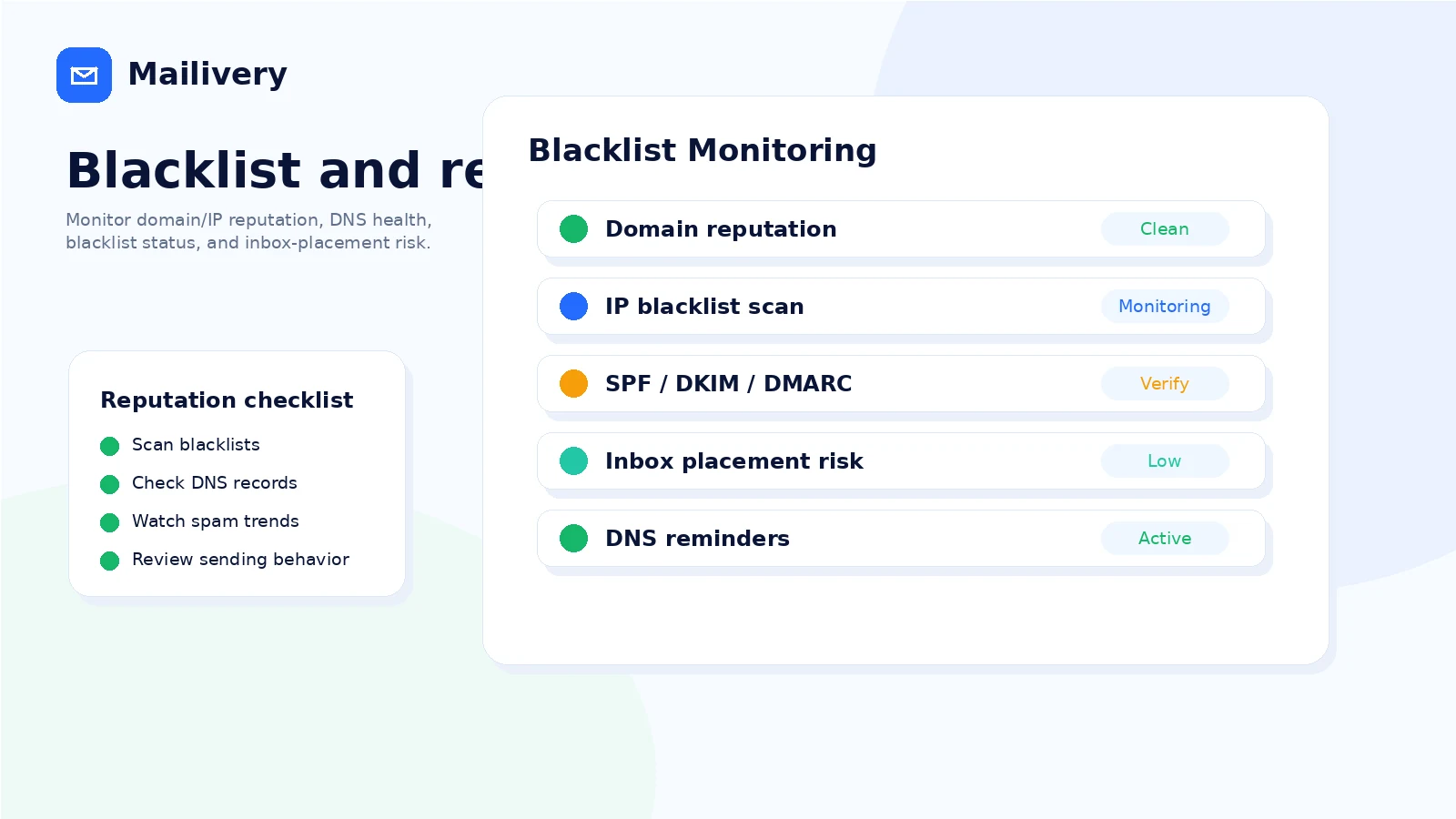
The analytics layer matters because deliverability work needs measurement. Mailivery promotes spam and reputation analytics, blacklist monitoring across many public lists, and recommendations when a domain or IP is flagged.
Buyer note: blacklist monitoring is useful as an alerting layer, but you are still responsible for remediation, delisting efforts, sending behavior, and compliance.
Team management and agency workflow
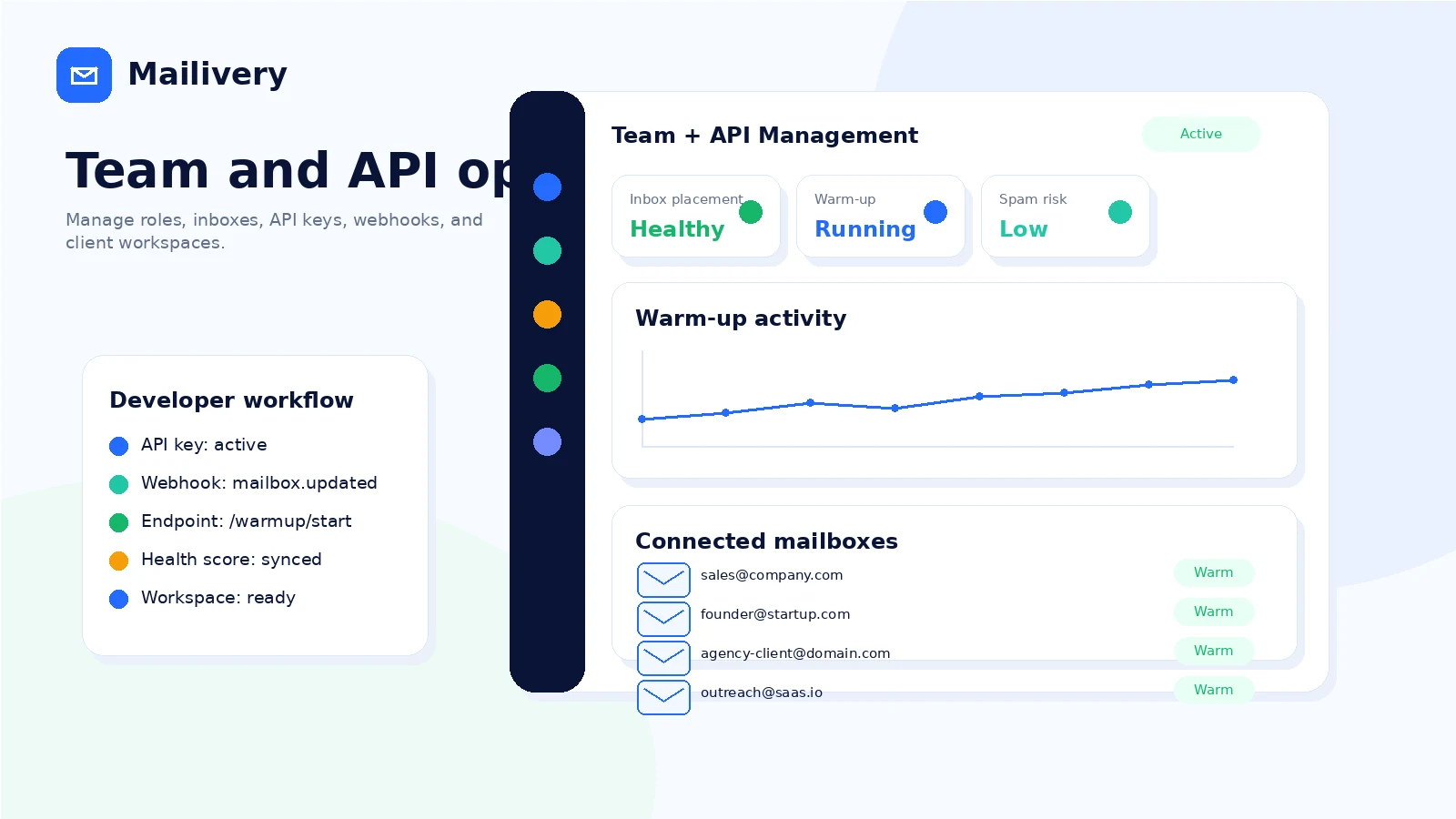
Mailivery supports team users, roles, and shared dashboard visibility. This matters for agencies and outbound teams where one person sets up mailboxes, another monitors activity, and another manages campaign execution.
Buyer note: check user limits before inviting operators, clients, or account managers. The entry plan may not be enough for a team workflow even if it is enough for a small test.
API and platform path
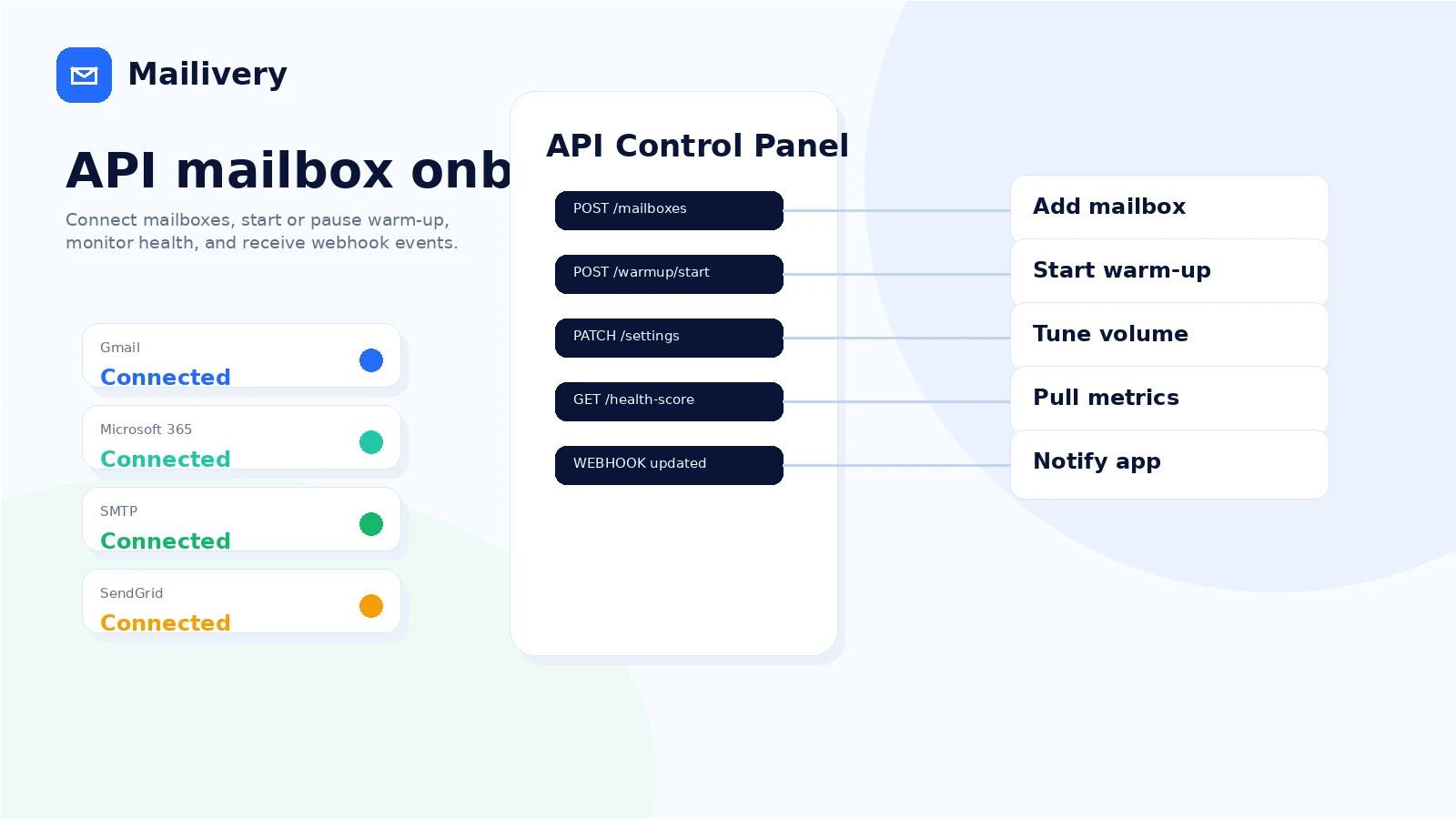
Mailivery’s API path is relevant for CRMs, cold email platforms, agencies, and SaaS tools that need warm-up inside another workflow. Public API materials mention mailbox connection, warm-up control, daily volume changes, ramp-up scheduling, health metrics, and webhooks.
Buyer note: API access should be verified directly before any product integration. Check access, cost, rate limits, support, downstream-user responsibilities, and whether your use case is allowed under current terms.
Pricing and plan value
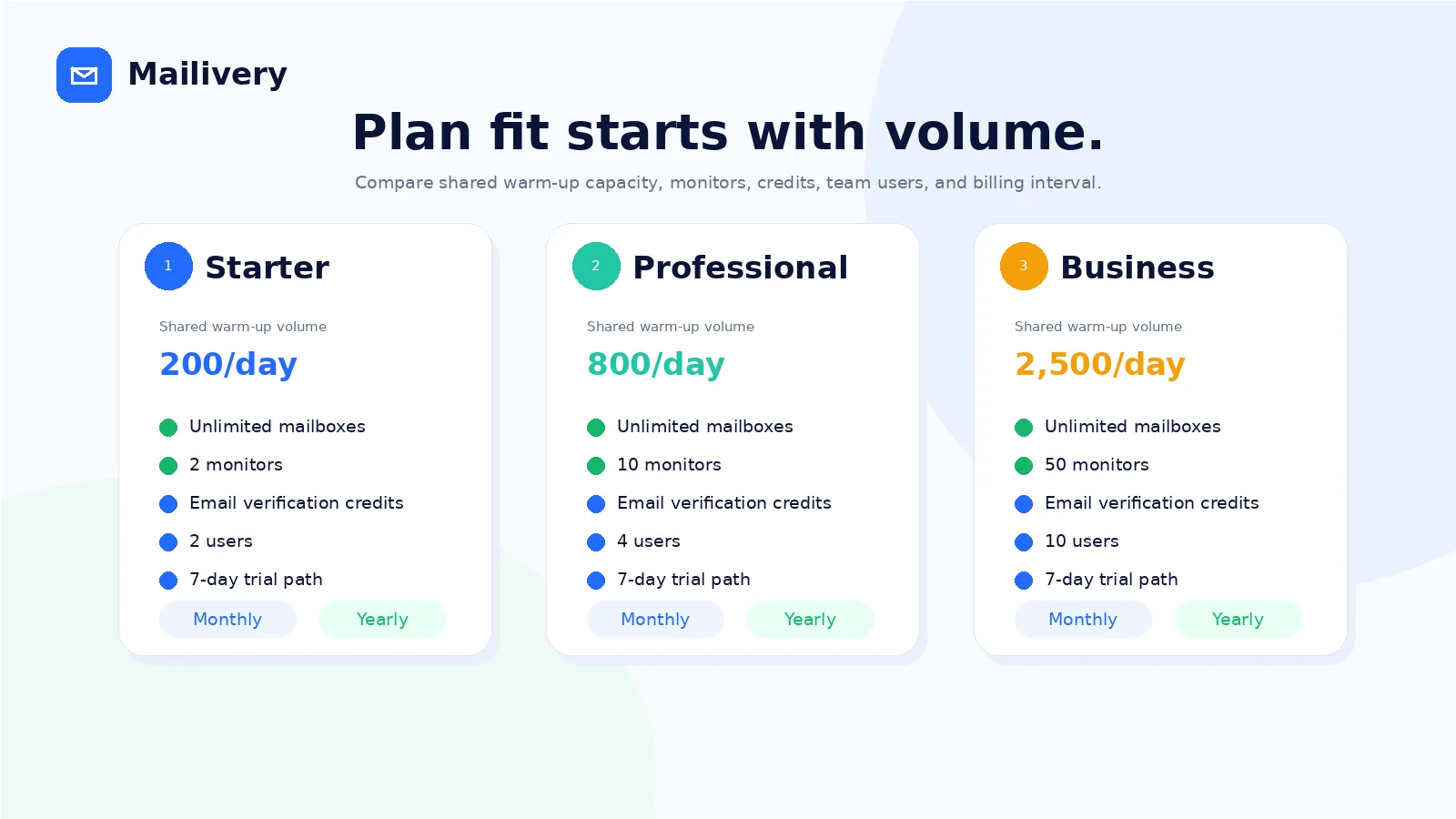
Mailivery pricing looks simple at first: the public pricing page presents Starter, Professional, and Business paths, with monthly and yearly billing. The buying detail is that plan value is driven less by the number of connected mailboxes and more by shared daily warm-up volume, team-user count, response-rate limits, blacklist monitoring, email verification credits, and whether you need API or custom volume.
At the time of review, the public pricing page shows monthly plans starting at $29/month, with higher tiers at $79/month and $199/month, and yearly billing reducing the effective monthly price. However, buyers should verify the live pricing table carefully because the page presents daily shared warm-up limits in more than one place. The safest way to read the page is not to memorize one number from an article. It is to confirm the exact current limit at checkout before paying.
For a small team, Starter may be enough for a narrow test. For several inboxes or meaningful outreach volume, Professional may be more realistic. For heavier teams, Business or custom volume may make more sense. Annual billing should come later, not first, because the refund terms make a mistaken commitment harder to unwind.
The plan question I would ask is practical: how many warm-up interactions do you need per day across all active mailboxes? If you cannot answer that, you are not ready to choose yearly billing. If you can answer it, Mailivery becomes easier to compare against per-inbox tools.
Pricing check: Before paying, confirm the live plan limits, trial timing, taxes, and cancellation terms on the current buyer route.
Check Mailivery pricing Check current offers Read store guide
Free plan, trial, coupon, and checkout notes
I did not confirm a permanent free plan for Mailivery. The safer buyer path is the 7-day trial.
The trial can be useful, but only if you treat it seriously. Payment information may be required, and the terms say the subscription can automatically charge if the buyer does not cancel before the trial ends. That means the trial is not a casual browsing period. It is the risk-reduction window.
The coupon path should come after workflow fit. If the product does not fit your mailbox setup, a discount will not fix the mismatch. If it does fit, checking the Mailivery coupon page before checkout is reasonable, but do not let a reported offer override the live pricing, plan limits, or refund terms.
I would use this order:
- Read the current pricing page.
- Estimate daily shared warm-up volume.
- Start the trial only when real mailboxes are ready.
- Verify cancellation controls during the trial.
- Compare monthly versus yearly billing after the workflow is proven.
- Check the coupon route last.
That order is less exciting than chasing a discount, but it protects the buyer better.
What I would check before buying Mailivery
If I were buying Mailivery for a real outreach workflow, I would check these points first:
- The exact shared daily warm-up limit on the live plan table and checkout screen.
- The daily limit per connected mailbox and whether it fits the ramp-up schedule.
- The maximum response rate and whether it matches the warm-up behavior your team wants.
- Team-user limits for operators, clients, or agency staff.
- Whether Gmail, Google Workspace, SMTP, Microsoft 365, SendGrid, or API setup matches your mailbox stack.
- The cancellation flow before the trial ends.
- The non-refundable subscription wording before annual billing.
- Whether blacklist monitoring and email verification allowances are enough for your reporting needs.
- Direct alternatives such as MailReach, Warmup Inbox, Lemwarm, or Warmy if per-inbox pricing may be easier.
A simple test before paying
Before moving to a paid Mailivery plan, I would run a focused test like this:
- Choose two or three real mailboxes that represent your normal outreach setup.
- Confirm SPF, DKIM, DMARC, and basic mailbox health before connecting anything.
- Start the trial when you can monitor it daily for one week.
- Connect the mailboxes and configure conservative warm-up volume.
- Watch whether the dashboard gives useful spam, reputation, blacklist, and activity signals.
- Check whether the team can understand the reports without extra explanation.
- Open billing and cancellation settings before the trial ends.
- Decide whether the monthly plan fits before considering yearly billing.
The point of the test is not to prove that every future email will land in the inbox. That would be unrealistic. The point is to decide whether Mailivery gives you a repeatable, understandable deliverability routine that your team will actually use.
Pros explained
The first real pro is scale economics. Unlimited connected mailboxes can make Mailivery attractive for agencies and teams that would otherwise pay per inbox. This only matters when shared warm-up volume is sufficient. If the plan limit is too low, unlimited mailbox count becomes less meaningful.
The second pro is that Mailivery bundles more than warm-up. Blacklist monitoring, email verification positioning, analytics, team access, and API options make it feel broader than a background inbox spinner. That can save tool sprawl for buyers who want one deliverability layer.
The third pro is operational control. Settings for volume, timing, warm-up behavior, and monitoring matter because deliverability should not be left to a black box. Buyers still need judgment, but a visible dashboard is better than hoping warm-up is happening somewhere in the background.
The fourth pro is the API path. Many warm-up buyers only need a dashboard, but agencies and platforms may need programmatic onboarding, monitoring, and alerts. Mailivery’s developer positioning gives those buyers a more serious evaluation route.
The fifth pro is the trial. Seven days is not long, but it is enough to test connection, basic dashboard clarity, and cancellation flow if the buyer is prepared.
Cons explained
The biggest con is category expectation. Some buyers approach email warm-up as if it guarantees inbox placement. It does not. Mailivery can help create positive interactions and monitor reputation signals, but email providers, list quality, message content, sending habits, and domain history still matter.
The second con is pricing clarity. The public pricing page presents plan information in multiple blocks, and shared daily warm-up limits should be verified live before checkout. I would not rely on an old screenshot, old review, or one copied number from a third-party article.
The third con is refund risk. The terms say subscription fees are non-refundable except where required by law. That does not make Mailivery bad; it makes trial discipline important. If you want a generous post-payment refund window, verify current terms before entering payment details.
The fourth con is that solo users may overbuy. A one-inbox sender may not need team access, API, unlimited mailboxes, or shared-volume economics. A simpler tool may be easier to judge.
The fifth con is technical and compliance responsibility. Connecting mailboxes, running warm-up interactions, using API access, and sending cold email all involve operational risk. Mailivery does not replace your responsibility to follow anti-spam laws, provider rules, and client data expectations.
Green flags and red flags
Green flags:
- You manage multiple mailboxes and can estimate daily warm-up volume.
- You already maintain SPF, DKIM, DMARC, sending cadence, and list quality.
- You need team visibility or agency workflow rather than a personal warm-up toy.
- You want blacklist monitoring and reputation analytics, not just background activity.
- You may need API access for a CRM, SaaS, or managed deliverability service.
Red flags:
- You expect Mailivery to repair bad lists or spammy outreach strategy by itself.
- You cannot test real mailboxes during the 7-day trial.
- You are buying yearly only because it looks cheaper.
- You have not checked the live plan limit and cancellation terms.
- You are comparing Mailivery to email automation or funnel tools instead of direct warm-up alternatives.
Mailivery vs alternatives
Mailivery should mostly be compared with other email warm-up and inbox-placement tools. ActiveCampaign and ClickFunnels are useful internal adjacent routes, but they are not direct replacements.
MailReach vs Mailivery
MailReach is a direct email warm-up comparison. It may be better if you prefer a more straightforward per-inbox model or want a tool that is easier to budget mailbox by mailbox. Mailivery may be stronger when you manage many inboxes and shared-volume pricing gives better scale economics.
Warmup Inbox vs Mailivery
Warmup Inbox is another direct comparison for buyers who want warm-up and reputation signals without necessarily evaluating an API-heavy or agency-oriented path. Mailivery may make more sense when unlimited connected mailboxes and team/API flexibility matter.
Lemwarm vs Mailivery
Lemwarm is relevant if you already live inside the Lemlist ecosystem or want warm-up connected to a broader outbound workflow. Mailivery may be the better standalone comparison if you want deliverability infrastructure that is less tied to one sending platform.
Warmy vs Mailivery
Warmy is a reasonable comparison for buyers who want automated warm-up and deliverability improvement tools. The tradeoff comes down to pricing model, reporting depth, plan limits, mailbox connection needs, and whether you prefer Mailivery’s shared-volume/unlimited-mailbox structure.
ActiveCampaign and ClickFunnels as adjacent routes
ActiveCampaign is not a mailbox warm-up replacement. It is an email marketing automation and CRM-style platform. Compare it when the real question is customer journeys, segmentation, and marketing automation.
ClickFunnels is even more adjacent. It is about funnels, landing pages, and sales infrastructure. Compare it only if you are deciding where Mailivery sits in a wider growth stack.
Trust, refund, and buyer-risk notes
The trust picture is mixed in a normal way for this category.
On the positive side, Mailivery’s official pages clearly explain the product role: email warm-up, unlimited mailbox positioning, peer-to-peer interactions, spam and reputation analytics, blacklist monitoring, team workflow, and API access. G2, Capterra, and Trustpilot provide some public review signals, though the sample sizes are not large enough to treat ratings as final proof of fit.
The risk side is also clear. The terms say warm-up does not guarantee specific deliverability results, blacklist monitoring is informational, email verification is not 100% accurate, API access has limits and downstream responsibilities, and subscription fees are generally non-refundable except where required by law. That is not unusual for software, but it matters when the buyer is connecting mailbox infrastructure and relying on the tool for outreach performance.
Data and privacy also deserve attention. Mailivery needs to process account information, email metadata, usage data, and enough mailbox interaction data to provide the service. Teams with client inboxes, regulated data, or strict internal security rules should review the privacy policy and mailbox-access process before rollout.
The safest buyer posture is this: use Mailivery as a deliverability support layer, not as insurance against bad outreach. Keep your DNS setup clean. Use permission-aware lists. Avoid aggressive volume jumps. Monitor bounce and complaint signals. Do not treat warm-up replies as proof that real prospects will engage.
If you approach it that way, Mailivery becomes easier to judge. It is not a magic spam-folder escape hatch. It is a tool for teams that want to make sender reputation management more deliberate.
Final verdict
I would consider Mailivery if you manage multiple outreach inboxes, understand your daily warm-up needs, and want a deliverability layer with monitoring, team access, and possible API depth. It makes the most sense when unlimited connected mailboxes and shared-volume pricing are more useful than per-inbox billing.
I would skip Mailivery, or at least delay paying, if you only have one casual inbox, cannot test during the trial, or expect a warm-up tool to guarantee inbox placement. That expectation will create disappointment in almost any deliverability product.
I would compare it with MailReach, Warmup Inbox, Lemwarm, Warmy, and similar direct warm-up tools before choosing annual billing. I would compare ActiveCampaign or ClickFunnels only if the real buying question is broader marketing automation or funnel infrastructure.
The safest next step is not to chase a coupon first. Estimate your mailbox volume, verify the current plan limits, start the trial only when you can test real inboxes, and decide monthly before making a longer commitment.
