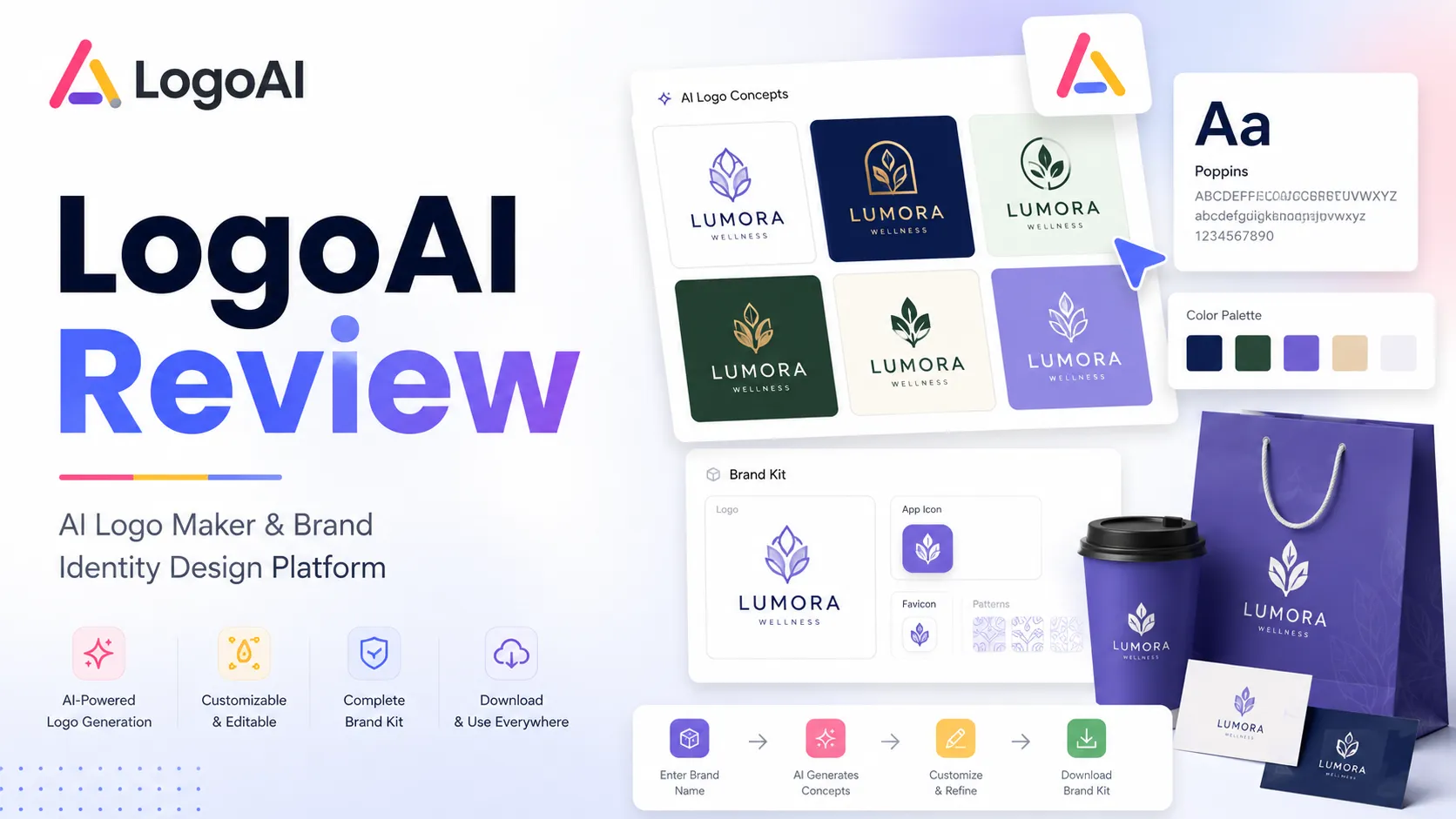
Quick verdict
LogoAI is worth considering if you need a decent logo direction quickly and you like the idea of designing first, then paying once only when a logo is ready to download.
That is the good part.
The part I would be careful with is the moment right before checkout. LogoAI is not a subscription logo tool where you casually test a plan and cancel later. Its public model is closer to a one-time logo purchase: generate and customize ideas for free, then pay when you want the usable files and license. That can be a clean buying path, but it also means the buyer has to be more careful before unlocking the files.
For my money, LogoAI makes the most sense for founders, creators, local businesses, and small teams that need a starter logo, social-friendly brand assets, or early identity material faster than a traditional design project. It is weaker if you need deep brand strategy, trademark clearance, exclusive creative direction, or a design process where refund flexibility matters.
The main strength is speed plus package clarity: you can try concepts before paying and then choose a download package based on where the logo will be used. The main risk is buying too early. A logo that looks good in a preview can still be wrong for print, trademark safety, long-term brand use, or file-format needs.
The safest next step is simple: generate several designs, customize the best one, check the package contents, read the refund and trademark notes, then use the LogoAI store guide or direct buyer route only after the design still feels usable.
Next step: If LogoAI still fits your logo workflow, test the design path first and verify package contents before checkout.
Review snapshot
| Review point | Practical take |
|---|---|
| Best for | Founders, creators, small businesses, and consultants that need a fast starter logo and simple brand assets |
| Not ideal for | Buyers who need custom brand strategy, trademark clearance, enterprise brand governance, or refund flexibility after file access |
| Main use case | Generate logo ideas, customize a chosen concept, then buy downloadable files and related brand assets |
| Pricing model | One-time logo purchase after free design and customization |
| Free entry point | Free to generate and edit logo ideas; payment is required to download and use the final logo files |
| Main strength | Fast AI logo concepts plus optional brand assets, mockups, business card material, and social visuals |
| Main concern | Non-refundable file access and no trademark search make pre-purchase checks important |
| Best alternatives to compare | Looka, Tailor Brands, Canva Logo Maker, Sologo AI |
| Best next step | Create and refine several logo concepts before choosing a package or discount route |
What is LogoAI?
LogoAI is best understood as an AI logo maker and starter brand identity tool for buyers who want to move from a brand name to a usable logo package without hiring a designer for the first round.
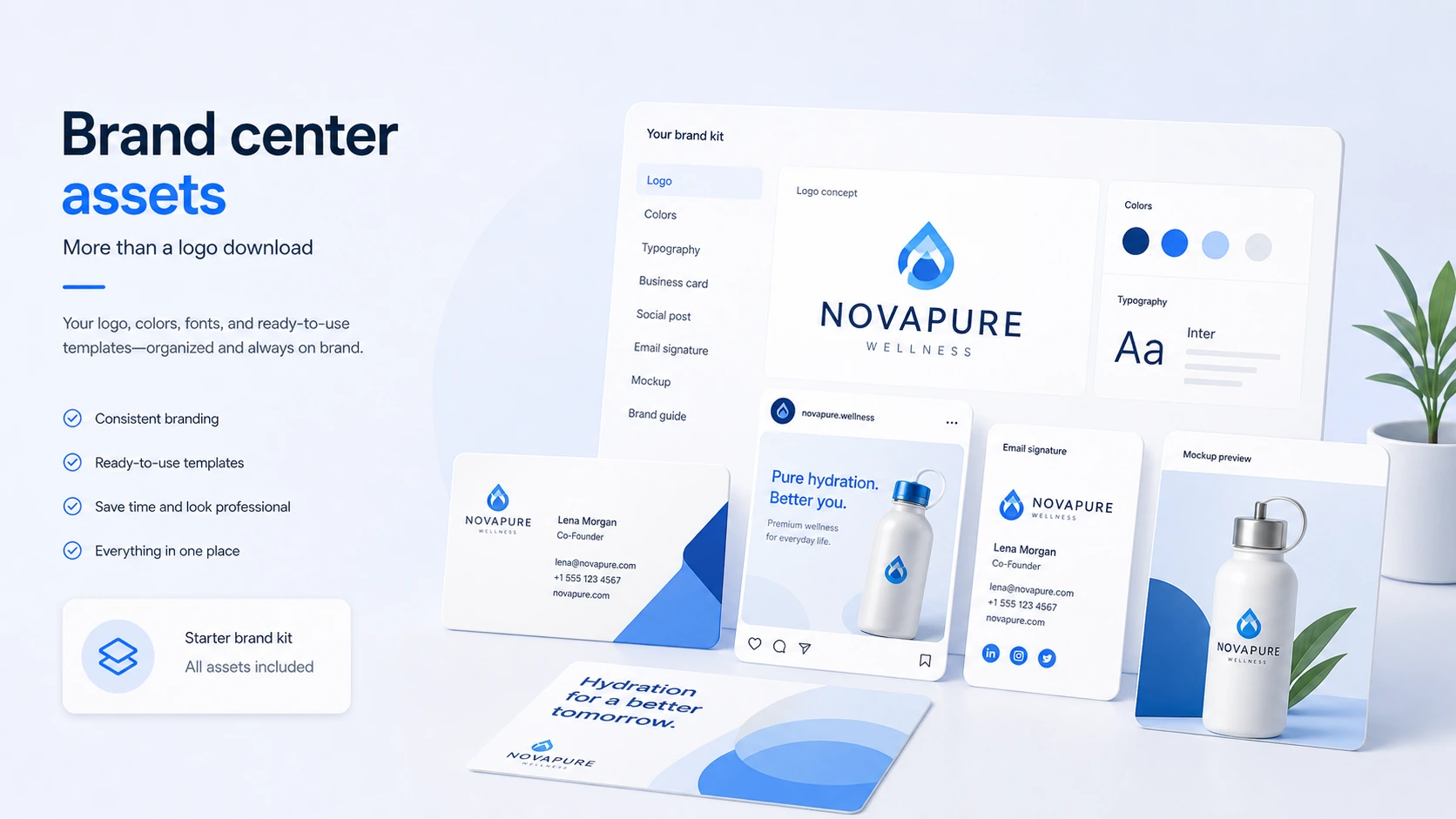
The public positioning is broader than a simple logo generator. LogoAI presents itself as a brand-building platform that can create professional logos, matching identities, and on-brand social media content. Its homepage also points to related assets such as logo mockups, business cards, social media visuals, posters, brand center material, logo animation, and email signatures.
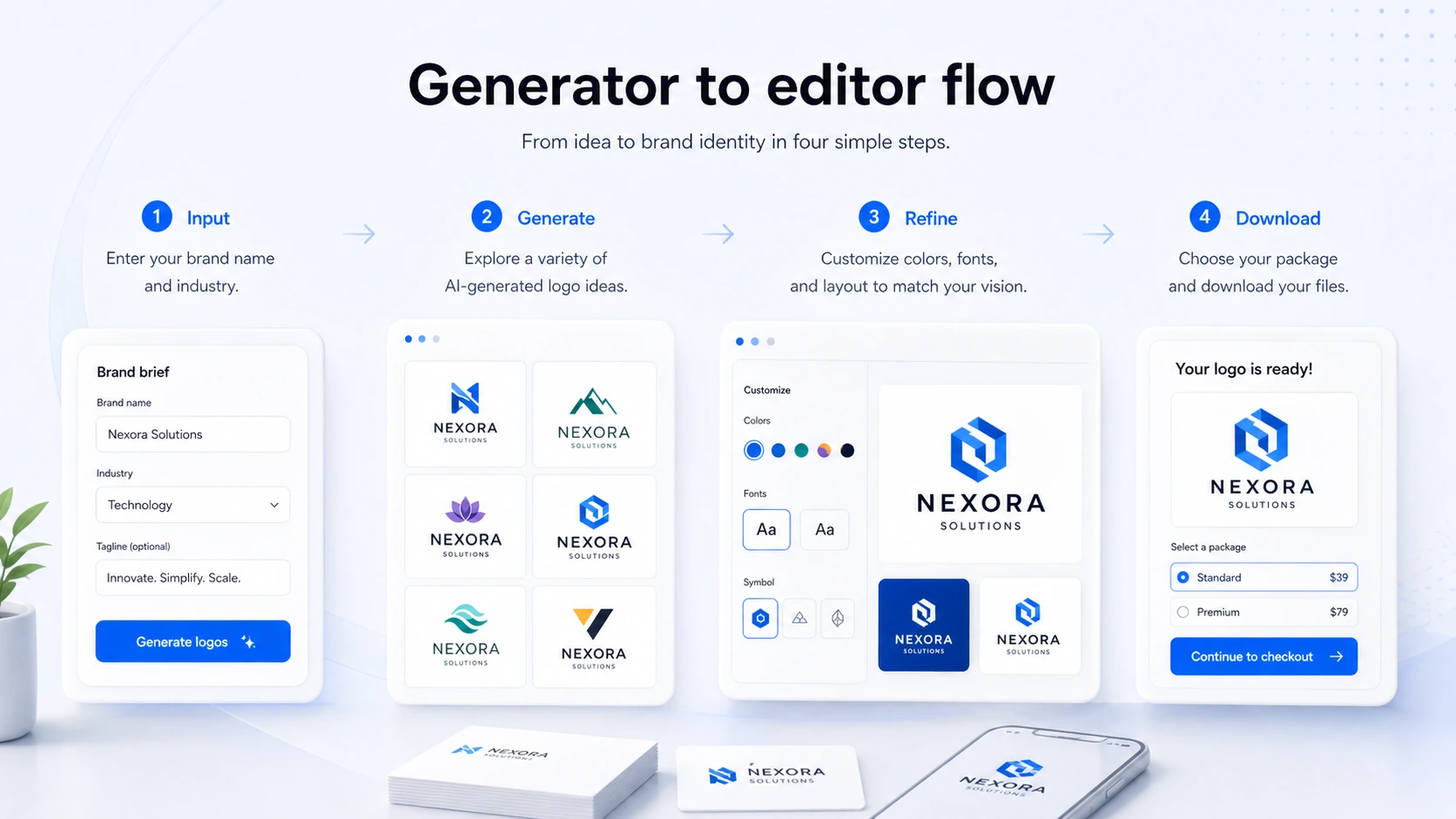
The core workflow is straightforward: enter a logo name and preferences, review generated concepts, customize the design, then download the logo files after purchase. The important buyer distinction is that the design process is not the same as owning a usable logo. You can explore and edit ideas before paying, but commercial use and final file access require a paid package.
I would not judge LogoAI as a custom branding agency. It is not doing brand strategy, competitive positioning, legal clearance, naming, messaging, or a full identity system from scratch. It is closer to a fast logo-and-brand-asset production tool.
That can be enough.
A small business does not always need a $3,000 identity project before launching a landing page. A creator may only need a visual direction for a newsletter, podcast, or side project. A founder may need something clean enough for pitch slides while the company is still testing the market.
But the wrong expectation creates the wrong purchase. LogoAI can help you create a logo direction. It does not guarantee that the mark is legally clear, strategically unique, or strong enough for a serious long-term brand.
Our review approach: we compare public product pages, pricing details, terms, refund language, buyer workflow fit, deal conditions, and nearby alternatives. We do not treat a discount path or fast logo preview as proof that the final package is the right purchase.
Who should use LogoAI?
LogoAI is a good fit for early-stage founders who need a practical first logo before a full branding project makes sense. The condition is that the logo is being used for early momentum: landing pages, pitch decks, mockups, MVPs, small campaigns, or a simple public launch. If the brand is already serious, funded, and legally sensitive, LogoAI should be treated more as concept exploration than final identity work.
It can also fit small business owners who need one-time pricing instead of another monthly design subscription. A restaurant, local service provider, coaching business, repair shop, small ecommerce brand, or community project may only need a logo package, business card assets, and social visuals. In that situation, LogoAI’s one-time purchase model is easier to understand than tools that push the buyer into ongoing brand-kit subscriptions.
Creators are another realistic audience. A YouTube channel, newsletter, podcast, personal brand, online course, or niche website often needs something recognizable before it needs a full brand system. LogoAI can help test a visual direction quickly, especially when the buyer is still unsure about the final name or style.
Agencies and consultants may use LogoAI differently. For them, it can be an idea-generation tool or early concept route for clients. That does not mean it replaces a designer. It means it can speed up the rough-option stage before more serious creative work begins.
A separate buyer group is builders. LogoAI’s logo API and white-label path may interest websites, apps, or directories that want to offer logo generation to their own users. That is not the normal one-logo purchase route. It is a business integration decision and should be evaluated with setup cost, payment flow, customer demand, and technical fit in mind.
Who should avoid LogoAI?
I would avoid LogoAI if you need a custom human designer to think through brand strategy, differentiation, audience perception, logo meaning, and long-term identity rules. LogoAI can generate directions quickly, but speed is not the same thing as strategic clarity.
I would also be careful if trademark risk matters. LogoAI’s terms make clear that trademark, copyright, and service-mark searches are not handled for the buyer. If the logo will be used on packaging, paid ads, signage, franchise materials, investor decks, or a serious public launch, independent checks are not optional.
LogoAI is not ideal if you expect to buy first and decide later. The refund posture is strict after file access, and that changes the buyer behavior. You should treat the free design workflow as the real evaluation window.
It may also be a poor fit for teams that need collaboration, approval flows, brand governance, asset permissions, version control, and long-term design operations. Canva or a broader brand platform may be a better route if the logo is only one piece of an ongoing visual content process.
Finally, I would avoid choosing LogoAI only because a coupon or discount route appears. A discount can improve a purchase that already fits. It cannot make a generic logo feel distinctive, solve trademark risk, or upgrade a package that lacks the files you need.
How LogoAI fits into a real workflow
A careful LogoAI workflow starts before the tool creates anything.
The buyer should first decide where the logo will appear. A website header and social avatar are not the same use case as printed signs, packaging, embroidered clothing, business cards, investor documents, and branded templates. That decision affects the package you need later.
Then the buyer should prepare the brand name, slogan, industry, tone, color direction, and style references. AI logo makers are faster when the buyer has some taste boundaries. If you enter a vague brand and accept the first nice-looking output, you are more likely to buy a logo that feels generic a week later.
The real workflow looks like this:
- Prepare the brand direction and use cases.
- Generate several logo concepts.
- Compare them outside the tool, not only inside the preview grid.
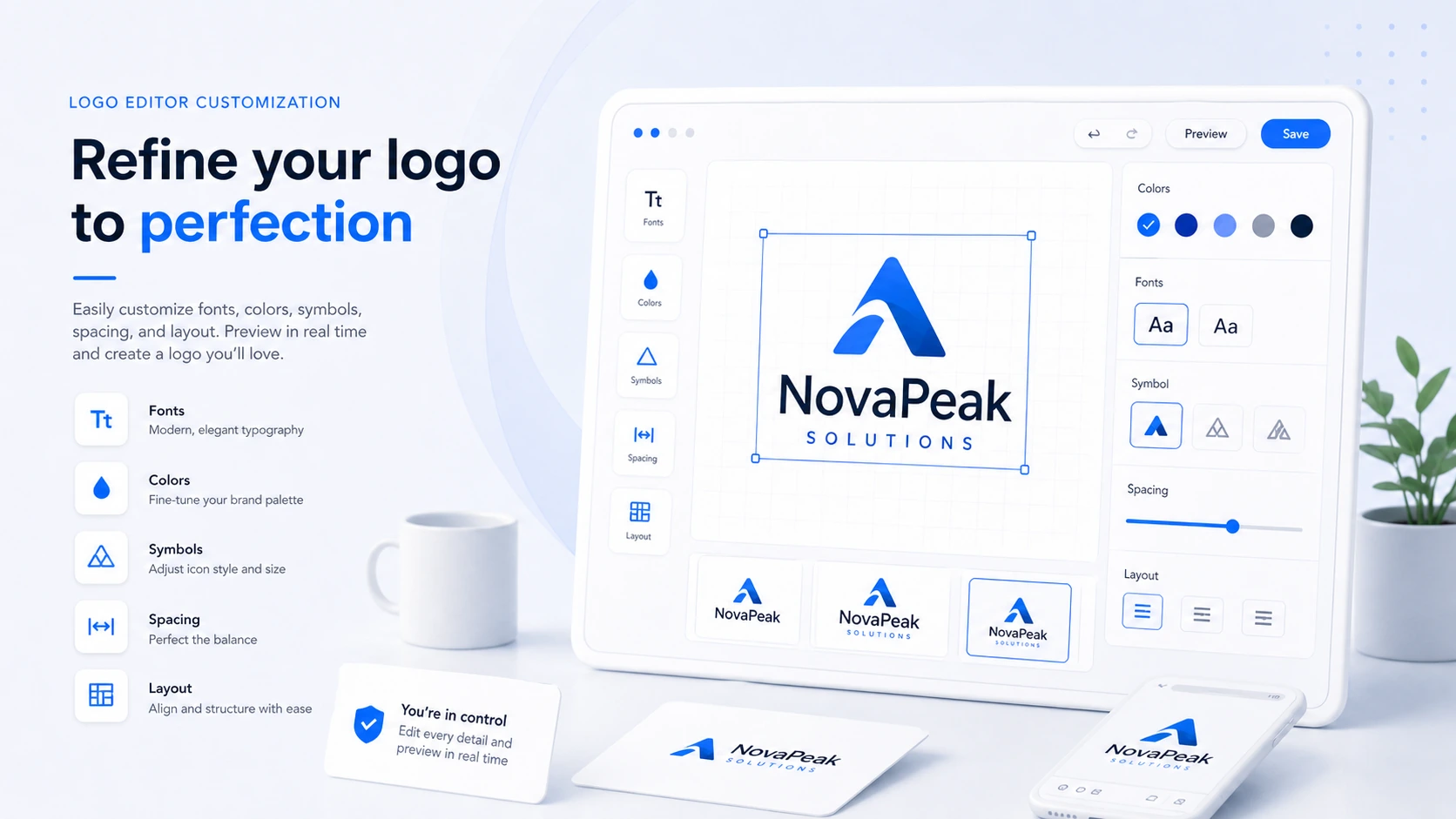
- Customize the best option with colors, font, symbol, spacing, and layout.
- Preview it in real contexts such as header, social profile, card, and mockup.
- Check package contents against the places where the logo will be used.
- Review refund, replacement, and trademark responsibilities.
- Pay only when the design and package still make sense.
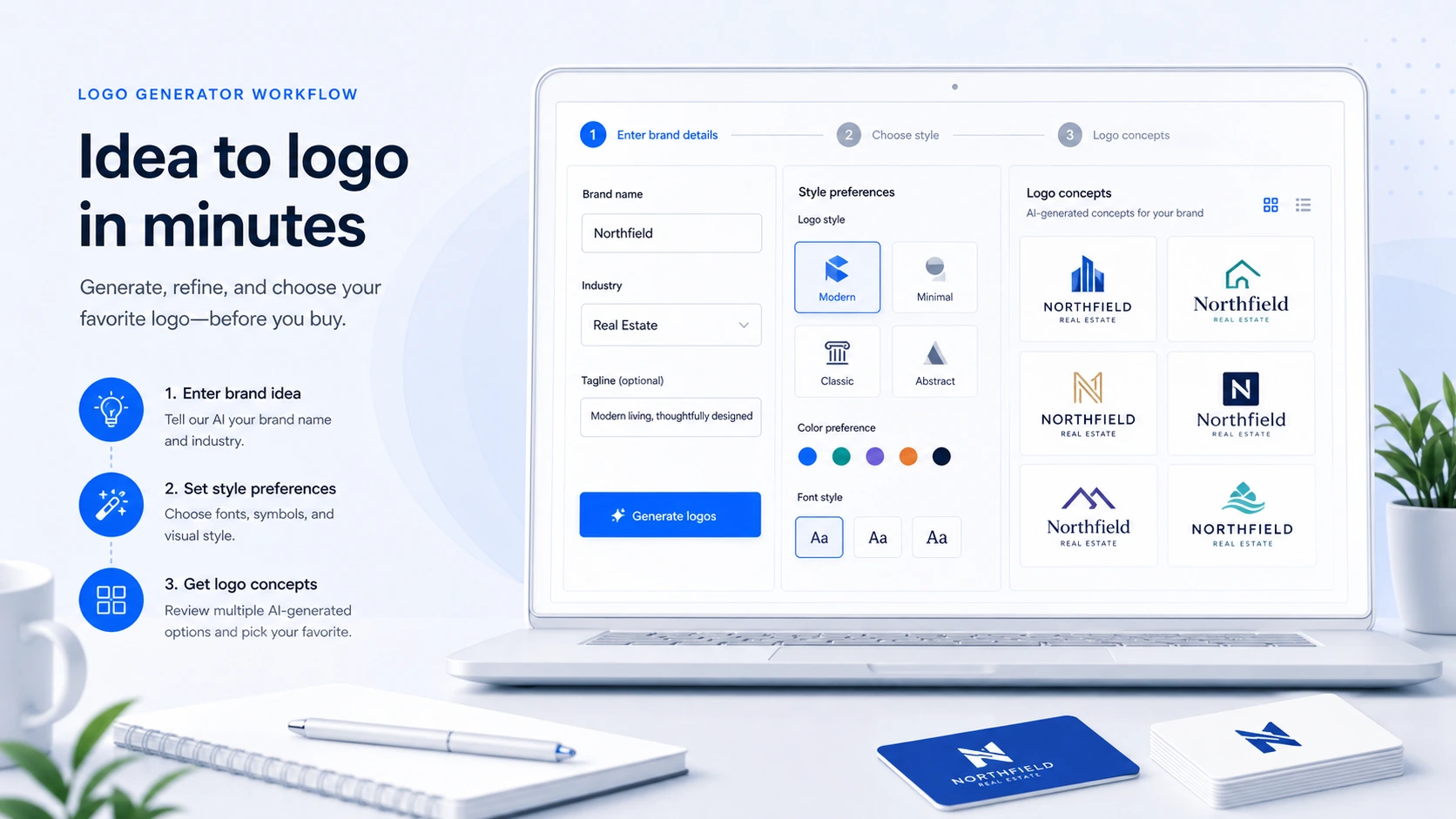
The strongest fit is a fast starter brand workflow. LogoAI helps you create options quickly, explore visual directions, and package a logo with useful supporting assets.
The weakest fit is a final-brand workflow where the buyer treats the generated logo as legally safe and strategically complete just because it looks polished.
That is the gap I would watch.
Workflow check: Use LogoAI when you need to test and refine logo directions quickly, but verify package files and trademark risk before treating the logo as final.
Real-world buyer scenarios
Scenario 1: A founder launching a first landing page
A founder with a new SaaS idea may need a clean logo for a homepage, pitch deck, waitlist, and social profile. LogoAI makes sense here because the brand is still early. The buyer needs momentum more than a perfect identity system.
The risk is overcommitting. If the company name, market, or positioning may change, the safest purchase is the package that fits the immediate use case without pretending the logo is permanent.
Scenario 2: A local business needing a quick visual refresh
A local business may want a better logo, business card, and social visual without hiring an agency. LogoAI can fit if the owner is willing to compare options carefully and verify print-ready needs before paying.
This is where package contents matter. A logo that works online may not be enough for signage, menus, uniforms, flyers, or printed materials. I would check vector and transparent-background needs before choosing the lowest route.
Scenario 3: A creator building a channel or newsletter
A creator may need a logo for a YouTube channel, podcast, newsletter, digital product, or community project. LogoAI is useful when the goal is quick recognition rather than a full brand system.
The buyer should still test the logo at small sizes. Many logo previews look good in a large mockup and become weak as a favicon, profile image, or mobile header.
Scenario 4: A builder considering the LogoAI API
A website or app owner may look at LogoAI’s API or white-label path to offer logo generation inside their own product. That is a different decision from buying a logo.
The buyer should evaluate setup cost, per-logo economics, payment flow, existing audience demand, and whether an iframe-based experience fits the product. I would not treat the API path as a casual add-on.
Key features that actually matter
AI logo generation
The core feature is fast logo idea generation. You enter brand details and preferences, then LogoAI creates multiple directions to explore.
This matters because many early buyers do not know what they want until they see options. A grid of generated concepts can help a founder or small business owner discover visual directions faster than starting from a blank canvas.
The disappointment point is originality. AI logo tools can create polished results, but some directions may feel familiar, repetitive, or too close to common startup-logo patterns. The buyer note is simple: generate more than one round and do not fall in love with the first design that looks clean.
Logo editor and customization
The editor matters more than the generator. A logo concept is rarely ready as-is. Buyers need to adjust font, color, symbol, layout, spacing, and sometimes the relationship between the icon and text.
LogoAI is more useful when the buyer can refine a design before paying. That pre-purchase control is important because refund flexibility is limited after file access.
The buyer note: customize until the logo works in real situations, not only inside a pretty preview. Check small sizes, dark backgrounds, white backgrounds, social profile crop, and simple black-and-white use.
Download packages and file formats
File formats are where many logo buyers make mistakes.
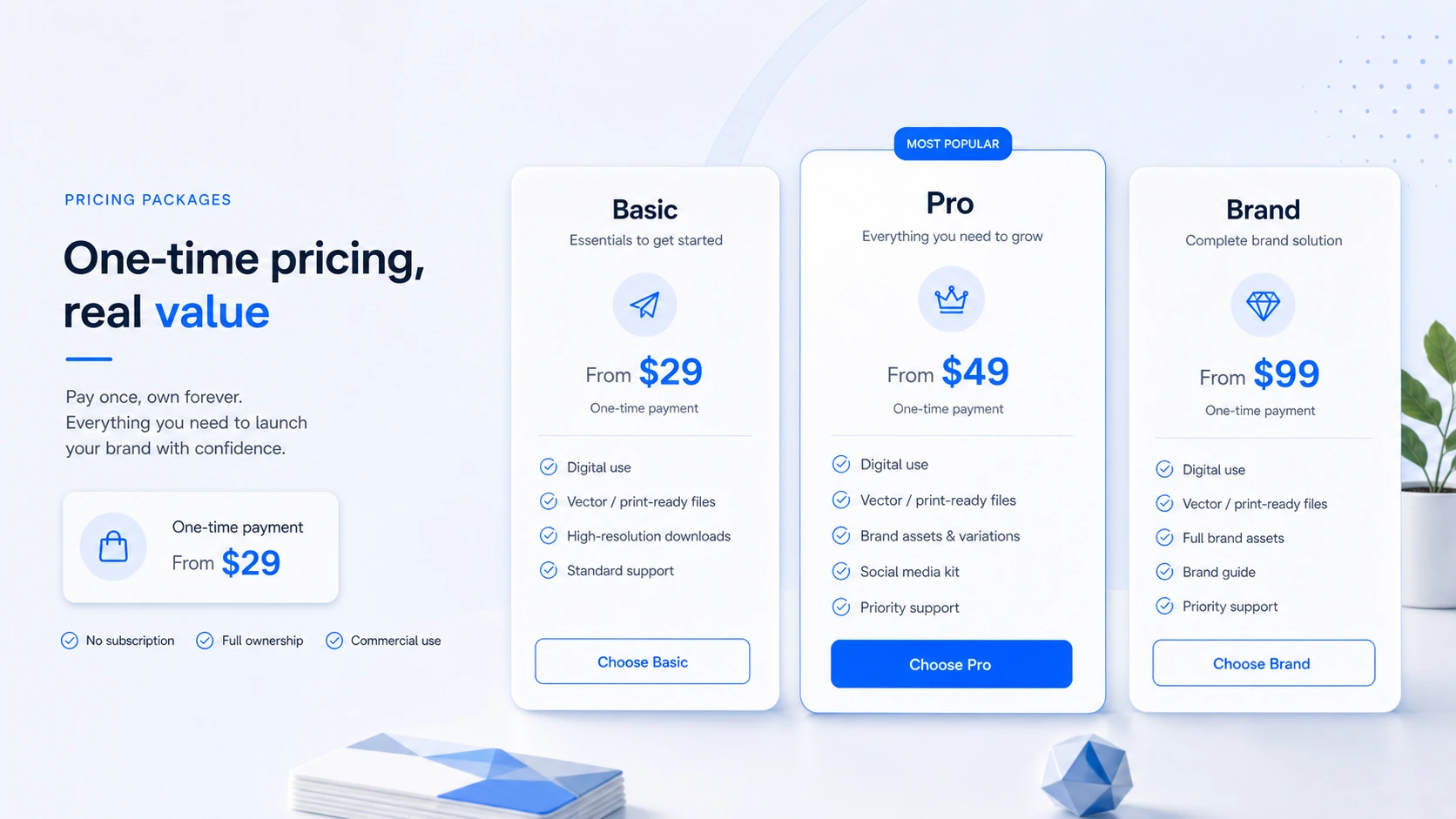
A low-cost package may be enough for a simple website logo. But print use, transparent backgrounds, vector files, high-resolution needs, and broader brand assets can change the decision. The package question is not “which price is cheapest?” It is “which files will I actually need after I buy?”
This is where LogoAI’s package model can be helpful if the buyer reads it carefully. It can also be risky if the buyer clicks the lowest option and later realizes the missing files matter.
Brand center and supporting assets
LogoAI becomes more interesting when the logo extends into business cards, social media visuals, mockups, brand center material, and related assets.
For small businesses and creators, these assets can be more valuable than they look. A logo alone does not launch a brand. The buyer often needs a profile image, cover image, card, presentation asset, email signature, and simple promotional visuals.
The limitation is depth. These are starter brand assets, not a replacement for a full design system with brand guidelines, creative direction, and campaign-level execution.
Logo API and white-label options
The API path is a real distinction, but it is not relevant for every buyer.
For normal buyers, LogoAI is a logo purchase. For builders, agencies, and product owners, the API route may allow logo generation inside another website or app. Public information describes a full Logo API path and a lighter PNG-generation path, with setup and per-logo economics that need separate verification.
The buyer note: do not blur these paths. Buying one logo and embedding LogoAI into a product are completely different commercial decisions.
Pricing and plan value
LogoAI’s pricing is easier to understand than many SaaS tools because the core logo purchase is not positioned as a monthly subscription.
The official pricing page says designing a logo is free and that buyers pay only to download the logo they actually want to use. It also states that the logo purchase is one-time and that buyers keep access to the logo download center. Public comparison data and the provided commercial snapshot place the entry path around $29, with higher packages adding more useful formats and brand assets.
That sounds simple. The buyer decision is still not automatic.
A low-cost package can make sense if your logo is mainly for digital use: website header, social profile, presentation, or simple online brand presence. If you need print-ready materials, vector files, transparent backgrounds, broader brand assets, or a more complete identity kit, the cheapest package may be the wrong package.
Annual billing is not the issue here. Package fit is the issue.
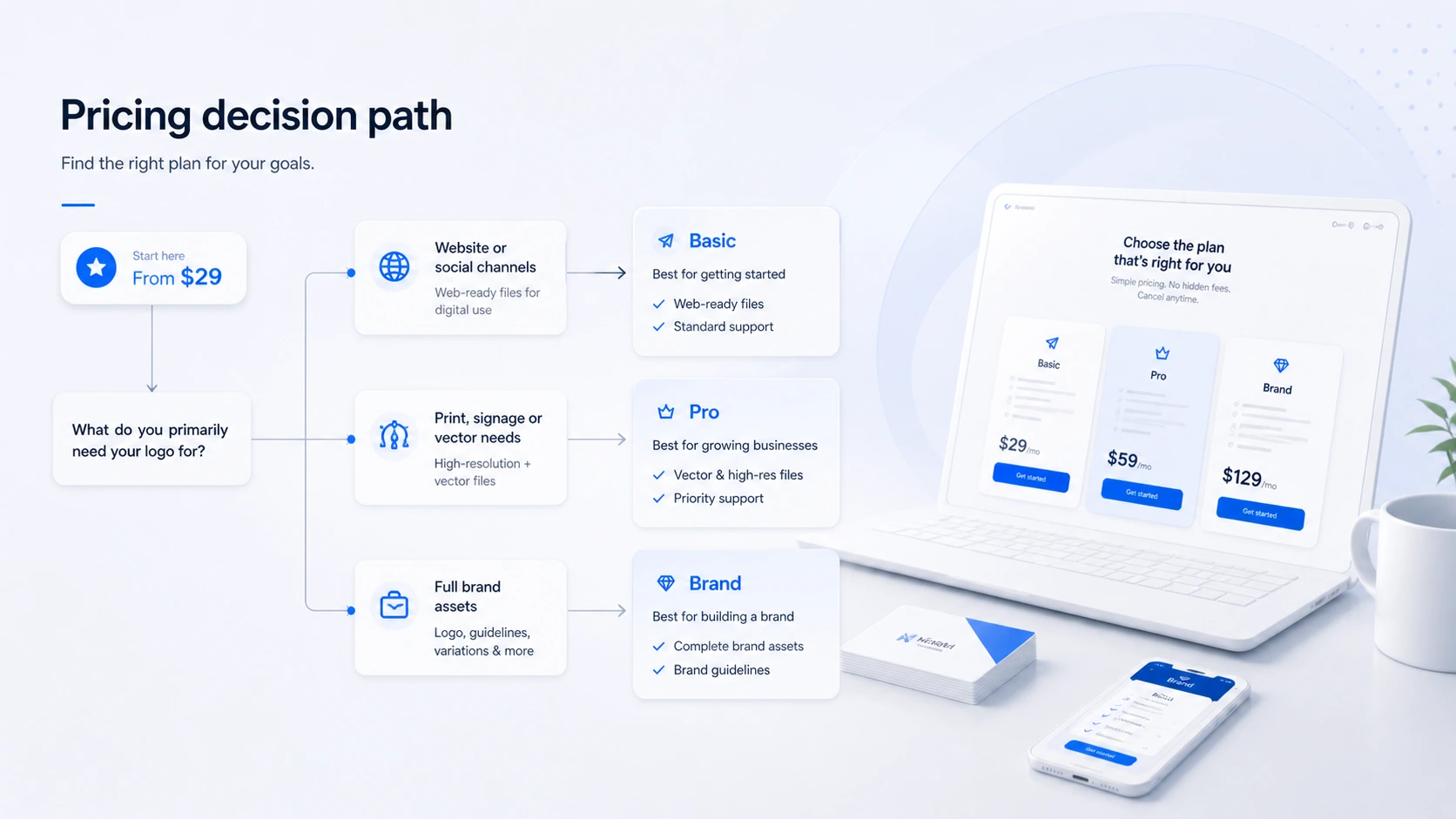
My pricing judgment is this: LogoAI is attractive when the buyer needs one logo package and can verify the design before payment. It is less attractive when the buyer wants unlimited experimentation after purchase, custom designer judgment, or legal confidence included.
I would start by designing several options for free, then shortlisting one or two that still feel good after a day away from the screen. Only then would I compare packages.
Pricing check: If you already have a logo direction you like, verify the live package contents and checkout route before paying.
Free plan, trial, coupon, and checkout notes
LogoAI’s free entry point is useful, but it should be described carefully.
You can generate and customize logo ideas before paying. That is the evaluation path. It is not the same as a full free commercial logo download. If you want to use and access the final files, you need to buy a package.
That free design step is still valuable. It lets you test whether the generator understands your brand direction, whether the editor gives enough control, and whether any design feels strong enough to purchase.
The coupon and discount path should come after fit, not before it. LogoAI has public discount paths, including new-customer and returning-customer routes, but the important rule is that discounts need to be handled at checkout. Buyers should not assume a missed discount can be fixed later.
The safer order is:
- Generate and customize logo options.
- Decide whether any logo is strong enough to use.
- Compare package contents.
- Check refund and replacement rules.
- Run basic trademark and brand-name checks.
- Verify the current deal path before payment.
- Buy only when the design and package both fit.
If the product still makes sense, check the LogoAI coupon page for current offer routing. Just do it after the logo and package decision, not as the first step.
Checkout caution: A discount can improve the purchase, but it should not decide the package for you. Verify the current offer path before payment.
What I would check before buying LogoAI
If I were buying LogoAI for a real brand project, I would check these points before paying.
- Package contents: Does the package include the exact formats you need, such as transparent PNG, high-resolution files, vector formats, PDF, or print-ready assets?
- Logo usability: Does the logo work in a header, favicon, profile image, dark background, light background, business card, and small mobile view?
- Brand asset value: Are business cards, mockups, social visuals, animation, or email signature assets actually useful for your project, or are they nice extras you will ignore?
- Refund limits: Are you comfortable paying when purchased logo files are not refunded after access?
- Replacement rule: Do you understand the one-time replacement option and what happens to the first logo if it is replaced?
- Trademark and name risk: Have you checked whether the name, symbol, and visual direction could conflict with another brand?
- Discount timing: Have you tested any current checkout offer before payment rather than expecting a discount afterward?
The trademark point deserves extra attention. LogoAI can create a visual. It does not guarantee that the logo is safe to use as a long-term business mark. For a hobby project, that may be a small concern. For a serious company, it is a real decision point.
A simple test before paying
Before buying a LogoAI package, I would run a small test like this:
- Generate at least five logo directions for the same brand.
- Save or screenshot the strongest two options.
- Walk away for a few hours, then compare them again with fresh eyes.
- Test the logo at small size, horizontal layout, square crop, dark background, and light background.
- Check whether the symbol feels too generic or too similar to common logos in your market.
- Compare the package chart against actual needs: website, print, transparent background, vector, mockups, and social assets.
- Search the brand name, similar marks, domain names, and social handles before using the logo publicly.
This test is intentionally simple. It slows down the purchase just enough to catch obvious problems.
The easy mistake is to treat fast generation as proof of quality. The better way to judge LogoAI is to ask whether the logo still holds up after you test it like a real brand asset.
Pros explained
You can design before paying
This is LogoAI’s most buyer-friendly trait. The buyer can explore concepts before making a payment decision. That matters because logo design is visual; you cannot judge fit from a feature list.
It stops being enough if the buyer forgets that download and commercial use require a paid package. The free stage is for evaluation, not final usage.
One-time purchase is cleaner than subscription pressure
Many buyers only need a logo once. A one-time purchase model is easier to justify than paying for a recurring design subscription when the buyer does not need ongoing creative output.
This matters most for founders, creators, and small businesses that want a fixed logo package. It matters less for teams that need ongoing design operations.
Brand assets can make the package more practical
LogoAI is more useful when the buyer needs surrounding assets: business cards, mockups, social visuals, email signatures, and similar materials. These can help a small business look more consistent quickly.
The caution is that starter assets are not a complete brand system. A larger business may still need stronger guidelines and design governance.
API access creates a separate builder path
The logo API and white-label route make LogoAI relevant beyond one-time logo buyers. Builders and agencies can evaluate whether embedded logo generation fits their own product or service.
This is a pro only for the right buyer. For a founder buying one logo, API access is irrelevant.
Cons explained
Refund flexibility is limited after file access
This is the biggest practical risk. Once a buyer has access to purchased logo files, LogoAI’s refund posture becomes strict. That means the decision needs to happen before checkout, not afterward.
Who should care most? Anyone who is unsure about the design, package level, file formats, or brand direction.
Trademark checks are not included
LogoAI’s terms say the buyer is responsible for independent trademark, copyright, and service-mark checks. That is normal for many logo tools, but buyers can easily overlook it.
This matters most for serious businesses, not casual side projects. If the logo will be public, paid, printed, or legally important, do your own clearance work.
The cheapest package may not be enough
The entry package may be attractive, but file format needs can change the value calculation. Print, vector work, transparent backgrounds, and broader brand materials may push the buyer toward a higher package.
The risk is buying the lowest option and discovering later that the missing assets are the assets you actually needed.
AI-generated logos can feel generic
This is not unique to LogoAI. It is a category risk. AI logo makers can produce polished concepts quickly, but some outputs may look familiar, template-like, or not distinctive enough for a long-term brand.
The practical fix is to generate several directions, customize deeply, and compare alternatives before committing.
Green flags and red flags
Green flags
- You need a logo for a new project quickly and can judge the design before paying.
- Your use case is simple enough that a one-time logo package makes financial sense.
- You know which file formats and brand assets you need before checkout.
- You are comfortable treating LogoAI as a starter identity tool rather than a full brand strategy service.
- You will run basic trademark, domain, and social handle checks before public launch.
Red flags
- You expect to get a refund after downloading files because the logo no longer feels right.
- You need legal clearance, exclusivity, or trademark protection handled for you.
- You are buying only because a discount path appears.
- You need a deep identity system with approval workflows and brand governance.
- You choose the lowest package before checking whether print and vector assets are needed.
LogoAI vs alternatives
Looka vs LogoAI
Looka is one of the more obvious direct comparisons because it also focuses on AI-assisted logo and brand-kit creation. I would compare Looka if you care about polished templates, brand-kit presentation, and a familiar logo-maker workflow.
LogoAI may still make more sense if you prefer its one-time package logic, editor feel, or supporting assets. The tradeoff is less about which tool is universally better and more about which one produces a logo direction you would actually use.
Tailor Brands vs LogoAI
Tailor Brands is more of an adjacent startup-services route. It may fit buyers who want business formation, branding, website, and operational services around the logo.
LogoAI is cleaner if the job is narrower: create a logo, choose the right files, and move on. If you do not need broader business setup services, Tailor Brands may be more than you need.
Canva Logo Maker vs LogoAI
Canva is better for ongoing design flexibility. If the buyer needs social graphics, presentations, flyers, templates, and constant content creation, Canva may be the stronger long-term workspace.
LogoAI is more focused on the logo purchase itself. It may be easier when the buyer wants to generate a logo and related starter assets without building everything manually inside a design canvas.
Sologo AI vs LogoAI
Sologo AI is worth comparing if the buyer wants a more AI-native logo exploration experience and broader creative prompting. This is a closer direct alternative than a general design platform.
LogoAI may still feel stronger if its package model, brand center, and API path match the buyer’s needs. I would compare both if the logo style itself matters more than surrounding business services.
When LogoAI is the better fit
LogoAI is the better fit when you want a focused, one-time logo buying path and can make a clear decision from the generated concepts and package chart.
It is not automatically the better fit if you need ongoing design work, legal confidence, or a broader business-building platform.
Trust, refund, and buyer-risk notes
My confidence is strongest around LogoAI’s product role: fast AI logo generation, pre-purchase customization, one-time logo package buying, and starter brand assets. I am more cautious around long-term brand uniqueness, legal safety, and checkout decisions because those depend on the buyer’s market, file needs, and current package details.
The refund language is the main buyer-protection issue. Purchased logo files are not treated like a low-risk trial. Once you have access to files, the practical room for regret is narrow. The replacement option helps if you create a better logo afterward, but it is not the same as a normal refund.
The trademark language is just as important. LogoAI does not perform trademark or service-mark searches for you. That does not make the tool bad. It means the buyer needs to understand where the tool stops.
The checkout path also needs attention. Discounts and partner routes can be useful, but they should be applied before payment. A buyer should not assume a missed discount can be added after purchase.
For API buyers, the risk is different. The API path involves setup, revenue economics, implementation, and demand validation. I would not evaluate that route using the same logic as buying one logo for a small business.
For most buyers, the safe path is this: use LogoAI for visual exploration, customize carefully, choose a package by file needs, check current terms, and do independent clearance before using the logo as a permanent brand asset.
Final verdict
I would consider LogoAI if you need a fast starter logo, want to preview and customize ideas before paying, and prefer a one-time purchase over another monthly design subscription. It is especially reasonable for founders, creators, small businesses, and consultants that need a credible logo package without turning the project into a full agency engagement.
I would skip LogoAI if the logo is for a legally sensitive launch, a mature company rebrand, a trademark-heavy market, or a project where custom brand strategy matters more than speed. I would also skip it if you are unsure about the design but tempted to buy because the package price or discount path looks attractive.
I would compare LogoAI with Looka if you want another focused AI logo maker, Tailor Brands if you want broader business services, Canva if you need ongoing design flexibility, and Sologo AI if you want a more AI-native logo exploration route.
The safest next step is not to buy immediately. Generate several logos first. Customize the strongest option. Check package contents. Read the refund and trademark notes. Then move to the LogoAI store or current offer route only after the design still feels like something you would actually use.
