LogoAI Pricing, Brand Assets & Buyer Fit
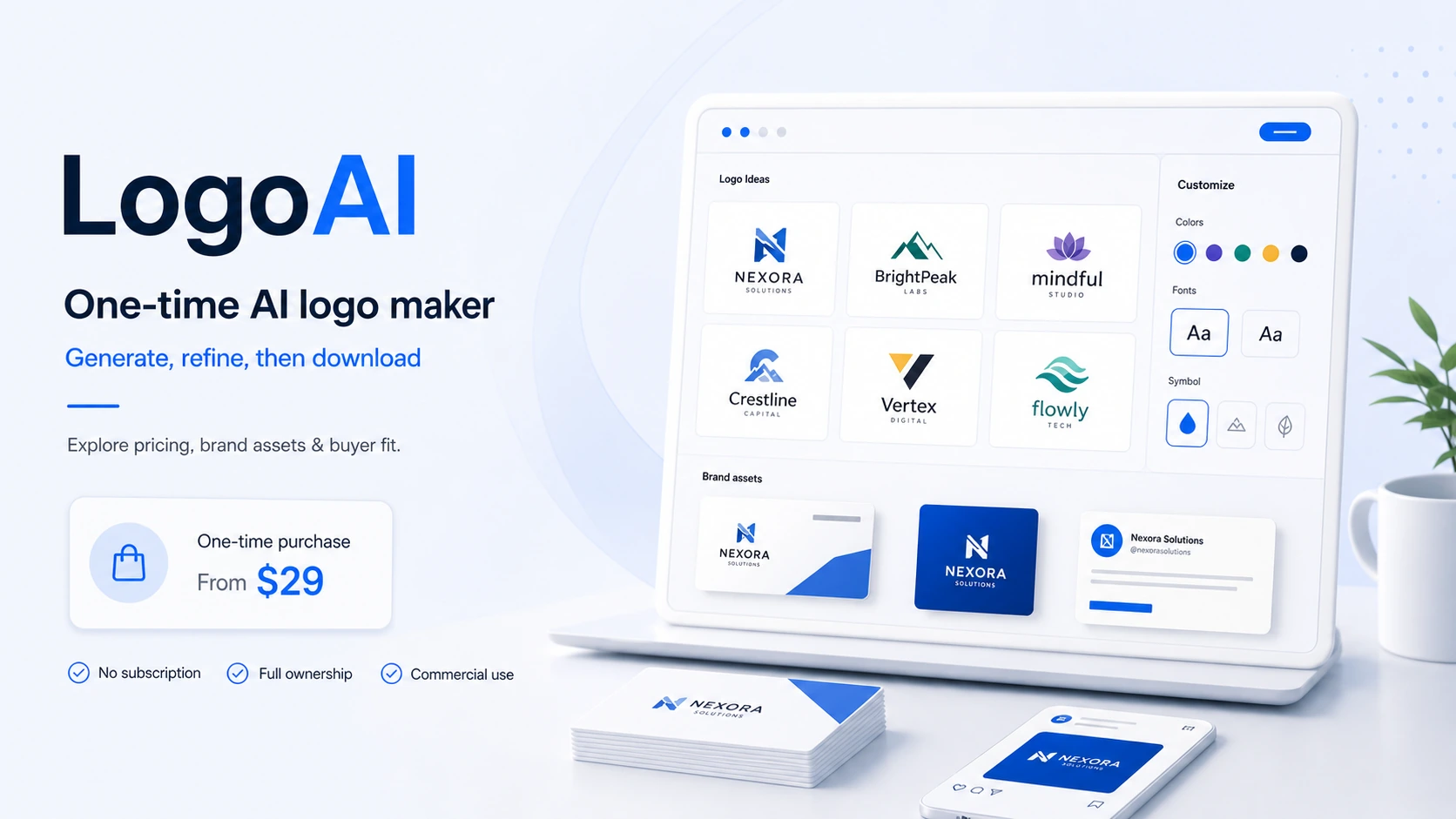
LogoAI is best understood as a one-time AI logo maker and lightweight brand identity platform for founders, creators, small businesses, and agencies that need a usable logo package faster than a traditional design project. Its strongest angle is not a monthly SaaS dashboard. It is the ability to generate logo ideas for free, customize a chosen direction, then pay once for downloadable logo files and, on higher packages, broader brand assets.
Fit → price → checkout
Use these routes after the official-site check: coupon first, review for fit, compare if unsure.
LogoAI pricing snapshot
Fast commercial checks before pricing, coupons, or a deeper review.
LogoAI product tour
This product tour is useful if you are trying to decide whether LogoAI is enough for your first brand identity or only good for rough inspiration. Watch how the tool moves from brand name and preferences into logo options, editing, previews, and final file access. The practical decision is whether the output quality and included assets are strong enough before you pay for a non-refundable download package.
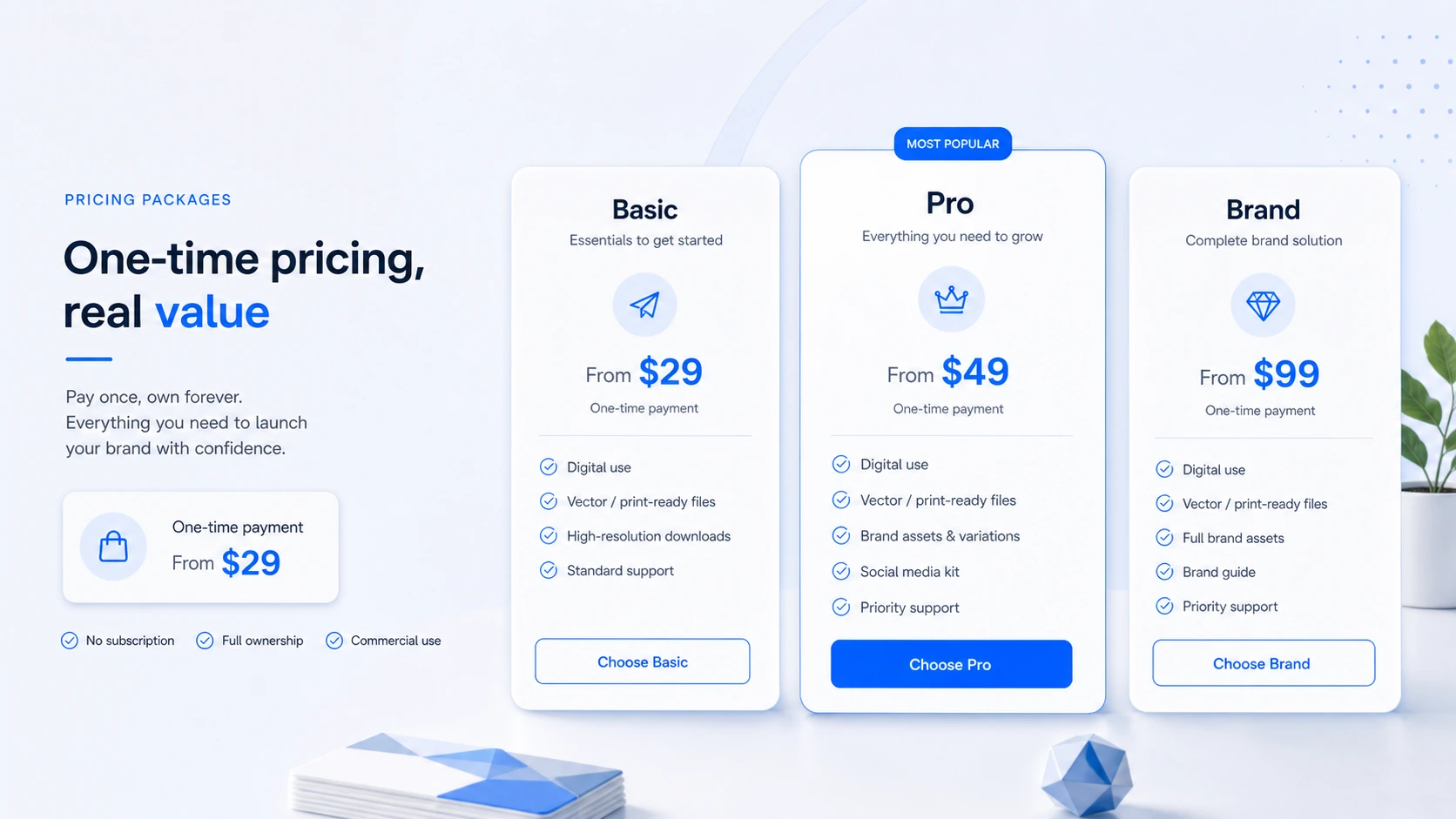
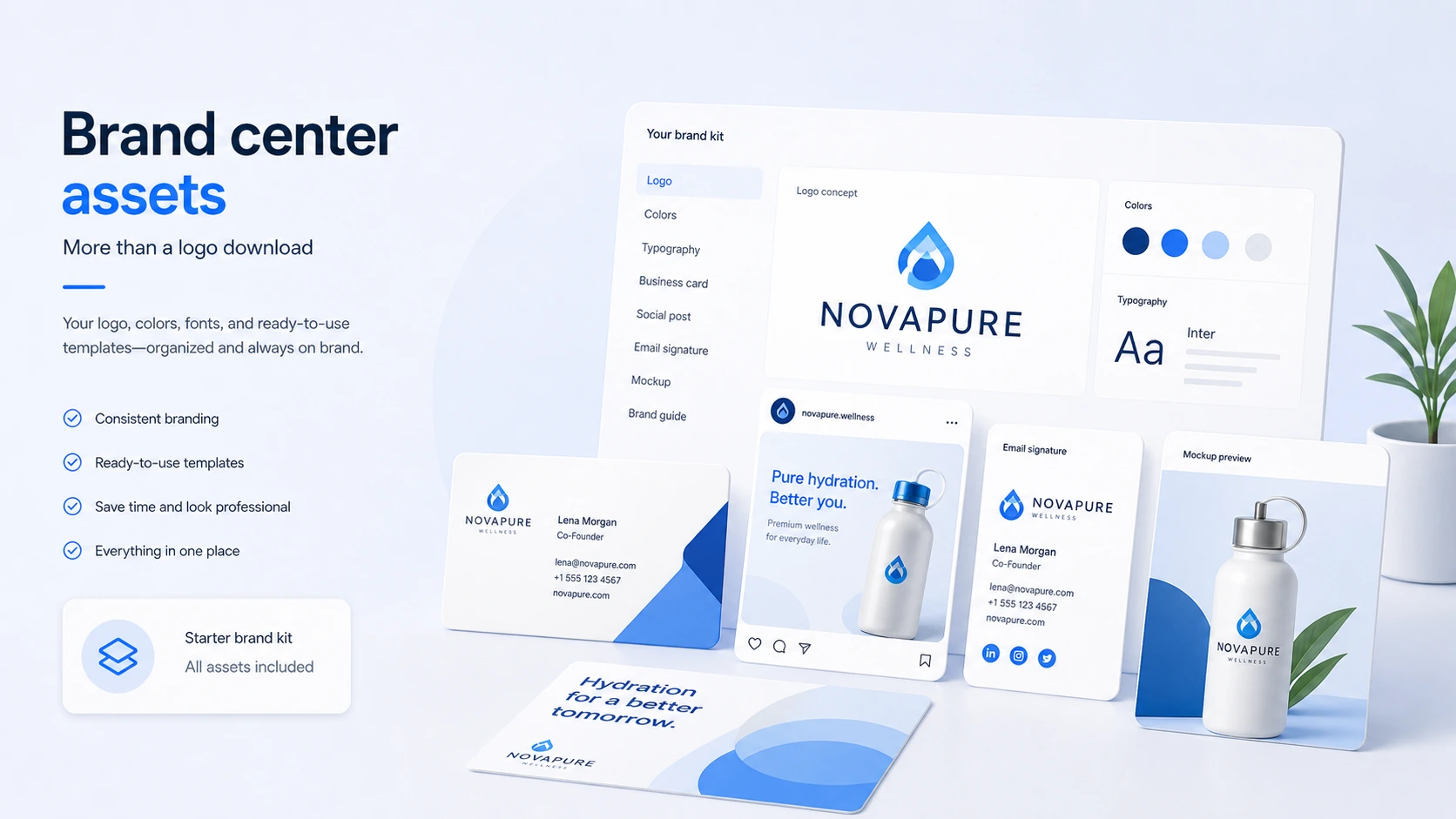
LogoAI should be evaluated as a one-time logo and starter brand-identity purchase. It is useful when a buyer needs a logo quickly, wants to preview ideas before paying, and prefers a simple download package over an ongoing design subscription. It is less safe when the buyer expects custom strategy, trademark protection, or refund flexibility after files are unlocked.
What LogoAI actually does
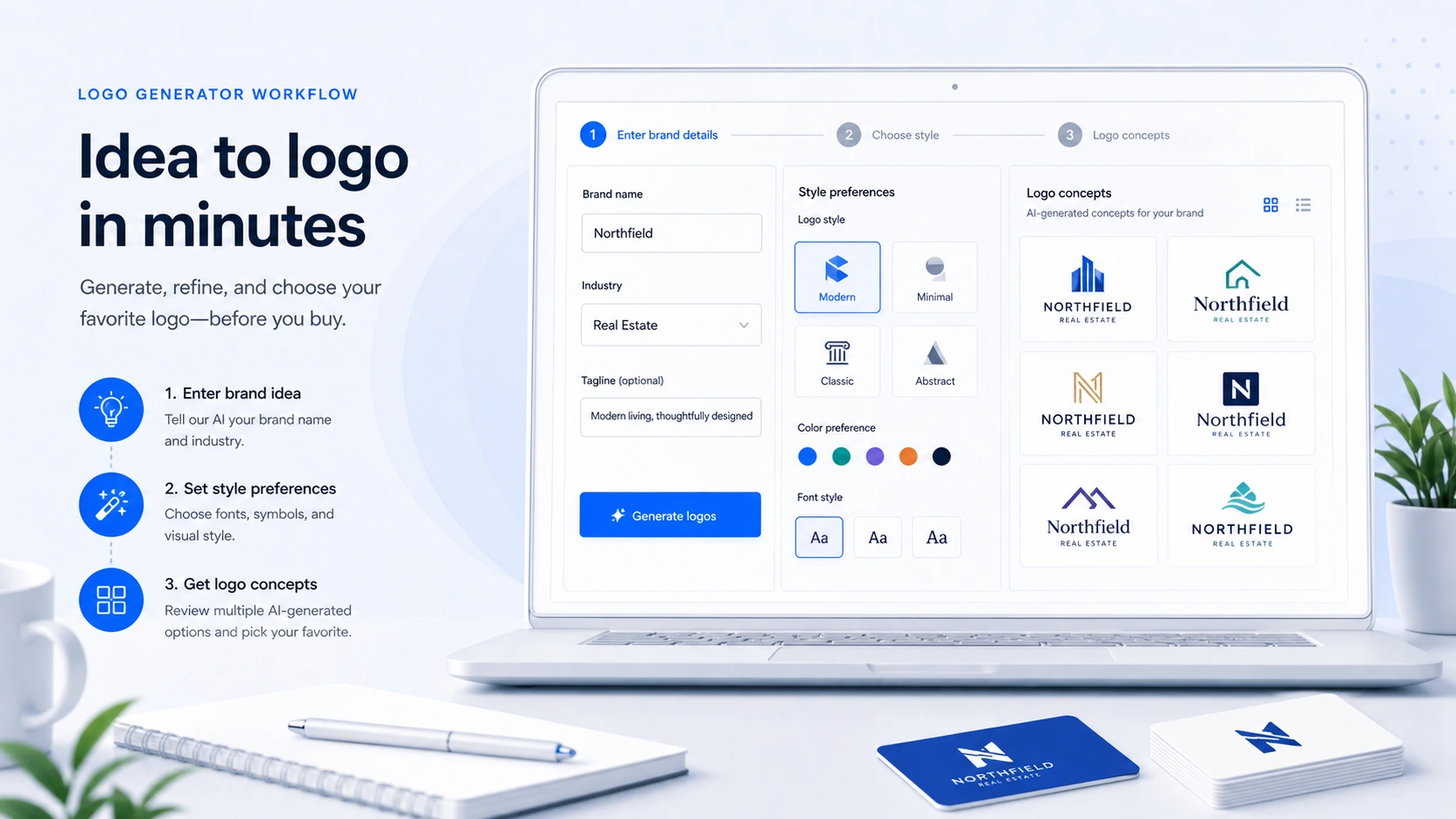
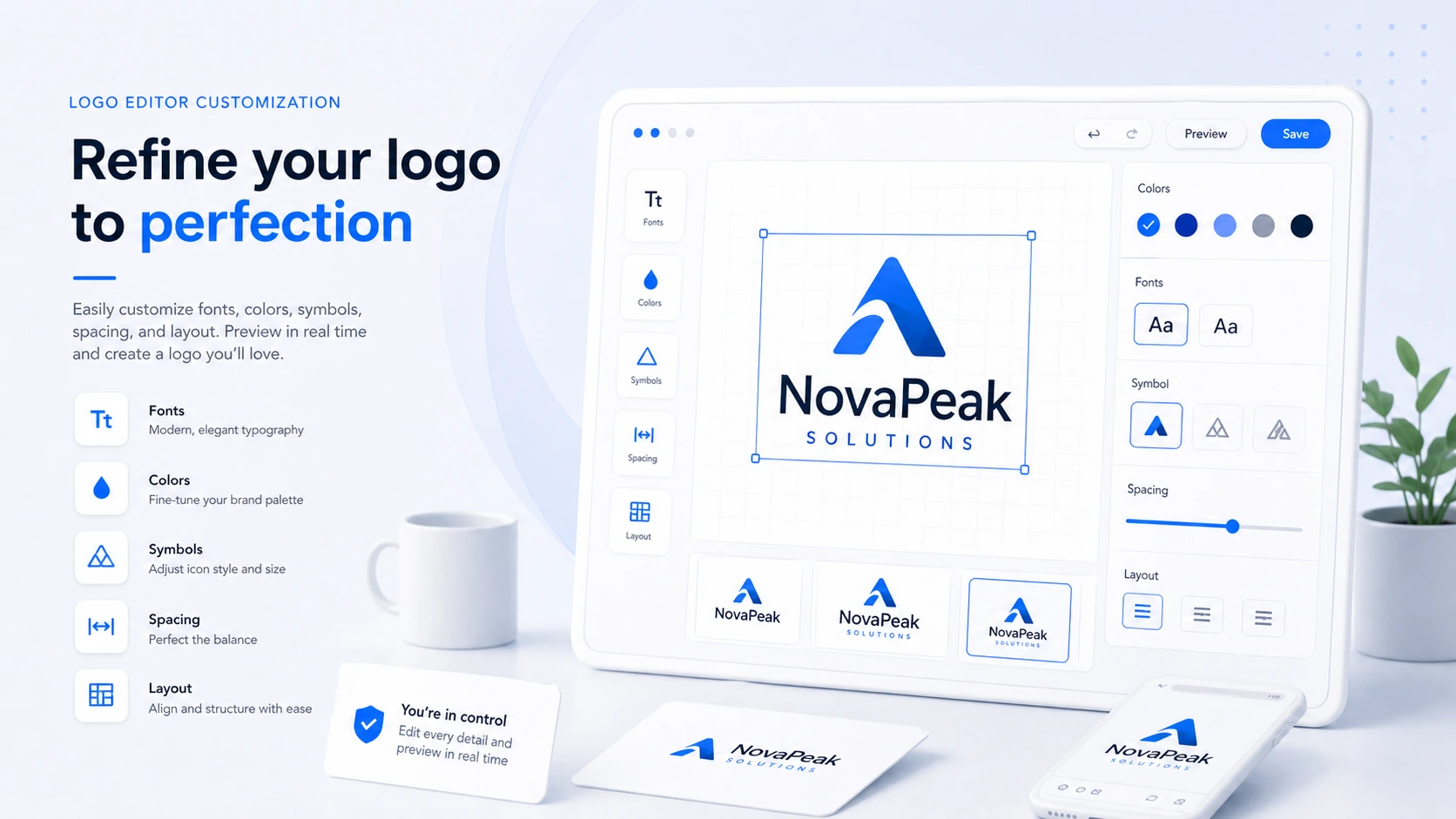
LogoAI lets buyers enter brand details, generate logo concepts, customize the design, and purchase a download package when a logo is ready to use. The platform also supports related brand assets such as mockups, business cards, email signatures, logo animation, and social media materials, which makes it more useful than a bare logo image generator.
- Generate logo ideas from a brand name, industry, and style preferences.
- Customize fonts, colors, icons, and layout before purchase.
- Download logo files only after buying the selected package.
- Extend the chosen logo into matching visual assets through the brand center.
Who LogoAI fits best
LogoAI fits buyers who need a credible first logo more than a full brand strategy project. A founder launching a landing page, a small local business updating its identity, or a creator starting a channel may get enough value from a polished logo plus a simple brand kit. An established company with trademark risk, multi-market rollout, or complex brand guidelines should treat LogoAI as a concept tool rather than the final branding process.
- Better for early-stage businesses than enterprise brand refreshes.
- Better for quick logo direction than deep creative strategy.
- Better for one-time purchase buyers than subscription brand-kit shoppers.
- Better when the buyer can review designs carefully before paying.
Pricing, packages, and discount path
LogoAI's pricing logic is different from most AI SaaS products. The buyer can design first, then pay once to download the logo. The real package decision is about output quality and file use: a low-cost package may be enough for a website logo, while print, vector files, transparent backgrounds, and broader brand assets can push the buyer toward a higher package. Discount paths exist, but they need to be applied before payment.
- Treat the free design step as preview access, not a free commercial logo.
- Compare package contents around file formats, not just price.
- Test any current checkout discount before paying.
- Do not expect a missed discount to be added after purchase.
Watch the workflow before deciding
This video is useful if you want to see the buyer journey before spending money. Pay attention to how quickly the tool produces logo options, how much control the editor gives you, and where the purchase/download step appears. That helps you decide whether LogoAI is enough for a starter brand identity or whether you still need a designer for the final polish.
Refund, license, and trademark checks
The most important buyer risk is not the starting price. It is the combination of non-refundable file access and no trademark search. LogoAI says the buyer needs a license before using generated logos, and its terms make clear that the company does not validate whether a logo conflicts with trademarks, copyrights, or service marks. That means the safest purchase process includes design review, package review, and independent brand clearance before public launch.
- Confirm the logo is final before accessing paid files.
- Use the replacement option carefully if a better logo is created after purchase.
- Do your own trademark, copyright, domain, and handle checks.
- Avoid using a generated logo publicly before purchasing the license.
API and white-label use
LogoAI is also relevant for website and app owners who want to offer logo generation to their own users. The Logo API page describes an iframe implementation with the same online logo design functionality, plus a Lite option for simpler PNG logo generation. This is not the main path for a normal founder buying one logo, but it matters for SaaS builders, agencies, and directories that want to embed AI logo generation into their own product.
- API access is a business or integration path, not the normal one-logo checkout route.
- The full Logo API uses an iframe to expose logo generation, editing, and download center behavior.
- API pricing can involve setup and per-logo settlement, so buyers should contact LogoAI directly.
- Logo API applicants may need an existing site or app and evidence of customer demand.
Best next step with LogoAI
The safest next step is to generate a few logo concepts, customize the strongest direction, and compare package contents before checkout. If the logo still feels close to your brand after that test, move to the pricing or deal path and apply any current discount before payment. If the logo is for a serious company launch, do trademark and name checks before turning the design into signage, packaging, or paid ads.
- Use the free design workflow to test quality first.
- Read the review if you still need confidence around output quality and limitations.
- Use the coupon path only after deciding the product and package fit.
- Verify trademark risk before using the logo as a permanent brand asset.
Best savings path from this store page
This is the clearest savings route to check once the product already looks like a fit.
LogoAI publishes an official volume discount path for returning customers. The discount starts at 40% for eligible repeat purchases and can increase for buyers with more prior logo purchases.
One-time logo package path
One-time print-ready path
Use comparison routes when the category fit is still open
Use these comparison routes when the product still looks plausible, but the category fit is not fully settled.
Better known for buyers who want polished logo concepts plus subscription-style brand-kit and website options.
More relevant when the buyer also needs business formation and broader startup services, not only a logo.
Better when the buyer wants a flexible design canvas and ongoing social templates instead of a focused AI logo purchase.
Worth comparing if the buyer wants modern AI logo generation with broader prompt-led creative controls.
Verification points worth checking before you click out
Where this store usually fits best in the workflow
LogoAI can help a founder move from a rough brand name to a usable logo direction quickly, especially when a landing page or pitch asset needs to go live before a full design project is realistic.
A local business can use LogoAI to explore new logo directions and produce supporting assets such as business cards, social visuals, and mockups without hiring a designer for every early version.
Creators can use LogoAI to test identity options for a channel, newsletter, podcast, or personal brand, then decide whether a one-time purchase is enough for digital use.
Website and app owners can evaluate LogoAI's API route if they want to offer logo generation to their own users, but that path needs separate commercial and integration checks.
Practical checkpoints before and after signup
- Prepare the brand name, slogan, industry, target audience, and style direction so generated options are easier to judge.
- Decide where the logo will be used, because website-only use and print-ready use can require different packages.
- Confirm file formats, resolution, vector access, transparent backgrounds, and brand assets before choosing a package.
- Test current discount paths during checkout and do not assume a discount can be added after payment.
- Download and store the logo files, but also verify the replacement rule if a better logo is created within the allowed period.
- Run trademark, domain, and social handle checks before using the logo in public campaigns or printed materials.
- Compare the affiliate path, API path, setup requirements, and per-logo economics before planning a LogoAI-powered client workflow.
- Treat the API route as a separate business decision from buying a single downloadable logo.
Fast-read signals for workflow fit and buying friction
Questions readers usually ask before choosing this store
What does LogoAI actually do?
LogoAI helps generate logo ideas from brand inputs, lets buyers customize the chosen direction, and sells downloadable logo packages. Higher-value use cases can also involve brand assets such as mockups, business cards, email signatures, logo animation, and social media visuals.
Is LogoAI free to use?
LogoAI lets buyers design and customize logo ideas before paying, but using and downloading the final logo files requires a purchase. It is better to treat the free step as a preview and evaluation workflow rather than a full free plan.
Which LogoAI package should buyers compare first?
Start by deciding where the logo will be used. A simple digital project may only need a lower package, while print use, transparent backgrounds, vector files, and broader brand assets usually make the higher packages more relevant.
Does LogoAI offer coupon or discount paths?
LogoAI has official discount paths for new buyers, returning buyers, and partner or affiliate routes. The public store copy should not expose actual checkout codes. Buyers should test the current discount path before purchase because missed discounts are not applied retroactively.
What should I verify before paying for LogoAI?
Verify the live package price, included file formats, refund limits, replacement option, commercial license expectations, and whether the logo could conflict with another brand. LogoAI does not perform trademark or service-mark searches for the buyer.
Choose the next route that matches what you still need to decide
The strongest next click depends on whether you still need product judgment, a savings route, or a broader category comparison.