Quick verdict
GetTerms.io is worth considering if you want website policies and cookie consent handled in one practical workflow, but I would not treat it as a cheap replacement for legal advice.
That is the buying tension here.
The product looks simple on the surface: answer questions, generate policies, publish them, and add a cookie banner. The real decision is narrower. Does your site need a fast, maintained compliance workflow, or does your business need custom legal review because the risk is too specific for a generator-style tool?
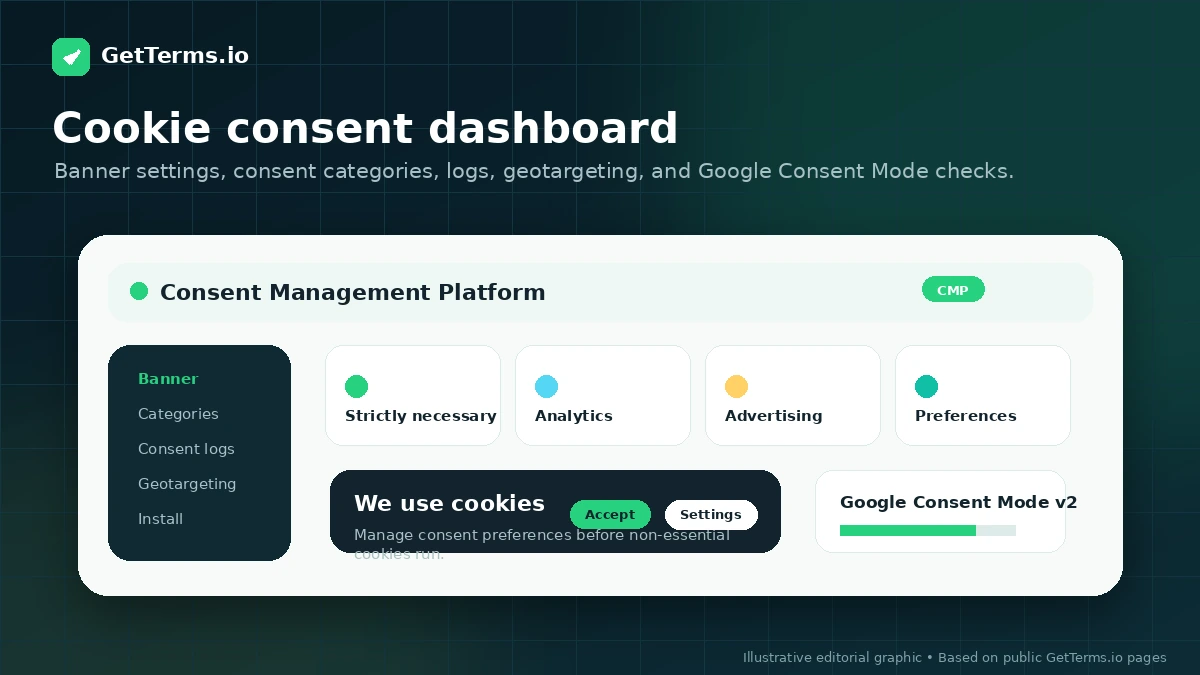
For a personal blog, a basic free privacy policy route may be enough to get started. For a SaaS app, ecommerce store, agency client site, or business that uses analytics, ads, forms, payment flows, or third-party scripts, the decision gets more serious. At that point, GetTerms.io becomes more interesting because it combines privacy policies, cookie policies, consent logs, banner controls, hosting, WordPress implementation, and Google Consent Mode support in one place.
The strongest reason to consider GetTerms.io is workflow consolidation. You are not only buying a document. You are buying a way to generate, host, update, and display policy and consent assets on a real website.
The main caution is legal scope. GetTerms.io publicly says it is not a law firm and does not provide legal advice. That boundary matters. The safest next step is to check whether Starter, Business, or Partner actually matches your site risk before looking at any active offer.
Next step: If GetTerms.io fits your website policy and cookie consent needs, verify the current plan scope before choosing annual, monthly, lifetime, or Partner pricing.
Review snapshot
| Review point | Practical take |
|---|---|
| Best for | Site owners, SaaS teams, ecommerce operators, WordPress users, and agencies that need policy generation plus cookie consent |
| Not ideal for | Regulated businesses, unusual legal situations, or buyers who need bespoke legal advice |
| Main use case | Generate and publish website policies, manage cookie consent, and keep policy workflow easier to maintain |
| Pricing note | Starter currently starts at $5/mo per website on annual billing, with monthly and lifetime paths also shown |
| Free path | Basic free privacy policy route for simpler personal or low-risk use cases |
| Main strength | Combines policies, cookie consent, consent logs, hosting, embeds, and WordPress implementation |
| Main concern | Generated documents are not custom legal advice, and plan scope matters more than the lowest visible price |
| Direct alternatives | Termly, TermsFeed, iubenda, CookieYes |
| Best next step | List the policies and consent controls your site needs before choosing Starter, Business, or Partner |
What is GetTerms.io?
GetTerms.io is best understood as a website policy and cookie consent toolkit for site owners who need practical compliance assets without building everything manually.
It helps generate policies such as privacy policies, cookie policies, terms and conditions, return policies, and related website documents. It also supports cookie consent management, consent logs, hosted policies, HTML embeds, WordPress publishing, and Google Consent Mode-oriented workflows.
That combination is important. A lot of buyers search for a “privacy policy generator” when their real issue is larger: the site uses analytics, advertising pixels, forms, payment tools, email marketing, or third-party scripts. A static policy page is only one part of that workflow. The consent banner, script behavior, user consent records, policy updates, and region/language handling can matter just as much.
GetTerms.io is not a law firm. It is not a substitute for a lawyer. It is also not an enterprise governance platform for complex regulated companies. The better way to judge it is as a practical compliance workflow layer for websites, apps, small businesses, and agencies that need repeatable policy and consent setup.
Our review approach compares public product pages, pricing details, help documentation, deal terms, buyer workflow fit, and nearby alternatives. We do not treat a coupon, lifetime deal, or low monthly price as proof that the product fits the buyer.
The easy mistake here is thinking the cheapest policy generator solves the whole problem. The better question is whether GetTerms.io covers the actual documents, consent controls, language needs, domain licensing, and update workflow your site requires.
Who should use GetTerms.io?
Small business website owners
GetTerms.io makes sense for small business websites that collect contact form submissions, use analytics, run ads, or need basic policy pages and a cookie banner without juggling several separate tools.
The fit is strongest when the site owner wants a maintained policy workflow, not only a copied policy page. Before paying, I would check whether Starter is enough or whether Business is needed for broader policy coverage and customization.
SaaS, app, and ecommerce teams
A SaaS or ecommerce site usually has more moving parts than a basic blog. Terms, privacy disclosures, cookie behavior, return/refund language, third-party services, and user data practices can all matter together.
GetTerms.io can fit here if the business has a standard enough model for generated documents to be useful. I would be careful if the product handles sensitive data, complex international operations, health/finance information, or unusual customer terms. That is where legal review becomes harder to avoid.
WordPress users who want implementation help
WordPress users may like GetTerms.io because the workflow is not limited to downloading a document. The WordPress plugin can embed policies and display the cookie consent widget, which reduces manual publishing friction.
The key condition is setup discipline. A cookie consent tool only helps if it loads in the right place, works with the theme, and does not let tracking scripts run before consent when that matters for the site’s compliance approach.
Agencies and portfolio owners
Agencies are a natural fit, but only if they check licensing first.
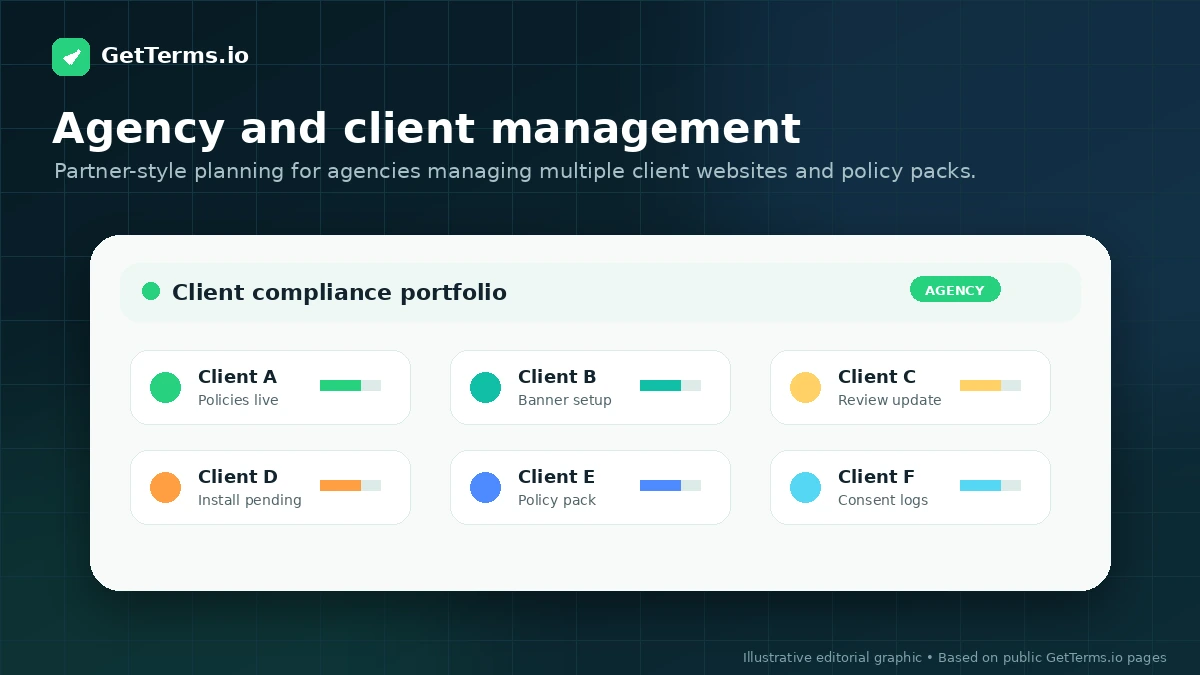
GetTerms.io has a Partner route for agencies and website portfolios. That matters because standard licences are not the same as a client-resale or multi-site operating model. If you manage several domains, client sites, or compliance packs, the Partner path is the safer comparison than stacking individual website purchases one at a time.
Who should avoid GetTerms.io?
I would be careful with GetTerms.io if your business needs custom legal advice. Generated documents can be useful, but they do not replace legal judgment when your risk profile is unusual.
High-risk regulated businesses should slow down too. If you operate in healthcare, finance, children’s data, sensitive personal data, cross-border enterprise contracts, or heavily regulated markets, a generator-style tool may still help with drafting, but it should not be the final compliance decision.
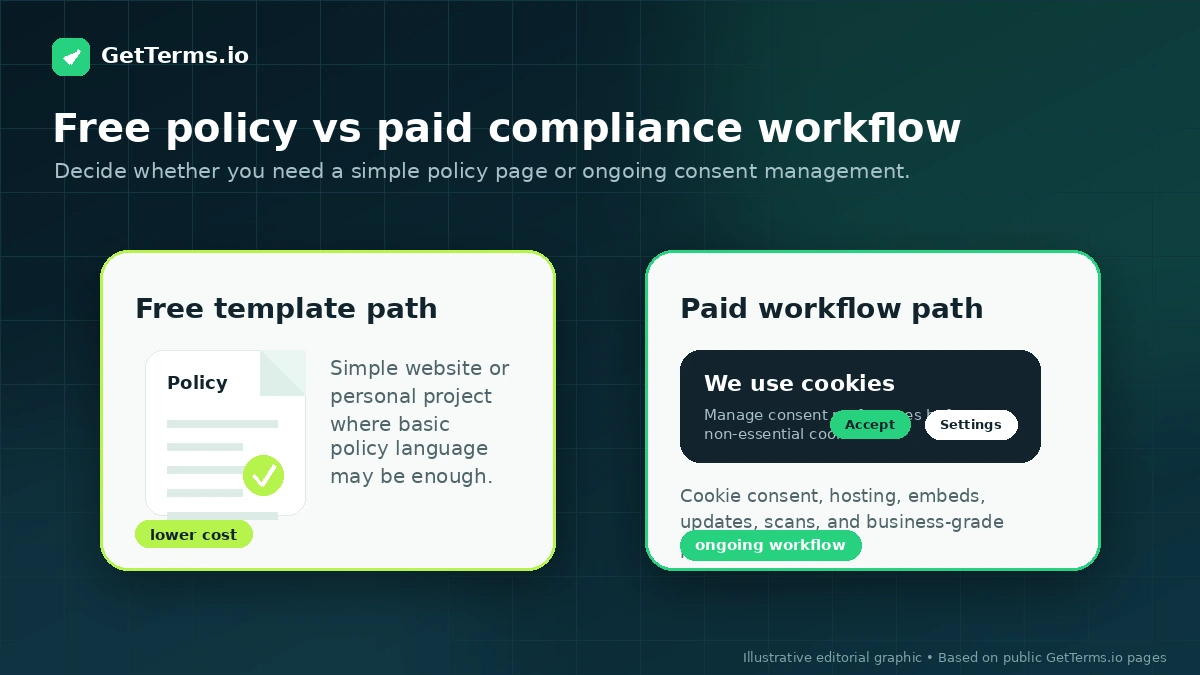
A buyer who only needs one free privacy policy for a hobby site may not need a paid GetTerms.io plan. The free path can be a reasonable starting point for low-risk personal use. Paying makes more sense when policy scope, hosting, updates, cookie consent, branding removal, or multi-site management has real value.
I would also avoid choosing GetTerms.io only because the visible annual price looks low. The Starter price can be attractive, but Business may be the more relevant tier if you need all legal policies, unlimited banner views, customization, multi-language support, or branding removal.
Finally, agencies should not buy casually without checking Partner terms. Standard one-domain licensing, resale restrictions, and fair-use rules can matter if you intend to use GetTerms.io across client projects.
How GetTerms.io fits into a real workflow
A practical GetTerms.io workflow starts before you open the pricing page.
First, list what the website actually does. Does it collect form submissions? Use Google Analytics? Run Meta, Google, or TikTok ads? Sell products? Accept payments? Send marketing emails? Operate across regions? Use embedded videos, chat widgets, tracking pixels, or affiliate tools?
Then map the required policy and consent pieces. A simple site may only need a privacy policy and cookie policy. A business site may also need terms and conditions, a return policy, an acceptable use policy, language support, consent logs, and a cookie banner that works with the site’s scripts.
After that, choose the publishing path. GetTerms.io can support hosted policy links, HTML embeds, WordPress plugin publishing, PDFs, Markdown, and direct copy-paste. The right route depends on how your site is built and how often you expect policies to change.
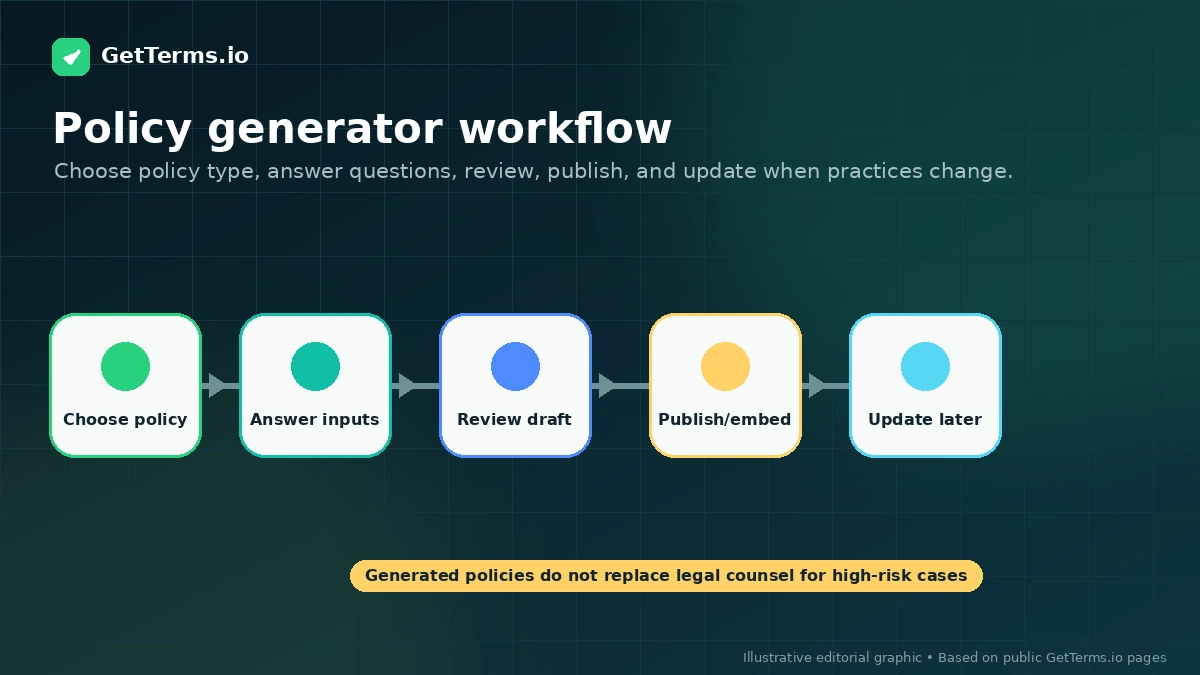
The decision point comes after implementation. You still need to verify that the policy links work, the banner appears correctly, consent logs are available where expected, and third-party scripts behave the way your compliance approach requires.
This is where GetTerms.io can save time. It gives website owners a cleaner workflow than manually writing documents, hosting separate pages, and installing a separate consent system. It becomes weaker when the buyer assumes “generated policy” automatically means “fully compliant.” That is not how privacy compliance works.
Real-world buyer scenarios
A solo website owner launching a business site
A small business owner launching a brochure site with a contact form, analytics, and a few marketing scripts may find GetTerms.io practical. The tool can help create the core policy set and cookie banner without hiring a lawyer for every basic website launch.
The risk is underestimating scope. If the site later adds ecommerce, ads, email automation, or regional targeting, the buyer should re-check whether the current plan and documents still fit.
A SaaS founder adding user accounts and payment flows
A SaaS founder has a more serious decision. Privacy policy, terms, acceptable use, payment terms, cookie consent, and third-party services can all matter.
GetTerms.io can be a useful starting point, especially when the founder needs something better than a generic copied policy. But if the SaaS handles sensitive data or has non-standard customer obligations, I would treat GetTerms.io as a drafting and implementation helper, not the final legal review.
A WordPress agency managing client sites
An agency that builds WordPress sites may like the repeatable policy and consent workflow. Hosted policies, plugin-based setup, cookie banners, and client-site management can reduce operational friction.
The pricing question is different for agencies. The agency should not judge only the single-site Starter price. It should check Partner pricing, resale permissions, client management, user access, and domain limits before building this into a client service.
An ecommerce store comparing policy tools
An ecommerce store may need privacy policy coverage, cookie consent, terms, return policy language, and tracking disclosures. GetTerms.io Business is likely more relevant than Starter in that case, because the broader policy set matters.
The alternative comparison is also important. TermsFeed may appeal to document-first buyers, while Termly, iubenda, or CookieYes may be stronger depending on whether the main need is policy generation, consent management, or deeper compliance operations.
Key features that actually matter
Policy generation and policy scope
The core value is the ability to generate website and app policies based on business inputs. This can save time compared with writing everything manually or copying a generic page from another site.
The buyer note is scope. Starter is more limited, while Business is positioned for broader legal policy coverage. If your site needs terms, return policy language, acceptable use, or more complete policy support, do not assume the entry plan covers everything.
Cookie consent management
Cookie consent is the second major reason to consider GetTerms.io. The product supports cookie banners, consent logs, banner controls, geotargeting, and Google Consent Mode-oriented workflows.
This matters if your site uses tracking, ads, analytics, or scripts that require consent handling. It may disappoint buyers who expect compliance to become automatic after adding a banner. A consent banner still needs correct implementation and script behavior.
WordPress plugin and embed options
Implementation flexibility is a practical strength. GetTerms.io supports WordPress plugin publishing, hosted links, HTML embeds, PDFs, Markdown, and copy-paste routes.
Buyer note: choose the publishing path based on your stack. A WordPress site may benefit from the plugin. A static site may prefer hosted links or embeds. A more technical team may need tighter control over where scripts load.
Multi-language and geotargeting features
Multi-language support and geotargeting can matter for businesses serving users in different regions. This is not just a “nice to have” if visitors come from jurisdictions with different privacy expectations.
The caution is plan scope. If language support, auto-language detection, or region-specific banner behavior matters, confirm the plan includes those controls before paying.
Partner route for agencies
The Partner path is important for agencies, developers, and portfolio owners. It adds a different buying logic than single-site pricing.
For my money, this is the part agencies should check first. If you need client management, multi-user access, volume pricing, or permission to provide GetTerms.io as part of broader client services, Partner terms are more important than the Starter price.
Pricing and plan value
GetTerms.io pricing is relatively clear, but it still needs careful reading.
At the time of this review, the public pricing page shows Starter from $5 per month per website on annual billing, $9 per month on monthly billing, and $199 per website for lifetime access. Business is shown from $8 per month per website on annual billing, $12 per month on monthly billing, and $249 per website for lifetime access. Partner pricing is handled as a “let’s talk” path for agencies or website portfolios.
The entry price is attractive, but it should not be the whole decision.
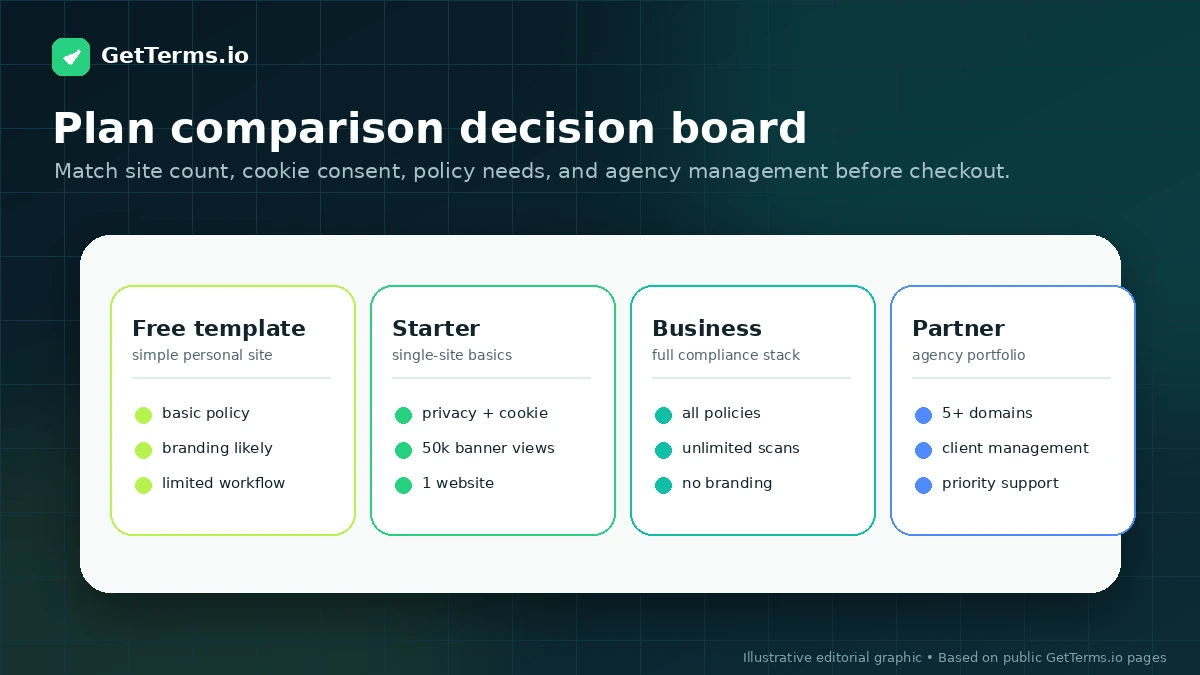
Starter includes core policy and consent features, but Business is the plan I would check first for commercial websites that need all legal policies, unlimited banner views, customizable cookie banners, multi-language support, auto-language detection, and branding removal. If your site is more than a small personal project, the cheaper plan may be a test lane rather than the correct long-term fit.
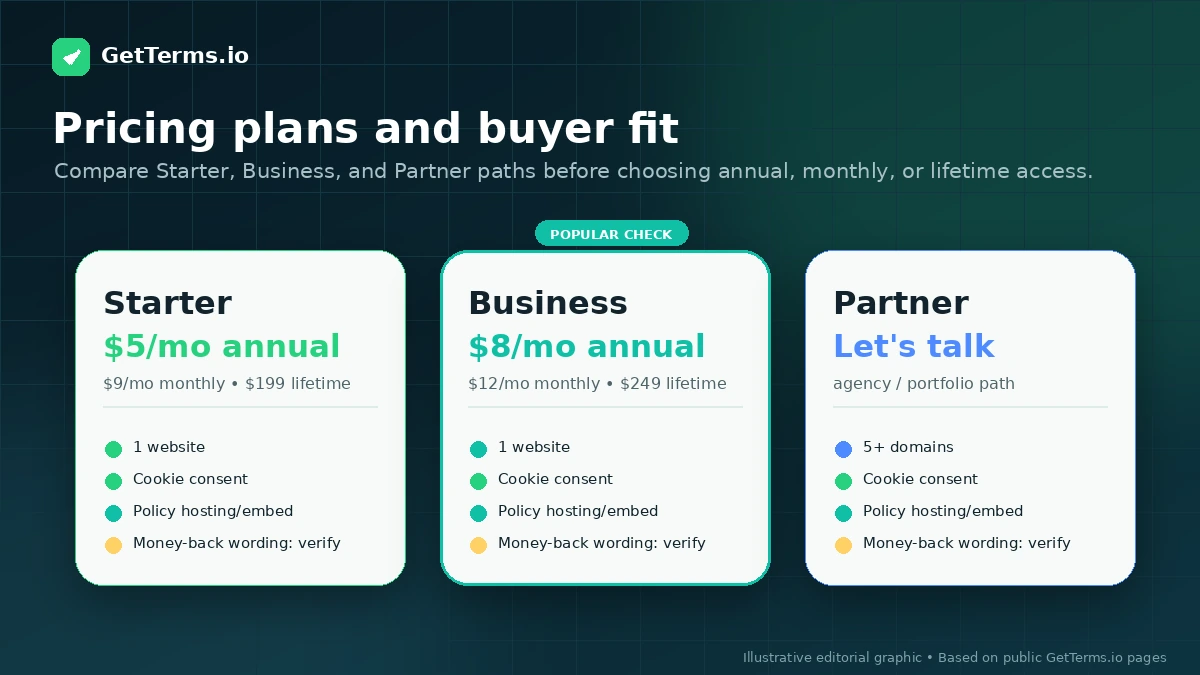
Lifetime pricing deserves its own pause. A lifetime licence can make sense for a stable single website if you expect to use GetTerms.io for years. It is less obvious if the site may change domains, move ownership, require broader compliance review, or become part of a multi-site portfolio.
Annual billing also needs discipline. If you are unsure whether the banner, policies, and implementation fit your stack, monthly billing may be safer until you have tested the workflow on a real site.
For agencies, Partner pricing is not optional homework. One-domain licensing and resale restrictions can change the buying decision. Do not build a client workflow around single-site pricing until the Partner account terms are clear.
Pricing check: If GetTerms.io still looks right, compare Starter, Business, lifetime, and Partner terms before choosing the cheapest visible route.
Free plan, trial, coupon, and checkout notes
The free privacy policy path is useful, but it is not the same as proving the paid product is unnecessary.
For a simple personal website, a free basic privacy policy may be enough to get started. For a commercial site, the better question is whether the site needs cookie consent, consent logs, broader policies, banner customization, hosted updates, multi-language support, or WordPress implementation.
GetTerms.io savings are more plan-based than coupon-based. The main routes to compare are annual billing, monthly billing, lifetime access, the free policy path, and Partner pricing. Public coupon codes may appear from time to time, but I would not make a compliance-tool purchase because of a code.
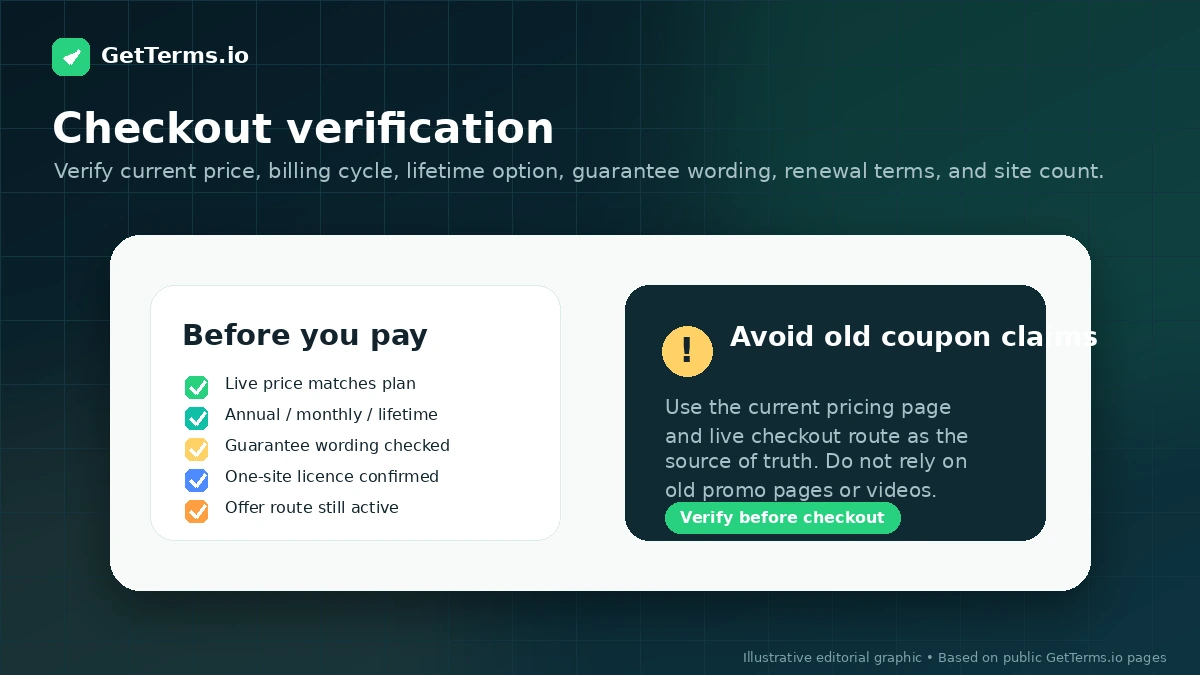
The money-back guarantee language also deserves a live check. GetTerms.io publicly promotes a money-back guarantee, but buyers should verify the current guarantee terms and renewal behavior before relying on that promise. This matters more for annual and lifetime purchases than for a small monthly test.
If you do check the GetTerms.io coupon page, do it after the plan choice is already clear. A discount can improve the purchase, but it cannot make Starter cover a Business-level compliance need.
Offer path: Check active offers only after you know whether your site needs Starter, Business, lifetime access, or Partner pricing.
What I would check before buying GetTerms.io
If I were buying GetTerms.io for a real site, I would check seven things before paying.
- Policy scope. Does the site only need privacy and cookie policies, or does it also need terms, returns, acceptable use, app policy coverage, and broader commercial documents?
- Cookie consent requirements. Does the site use analytics, advertising pixels, affiliate tracking, embedded media, chat widgets, or scripts that need a real consent setup?
- Plan limits. Are banner views, policy coverage, languages, branding controls, and user permissions enough for the site?
- Publishing method. Will you use hosted links, HTML embeds, WordPress shortcodes, PDFs, Markdown, or direct copy-paste?
- Domain licensing. Is one website enough, or are you managing multiple domains or client sites?
- Refund and renewal terms. Is the money-back guarantee clear at checkout, and what happens when annual billing renews?
- Legal risk. Is the business simple enough for generated documents, or should a lawyer review the final policy set?
The first check is the most important. If your business needs custom legal judgment, GetTerms.io may still help create a starting point, but it should not be the only checkpoint.
A simple test before paying
Before paying, I would run a small test like this:
- Write down every policy your site needs: privacy, cookie, terms, return, acceptable use, disclaimer, or app-specific documents.
- List every data collection point on the site: forms, analytics, ads, checkout, email tools, embedded media, chat widgets, and third-party scripts.
- Compare Starter and Business feature scope against that list.
- Choose the implementation path you would actually use: WordPress plugin, hosted policy links, HTML embeds, PDFs, Markdown, or manual copy-paste.
- Check whether the cookie banner can support your region, language, and tracking setup.
- Read the current refund, licence, domain, and resale terms before choosing annual or lifetime pricing.
- If the site has legal complexity, send the generated policy set to a lawyer or compliance specialist before treating the work as finished.
That test keeps the decision practical. You are not asking whether GetTerms.io is a good tool in general. You are asking whether it fits your website’s real policy and consent workflow.
Pros explained
It combines policies and consent management
The biggest pro is consolidation. Many site owners start with a policy generator, then realize they also need a cookie banner, consent logs, hosted policy links, and a way to keep updates manageable.
GetTerms.io is stronger when those pieces belong together. It stops being enough when the business needs custom legal interpretation or enterprise-level compliance operations.
Pricing is easier to compare than many compliance tools
The public pricing page makes the main paths fairly visible: Starter, Business, lifetime options, and Partner pricing. That gives buyers a cleaner starting point than tools that hide every meaningful plan behind sales calls.
The caution is that “clear” does not mean “simple.” Annual billing, lifetime access, one-domain licensing, and Partner needs can change the real cost.
WordPress and embed options reduce implementation friction
Policy documents are only useful if they are published correctly. GetTerms.io’s hosted, embed, WordPress, PDF, Markdown, and copy-paste routes give buyers more practical options.
This matters for small teams that do not want a developer involved every time a policy changes. It matters less if your site already has a custom compliance workflow.
Agency fit is stronger than one-off generators
The Partner route makes GetTerms.io more interesting for agencies and portfolio owners. Client management, multi-user access, volume pricing, and broader licensing can turn policy and consent setup into a repeatable service workflow.
The limitation is that agencies must check Partner terms before using it commercially across clients.
Cons explained
It is not legal advice
This is the most important limitation. GetTerms.io is upfront about not being a law firm and not providing legal advice. That does not make the product bad. It makes the product boundary clear.
Who should care most? Regulated businesses, SaaS products with sensitive user data, healthcare or financial services, children’s data, cross-border operations, and companies with unusual contracts.
Starter may be too narrow for real business use
Starter can be a sensible entry point for basic needs, but it may not cover the full policy and consent scope a business expects. If all legal policies, unlimited banner views, advanced customization, multi-language support, or branding removal matter, Business is the better plan to inspect.
The way to avoid the issue is simple: choose by required coverage, not by the lowest visible monthly price.
Lifetime pricing can create false confidence
Lifetime access can be attractive, especially for stable single-site projects. But a lifetime licence does not remove the need to keep the business model, data practices, and legal context aligned with the policy language.
If the site changes, the policy should be reviewed. If the business expands, the plan may need to change.
Multi-site buyers need licensing clarity
Agencies and portfolio owners need to read licensing and Partner terms carefully. Standard licences are not the same as broad resale or client-management rights.
This is not a minor detail. If GetTerms.io becomes part of your client delivery workflow, licensing is part of the product fit.
Green flags and red flags
Green flags:
- Your website needs both policies and cookie consent, not just a static privacy page.
- You want hosted policies, embeds, WordPress support, and consent logs in one workflow.
- Your business model is standard enough for generated documents to be useful.
- You can clearly identify whether Starter, Business, lifetime, or Partner is the right path.
- You are willing to verify implementation, not just publish documents and forget them.
Red flags:
- You expect GetTerms.io to replace a lawyer for a high-risk business.
- You are choosing the cheapest plan without checking policy scope.
- You manage client websites but have not verified Partner licensing.
- Your site uses complex tracking, sensitive data, or unusual regional obligations.
- You are relying on an old promo or coupon mention instead of the live pricing and checkout page.
GetTerms.io vs alternatives
GetTerms.io has a clear role: policy generation plus cookie consent in a website-friendly workflow. The better alternative depends on which side of that workflow matters most.
Termly vs GetTerms.io
Termly is a direct comparison for buyers who want a broader compliance platform with policy generation and consent management. It may be the stronger comparison if you want a more established compliance suite and are willing to compare plan limits carefully.
GetTerms.io may still make more sense if you want a simpler policy-and-consent workflow with visible annual, monthly, and lifetime pricing options.
TermsFeed vs GetTerms.io
TermsFeed is a stronger comparison for document-first buyers. If you want to purchase or generate individual policies with more granular document decisions, TermsFeed may fit better.
GetTerms.io is more attractive if you want policy generation and cookie consent management living together in one dashboard.
iubenda vs GetTerms.io
iubenda is a direct alternative for businesses that want a more mature international privacy and consent platform. It may be better for teams that need deeper compliance operations, region-specific complexity, or a platform with broader privacy infrastructure.
GetTerms.io may still fit smaller teams that want a faster, simpler path without immediately moving into heavier compliance tooling.
CookieYes vs GetTerms.io
CookieYes is more consent-management-first. It deserves a look if your main problem is cookie scanning, cookie banners, and consent management rather than broader policy-document generation.
GetTerms.io is better positioned when the buyer wants policies and consent together. CookieYes may be better when the policy side is secondary and cookie consent depth is the core need.
Trust, refund, and buyer-risk notes
The trust question with GetTerms.io is not whether the product is useful. It can be useful. The trust question is whether the buyer understands the boundary.
GetTerms.io can help create and maintain policy and consent assets. It does not make a business automatically compliant, and it does not provide legal advice. Its own terms and disclaimer draw that line clearly.
Refund language also needs a live check. The pricing page promotes a money-back guarantee, but buyers should confirm the current guarantee window and renewal behavior before paying. This is especially important for annual or lifetime purchases.
Domain licensing is another practical risk. Standard use is tied to domain-level licensing, and continued use depends on an active subscription or lifetime licence. Agencies, developers, and portfolio owners should check Partner terms before using GetTerms.io across client sites.
Data and implementation responsibility also remain with the buyer. Cookie consent tools can involve end-user consent records and script behavior on your site. The site owner still needs to make sure the setup matches applicable laws, business practices, and user-facing disclosures.
My confidence is strongest around GetTerms.io’s product role: it is a practical policy-and-consent workflow tool for websites. I am more cautious around legal sufficiency, refund reliance, and complex business use cases because those depend on the buyer’s actual website, jurisdiction, data practices, and risk tolerance.
Final verdict
I would consider GetTerms.io if you run a website, SaaS app, ecommerce store, or client-site workflow and want policy generation, cookie consent, hosted policies, embeds, and implementation options in one practical system.
I would skip it, or at least slow down, if your business needs custom legal advice, handles sensitive or regulated data, operates in a legally complex environment, or requires enterprise-grade compliance governance.
I would compare it with Termly if you want a broader compliance suite, TermsFeed if you are more document-focused, iubenda if international compliance depth matters, and CookieYes if cookie consent is the main job.
The safest next step is to define your policy and consent requirements first, then compare Starter, Business, lifetime, and Partner pricing against that list. If GetTerms.io covers the workflow, it can be a useful time-saver. If your legal risk is higher than the tool’s “one size fits most” boundary, treat it as a starting point and bring in professional review before relying on it.
