Quick verdict
Geekbot is worth considering if your team has a real meeting problem, not just a general interest in productivity software.
That difference matters. A standup bot can look useful on the homepage because the promise is easy to understand: fewer meetings, scheduled questions, async replies, and shared updates inside Slack or Microsoft Teams. The harder question is whether your team will actually answer the prompts, whether managers will use the reports, and whether the cost still makes sense once the trial ends.
For my money, Geekbot is strongest when it replaces a routine that already exists: daily engineering standups, weekly blocker reports, sales updates, support handoffs, retro prompts, team polls, or manager pulse checks. It is weaker when buyers expect it to create alignment by itself. A bot can collect answers. It cannot make a vague team operating rhythm clear.
The best reason to shortlist Geekbot is that it fits directly inside Slack and Microsoft Teams, offers a free Starter path for small teams, and gives paid teams reporting, engagement summaries, anonymous reporting, API access, Geekbot AI, and CSV exports. The main caution is pricing math. Small teams may test cheaply, but larger teams need to calculate active participants, monthly versus annual billing, and whether they need standups only or polls and surveys too.
I would start with one real team routine before treating Geekbot as a company-wide communication layer.
Next step: If Geekbot fits a real standup or check-in workflow, verify the current plan and trial route before adding it to the whole team.
Review snapshot
| Review point | Practical take |
|---|---|
| Best for | Remote and hybrid teams that already run recurring standups, polls, or check-ins |
| Not ideal for | Teams that need full project management, roadmaps, task ownership, or portfolio planning |
| Main use case | Replacing live status meetings with async updates inside Slack or Microsoft Teams |
| Free entry | Free Starter plan for teams with up to 10 users |
| Trial path | 30-day free trial for larger teams testing the Basic feature set |
| Pricing note | Basic standups are priced per participant, with monthly and annual billing differences to verify |
| Main strength | Lightweight async communication in the chat workspace teams already use |
| Main concern | Value depends on reply habits, manager follow-through, and participant math |
| Direct alternatives | DailyBot, Standuply, Range, StandupBot |
| Best next step | Test one recurring routine before choosing monthly, annual, or Enterprise billing |
What is Geekbot?
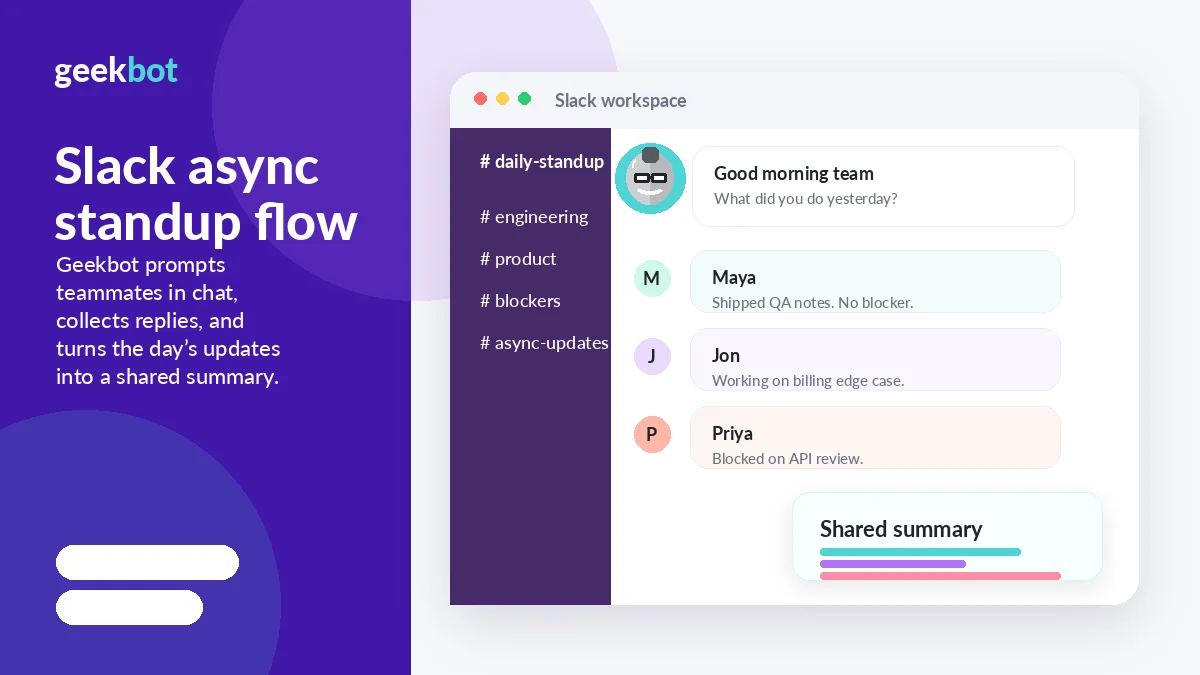
Geekbot is an async standup, poll, survey, and check-in tool for Slack and Microsoft Teams. The basic job is simple: Geekbot sends scheduled questions to teammates, collects their answers, and shares updates so the team can stay aligned without gathering for another live meeting.
That makes it a communication workflow tool, not a project management system.
The distinction is important. Geekbot can help a manager see what people are working on, where blockers appear, how participation is trending, and what recurring feedback looks like. It does not replace Jira, Linear, Asana, ClickUp, Monday, Notion, or a proper task ownership process. It is better understood as a recurring update layer that lives where the team already communicates.
The current public positioning is centered on standups, polls, surveys, team progress, blockers, participation, sentiment, and meeting reduction. Pricing and help pages also make clear that the buyer decision is tied to team size, active users, and whether the team needs only essential standups or the expanded paid feature set.
Our review approach compares public product pages, pricing details, help documentation, refund language, buyer workflow fit, and nearby alternatives. I would not judge Geekbot only by its ability to ask questions. I would judge it by whether those answers become useful operating signals.
The common wrong expectation is that a standup bot fixes communication automatically. It does not. It gives a team a structure. The team still needs a manager, lead, or owner who reads the reports and acts on the information.
Who should use Geekbot?
Remote engineering teams are the cleanest fit. If developers already answer “what did I do, what am I doing next, what is blocking me,” moving that rhythm into Slack or Teams can remove a daily meeting without removing visibility. Geekbot works best here when the team has time-zone differences or enough recurring work that a live standup feels repetitive.
Hybrid teams with mixed schedules can also benefit. The practical advantage is not just fewer calls. It is giving teammates a predictable way to report progress without waiting for everyone to be available at the same time.
Managers who need blocker visibility may find Geekbot useful. If updates are currently buried in DMs, meetings, or scattered channels, a scheduled report can make patterns easier to spot. The condition is that someone must actually review the report and follow up.
Operations, support, and sales teams may also use Geekbot for handoffs, weekly pulse checks, pipeline updates, customer issue summaries, or shift-based reporting. The fit is strongest when the questions repeat and the answers help the next person make a decision.
Small teams under the free Starter limit should consider testing it before paying. A free plan is not proof that the product is right, but it lowers the cost of finding out whether teammates will participate without being chased.
Who should avoid Geekbot?
I would be careful with Geekbot if your team does not have a recurring update problem. Adding a standup bot to a team that already communicates well can create another ritual instead of removing friction.
Very small teams should also be honest. If three people already talk clearly every day and know what everyone is doing, Geekbot may be unnecessary. The free plan can still be useful, but the real test is whether it removes confusion or only creates another notification.
Teams that need task management should not treat Geekbot as a substitute. It can collect status updates, but it does not own sprint planning, roadmap prioritization, dependencies, resource allocation, or issue tracking.
Larger organizations with strict security, data retention, procurement, or migration needs should slow down before choosing a self-serve plan. Geekbot has an Enterprise path for deeper requirements, but that also means buyers should verify security paperwork, data storage expectations, and commercial terms before rolling it out widely.
I would also avoid buying because of a coupon or annual discount alone. The mistake buyers often make here is treating a lower price as proof of value. With Geekbot, the better test is participation. If the team ignores the prompts, the discount does not matter.
How Geekbot fits into a real workflow
A practical Geekbot workflow starts before the bot is configured.
First, choose one routine that already exists. For example, a daily engineering standup, a weekly manager check-in, a Friday sales update, or a support handoff. Then decide who participates, what questions matter, where the report should appear, and who will act on the answers.
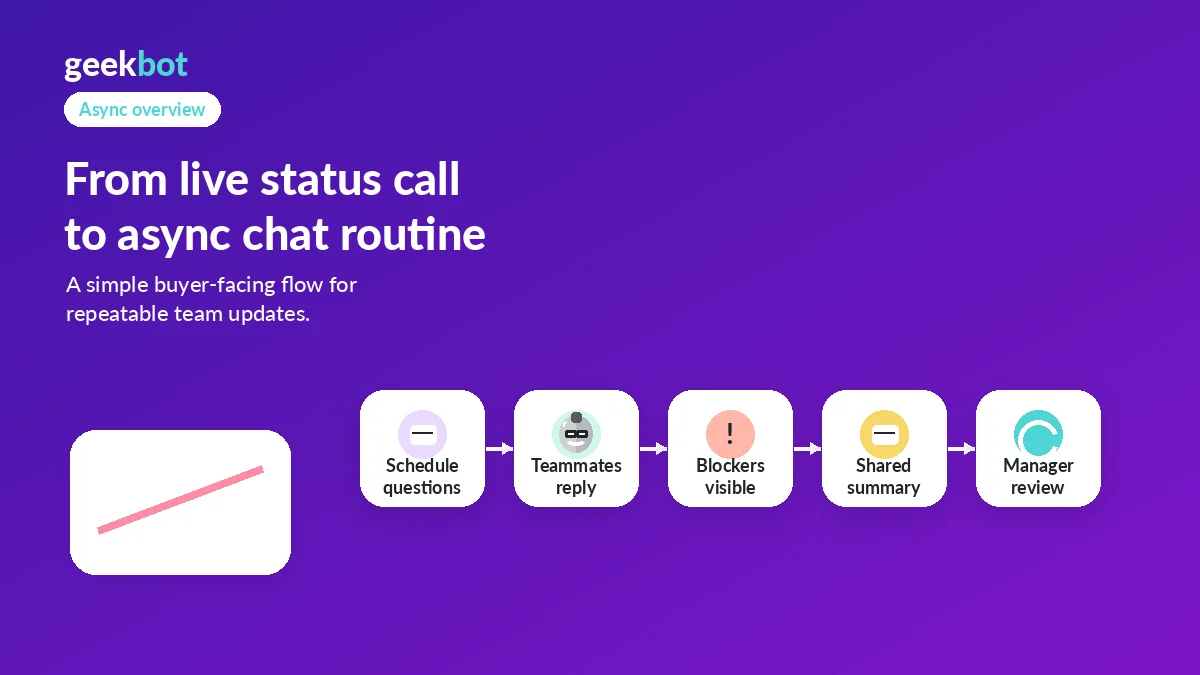
After setup, Geekbot sends prompts in Slack or Microsoft Teams. Team members answer asynchronously. The update is posted where the team can see it. Managers or leads review participation, blockers, and patterns. If something needs a real discussion, that becomes the follow-up. Everything else avoids a meeting.
That is where Geekbot can save time. It turns repeated status collection into a structured habit.
The risk is that the habit becomes performative. If people write vague answers, skip prompts, or copy the same update every day, the report becomes noise. If managers do not follow up on blockers, teammates learn that the check-in is administrative rather than useful.
So I would not start by rolling Geekbot out to every channel. I would start with one workflow where the cost of live meetings is obvious and where the answers will actually change what the team does next.
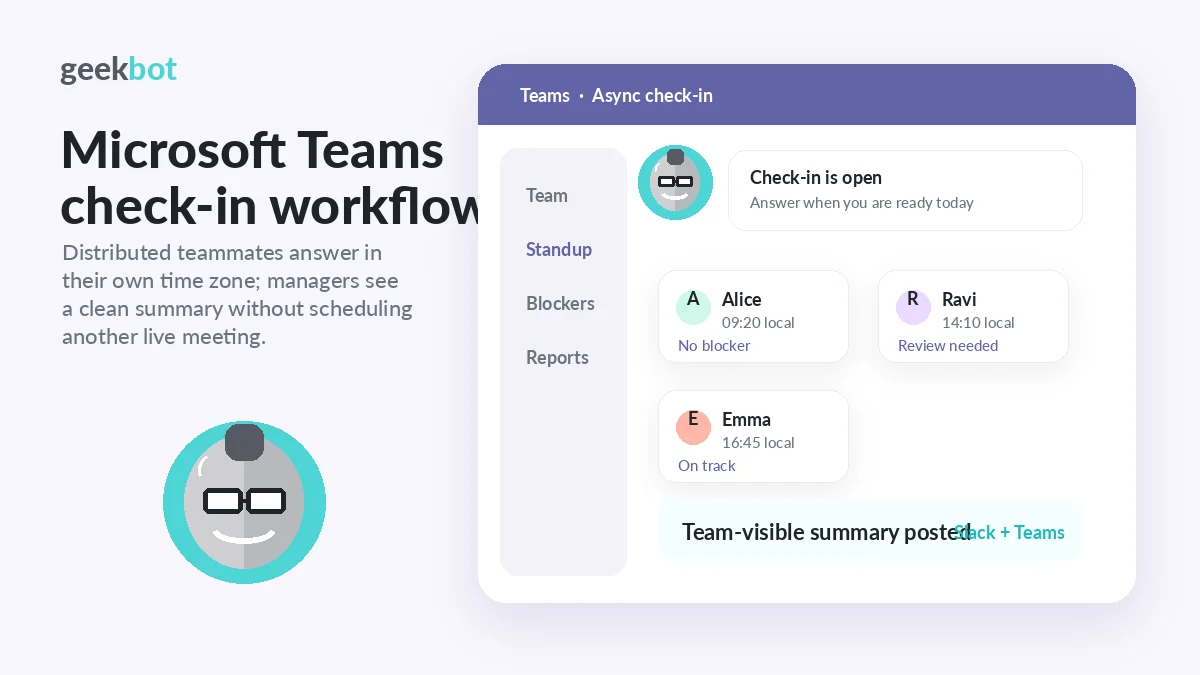
Workflow check: Test Geekbot with one real routine before deciding whether it belongs in every team channel.
Real-world buyer scenarios
An engineering manager with a distributed team is one of the most natural Geekbot buyers. The team may have people in different time zones, regular blockers, and enough daily activity that live standups become hard to schedule. Geekbot may fit if the manager uses the report to remove blockers and keep sprint risk visible. It may fail if engineers treat it as another form to fill out.
A founder with a small remote team may use Geekbot to keep everyone aligned without creating management overhead. The free Starter plan makes this easier to test. The important check is whether the updates reveal anything the founder would not already know.
A support or operations lead may use Geekbot for shift handoffs. This can work well when the same questions matter every day: what escalated, what is pending, what needs attention, what changed. It becomes weaker if the work is too unpredictable for a fixed prompt structure.
A larger company may look at Geekbot for standardized pulse checks, anonymous feedback, reporting, and cross-team updates. That can make sense, but this is also where Enterprise requirements can appear. Security review, data handling, invoicing, volume pricing, and admin expectations should be handled before a broad rollout.
Key features that actually matter
Async standups in Slack and Microsoft Teams
This is the core feature. Geekbot asks questions where the team already works, collects replies, and shares the report without forcing everyone into the same time slot.
Buyer note: this matters only if Slack or Teams is already where your team communicates. If teammates live in email, Jira, or another platform, adoption may be weaker than the feature list suggests.
Polls and surveys
Geekbot also supports polls and surveys, which can help teams collect fast feedback, retro input, decisions, or pulse responses. This gives it more range than a narrow standup-only bot.
Buyer note: check whether your team needs this enough to justify the plan. Polls and surveys have separate pricing language, so the buyer should not assume every use case is priced exactly like standups.
Reporting and analytics
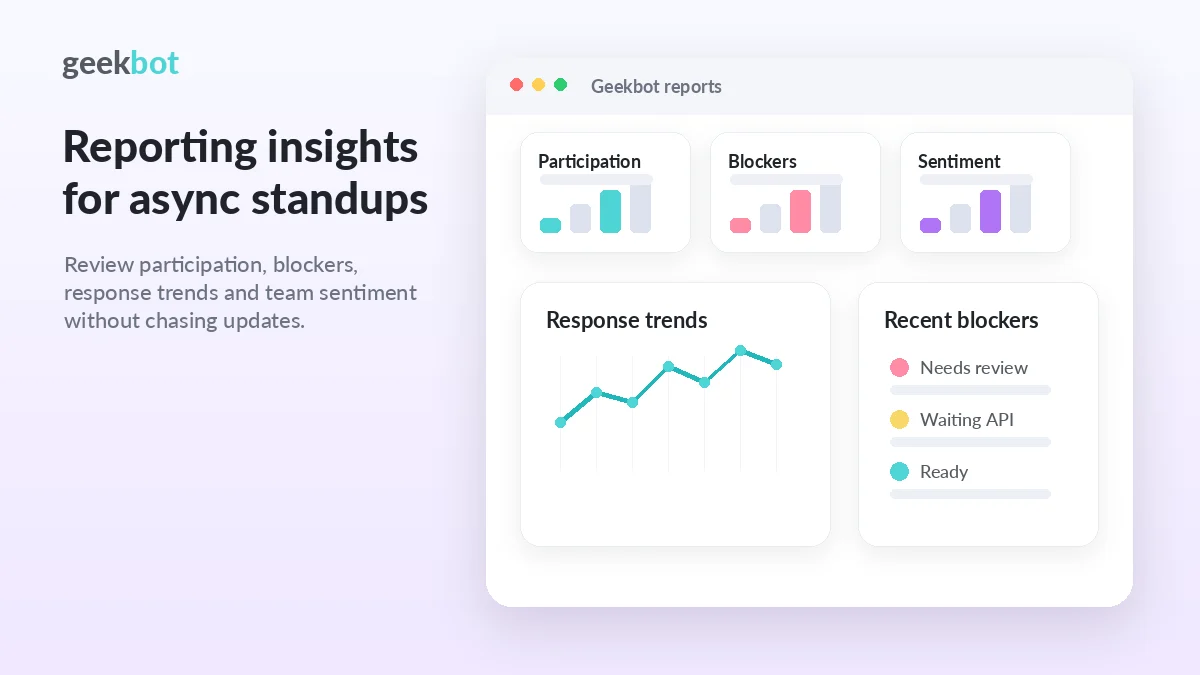
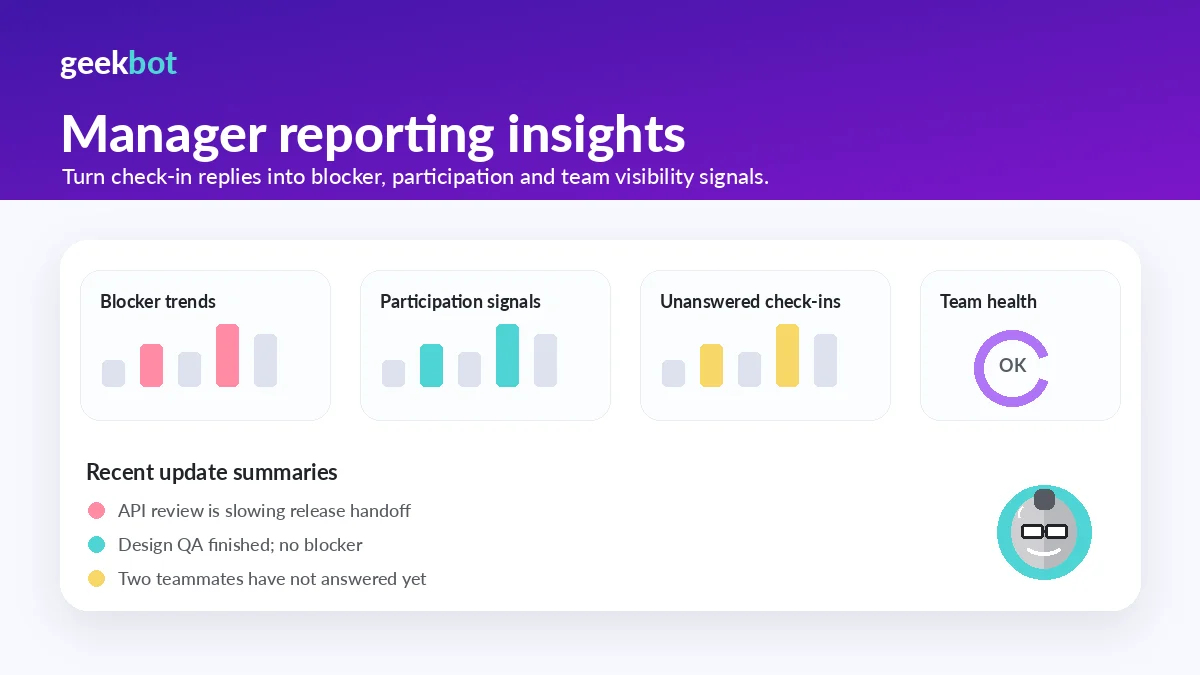
Reports, engagement summaries, participation views, blocker visibility, sentiment signals, and CSV exports are where Geekbot becomes more useful to managers. The tool is not only asking questions; it can help show whether the team is participating and where risk appears.
Buyer note: reporting matters when someone reviews it. If nobody reads the summary or changes behavior, the feature becomes decoration.
Anonymous reporting
Anonymous reporting can help when the team needs safer feedback on morale, blockers, or sensitive pulse checks. It is more relevant for managers and operations teams than for simple daily standups.
Buyer note: before relying on anonymous feedback, confirm the current plan details and make sure your team understands how the data will be used.
API access and Geekbot AI
Paid plans list API access and Geekbot AI among the expanded features. This may matter for teams that want more automation, deeper reporting, or custom workflow connections.
Buyer note: do not buy for API access casually. Confirm the current developer docs, plan access, and whether your team has a real integration use case.
Pricing and plan value
Geekbot pricing is mostly clear, but buyers still need to pay attention to billing interval and use case.
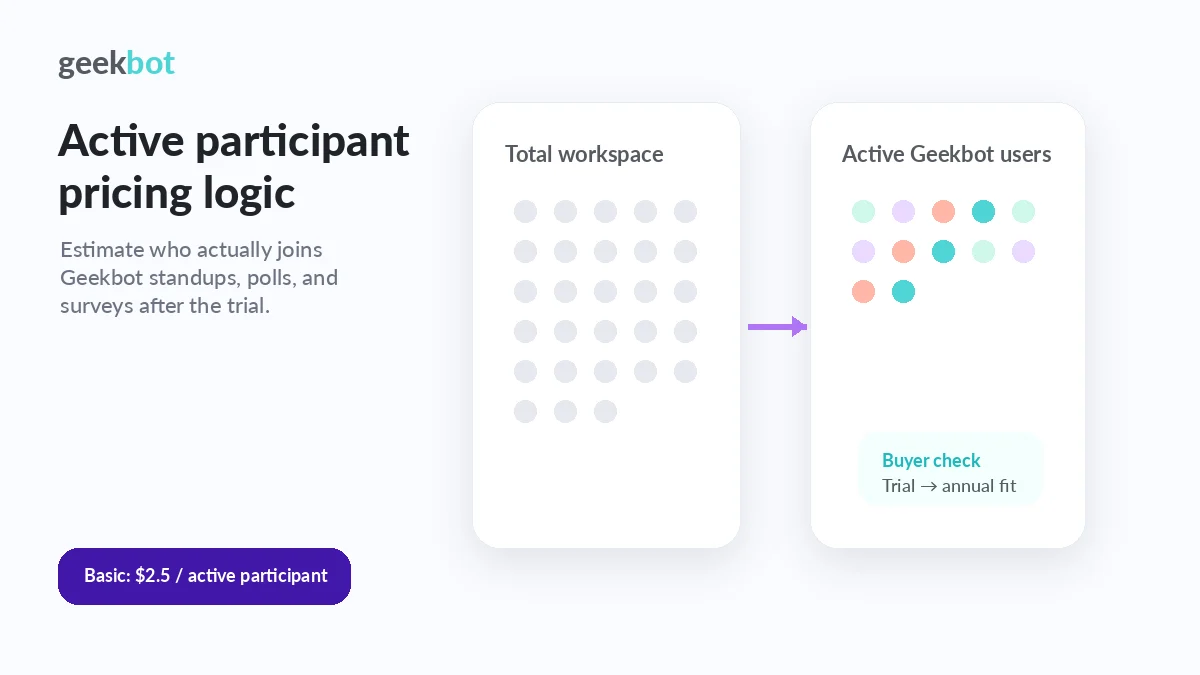
The current public pricing page lists a free Starter plan for teams with up to 10 users. It also shows Basic standups at $2.50 per participant per month and polls and surveys at $0.75 per respondent per month, with a 30-day free trial and an Enterprise contact-sales path. The Help Center adds useful context: monthly Basic standups are listed at $3 per user per month, while $2.50 per user per month applies if paid annually. Polls and surveys follow the same monthly-versus-annual pattern.
That means the headline number should not be read in isolation.
For small teams, the free Starter plan is the obvious first step. If you are under the user limit, I would use the free path to test participation, report quality, and whether Geekbot reduces meetings before moving to paid.
For teams above the free limit, the 30-day trial is the safer proof. Pick one real routine, invite actual participants, and track whether the team responds without repeated nudging. If the trial only proves that setup is easy, that is not enough. It should prove that the team will use the routine after the novelty fades.
For larger teams, participant math matters. Active-participant pricing can be reasonable when only a focused group uses Geekbot. It can feel less attractive if the routine expands without clear value. Annual billing can reduce the effective monthly cost, but I would not choose annual until the workflow is proven.
Enterprise buyers should treat the contact-sales path as a separate decision. Volume discounts, data storage, managed cloud services, security assessments, migration needs, procurement, and invoicing can all matter more than the public Basic price.
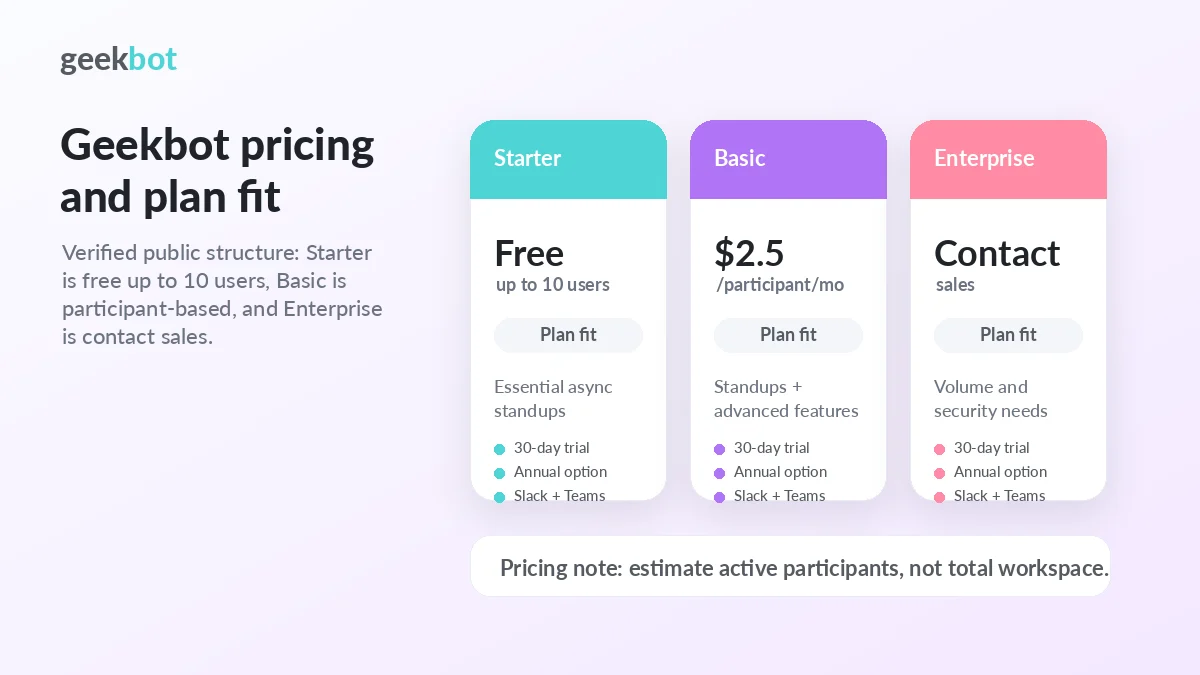
Pricing check: If Geekbot still fits, compare the free plan, trial, monthly pricing, annual pricing, and active participant count before checkout.
Free plan, trial, coupon, and checkout notes
Geekbot has a useful free-entry path. The free Starter plan covers teams with up to 10 users, which is enough for a small team to test whether async standups actually help. Larger teams can use the 30-day trial to evaluate the expanded Basic feature set.
I would treat the free plan and trial as workflow tests, not just product demos.
The checkout order should be simple: test participation first, calculate active users second, compare billing interval third, and only then look at the coupon or active-offer route. A discount can improve a good purchase, but it should not be the reason a team adopts another recurring SaaS tool.
Public coupon codes are not the safest assumption for Geekbot. The more reliable savings paths are the free Starter plan, the trial, annual billing, non-profit or education eligibility when available, volume discounts for larger teams, and live checkout verification.
For the current buyer route, use the Geekbot store guide to confirm the internal DealBestDaily path. If the workflow fit is already clear, check the Geekbot coupon page before checkout without letting the offer become the main reason to buy.
What I would check before buying Geekbot
If I were buying Geekbot for a real team workflow, I would check these points before paying:
- How many people will actively answer Geekbot prompts after the first week?
- Is the team using Slack or Microsoft Teams heavily enough for a chat-based check-in to feel natural?
- Does the free Starter plan cover the team, or is a paid trial needed?
- Is the Basic price being evaluated monthly or annually?
- Are polls and surveys part of the use case, or only standups?
- Do managers need CSV exports, API access, Geekbot AI, anonymous reporting, or engagement summaries?
- Are refund, renewal, security, data retention, and Enterprise requirements clear enough for the organization?
The first check is participation. Without it, everything else becomes theoretical.
A simple test before paying
Before paying, I would run a small test like this:
- Pick one routine, such as a daily standup or weekly blocker report.
- Choose a real team, not a fake sample channel.
- Keep the questions simple for the first week.
- Track reply rate, answer quality, and whether reminders are needed.
- Review whether the summary replaces a meeting or only duplicates one.
- Ask the manager whether the report changed any follow-up decisions.
- Calculate cost based on people who actually participated, not total workspace size.
This kind of test is more useful than browsing every feature. Geekbot is only valuable when it becomes a habit that reduces meeting friction.
Pros explained
Geekbot’s first real strength is fit. It lives inside Slack and Microsoft Teams, which means teams do not need to adopt a separate workspace just to answer standup questions. That lowers friction for remote and hybrid teams.
The second strength is the free and trial path. A free Starter plan for small teams and a 30-day trial for larger teams create a reasonable way to test the workflow before paying. This is exactly how a tool like this should be evaluated.
The third strength is reporting depth. Participation, blockers, sentiment, engagement summaries, anonymous reporting, CSV exports, and Geekbot AI can make it more useful than a simple recurring reminder.
The fourth strength is active-participant pricing. For a large workspace where only one department uses the tool, this can be cleaner than paying for every person in the company.
The fifth strength is that Geekbot has a clear Enterprise path. That matters when buyers need volume pricing, security review, migration help, or data terms that go beyond a self-serve plan.
Cons explained
The first limitation is scope. Geekbot is not a full project management system. It can tell you what people say they are doing. It does not manage the work itself.
The second limitation is adoption risk. A standup bot becomes valuable only when people answer honestly and consistently. If the team ignores prompts or gives shallow answers, the tool cannot create alignment on its own.
The third limitation is participant-based pricing. It may be fair, but it still needs modeling. A tool that starts cheap can become less attractive as more people join recurring routines.
The fourth limitation is that analytics can look more valuable than they are. A dashboard is useful only when managers act on the signal. If the report is never reviewed, the paid features are not doing much.
The fifth limitation is Enterprise complexity. Larger teams may need procurement, security, data storage, or managed cloud details before rollout. That can slow down what looks like a simple bot purchase.
Green flags and red flags
A green flag is an existing meeting you already want to remove. If the team has a recurring status call that mostly collects updates, Geekbot has a clear job.
Another green flag is strong chat adoption. If your team already lives in Slack or Microsoft Teams, the check-in habit has a better chance of sticking.
A third green flag is a manager who will use the reports. Geekbot is more valuable when someone reads the summaries, follows blockers, and changes team behavior.
A red flag is vague adoption. If nobody can name the routine Geekbot will replace, the tool may become another notification.
Another red flag is buying for annual savings too early. Monthly or trial-based validation is safer until participation is proven.
A final red flag is expecting Geekbot to solve project visibility alone. It supports communication, but the team still needs a system for tasks, deadlines, priorities, and ownership.
Geekbot vs alternatives
Geekbot’s closest alternatives are other async check-in, standup, and team-status tools. The right comparison depends less on feature count and more on the communication habit you are trying to improve.
DailyBot vs Geekbot
DailyBot is a strong comparison if the buyer wants broader team intelligence, check-ins, AI reports, and cross-tool visibility. It may fit teams that want updates across people, agents, and tools rather than a narrower standup-and-survey workflow.
Geekbot may still make more sense if the buyer wants a simpler Slack or Teams standup routine with clear pricing, reporting, and check-in structure. See the DailyBot store route if the broader team-intelligence angle matters more.
Standuply vs Geekbot
Standuply is worth comparing for Agile-heavy teams. It leans into standups, retrospectives, planning, backlog refinement, surveys, and Scrum-style routines inside Slack and Microsoft Teams.
Geekbot may be the easier fit if the team wants a cleaner async standup, poll, and reporting experience without turning the tool into a broader Agile assistant. See the Standuply store route if Scrum depth is the main buying reason.
Range vs Geekbot
Range is an adjacent but relevant route for teams that want check-ins tied to team health, goals, and broader alignment. It may be stronger when the buyer cares about how people feel, what goals are moving, and how a team stays connected beyond a daily update.
Geekbot is the more direct choice when the job is to replace recurring standups and collect structured updates in Slack or Teams. See the Range store route if team health and goal context matter more than standup automation alone.
StandupBot vs Geekbot
StandupBot is a simpler alternative for buyers who mainly want recurring standups without as much platform depth. Its own comparison angle emphasizes flat-fee predictability and a narrower focus.
Geekbot may be better if the team needs charts, multi-step workflows, topic/activity reporting, API access, polls, surveys, and more structured analytics. See the StandupBot store route if predictable pricing and simplicity matter more than expanded reporting.
Trust, refund, and buyer-risk notes
Geekbot has several buyer-friendly signals: a free Starter plan, a 30-day trial, Slack and Microsoft Teams support, public pricing, public Help Center pricing details, and a published refund policy.
That does not remove the need for checkout discipline.
The refund policy says refund requests must be initiated within 30 days of purchase, but buyers should still read the current wording before relying on it. Larger purchases, annual billing, taxes, invoice terms, Enterprise contracts, or special arrangements can introduce details that do not appear in a simple pricing table.
Data and security also deserve attention for larger teams. Geekbot can handle team updates, blockers, survey answers, and potentially sensitive internal information. Enterprise buyers should verify data storage, security assessment, retention, access, and procurement requirements before broad rollout.
Pricing should be checked at live checkout. The public pricing page and Help Center are helpful, but the final decision depends on billing interval, participant count, standups versus polls/surveys, and whether Enterprise needs apply.
The safest route is not complicated: test one routine, measure participation, calculate active participants, verify current terms, then decide whether Geekbot removes enough meeting time to justify the plan.
Final verdict
I would consider Geekbot if your team already has recurring standups, blocker reports, team pulse checks, or update meetings that could move into Slack or Microsoft Teams without losing clarity.
I would skip Geekbot if your team does not have a recurring update problem, if you need full project management, or if the tool would simply add another notification to a team that already communicates well.
I would compare it with DailyBot if you want broader team intelligence, Standuply if you need more Agile structure, Range if team health and goals matter more, and StandupBot if simplicity and predictable pricing are the priority.
The safer path is to test one real routine first. If people answer consistently, managers use the reports, and meetings become shorter or less necessary, Geekbot can make sense. If the routine does not stick during the trial, a coupon, annual discount, or polished dashboard will not fix the mismatch.
