Quick verdict
CopySpace.ai is worth a serious look if your real problem is not “I need more words,” but “I need a repeatable SEO article workflow that does not start from a blank screen every time.”
That difference matters.
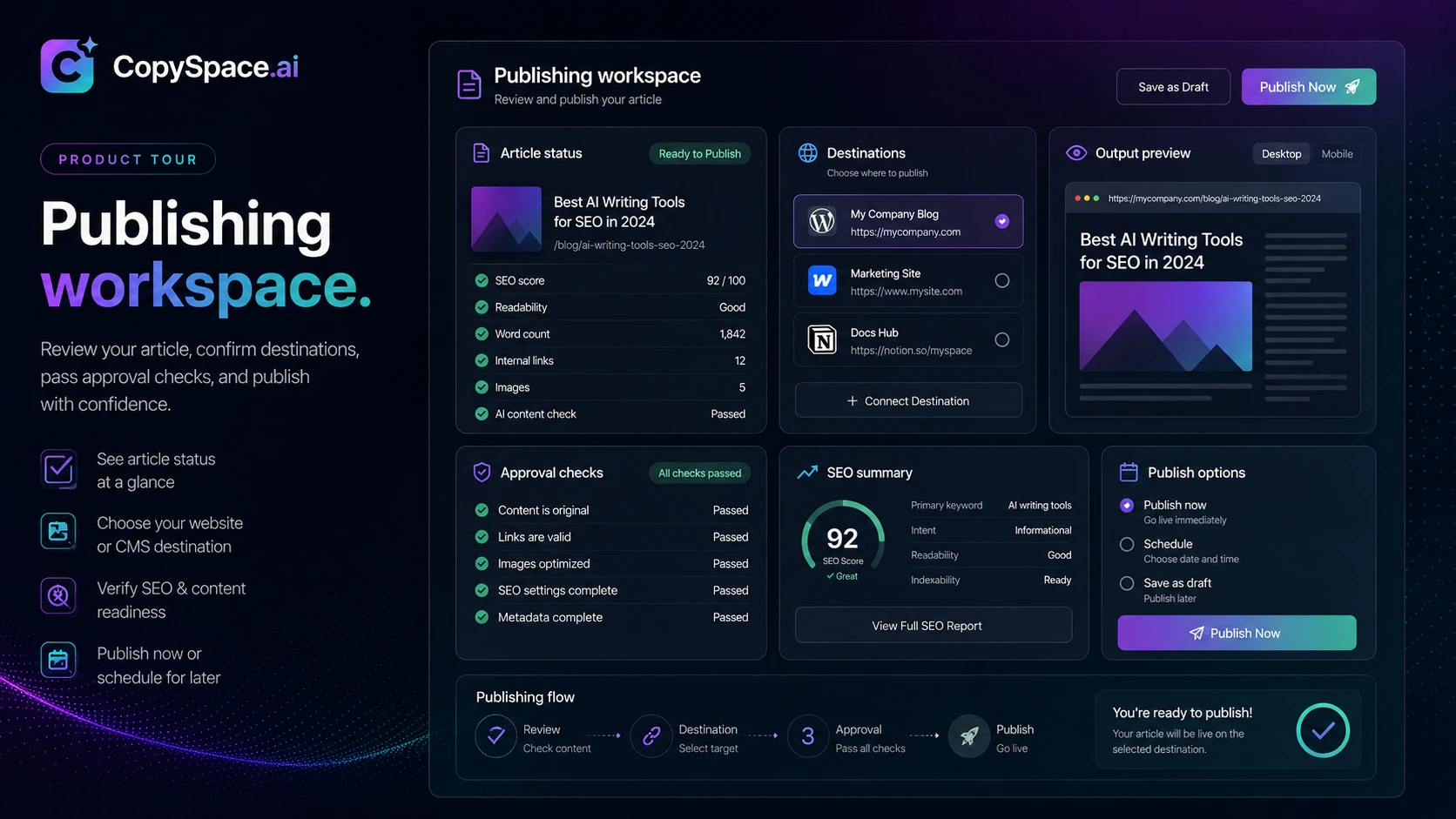
A generic AI writer can draft paragraphs. CopySpace.ai is trying to sit closer to the SEO publishing process: keyword or topic in, structured article out, optimization checks around it, and a path toward WordPress publishing. For bloggers, niche-site owners, and small SEO teams, that is a more useful promise than another basic copy generator.
I would still be careful here.
The homepage makes the product sound simple: SEO blogging, ready-to-rank articles, and faster output. The buying decision is less simple. A tool can make article creation faster and still leave you with weak facts, thin examples, awkward phrasing, poor internal links, or a draft that needs more editing than expected. The real question is whether CopySpace.ai reduces the repetitive part of your publishing process without lowering the quality bar.
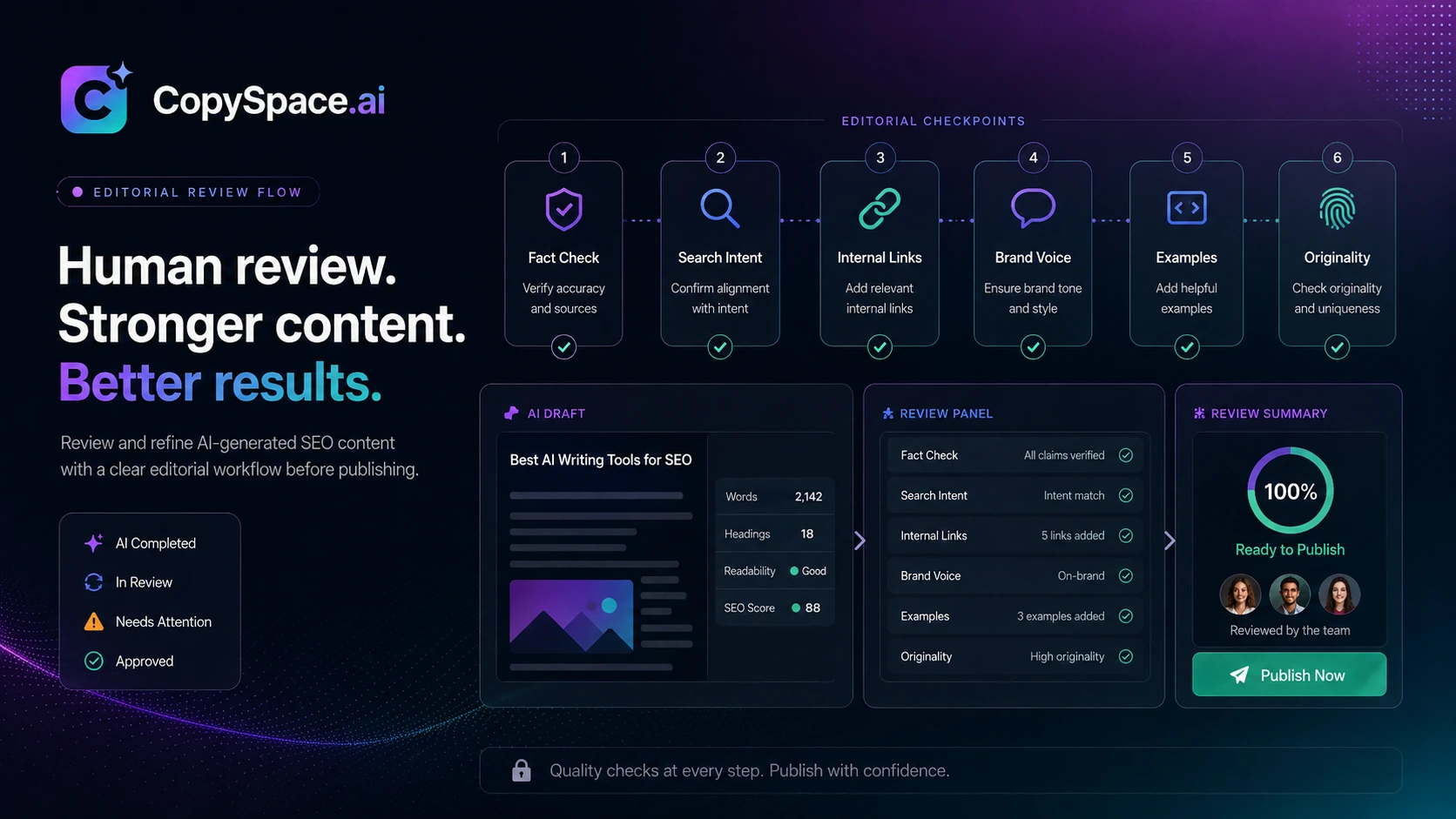
For my money, CopySpace.ai makes the most sense when it sits between keyword research and human editing. Use it to build the article foundation. Use a human editor to check intent, accuracy, examples, links, brand voice, and whether the page deserves to exist.
I would not buy it only because an old deal page, coupon listing, or annual discount looks attractive. A cheaper plan helps only if the workflow fit is already clear.
Next step: If CopySpace.ai sounds like a fit, check the current product route and pricing before assuming any public deal or old pricing reference still applies.
Review snapshot
| Review point | Practical take |
|---|---|
| Best for | Bloggers, niche-site builders, freelancers, agencies, and small SEO teams publishing articles repeatedly |
| Not ideal for | Buyers who need deep rank tracking, enterprise approvals, broad governance, or hands-off content quality |
| Main use case | Turning keywords or topics into structured SEO article drafts that still need human editing |
| Workflow fit | Stronger as a production workspace than as a pure SEO research platform |
| Pricing clarity | Mixed; public references vary, so live checkout matters |
| Free/trial path | Do not assume a free plan or trial is active unless the current signup or checkout confirms it |
| Main strength | SEO-focused drafting, automation, optimization support, and publishing-oriented workflow |
| Main risk | Overestimating output quality or underestimating editing, limits, and total cost |
| Best alternatives to compare | AISEO, Balzac AI, Dashword, NeuronWriter |
| Safest next step | Test one real article from keyword to edited draft before paying annually |
What is CopySpace.ai?
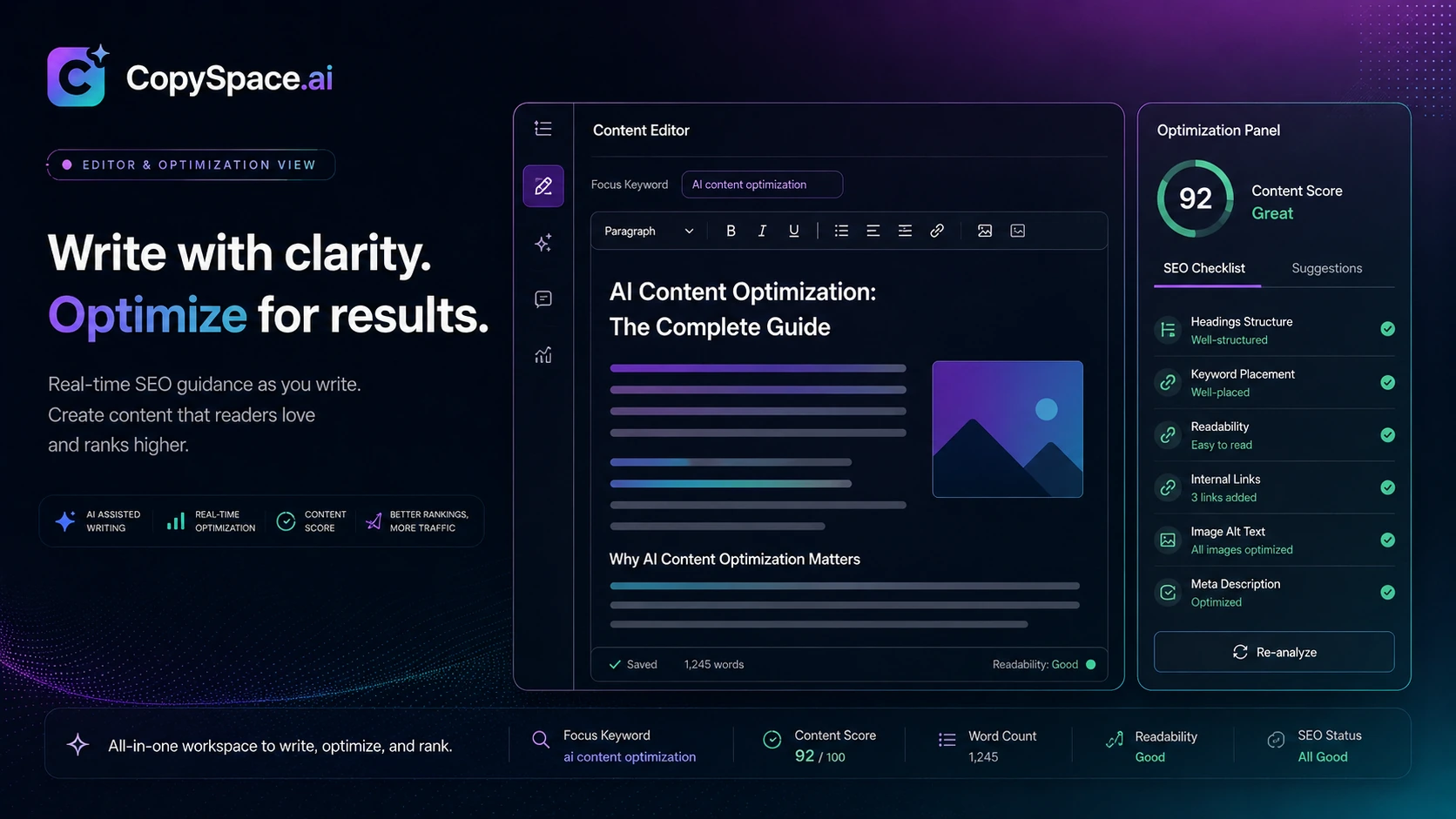
CopySpace.ai is an AI SEO writing and content production workspace. Its public positioning is built around SEO blogging, faster article creation, and ready-to-rank blog drafts.
I would translate that into plainer buyer language: CopySpace.ai is not just trying to write copy. It is trying to help users move from a target topic or keyword into an SEO-oriented article workflow with drafting, optimization, automation, and publishing support.
That makes it different from a blank AI chat tool. In ChatGPT or another general assistant, you can ask for a blog post and get a draft. The missing piece is often structure: keyword targeting, outline discipline, repeatable formatting, content scoring, publishing workflow, and rules that keep each article from becoming a one-off prompt experiment.
CopySpace.ai is trying to solve that middle layer.
The product appears most useful when the buyer already has a publishing plan. If you know your niche, your keywords, your content calendar, and your editorial standard, CopySpace.ai can help reduce the mechanical work around article creation. If you do not know those things yet, the tool may simply help you create more unfinished drafts.
Our review approach: we compare public product pages, pricing signals, terms, buyer workflow fit, and nearby alternatives. We do not treat a coupon, lifetime deal, or low monthly reference as proof that the product fits the buyer. Without confirmed hands-on testing, the safer judgment is to focus on where CopySpace.ai belongs in the content process and what buyers should verify before checkout.
Who should use CopySpace.ai?
CopySpace.ai makes the most sense for buyers who publish content often enough that workflow friction has become expensive.
A blogger building topical authority may use it to turn a keyword cluster into first drafts faster. The value is not that every draft is perfect. The value is that the first pass, outline, headings, and optimization direction may take less time than building everything manually.
A niche-site publisher may find it useful for repeatable content formats. If your site has recurring article types, writing guidelines, and a known editing process, automation can become more valuable than novelty. The same structure that feels limiting for a creative essay can be useful for SEO articles that need consistency.
A small agency may use CopySpace.ai for lower-complexity client drafts. I would still keep a human editor in the loop. Client content needs fact checking, positioning, brand tone, examples, and sometimes legal or industry review. CopySpace.ai can help with foundations. It should not be treated as the final quality layer.
A solo SEO operator may also like it if they want one workspace for drafting, optimization checks, images, plagiarism-oriented support, and publishing. That is the appeal: fewer disconnected steps.
The common thread is volume. CopySpace.ai becomes easier to justify when you have enough recurring article work to make workflow speed matter.
Who should avoid CopySpace.ai?
I would avoid CopySpace.ai if you only need an occasional blog intro, email, or social caption. A general AI assistant may be enough for that kind of light use.
I would also be careful if you expect AI-generated articles to be publication-ready. That is where buyers can easily overestimate the value. SEO content still needs search-intent judgment, factual accuracy, internal links, examples, original perspective, and a reason for the page to rank beyond “the AI wrote a long article.”
CopySpace.ai is also not the cleanest fit for teams that need a mature enterprise SEO suite. If your buying checklist includes approvals, task management, content governance, deep reporting, rank tracking, stakeholder workflows, and executive dashboards, this may be only one piece of the system.
Buyers who need transparent official pricing before entering payment details should slow down as well. Public pricing references around CopySpace.ai are not perfectly aligned across sources. Some listings point to lower monthly starting prices; others show different plan references; older deal pages mention trial or promotional paths. The safe move is to treat the live checkout as the source of truth.
And if your team has strict data rules, read the privacy and terms pages before uploading client drafts, unpublished research, or sensitive business content.
How CopySpace.ai fits into a real SEO workflow
A sensible CopySpace.ai workflow does not begin with “generate article.” It begins with a publishing decision.
Here is the kind of process where the tool can make sense:
- Choose a keyword or topic that belongs in your content plan.
- Check search intent manually so you know what the article needs to answer.
- Use CopySpace.ai to build the outline or first draft.
- Review the structure before accepting the draft.
- Add examples, original notes, product context, screenshots, or real buyer insight.
- Check headings, internal links, metadata, and readability.
- Run plagiarism or originality checks when needed.
- Publish only after a human editorial pass.
- Revisit the article later based on performance or search changes.
That is the version I trust more.
The weaker version is using CopySpace.ai to create a lot of articles quickly, then publishing them with little review. That might feel productive for a week. It can create a quality problem later.
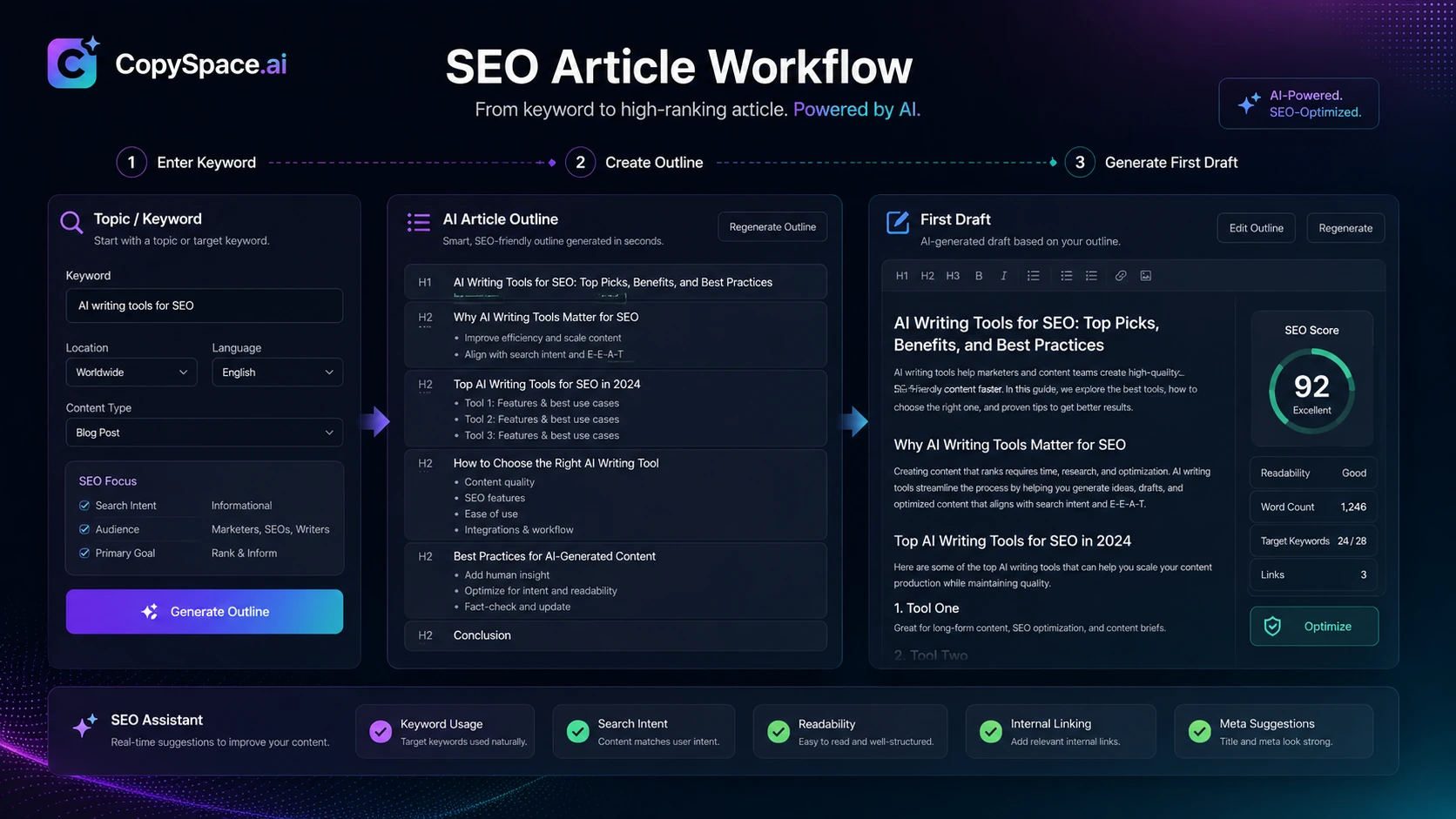
Workflow check: Before choosing a plan, test CopySpace.ai on one real article topic and measure whether it reduces editing time after the draft is cleaned up.
Real-world buyer scenarios
The first realistic scenario is the solo niche-site builder. This buyer usually has more keywords than time. CopySpace.ai can help turn planned topics into structured drafts, but the buyer still needs to add product knowledge, internal links, affiliate context, comparison logic, and proof that the content is not just another AI-generated page.
The second scenario is a small agency. Agencies often need speed, but they also need consistency. CopySpace.ai may help standardize the first-draft stage for simple SEO articles. The agency still needs editors who can adapt the copy to the client’s market, remove generic language, and check claims before delivery.
The third scenario is content refresh. If you already have old articles that need better structure, clearer headings, updated examples, or stronger optimization, CopySpace.ai may help rebuild the draft. I would still compare the output against the live search results instead of assuming the tool knows the current SERP perfectly.
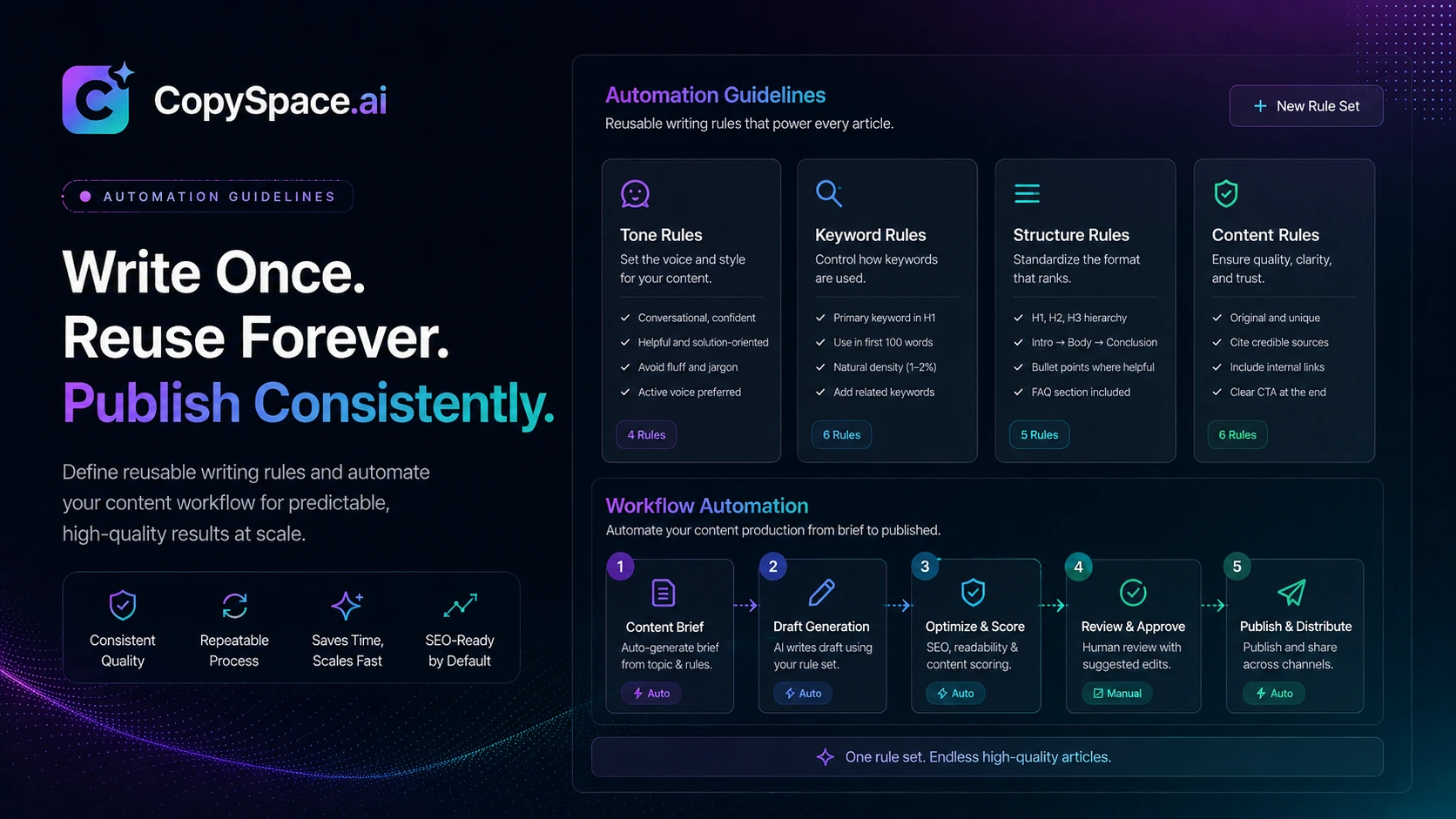
The fourth scenario is repeatable article formats. If you publish many “best,” “how to,” “review,” “comparison,” or informational posts with similar structure, automation becomes more useful. This is where writing guidelines and prompt workflows can save time.
The weak scenario is casual writing. If you only need a paragraph once in a while, CopySpace.ai may be more system than you need.
Key features that actually matter
The first feature that matters is SEO-focused article generation. CopySpace.ai is most interesting when it helps create article drafts around keywords, outlines, and optimization signals rather than just producing generic text.
The second is automation. Automation matters when you repeat similar tasks often: briefs, outlines, recurring article structures, tone settings, or content formats. If your workflow changes every day, automation may feel less valuable. If your workflow repeats weekly, it can become the main reason to consider the tool.
The third is optimization support. Buyers should look for whether the tool helps them improve structure, headings, keyword coverage, and on-page elements. I would not judge this only by whether the interface gives a nice-looking score. I would judge it by whether the recommendations make the final article better.
The fourth is publishing support. WordPress publishing can save time for users who already run WordPress sites. This is not a universal advantage. If your CMS is Webflow, Shopify, custom Astro, or another setup, you may still need manual export and cleanup.
The fifth is supporting content tools. CopySpace.ai is often described with tools around composing, optimizing, insights, automation, images, and plagiarism-oriented checks. The important buyer question is not “how many tools are included?” It is “which of these tools will I actually use every month?”
Pricing and plan value
Pricing is the part I would verify most carefully before paying for CopySpace.ai.
Public references are messy. Some sources point to entry pricing around $19 per month or comparable annual pricing. Other deal and coupon pages reference $29 monthly plans, $39 creator-style plans, annual savings, or older lifetime/trial promotions. That does not mean all of those paths are active today.
The safer interpretation is simple: treat any pricing number as a checkpoint, not a promise, until the live checkout confirms it.
The headline price is also not the only cost question. For an AI SEO writing tool, the real value depends on article limits, optimization limits, user seats, websites, publishing support, model access, and whether any outside service such as an API key or plagiarism checker adds cost. A plan that looks cheap can become frustrating if it runs out before your monthly content calendar is done.
I would compare price against publishing volume. If you publish two articles per month, a dedicated SEO writing workflow may be harder to justify. If you publish twenty, fifty, or more, the math changes — but only if editing time goes down and content quality stays acceptable.
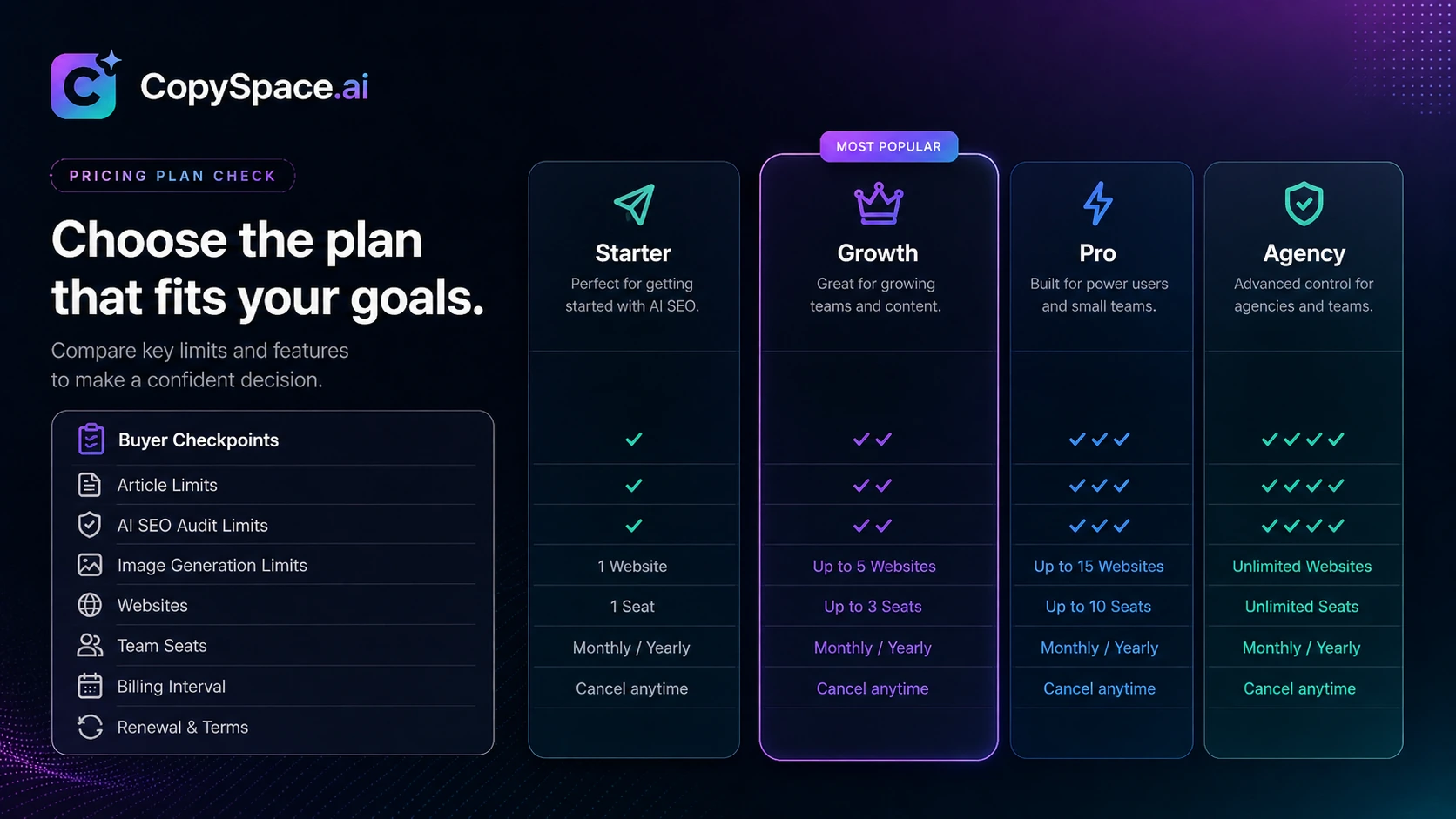
Pricing check: Do not choose CopySpace.ai by headline price alone. Verify the current plan limits, billing term, and any external costs before paying.
Free plan, trial, coupon, and checkout notes
I would not assume CopySpace.ai has a currently active free plan or trial unless the live signup or checkout screen confirms it.
Older public coverage and deal pages mention trial or promotional paths, but those references can age quickly. The same is true for coupon listings. Some coupon pages may show active codes, discounts, annual savings, or plan-specific deals. That does not make them reliable enough to quote as final buyer terms inside a review.
The safe checkout order is:
- Decide whether the workflow fits.
- Check the current pricing or checkout page.
- Confirm plan limits and billing interval.
- Read cancellation and refund terms.
- Then check the coupon or offer route.
That order protects the buyer. A discount should improve a good purchase, not justify a bad one.
If CopySpace.ai still fits your workflow after the pricing check, the CopySpace.ai coupon page is the better place to check current offers before checkout. I would not rely on old coupon articles, code screenshots, or third-party deal pages without verifying the live route.
Offer check: If the workflow and plan still make sense, check current offers only after confirming the live checkout terms.
What I would check before buying CopySpace.ai
Before paying, I would check five things.
First, article limits. The plan should match your real monthly publishing calendar. If you need 40 finished articles per month, a plan that supports only a smaller test volume will create friction quickly.
Second, editing time. Generate one real article and measure the cleanup. If the draft still needs heavy rewriting, fact checking, restructuring, and link work, the time savings may be smaller than expected.
Third, model or external-service requirements. Some older reviews and third-party listings mention external API key considerations or plagiarism-checking integrations. I would verify the current setup directly before treating the subscription price as the total cost.
Fourth, WordPress fit. If you publish to WordPress, the publishing workflow may be useful. If you use another CMS, test export and formatting before assuming the workflow will be smooth.
Fifth, refund and cancellation terms. During this review pass, the public terms surfaced a refund condition tied to a short window and article usage. I would still read the current terms before buying, especially before annual billing.
A simple test before paying
The simplest test is one article.
Pick a keyword you would actually publish, not a toy example. Give CopySpace.ai the same brief you would give a writer: target audience, angle, search intent, required sections, internal links, product mentions, tone, and what the article should avoid.
Then look at four things:
| Test point | What to look for |
|---|---|
| Structure | Does the draft answer the search intent in the right order? |
| Accuracy | Are claims, examples, and product details correct enough to edit? |
| Editing time | Does it save time after cleanup, or just move the work later? |
| SEO workflow | Do the optimization prompts help, or do they push generic keyword stuffing? |
If the first test article saves meaningful time and still gives you a draft worth improving, a paid plan becomes easier to consider. If the draft feels generic, shallow, or expensive to fix, a coupon will not solve that.
Pros explained
The strongest pro is workflow structure. CopySpace.ai gives SEO-focused buyers a more guided path than a blank AI chat. That matters for recurring publishing, where the process can be more valuable than any single output.
The second pro is focus. The product is aimed at SEO blogging and article production. Buyers who specifically need blog drafts, optimization support, and publishing help may prefer that focus over broader AI writing suites.
The third pro is automation. Reusable writing guidelines and automation-style workflows can reduce setup friction when you publish similar content formats repeatedly.
The fourth pro is practical fit for small teams. CopySpace.ai does not need to be a giant SEO platform to be useful. For a lean blog operation or agency draft workflow, a middle-weight tool can be enough if it saves time.
Cons explained
The biggest con is pricing clarity. When public sources show different plan references, the buyer has to do more work before trusting the cost. That is not always a dealbreaker, but it does make annual billing riskier.
The second con is content quality risk. SEO-focused AI writing still needs editing. If buyers publish too quickly, they may end up with thin, repetitive, or generic pages.
The third con is ecosystem uncertainty. Depending on your setup, model access, plagiarism checks, WordPress publishing, or external tools may affect the total workflow cost. Do not assume everything important is included until you verify it.
The fourth con is enterprise depth. CopySpace.ai may help with production, but it is not automatically a replacement for a full SEO suite, content operations platform, rank tracker, or team governance system.
Green flags and red flags
| Green flag | Why it matters |
|---|---|
| SEO blogging focus | The product has a clearer job than a generic copy generator |
| Automation angle | Repeatable workflows can save real time for recurring content formats |
| WordPress publishing support | Useful for buyers who run WordPress sites and want fewer manual steps |
| Optimization support | Helpful when it improves structure and review discipline, not just keyword density |
| Red flag | Why it matters |
|---|---|
| Conflicting public pricing references | Buyers need live checkout verification before committing |
| Overconfidence in AI drafts | More output is not the same as better content |
| Unclear external costs | API keys, model access, or plagiarism checks may change the real price |
| Annual billing too early | A yearly discount is risky before proving monthly workflow value |
CopySpace.ai vs alternatives
CopySpace.ai sits in a crowded space, so the alternative choice depends on the job you are really trying to solve.
If you want broader AI writing and content rewriting support, AISEO is a relevant comparison. It is not exactly the same buying decision, because AISEO leans into broader AI SEO and humanization-style workflows. Compare it if your workflow includes polishing AI-assisted drafts, not just generating SEO blog foundations.
If you want agent-driven SEO content automation, Balzac AI is a more technical adjacent route. It is especially relevant if you care about CLI, MCP, API, or agent-based workflows. That makes it interesting for builders, but it may be less comfortable for buyers who want a simple web-based blogging workspace.
If you want clean briefs, content optimization, and monitoring, Dashword may be the stronger comparison. Dashword is less about replacing your writing workflow and more about giving writers clearer content briefs and optimization direction.
If you want deeper NLP-style content optimization, NeuronWriter is often the more direct SEO comparison. It may be a better fit when the buyer already has writers and mainly needs SERP/NLP guidance before and during drafting.
The practical split is this: CopySpace.ai is more attractive if you want SEO article production in one place. Dashword and NeuronWriter are stronger if optimization quality is the main buying reason. Balzac AI is more interesting if automation through agents matters. AISEO is worth checking if your AI writing workflow also needs humanization or broader AI-search visibility features.
Trust, refund, and buyer-risk notes
My confidence is strongest around CopySpace.ai’s product role: it is positioned as an SEO blogging and article-production tool for buyers who want more workflow structure than a general AI writer.
I am more cautious around pricing, trial availability, coupon availability, and refund terms. These details can change faster than review copy, and the public trail around CopySpace.ai is not perfectly clean.
The refund point deserves extra care. A public terms reference surfaced a refund condition involving a short request window and usage limit. That is exactly the kind of detail buyers should verify before paying, because refund rules often depend on timing, account usage, and current checkout terms.
Data and content privacy also matter. If you are working with client drafts, unpublished strategy, or sensitive business material, read the privacy policy and terms before uploading anything important.
The final buyer risk is strategic: using CopySpace.ai to publish faster without improving editorial quality. That can create more pages, but not necessarily better pages. The safer use is to treat the tool as a production assistant, not a replacement for search intent, fact checking, and editorial judgment.
Final verdict
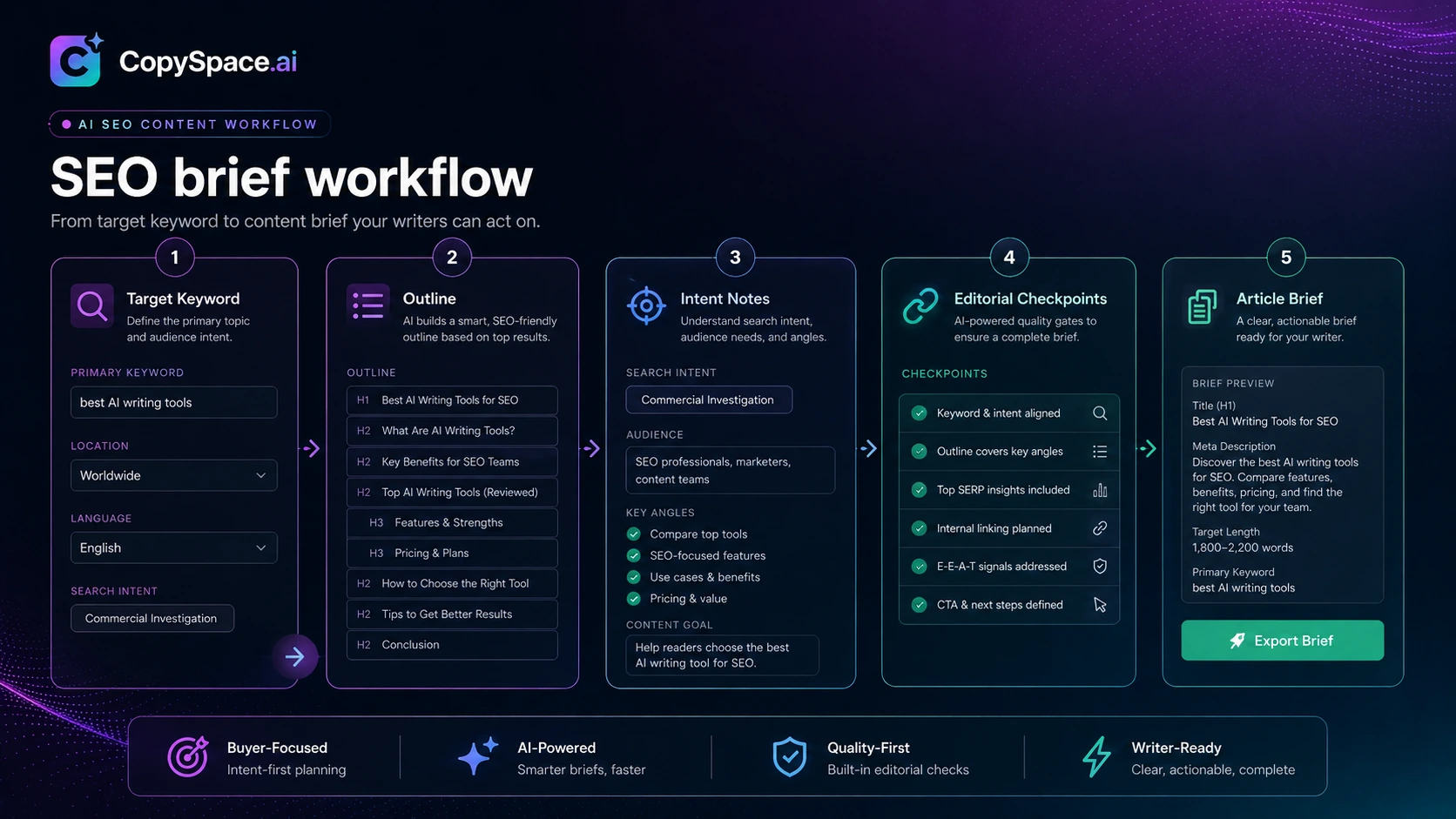
I would consider CopySpace.ai if you publish SEO articles regularly, already know your content strategy, and want a faster way to move from keyword to draft to optimization to publishing.
I would skip it if you only need occasional AI writing, if you expect publication-ready articles without editing, or if your team needs deep SEO reporting, approvals, and governance.
I would compare it with Dashword or NeuronWriter if optimization quality is the main buying reason. I would compare it with AISEO if your workflow includes broader AI writing and draft polishing. I would compare it with Balzac AI if you want a more agent-driven automation path.
The safest next step is not to chase the cheapest visible deal. Start with one real article workflow. Check the CopySpace.ai store guide for the current buyer route, then check the CopySpace.ai coupon page only after the product still makes sense for your publishing process.
