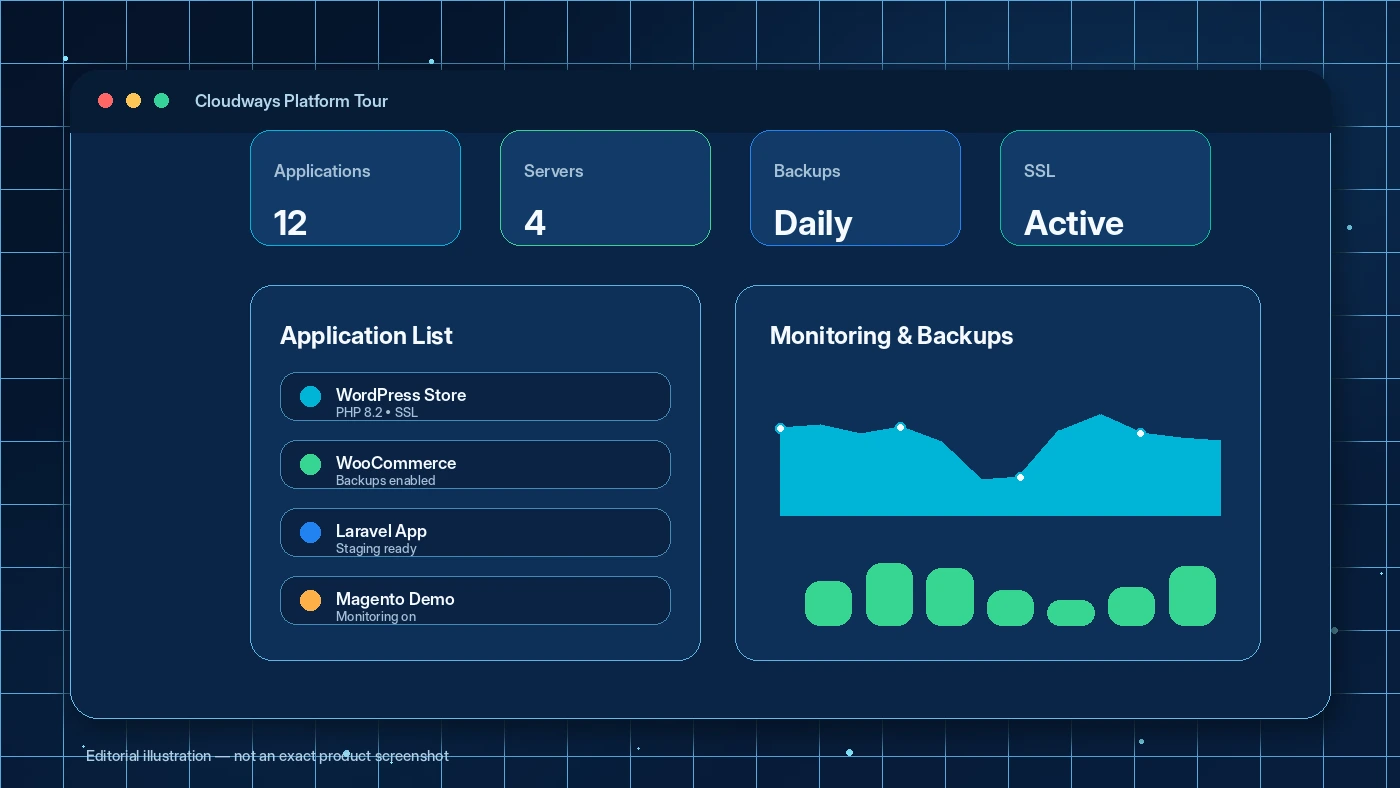
Quick verdict
Cloudways is worth considering if you have outgrown cheap shared hosting but do not want to manage raw cloud infrastructure by yourself.
That is the useful middle ground here.
Cloudways gives you a managed control layer for cloud hosting: server launch, application management, WordPress and PHP workflows, staging, backups, SSL, monitoring, scaling, team access, support, and API options. The current public positioning is not just “cheap WordPress hosting.” It is closer to managed cloud hosting for people who want more performance and flexibility without becoming full-time server admins.
The catch is that Cloudways is not the cleanest fit for every buyer. The entry price can look straightforward, but the real monthly cost depends on the hosting path, provider, server size, region, bandwidth, backup storage, support add-ons, and whether you leave billable resources active. The free trial is helpful, but short. A casual dashboard browse will not tell you enough.
For my money, Cloudways makes the most sense for WordPress publishers, WooCommerce stores, agencies, and developers who can test one real site during the trial. It is weaker for beginners who want one flat annual price and no server decisions.
The easy mistake is treating Cloudways like a coupon-first hosting purchase. I would reverse that. Test the workflow first, confirm the server configuration second, and only then check the current offer path.
Next step: If Cloudways still fits your hosting workflow, verify the current pricing route and trial terms before leaving any server active.
Review snapshot
| Review point | Practical take |
|---|---|
| Best for | WordPress, WooCommerce, agency, developer, and growing site workflows that need managed cloud control |
| Not ideal for | Buyers who want the cheapest shared host, one simple annual price, or no server-resource decisions |
| Main use case | Hosting performance-sensitive sites while avoiding direct cloud-server administration |
| Starting price | Current public pricing shows managed cloud hosting from $11/month, but final cost depends on configuration |
| Free trial | 3-day no-credit-card trial for the Flexible path |
| Main strength | Managed dashboard on top of cloud hosting with staging, backups, monitoring, scaling, team access, and API options |
| Main concern | Billing variables, add-ons, stopped resources, and trial-to-paid behavior need careful checking |
| Direct comparisons | GreenGeeks for simpler hosting, Kinsta or WP Engine for managed WordPress-first buyers |
| Adjacent routes | GeneratePress for WordPress theme performance, Webnode for website-builder simplicity |
| Best next step | Test one real site during the trial before choosing monthly, annual, add-on, or promo paths |
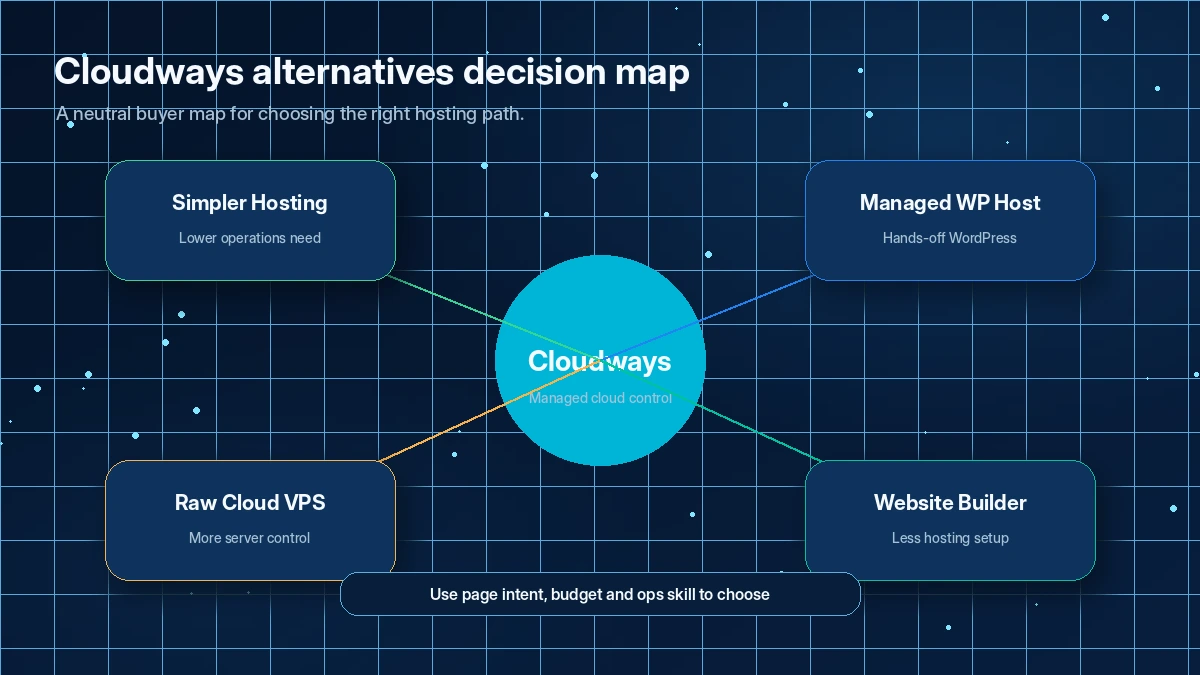
What is Cloudways?
Cloudways is a managed cloud hosting platform for websites and web applications. Instead of buying a basic shared hosting plan or setting up cloud servers directly, you use Cloudways as the operational layer between your site and the underlying infrastructure.
The current public product pages split Cloudways into two main paths. Cloudways Flexible is the more configurable managed hosting route for WordPress, WooCommerce, Magento, Laravel, and PHP apps. Cloudways Autonomous is positioned as a more hands-off WordPress hosting path for traffic spikes and autoscaling.
That distinction matters because Cloudways is not a simple “one plan fits everyone” host.
If you are running a small hobby blog, you may not need this much hosting control. If you run a content site, WooCommerce store, client portfolio, agency workflow, or Laravel/PHP project, the managed layer can become more useful. You get a dashboard for servers and applications, support, backups, staging, scaling controls, security-related features, and developer options without doing everything from a raw cloud console.
Our review approach compares public product pages, pricing details, help documentation, billing guidance, buyer workflow fit, and nearby alternatives. I would not treat a discount, starting price, or “managed cloud” label as enough proof that Cloudways is right. The better question is whether it removes real hosting friction from a site you actually operate.
The common wrong expectation is that Cloudways is as simple as beginner shared hosting. It is easier than raw infrastructure, but it still asks you to think about servers, resources, add-ons, backups, support level, and billing behavior.
Who should use Cloudways?
Cloudways is strongest when the buyer has a real site-operation problem, not just a vague wish for “better hosting.”
WordPress site owners moving beyond shared hosting are a natural fit. If your site is slow, traffic is growing, or you need staging and backup controls, Cloudways gives you more room than a basic shared host. The condition is that you are willing to learn the dashboard and understand server sizing.
WooCommerce and traffic-sensitive site owners should also compare it. Ecommerce hosting is less forgiving because downtime, slow checkout, and resource bottlenecks can affect revenue. Cloudways can make sense when performance, scaling, and monitoring matter enough to justify a more involved hosting setup.
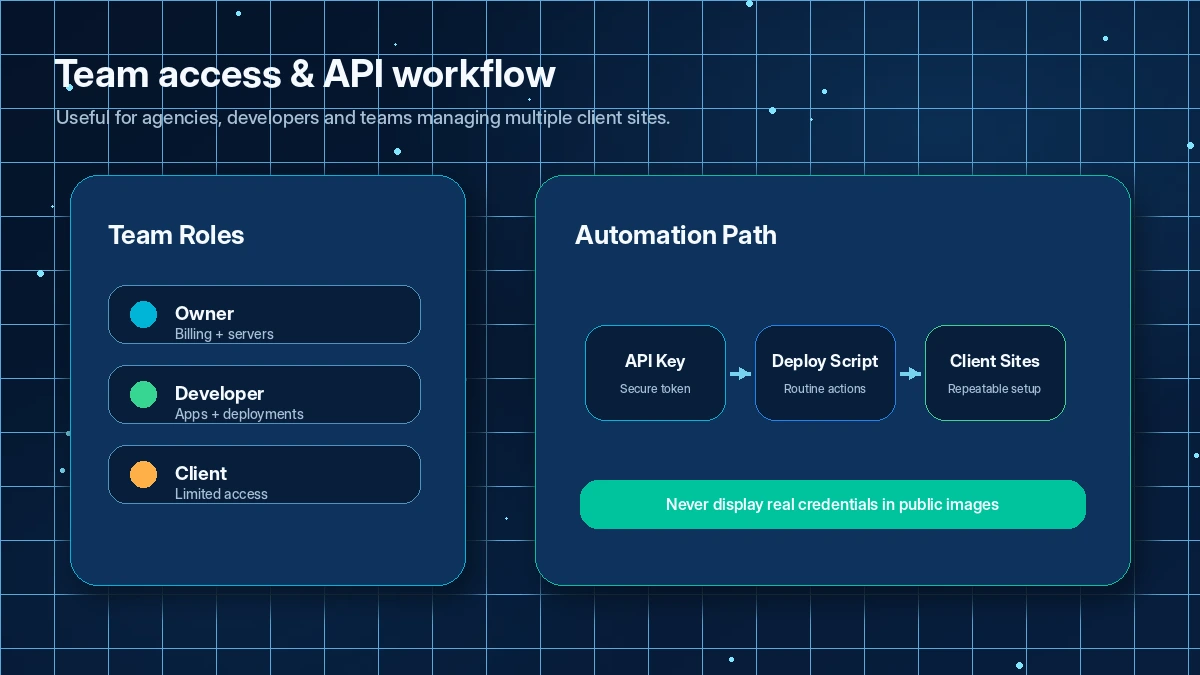
Agencies and freelancers may find the platform more useful than solo beginners do. Team access, projects, staging, backups, handoff workflow, support, and client-site organization can reduce operational mess. Before buying, I would test permissions, billing visibility, and support response with one real client-style site.
Developers and technical site owners may value the API, server controls, Git/deployment options, and application-level management. The benefit is not that Cloudways removes technical thinking. The benefit is that it removes some infrastructure busywork while keeping more control than a fully locked-down host.
Growing content publishers can also consider it if site speed, uptime, staging, and backup discipline are already part of the workflow. If your site is still small and low-risk, a simpler host may be enough.
Who should avoid Cloudways?
Cloudways is not the safest first choice for everyone.
Avoid it if you only want the cheapest possible hosting. Cloudways can be good value for managed cloud hosting, but it is not trying to be the lowest-cost beginner plan on the internet. If your priority is a tiny annual bill and a basic control panel, compare simpler hosts first.
Be careful if you dislike usage-based or configuration-based costs. The current public pricing gives a starting point, but the real bill can change with provider, server size, region, add-ons, bandwidth, backup storage, and support choices. Buyers who hate this kind of cost planning may feel more comfortable with a flatter managed WordPress host or conventional web host.
I would also avoid rushing into Cloudways if you do not have a real test site ready. The 3-day trial is useful only if you use it with intent. Browsing the dashboard for ten minutes will not tell you how migration, SSL, backups, staging, support, billing, or performance fit your workflow.
Cloudways is also overkill for very simple brochure sites. If the site does not need cloud performance, staging, scaling, developer access, or client handoff controls, the product may create more decision weight than value.
Finally, be careful if your team cannot monitor active servers and paid add-ons. Stopped or inactive resources can still have billing implications. This is not a product where you should casually create test servers and forget about them.
How Cloudways fits into a real workflow
A good Cloudways evaluation starts before signup.
The practical workflow looks like this:
- Choose one real site or application to test.
- Decide whether Flexible or Autonomous is the more likely path.
- Pick the likely provider, region, and server size.
- Launch or migrate the application during the trial.
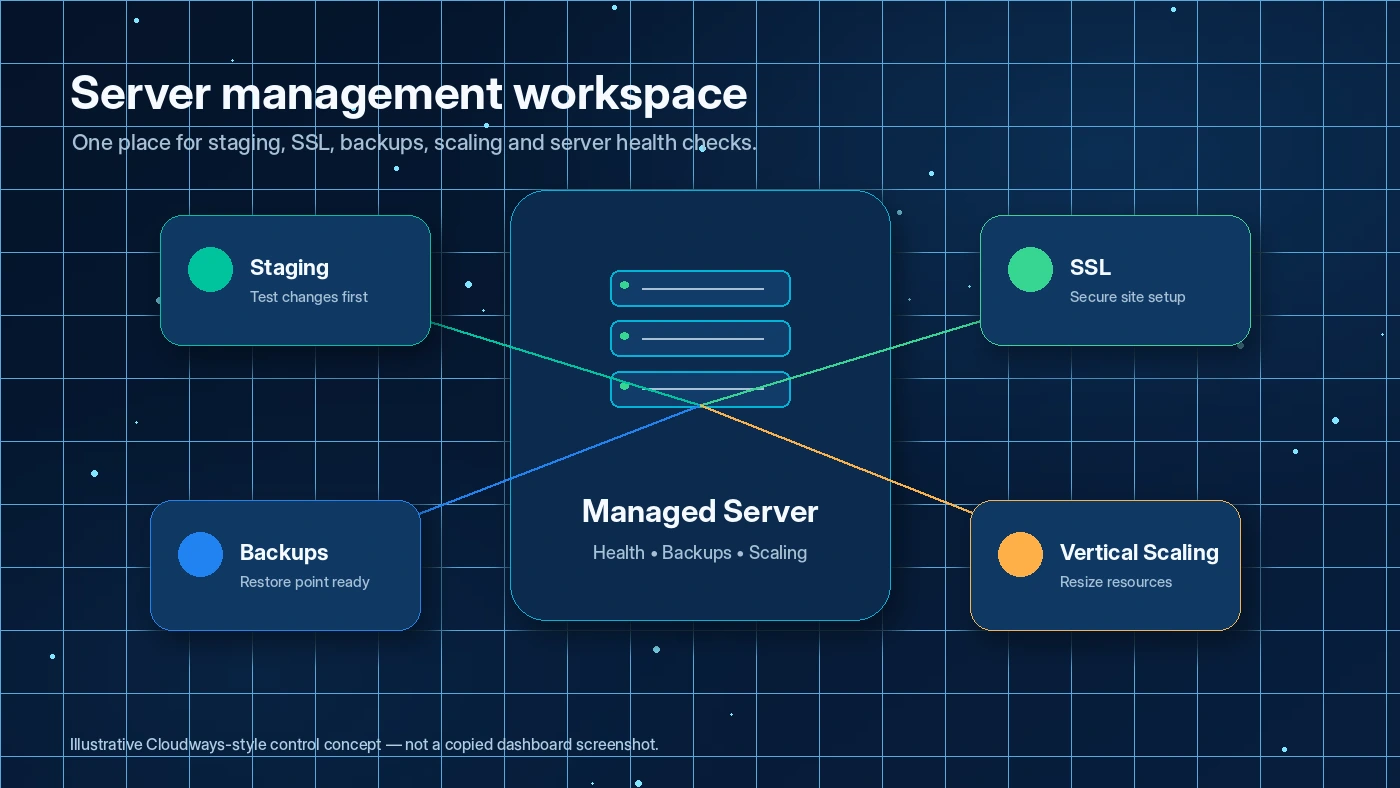
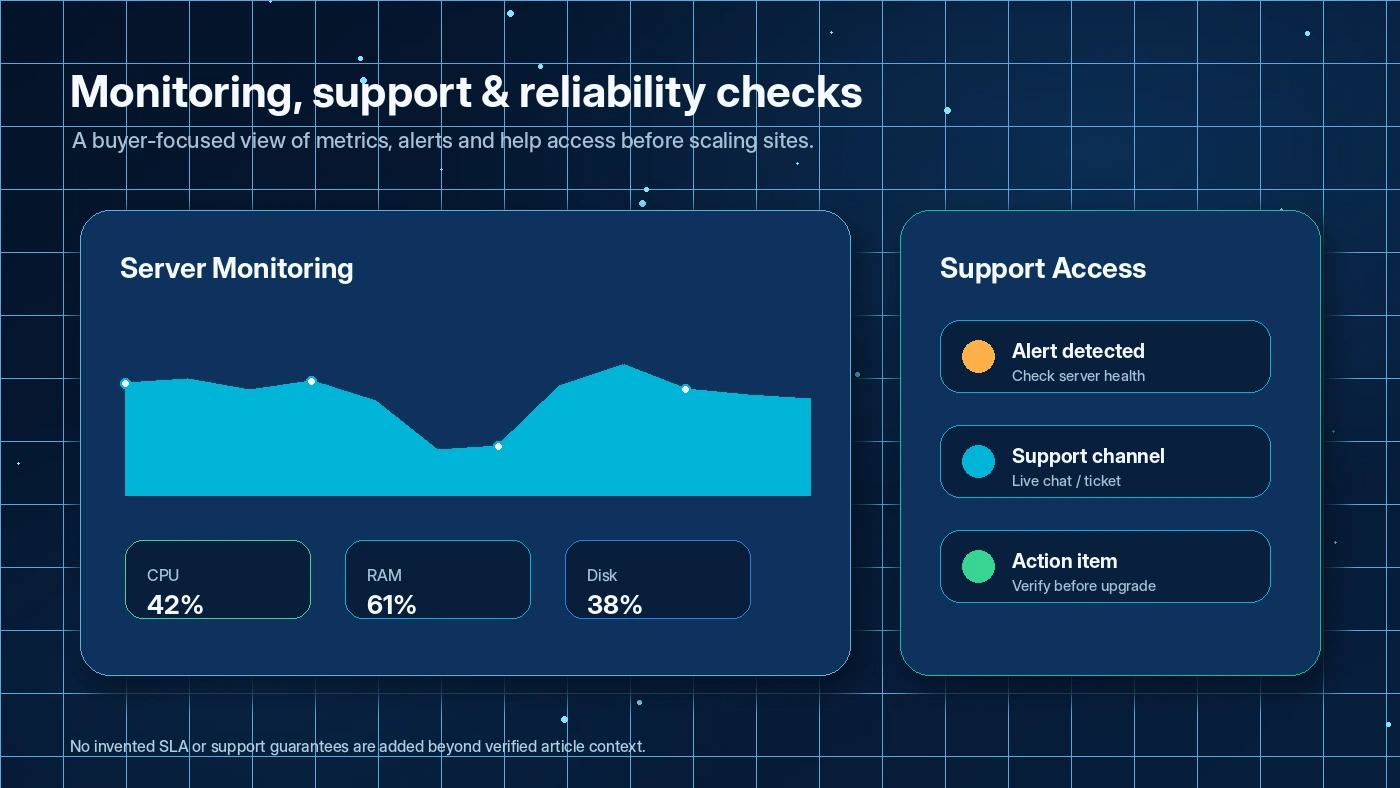
- Set up SSL, staging, backups, monitoring, and basic performance checks.
- Ask support one practical question if support quality matters to the decision.
- Open the billing area and check how charges, add-ons, and resources are presented.
- Decide whether the configuration is worth paying for.
- Delete unused resources if the test does not continue.
This is where Cloudways can be useful. It gives a serious site owner a managed way to run a cloud-hosted website without handling every server task manually. But it does not remove the need for operational judgment.
The decision point is not “can I launch a server?” The decision point is “can I manage this setup safely every month?”
Workflow check: Cloudways is easier to judge with one real site than with a feature list. Start only if you can test the setup properly.
Real-world buyer scenarios
A WordPress publisher leaving shared hosting
This buyer has a growing site, more traffic, and a frustration with slow shared hosting. Cloudways may fit because it gives more server control, managed performance tools, staging, backups, and scaling options.
Where it may fail is cost discipline. If the buyer chooses a bigger server than needed or leaves add-ons active, the bill can drift. I would test one real site, not a blank installation, and compare performance against the current host before paying.
A WooCommerce store preparing for seasonal traffic
A WooCommerce store has a higher risk profile than a small blog. Slow checkout, resource limits, and downtime can affect revenue. Cloudways Autonomous may be worth comparing if traffic spikes are the core concern, while Flexible may fit a buyer who wants more control over configuration.
The risk is assuming autoscaling or managed hosting removes every operational issue. The buyer still needs backups, monitoring, checkout testing, plugin discipline, and a clear support plan.
An agency managing client sites
For agencies, Cloudways becomes more interesting because the value is not only speed. It is team access, staging, projects, backups, handoff workflow, support, and repeatable launch process.
The buyer should test permissions and billing visibility before moving client sites. A hosting platform can be technically strong but still create trouble if access control and billing responsibilities are messy.
A developer managing PHP or Laravel projects
Developers may appreciate the managed layer, API documentation, server controls, and application workflows. The product can reduce infrastructure busywork while preserving more control than a closed website builder.
The risk is assuming every developer workflow maps cleanly to Cloudways. Before paying, I would check deployment needs, API coverage, provider choice, data center availability, and whether any platform limitation affects the project.
Key features that actually matter
Managed cloud dashboard
The main Cloudways feature is the managed dashboard for launching and controlling servers and applications. This is what makes the product different from raw infrastructure.
Why it matters: it reduces the amount of direct server administration needed for WordPress, WooCommerce, Magento, Laravel, and PHP workflows.
Buyer note: the dashboard is not a substitute for understanding resources, backups, add-ons, and billing.
Flexible and Autonomous hosting paths
Cloudways Flexible gives buyers more control over server and provider choices. Cloudways Autonomous is positioned for more hands-off WordPress hosting with traffic-spike handling.
Why it matters: these are different buying decisions. One buyer may want control. Another may want less server management.
Buyer note: compare both paths before assuming the cheapest visible plan is the right one.
Staging, backups, SSL, monitoring, and scaling
These are the operational features that can justify Cloudways over cheaper hosting. They matter when downtime, bad updates, slow pages, or missing backups create real business risk.
Buyer note: test these during the trial. A feature only matters if you can use it under your real site conditions.
Team access and agency controls
Team and project features can help agencies, freelancers, and developers manage multiple sites more safely.
Buyer note: permission planning matters. Decide who can manage servers, apps, billing, backups, and support before moving production sites.
API and developer automation
Cloudways publishes API documentation and has moved toward newer API capability. This can matter for developers, agencies, and SaaS-adjacent workflows that need automation.
Buyer note: do not assume API coverage is enough for your workflow. Check the current endpoints, version status, authentication behavior, and any breaking-change risks before building around it.
Pricing and plan value
The current public Cloudways pricing page shows managed cloud hosting starting at $11/month. That number is useful, but it is not the full buying decision.
Cloudways pricing depends on the path you choose. Flexible hosting gives more provider and configuration control. Autonomous is aimed at high-availability WordPress hosting with a more hands-off scaling angle. The site also promotes limited-time offers, but the exact promo wording can vary across pages and time. I would treat the live checkout price as the only number that matters.
The biggest pricing question is not whether $11/month sounds affordable. The bigger question is whether your final setup still makes sense after you choose:
- hosting path
- cloud provider
- server size
- data center region
- bandwidth needs
- backup storage
- Cloudflare or security add-ons
- support tier
- team workflow
- API or automation needs
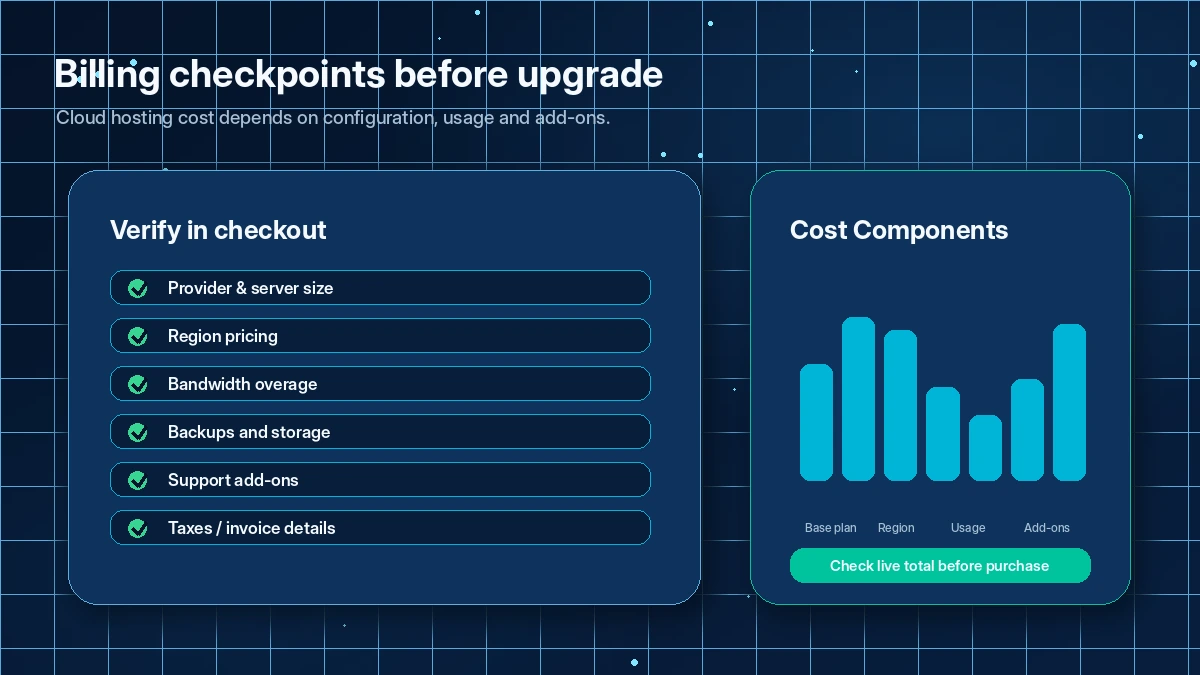
Cloudways’ pay-as-you-go model can be helpful if you actively manage your resources. It can also punish careless testing if you leave billable servers or add-ons active. Support guidance is clear that deleting servers and deactivating add-ons matter when you want billing to stop.
The 3-day trial reduces risk, but it is short. I would use it for one focused evaluation: launch or migrate a real site, set SSL, inspect staging, check backups, ask support a practical question, and review the billing area.
Annual or long-term thinking should come later. First prove that Cloudways improves your site workflow. Then check whether the monthly configuration is worth keeping.
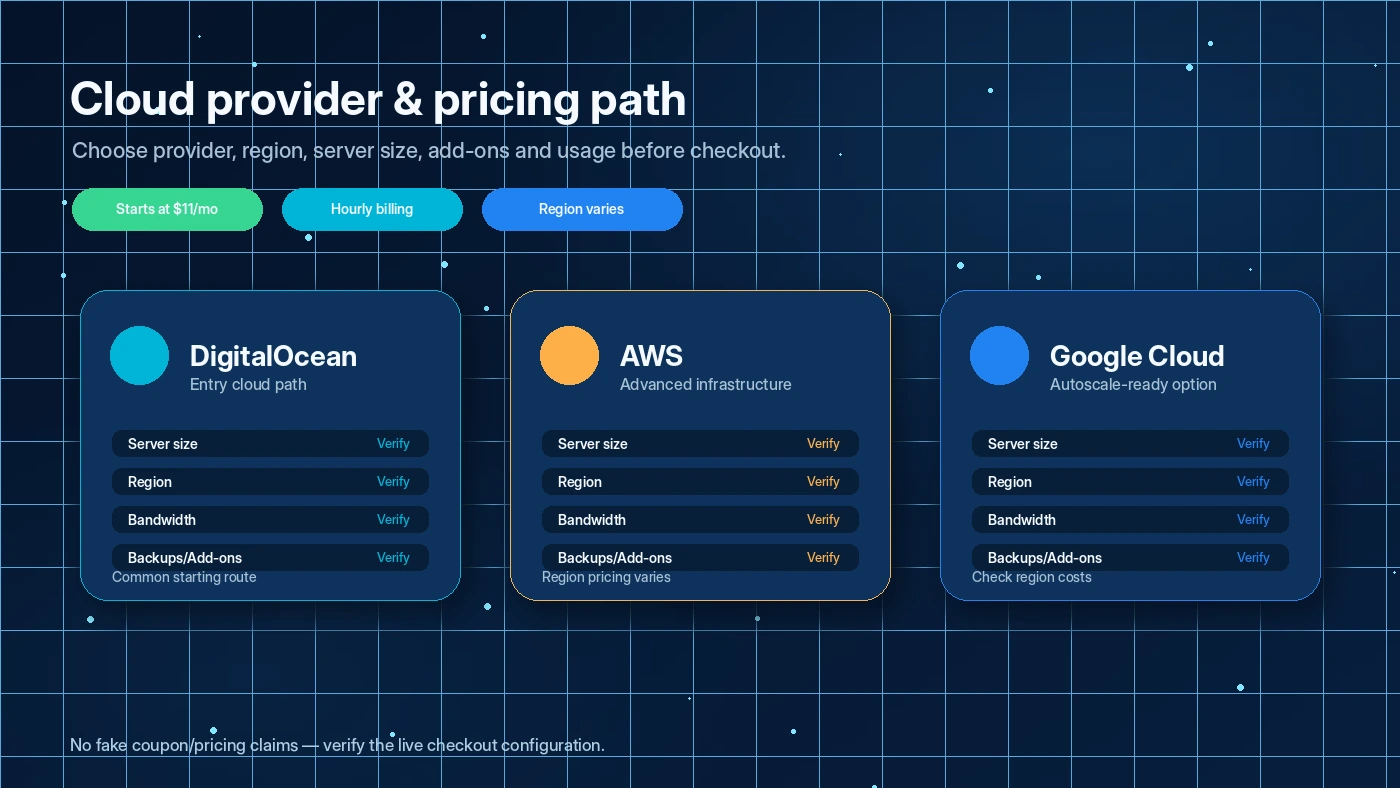
Pricing check: If Cloudways fits your site, compare the live configuration before you treat any promotion as real savings.
Check Cloudways pricing Check current offers Read store guide
Free trial, coupon, and checkout notes
Cloudways has a useful trial path: 3 days, no credit card required for the Flexible trial. That is enough to test the dashboard, launch an app, or run a small migration check. It is not enough to prove long-term uptime, support consistency, peak traffic handling, or a full agency rollout.
So I would use the trial with a checklist.
Do not just sign up, click around, and decide based on first impression. Launch the kind of site you actually run. Check SSL. Look at staging. Look at backups. Open the billing view. Check how add-ons appear. If support matters, ask one real question.
The coupon path is secondary. Cloudways may show official promotions, partner routes, credits, or limited-time pricing, but hosting value comes from the final configuration. A coupon cannot fix a bad server choice, an unnecessary add-on, or a workflow that is too complex for the buyer.
For checkout, I would verify:
- current live price
- promotion terms
- whether the selected path is Flexible or Autonomous
- payment method requirements
- bandwidth or overage behavior
- backup and add-on costs
- how to delete servers if the test ends
- whether stopped resources still bill
Offer caution: Check active offers only after Cloudways passes your trial checklist and the selected hosting setup already makes sense.
What I would check before buying Cloudways
If I were buying Cloudways for a real website workflow, I would check these items before adding payment details or leaving servers active:
- The exact hosting path. Decide whether Flexible or Autonomous matches the site better.
- The final server configuration. Check provider, RAM, storage, bandwidth, region, and expected traffic.
- Add-on exposure. Review Cloudflare, malware protection, backup storage, support, email, and any optional services.
- Trial completeness. Use the trial to launch or migrate one real app, not just inspect the dashboard.
- Billing stop rules. Confirm how to delete servers and deactivate add-ons when a test ends.
- Team and permission needs. Agencies should verify who can access servers, apps, billing, backups, and support.
- Alternative fit. Compare a simpler host if Cloudways feels like too much operational weight.
A simple test before paying
Before paying, I would run a small Cloudways test like this:
- Pick one real WordPress, WooCommerce, or PHP application.
- Start the 3-day trial and launch or migrate that site.
- Set up SSL, staging, backups, and basic monitoring.
- Compare site behavior against your current host.
- Open the billing area and identify every cost driver.
- Ask support one practical question that matches a real issue.
- Decide whether to upgrade, downsize, switch path, or delete the test resources.
The point is not to prove Cloudways is perfect in three days. The point is to learn whether it removes enough hosting friction to justify a paid configuration.
If you cannot complete this kind of test during the trial, I would be cautious about upgrading quickly.
Pros explained
The first real pro is managed cloud control. Cloudways gives buyers more flexibility than basic shared hosting without making them manage every infrastructure layer alone. That matters when performance, scaling, staging, and backups are part of the business workflow.
The second pro is provider and configuration choice. Buyers can shape the hosting setup more than they can with many locked-down hosts. This is useful for agencies, developers, and growing site owners. It stops being enough if the buyer does not understand which configuration they actually need.
The third pro is trial access without a credit card. A 3-day trial is short, but it is still better than paying before seeing the dashboard. The value depends on whether the buyer uses those three days with a real checklist.
The fourth pro is team and developer depth. Team access, projects, API options, staging, and server controls make Cloudways more credible for operational workflows than a simple beginner host.
The fifth pro is pay-as-you-go flexibility. This can be good for buyers who monitor usage carefully. It is not automatically better for buyers who prefer one fixed annual price.
Cons explained
The biggest con is pricing complexity. The starting price is only the first number. Server size, provider, region, add-ons, support, bandwidth, backup storage, and overages can all affect the real monthly cost.
The second con is billing cleanup risk. Cloudways support documentation makes it clear that stopping a server is not always enough to stop charges. Buyers need to delete unused servers and disable paid add-ons when the test or project ends.
The third con is the short trial window. Three days is enough for a focused technical check, but not enough for a full confidence cycle. Long-term uptime, support, scaling, and performance still need careful monitoring after upgrade.
The fourth con is beginner friction. Cloudways is simpler than raw cloud hosting, but not as simple as a beginner website builder or conventional low-cost host. Some buyers will find the flexibility useful. Others will find it tiring.
The fifth con is support expectations. Cloudways includes 24/7 support, and many buyers value that, but support experience can vary by issue, support tier, and urgency. For mission-critical sites, I would test support before moving everything.
Green flags and red flags
Green flags:
- You already run a WordPress, WooCommerce, agency, or developer workflow that needs better hosting operations.
- You can test a real site during the trial.
- You understand why managed cloud hosting is different from shared hosting.
- You are willing to monitor server resources, add-ons, and invoices.
- You need staging, backups, scaling, team access, or API automation.
Red flags:
- You are buying only because a promotion appears attractive.
- You do not know which server size or hosting path you need.
- You want a long free trial to prove every performance question before paying.
- You dislike billing variables and resource management.
- You only need a tiny personal website with no performance pressure.
- You tend to create test servers and forget to delete unused resources.
The product is not the problem in every red-flag case. Sometimes the mismatch is simply that the buyer needs a simpler hosting category.
Cloudways vs alternatives
GreenGeeks vs Cloudways
GreenGeeks is the cleaner comparison when the buyer wants simpler conventional web hosting. It is likely easier for small sites, beginners, and buyers who do not want to think deeply about cloud providers or server sizing.
Cloudways may still make more sense when managed cloud control, staging, scaling, and performance-sensitive workflows matter more than simplicity.
Kinsta or WP Engine vs Cloudways
Kinsta and WP Engine are stronger comparisons for buyers who want premium managed WordPress hosting without as much provider-level decision-making. They may feel more curated for WordPress-only teams.
Cloudways may still win for buyers who want provider choice, more flexible application support, or a managed layer over broader cloud infrastructure. The tradeoff is that Cloudways can require more configuration judgment.
GeneratePress vs Cloudways
GeneratePress is an adjacent WordPress stack decision, not a hosting replacement. It matters if the buyer’s real bottleneck is theme performance, page structure, or lightweight WordPress design.
If the site is slow because of hosting limits, Cloudways is the more relevant route. If the site is bloated because of theme or builder choices, GeneratePress may solve a different problem first.
Webnode vs Cloudways
Webnode is also adjacent, not direct. It fits buyers who may need a simpler website builder rather than managed cloud hosting.
If you do not want to manage WordPress, plugins, staging, or servers at all, Webnode-style simplicity may be more comfortable. Cloudways is for buyers who want more control, not less responsibility.
Trust, refund, and buyer-risk notes
Cloudways is a well-established hosting platform, and DigitalOcean completed its acquisition of Cloudways in 2022. That gives the product more infrastructure credibility than many small hosting tools, but it does not remove buyer responsibility.
The biggest trust issue is not whether Cloudways exists or whether the product has real hosting depth. It does. The bigger issue is whether the buyer understands the billing and resource model.
Before paying, check the current terms, billing help, and cancellation steps. Cloudways’ help content emphasizes that active servers, inactive or stopped resources, and paid add-ons can affect charges. That is not unusual for cloud-style hosting, but it is easy to miss if you come from shared hosting.
I would also verify backup behavior, data export, support scope, and any add-ons before moving an important site. Keep independent backups. Do not rely only on the platform’s convenience features.
For refund expectations, I would not buy Cloudways assuming a broad, simple money-back guarantee. The safer risk reducer is the no-credit-card trial, careful monthly testing, and cleaning up resources if you do not continue.
For annual or longer-term thinking, slow down. Hosting is infrastructure. If the first month shows the setup works, billing is clear, and support fits your expectations, then longer-term commitment becomes easier to evaluate. Until then, monthly discipline is safer.
Final verdict
I would consider Cloudways if you need managed cloud hosting for a real WordPress, WooCommerce, agency, developer, or growing site workflow. It becomes compelling when performance, staging, backups, scaling, team access, support, and API options reduce work you are already doing.
I would skip Cloudways if you only need a cheap host for a simple site, dislike resource-based billing, or do not want to think about server size, add-ons, backups, and cancellation cleanup.
I would compare it with GreenGeeks if simplicity matters more than cloud control. I would compare it with Kinsta or WP Engine if you want a more curated managed WordPress path. I would look at GeneratePress or Webnode only if the actual problem is site design or website simplicity rather than hosting operations.
The safest next step is not to chase a coupon first. Use the trial with one real site, check the billing model carefully, verify the current live price, and only then decide whether Cloudways is the right hosting layer to keep.
