
PromptQuik Pricing, Plans & Prompt Workflow Fit
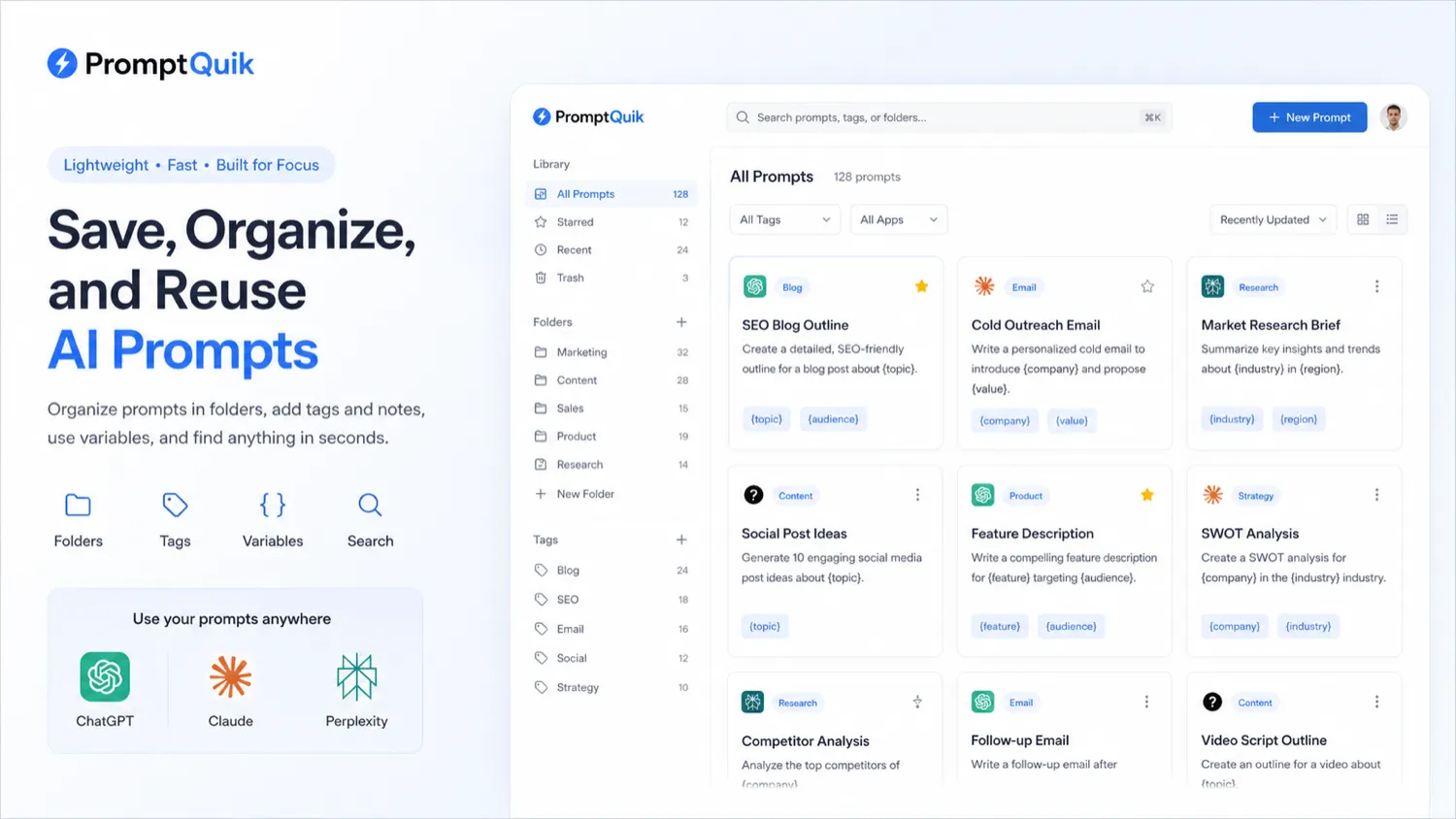
PromptQuik is best understood as a lightweight prompt vault for people who keep losing useful ChatGPT, Claude, and Perplexity prompts across browser tabs, notes, documents, and old conversations. Its practical value is not that it writes prompts for you. The useful part is saving, tagging, organizing, searching, adding notes, using variables, and sharing prompt blocks so repeat AI work becomes easier to find and reuse.
Fit → price → checkout
Use these routes after the official-site check: coupon first, review for fit, compare if unsure.
PromptQuik pricing snapshot
Fast commercial checks before pricing, coupons, or a deeper review.
PromptQuik product tour
PromptQuik is easiest to judge by looking at how quickly a buyer can save, tag, search, and reuse prompts. The useful tour assets are the prompt library, folder and tag structure, variable-based prompt reuse, sharing flow, and the premium-plan checkpoint because those decide whether the product replaces messy prompt storage in notes, docs, and chat history.
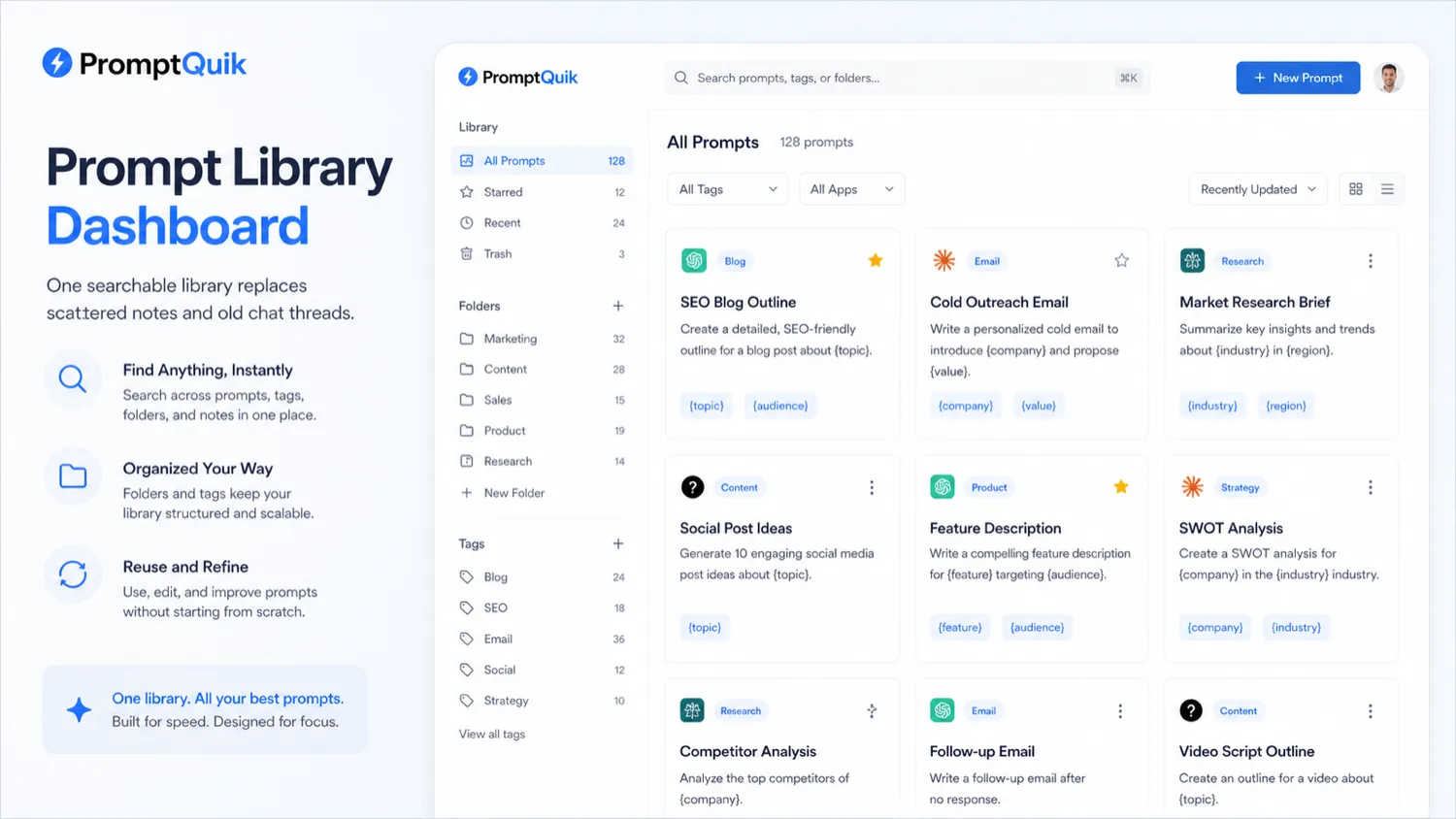
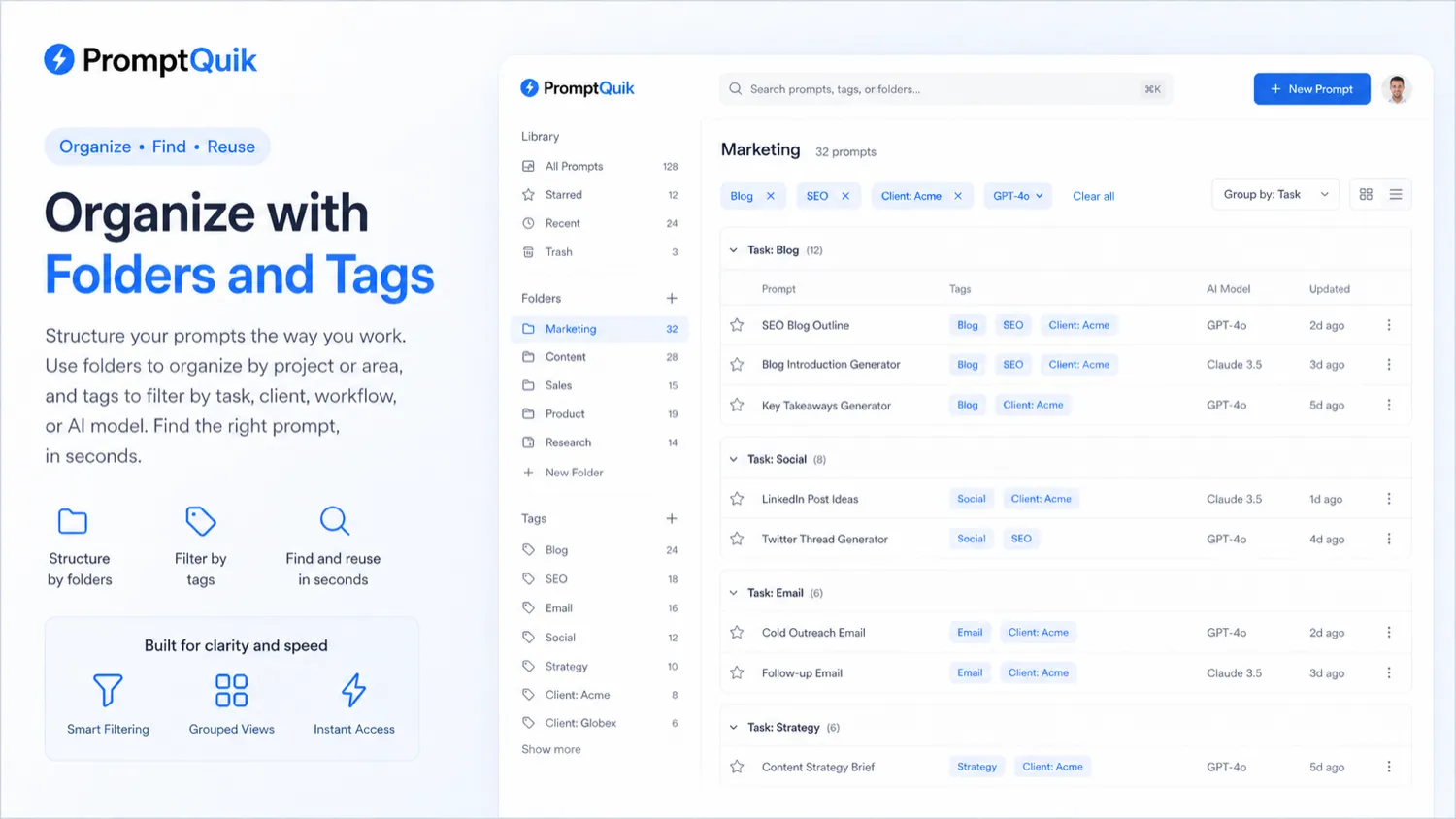
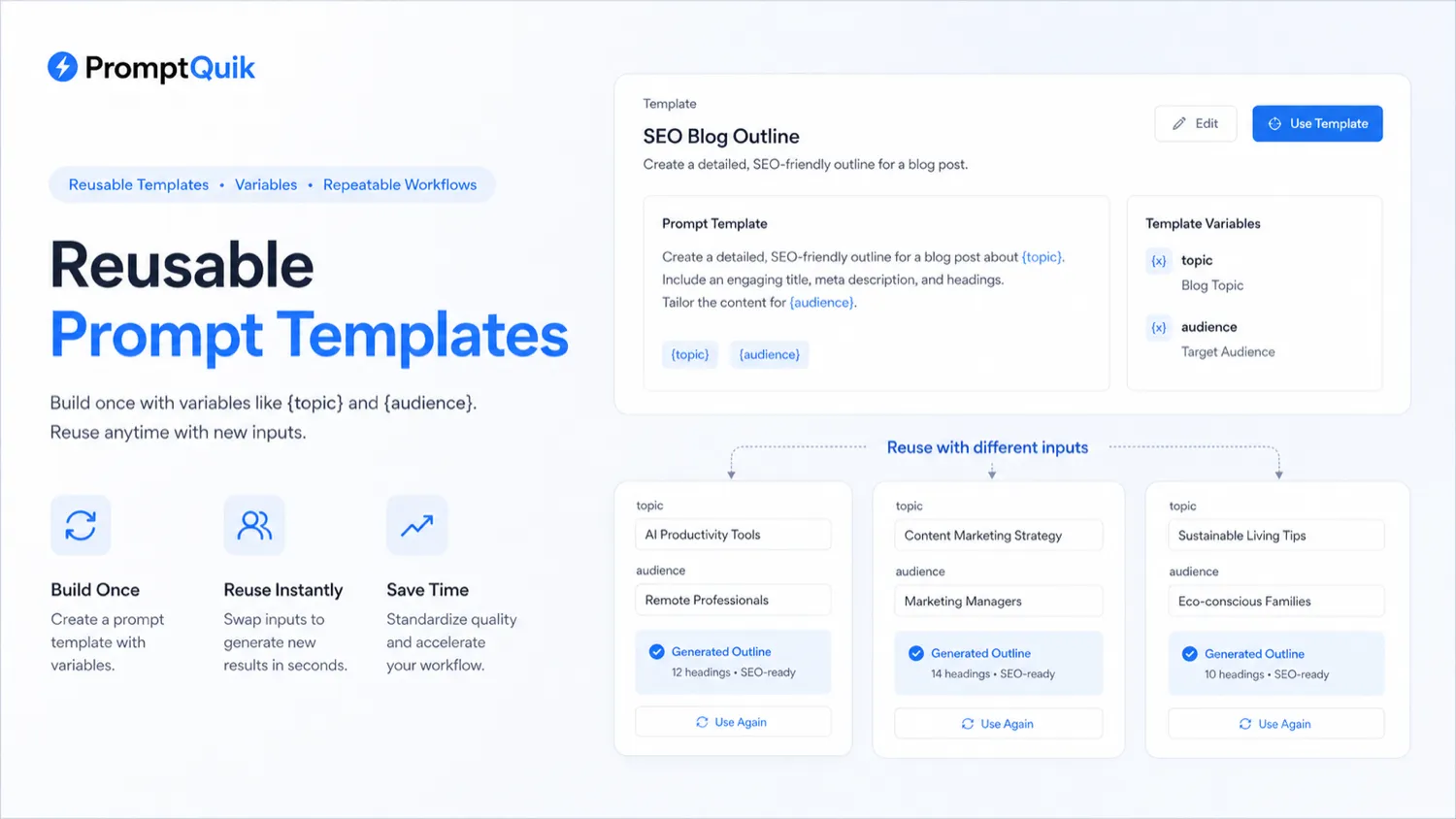
PromptQuik deserves a narrower evaluation than most AI productivity tools. It is not trying to replace ChatGPT, Claude, or Perplexity. It is trying to solve the smaller but real problem of losing the prompts that already work. The buyer question is simple: do you reuse enough prompts that a searchable prompt vault saves time, reduces mistakes, and keeps your AI workflow cleaner than notes or Google Docs?
What PromptQuik actually does
PromptQuik gives users a place to save reusable AI prompts, organize them with folders and tags, add notes, search quickly, and share prompt blocks. That makes it closer to a lightweight prompt vault than a full AI writing app. The product is most useful when the buyer already has repeated prompts for content, research, coding, outreach, analysis, or internal workflows and wants a better place to keep them.
- Save prompts in one web-based library
- Organize prompts with folders and tags
- Add notes so prompts are easier to remember later
- Use variables for repeatable prompt templates
- Share prompts when a teammate or collaborator needs the same workflow
Who gets the most value from it
PromptQuik is most useful for people who work across several AI assistants and already know which prompts produce better outputs. A freelancer might save client onboarding prompts, a marketer might organize ad and landing page prompts, and a researcher might keep summarization or comparison prompts in folders. The tool becomes weaker when the buyer has no repeatable workflow yet.
- Better for repeat prompt users than casual AI users
- Useful when prompts need labels, notes, and quick retrieval
- Helpful for lightweight collaboration when prompt sharing matters
- Less useful when a notes app is already enough
Pricing and free-tier fit
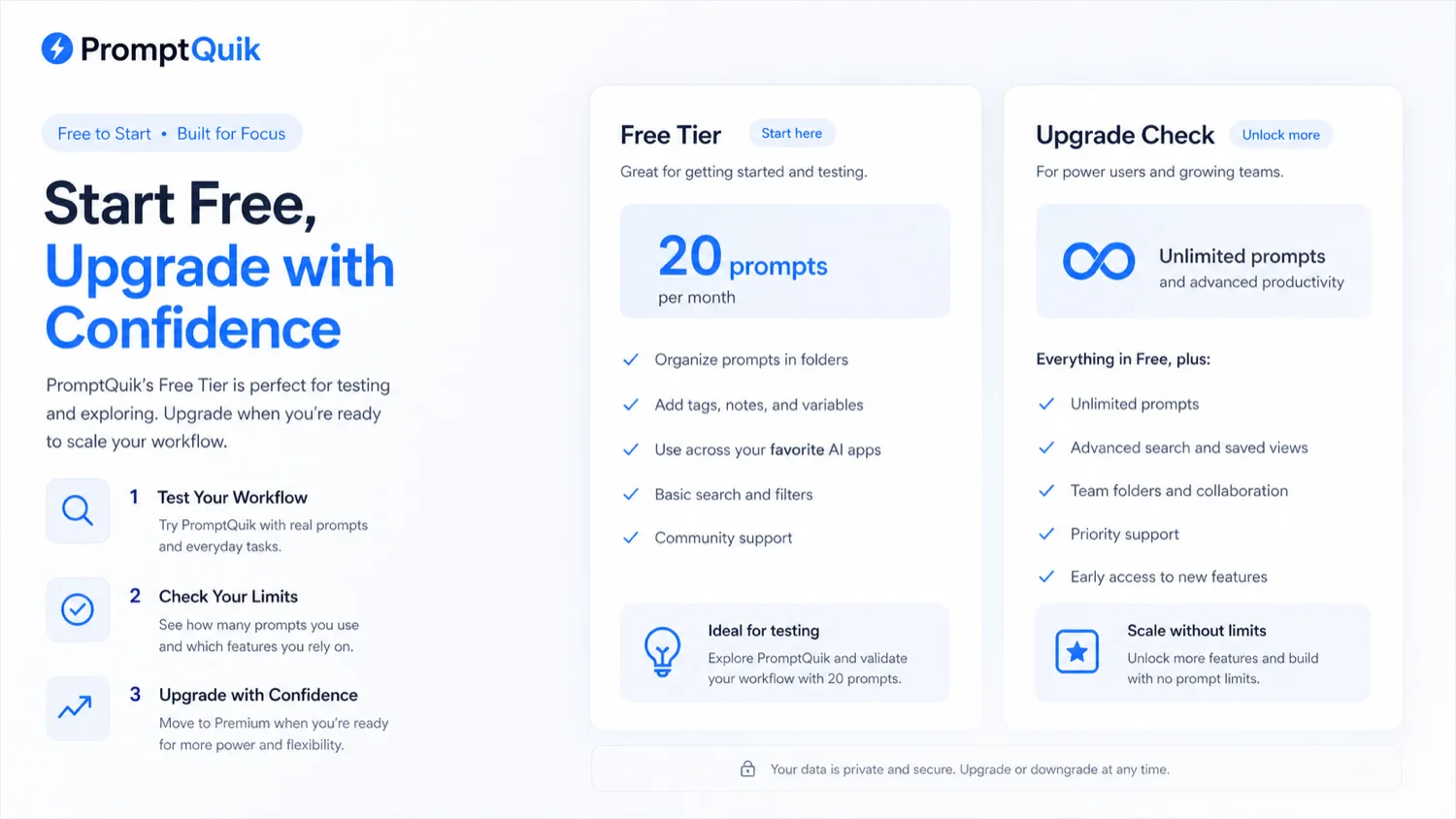
The most reliable public pricing signal is that PromptQuik offers a free tier with 20 prompts and mentions premium plans. That is enough to test the product, but probably not enough for heavy prompt users. Paid-plan details and discounts should be confirmed inside the live product because third-party pages mention deals that may not reflect the final checkout.
- Free tier is the right first step for most buyers
- Heavy users should check prompt capacity before upgrading
- Third-party coupons should not be treated as guaranteed savings
- Premium pricing should be verified directly at checkout
Video walkthrough worth watching
A walkthrough is useful here because PromptQuik's value depends on whether the storage and retrieval workflow feels faster than your current system. Watch for how prompts are saved, how quickly they can be found again, and whether folders, tags, notes, and variables match the way you use AI assistants every day.
Privacy and team-use checks
Prompt libraries can contain surprisingly sensitive material: client briefs, sales scripts, research notes, internal positioning, content workflows, and reusable instructions for proprietary tasks. Before storing that material, buyers should check privacy, account export, deletion, cancellation, and sharing controls. This matters more for teams than for casual solo use.
- Confirm whether stored prompts can be exported or deleted easily
- Avoid saving client secrets until privacy terms are clear
- Check whether sharing controls are enough for team use
- Keep private strategy prompts out of public or shared folders
Best next step before checkout
The safest next step is to open a free PromptQuik account, save 10 to 20 real prompts, tag them by workflow, and use the search function during normal work. If that feels meaningfully faster than your current system, then compare the premium plan and any live deal path. If the free test feels unnecessary, a lighter notes app or existing knowledge-base may be enough.
- Test with real prompts for one week
- Upgrade only when the free limit blocks a real workflow
- Compare PromptQuik with your existing notes or knowledge-base setup
- Keep the coupon page as the last step, not the first step
Best savings path from this store page
This is the clearest savings route to check once the product already looks like a fit.
PromptQuik official homepage says users can start free with no credit card, making the free path the safest first step before considering any paid prompt-library workflow.
Reported coupon source path
Organize and reuse prompts
Use comparison routes when the category fit is still open
Use these comparison routes when the product still looks plausible, but the category fit is not fully settled.
Ainisa is the closer database alternative if the buyer wants another prompt-library style tool before committing to PromptQuik.
Jasper fits better when the buyer wants a full AI marketing writing system instead of a lightweight prompt vault.
Rytr is the simpler writing-assistant path when the buyer needs generated copy more than saved prompt organization.
Writesonic is worth comparing when broader AI writing, chatbot, and content workflows matter more than prompt retrieval.
Verification points worth checking before you click out
Where this store usually fits best in the workflow
Store ad, landing page, email, SEO, and content-outline prompts so marketing work can start from tested instructions instead of fresh blank prompts.
Keep reusable prompts for onboarding, brief analysis, proposal writing, reporting, and client communication in a searchable workspace.
Save comparison, summarization, extraction, and synthesis prompts for repeat research tasks across ChatGPT, Claude, or Perplexity.
Share lightweight prompt templates with teammates when a full enterprise prompt-governance platform would be too heavy.
Practical checkpoints before and after signup
- List the prompts you actually reuse every week.
- Separate private, client-facing, and shareable prompts before importing anything.
- Decide whether folders should follow task type, client, model, or workflow stage.
- Add up to 20 real prompts and tag them carefully.
- Use search during normal work instead of opening old notes or chat threads.
- Check whether variables and notes reduce editing time.
- Verify the live premium price and prompt capacity.
- Confirm sharing, export, privacy, cancellation, and renewal terms.
- Check third-party deal pages only after the official plan still makes sense.
Fast-read signals for workflow fit and buying friction
Questions readers usually ask before choosing this store
What is PromptQuik best for?
PromptQuik is best for saving, organizing, searching, and reusing AI prompts across tools like ChatGPT, Claude, and Perplexity. It is a prompt vault, not a full AI writing platform.
Does PromptQuik have a free plan?
Public sources describe a free tier with 20 prompts. That is enough to test folders, tags, notes, variables, and search before deciding whether premium access is worth it.
Is there a verified PromptQuik coupon code?
Third-party coupon pages mention deals, but the official coupon path was not clear enough to treat any code as reliable. The safer approach is to verify the live checkout price before buying.
Who should avoid PromptQuik?
Buyers who only use a few prompts, teams needing enterprise prompt governance, and users who want AI-generated prompts rather than prompt storage may be better served by a notes app, a writing assistant, or a heavier prompt platform.
What should buyers check before paying?
Check the premium price, prompt limit, sharing controls, export options, privacy policy, renewal terms, and whether your real prompt workflow actually feels faster after using the free tier.
Choose the next route that matches what you still need to decide
The strongest next click depends on whether you still need product judgment, a savings route, or a broader category comparison.