Rytr Pricing, Plans & Workflow Fit
Rytr is one of the easier AI writing tools to recommend to beginners who need fast short-form copy, a real free plan, and a workflow that does not require heavy setup before the first useful draft.
Fit → price → checkout
Use these routes after the official-site check: coupon first, review for fit, compare if unsure.
Rytr pricing snapshot
Fast commercial checks before pricing, coupons, or a deeper review.
Product tour
This section gives you a quick visual read on Rytr before you compare plans or click out to the pricing page.
Rytr makes a strong first impression for a reason. It is simple, fast, and meaningfully cheaper than many AI writing tools that try to look like full content operating systems.
That still does not make it an automatic buy. The better way to read this page is to treat Rytr as a practical tool for short-form copy, fast ideation, browser-based writing help, and low-friction drafting, not as a one-click long-form publishing machine.
What Rytr actually is
Rytr is best understood as a beginner-friendly AI writing assistant built for speed, simplicity, and repeatable short-form tasks. It is strongest when the job is to generate or improve emails, ads, product copy, social text, outlines, and first-pass drafts without a lot of setup.
The product becomes less convincing when buyers expect it to replace a full editorial workflow or produce polished long-form content in one shot.
- Beginner-friendly AI writing assistant
- Stronger at short-form copy than polished long-form publishing
- Low-friction setup for first-time users
Where Rytr fits best
Rytr makes the most sense for people who need usable copy quickly and do not want a steep learning curve before the first result. That includes solo creators, freelancers, marketers, and small teams who care more about speed and simplicity than deep workflow orchestration.
It is also one of the easier AI writing tools to test honestly because the free plan gives you enough room to judge whether the workflow helps in real life.
- Social posts and ad copy
- Product descriptions and landing copy
- Email drafts and lightweight SEO support
- Blog outlines and section-level drafting
Pricing reality before you buy
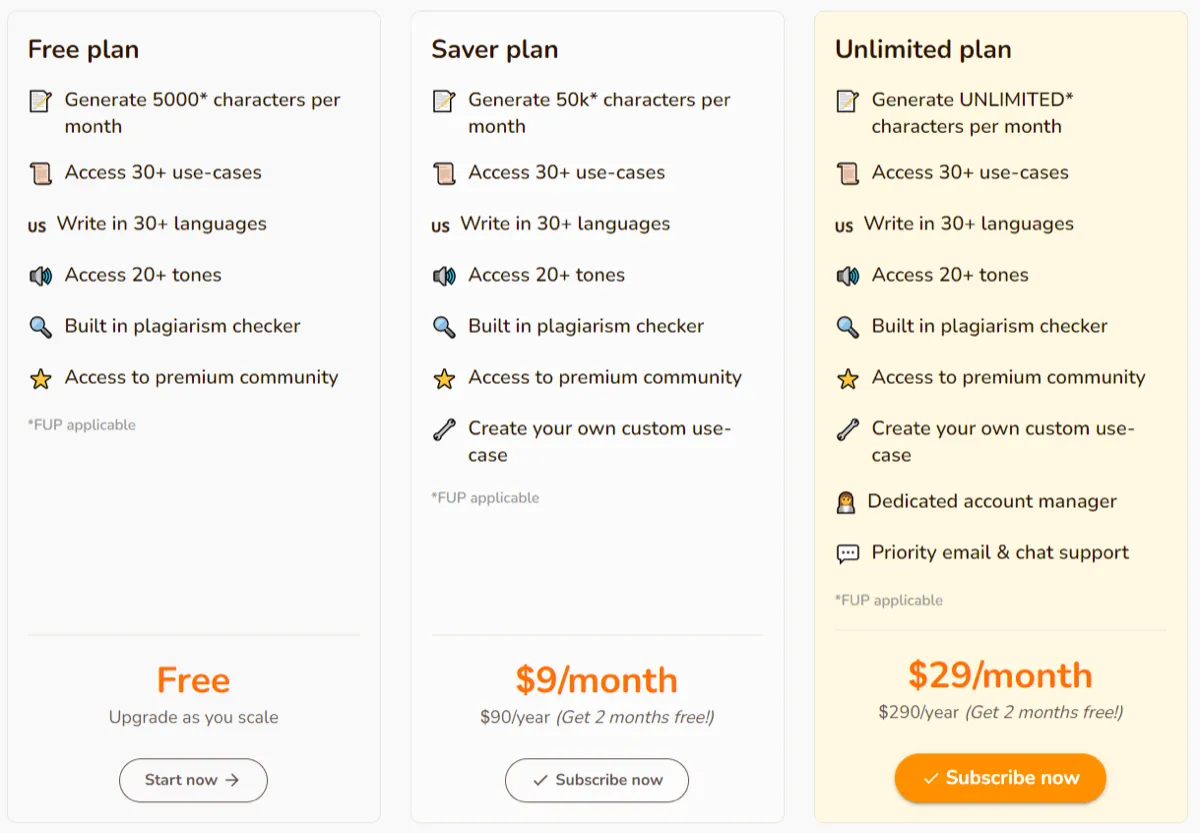
Rytr's pricing story looks attractive because the free plan is real and the annual paid pricing still sits far below many well-known writing tools. That makes the product easy to shortlist.
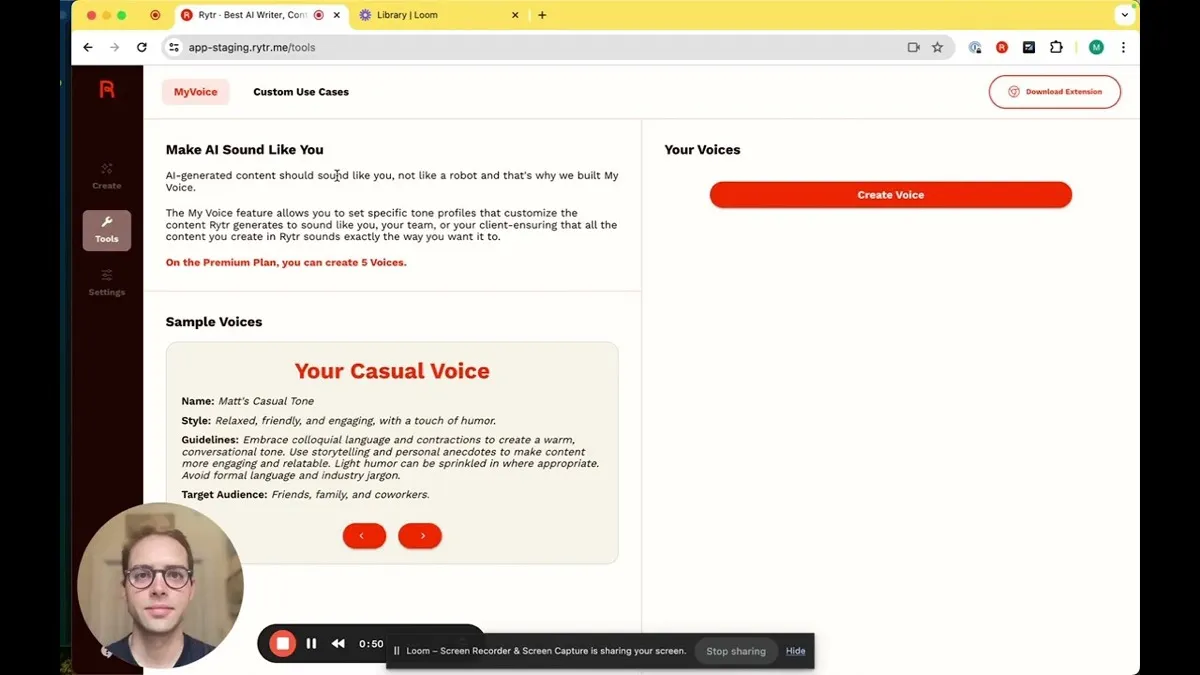
But the right question is not only whether the paid plan looks cheap. The real question is whether the plan you need actually matches your workflow. Free is enough for testing. Unlimited is often the practical sweet spot for solo short-form use. Premium matters more when broader language access, multiple tones, or heavier client and brand work start to matter.
- Free is enough for lightweight testing
- Unlimited often makes the most sense first
- Premium matters more for broader language and multi-brand needs
When Rytr is enough and when it is not
Rytr is often enough when the work is repetitive, short-form, and time-sensitive. If you mainly need first drafts for marketing copy, quick rewrites, outlines, and browser-based writing help, the tool can be a very practical buy.
It becomes much less convincing when your success depends on long-form depth, heavier collaboration, structured approvals, or a more advanced editorial system. That is where the low price stops being the only thing that matters.
- Enough for many short-form solo workflows
- Often enough for lightweight marketing support
- Not enough by itself for serious long-form publishing systems
Product walkthrough for first-time users
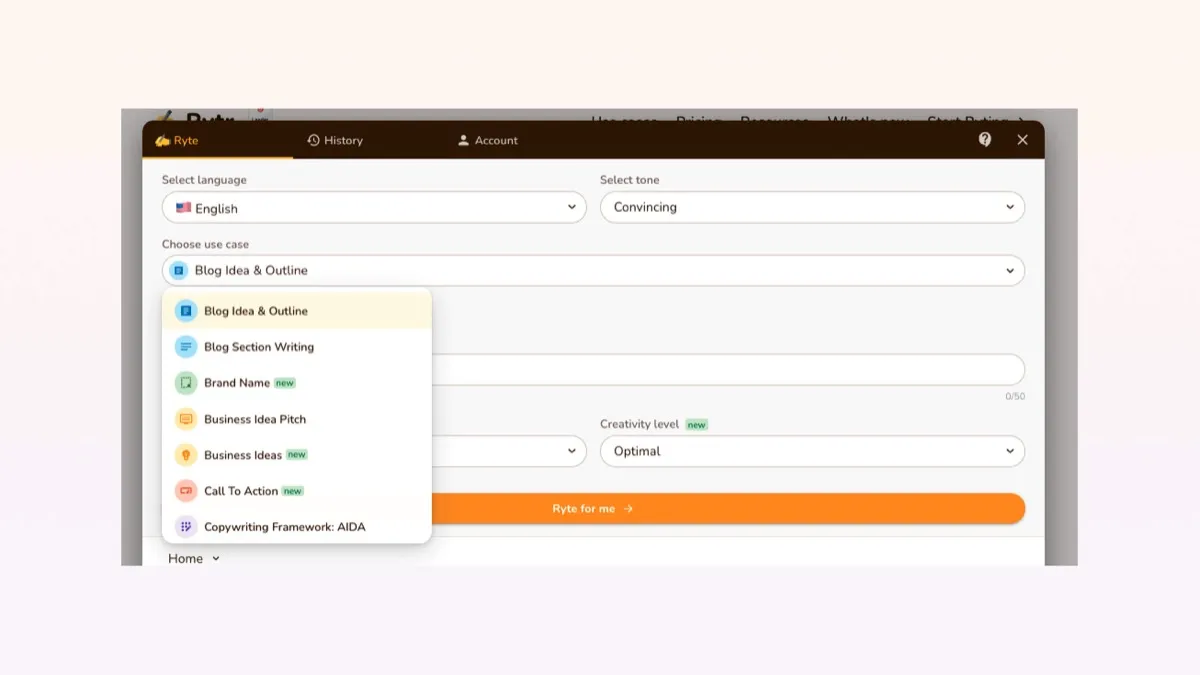
Rytr is easiest to understand by watching someone move through the basic flow: choose a use case, select tone and language, enter a prompt, generate output, then edit or continue from there.
That matters because Rytr's real value often appears in the speed of the first useful draft, not in a giant feature checklist.
Browser extension, API, and practical workflow fit
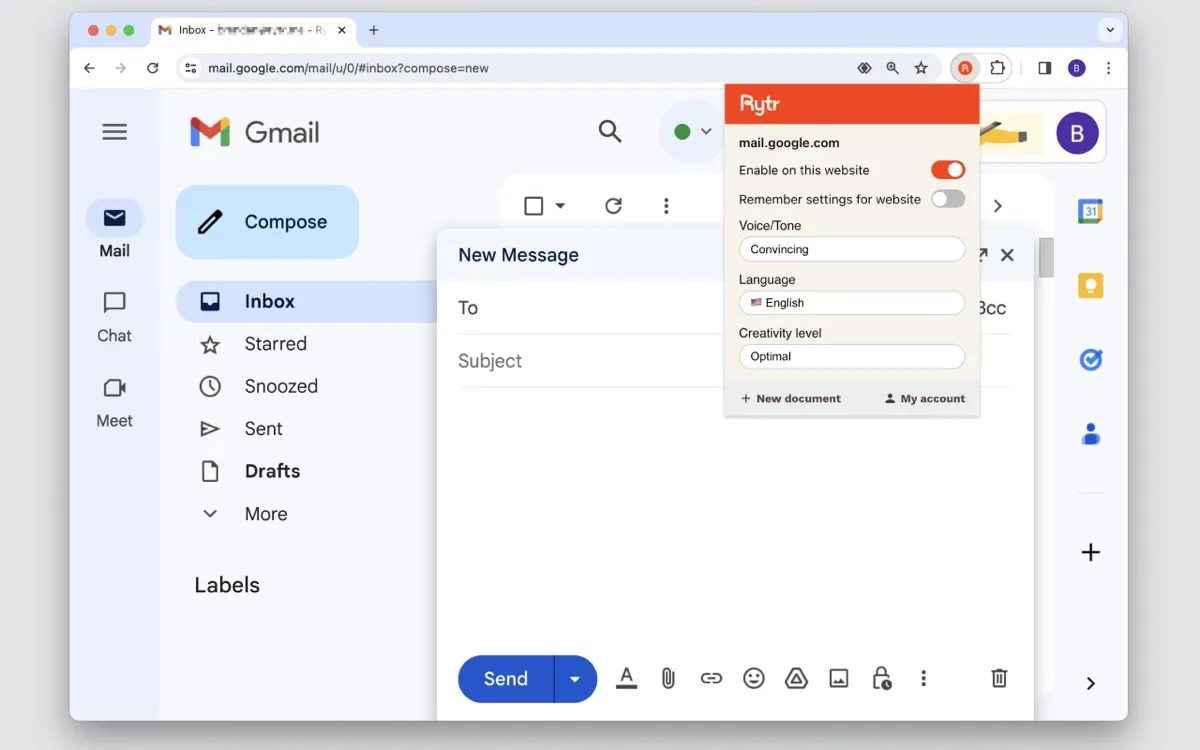
Rytr becomes easier to justify when it fits into the places where you already write. The Chrome extension matters because it moves the tool beyond a single dashboard and into daily browser-based work.
API support and team plans also matter, but they should be read as useful extensions, not automatic proof that Rytr replaces a deeper collaborative content system.
- Chrome extension improves day-to-day convenience
- API support exists for broader technical workflows
- Team support exists, but this is still not a deep enterprise editorial stack
How to use the store, review, and coupon routes together
This store page is best used as the buyer-orientation layer. It helps you understand Rytr's role, pricing logic, and practical fit before you move deeper. The review page is the better next stop when you want a fuller judgment on strengths, limitations, and alternative options. The coupon page makes the most sense only after Rytr already looks like the right product for your workflow.
That sequence usually leads to fewer wrong clicks and better decisions than jumping straight to a savings page just because the entry price looks easy to justify.
- Store page for qualification
- Review page for deeper judgment
- Coupon and pricing pages for the latest savings route
Best savings path from this store page
This is the clearest savings route to check once the product already looks like a fit.
A third-party coupon source reports an extra subscription discount for Rytr. Treat this as a checkout-test path, not an official pricing-page promotion.
Use this only as a checkout-test route. If the discount is not accepted, fall back to Rytr's official annual billing path.
Free forever
Premium from $24.16/mo
Use comparison routes when the category fit is still open
Use these comparison routes when the product still looks plausible, but the category fit is not fully settled.
Copy.ai deserves the next tab if you want another easy-entry AI writing tool with a broader marketing-suite feel.
Jasper is the stronger comparison when workflow depth and brand-oriented content operations matter more than low entry price.
Writesonic is worth checking if SEO breadth and broader content tooling matter more to you than simplicity.
Verification points worth checking before you click out
Where this store usually fits best in the workflow
Rytr is a practical fit when the real job is email copy, ads, product blurbs, social captions, and first-pass website text.
Rytr works better as an outline-and-sections assistant than as a one-shot long-form publishing engine.
The Chrome extension makes Rytr more useful for people who write across many scattered tools during the day.
Rytr is one of the easier entry points for buyers who want genuine AI writing value without starting with a high monthly bill.
Practical checkpoints before and after signup
- Start with the free plan and test three real use cases instead of abstract prompts.
- Decide whether your true workload is short-form copy or heavier publishing.
- Compare annual billing against your actual usage before assuming the paid plan is an easy yes.
- Build a repeatable prompt pattern for your highest-frequency writing tasks.
- Test the Chrome extension in at least one real browser workflow.
- Decide early whether Rytr is helping with drafts or expected to replace deeper editing.
- Confirm whether one tone setup is enough or whether multi-brand work pushes you higher.
- Review team-seat economics before inviting others.
- Treat API and team support as useful extensions, not proof of a full editorial operating system.
Fast-read signals for workflow fit and buying friction
Questions readers usually ask before choosing this store
Is Rytr actually good for beginners?
Yes. Rytr is one of the easier AI writing tools to start with because setup is light, the free plan is real, and the product is strongest in straightforward short-form tasks that are easy to test quickly.
Is Rytr better for short-form or long-form content?
Short-form is the safer answer. Rytr can help with long-form outlines and section drafting, but it is better treated as a section-by-section writing assistant than a one-click long-form publishing engine.
Which Rytr plan usually makes the most sense first?
Many users should first decide whether the free plan is enough or whether Unlimited already covers their workflow. Premium becomes easier to justify when broader language access, multiple tones, or heavier client and brand work become central.
Does Rytr have a browser extension and API?
Yes. Rytr offers a Chrome extension for browser-based writing support and also documents an API path for integration use cases.
Should I read the review first or go to the coupon page first?
Read the review first if workflow fit is still unclear. Use the coupon or pricing route once Rytr already looks like the right tool for your use case and you just want the best savings path.
Choose the next route that matches what you still need to decide
The strongest next click depends on whether you still need product judgment, a savings route, or a broader category comparison.