Ainisa Pricing, Plans & Agent Fit
Ainisa should be treated as a no-code AI agent platform, not a prompt library. Its real buyer fit is a business that wants trained agents for support, sales, lead capture, and messaging channels, while keeping model costs transparent through a bring-your-own-key setup.
Fit → price → checkout
Use these routes after the official-site check: coupon first, review for fit, compare if unsure.
Ainisa pricing snapshot
Fast commercial checks before pricing, coupons, or a deeper review.
Ainisa product tour
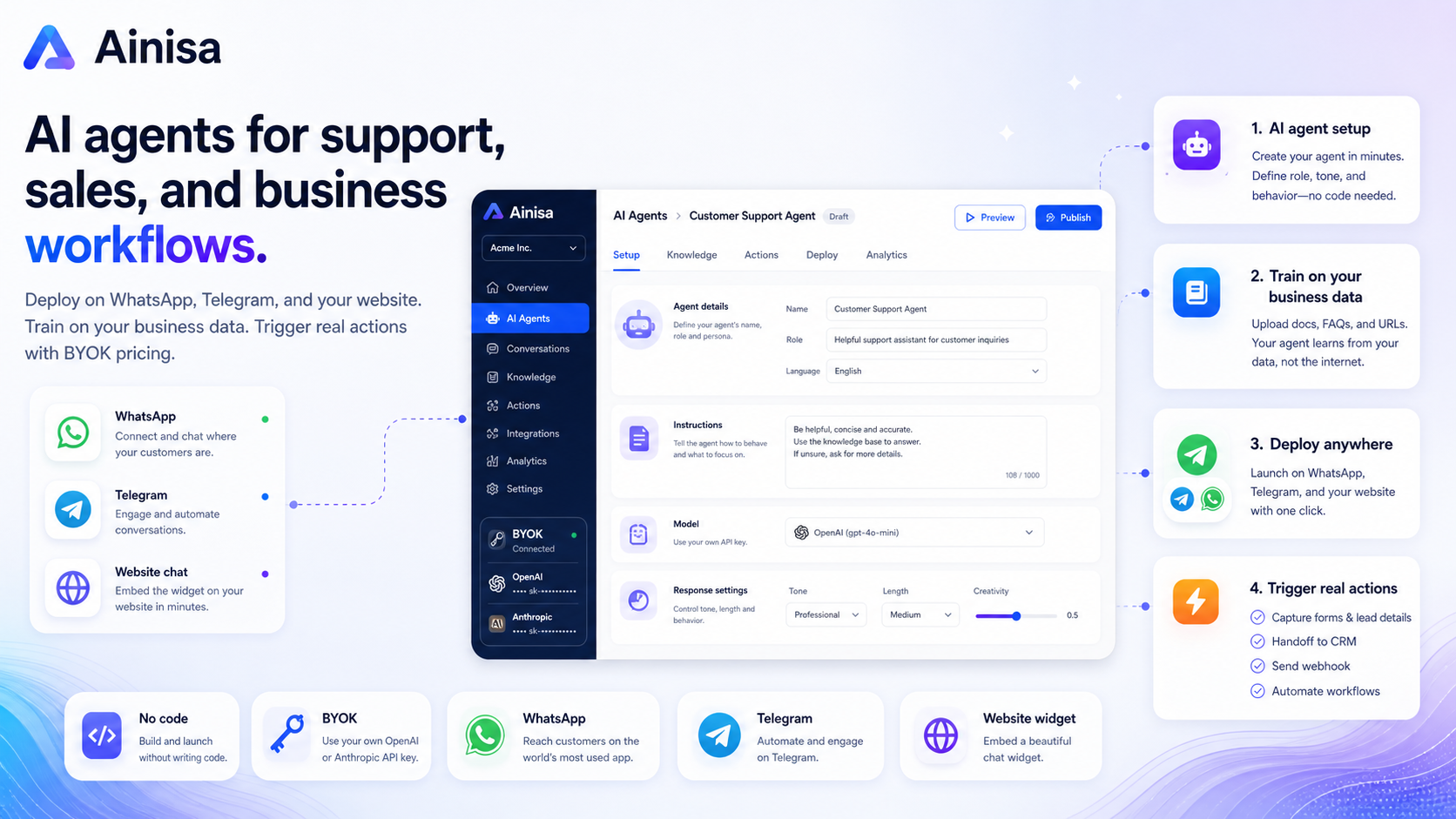
The most useful way to inspect Ainisa is to look at agent creation, channel setup, and automation actions together. The tour video should help buyers see whether the product fits a real support or lead-generation workflow before they compare deal pages.
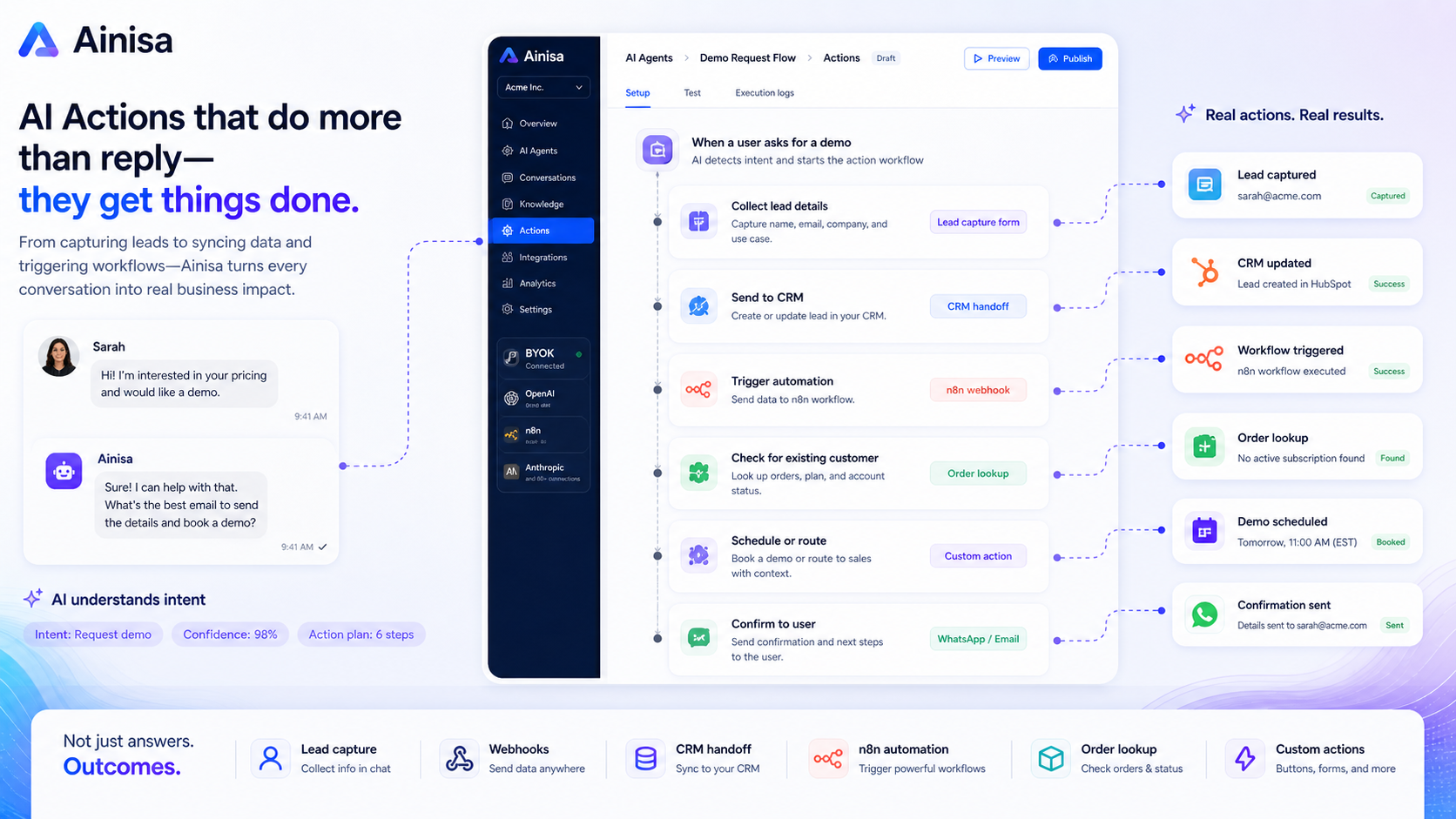
Ainisa is best read as a business automation product, not a general AI prompt tool. The core question is whether you need a trained AI agent that can answer support questions, qualify leads, and connect to real channels like a website widget, Telegram, or WhatsApp.
What Ainisa actually does
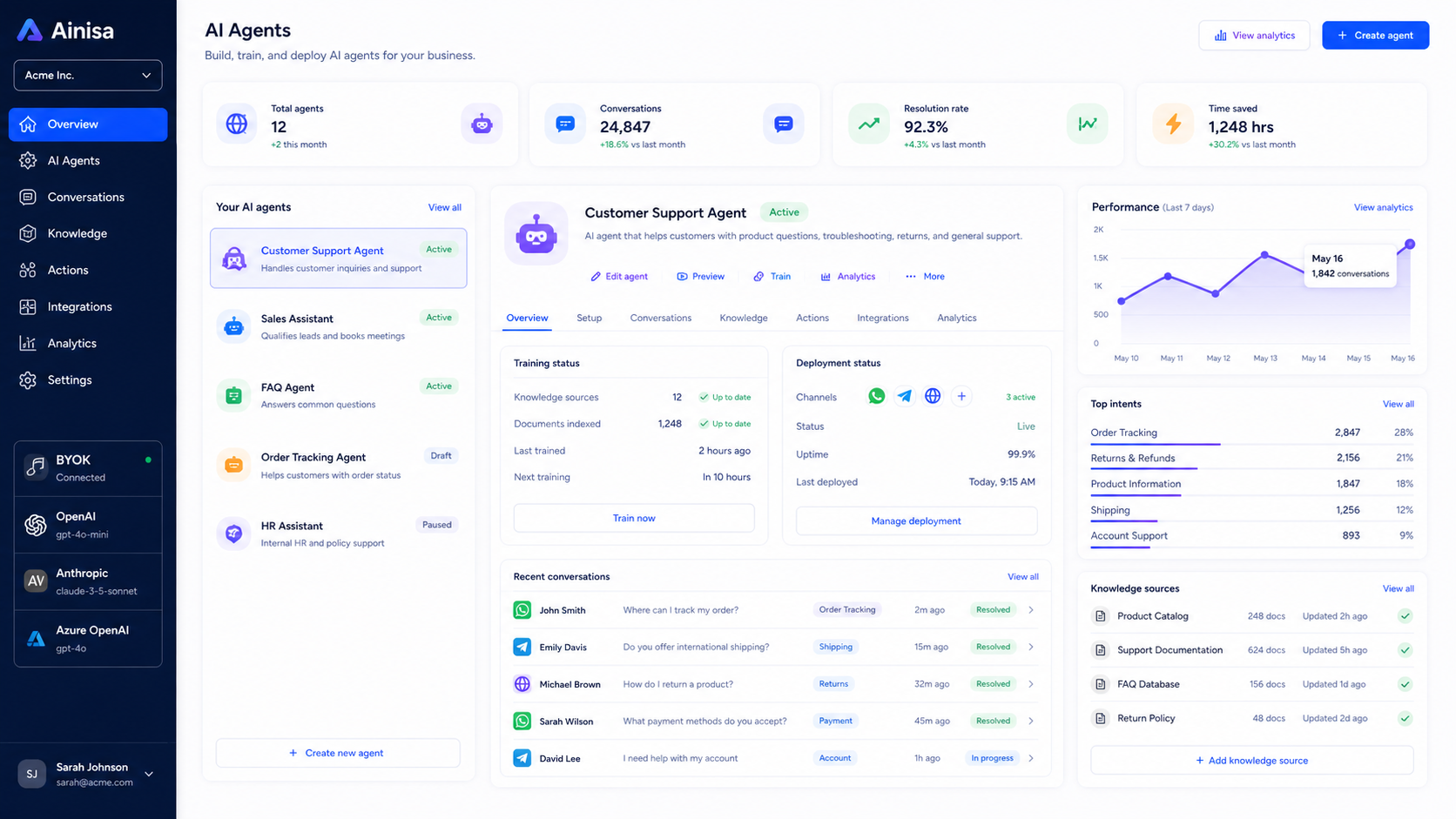
Ainisa helps businesses build AI agents that can answer questions from company knowledge, handle customer conversations, and trigger actions from chat. The official positioning is support, sales, and lead generation, which makes it closer to Chatbase, Chaindesk, or ManyChat-style automation than to a prompt library.
The buyer should pay attention to the workflow behind the agent. A useful Ainisa setup needs business FAQs, product data, order rules, support policies, and a channel plan. Without that groundwork, the tool can look impressive in a demo but stay underused after purchase.
- Build AI agents for support, sales, and lead capture
- Train the agent on business knowledge and files
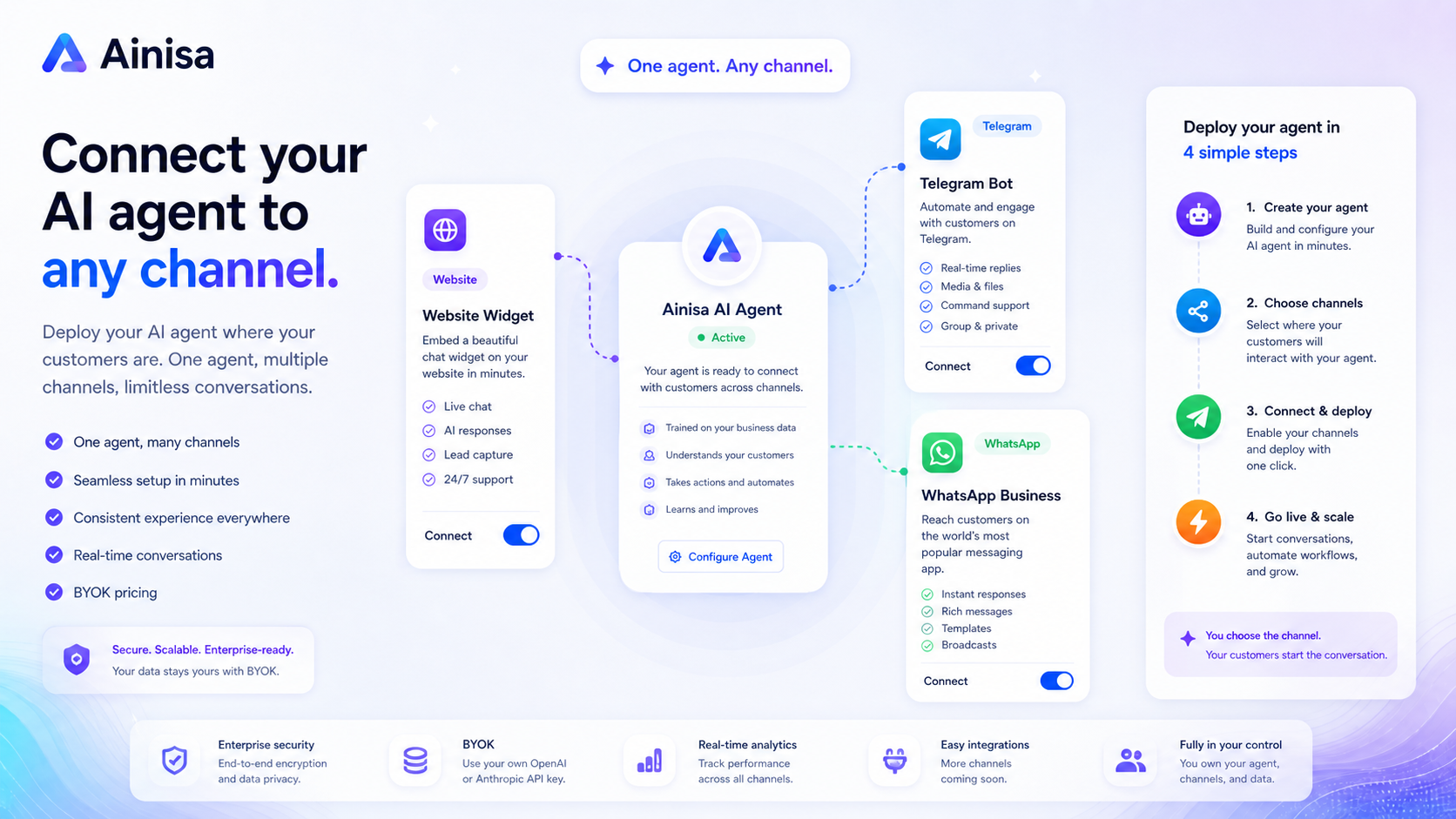
- Deploy to website, Telegram, and WhatsApp paths
- Connect actions such as forms, CRM leads, or n8n workflows
Pricing and BYOK cost check
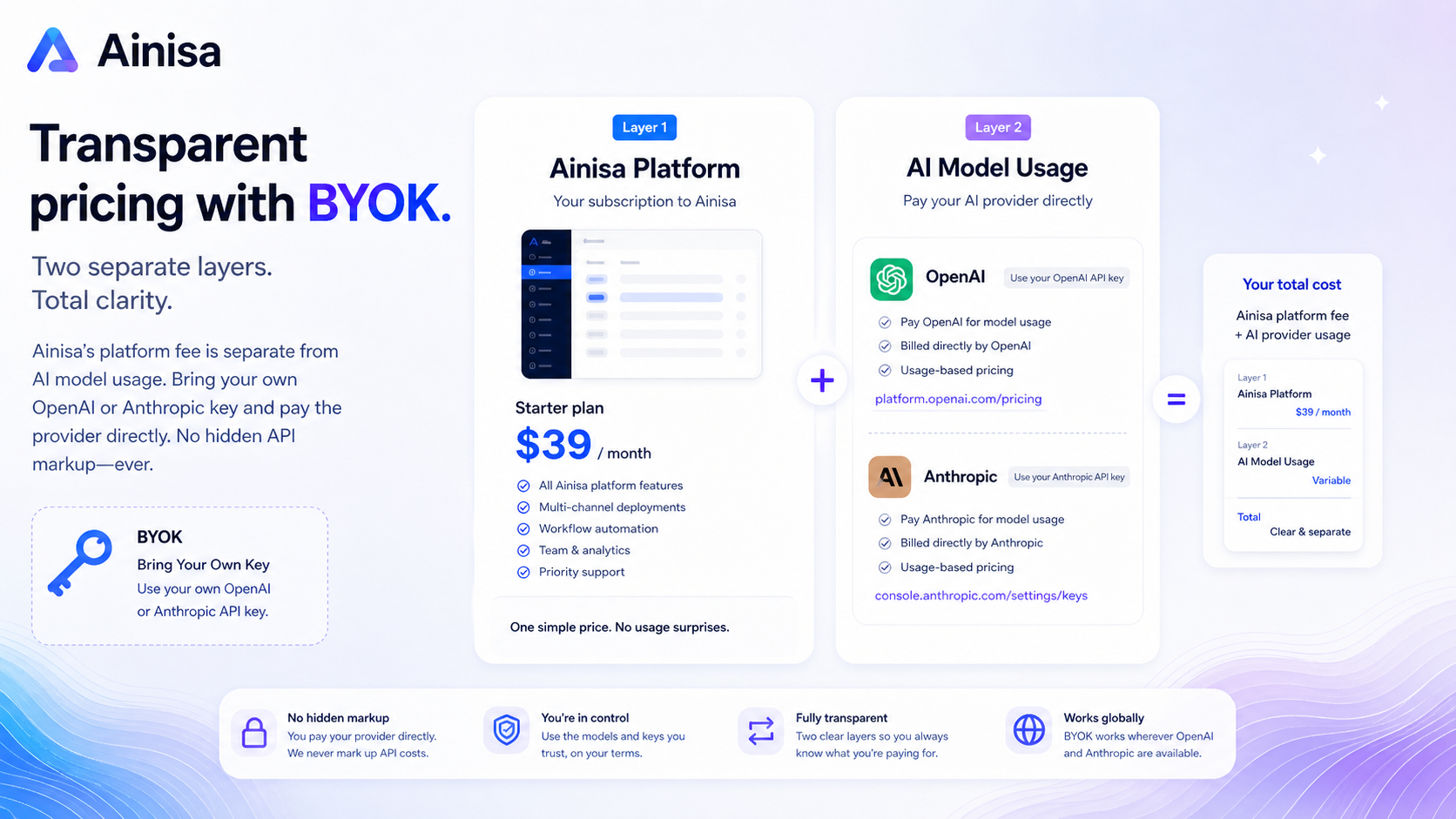
Ainisa uses a BYOK model, so the platform fee and AI model cost are separate. That is useful for buyers who want control over OpenAI or Anthropic spending, but it also means the checkout price is not the whole cost picture.
Before upgrading, estimate the number of messages your agent will handle, which model you plan to use, and whether your plan includes enough agents, team seats, storage, training capacity, and channel access. The official pages mention a free-start route, while public plan material also shows paid monthly tiers, so the live pricing page should be treated as the final source before checkout.
- Check platform price and AI provider usage separately
- Review message allowance, agent count, and team seats
- Confirm whether annual or partner savings apply to your plan
- Avoid buying only because the first visible price looks low
Setup fit for website, Telegram and WhatsApp
Ainisa makes the most sense when the buyer has a real customer channel to automate. The docs list web, Telegram, and WhatsApp integrations, while the pricing FAQ notes that WhatsApp requires a business setup and policy compliance.
This is where buyers should slow down. If your team only needs a quick website FAQ bot, a simpler chatbot builder may be enough. If you need AI actions, lead capture, and channel-aware automation, Ainisa becomes more relevant, but setup testing matters before a paid rollout.
- Use website chat for basic support and product questions
- Use Telegram or WhatsApp when those are real customer channels
- Check Meta and WhatsApp Business requirements before relying on WhatsApp
- Test the agent before connecting it to live customers
Automation depth and AI actions
The stronger side of Ainisa is not just answering FAQs. The documentation shows AI actions that can send data to a CRM endpoint, trigger n8n workflows, display UI elements, or hand off structured information from a conversation.
That makes the product more attractive for teams with repeatable sales or support workflows. It also raises the bar for implementation. Someone needs to define when an action should run, what data it sends, how errors are handled, and whether the automation is safe enough for customer-facing use.
- CRM lead creation can turn chat intent into a saved lead
- n8n webhooks can pass user messages into broader workflows
- Custom API actions require careful endpoint and payload setup
- Automation value depends on clean business rules
Best buyer next step
The safest next step is not to jump straight to a coupon. First, confirm whether Ainisa fits your actual channel, message volume, and automation needs. Then check live pricing and the partner deal route, especially if you are comparing annual billing or a lifetime license.
If you are still unsure, read the Ainisa review first. If the product fit is already clear, move to the pricing or coupon path and verify the active offer before checkout.
- Start with workflow fit if you are still comparing tools
- Move to pricing once channel and usage needs are clear
- Use the coupon path only after checking plan limits and refund terms
- Compare nearby chatbot tools if you only need a lighter FAQ bot
Best savings path from this store page
This is the clearest savings route to check once the product already looks like a fit.
Ainisa's official site says buyers can start free while bringing their own OpenAI or Anthropic key, making this the safest first step before upgrading.
No credit card required
Bring-your-own-key savings path
Use comparison routes when the category fit is still open
Use these comparison routes when the product still looks plausible, but the category fit is not fully settled.
Chatbase is usually the cleaner comparison if the buyer mainly wants a fast website chatbot trained on documents and website content, without deeper messaging-channel automation.
Chaindesk is worth checking when the buyer wants an AI support agent workflow with a more support-desk feel and needs to compare deployment friction.
ChatSimple may fit buyers who want a lighter sales-chat experience before committing to a broader BYOK agent platform.
Verification points worth checking before you click out
Where this store usually fits best in the workflow
Ainisa fits businesses that want a trained agent to answer repeat customer questions, reduce support load, and keep common answers consistent across chat channels.
Ainisa can make sense when the buyer wants conversations to move into structured lead capture, forms, or CRM workflows rather than staying as generic chat replies.
Teams using website chat, Telegram, or WhatsApp can use Ainisa to test whether AI agents can handle real customer conversations without building a custom integration stack.
Agencies may find Ainisa useful when they need repeatable client agent setups, but they should verify plan limits, team seats, and white-label or enterprise terms first.
Practical checkpoints before and after signup
- List the exact customer questions, support flows, and lead-capture actions the agent must handle.
- Check whether the required channel is currently supported and practical for your business.
- Estimate message volume and AI provider usage before comparing paid plans.
- Add your OpenAI or Anthropic key, then test model behavior before live deployment.
- Train the agent with real FAQs, product data, policies, and business documents.
- Test AI actions with safe sample data before connecting them to production systems.
- Review failed conversations and update the knowledge base before scaling traffic.
- Track provider usage costs separately from the Ainisa subscription.
- Re-check refund, renewal, and partner deal terms before annual upgrades.
Fast-read signals for workflow fit and buying friction
Questions readers usually ask before choosing this store
What does Ainisa actually do?
Ainisa helps businesses build no-code AI agents for support, sales, and lead capture. The agent can be trained on business knowledge, connected to channels such as a website widget, Telegram, or WhatsApp, and extended with actions such as CRM lead creation or n8n workflows.
Is Ainisa a prompt library?
No. The workbook imported Ainisa near prompt-library coverage, but the official product is better understood as an AI agent and chatbot automation platform. Store content should describe it as a business AI agent tool, not as a prompt database.
Does Ainisa have a free plan?
Official pages describe a free-start path with no credit card, while public plan material also lists paid tiers. Treat the free path as a setup and testing route, then check the live pricing page before assuming which limits apply.
What should buyers verify before paying?
Buyers should verify the current plan price, message limits, agent count, team seats, channel support, AI provider costs, refund rules, and any partner discount terms. BYOK pricing makes the platform fee only one part of the total cost.
What is the safest next step with Ainisa?
Start by checking whether your support, sales, or lead-capture workflow is clear enough to automate. If the fit is still uncertain, read the review first. If the workflow is already clear, compare live pricing and the coupon or partner deal path before checkout.
Choose the next route that matches what you still need to decide
The strongest next click depends on whether you still need product judgment, a savings route, or a broader category comparison.