
Nightwatch Pricing, Plans & SEO Team Fit
Nightwatch is best understood as a precision rank tracking and SEO visibility platform for teams that care about location-aware keyword movement, client reporting, and search visibility trends. It is not a simple free SERP checker. The value shows up when a buyer has enough keywords, locations, competitors, reports, or AI visibility questions to justify a paid monitoring workflow.
Fit → price → checkout
Use these routes after the official-site check: coupon first, review for fit, compare if unsure.
Nightwatch pricing snapshot
Fast commercial checks before pricing, coupons, or a deeper review.
Nightwatch product tour
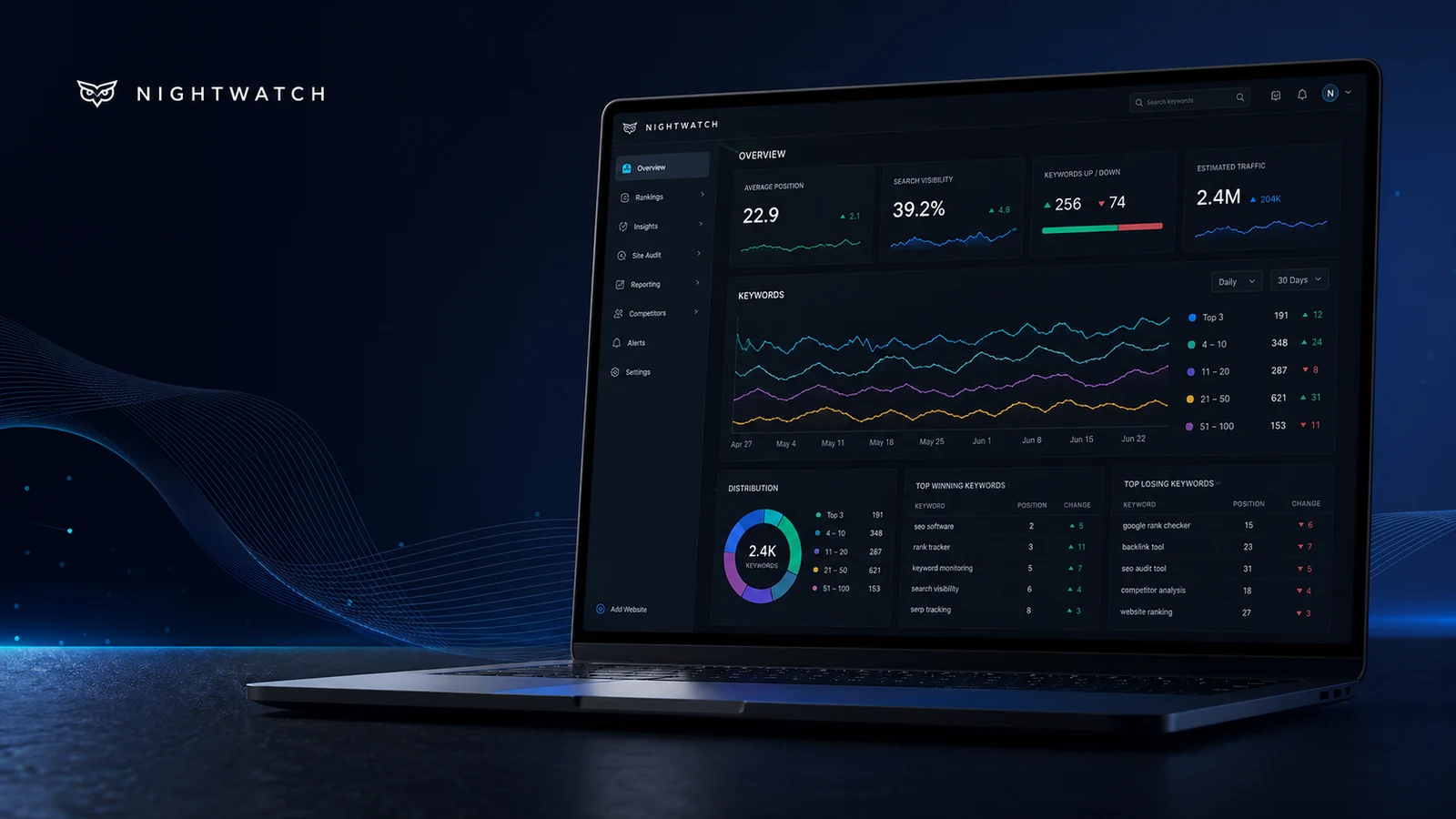
The product tour should help buyers see Nightwatch as a rank tracking and reporting workspace, not just a cheap keyword checker. The most useful visuals are the rank tracker dashboard, segmentation controls, pricing tier, and Looker Studio or API reporting path.
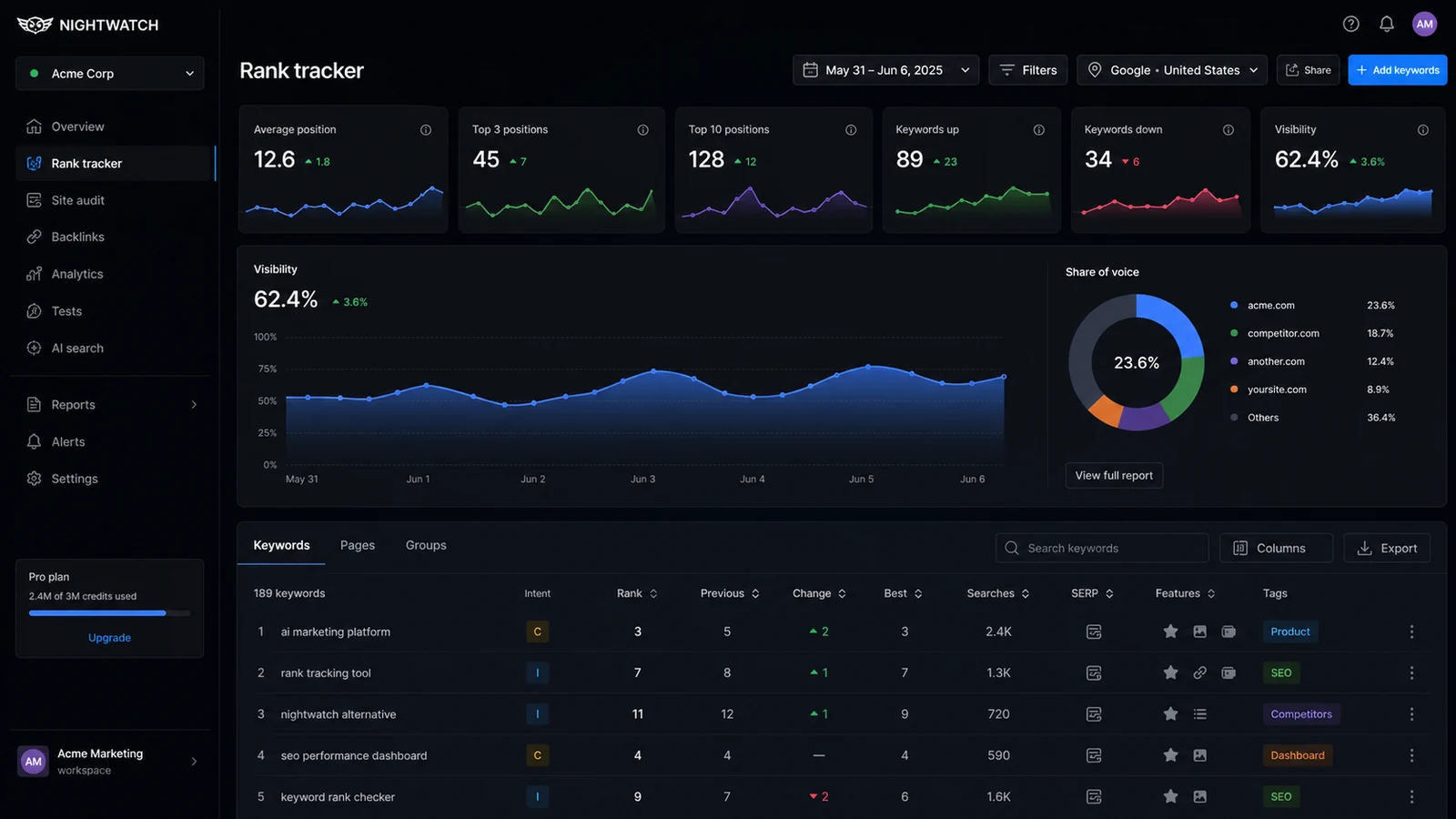
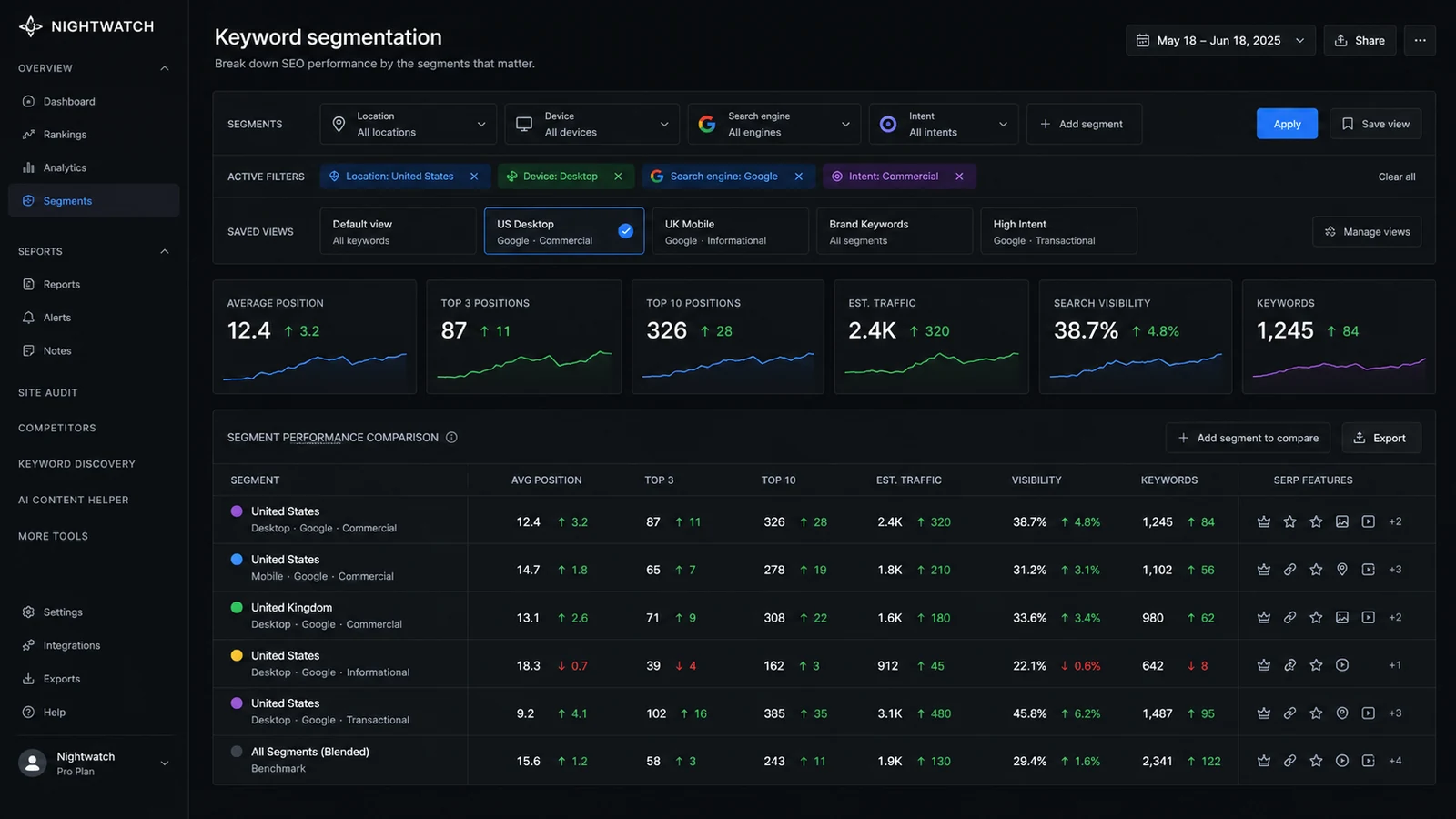
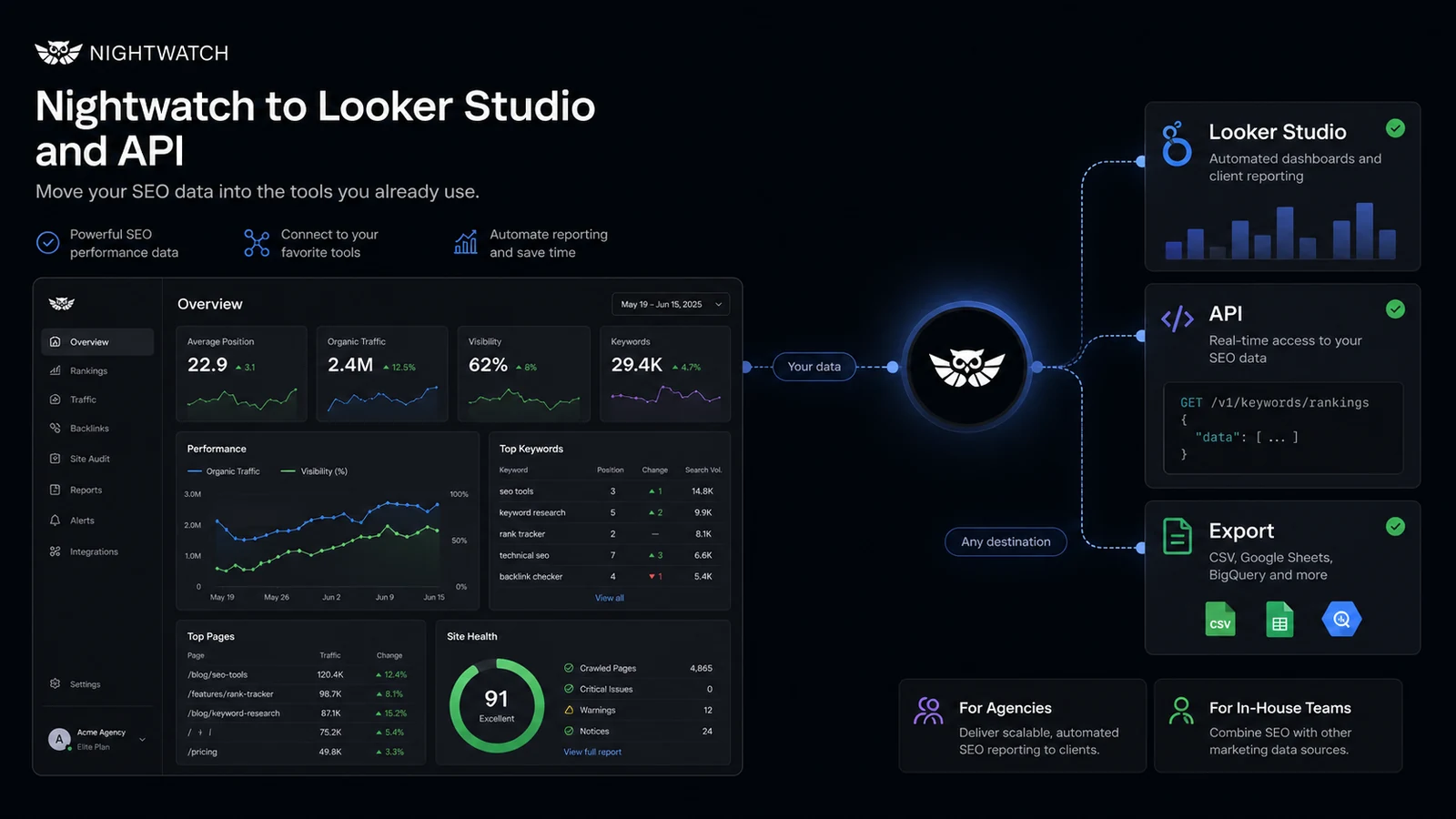
Nightwatch deserves a practical store page because the buying decision is not simply "rank tracker or not." The real question is whether your SEO workflow has enough keywords, locations, reports, and visibility checks to justify a paid platform. A buyer comparing Nightwatch should start with fit, then pricing, then the current savings route.
What Nightwatch actually does
Nightwatch tracks how websites rank across search engines, locations, devices, competitors, and visibility segments. It is built for SEO monitoring rather than content generation. The strongest fit is a team that needs to watch ranking movement every day, explain changes to clients or stakeholders, and turn keyword data into repeatable reports.
- Track Google, Bing, YouTube, Yahoo, DuckDuckGo, and Google Places visibility
- Segment rankings by location, search engine, device, keyword group, or saved view
- Connect ranking work with reports, integrations, exports, and API-based workflows
Pricing and plan fit
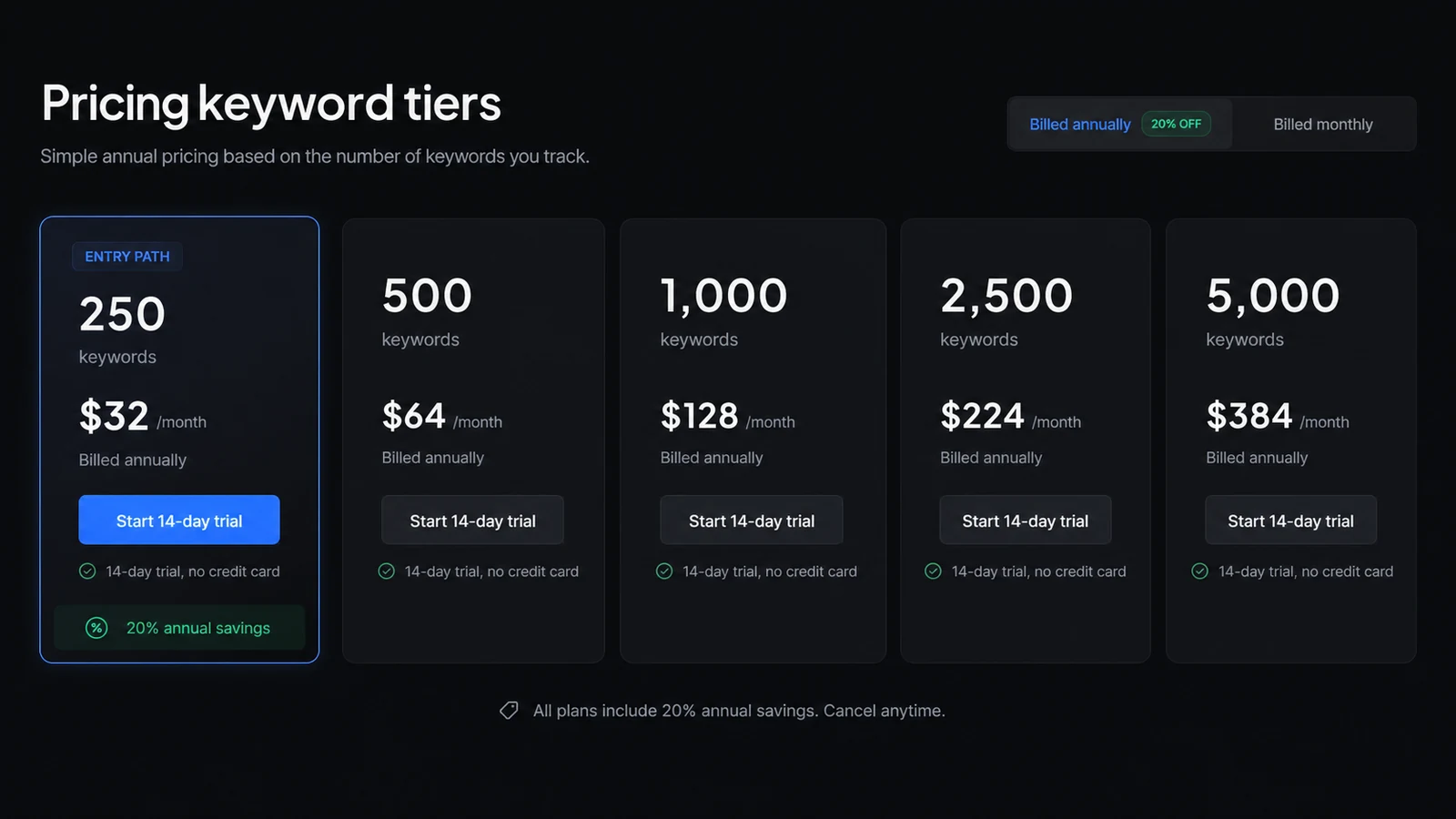
The public pricing page shows a 250-keyword entry tier at $32 per month when billed annually, plus larger keyword tiers for growing campaigns. It also shows a separate AI Tracking add-on at $99 per month for 100 prompts. That makes plan fit important: the cheapest visible entry point is not necessarily the real cost if the buyer needs more keywords, AI tracking, or deeper reporting.
- Start by counting active keywords and locations before choosing a tier
- Check whether AI Tracking is needed now or can wait
- Compare annual savings against the risk of committing too early
Trial, coupons, and savings path
Nightwatch offers a 14-day trial, and the help center says no credit card is required to begin. For savings, the documented evergreen path is annual billing at 20% off. An official seasonal promotion may appear on Nightwatch pages, but a store page should not promise a reusable coupon code unless the active checkout path is checked again at publishing time.
- Use the trial to test ranking accuracy and reporting setup first
- Treat annual billing as the baseline public saving
- Verify seasonal promotions at checkout before writing coupon claims
Where the platform is strongest
Nightwatch is strongest when SEO data needs structure. Agencies can use it for client reporting and white-label workflows. In-house teams can use it to watch ranking movement across product lines, locations, and campaigns. More advanced users can connect Looker Studio or API workflows when they need Nightwatch data inside a larger reporting system.
- Best for recurring monitoring, not one-time keyword checks
- Useful when local rankings or search engine differences matter
- More valuable when reports need to be shared outside the SEO team
What to verify before checkout
The checkout check should be practical. Confirm the number of daily tracked keywords, the number of websites, competitor limits, site audit limits, AI Tracking add-on cost, and whether reporting features such as API access or Looker Studio are available on the plan you choose. Also read the refund terms before paying, because the published Terms do not promise a fixed refund window.
- Keyword tier and site limits
- AI Tracking add-on need
- API and Looker Studio access
- Refund and cancellation wording
Best next step
The safest next step is to open the trial or pricing page only after you know your required keyword volume and reporting needs. If the fit is still unclear, read the review route first. If the fit is already clear, use the coupon or deal route to check whether annual savings or an active seasonal promotion is better than the standard checkout path.
- Read the review route when workflow fit is still uncertain
- Open pricing when keyword volume and add-ons are clear
- Use the coupon route only to verify current savings, not to justify the product
Best savings path from this store page
This is the clearest savings route to check once the product already looks like a fit.
Nightwatch uses keyword-volume pricing, so the lower paid path is best for smaller SEO campaigns that need accurate local and AI-ready rank tracking without agency-scale volume.
Local rank tracking workflow path
AI visibility tracking path
Use comparison routes when the category fit is still open
Use these comparison routes when the product still looks plausible, but the category fit is not fully settled.
Verification points worth checking before you click out
Where this store usually fits best in the workflow
Nightwatch fits agencies that need daily keyword tracking, white-label reports, client-ready exports, and visibility changes that can be explained without rebuilding reports manually every week.
Nightwatch fits teams tracking rankings across locations, ZIP codes, devices, and search engines where a manual rank check would be misleading or too slow.
In-house teams can use Nightwatch to track keyword groups, product lines, campaign changes, and competitor movement across a consistent reporting workflow.
The AI Tracking add-on makes sense for teams that already understand classic rank tracking and now want to monitor how their brand appears in AI search and LLM-style responses.
Practical checkpoints before and after signup
- List the active websites, locations, competitors, and tracked keywords you actually need.
- Decide whether classic rank tracking is enough or whether AI Tracking should be tested too.
- Build one real dashboard, one report, and one segmentation view instead of browsing features casually.
- Check whether the ranking data, local coverage, and reporting flow match the work you repeat each month.
- Confirm keyword tier, billing interval, AI add-on cost, reporting access, and refund wording.
- Compare annual savings against the risk of committing before the workflow is proven.
Fast-read signals for workflow fit and buying friction
Questions readers usually ask before choosing this store
What is Nightwatch best for?
Nightwatch is best for SEO teams, agencies, and consultants that need recurring rank tracking, local search visibility, competitor monitoring, and reporting. It is less compelling for buyers who only need to check a few keywords once.
Does Nightwatch have a free plan?
A permanent free plan was not the main public path found during this check. Nightwatch does offer a 14-day free trial with no credit card required, which is the safest way to test the platform before paying.
How much does Nightwatch start at?
The visible entry price is $32 per month when billed annually for 250 daily tracked keywords. Buyers should still confirm the current pricing page because keyword tiers, add-ons, monthly checkout pricing, and promotions can change.
Does Nightwatch usually have coupon codes?
Do not assume a reusable public coupon code. The clearest documented savings route is annual billing, which Nightwatch describes as 20% off. Seasonal promotions may appear, but the active offer should be checked at checkout.
What should I verify before buying Nightwatch?
Verify keyword volume, website limits, competitor limits, site audit limits, AI Tracking add-on cost, API or Looker Studio access, annual billing terms, and refund wording. The Terms do not promise a guaranteed refund window.
Choose the next route that matches what you still need to decide
The strongest next click depends on whether you still need product judgment, a savings route, or a broader category comparison.