
ConvertMate Pricing, Plans & AI Agent Fit
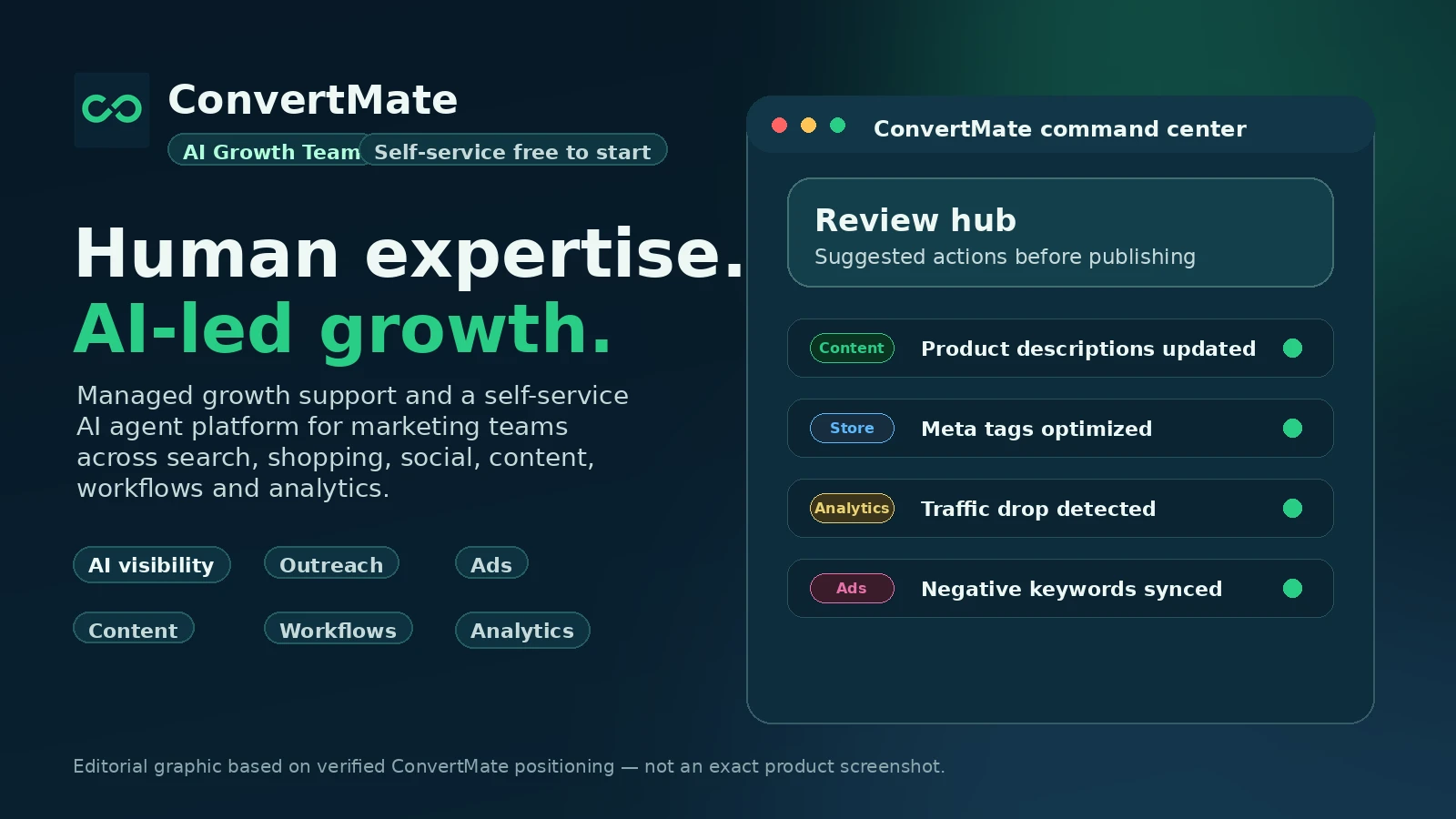
ConvertMate is no longer just a simple Shopify product description optimizer. Its current positioning is closer to an AI marketing agents platform for e-commerce and marketing teams that want automated work across product content, SEO, AI visibility, shopping feeds, ads, outreach, and analytics.
Fit → price → checkout
Use these routes after the official-site check: coupon first, review for fit, compare if unsure.
ConvertMate pricing snapshot
Fast commercial checks before pricing, coupons, or a deeper review.
Free plan with 100 credits per month
700 credits, core AI agents, email support, and CSV exports
2,500 credits, advanced AI agents, and priority support
8,000 credits, complete agents, dedicated support, SSO, advanced security, and API access
ConvertMate product tour for AI marketing buyers
ConvertMate needs a workflow-led media pass because buyers are not only comparing product copy features. They need to see how agents, metrics, product content, pricing credits, integrations, and approval workflows fit into their existing marketing operations.
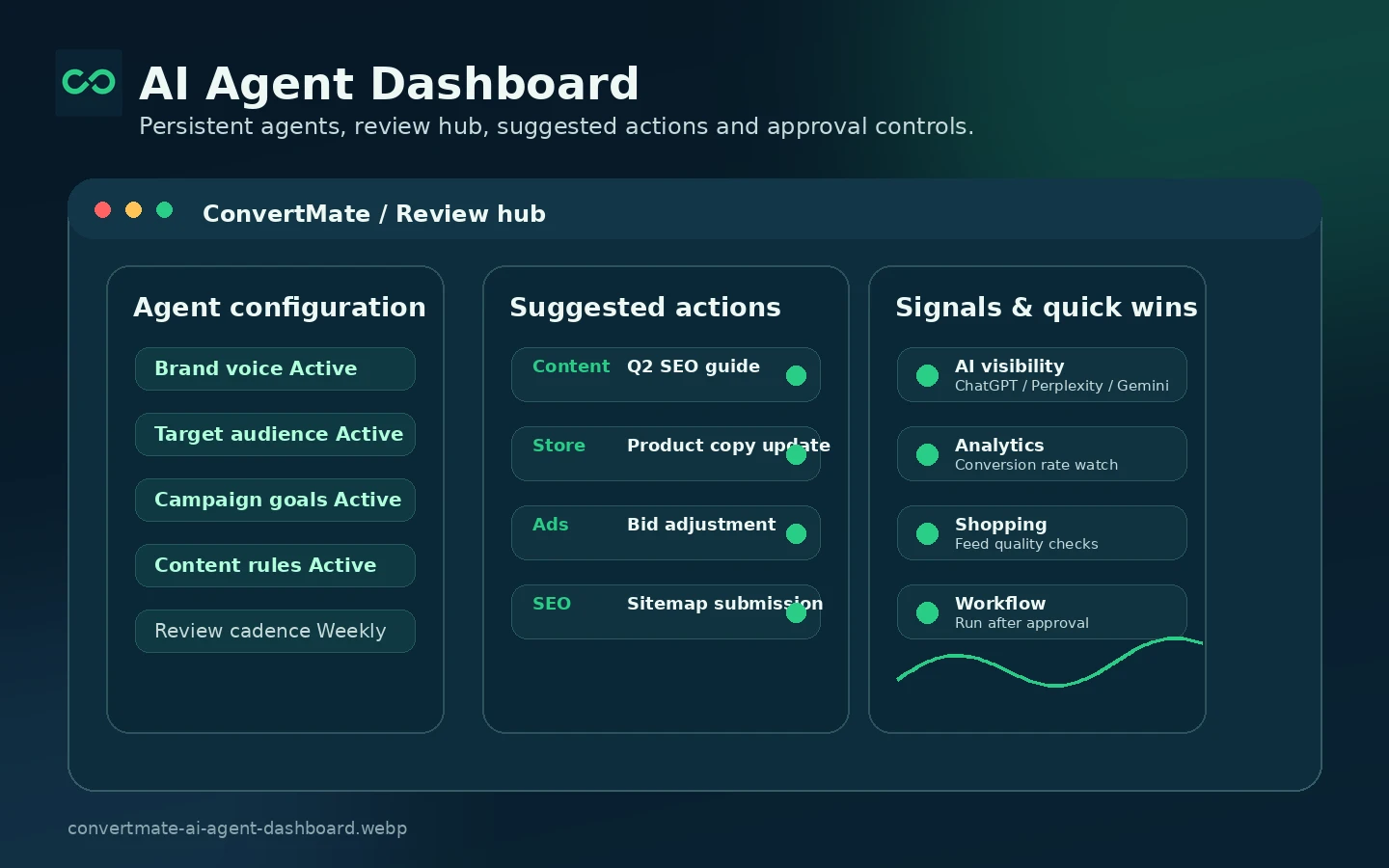
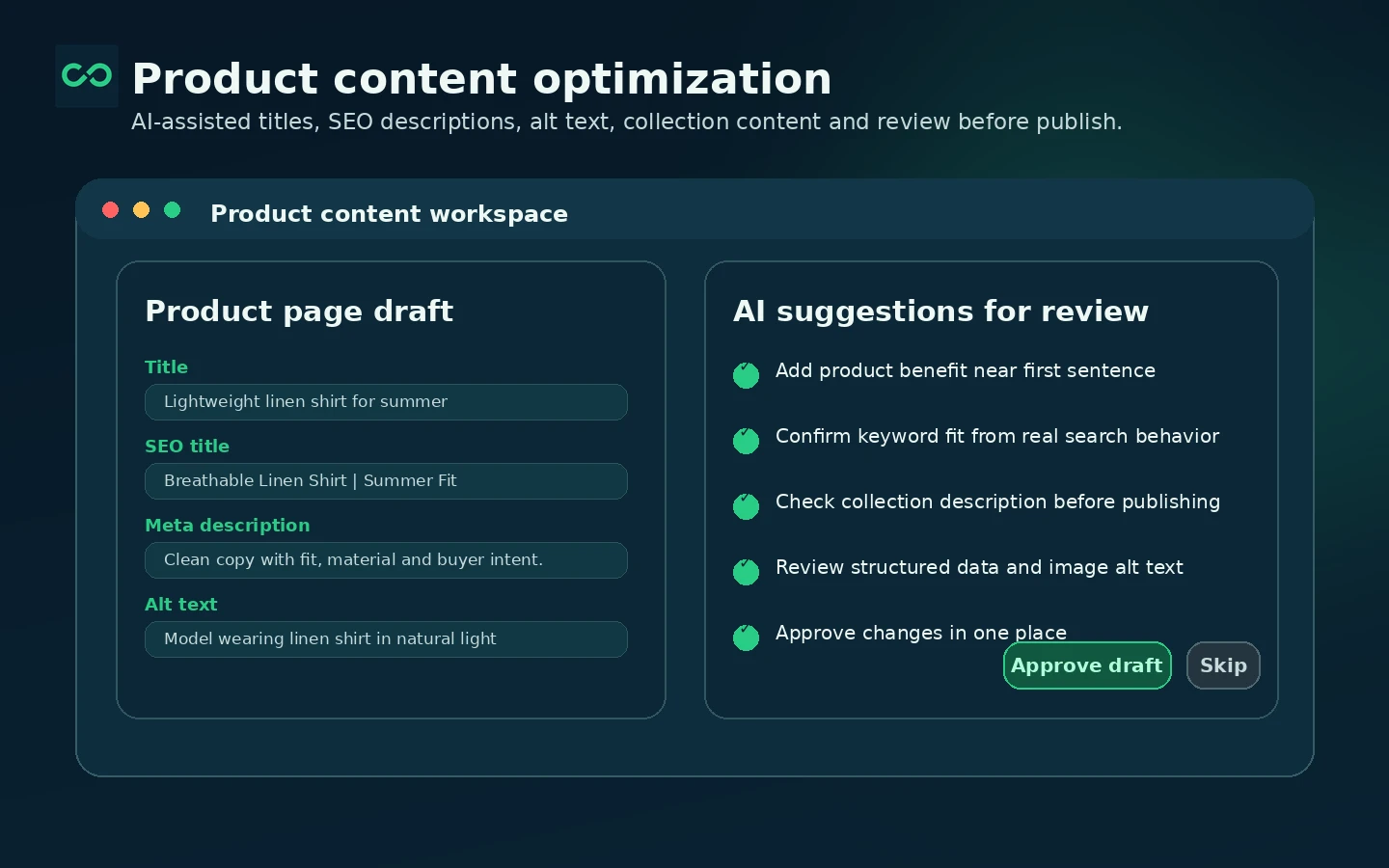
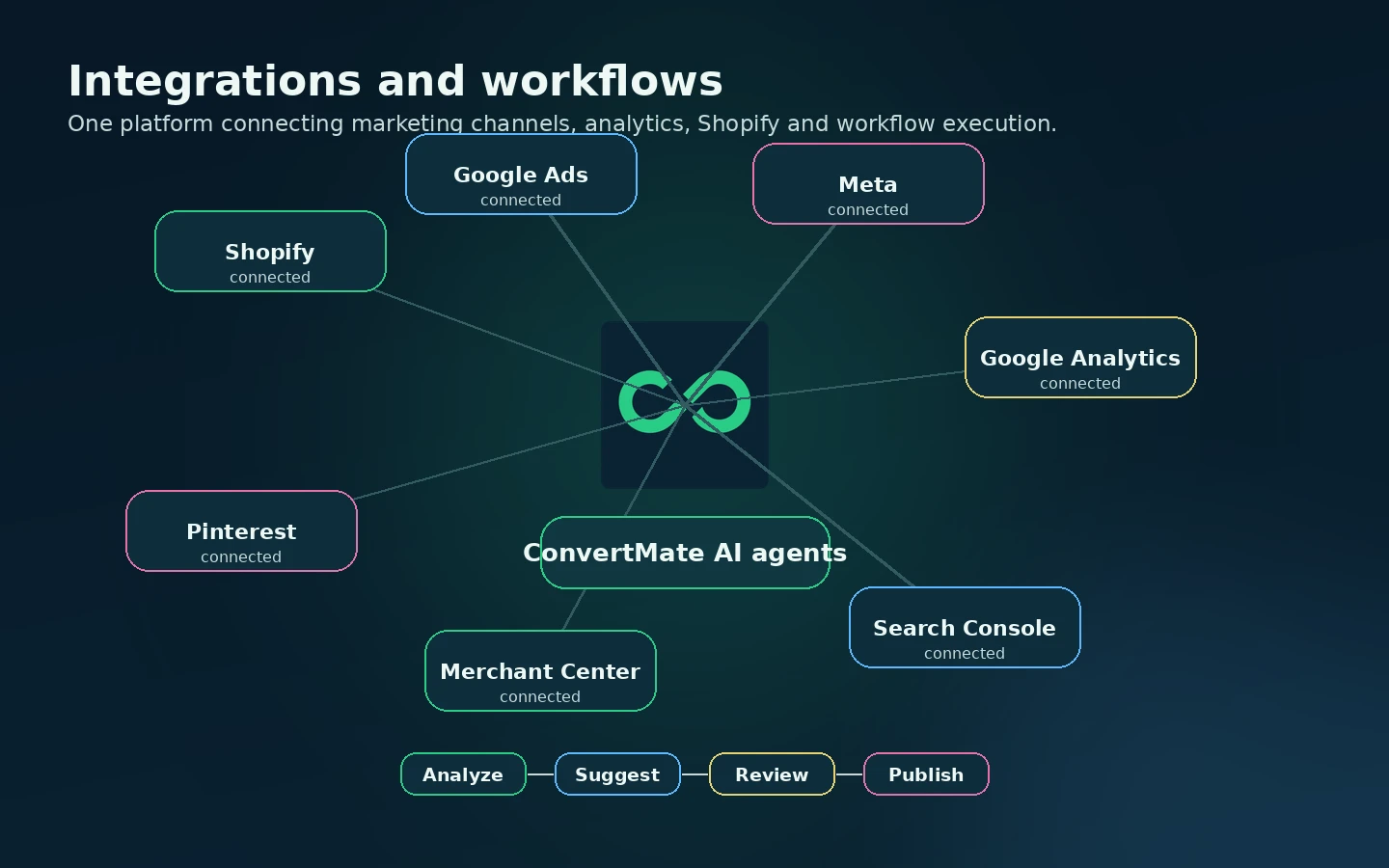
ConvertMate is a good example of why a store page should not freeze a product in its old category. Earlier buyers may remember it as a Shopify SEO and product-description optimizer. The current public positioning is broader: AI marketing agents, managed growth support, workflows, product content, AI visibility, ads, outreach, analytics, and channel execution.
That broader positioning makes the buying decision more serious. A simple product-copy tool can be judged on output quality and price. ConvertMate needs to be judged on workflow fit, credits, connected platforms, review controls, support expectations, and whether the buyer actually has enough marketing operations work to justify an agent-based platform.
What ConvertMate actually does
ConvertMate uses AI agents to handle marketing tasks for e-commerce and marketing teams. On the Shopify App Store, its promise is very concrete: connect a store, optimize product content, fix SEO issues, enrich feeds, run research, support A/B testing, and improve visibility across search, shopping, social, and AI assistants.
On the main ConvertMate website, the positioning is broader. The platform talks about AI visibility across ChatGPT, Perplexity, and Gemini, connected workflows, Google and Meta data, outreach, ads, analytics, and a managed growth team. That means buyers should not evaluate it as only a product-description generator. The real question is whether the buyer wants a marketing operations layer that can keep running, learning, and suggesting changes.
- Optimize product content, titles, descriptions, metadata, and collection content.
- Use AI agents for research, SEO, shopping, social, outreach, ads, and analytics workflows.
- Connect marketing data sources so agents can work from real performance signals.
Pricing, credits, and plan fit
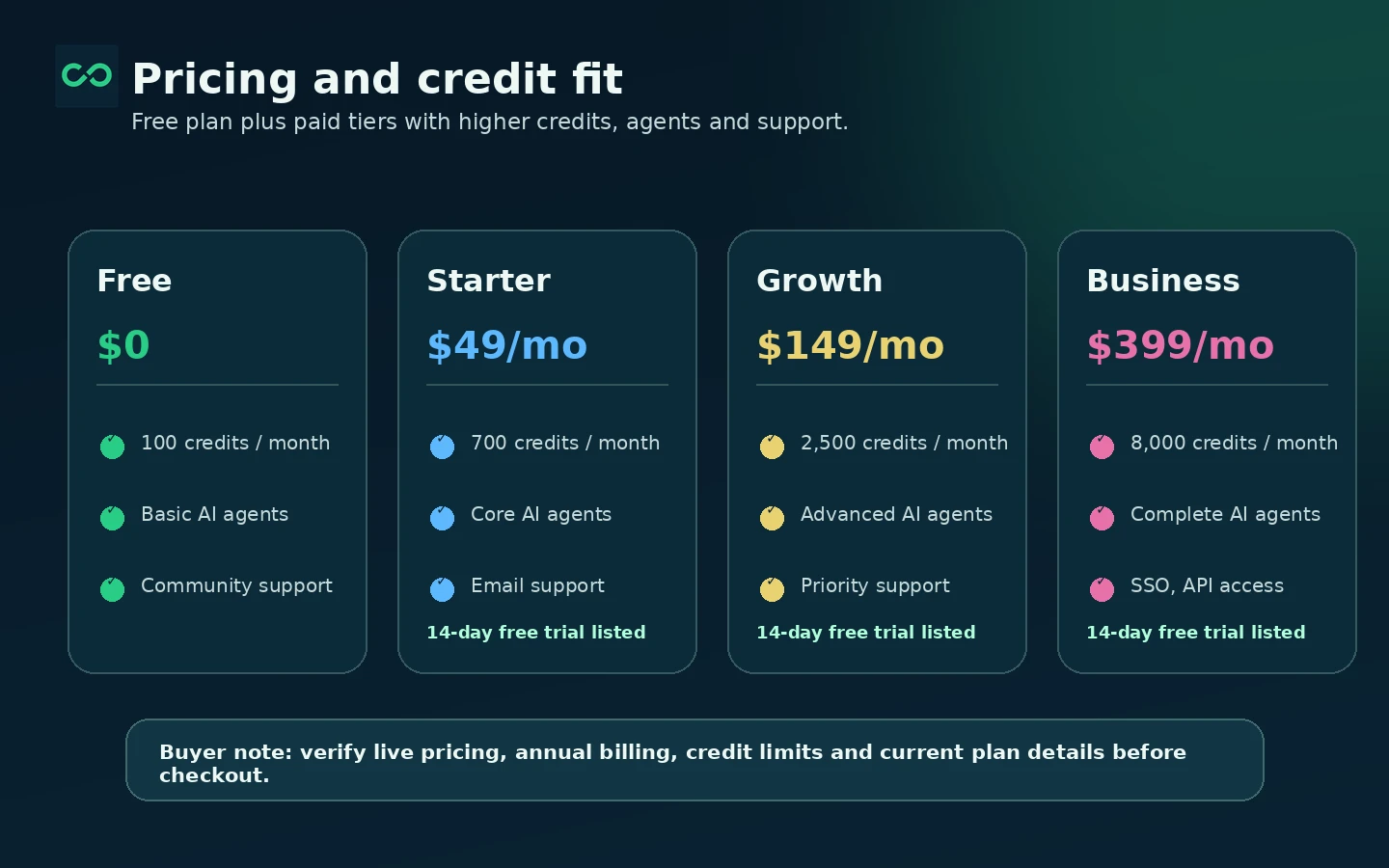
The public Shopify listing gives the clearest plan snapshot. The Free plan includes 100 credits per month. Starter is listed at $49 per month or $490 per year, Growth at $149 per month or $1,490 per year, and Business at $399 per month or $3,990 per year. Paid plans show a 14-day free trial.
The real pricing question is credit usage. A low monthly price is not enough if agents, exports, audits, content generation, testing, or workflow actions burn through credits faster than expected. Starter may work for a smaller store testing core agents. Growth fits buyers who need more agent coverage and priority support. Business is more of a serious operations tier with 8,000 credits, dedicated support, SSO, advanced security, and API access.
- Free is best for light testing and interface fit.
- Starter is the first serious paid tier for core agents and CSV exports.
- Growth makes sense when agent volume and support needs increase.
- Business should be justified by security, API, dedicated support, and higher credit use.
Shopify and product content workflow
ConvertMate still has a strong Shopify-shaped use case. The Shopify listing describes optimization for product content, SEO metadata, alt text, collection descriptions, blog content, structured data, product feeds, and performance monitoring. It also lists compatibility with Google Analytics, Google Merchant Center, Google Search Console, Google Shopping, Meta Commerce, and Pinterest.
This is where ConvertMate can make sense for a merchant with a large catalog or recurring SEO cleanup work. The buyer should still keep editorial control. AI-generated product content can save time, but product pages affect trust, conversion, and search visibility. Review controls, brand voice settings, and approval steps matter before letting automation publish changes at scale.
- Better fit for stores with enough catalog volume to justify automation.
- Useful when product content, feed health, and search visibility are recurring problems.
- Needs human review for brand voice, accuracy, compliance, and product claims.
AI agents, workflows, and integrations
ConvertMate's workflow library shows examples that go beyond Shopify content: syncing products to Google Merchant Center, analyzing Search Console data, optimizing Meta ads with Google Analytics data, reorganizing collections from Merchant Center signals, connecting WooCommerce or BigCommerce workflows, and importing performance data into store systems.
This is the stronger argument for ConvertMate as a platform rather than a small plugin. It can be useful when marketing work crosses several systems and the team wants repeatable tasks handled with approvals. It is also where setup quality matters most. Bad inputs, weak permissions, unclear goals, or missing review rules can turn automation into noise.
Refund, cancellation, and trust checks
ConvertMate's terms are clear enough to create a buyer checkpoint, but not generous enough to ignore. The terms say paid plans can be monthly or annual, credit packages can be purchased, billing renews automatically, accounts can be canceled anytime, refunds are considered on a case-by-case basis, and unused credits do not carry over after cancellation.
That means buyers should not treat the trial as a formality. Test the agents, connect the intended data sources, run a real workflow, check output quality, and document any support questions before upgrading. Shopify App Store reviews also show mixed experiences, including strong positive comments and visible complaints around pricing changes, support expectations, and results. This does not automatically disqualify the tool, but it does raise the need for a careful trial.
- Clarify refund expectations before annual billing.
- Use the trial to test a real workflow, not just browse the dashboard.
- Confirm whether unused credits are acceptable under your budget model.
- Read recent Shopify reviews for both positive and negative buyer patterns.
Relevant alternatives to compare
The right alternatives depend on what the buyer actually wants. If the need is only AI product descriptions, a lighter Shopify app such as Avada AI Product Description or ChatGPT AI Product Description may be simpler. If the need is SEO monitoring and technical Shopify SEO, apps such as SearchPie, Tapita, or SEOAnt may be closer. If the need is broader marketing automation, the buyer may also compare workflow platforms or AI agent tools rather than only Shopify plugins.
ConvertMate is worth shortlisting when the buyer wants AI agents tied to e-commerce marketing execution, not just content generation. It is less compelling when the buyer needs a small, cheap, narrow utility with predictable output and low billing complexity.
- Compare lighter Shopify AI description apps for simple copy generation.
- Compare Shopify SEO apps when technical SEO and metadata are the main issues.
- Compare automation platforms if the buyer wants cross-app workflows more than store-specific marketing agents.
Use comparison routes when the category fit is still open
Use these comparison routes when the product still looks plausible, but the category fit is not fully settled.
Often a simpler fit when the buyer mainly wants bulk AI product descriptions instead of a broader AI marketing agent platform.
A lighter Shopify app-style alternative for merchants focused on product copy rather than multi-channel marketing operations.
More directly focused on Shopify SEO tasks when metadata, site issues, and rankings matter more than agent workflows.
Worth checking when speed and technical Shopify SEO improvements are the main buying pressure.
Verification points worth checking before you click out
Where this store usually fits best in the workflow
ConvertMate fits stores that need recurring help with product descriptions, metadata, collection content, alt text, and feed content across a larger catalog.
The platform is relevant for teams watching how their brand appears across Google search and AI assistants such as ChatGPT, Perplexity, and Gemini.
ConvertMate can make sense when a team wants agent-driven tasks across SEO, ads, content, outreach, analytics, and connected marketing data.
Higher plans are more relevant when support level, SSO, advanced security, API access, exports, and many monthly credits matter.
Practical checkpoints before and after signup
- Confirm whether the use case is product content, AI visibility, SEO, feed enrichment, ads, outreach, analytics, or a mix of several workflows.
- Check the live pricing table and Shopify App Store listing for current monthly and annual prices.
- Read recent Shopify reviews to understand both happy-buyer patterns and negative complaints.
- Connect only the data sources needed for the first real workflow.
- Run one practical agent task and inspect the output before upgrading.
- Track how quickly credits are used so the paid tier can be estimated realistically.
- Clarify refund handling, cancellation behavior, and unused-credit treatment.
- Confirm whether the chosen plan includes the required agents, exports, support response, SSO, security, or API access.
- Set an internal review process before allowing AI-suggested marketing changes to go live.
Fast-read signals for workflow fit and buying friction
Questions readers usually ask before choosing this store
What is ConvertMate used for?
ConvertMate is used for AI-assisted marketing automation, especially around e-commerce workflows such as product content optimization, SEO, feed enrichment, AI visibility, ads, outreach, analytics, and connected marketing tasks.
Does ConvertMate have a free plan?
Yes. ConvertMate's Shopify App Store listing and terms describe a free plan with 100 credits per month. It is best treated as a testing path before choosing a paid credit tier.
How much does ConvertMate cost?
The Shopify App Store listing shows Starter at $49 per month, Growth at $149 per month, and Business at $399 per month, with annual options that show savings. Buyers should verify live pricing before checkout because product positioning and pricing have changed over time.
Does ConvertMate offer refunds?
A fixed refund window was not clearly verified. ConvertMate's terms say refunds are considered case by case, cancellation is allowed anytime, and unused credits do not carry over after cancellation. Clarify billing expectations before annual payment.
Who should compare alternatives before buying ConvertMate?
Small stores that only need a few product descriptions, buyers with a tight budget, and teams that do not yet know their monthly credit needs should compare lighter Shopify SEO or AI product description tools first.
Choose the next route that matches what you still need to decide
The strongest next click depends on whether you still need product judgment, a savings route, or a broader category comparison.