Quick verdict
ConvertMate is worth a serious look if you run an e-commerce store where product content, SEO checks, shopping feed work, AI visibility, ads, outreach, and analytics keep coming back every month.
It is not the kind of product I would judge only by its older Shopify SEO reputation.
The current public positioning is broader: human expertise, AI-led growth, persistent agents, managed execution, and a self-service platform for teams that want AI to keep handling marketing tasks over time. That can be useful. It also makes the buying decision more demanding. You are not simply asking whether ConvertMate can write product descriptions. You are asking whether an agent-based marketing layer belongs inside your store operations.
For my money, ConvertMate makes the most sense when the buyer has a real workflow to test: a Shopify catalog to improve, Google Search Console data to act on, Merchant Center issues to clean up, product feed work to enrich, or repeated SEO and marketing tasks that already consume time. It is weaker when the buyer only wants a one-off batch of copy or a cheap plug-in that fixes a narrow SEO problem.
The main attraction is workflow depth. The main caution is credit usage, plan fit, and trust around billing expectations. The public Shopify listing shows a free plan, paid tiers, annual options, and a 14-day trial on paid plans, but the buyer still needs to test how fast credits are consumed before moving up.
Next step: If ConvertMate still sounds relevant, check the current buyer route only after you know which marketing workflow you want to test first.
Review snapshot
| Review point | Practical take |
|---|---|
| Best for | Shopify and e-commerce teams with recurring marketing, product content, SEO, feed, and AI visibility work |
| Not ideal for | Small stores that only need a few product descriptions or a simple one-task SEO fix |
| Main use case | AI agents for product content, SEO tasks, shopping feeds, outreach, analytics, ads, and connected marketing workflows |
| Pricing model | Free plan plus credit-based paid tiers; live checkout should be verified before paying |
| Free path | Free plan with monthly credits for light testing |
| Trial path | Paid plans show a 14-day free trial on the Shopify listing |
| Main strength | Broader marketing workflow coverage than a basic product-description tool |
| Main concern | Credit usage, annual billing, refund handling, and mixed Shopify feedback need careful review |
| Direct alternatives | Avada AI Product Description, ChatGPT AI Product Description, SearchPie SEO, Tapita SEO Speed Optimizer |
| Best next step | Run one real workflow before choosing Starter, Growth, Business, or annual billing |
What is ConvertMate?
ConvertMate is currently best understood as an AI marketing agent platform for e-commerce and marketing teams, with a strong Shopify and product-content history.
That history matters because it affects buyer expectations. Some buyers may remember ConvertMate as a Shopify SEO and product description optimizer. That use case still appears in the Shopify App Store listing: product content, technical SEO, keywords, A/B testing, feed enrichment, and optimization across search, shopping, social, and AI assistants. But the main website now pushes a broader message: AI-led growth, persistent agents, managed execution, AI visibility, outreach, ads, content, workflows, and analytics.
So the buyer question has changed.
A narrow Shopify copy tool can be judged on output quality, price, and ease of use. ConvertMate needs to be judged on workflow fit. Can it connect to the platforms you actually use? Can the agents act on the right data? Can your team review and approve the changes before they affect live pages, feeds, ads, or campaigns? Can you estimate monthly credit usage before buying a bigger plan?
Our review approach compares public product positioning, current pricing signals, help documentation, refund and billing details, connected-platform claims, third-party marketplace feedback, and nearby alternatives. I would not treat a coupon, annual discount, or polished demo as proof that ConvertMate fits the buyer. The safer judgment is whether it improves a real marketing process the buyer already repeats.
ConvertMate is not a generic AI writing app. It is also not a guaranteed growth engine. It is a system that can make sense when the buyer has enough marketing operations work to justify automation and enough internal review discipline to keep AI suggestions from becoming unchecked changes.
Who should use ConvertMate?
ConvertMate is strongest for Shopify merchants with catalog-level work. If you have many products, weak metadata, inconsistent product descriptions, feed quality issues, or recurring content cleanup, the platform has a clearer job to do. The condition is that your store has enough volume to benefit from automation. A store with ten products may not need this much system.
It can also fit e-commerce marketers who use connected performance data. ConvertMate talks directly to workflows involving Shopify, Google Analytics, Google Search Console, Google Merchant Center, Google Shopping, Meta Commerce, and Pinterest. If your marketing work already depends on those systems, an agent workflow has a more believable role.
SEO-focused teams may find it useful when product content and search visibility are recurring problems. The important phrase is recurring. If SEO cleanup happens once a year, a lighter tool or manual audit may be safer. If SEO cleanup is part of weekly operations, ConvertMate becomes more interesting.
Agencies and operators may also consider it when they need exports, reports, repeatable processes, and a more structured review pipeline. The higher tiers are more relevant when support level, API access, SSO, security, and many monthly credits actually matter.
Finally, ConvertMate may fit teams watching AI visibility. The homepage references brand visibility across ChatGPT, Perplexity, and Gemini. That is an emerging buying reason, but I would still ask the same practical question: does the tool give you actions you can review and execute, or just another dashboard to monitor?
Who should avoid ConvertMate?
I would avoid ConvertMate if you only need a few product descriptions. A broad AI marketing agent platform is too much product for a small, one-off writing task. In that case, a lighter product-description app or a manual AI workflow may be cheaper and easier to control.
Budget-sensitive stores should be careful too. Credit-based tools can look friendly at the entry level and become expensive when the work volume grows. The problem is not the price by itself. The problem is not knowing how many credits your real workflows will consume.
ConvertMate is also not ideal for buyers who need a simple refund guarantee before annual billing. Public terms and help pages contain refund guidance, but the buyer still needs to read the current rules carefully because subscription charges, credit packages, annual plans, and unused credits are treated differently.
I would also slow down if your team is not prepared to review AI-generated marketing changes. ConvertMate’s value increases when agents can suggest or execute work across pages, campaigns, feeds, and reports. That also increases risk. Product claims, pricing language, brand voice, SEO structure, and ad changes still need human approval.
And if your main pain is technical Shopify SEO or speed optimization, ConvertMate may not be the first comparison. SearchPie or Tapita may be closer if your buying pressure is metadata, redirects, performance, speed, or Shopify technical hygiene rather than broader agent-driven marketing execution.
How ConvertMate fits into a real workflow
A good ConvertMate workflow starts before the agent runs.
The buyer first needs to name the problem. Is the goal product content cleanup? Search visibility? Shopping feed enrichment? AI visibility? Outreach? Analytics review? CRO analysis? Ad optimization? The platform is broad enough that vague goals can become expensive browsing.
A realistic workflow looks more like this:
- Choose one high-value workflow, not every agent at once.
- Connect only the platforms needed for that workflow.
- Define the store, audience, product category, brand voice, and approval rules.
- Run a small batch or focused task.
- Review the output manually before publishing or exporting.
- Track credit usage.
- Decide whether the result saved enough time or improved enough clarity to justify a paid tier.
That last step is the one buyers often skip.
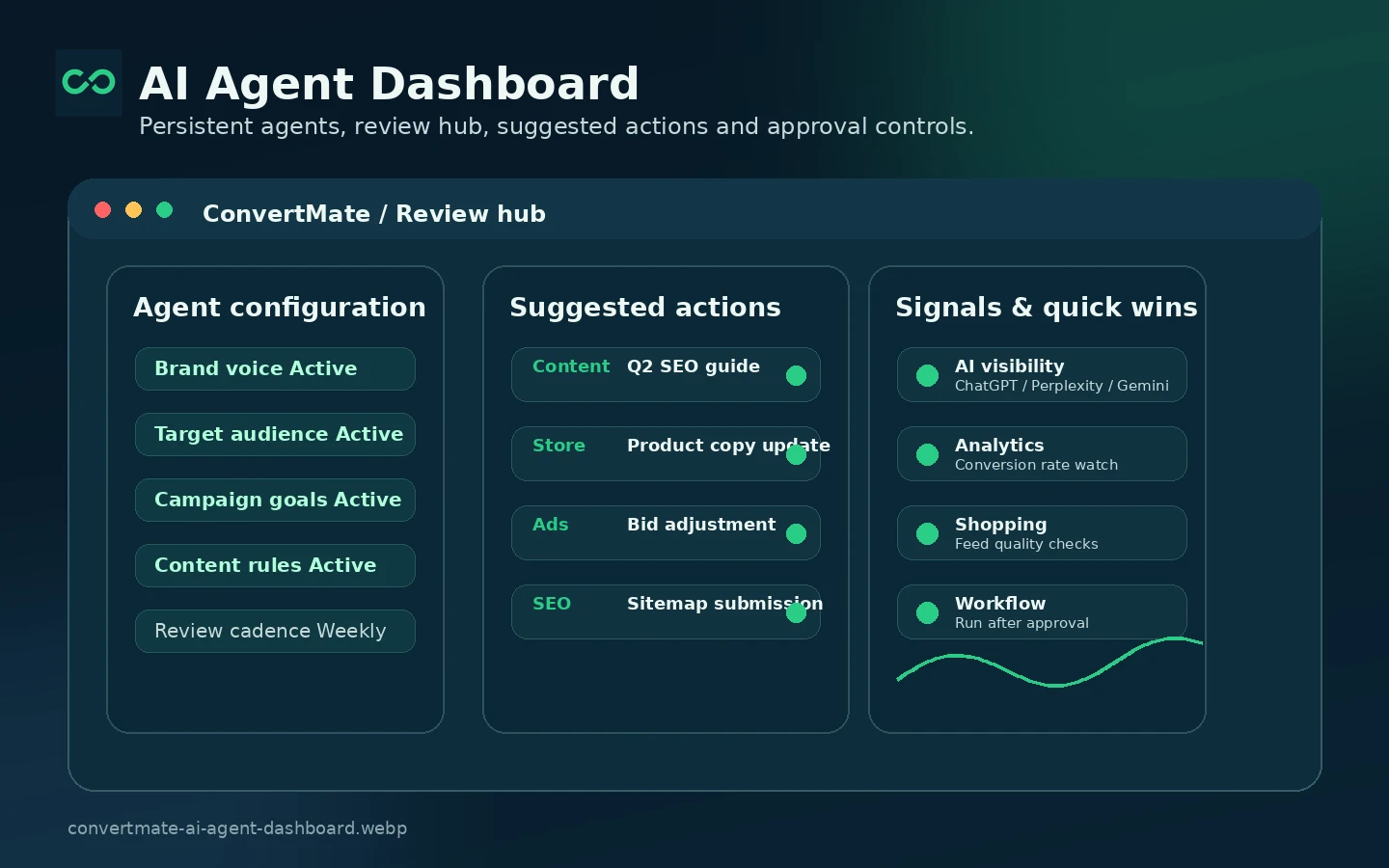
ConvertMate’s homepage talks about agents running continuously and a review hub where suggested changes can be approved. That is the right mental model. The value is not a single output. The value is a repeatable process where agents identify work, generate recommendations, and the buyer decides what should go live.
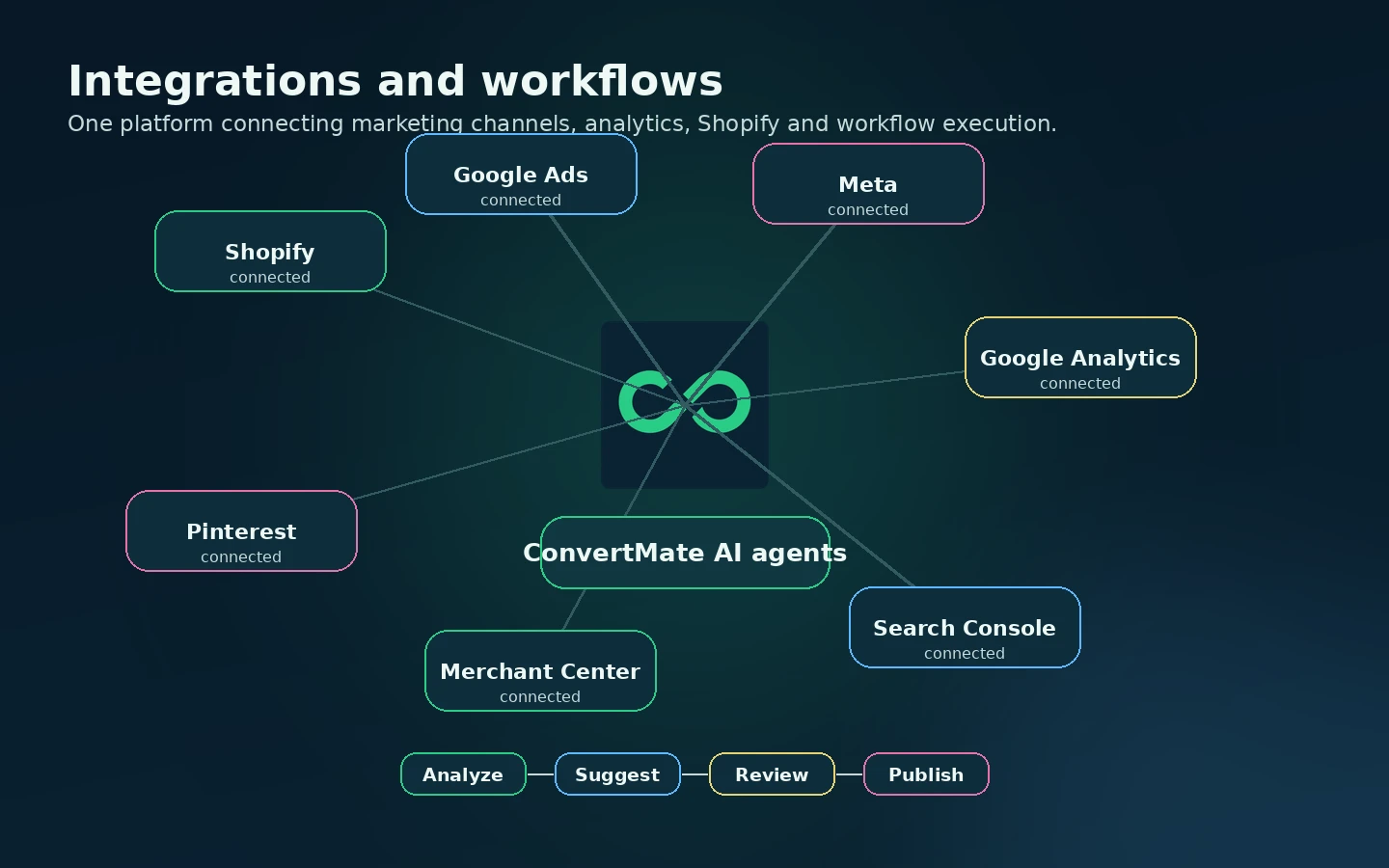
Workflow check: Before choosing a paid tier, use ConvertMate with one real e-commerce task and track whether the agent output is useful enough to repeat.
Real-world buyer scenarios
A Shopify merchant with 800 products is a believable ConvertMate buyer. Product descriptions are inconsistent, collection pages are thin, alt text is uneven, and Merchant Center issues keep appearing. In that case, ConvertMate can be tested as a catalog-improvement layer. The buyer should still review output quality and credit usage before moving into annual billing.
A small store with 20 products is a weaker fit. The owner may like the idea of AI agents, but the practical need may be one afternoon of copy cleanup and a basic SEO app. ConvertMate may still be interesting, but the free plan or trial should be enough to prove whether the platform is necessary.
An agency managing several e-commerce clients may care about reports, exports, workflow repeatability, support, and eventually API access. ConvertMate becomes more relevant here because repeated marketing tasks can create real operational savings. The risk is client-specific accuracy. AI suggestions need approval before they affect product claims, local compliance, or advertising language.
A growth team testing AI visibility has a different decision. The homepage talks about tracking brand presence across AI search surfaces and turning insights into actions. That is a newer category, so I would be careful about overbuying. The right test is not whether the dashboard looks modern. The right test is whether ConvertMate gives actions your team can confidently approve and measure.
Key features that actually matter
AI marketing agents
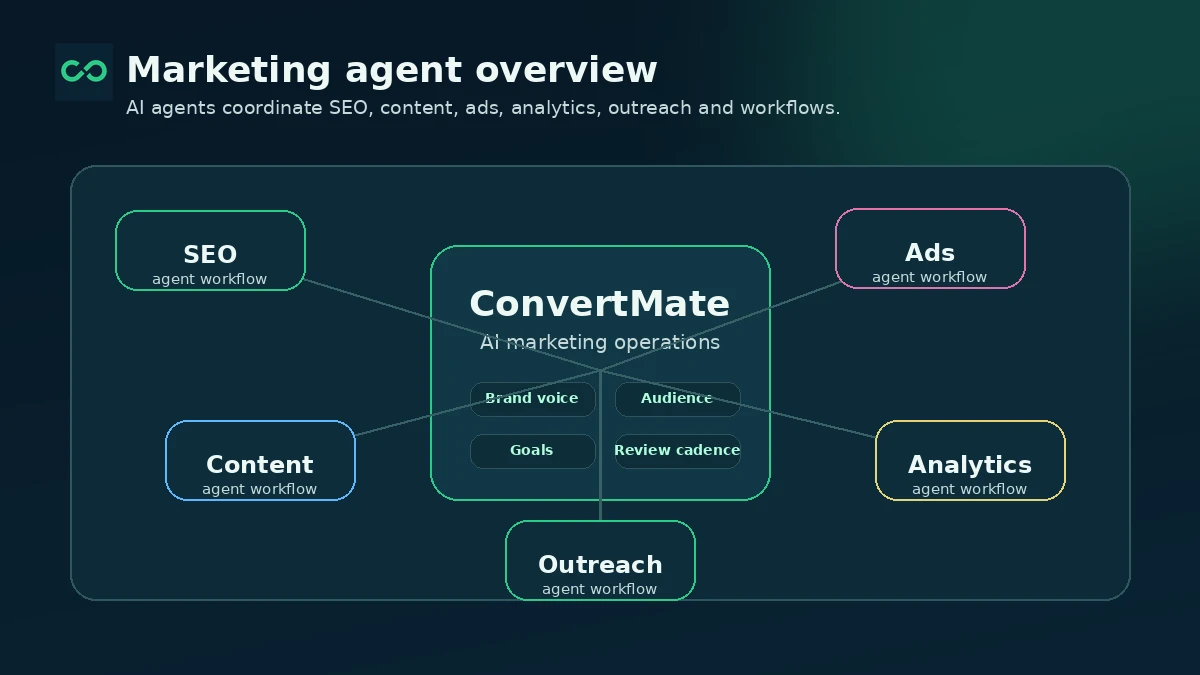
The core feature is the agent layer. ConvertMate presents agents as a way to handle recurring marketing tasks across content, SEO, shopping, social, outreach, ads, workflows, and analytics.
That matters when the work is repeated. It matters less when the buyer only needs a single output. The buyer note is simple: list the exact agents you expect to use before paying. If you cannot name them, you are not ready for a bigger plan.
Shopify and product content optimization
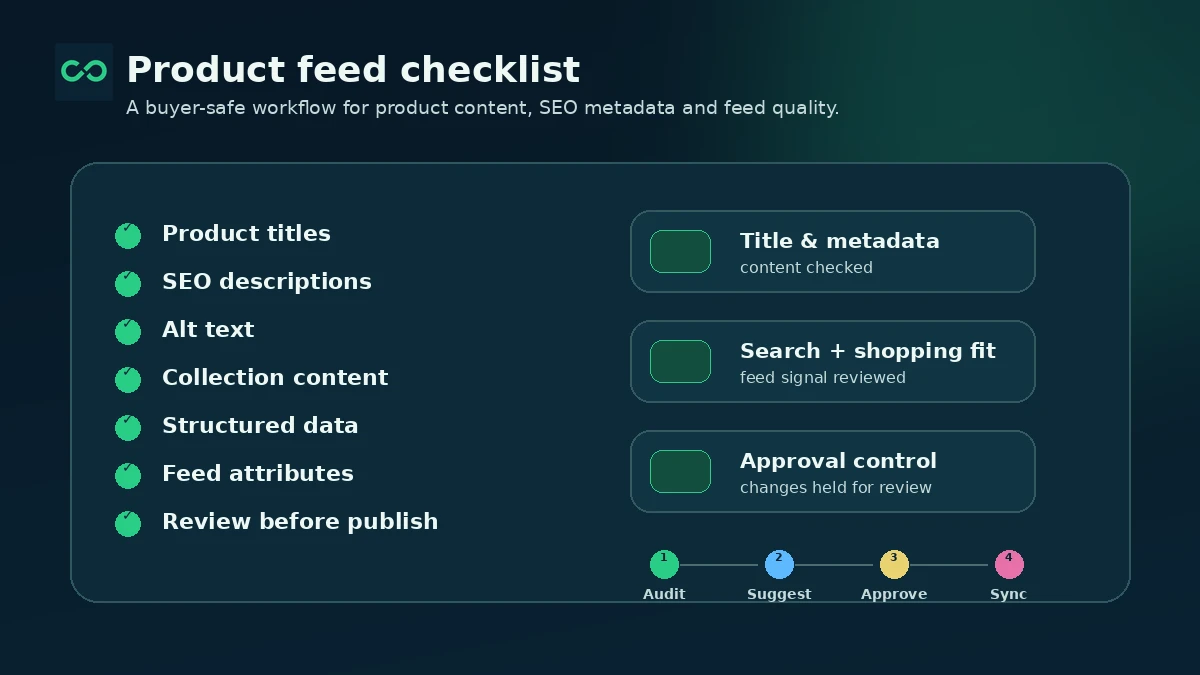
ConvertMate still has a strong Shopify-shaped use case. The app listing mentions product content, SEO issues, feed enrichment, keywords, A/B testing, descriptions, titles, and images.
This matters for larger catalogs where manual editing becomes slow. It may disappoint buyers who expect instant ranking gains. Product content helps only when the strategy, search intent, product accuracy, and review process are also solid.
Connected marketing data
ConvertMate is more convincing when it can work from connected data sources such as Shopify, Google Analytics, Search Console, Merchant Center, Meta, and Pinterest.
The buyer note here is about permissions and trust. Connecting marketing and store data is useful, but it also requires careful access control, privacy review, and internal approval. Do not connect everything just to test the dashboard.
Review and approval workflow
The public homepage references suggested changes, approval, and the ability to review before publishing. This is important because agent output should not automatically become live marketing copy.
For a serious buyer, this feature may matter more than the AI itself. Good automation still needs a human checkpoint. If your team lacks a review process, ConvertMate can create more decisions instead of fewer.
Higher-tier team and API features
The Shopify listing places SSO, advanced security, dedicated support, and API access at the Business tier. That makes Business more of an operations plan than a casual upgrade.
The buyer note: do not assume API access, SSO, or advanced support exists on every plan. Verify plan-level access before building a workflow around those requirements.
Pricing and plan value
ConvertMate’s pricing looks straightforward at first, but the real decision is credit usage.
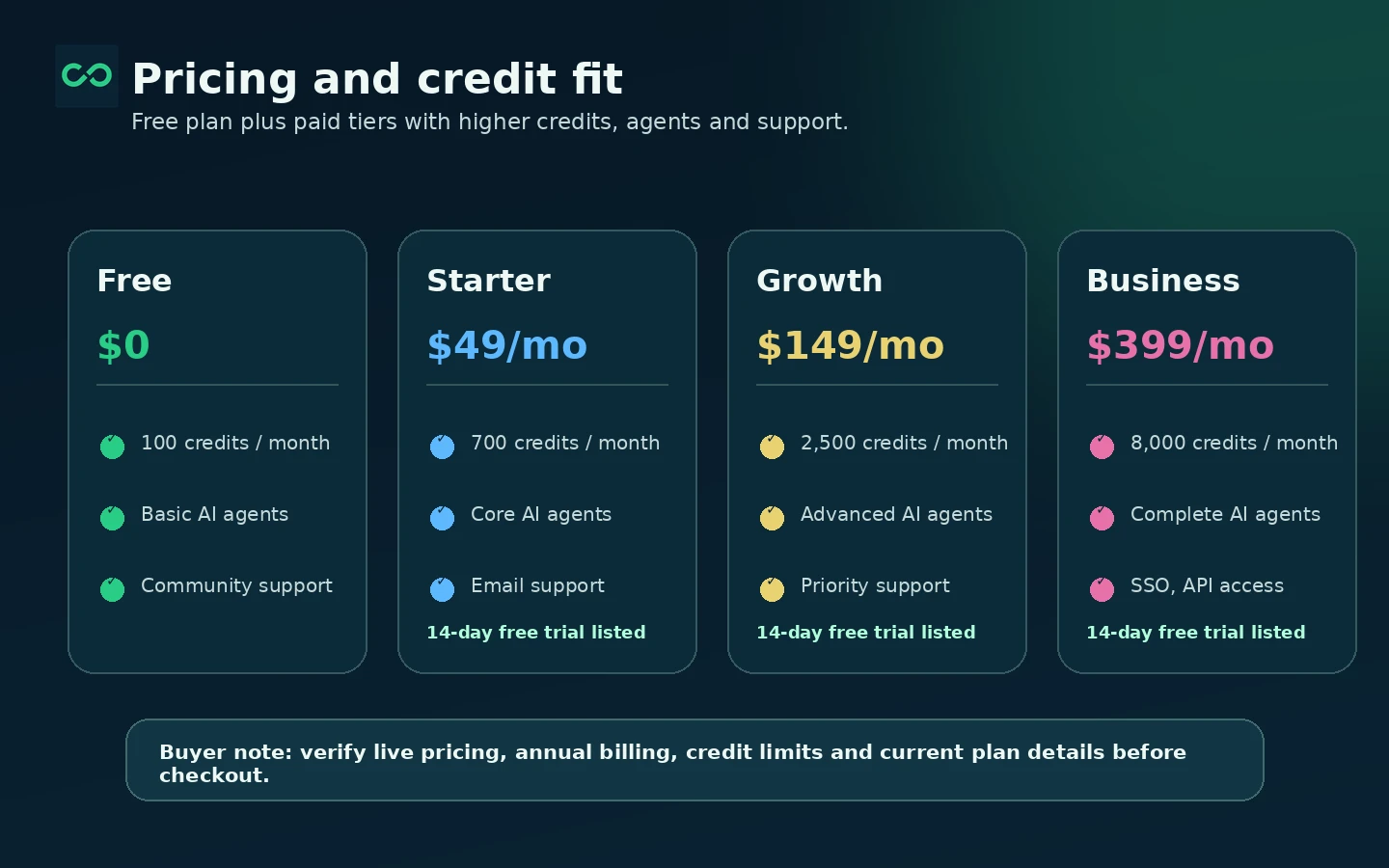
The Shopify App Store listing shows a Free plan with 100 credits per month and unlimited users per workspace. Starter is listed at $49 per month or $490 per year, with 700 credits, four core AI agents, email support, and CSV exports. Growth is listed at $149 per month or $1,490 per year, with 2,500 credits, ten advanced AI agents, and priority support. Business is listed at $399 per month or $3,990 per year, with 8,000 credits, complete AI agents, dedicated support, SSO, advanced security, and API access.
Paid tiers on the listing show a 14-day free trial.
Those numbers are useful, but they should not be treated as the whole buying decision. ConvertMate has shifted positioning over time, and credit-based tools depend heavily on real usage. A small store that runs a few product content tasks may stay near the bottom. A team running agents across SEO, feeds, outreach, analytics, and content could consume credits more quickly.
The cheapest plan is not automatically the best deal. Starter makes sense if your first workflows fit inside the credit and agent limits. Growth makes sense when your team needs more advanced agent coverage and faster support. Business should be justified by security, SSO, API access, dedicated support, and much higher monthly credit use.
Annual billing can reduce the monthly equivalent, but I would not start there unless you have already proven the workflow. A discount is useful only after the tool has earned a place in your operations.
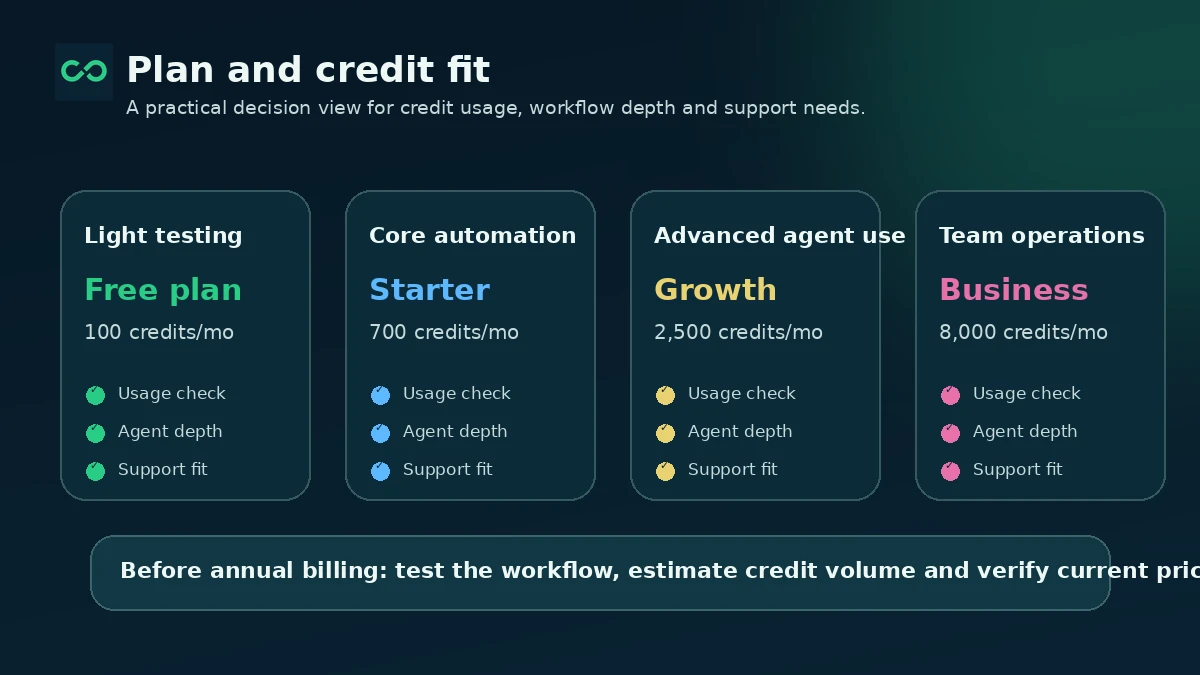
Pricing check: If ConvertMate fits your workflow, verify the live plan table, credit allowances, and annual billing terms before checkout.
Free plan, trial, coupon, and checkout notes
The safer path is to start with the free plan or a trial, not with the annual discount.
The free plan gives buyers a low-risk way to understand the interface, agent concept, and basic credit model. It may not be enough to prove every serious workflow, but it is enough to see whether ConvertMate feels relevant to your store.
The 14-day paid trial is more useful if you treat it like a test plan. Pick one workflow, connect the required data sources, run the agent, review the output, measure credit consumption, and decide whether the next tier makes sense. Do not use the trial just to browse features.
The coupon path should be secondary. A current offer can improve the purchase, but it should not be the reason you choose ConvertMate. The bigger financial decision is whether the plan’s credits, agents, support, exports, and annual terms match your actual monthly work.
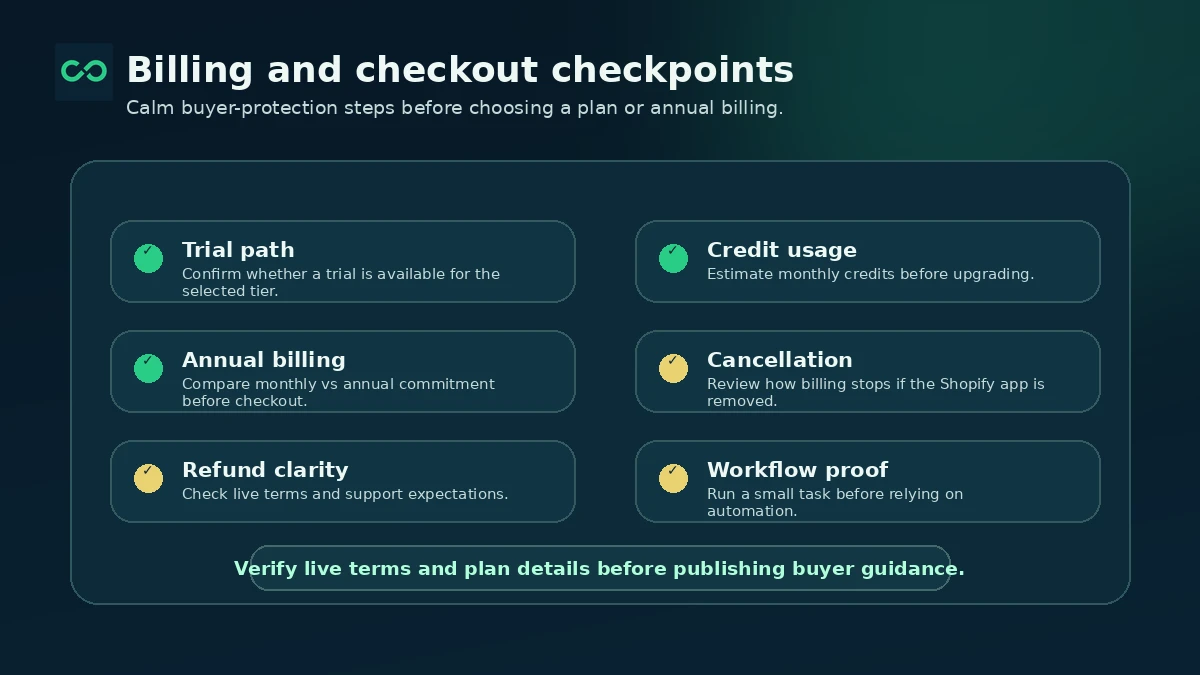
Before checkout, I would confirm four things: the current price, the included credits, the exact trial or cancellation behavior, and the refund handling for subscriptions, credit packages, and annual plans.
Offer caution: Check active offers only after the workflow and plan level are clear. A discount cannot fix a bad credit fit.
What I would check before buying ConvertMate
If I were buying ConvertMate for a real e-commerce workflow, I would check these points before paying:
- Which exact workflow will be tested first: product content, SEO, feed enrichment, AI visibility, ads, analytics, outreach, or something else.
- How many credits that workflow consumes across a realistic sample of products, campaigns, or pages.
- Whether the free plan or 14-day trial is enough to test the chosen workflow properly.
- Whether the needed agents are included in Starter, Growth, or Business.
- Whether CSV exports, SSO, advanced security, API access, or dedicated support are actually required.
- What the current refund and cancellation rules say about subscriptions, annual billing, credit packages, and unused credits.
- Whether recent Shopify App Store feedback raises concerns that matter for your specific use case.
The easy mistake is buying the platform because the category sounds exciting. The better way to judge it is to make ConvertMate prove one workflow first.
A simple test before paying
Before committing to a paid ConvertMate plan, I would run a small test like this:
- Choose one product category or collection that genuinely needs improvement.
- Connect only the platforms required for that test.
- Run one agent workflow around product content, SEO, feed enrichment, or analytics.
- Review every suggested change before publishing or exporting.
- Track how many credits were consumed.
- Compare the output against a manual workflow or a lighter Shopify app.
- Decide whether the time saved is worth the plan price.
This test is intentionally narrow. A broad platform can make the buyer want to test everything at once, but that makes the decision messy. One useful workflow is better evidence than ten half-tested features.
If the first workflow saves time, produces reviewable output, and stays within a reasonable credit range, ConvertMate becomes more compelling. If the first workflow creates more review work than it removes, a lower-cost alternative may be the better route.
Pros explained
ConvertMate’s first real strength is that it is not limited to simple product copy. For a store with recurring marketing work, agents across SEO, product content, feeds, analytics, and AI visibility can be more useful than a narrow text generator.
The second strength is that the pricing ladder gives buyers a test path. Free, trial, Starter, Growth, and Business create natural steps. That does not remove risk, but it gives careful buyers a way to avoid jumping straight into a larger commitment.
The third strength is channel relevance. Shopify, Google Search Console, Merchant Center, Analytics, Google Shopping, Meta, and Pinterest are not abstract integrations for an e-commerce team. They are where a lot of real marketing work happens.
The fourth strength is the approval mindset. ConvertMate talks about review and publish rather than pure autopilot. That is important. AI agents are more useful when humans stay in the loop, especially around product claims, pricing language, campaign changes, and SEO edits.
Finally, the higher-tier features create room for serious teams. API access, SSO, advanced security, dedicated support, and higher credit allowances are not necessary for every buyer, but they matter when ConvertMate becomes part of operations rather than a casual app.
Cons explained
The biggest drawback is credit uncertainty. Before a buyer runs real tasks, it is hard to know whether 700, 2,500, or 8,000 credits will feel generous or tight. That makes the free plan and trial important, but it also makes the buying decision less simple than a flat unlimited tool.
The second drawback is category confusion. ConvertMate has moved from a simpler Shopify SEO/product-content impression toward a broader AI marketing agent platform. That may be a positive evolution, but it means older reviews, old pricing memories, and narrow expectations may not reflect the current product.
The third drawback is billing caution. Terms and help articles need to be read carefully. Subscription charges, annual refunds, unused credits, purchased credit packages, and enterprise terms may not behave the same way. A buyer who expects a simple no-questions refund could be disappointed.
The fourth drawback is mixed public feedback. Some Shopify reviews are strongly positive, while others complain about pricing changes, support expectations, language/output limits, or value mismatch. I would not treat negative reviews as the whole story, but I also would not ignore them.
The fifth drawback is that automation still needs editorial and business judgment. ConvertMate can suggest actions, but it cannot know every brand promise, compliance constraint, margin issue, or customer nuance without human oversight.
Green flags and red flags
Green flags are clear when the buyer can name a repeated workflow, connect relevant platforms, and review the output before publishing. A store with many products, search visibility problems, Merchant Center cleanup, and ongoing content needs is a more natural fit.
Another green flag is measurable credit testing. If your first workflow consumes a predictable number of credits and saves meaningful time, the upgrade decision becomes grounded.
Support and plan fit are also good signals. If the support level, agents, exports, SSO, security, or API access in a tier match your actual needs, ConvertMate becomes easier to justify.
The red flags are just as important.
If you are buying because the platform sounds impressive but you cannot name the first workflow, slow down. If you are jumping to annual billing before testing credit usage, slow down. If recent Shopify complaints match your exact concern, slow down and ask support before paying.
And if your team is likely to publish AI-suggested product or marketing changes without review, ConvertMate may create risk instead of leverage.
ConvertMate vs alternatives
ConvertMate’s alternatives depend on the buyer job. A product-description buyer does not need the same comparison set as a technical Shopify SEO buyer or a marketing automation buyer.
Avada AI Product Description vs ConvertMate
Avada AI Product Description is a more direct fit when the buyer mainly wants AI-generated product copy. It is easier to understand because the job is narrower.
ConvertMate may still be stronger when the buyer needs agents, credits, product content, SEO, feed work, and marketing data in one workflow. But if the problem is only product descriptions, Avada may be the cleaner comparison.
See the Avada AI Product Description store guide if your buying need is mostly product copy.
ChatGPT AI Product Description vs ConvertMate
ChatGPT AI Product Description is another lighter route for merchants who want Shopify-friendly product copy without a broader marketing operations layer.
ConvertMate is the bigger choice. That can be useful for teams with repeatable workflows, but it can be overkill for a small store that wants simple copy generation. Compare this route if cost, simplicity, and low setup matter more than agents.
See the ChatGPT AI Product Description store guide for a narrower product-content option.
SearchPie SEO vs ConvertMate
SearchPie is a stronger comparison when the buyer wants Shopify SEO management rather than AI marketing agents. If metadata, speed, redirects, SEO checks, and ranking support are the main buying pressure, a dedicated Shopify SEO tool may feel more direct.
ConvertMate may still make sense when SEO is only one part of a broader workflow that includes product content, feeds, AI visibility, outreach, and analytics.
See the SearchPie SEO store guide if technical Shopify SEO is the core issue.
Tapita SEO Speed Optimizer vs ConvertMate
Tapita is more relevant when speed and technical Shopify optimization matter. That is not the same buyer job as ConvertMate. A store fighting performance, Core Web Vitals, or technical SEO issues may want a focused optimizer before an AI agent platform.
ConvertMate becomes more relevant when marketing execution, content, and connected data workflows matter more than speed alone.
See the Tapita SEO Speed Optimizer store guide if performance and technical SEO are the bigger problems.
Trust, refund, and buyer-risk notes
ConvertMate publishes terms, privacy information, help center billing articles, API documentation, a Shopify App Store listing, and public product updates. That is a positive sign. The buyer still needs to read the details.
The terms say refunds are considered case by case and unused credits do not carry over after cancellation. Help documentation also explains differences between subscription charges, annual refunds, credit packages, and special cases. The safest path is to verify the current policy before annual billing or credit-package purchases.
Data privacy matters too. ConvertMate can connect to Google services and marketing systems. Its privacy policy describes Google API data, how that data is used, AI service providers, AWS storage, encryption, retention, and deletion processes. That is useful information, but teams with strict privacy requirements should still review it internally before connecting sensitive accounts.
Public feedback is mixed enough to deserve attention. The Shopify listing shows positive buyers, but also visible complaints around pricing changes, support expectations, multilingual output, and value mismatch. I would treat that as a reason to test carefully, not as automatic disqualification.
The most important risk is overbuying. ConvertMate is more attractive when the buyer has real recurring work. It is less attractive when the buyer only likes the idea of AI agents. Do not buy the platform because the category is fashionable. Buy it only after one real workflow proves value.
Final verdict
I would consider ConvertMate if you run a Shopify or e-commerce operation with enough recurring marketing work to justify an AI agent platform. Product content, SEO cleanup, feed enrichment, AI visibility, analytics review, outreach, and connected campaign work can all create a real buying case when they happen repeatedly.
I would skip it if your need is narrow. A small store that only wants a few product descriptions, a speed fix, or basic metadata cleanup should compare lighter Shopify tools first.
I would be especially careful with annual billing. The plan prices and credit allowances may look rational, but ConvertMate’s value depends on actual usage. Run a free or trial workflow, measure credit consumption, review output quality, and check recent buyer feedback before committing.
The safest next step is not to ask whether ConvertMate is impressive. It is to ask whether one real workflow saves enough time, produces reviewable output, and fits your credit budget. If it does, ConvertMate deserves a closer look. If it does not, the smarter move is a narrower and simpler alternative.
