Mureka Pricing, Plans & Creator Workflow Fit
Mureka is an AI music and song-generation platform for turning prompts, lyrics, vocals, moods, and reference-style ideas into generated songs, background tracks, speech, and creative audio assets. It belongs closer to AI creator and music workflow tools than general AI productivity software, so buyers should evaluate it by output quality, usage rights, export needs, plan limits, and whether they need the consumer app or the separate API platform.
Fit → price → checkout
Use these routes after the official-site check: coupon first, review for fit, compare if unsure.
Mureka pricing snapshot
Fast commercial checks before pricing, coupons, or a deeper review.
Mureka product tour for AI music workflow fit
Watch this walkthrough as a practical workflow check, not just as a music demo. The useful question is whether Mureka makes it easy to move from a prompt or lyric idea to a track you can actually use. Pay attention to prompt setup, output speed, vocal quality, editing options, and whether the process fits your publishing needs before comparing paid plan limits.
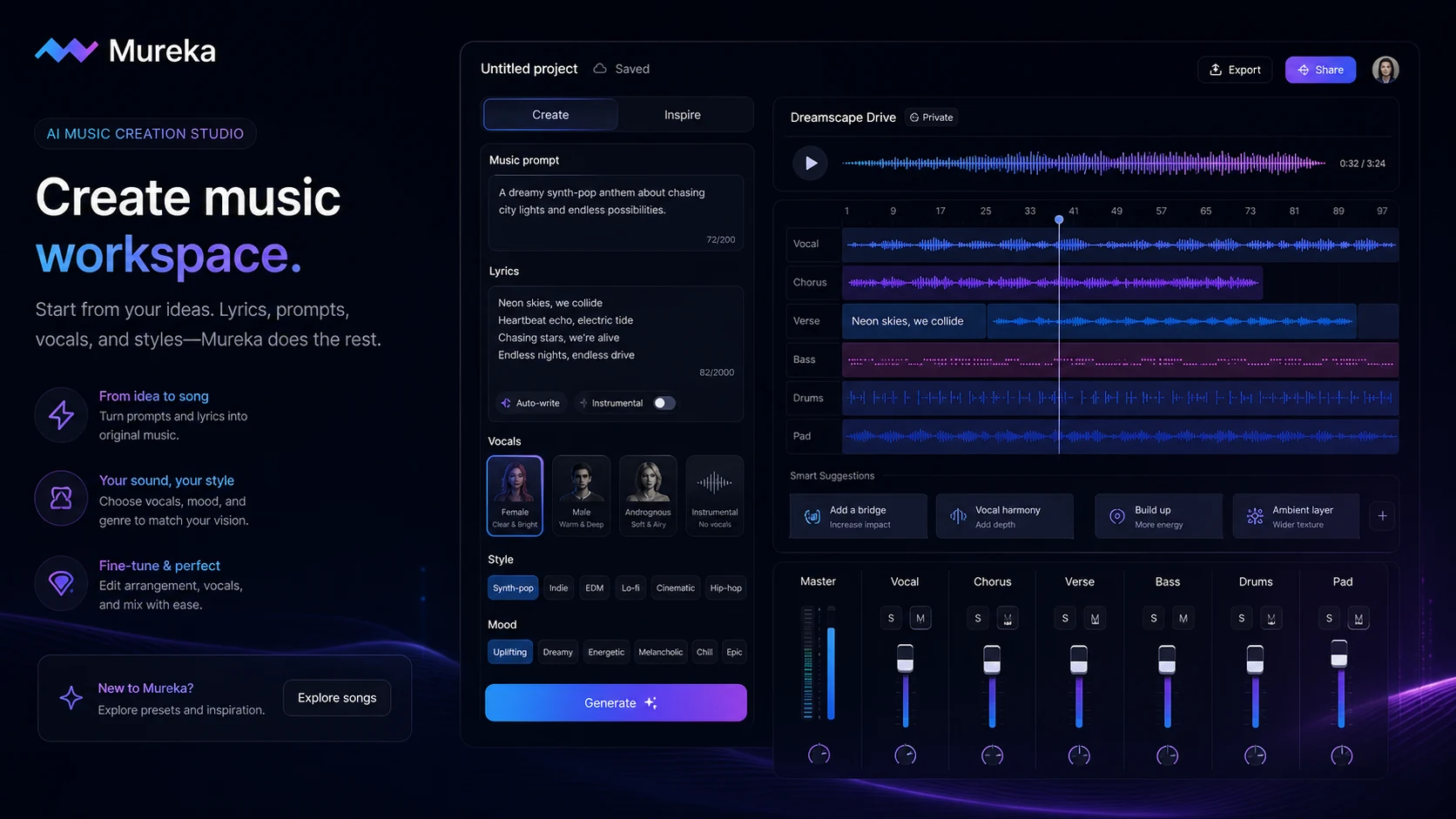
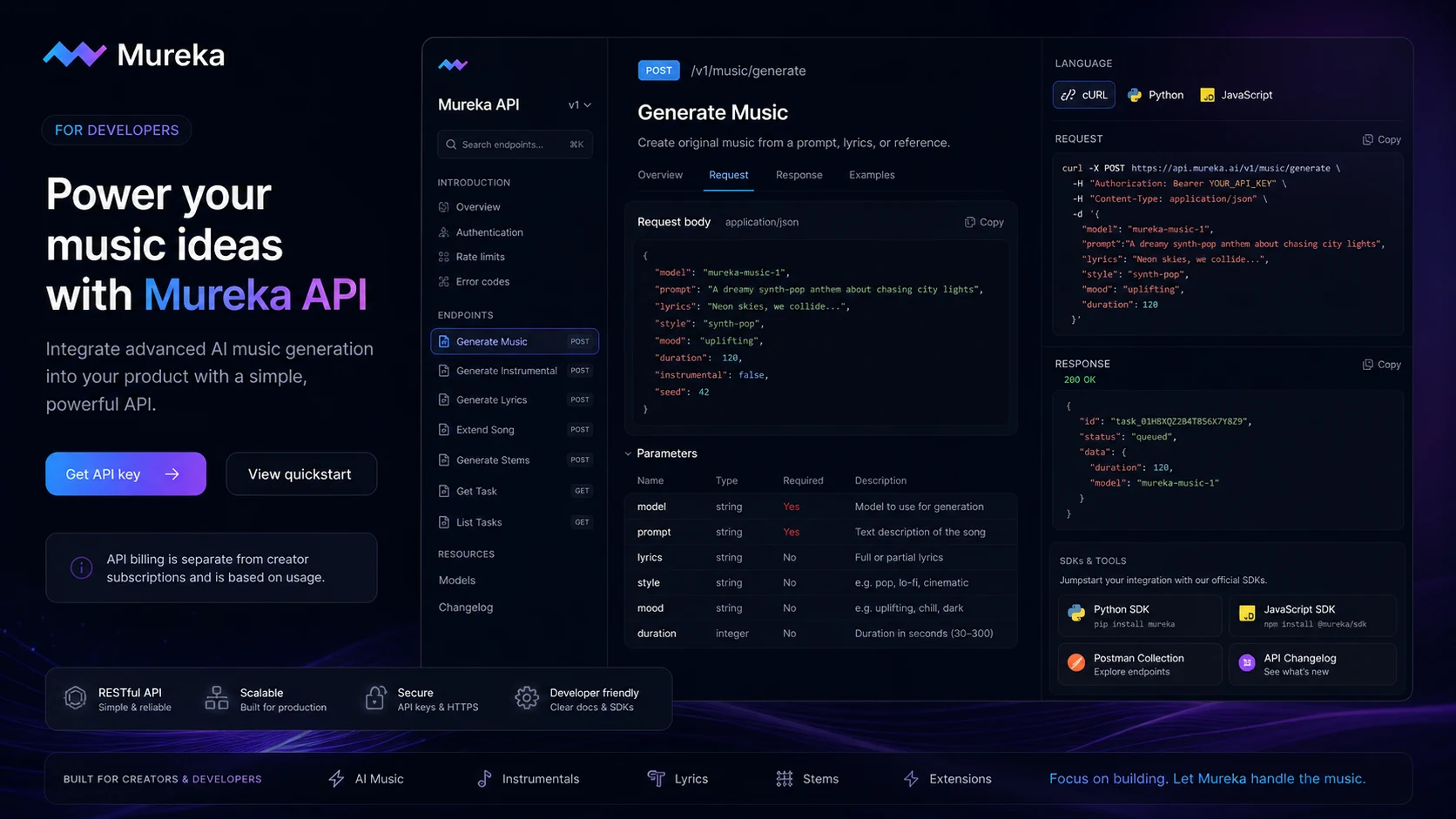
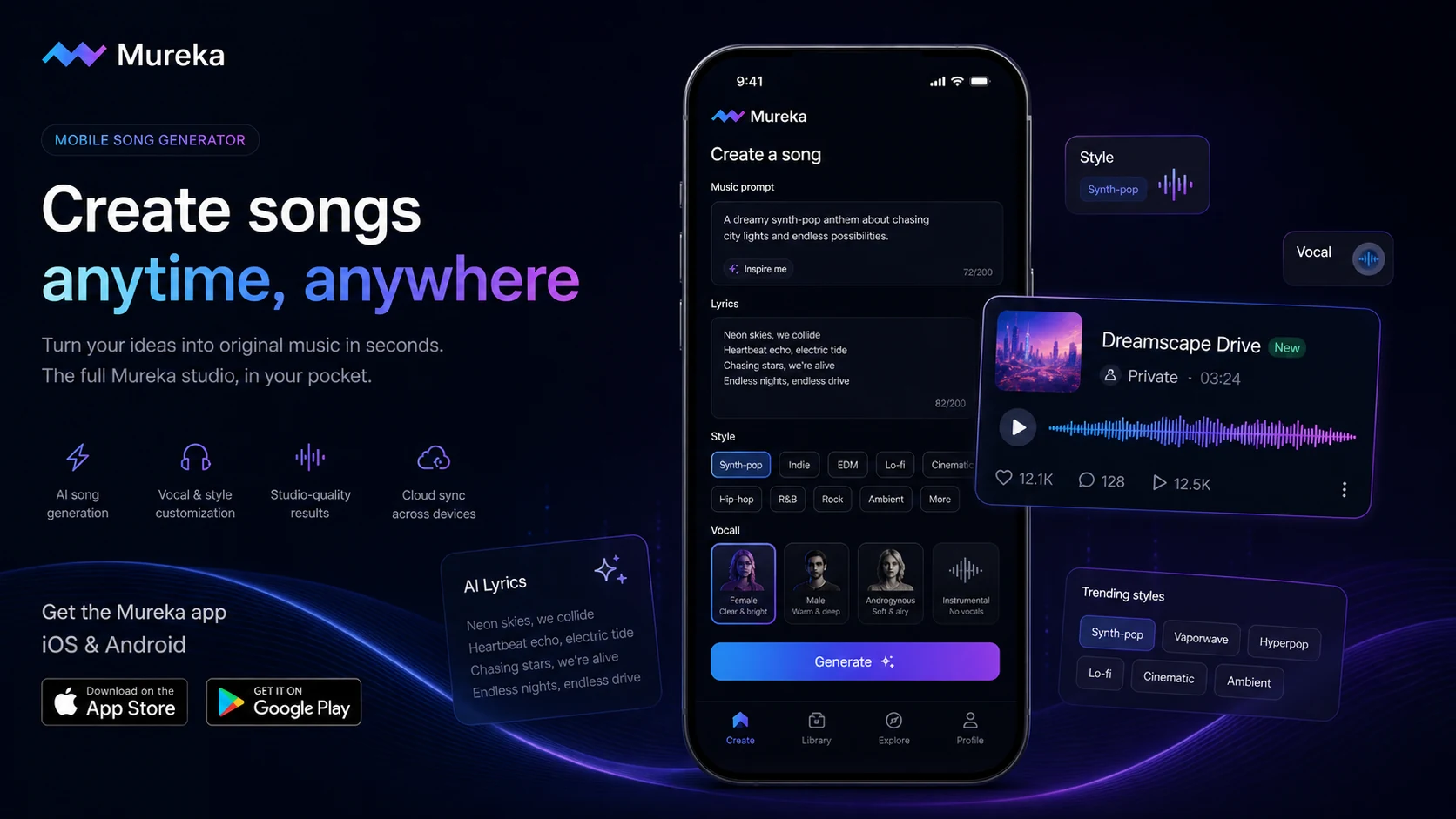
Mureka should be evaluated as an AI music creation platform, not as a general productivity assistant. The strongest buying case appears when you need original music, vocal ideas, short songs, demos, background tracks, or developer access to music generation, and you are willing to check the licensing and plan limits before publishing.
What Mureka actually does
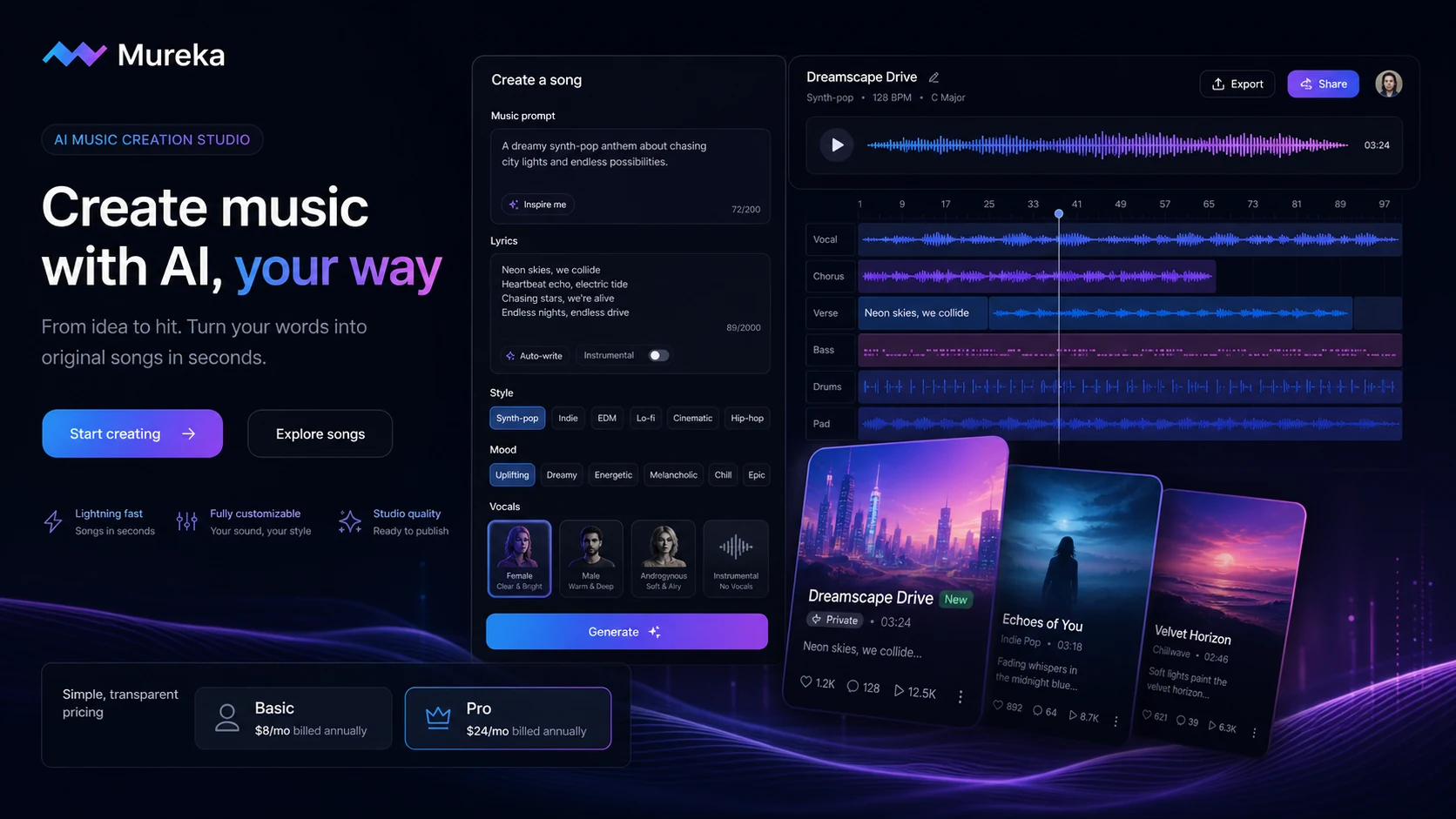
Mureka turns written prompts, lyrics, mood descriptions, style choices, and audio references into AI-generated music. The official web page emphasizes text-to-music creation, lyrics support, vocals, instrumental options, download formats, and commercial-rights positioning. The mobile listings also point to vocal tone choice, style matching, reference-track generation, and melody motif input. For buyers, the practical question is not whether Mureka can make sound. It is whether the generated track fits the content, brand, publishing platform, and rights situation you actually have.
- Use it for first drafts, background tracks, quick demos, vocal concepts, and creator soundtrack ideas.
- Evaluate it by prompt control, vocal quality, export needs, and license clarity before comparing paid plans.
- Treat AI output as a creative starting point when the project needs emotional nuance or final production polish.
Pricing and plan fit
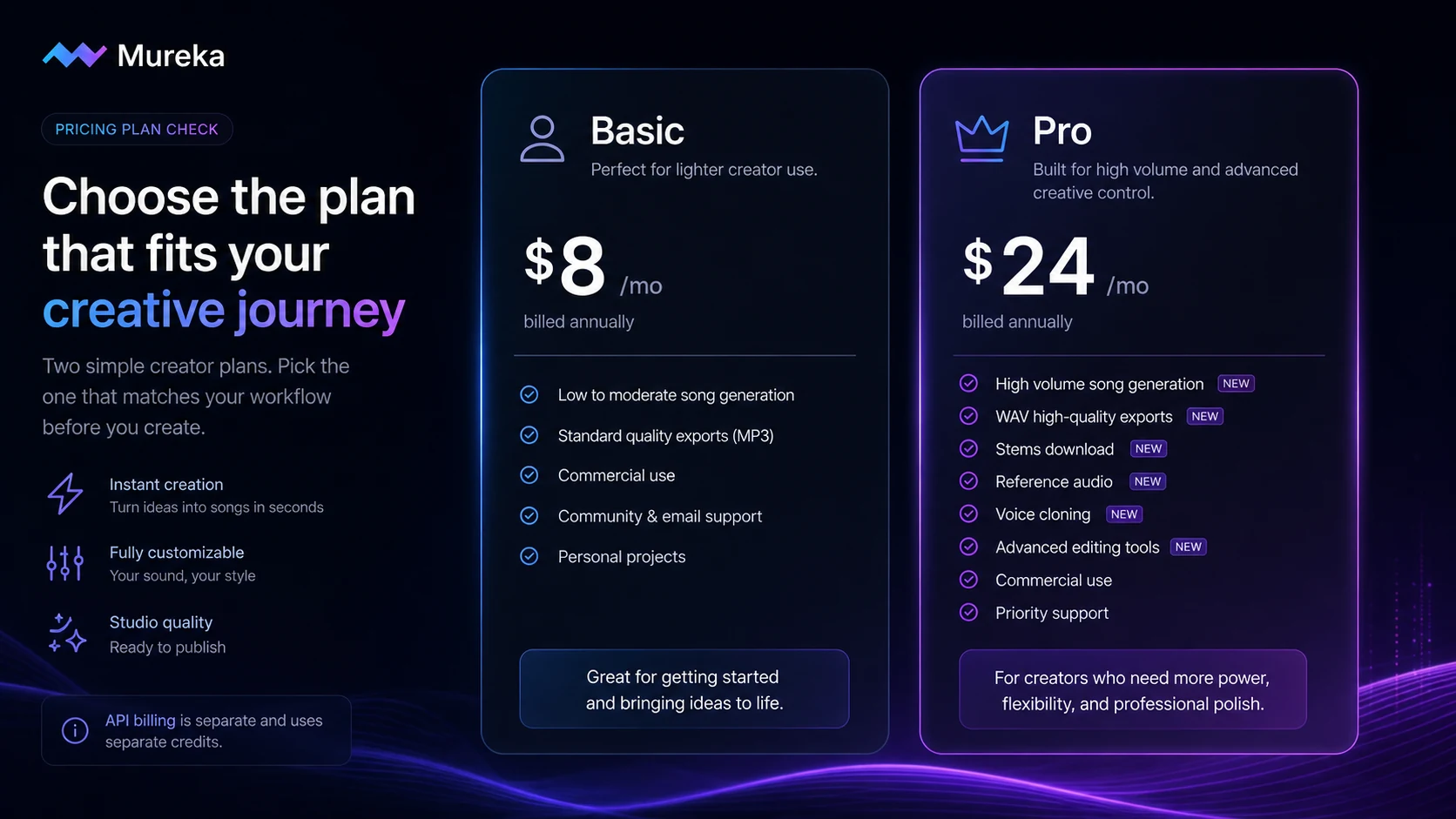
The public homepage pricing section describes Basic Music & Speech at $8 per month when billed annually at $96, and Pro at $24 per month when billed annually at $288. Basic is better treated as a low-cost creator plan for testing recurring output needs, while Pro is the more serious path when you need higher song volume, WAV or stem exports, advanced editing, reference audio, voice cloning, or stronger commercial production features. Buyers should still verify live checkout because AI music plans can change quickly.
- Start with the free entry point if you only need to test output style and prompt behavior.
- Use Basic when you mainly need lower-cost music and speech generation with commercial-use positioning.
- Compare Pro if stems, WAV, reference audio, voice cloning, or higher monthly limits decide the buying case.
Video check for output quality
This second video is useful because it focuses less on menu navigation and more on what a Mureka generation can sound like. Watch for vocal realism, arrangement consistency, genre fit, and whether the track feels usable without heavy editing. That helps clarify whether your next step should be a free test, a Basic plan comparison, or a deeper Pro review for stems and advanced editing.
Rights, downloads, and publishing risk
Mureka's marketing and app listings emphasize ownership, copyrights, commercial rights, and royalty-free use. That is helpful for creators, but it should still be checked against the current plan and the platform where the music will be published. Social platforms, streaming services, client work, and paid ads can create different risk profiles. If your use case involves commercial distribution, do not rely only on a homepage claim. Read the current checkout terms and keep the license evidence tied to your account.
- Check whether commercial use is included in the exact plan you select.
- Verify export formats and license access before promising deliverables to a client.
- Keep screenshots or receipts of plan terms if you plan to monetize generated music.
API platform and developer fit
Mureka has a separate API platform for developers and enterprises. The documentation describes standard music generation, instrumental generation, lyrics generation, song extension, file uploads, text to speech, and account billing queries. This is a different buying path from a creator subscription because the API FAQ says website membership and API credits are not linked. Developers should calculate expected calls, credit validity, refund risk, and endpoint needs before choosing it for an app or product.
- Use the API path only if music generation needs to live inside another product or workflow.
- Check whether song, instrumental, lyrics, remix, stem, recognition, or region editing endpoints match the build.
- Confirm billing and refund rules before purchasing API credits.
Safest next step before checkout
The safest Mureka path is to run a small real test before buying a year of access. Create two or three tracks that match your actual use case, compare whether the output needs Pro-only exports or advanced editing, and read the license language before commercial publication. If the product passes that test, the next click should be pricing or the coupon route. If the output quality or rights language still feels unclear, compare nearby AI music tools before paying.
- Test one track for social video, one for background use, and one for lyric or vocal quality.
- Check whether the result requires stems, WAV, reference audio, or voice cloning before choosing a plan.
- Use the review path if you still need fit judgment, then use the deal path only after the tool looks right.
Best savings path from this store page
This is the clearest savings route to check once the product already looks like a fit.
Mureka has been reported with limited free credits for testing song generation, which is the safest way to judge output quality before choosing Basic or Pro.
Monthly starter path
20% off annual deal path
Use comparison routes when the category fit is still open
Use these comparison routes when the product still looks plausible, but the category fit is not fully settled.
Mubert is often a cleaner comparison when the buyer mainly needs background music or generative soundtrack loops rather than lyric-to-song drafts.
Freebeat is worth comparing when the workflow is creator-video oriented and the buyer cares more about short-form movement or content energy than full song control.
Thematic is a better next tab when the buyer wants creator-safe music discovery and licensing rather than generating tracks from prompts.
Unchained Music fits a different buyer path around distribution and music business tools, which matters if the real need starts after the track is made.
Verification points worth checking before you click out
Where this store usually fits best in the workflow
Mureka makes sense for creators who need fresh background music or short songs for YouTube, TikTok, Reels, ads, or podcast clips and want to avoid searching stock libraries for every project.
Songwriters can use Mureka for melody, lyric, vocal, and genre experiments before deciding what deserves manual editing, arrangement, or studio work.
Marketers can test brand mood, tempo, and sonic direction quickly, but should confirm commercial rights and keep license evidence before using tracks in paid campaigns.
Developers can evaluate the Mureka API when they need music generation, instrumental creation, lyrics, song extension, remix, or stem workflows inside a product.
Practical checkpoints before and after signup
- Write three prompts that match real projects, not generic demo ideas.
- Decide whether you need vocals, lyrics, instrumental tracks, stems, or background music before comparing plans.
- Check whether your use case belongs in the web app, mobile app, or API platform.
- Compare Basic and Pro by output volume, export formats, reference audio, advanced editing, and voice features.
- Confirm whether annual billing is worth it for your expected monthly content workload.
- Review refund and license language before paying, especially for commercial publishing or API usage.
- Keep records of the plan and license language attached to generated tracks.
- Check the rules of the platform where the music will be uploaded or monetized.
- Revisit the plan only after the generated tracks are repeatedly usable, not just impressive in one demo.
Fast-read signals for workflow fit and buying friction
Questions readers usually ask before choosing this store
What is Mureka best for?
Mureka is best for creators, songwriters, marketers, and developers who need fast AI-generated music, vocals, lyrics, demos, or background tracks. It is strongest when you already know the type of music you need and can judge whether the output fits your publishing or production workflow.
Does Mureka have a free plan or trial path?
Mureka has a free entry path through the web and mobile app routes, and the App Store listing shows the app as free with in-app purchases. Treat the free path as a quality test, then verify Basic, Pro, and any checkout terms before paying.
How much does Mureka cost?
The public homepage pricing section describes Basic Music & Speech at $8 per month when billed annually at $96, and Pro at $24 per month when billed annually at $288. Buyers should verify live checkout because plan limits, billing, and API credits can differ by route.
Is Mureka safe for commercial music use?
Mureka positions its generated music around commercial rights, royalty-free use, and ownership language, but buyers should still confirm the current license for the exact plan and publishing platform. This is especially important for client work, paid ads, streaming platforms, or API-generated music.
Does Mureka offer API access?
Yes. Mureka has a public API platform with documentation for music, instrumental, lyrics, song extension, region editing, remix, stem, recognition, and related audio workflows. The API platform uses separate billing and credits, so developers should check usage cost and refund rules before buying credits.
Choose the next route that matches what you still need to decide
The strongest next click depends on whether you still need product judgment, a savings route, or a broader category comparison.