
Mubert Pricing, Plans & Creator Fit
Mubert is best understood as an AI music and soundtrack platform for creators, marketers, developers, and brands that need fast background music rather than a traditional song-production studio. Its strongest store-page angle is not simply "AI music", but whether the buyer needs royalty-free soundtracks, safe social publishing, API music generation, or a paid license for commercial work.
Fit → price → checkout
Use these routes after the official-site check: coupon first, review for fit, compare if unsure.
Mubert pricing snapshot
Fast commercial checks before pricing, coupons, or a deeper review.
Limited non-commercial testing with track and download limits.
Creator-oriented plan with 500 tracks per month and unlimited downloads on public use-case pricing pages.
Commercial plan path for broader paid media and branded use cases.
Higher-capacity business path with stronger support and broader usage fit.
Verify the final annual checkout price before committing.
Mubert product tour
The tour should help buyers separate three different decisions: how Mubert generates a soundtrack, which license tier matches the publishing use case, and whether the buyer is evaluating creator pricing or API pricing.
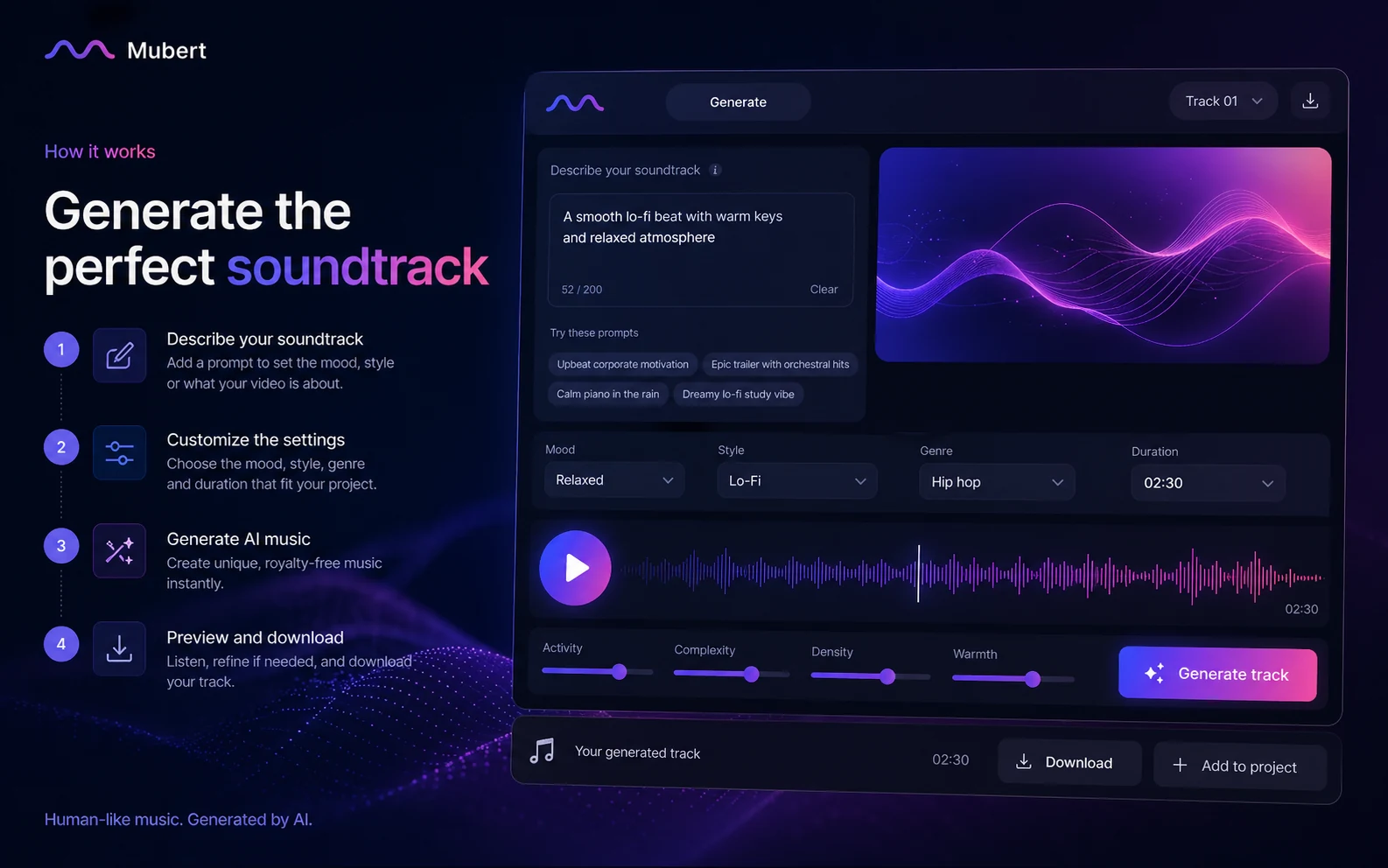
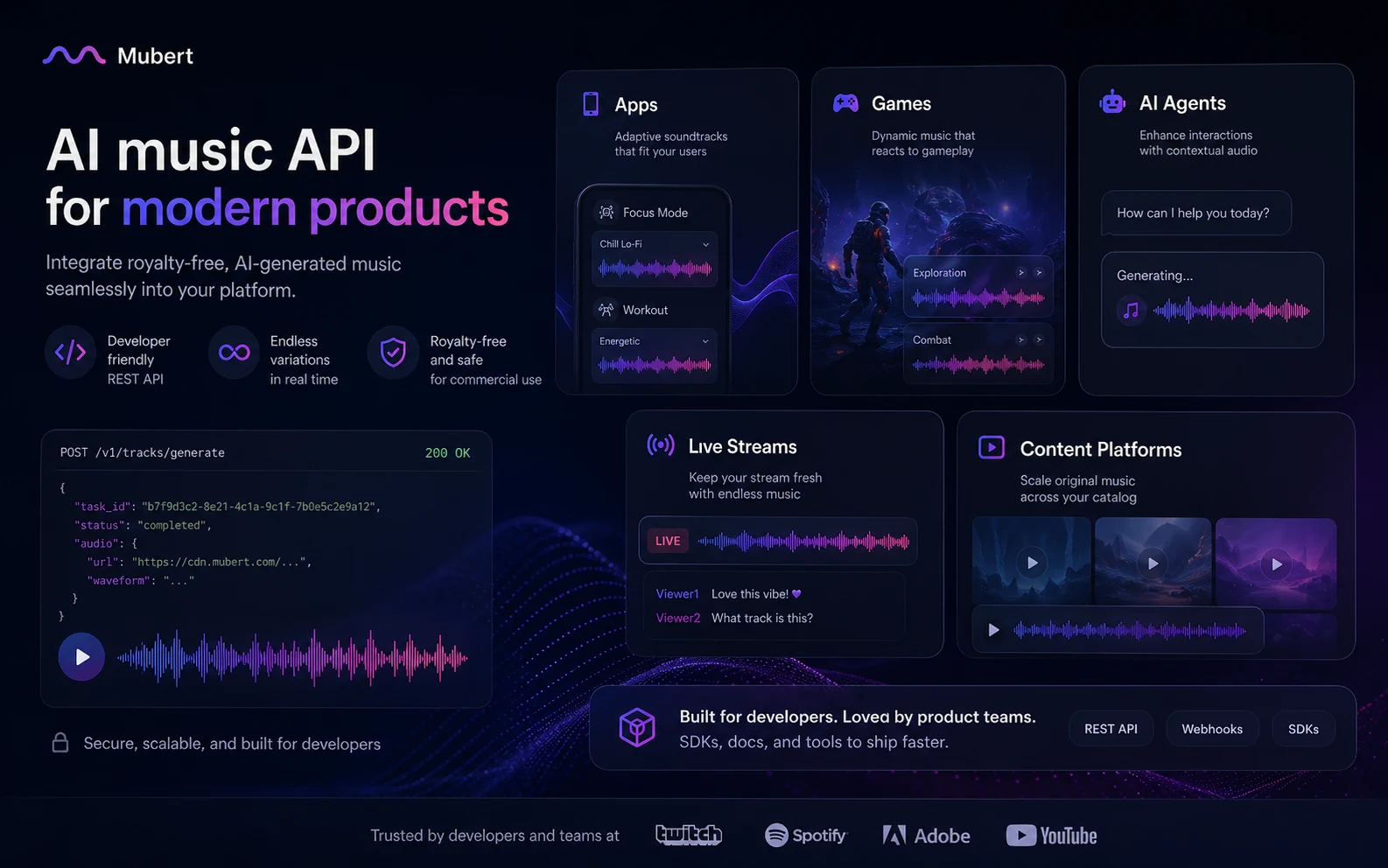
Mubert is a useful store page only if it helps the buyer avoid one common mistake: treating AI music as a simple feature checklist. The real decision is whether the buyer needs a quick creator soundtrack, a paid license for commercial work, or an API path for a product. Pricing, license rights, and publishing context should lead the decision.
What Mubert actually does
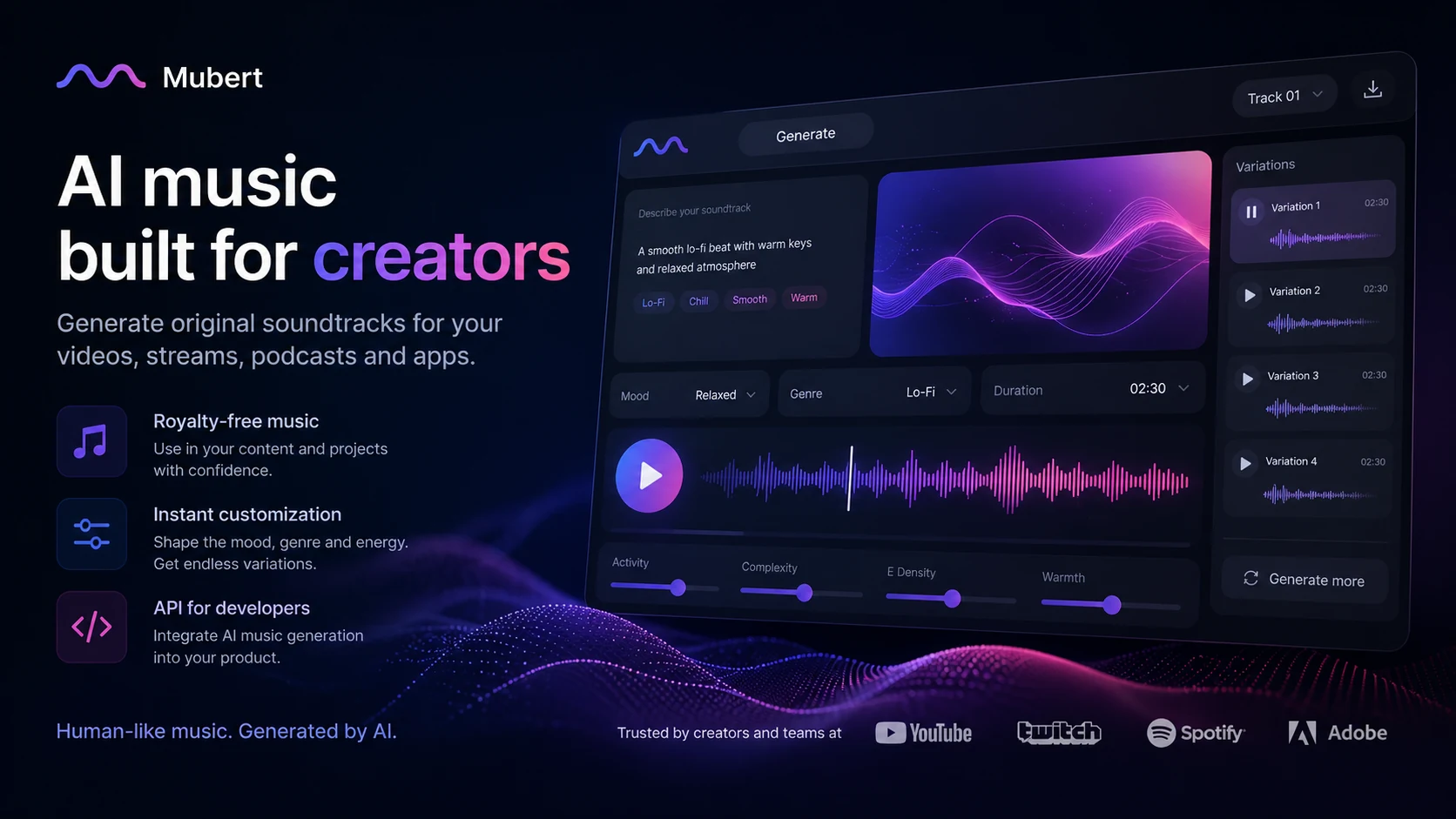
Mubert generates royalty-free AI music for creator and business workflows. The strongest everyday use is background audio: YouTube videos, shorts, podcasts, explainers, streams, app experiences, and marketing drafts where the buyer needs a mood-matched soundtrack faster than a traditional music search.
It is not best framed as a full songwriting studio. Buyers looking for vocal songs, artist releases, or standalone music distribution should slow down and compare tools built around song creation rather than background soundtrack generation.
- Generate tracks from text, image, mood, genre, style, and duration signals.
- Use it for background soundtracks, loops, mixes, jingles, streams, and creator assets.
- Treat license fit as the real buying question, not just audio quality.
Pricing and plan fit
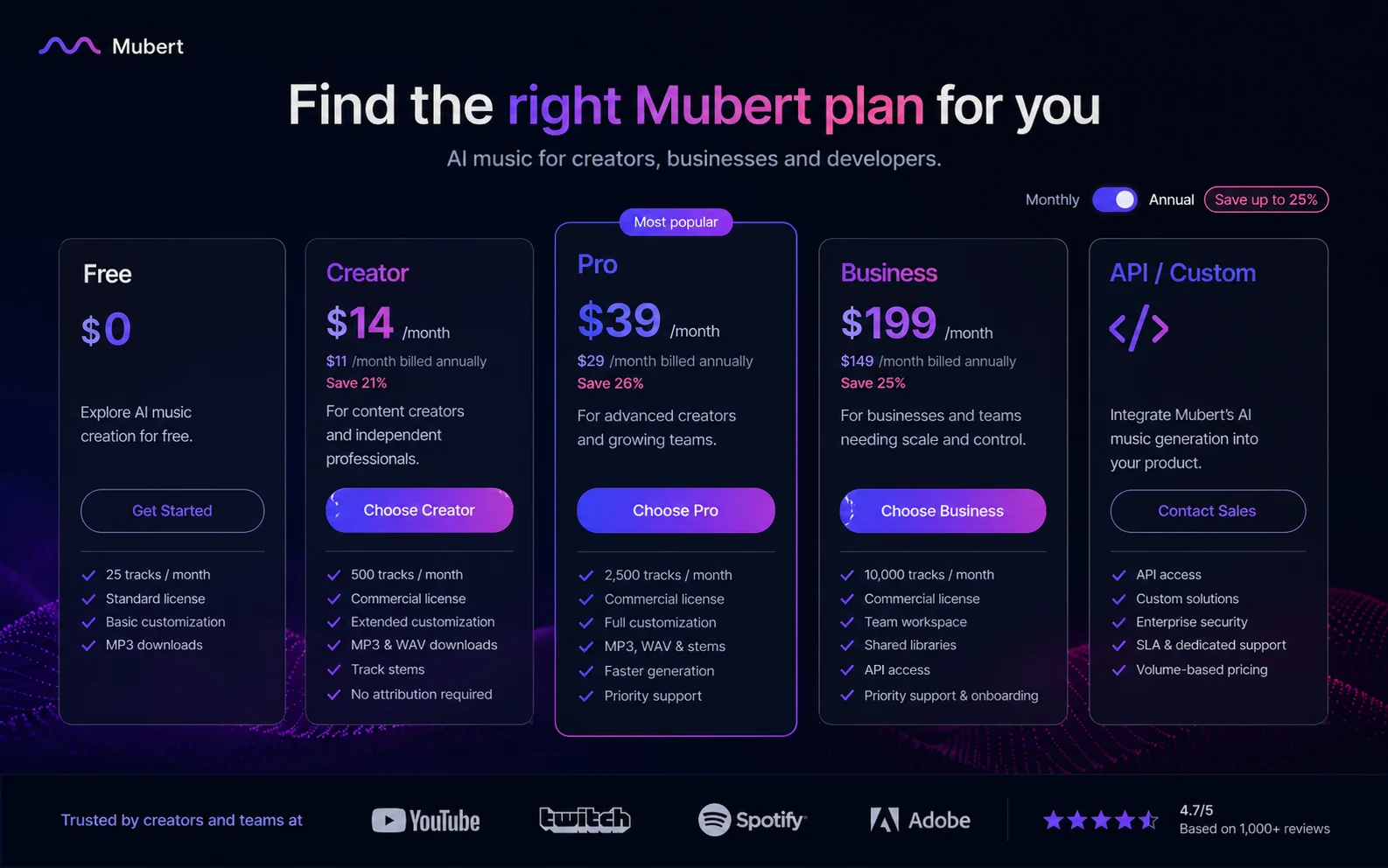
The pricing decision starts with Free versus paid creator use. Mubert's public use-case pricing shows a Free plan at $0, Creator at $14 per month, Pro at $39 per month, and Business at $199 per month. The pricing page also promotes annual billing with savings of up to 25 percent.
The safer reading is simple: Free is for testing, Creator is for many social creator workflows, Pro is where commercial and advertising needs become more relevant, and Business or API paths need separate review if the buyer is building a product or managing broader brand usage.
- Use Free to test prompt quality, output style, and workflow fit.
- Use Creator only after checking whether the publishing use is allowed.
- Use Pro or Business when ads, client work, or broader commercial use is involved.
- Use API pricing when Mubert is being embedded into a product or app workflow.
Licensing is the main buyer risk
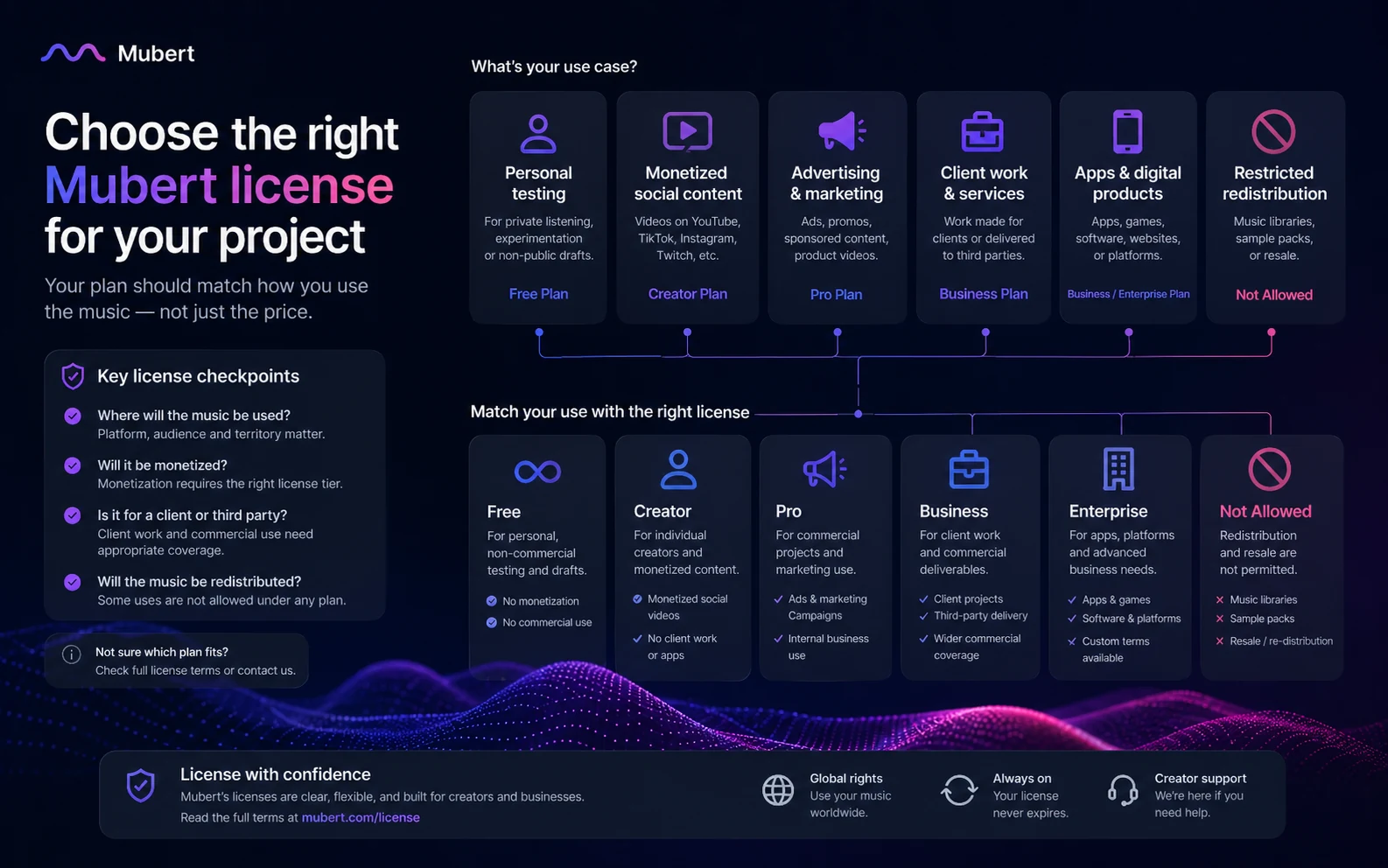
Mubert's own subscription terms separate free account use, Creator use, Pro commercial use, and Business customization. Creator licensing can cover monetized social publishing, but advertising, boosted posts, branded content, app use, TV, radio, and redistribution require more careful review.
This is the area where buyers should slow down. A track that sounds right can still be wrong for the project if the license does not fit the final use. Mubert also makes clear that tracks are not licensed for Content ID registration, standalone release on streaming platforms, or stock music site redistribution.
- Check whether the track will be used in monetized content, ads, client work, or an app.
- Avoid stock platform redistribution, Content ID claims, and standalone streaming releases.
- Keep the license certificate and plan details connected to each download.
Watch a separate Mubert workflow walkthrough
A separate YouTube walkthrough is useful for buyers who have not seen the Render flow in motion. It gives a more practical sense of how fast the generator feels, what the first prompt path looks like, and where a beginner may need to pause before downloading.
The useful viewing lens is not whether the interface looks impressive. Watch for friction: prompt control, output predictability, duration choices, export path, and whether the workflow feels repeatable enough to justify a paid plan.
API and business use need a separate check
Mubert also has a developer and product-side story. The API is positioned for apps, games, AI agents, live streams, content platforms, and adaptive music experiences. That makes Mubert more interesting for product teams than a normal creator-only soundtrack tool.
The buying path changes at that point. API buyers should check generation limits, streaming minutes, webhooks, sub-licensing, support, and custom terms. A creator subscription and an app integration are different decisions, even when the underlying music generation brand is the same.
- Check API pricing separately from creator pricing.
- Review generation limits, streaming minutes, and developer support.
- Confirm whether sub-licensing or distribution rights are needed.
Safest next step
The safest next step is to open Mubert pricing first, then read the review if workflow fit is still unclear, and only then use the deal or coupon path. That order protects the buyer from chasing a small saving on the wrong license.
For most creators, the first real question is whether Free is enough to test the sound and interface. For marketers, the question is whether Pro or Business rights are needed. For developers, the question is whether the API plan and support path make sense before building around Mubert.
- Start with official pricing and license terms.
- Use the review route when fit is still uncertain.
- Use the deal route only after the buyer knows which license tier fits.
Best savings path from this store page
This is the clearest savings route to check once the product already looks like a fit.
Mubert Render shows annual billing with a savings message on the official pricing page. This is the cleanest official savings path for creators who need recurring royalty-free AI music downloads rather than a one-off track.
Use this offer as a buyer-safe entry point. Pricing, plan limits, and promotional availability can change at checkout.
Third-party coupon tracking reports a checkout code for eligible paid plans
Official Mubert pages invite users to create a track for free
Use comparison routes when the category fit is still open
Use these comparison routes when the product still looks plausible, but the category fit is not fully settled.
Freebeat is a closer comparison when the buyer wants AI music with a creator-first angle, while Mubert is stronger when licensing, background soundtracks, and API paths matter.
Thematic is worth checking when the buyer wants creator-safe music licensing and a more marketplace-style discovery path instead of AI-generated soundtrack control.
LALAL.AI is not a direct soundtrack generator, but it is relevant when the buyer's real audio problem is stem separation, cleanup, or remix preparation.
ElevenLabs belongs in the next tab when the project needs voice, narration, or spoken audio rather than background music generation.
Verification points worth checking before you click out
Where this store usually fits best in the workflow
Mubert fits creators who need quick background tracks for videos, shorts, podcasts, or social content and want to test multiple moods without digging through a stock library.
Marketers can use Mubert to prototype campaign soundtracks, but they should verify Pro or Business rights before using tracks in ads, boosted posts, branded content, or client work.
Mubert can support continuous or mood-based music needs for creators and streamers, but licensing and platform rules should be checked before relying on it for public monetized use.
Product teams can evaluate Mubert API for apps, agents, games, live streams, and adaptive experiences where generated music is part of the user workflow.
Practical checkpoints before and after signup
- Decide whether the buyer needs background soundtrack generation, vocal song creation, music licensing, or API integration.
- Open the official pricing and license pages before comparing deals.
- Compare Mubert against other music and audio tools based on the actual publishing use.
- Use the free plan to test prompt control, duration choices, output quality, and download workflow.
- Do not assume the free plan gives the same commercial rights as a paid tier.
- Save examples of usable prompts before choosing a paid plan.
- Choose Creator, Pro, Business, or API based on rights, not only monthly price.
- Check annual billing savings against the risk of committing too early.
- Review non-refundable purchase wording before checkout.
- Keep license certificates and plan evidence tied to downloaded tracks.
- Avoid Content ID registration, stock platform redistribution, and standalone streaming releases unless Mubert's current terms clearly allow the use.
- Recheck terms before using tracks in ads, client work, apps, or branded campaigns.
Fast-read signals for workflow fit and buying friction
Questions readers usually ask before choosing this store
What is Mubert best for?
Mubert is best for fast, royalty-free background music generation for videos, podcasts, streams, marketing drafts, and developer workflows. It is stronger as a soundtrack tool than as a full vocal song or streaming-release platform.
Does Mubert have a free plan?
Yes. Mubert public pricing pages show a Free plan at $0 with limited track and download allowances. Treat it as a workflow test, not a guarantee that the license is right for commercial publishing.
How much does Mubert cost?
Public Mubert use-case pricing lists Creator at $14 per month, Pro at $39 per month, and Business at $199 per month, with annual billing advertised as saving up to 25 percent. API or custom use should be checked separately.
Is there a Mubert coupon code?
I did not verify a stable public coupon code. For this store page, the safer savings path is to check official annual billing, live pricing, and any current DealBestDaily routing before paying.
What should buyers verify before checkout?
Buyers should verify the exact license tier, whether the project involves monetized social content, ads, client work, app use, or redistribution, the final annual or monthly price, and Mubert's non-refundable purchase notice.
Choose the next route that matches what you still need to decide
The strongest next click depends on whether you still need product judgment, a savings route, or a broader category comparison.