Loudly Pricing, Plans & Creator Fit
Loudly is best understood as an AI music platform for creators who need royalty-free background tracks, text-to-music generation, remixing, stems, sample packs, and music distribution in one place. It fits the store-page role well because the buying decision is not only about sound quality. Buyers also need to understand free-plan limits, paid download allowances, commercial-use rights, annual billing, Distro Plus, API pricing, and the stricter parts of Loudly's license terms.
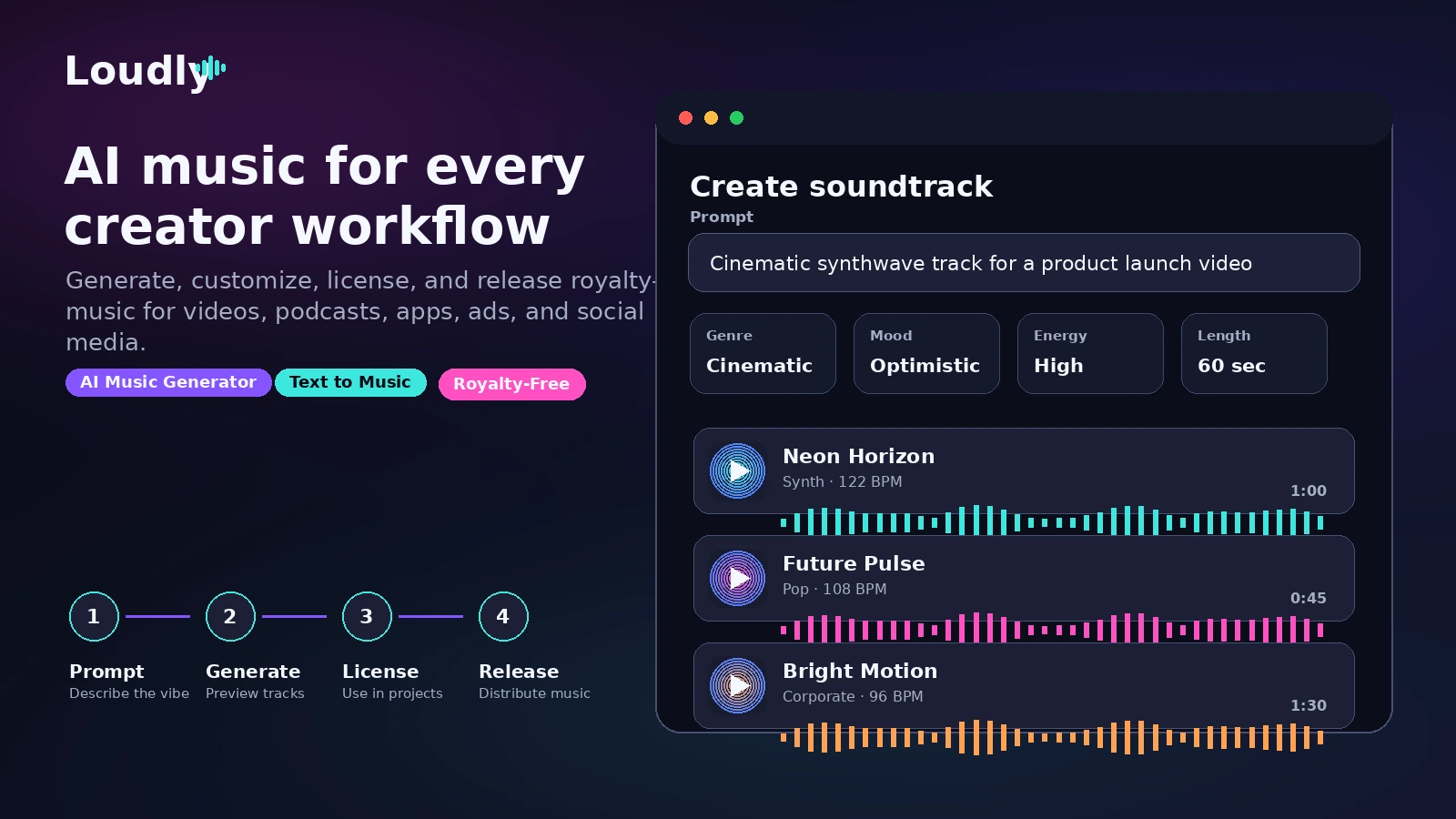
Fit → price → checkout
Use these routes after the official-site check: coupon first, review for fit, compare if unsure.
Loudly pricing snapshot
Fast commercial checks before pricing, coupons, or a deeper review.
Loudly product tour
Loudly has enough visible product surfaces for a useful buyer tour: the AI music generator, text-to-music workflow, pricing page, distribution route, and API positioning. The tour is most useful when it helps buyers separate quick creative testing from paid commercial use.
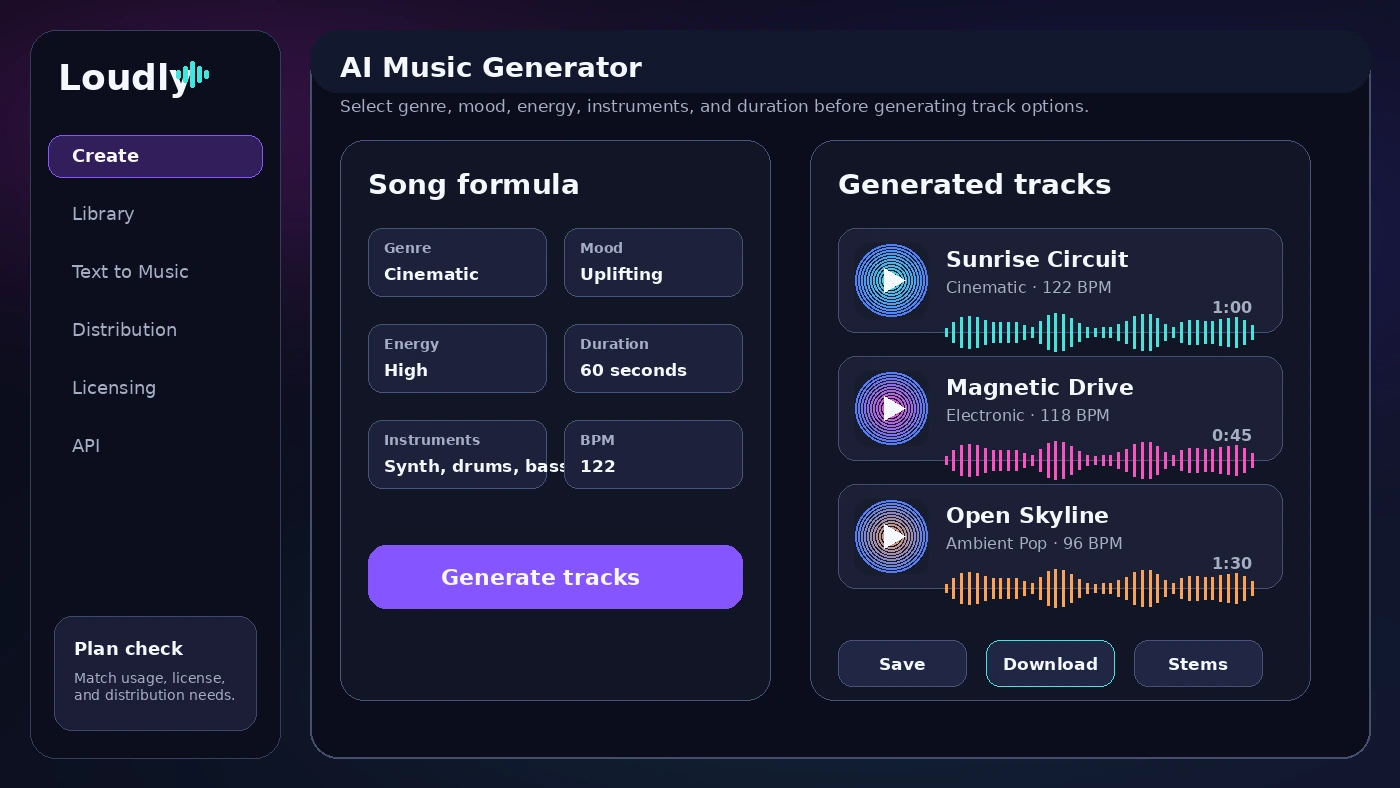
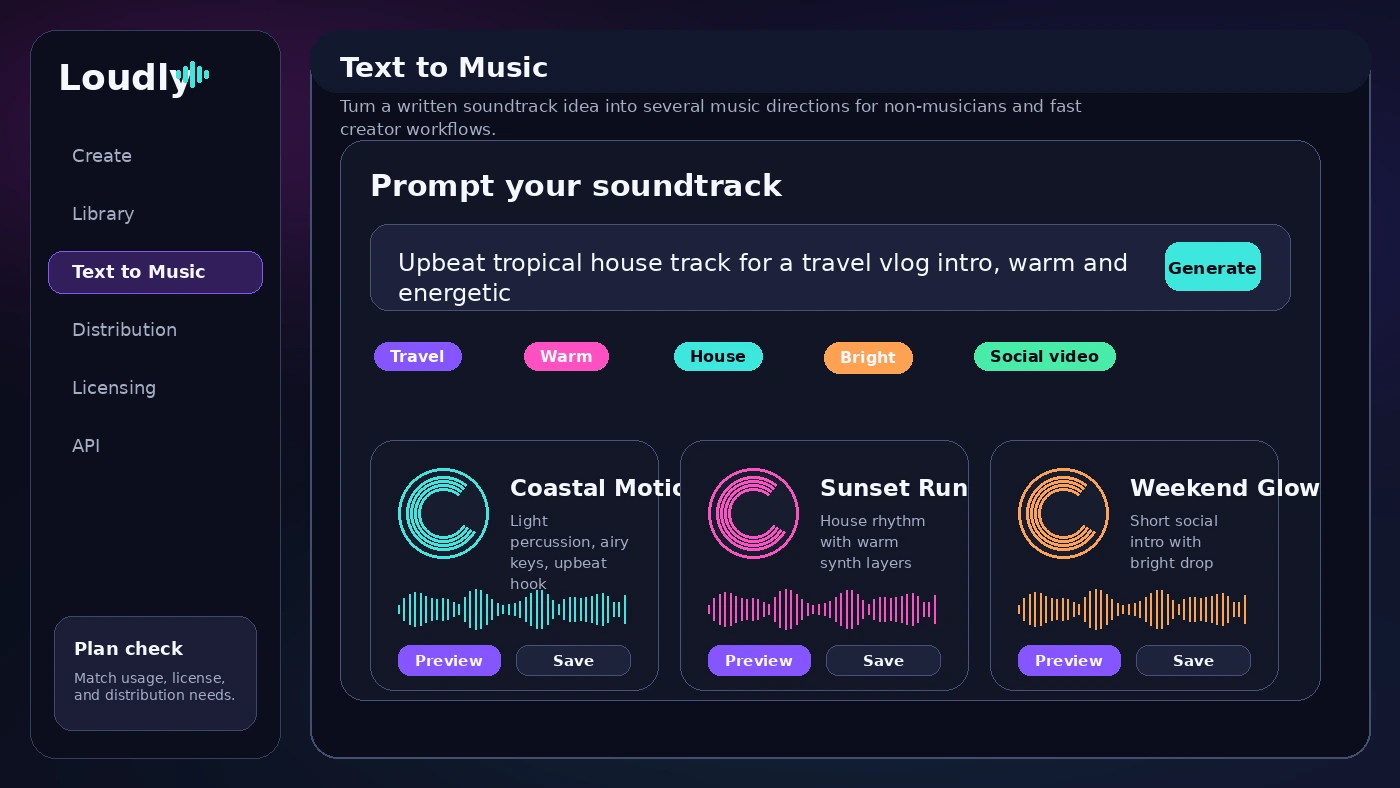
Loudly sits between two buying behaviors. Some users just want quick background tracks for videos, podcasts, or ads. Others want a larger music workflow with stems, sample packs, distribution, and possibly API access. A useful store page keeps those paths separate so the buyer does not overpay for features they will not use.
What Loudly actually does
Loudly helps creators generate, customize, and release royalty-free music with AI. The public product surface includes AI music generation, text-to-music, templates, Studio remixing, sample packs, stems, a royalty-free catalog, distribution, and an API route for developers.
The core buyer question is simple: do you need fast instrumental music for content, or do you need a deeper music workflow? Loudly looks stronger when the buyer needs repeated creation and distribution rather than a single one-off sound bed.
- Generate instrumental tracks from prompts, genre, mood, or creative direction.
- Use templates, stems, and sample packs when a track needs more control.
- Move into distribution only when releasing music is part of the plan.
Free plan versus paid creator plans
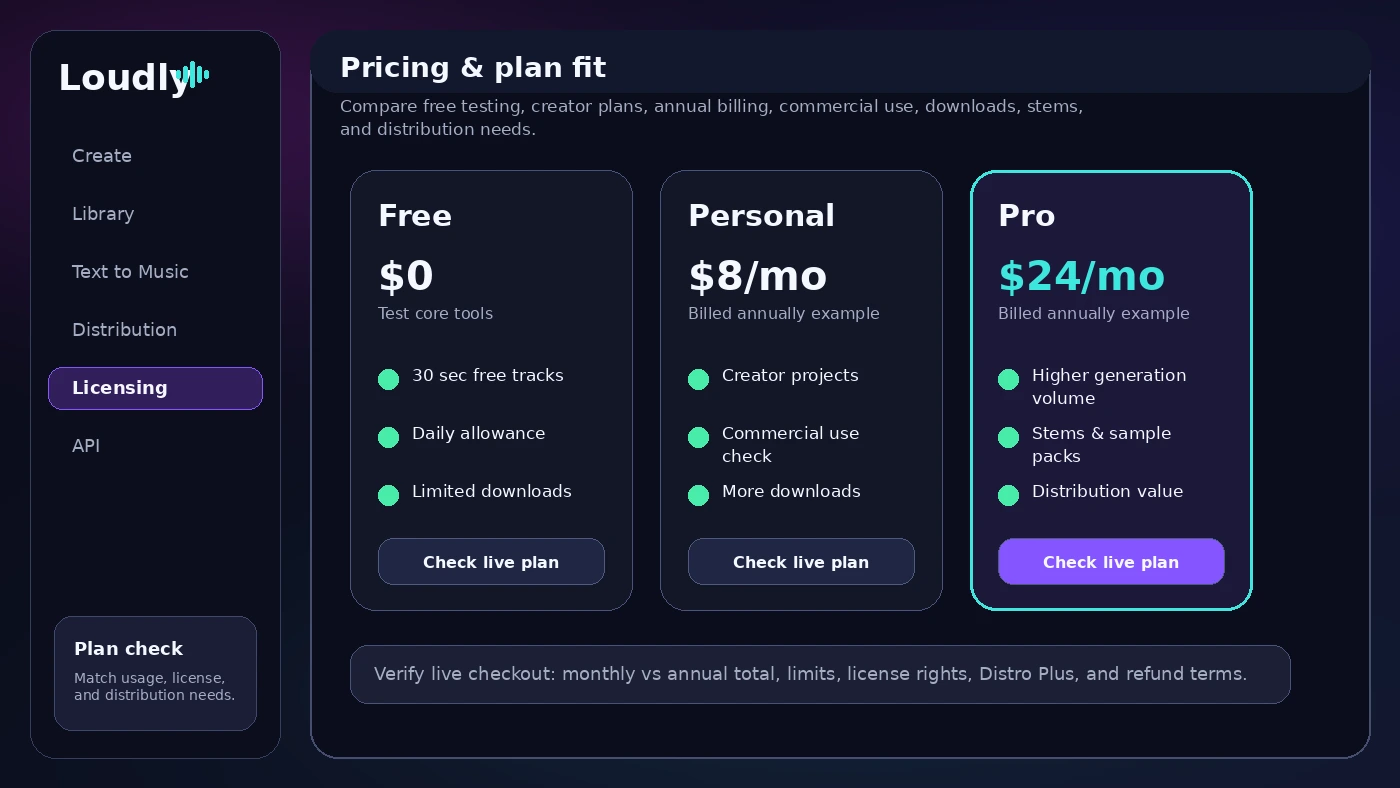
The free plan is useful for first contact with Loudly, but it should not be treated as proof that the paid workflow will fit. Loudly's FAQ says free users can try much of the platform, but free tracks have a 30-second limit. That is enough to test style and interface, not always enough to validate full-length creator use.
The paid decision starts with Personal and Pro. The public pricing page shows annual billing examples at $8 per month for Personal and $24 per month for Pro. The smarter comparison is not just price. Buyers should compare track length, generations, downloads, stems, sample packs, file formats, distribution value, and whether monthly billing is safer than annual commitment.
- Use free access to judge prompt quality and music style.
- Compare annual billing against the real risk of a non-refundable subscription.
- Do not upgrade only because the annual monthly equivalent looks cheaper.
Licensing and commercial use checks
Loudly's licensing page and FAQ are important because AI music is not only a creative decision. Buyers need to know what rights they have, when those rights apply, and where the boundaries sit. Loudly says paid subscriptions give a non-exclusive worldwide license for creative projects, and the FAQ discusses use on videos, ads, podcasts, social channels, client projects, and music distribution.
The caution is in the details. Loudly says it retains copyright while granting usage rights, reselling or sublicensing tracks is not allowed, and film or TV projects require special licensing. The FAQ also says Pro covers digital advertising campaigns up to a maximum media spend, which means high-budget ads need verification before release.
- Check whether the planned use is personal, client, ad, broadcast, or distribution.
- Keep license details from the Loudly account for claim disputes.
- Ask support before using tracks in film, TV, resale, sublicensing, or stock-style libraries.
Creator workflow and product tour video
A good first test is to generate several tracks for the same project and listen for repeatability. Does Loudly follow the mood? Are the results too generic? Can you get a clean intro, loop, or background bed without too many rerolls? Those answers matter more than a broad feature list.
The video below is useful for seeing the product rhythm: prompt, generate, listen, adjust, and decide whether the output is worth taking into an editing workflow.
- Watch how quickly a track can be created from a prompt or style direction.
- Listen for whether the output feels usable enough for your editing workflow.
- Compare the demo rhythm against your own volume needs before paying.
Distribution, stems, and deeper music use
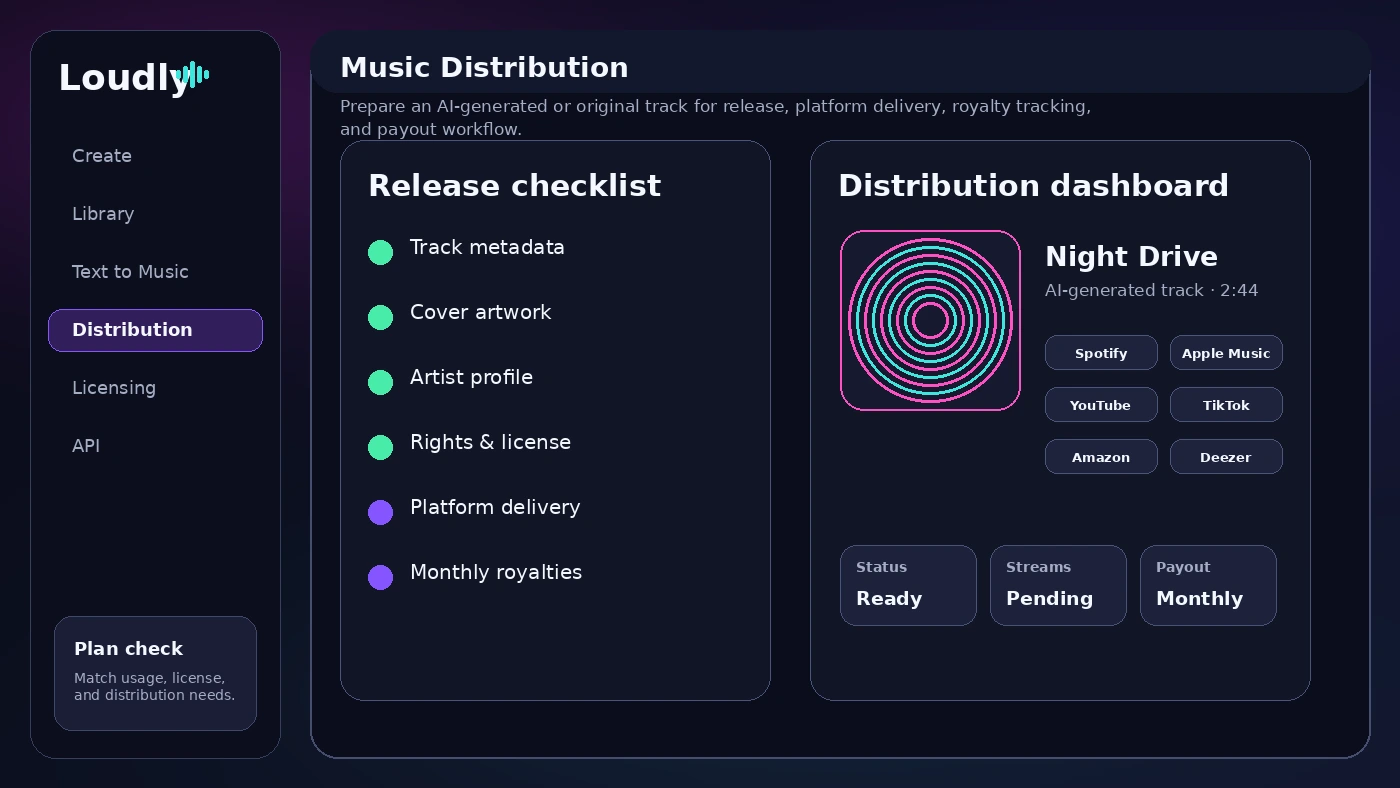
Loudly becomes more interesting when the buyer wants more than a background track. The official site promotes stems, sample packs, remixing, and distribution to major platforms such as Spotify, Apple Music, YouTube, Amazon, and more. That can matter for creators who want to release tracks or reuse parts inside a DAW.
This is also where plan fit becomes sharper. If you only need one short music bed for a video, a paid distribution-focused workflow may be more than you need. If you publish regularly, want downloadable WAV files, need stems, or want to manage releases, the higher plan value becomes easier to judge.
- Check whether stems and sample packs are part of the paid tier you plan to use.
- Review distribution terms if the track will be released as music, not just used under a video.
- Compare Distro Basic and Distro Plus value before annual billing.
API and business integration fit
Loudly also has a separate API angle for businesses, apps, and games. The API pages describe music generation, text-to-music, adaptive use cases, and custom pricing based on business size, volume of tracks, and license type. That is a different buying path from a normal creator subscription.
For API buyers, the store-page next step is not a coupon click. It is a requirements check: expected monthly track volume, latency, output length, licensing coverage, app or game integration method, and whether a basic or premium license is needed.
- Use creator pricing for normal web-based music generation.
- Use API pricing only when music needs to be generated inside another product.
- Ask about volume, license type, commercial coverage, and integration support before committing.
Safest next step before checkout
The safest path is to test Loudly free with a real project, then read the FAQ and license boundaries before selecting a paid plan. If the result is only average, compare alternatives before paying. If the result fits, choose the smallest plan that covers track length, downloads, commercial use, and distribution needs.
Buyers still unsure about sound quality should read the full review first. Buyers already convinced on workflow can move to pricing or the coupon path, but only after checking billing cycle, cancellation, renewal, and refund exposure.
- Start free and generate tracks for one real project.
- Check the FAQ, license, and cancellation/refund language before annual billing.
- Compare Mubert, Thematic, Freebeat, and Unchained Music if the workflow feels mismatched.
Best savings path from this store page
This is the clearest savings route to check once the product already looks like a fit.
Loudly pricing shows an extra discount code for annual plans. This is the strongest coupon path because it appears on Loudly own pricing page, but the buyer should still verify the discount before checkout.
Annual billing discount path
Personal paid creator path
Use comparison routes when the category fit is still open
Use these comparison routes when the product still looks plausible, but the category fit is not fully settled.
Mubert is the closer comparison when the buyer wants AI-generated background music and API-style audio workflows.
Thematic is worth checking when the buyer wants creator-safe music discovery and licensing rather than AI generation control.
Freebeat is more relevant when short-form video creation and beat-led social content matter more than full music distribution.
Unchained Music is a better next tab when the buyer cares most about music distribution and artist release infrastructure.
Verification points worth checking before you click out
Where this store usually fits best in the workflow
Use Loudly when a creator needs fast instrumental tracks that can be tested against real edits, intros, shorts, ads, or recurring content formats.
Use Loudly when a podcaster or small brand wants royalty-free background music without browsing a large stock library for every episode or campaign.
Use Loudly when stems, sample packs, remixing, and distribution features matter alongside basic generation, not just as a one-time soundtrack tool.
Use Loudly's API path when an app, game, or creative platform needs programmatic music generation with custom pricing and licensing review.
Practical checkpoints before and after signup
- Define whether the need is background music, music release, remixing, stems, distribution, or API integration.
- Open the FAQ and license pages before treating royalty-free language as unlimited usage rights.
- Compare Loudly against music-generation and licensing alternatives before annual billing.
- Generate tracks for one real project rather than testing random prompts.
- Listen for generic output, mood accuracy, loop usefulness, and editing fit.
- Check whether the 30-second free-track limit is enough for evaluation.
- Compare Personal and Pro by downloads, track length, stems, sample packs, distribution, and file quality.
- Confirm whether monthly billing is safer than annual billing given the non-refundable subscription language.
- Choose API only if the buyer needs integration into another product or workflow.
- Save license details for any client, ad, or monetized content use.
- Check renewal settings and cancellation status immediately after purchase.
- Revisit plan limits at renewal if output volume or distribution needs change.
Fast-read signals for workflow fit and buying friction
Questions readers usually ask before choosing this store
What is Loudly best for?
Loudly is best for creators who need fast royalty-free instrumental music for videos, podcasts, social posts, ads, or music release workflows. It is strongest when the buyer will generate music repeatedly and can benefit from downloads, stems, sample packs, or distribution features.
Does Loudly have a free plan?
Yes. Loudly's FAQ says the free plan lets users try much of the platform and includes a daily usage allowance, but free tracks have a 30-second limit. Treat the free plan as a test path, not proof that paid downloads, commercial use, or distribution will fit every project.
How much does Loudly cost?
Loudly's public pricing page shows a free plan, Personal at $8 per month when billed annually, and Pro at $24 per month when billed annually. Buyers should still verify the live checkout page because monthly pricing, annual totals, plan limits, and regional details can change.
Can Loudly music be used commercially?
Loudly's FAQ says paid subscribers receive commercial rights for creative projects, but buyers should read the license boundaries before client work, ads, film, TV, resale, sublicensing, or stock-style usage. Royalty-free does not mean every use case is automatically covered.
What should I verify before buying Loudly?
Verify the billing cycle, annual commitment, refund language, download limits, track length, stem and sample-pack allowances, commercial-license coverage, distribution needs, and API pricing if you plan to integrate Loudly into an app or game.
Choose the next route that matches what you still need to decide
The strongest next click depends on whether you still need product judgment, a savings route, or a broader category comparison.