
Gallabox Pricing, Plans & WhatsApp Fit
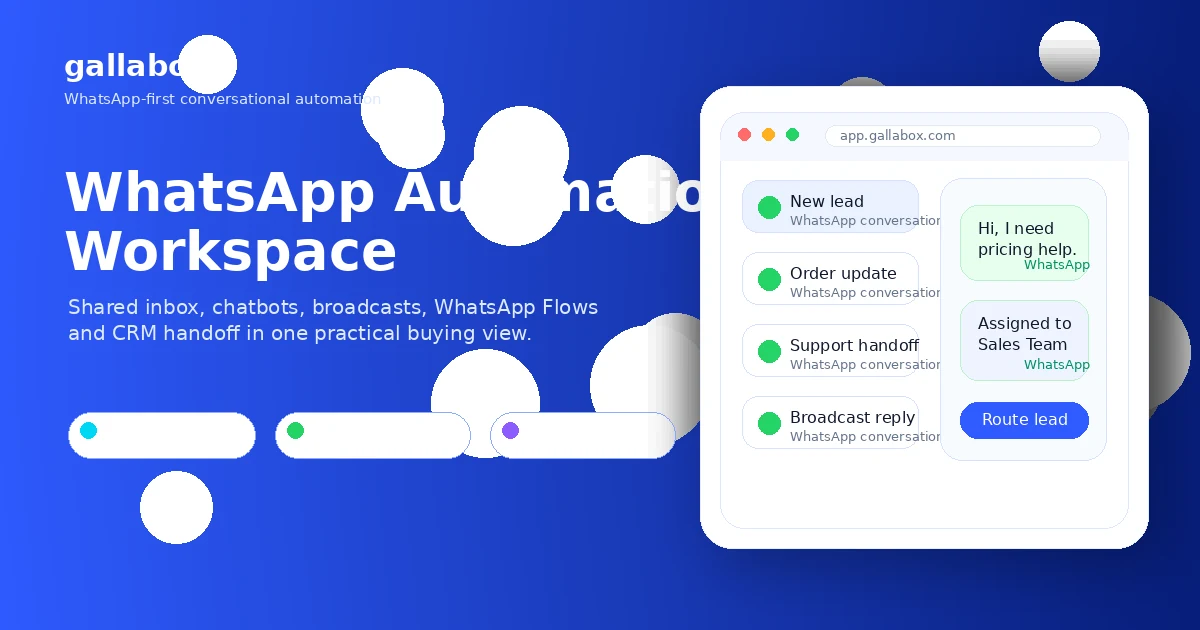
Gallabox is a conversational AI and WhatsApp automation platform for businesses that want to manage customer conversations, broadcasts, chatbots, WhatsApp Flows, shared team inboxes, payments, and CRM-connected workflows from one workspace. It is best treated as a sales and customer communication system built around WhatsApp, not as a simple chatbot widget.
Fit → price → checkout
Use these routes after the official-site check: coupon first, review for fit, compare if unsure.
Gallabox pricing snapshot
Fast commercial checks before pricing, coupons, or a deeper review.
Gallabox product tour
These tour assets focus on the decisions a buyer should make before paying for WhatsApp automation: whether the inbox can support a team, whether the chatbot builder is enough for the planned use case, how pricing changes with message charges, and whether flows, broadcasts, payments, and connectors fit the actual sales or support process.
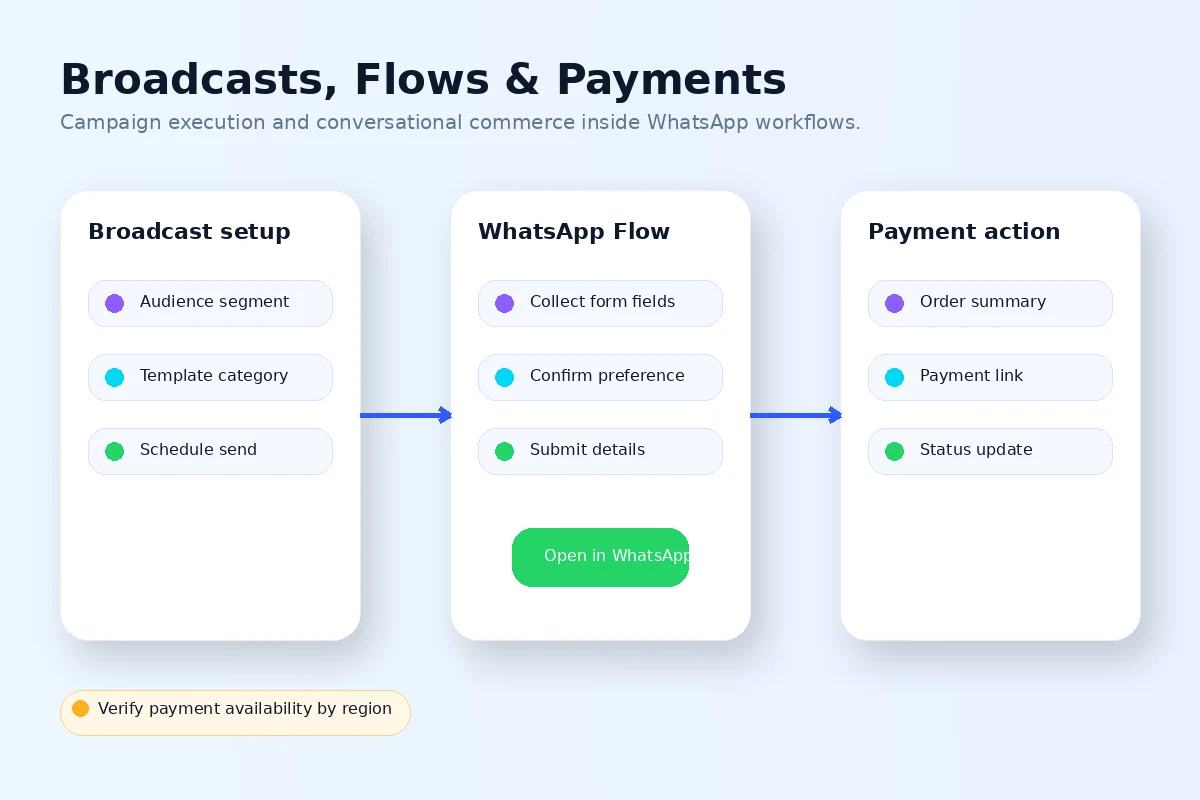
Gallabox should be evaluated as a WhatsApp revenue and operations platform. It can look attractive because it brings inbox, chatbot, broadcast, flows, payments, integrations, and AI into one WhatsApp-first workspace. The harder buyer question is whether your business has enough message volume, team handoff, and campaign structure to justify the subscription plus message-charge exposure.
What Gallabox actually does
Gallabox helps businesses manage and automate customer conversations on WhatsApp. The product combines a shared team inbox, no-code chatbot builder, WhatsApp broadcasts, drip campaigns, Flows and forms, catalogs, payments, analytics, and integrations with tools such as Google Sheets, Shopify, HubSpot, Zoho CRM, WooCommerce, API calls, and OpenAI on supported plans. It is built for teams that want WhatsApp to behave more like a sales and support system than a personal messaging app.
- Centralize WhatsApp conversations for sales, marketing, and support teams
- Build chatbot flows for lead capture, qualification, FAQs, order updates, or handoff
- Run segmented broadcasts and drip campaigns for WhatsApp contacts
- Connect WhatsApp workflows to CRM, ecommerce, payment, and data tools where plan access allows
Where the plan decision gets serious
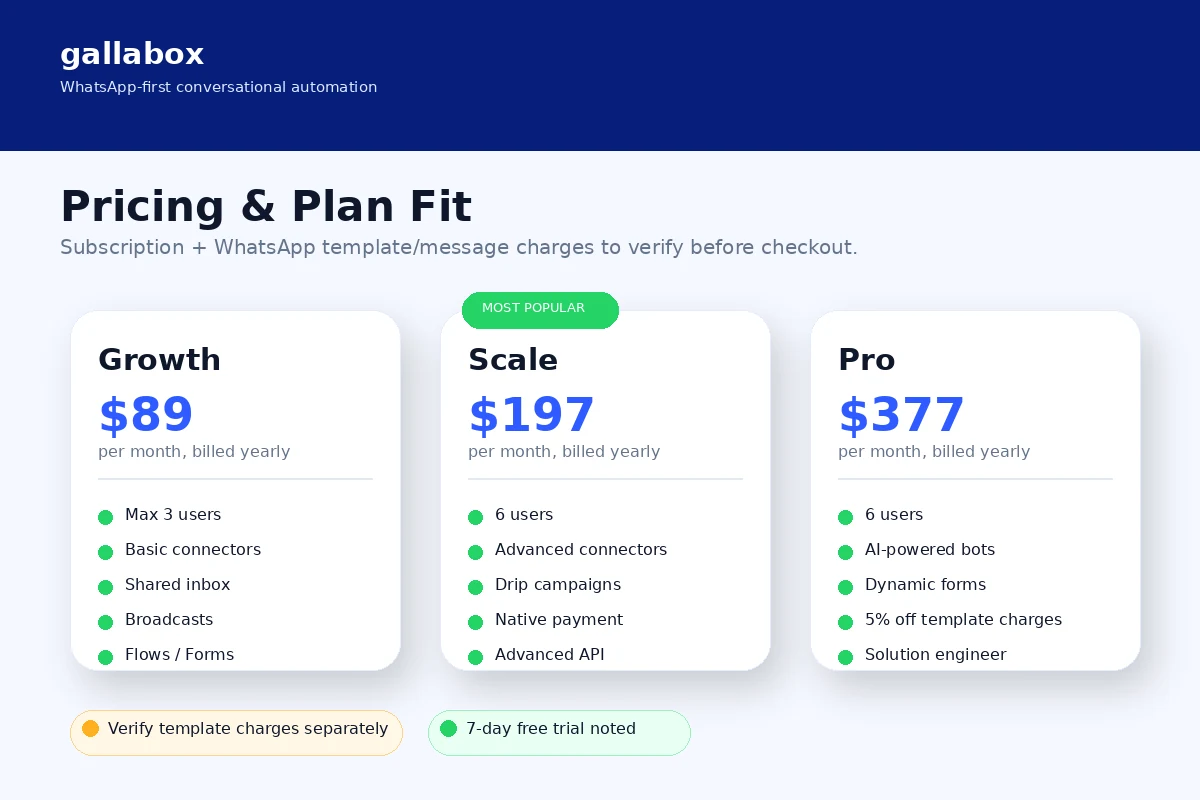
Gallabox pricing is not just Growth versus Scale versus Pro. The subscription sets the base platform cost, but the buyer also needs to think about WhatsApp template message charges, user seats, connectors, API access, AI chatbot needs, onboarding support, and whether the plan has enough automation depth for the workflow. Growth may work for basic team inbox and chatbot use. Scale becomes more relevant when advanced connectors, drip campaigns, native payments, custom roles, multiple numbers, and webhooks matter. Pro is more realistic when AI chatbots and larger-team expectations are part of the plan.
- Growth is the first paid tier shown at $89/month billed yearly at the latest check
- Scale adds advanced automation, connectors, payments, APIs, custom roles, and multiple channel support
- Pro adds AI chatbot positioning and more enterprise-ready automation support
- Template message charges need a separate budget estimate
The shared inbox is the operational core
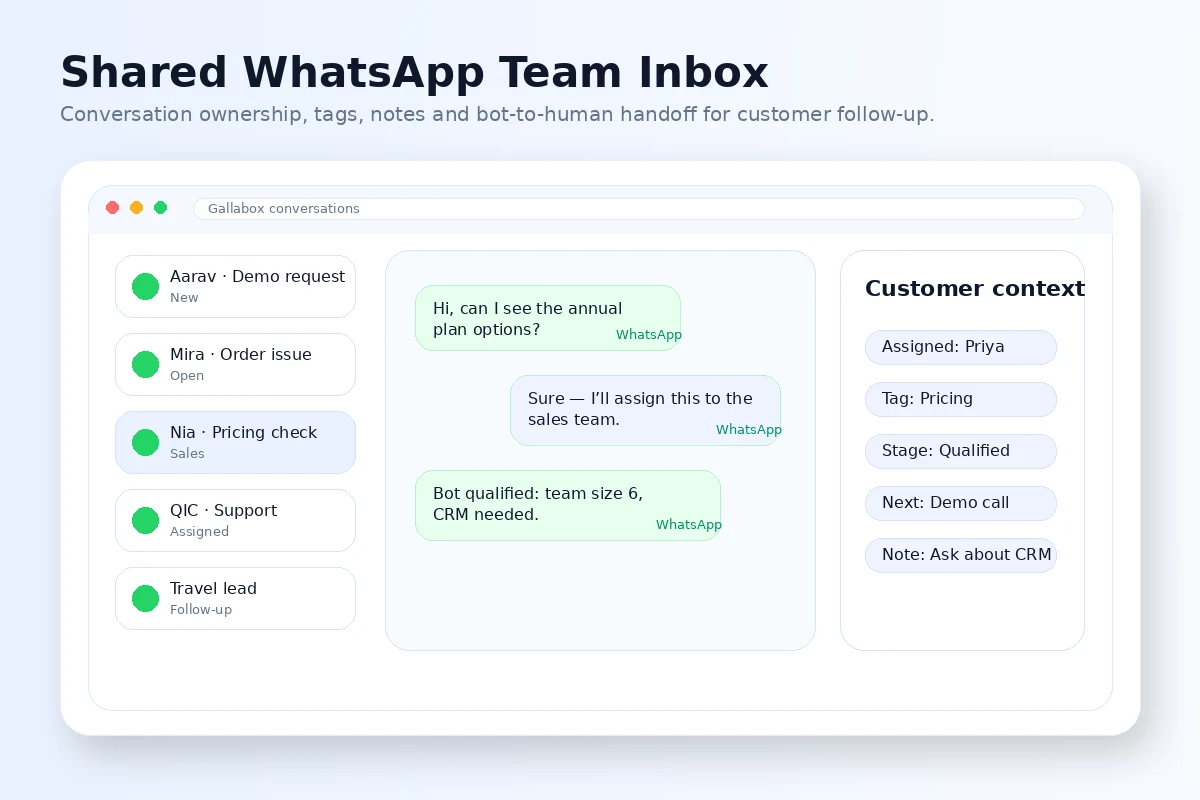
The shared team inbox is where Gallabox becomes practical for sales and support teams. A single WhatsApp number can turn messy if multiple people answer the same lead, forget follow-ups, or lose context after a bot handoff. Gallabox is more compelling when the team needs assignment rules, collaboration, tags, conversation tracking, internal ownership, and a cleaner path from chatbot qualification to human follow-up.
- Useful for teams that assign chats by location, department, agent availability, or lead quality
- Better fit when WhatsApp is already a daily sales or support channel
- Less necessary when one person can handle WhatsApp manually without missed replies
Chatbots, Flows, and automation fit
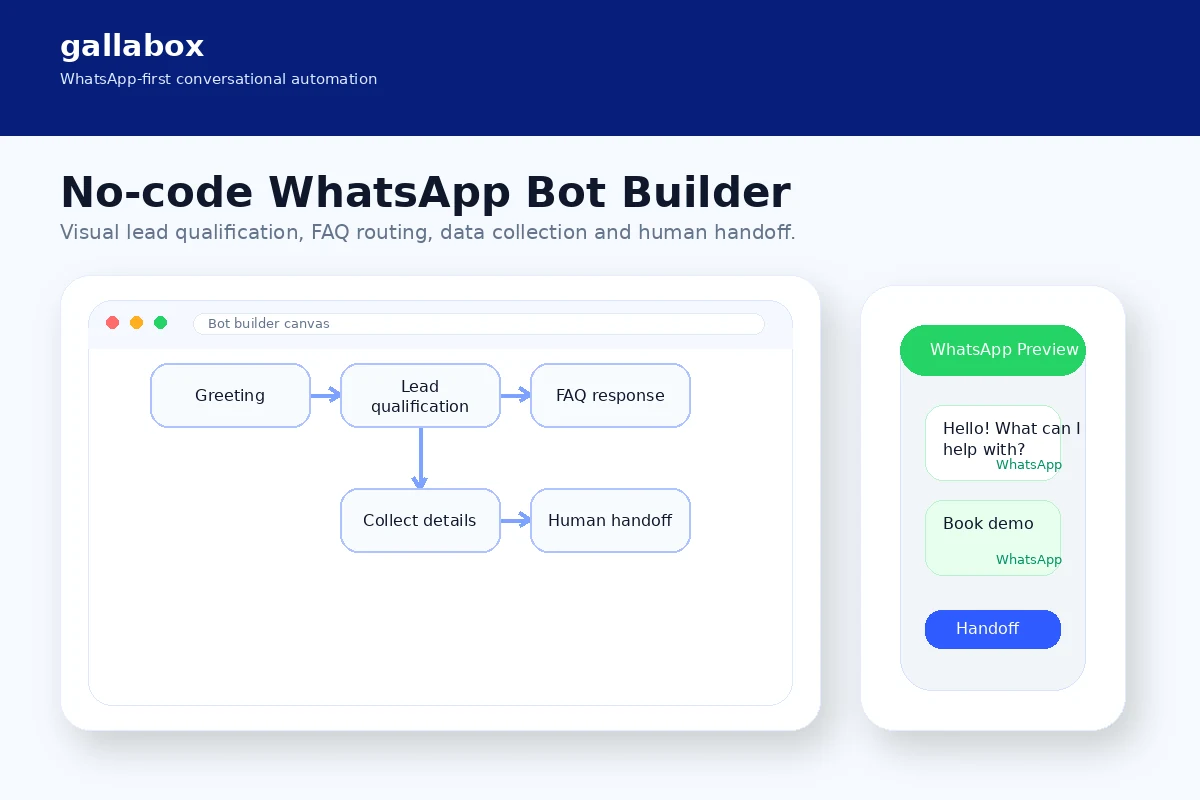
Gallabox's automation value is strongest when the buyer can define repeatable paths: capture a lead from a WhatsApp ad, ask qualification questions, collect a form response, send a catalog, answer common support questions, route a hot lead to sales, or follow up with a sequence. Its chatbot and WhatsApp Flow tooling should not be judged as a novelty. It should be judged by whether it can reduce repeated conversations without making the customer experience feel rigid.
- Use bots for lead qualification, FAQs, order updates, booking steps, or guided intake
- Use WhatsApp Flows when structured forms inside WhatsApp reduce drop-off
- Use drip campaigns and broadcasts when audience segmentation is already planned
Integrations and API checks before checkout
Gallabox has enough connector depth to matter for serious workflows, but buyers should check plan access before assuming everything is included. The docs list connectors such as Google Sheets, Razorpay, Zoho CRM, Shopify, HubSpot, WooCommerce, API Call, OpenAI, Zoom, Pipedrive, and more. Some connectors are available on all paid plans, while others are tied to Scale or Pro in the documentation. That makes connector verification a pre-purchase step, not a detail to leave for onboarding.
- Confirm CRM connector access before planning a sales handoff workflow
- Check whether API Call and webhooks are available on the selected tier
- Verify ecommerce and payment connector access before promising in-chat checkout
- Confirm OpenAI connector access if AI-generated responses are part of the use case
Coupon, trial, and safest buyer route
Gallabox is not a product where the smartest first move is hunting for a random coupon code. The safer path is trial or demo first, plan comparison second, and offer check last. The homepage and demo page promote free trial or demo access, while the terms make subscription refunds risky. That combination makes pre-purchase testing more valuable than a small discount.
- Start with free trial or demo access when available
- Build one real WhatsApp flow before paying for annual billing
- Check the live pricing page and message charge references before checkout
- Use the coupon route only after the product fit is already clear
Best next step
If Gallabox matches the buyer's WhatsApp workflow, the next click should be the live pricing page or trial route. If the buyer is still unsure about whether WhatsApp automation is the right channel, the review path should come first. If the only question left is the current savings route, then the coupon or offer page makes sense. That order keeps the store page focused on qualification instead of turning it into a shallow deal page.
- Use the review path when workflow fit is still uncertain
- Use the pricing path when plan limits, users, connectors, and message costs need confirmation
- Use the offer path only after Gallabox already fits the buyer's process
Best savings path from this store page
This is the clearest savings route to check once the product already looks like a fit.
A public coupon directory reports a first-purchase discount path for Gallabox, useful as a secondary savings route when no official sitewide code is visible.
Reported 40% annual-plan deal
Growth paid plan path
Use comparison routes when the category fit is still open
Use these comparison routes when the product still looks plausible, but the category fit is not fully settled.
ActiveCampaign is better when email marketing, CRM-style automation, and broader campaign orchestration matter more than WhatsApp-first conversations.
ChatBot is a closer fit when the buyer needs a general website chatbot rather than a WhatsApp Business API workflow with broadcasts and shared inbox.
Sleek deserves a look when the buyer wants a broader business messaging or customer communication stack and is not committed to WhatsApp-first automation.
Verification points worth checking before you click out
Where this store usually fits best in the workflow
Gallabox is useful when paid traffic, click-to-WhatsApp ads, QR codes, or website chat buttons generate leads that need qualification before a sales rep steps in.
Support teams can use Gallabox to answer repetitive WhatsApp questions, route complex issues, and keep shared conversation ownership clearer than a single-device WhatsApp setup.
Ecommerce teams can use catalogs, product conversations, payment workflows, and integrations to keep more of the buying journey inside WhatsApp, but checkout and connector access should be verified by plan.
Education, healthcare, real estate, travel, and service teams can use Flows, forms, reminders, broadcasts, and handoff rules to turn WhatsApp into a structured follow-up channel.
Practical checkpoints before and after signup
- Define one WhatsApp workflow that already creates sales, support, or follow-up friction.
- Estimate expected conversation volume, broadcast frequency, target countries, and template message exposure.
- List the required connectors before choosing Growth, Scale, or Pro.
- Build one chatbot or Flow that captures a real lead or resolves a real support question.
- Test handoff from bot to team inbox and check whether agents can track ownership cleanly.
- Verify analytics, broadcast segmentation, and CRM data flow before paying.
- Compare yearly billing, user limits, connector access, onboarding support, AI bot requirements, and template message charges.
- Read the non-refundable subscription language in the terms and confirm cancellation details.
- Use the DealBestDaily offer route only after the product fit and pricing risk are clear.
- Track response speed, lead qualification quality, missed handoffs, broadcast conversion, and support deflection.
- Re-check plan fit when adding users, WhatsApp numbers, API calls, AI bots, or new CRM integrations.
Fast-read signals for workflow fit and buying friction
Questions readers usually ask before choosing this store
What is Gallabox best for?
Gallabox is best for businesses that already use WhatsApp as a serious sales, marketing, or support channel and need shared inboxes, chatbots, broadcasts, Flows, routing, payments, analytics, and integrations. It is not just a chatbot add-on.
Does Gallabox have a free plan or free trial?
A permanent free plan was not verified in the public pricing table during this pass. Gallabox does promote a free trial and demo route, so buyers should start there before committing to Growth, Scale, or Pro pricing.
How much does Gallabox cost?
At the latest check, Gallabox listed Growth at $89 per month billed yearly, Scale at $197 per month billed yearly, and Pro at $377 per month billed yearly. Template message charges are referenced separately, so buyers should estimate WhatsApp message costs before deciding the platform is affordable.
Are Gallabox subscriptions refundable?
Gallabox terms state that subscription fees paid are non-refundable except as expressly permitted in the terms. Buyers should treat the trial, demo, plan check, and cancellation review as part of the buying process before paying.
What is the safest next step before buying Gallabox?
Start with the trial or demo, build one real WhatsApp workflow, verify connector access and message-charge exposure, then compare Growth, Scale, and Pro. Move to the offer or coupon route only after Gallabox clearly fits the workflow.
Choose the next route that matches what you still need to decide
The strongest next click depends on whether you still need product judgment, a savings route, or a broader category comparison.