
Copymatic Pricing, Plans & Writer Workflow Fit
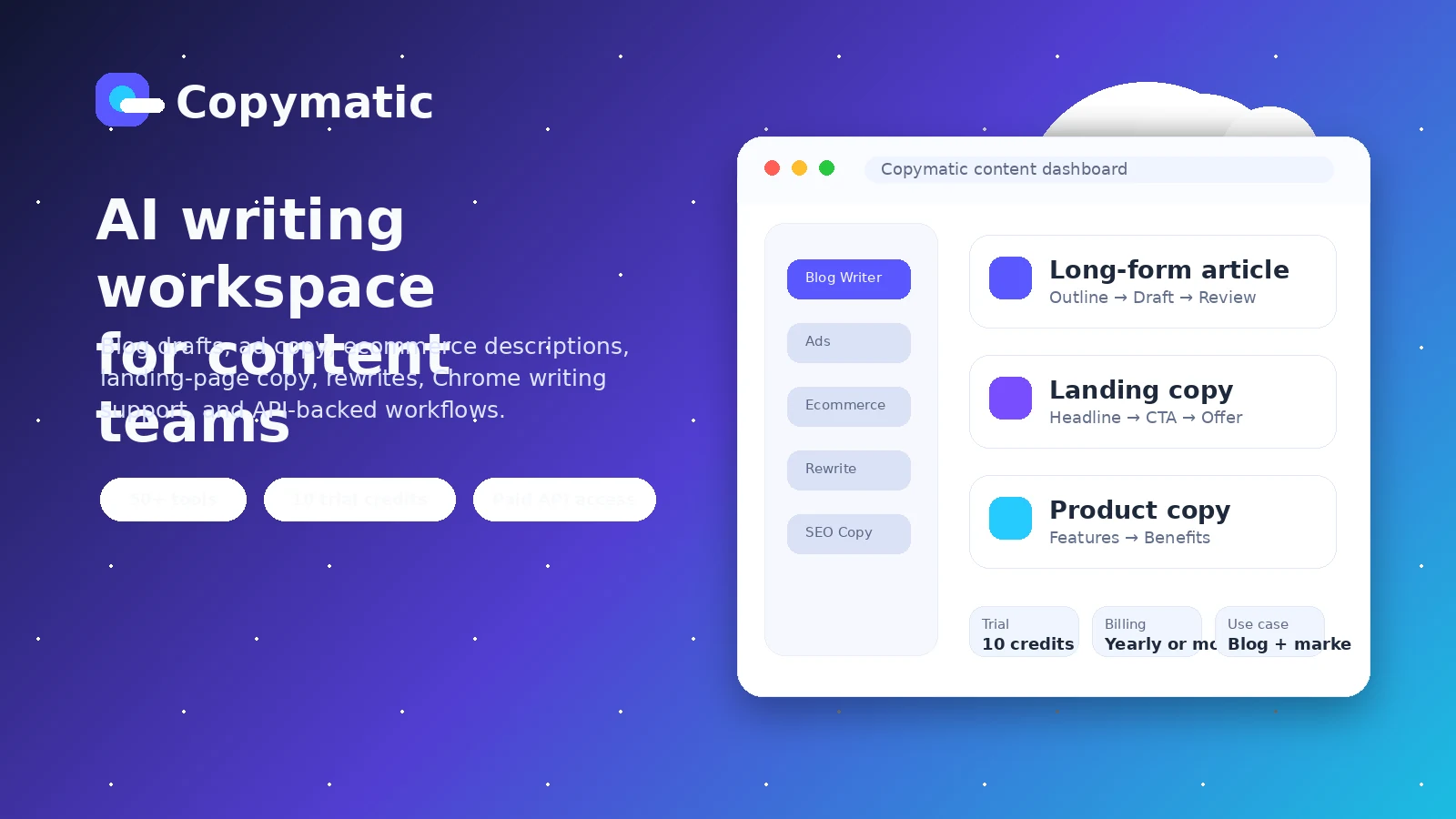
Copymatic is an AI writing and content generation platform for people who need blog articles, landing page copy, ads, ecommerce copy, social posts, rewriting, grammar help, image generation, and API-based content workflows in one place. Its store-page value is strongest when the buyer wants a practical AI writing workspace rather than a narrow SEO-only writer or a lightweight one-off copy generator.
Fit → price → checkout
Use these routes after the official-site check: coupon first, review for fit, compare if unsure.
Copymatic pricing snapshot
Fast commercial checks before pricing, coupons, or a deeper review.
Copymatic product tour
The product tour focuses on the real buying question: whether Copymatic's mix of long-form writing, copy templates, browser assistance, pricing tiers, and API access can support a repeat publishing workflow without creating avoidable billing or integration risk.
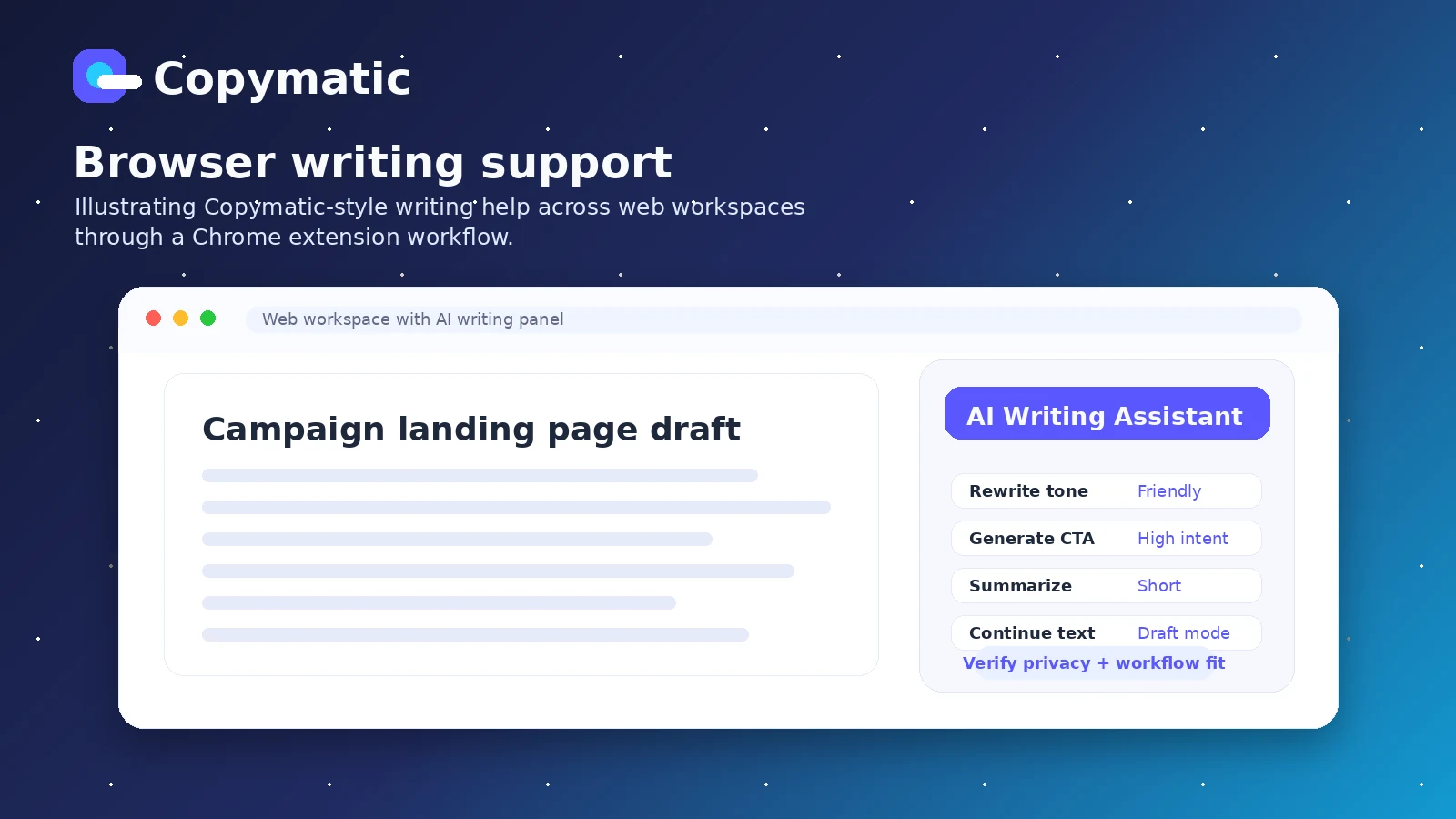
Copymatic belongs in the AI writing shortlist for buyers who need more than a simple paragraph generator. The practical question is whether its writing templates, long-form article flow, Chrome extension, API access, and pricing structure match the way a blogger, marketer, or agency actually produces content week after week.
What Copymatic actually does
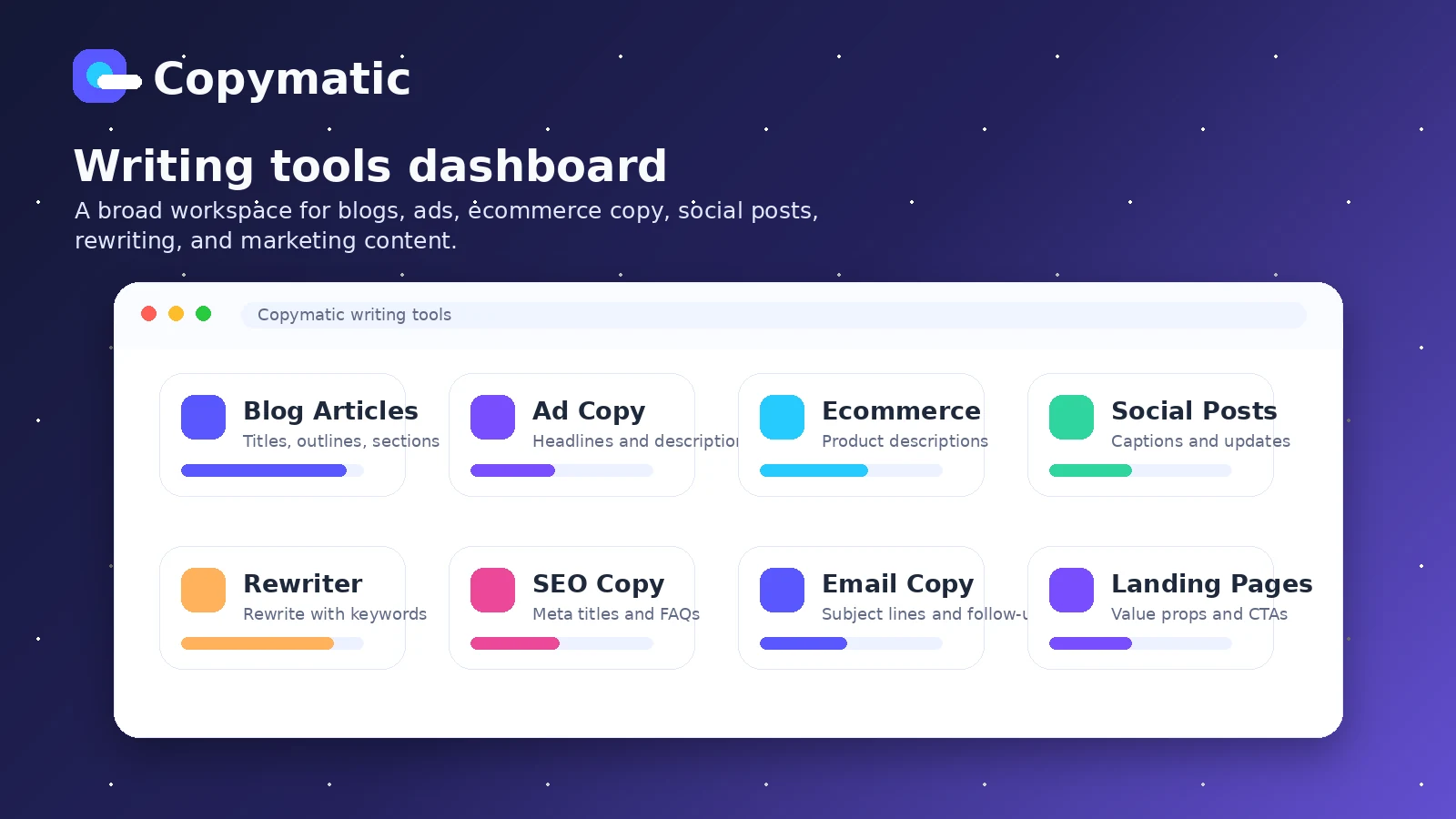
Copymatic generates written content for blogs, ads, landing pages, ecommerce pages, social media, website copy, rewrites, grammar fixes, video scripts, and other marketing assets. The homepage also positions it around AI images and browser-based writing through a Chrome extension. That makes it a broad content workspace, not just a narrow blog writer.
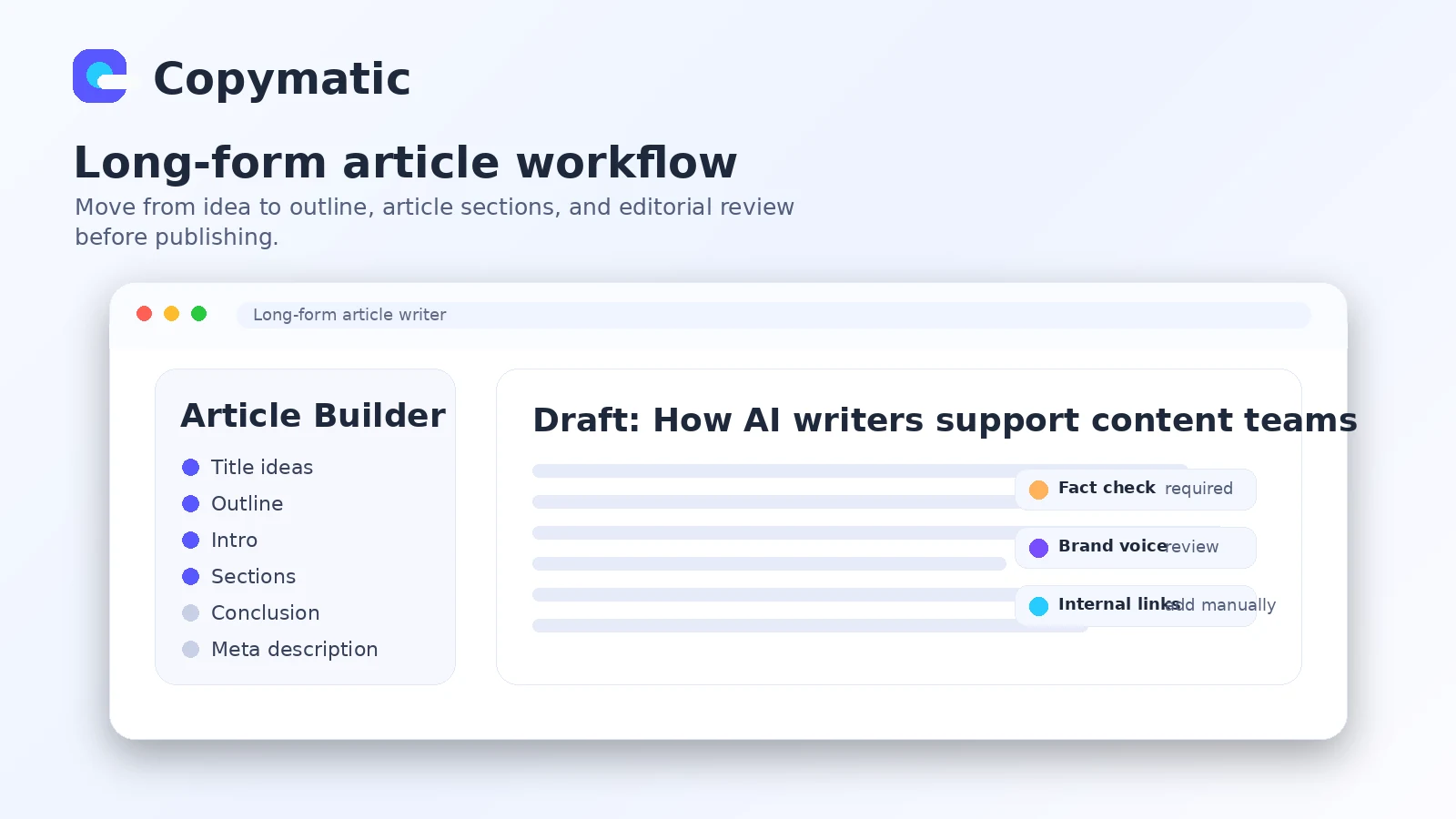
The safer way to evaluate it is to start with one real content workflow. For example, a blogger might generate a title, outline, intro, article sections, meta description, and supporting rewrite, then judge how much editing remains before publication. If that end-to-end test feels useful, pricing becomes easier to judge.
- Best understood as a broad AI writing and copy generation workspace.
- Useful for blogs, ads, ecommerce copy, website copy, social posts, and rewrites.
- Still needs human editing, fact checking, and brand voice control before publishing.
Pricing and plan fit
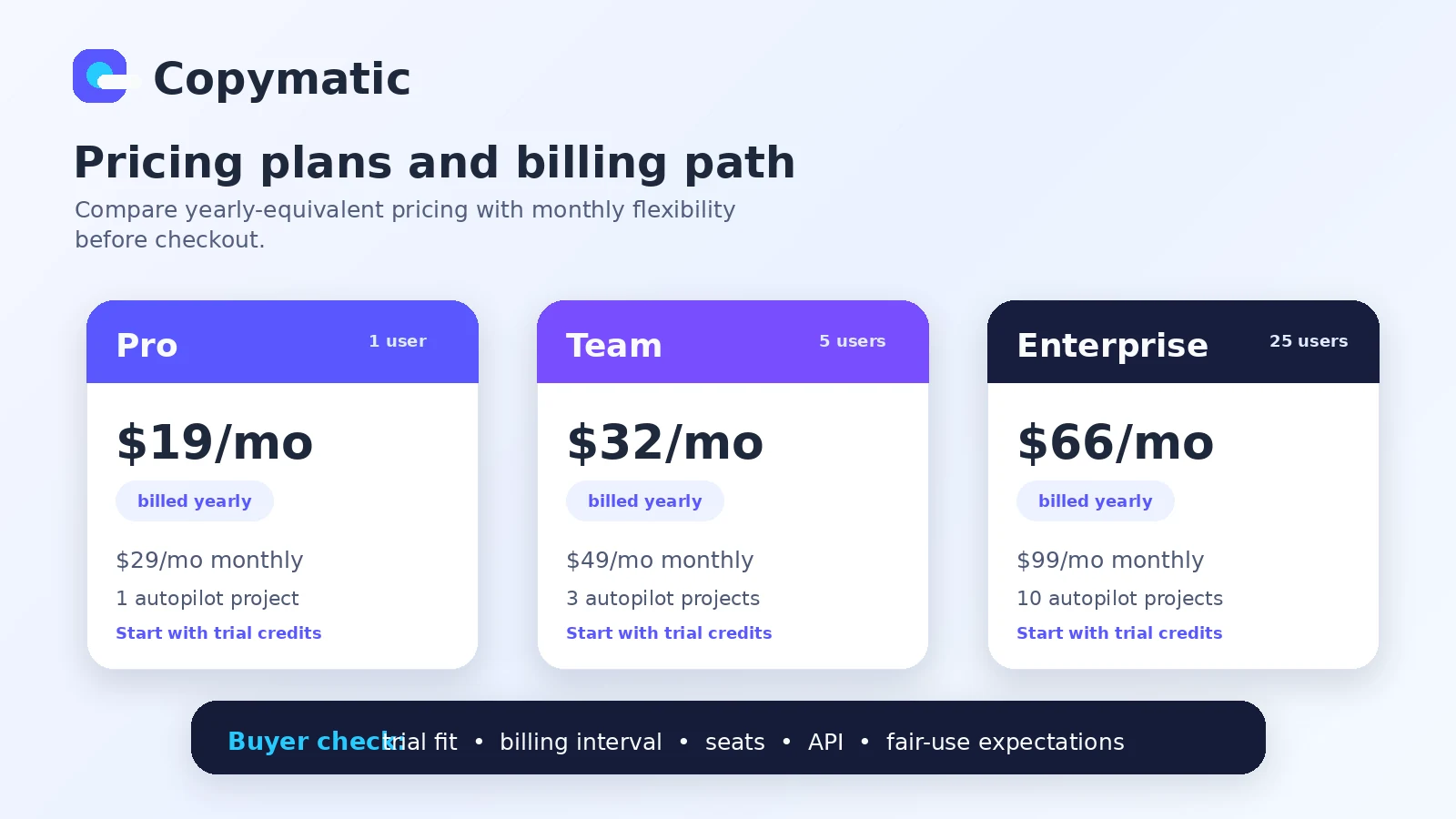
Copymatic's public pricing path needs careful reading. The homepage shows Pro from $19 per month when billed yearly, Team from $32 per month when billed yearly, and Enterprise from $66 per month when billed yearly. The help center lists the corresponding monthly prices as $29, $49, and $99, which is the number a buyer should compare if they are not ready for annual billing.
The free trial is useful, but it is credit-based rather than a permanent free plan. The homepage says the free trial includes 10 credits, enough to test core tools and generate roughly 1,000 words of blog content. That is enough for a first impression, not enough to prove a full content operation.
- Use the free trial credits for one real draft before paying.
- Compare yearly-equivalent and monthly pricing before choosing a plan.
- Check Team and Enterprise seat needs if more than one person will use the account.
Video walkthrough worth watching
A practical tutorial is useful because Copymatic's value depends on the workflow inside the tool, not only the claim that it can write blogs or ads. Watch how the tool handles input, template selection, output generation, and revision pressure. The buyer should look for friction points that would matter during real production, such as prompt setup, output quality, editing time, and whether the generated copy feels usable for the intended channel.
API, browser extension, and integration reality
Copymatic has stronger workflow potential when a buyer needs content generation outside the main dashboard. The official help center documents API access, an API endpoint, POST requests, authorization with an API key, model parameters, language options, tone choices, and many content models. The homepage also promotes a Chrome extension for using AI writing across the web.
The WordPress story needs more caution. The official homepage still references a WordPress plugin path, but WordPress.org currently lists the Copymatic plugin as closed because of a security issue. Buyers who care about WordPress publishing should verify the current safe workflow before treating WordPress integration as a purchase reason.
- API access is documented and should be verified against paid plan access before implementation.
- Chrome extension support may help browser-based writing workflows.
- The old WordPress plugin should not be treated as an active advantage without current verification.
Fair-use and output quality checks
Copymatic advertises unlimited words, but the help center explains that fully unlimited AI use is not feasible and states a fair-use policy of about 2 million words per month. That is still a large allowance for many buyers, but it matters for agencies, bulk publishers, and anyone planning automated or high-volume content generation.
Output quality also needs a practical test. A low-cost plan is not a bargain if every draft needs heavy rewriting, and a broad toolset is not useful if only two or three templates produce reliable results for the buyer's niche.
- Check fair-use behavior before planning high-volume publishing.
- Track editing time, not only generated word count.
- Test the exact formats you publish most often before upgrading.
Who should compare alternatives first
Copymatic makes sense when the buyer wants a broad AI writing workspace with templates, long-form support, paid API access, and a browser-based writing angle. It is less compelling when the buyer needs a specialist SEO optimization platform, a polished enterprise content operations suite, or a very low-friction tool for only occasional short copy.
Compare Jasper if brand workflow and campaign depth matter more. Compare Copy.ai if go-to-market workflow automation is the bigger need. Compare Writesonic if the shortlist needs a broader AI writing and chatbot-style workspace. Compare Rytr if the buyer wants a simpler and usually lighter writing tool.
- Compare Jasper for stronger brand and campaign workflows.
- Compare Copy.ai for broader go-to-market automation.
- Compare Writesonic for a wider AI writing and assistant-style workspace.
- Compare Rytr for simpler occasional copywriting.
Safest next step before checkout
The safest path is to start with a narrow test. Use the free credits to create one real blog article, one ad or landing page block, and one rewrite or meta-description task. Then compare the result against the editing time required. If the workflow saves time and the content quality is workable, move to the pricing page and choose between monthly flexibility and annual savings.
Buyers who need API access should read the documentation before paying. Buyers who need WordPress publishing should verify the current safe workflow. Buyers who mainly want a coupon should still check whether the discount path is actually better than the official annual plan.
- Start with free trial credits and one real content workflow.
- Check live pricing, billing interval, and fair-use policy before upgrading.
- Verify API, browser extension, and publishing needs before annual billing.
- Use the review page for deeper fit before chasing a coupon route.
Best savings path from this store page
This is the clearest savings route to check once the product already looks like a fit.
Copymatic's own help center says buyers can use coupon code at checkout for 20% off a plan. This is the strongest Copymatic offer because the code is published by Copymatic rather than a coupon scraper.
Copymatic says it does not offer a lifetime deal, but it does publish coupon code as a 20% checkout code. Buyers should still confirm the final price before paying.
4 months free
Free trial
Use comparison routes when the category fit is still open
Use these comparison routes when the product still looks plausible, but the category fit is not fully settled.
Jasper is usually the better comparison when brand campaign depth, team workflow, and polished marketing content operations matter more than a broad template list.
Copy.ai deserves a look when the buyer is closer to go-to-market workflow automation than basic blog and ad copy generation.
Writesonic is a closer alternative when the shortlist needs writing, assistant-style workflows, and broader content generation in one workspace.
Rytr is worth comparing when the buyer wants a lighter, simpler AI writing path and does not need Copymatic's API or larger workflow surface.
Verification points worth checking before you click out
Where this store usually fits best in the workflow
Copymatic fits bloggers who need topic ideas, outlines, intros, article sections, rewrites, and meta copy. The buyer should measure editing time and factual cleanup before treating the tool as a reliable publishing engine.
Marketers can use Copymatic for ad copy, landing page blocks, website copy, ecommerce descriptions, social posts, and email-style copy. It works best when the team already has a clear brief and brand voice guardrails.
Agencies may benefit from Team or Enterprise paths if several users need repeat drafting support. The commercial check is seat value, fair-use behavior, client review time, and whether generated output reduces production bottlenecks.
Technical buyers can evaluate Copymatic as an API-backed content generation layer. That path should be tested carefully with rate behavior, output consistency, model parameters, and the buyer's own approval workflow.
Practical checkpoints before and after signup
- Clarify whether Copymatic is being evaluated for blog drafts, marketing copy, API use, browser writing, or a mix of workflows.
- Compare the official site, help center pricing, fair-use documentation, and current integration status before judging price.
- Open nearby alternatives such as Jasper, Copy.ai, Writesonic, and Rytr to avoid choosing only by template count.
- Use the 10 free credits on a real draft or campaign asset instead of testing random prompts.
- Compare monthly and yearly billing before treating the annual-equivalent price as the actual month-to-month cost.
- Confirm API access, seat count, fair-use expectations, and refund language before annual billing.
- Start with the narrowest content workflow that clearly saves time, then expand only if editing quality remains manageable.
- Document which templates produce usable results and which ones require too much cleanup.
- Re-check pricing, fair-use, and integration status before renewal or team expansion.
Fast-read signals for workflow fit and buying friction
Questions readers usually ask before choosing this store
What does Copymatic actually do?
Copymatic generates AI-written content for blogs, ads, landing pages, ecommerce copy, website copy, social posts, rewrites, grammar improvements, video scripts, and related marketing assets. It is best viewed as a broad AI writing workspace rather than a single-purpose blog generator.
Does Copymatic have a free plan or free trial?
Copymatic does not present a permanent free plan in the researched public pricing path. It does offer a credit-based free trial, and the homepage says the trial includes 10 credits that can test core writing tools and generate roughly 1,000 words of blog content.
How much does Copymatic cost?
Copymatic publicly shows Pro from $19 per month when billed yearly, Team from $32 per month when billed yearly, and Enterprise from $66 per month when billed yearly. The help center also lists monthly rates of $29, $49, and $99, so buyers should verify the live checkout toggle before paying.
Is Copymatic good for WordPress publishing?
Buyers should be careful here. Copymatic has historically had a WordPress plugin, but WordPress.org currently lists the plugin as closed because of a security issue. If WordPress publishing is essential, verify the current safe workflow before buying.
What should buyers verify before checkout?
Buyers should verify monthly versus yearly billing, free trial limits, fair-use behavior, API access, seat needs, refund and cancellation language, and whether the content produced in their own workflow needs too much editing to justify the paid plan.
Choose the next route that matches what you still need to decide
The strongest next click depends on whether you still need product judgment, a savings route, or a broader category comparison.