Quick verdict
Copymatic is worth considering if you want a broad AI writing workspace, not just a tiny prompt box for one-off copy.
That distinction matters.
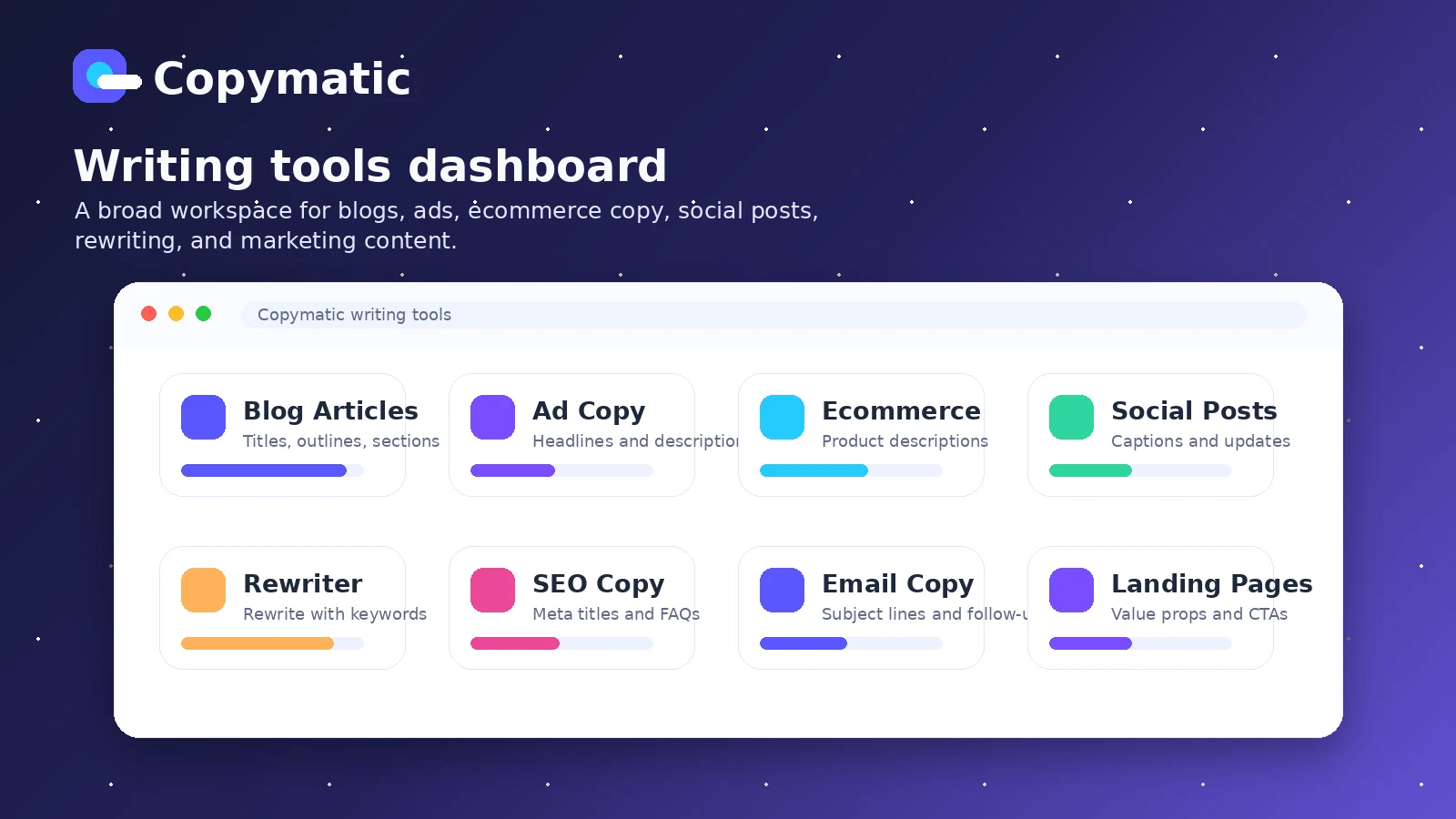
The product covers blog content, ads, landing page copy, ecommerce descriptions, website copy, rewriting, grammar help, social posts, image generation, a Chrome extension, and a documented API path. On paper, that sounds like a lot for the price. The buying question is whether that wide surface area actually fits the content work you repeat every week.
I would not judge Copymatic only by the homepage promise of faster writing. The safer test is narrower: can it help you move from brief to usable draft without creating too much editing, factual cleanup, or brand voice repair?
For bloggers and small marketing teams, Copymatic can make sense as a draft accelerator. For agencies, it can be useful if the Team or Enterprise path genuinely reduces production bottlenecks. For technical buyers, API access may matter. But none of that automatically makes the cheapest visible plan the right deal.
The main caution is pricing interpretation. Copymatic shows lower yearly-equivalent pricing publicly, while its help center also lists higher monthly pricing for the same plan families. The free trial is credit-based, not a permanent free plan. And “unlimited words” should be read alongside the fair-use policy before a high-volume publisher builds around it.
My practical view: test Copymatic with one real blog, ad, or landing page workflow first. If the output saves meaningful editing time, then compare monthly, yearly, Team, API, and coupon routes. If the trial output still needs heavy rewriting, a lower price will not fix the mismatch.
Next step: If Copymatic still fits your writing workflow, verify the current pricing route and offer path before choosing monthly or annual billing.
Review snapshot
| Review point | Practical take |
|---|---|
| Best for | Bloggers, marketers, freelancers, and small teams that need repeatable AI writing support |
| Not ideal for | Buyers expecting publish-ready copy without editing, deep SEO optimization, or one-off casual use |
| Main use case | Generating and improving blog drafts, ads, landing page sections, ecommerce copy, and social content |
| Free path | Credit-based free trial with 10 credits for testing core tools |
| Pricing note | Public site shows Pro from $19/month billed yearly; help center lists Pro at $29/month on monthly billing |
| Main strength | Broad template coverage plus long-form writing, Chrome extension, and API documentation |
| Main concern | Billing interval, fair-use policy, refund language, and WordPress publishing path need verification |
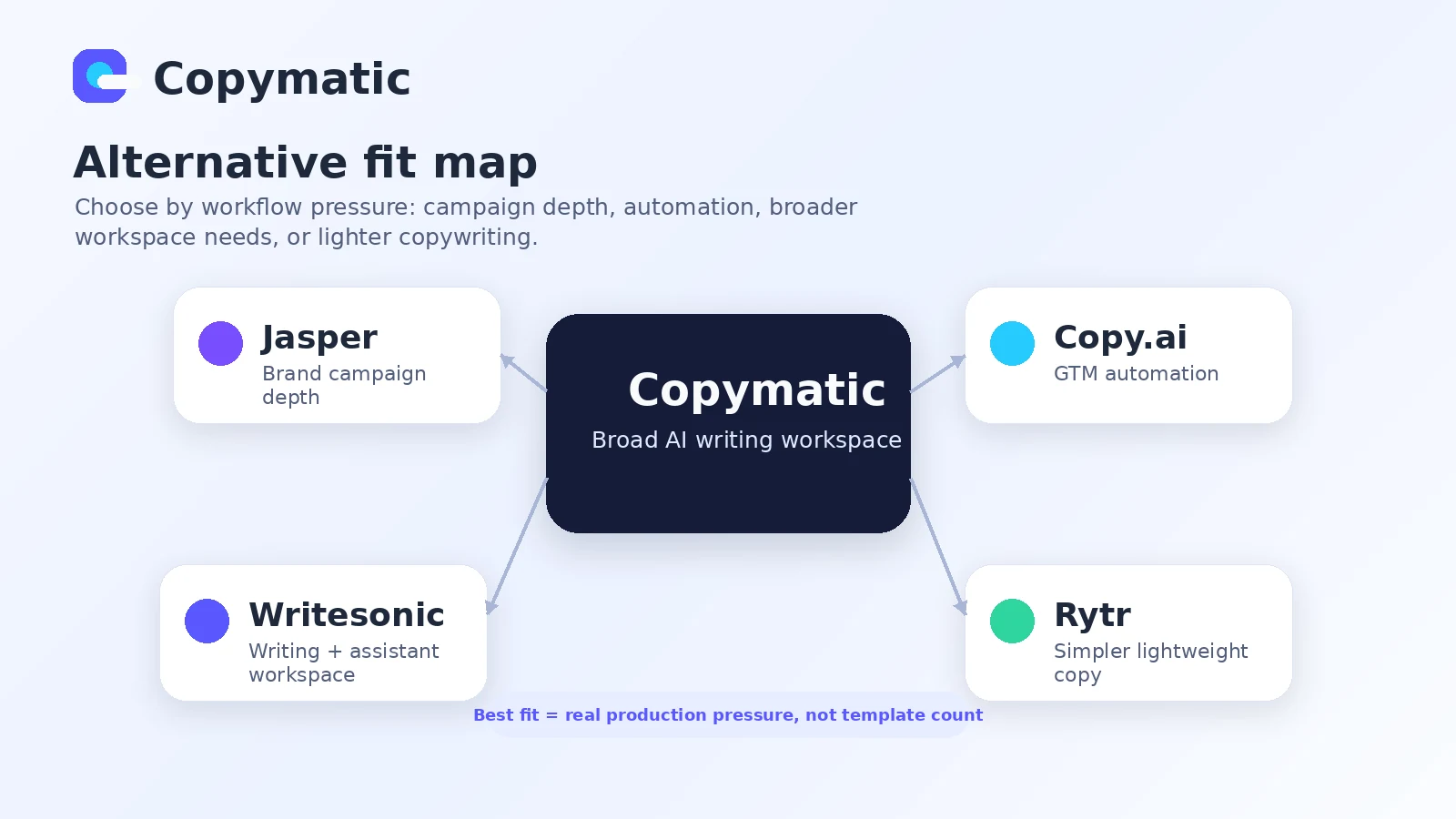
| Direct alternatives | Jasper, Copy.ai, Writesonic, Rytr |
| Best next step | Run one real content workflow before choosing annual billing or API-heavy use |
What is Copymatic?
Copymatic is an AI writing and copy generation platform for people who need text across several business and content formats.
The simplest description is this: Copymatic helps generate blog posts, ads, landing page copy, website sections, ecommerce copy, social content, rewrites, grammar improvements, video descriptions, and related marketing assets. It also promotes image generation, a Chrome extension for browser-based writing, and an API for paid members.
That makes it broader than a basic blog writer.
It is not, however, a replacement for a content strategist, editor, fact-checker, or brand voice owner. The homepage can make the process sound almost automatic: choose a tool, enter details, generate copy. In a real content workflow, the useful part comes after that first generation. You still need to check accuracy, polish the tone, strengthen examples, add internal links, align with search intent, and remove generic AI phrasing.
The common wrong expectation is thinking Copymatic is valuable because it has many tools. A large tool list is only useful if the tools match your repeated content jobs. A blogger who publishes weekly may care about outline, intro, paragraph, meta description, and rewrite flows. An ecommerce operator may care more about product descriptions and ad copy. An agency may care about seats, consistent output, approval steps, and fair-use behavior.
Our review approach compares public product pages, pricing details, help documentation, deal terms, buyer workflow fit, and nearby alternatives. We do not treat a low monthly-equivalent price, free credits, or a coupon path as proof that the product fits the buyer.
Who should use Copymatic?
Copymatic fits buyers who already know they need repeatable writing support.
Bloggers and niche site operators are the most obvious fit. Copymatic can help with article ideas, outlines, intros, long-form sections, conclusions, meta descriptions, rewrites, and supporting copy. The condition is that the buyer still edits. If you publish content that needs trust, accuracy, or real expertise, Copymatic should speed up drafting, not replace editorial judgment.
Small marketing teams may also find it useful. If the same person needs to produce ad copy, website sections, landing page variations, product blurbs, and social content, a broad template workspace can reduce blank-page time. The part I would check first is whether the outputs are close enough to the brand’s voice to reduce work rather than create cleanup.
Freelancers and solo marketers can use Copymatic as a practical first-draft engine. It may help with client briefs, headline variants, rewrites, content blocks, and quick marketing drafts. The risk is over-delivering raw AI copy. A freelancer still needs to turn the output into a clean, human-edited deliverable.
Agencies with repeat production work may consider Team or Enterprise if multiple users need access. In that case, the plan decision is not just about price. It is about seats, approval workflow, editing burden, fair-use limits, and whether the tool improves delivery speed across real client work.
Technical buyers can look at Copymatic for API-supported content generation. This is a more serious decision. API access should be verified against the current paid plan, request behavior, model coverage, rate expectations, and the buyer’s own review system before it becomes part of a production workflow.
Who should avoid Copymatic?
I would skip Copymatic if you only need one or two short pieces of copy per month. In that case, a free tool, a simpler writer, or even a careful prompt inside a general AI assistant may be enough.
I would also be careful if you expect final publish-ready content without editing. Copymatic can generate text quickly, but speed is not the same as readiness. Blog posts still need fact checks, examples, subject-matter review, internal links, formatting, and a clear point of view.
Teams that need deep SEO optimization may also want to compare alternatives first. Copymatic has SEO-related features and content tools, but buyers who need SERP analysis, content scoring, competitor outlines, entity coverage, or advanced optimization may be better served by a specialist SEO writing platform.
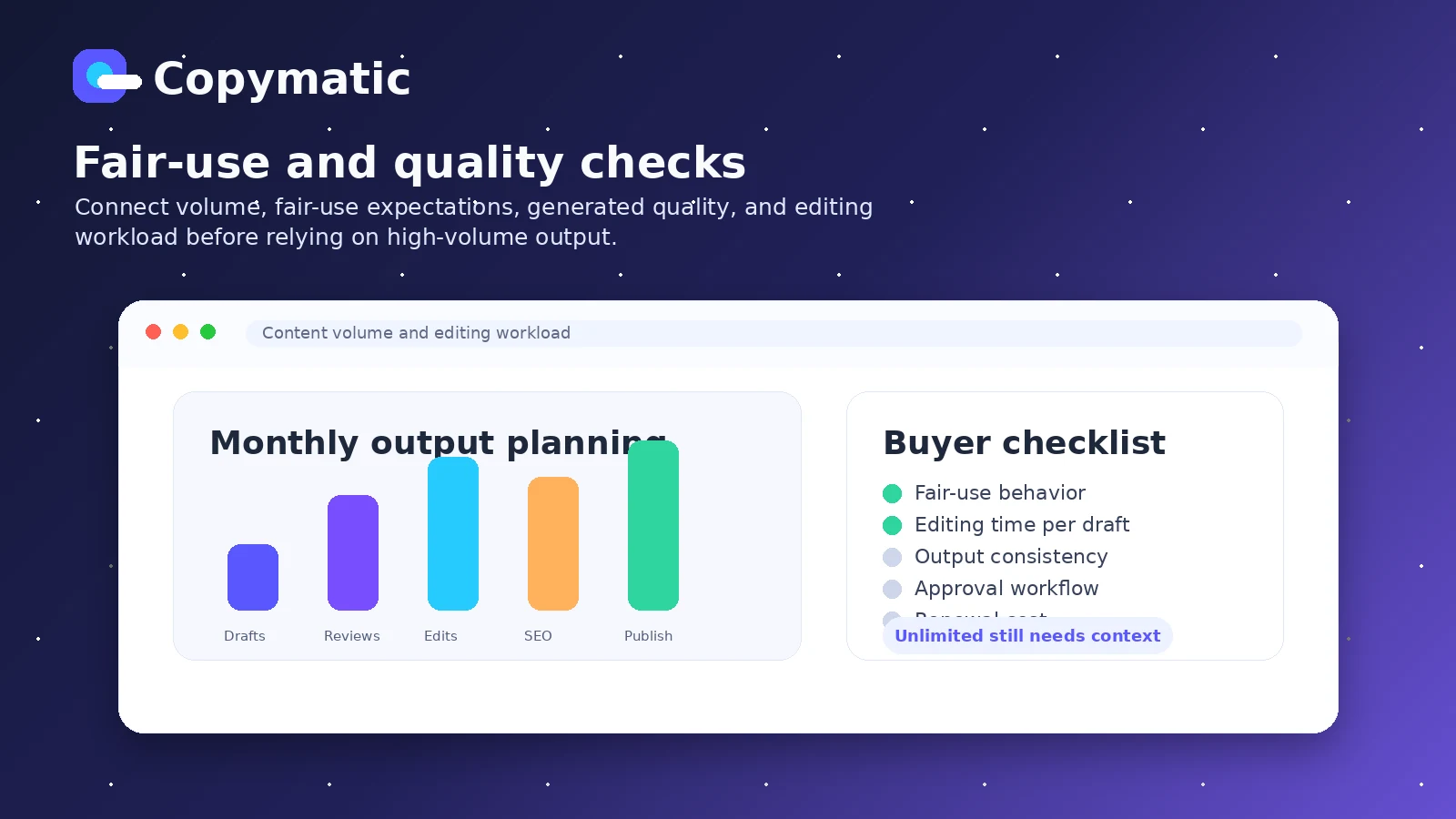
High-volume publishers should not buy only because the plan says unlimited words. The fair-use policy matters. If a business plans to generate a large amount of content every month, it should verify how the monthly limit behaves, what happens near the threshold, and whether the quality remains usable at scale.
Finally, I would be cautious if WordPress publishing is the main reason for buying. Copymatic’s public site references a WordPress plugin, but public WordPress security references make this integration a buyer check rather than a simple advantage. If your workflow depends on direct WordPress import, verify the current safe publishing path before paying.
How Copymatic fits into a real workflow
A practical Copymatic workflow should start with a clear brief, not with a random prompt.
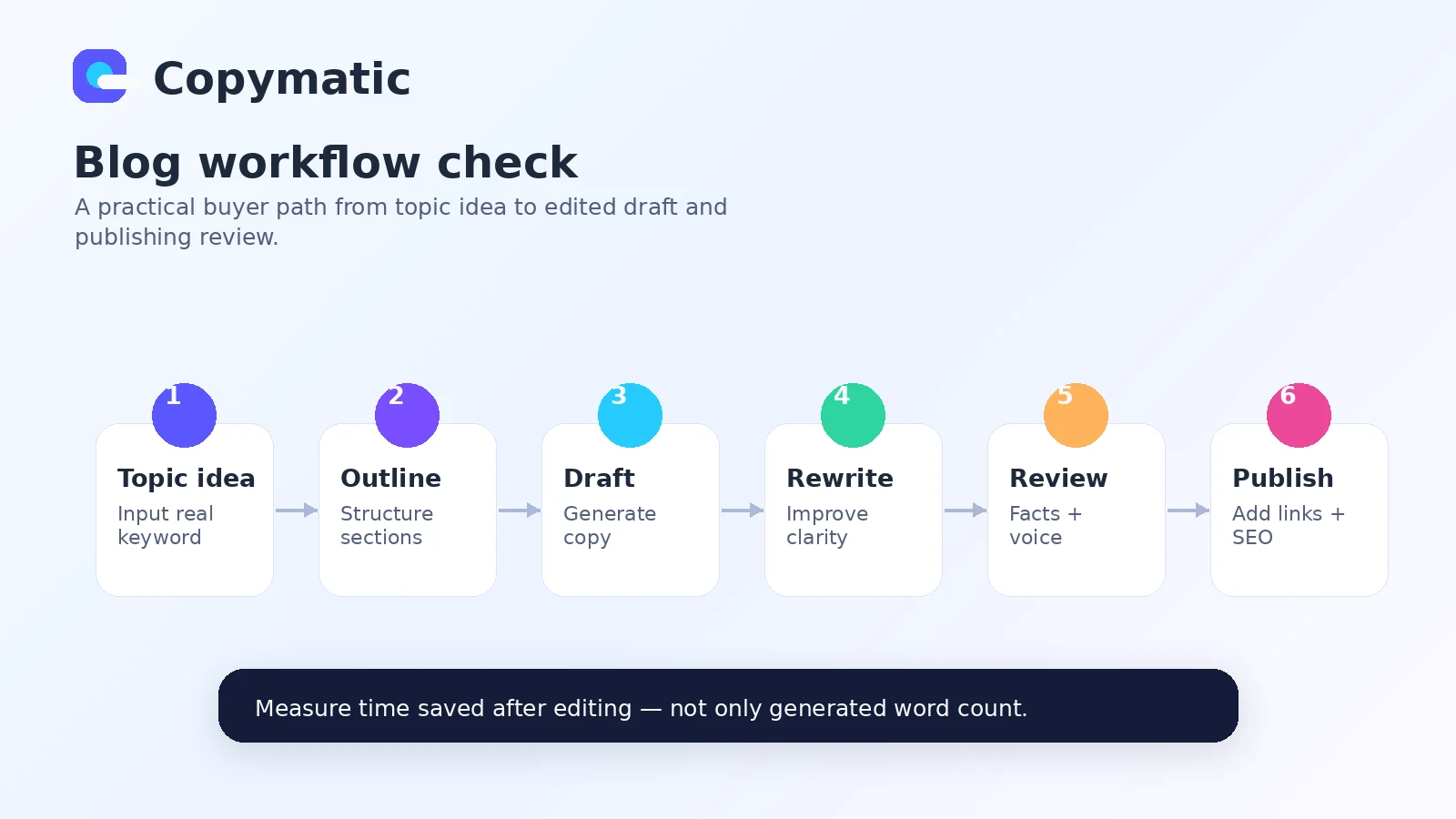
For a blog workflow, I would think about it like this:
- Pick a real topic you already plan to publish.
- Use Copymatic to generate title ideas and an outline.
- Create an introduction and section drafts.
- Rewrite weak sections instead of accepting everything.
- Add your own examples, links, data, and product judgment.
- Check factual claims and remove generic filler.
- Polish the final draft for brand voice and search intent.
- Decide whether the time saved is worth the plan price.
That last step is the buying decision.
Copymatic is most useful in the middle of the workflow: idea expansion, first drafts, variations, rewrites, and content blocks. It is weaker if you expect it to understand your business deeply without strong inputs. Like most AI writing tools, it benefits from specific prompts, clear audience context, product details, tone direction, and editing standards.
For marketing copy, the workflow is similar. You can use it to generate ad angles, landing page headings, benefit bullets, ecommerce descriptions, or social posts. But the buyer still needs to check whether the copy matches the actual offer. AI can produce persuasive-sounding text that is not quite true, not quite specific, or not quite differentiated.
For API use, the workflow becomes more technical. A buyer may connect Copymatic to an internal content process, but that should include review checkpoints. I would not let an API-backed writer push content directly into publishing without a human approval layer.
Real-world buyer scenarios
A blogger publishing weekly articles
This buyer wants faster outlines, intros, section drafts, and meta copy. Copymatic may fit if the blogger already has a niche, content plan, and editorial checklist.
Where it may fail is depth. If every article needs original testing, expert commentary, or detailed product comparison, AI output will still need heavy work. The right test is one real article from brief to edited draft, not a random sample paragraph.
A small business owner writing ads and landing pages
This buyer may not need a full content operations platform. They need usable variants: headlines, product benefits, page sections, ad copy, and short-form social text.
Copymatic can help here if the business has clear offer details. Without that, the copy may sound polished but generic. I would verify whether the tool can produce offer-specific copy that feels credible, not just grammatically clean.
A freelancer preparing client drafts
A freelancer might use Copymatic to speed up first drafts, rewrites, and concept variations. The danger is delivering AI output too early.
The better workflow is to use Copymatic for draft acceleration, then add client context, proof, examples, and human editing. If the buyer is paid for judgment, not just word count, Copymatic should stay behind the scenes as a support tool.
An agency considering team use
Agencies should focus less on the template count and more on plan fit. How many seats are needed? How much editing remains? Does the fair-use policy cover normal client volume? Does the team need API access? Is annual billing worth the risk?
If the agency does not answer those questions first, a low monthly-equivalent price can become misleading.
Key features that actually matter
Long-form article writing
Copymatic’s long-form writer is one of the main reasons bloggers and content teams would consider it. The platform can help generate article titles, outlines, introductions, paragraphs, and other article elements.
The value is speed. The limitation is that long-form content still needs editorial structure, factual checking, examples, and search-intent alignment.
Buyer note: test one article in your actual niche. Do not judge the tool from a generic topic where almost any AI writer can sound acceptable.
Broad copywriting template coverage
Copymatic covers many short-form and marketing formats, including ads, website copy, ecommerce copy, social posts, rewrites, grammar help, video descriptions, and landing page assets.
This matters if your work crosses several channels. It matters less if you only need one content type.
Buyer note: broad coverage is useful only when the templates you actually use produce better drafts than your current process.
Chrome extension
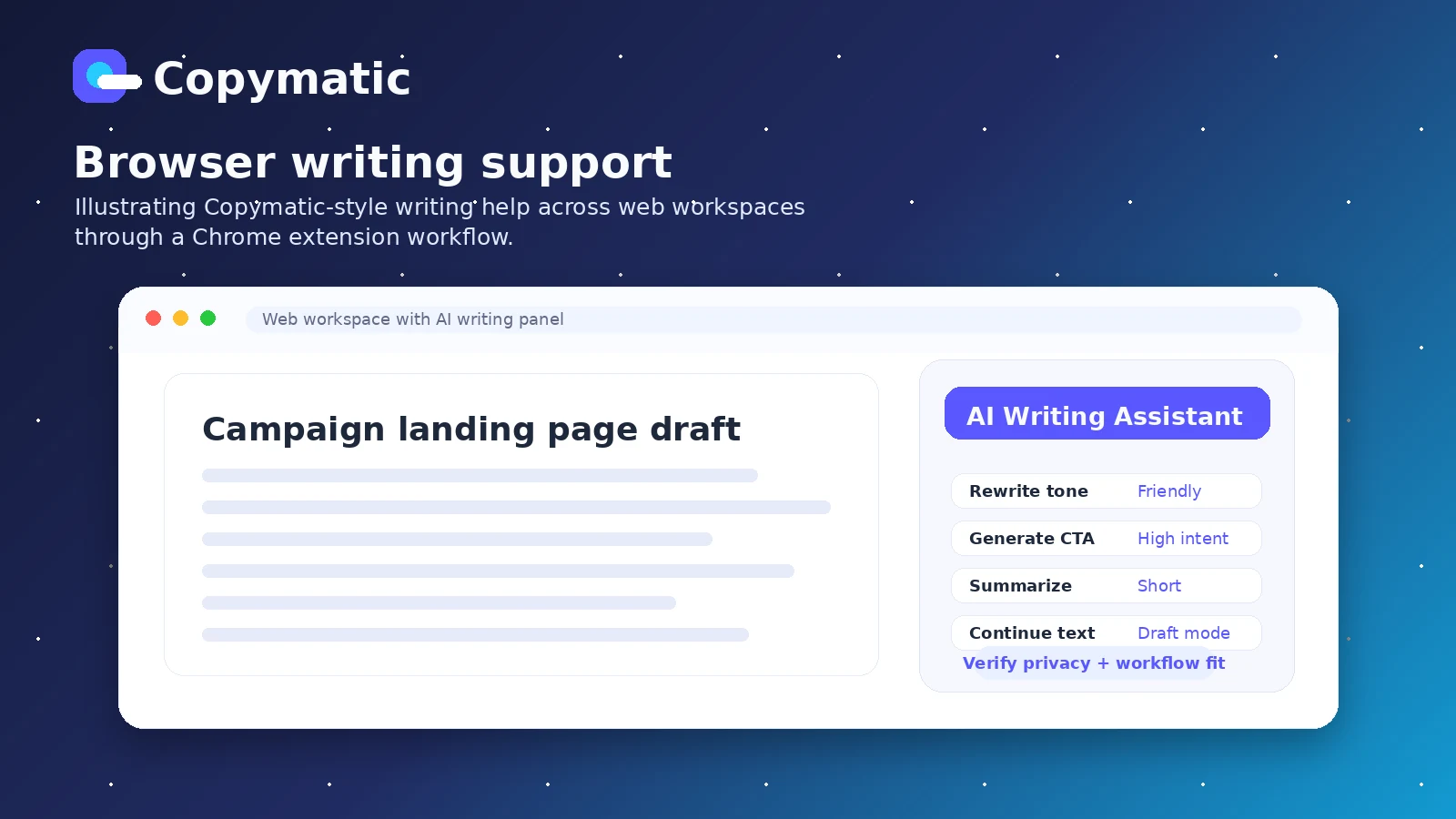
The Chrome extension angle is useful for buyers who write across browser tools. It can make AI writing assistance feel less locked inside a dashboard.
The risk is privacy and workflow comfort. Browser-based writing tools can be convenient, but teams should understand where they are using them and what type of content they paste into them.
Buyer note: test the extension only with non-sensitive content first if your work includes client data, unpublished campaigns, or internal documents.
API access
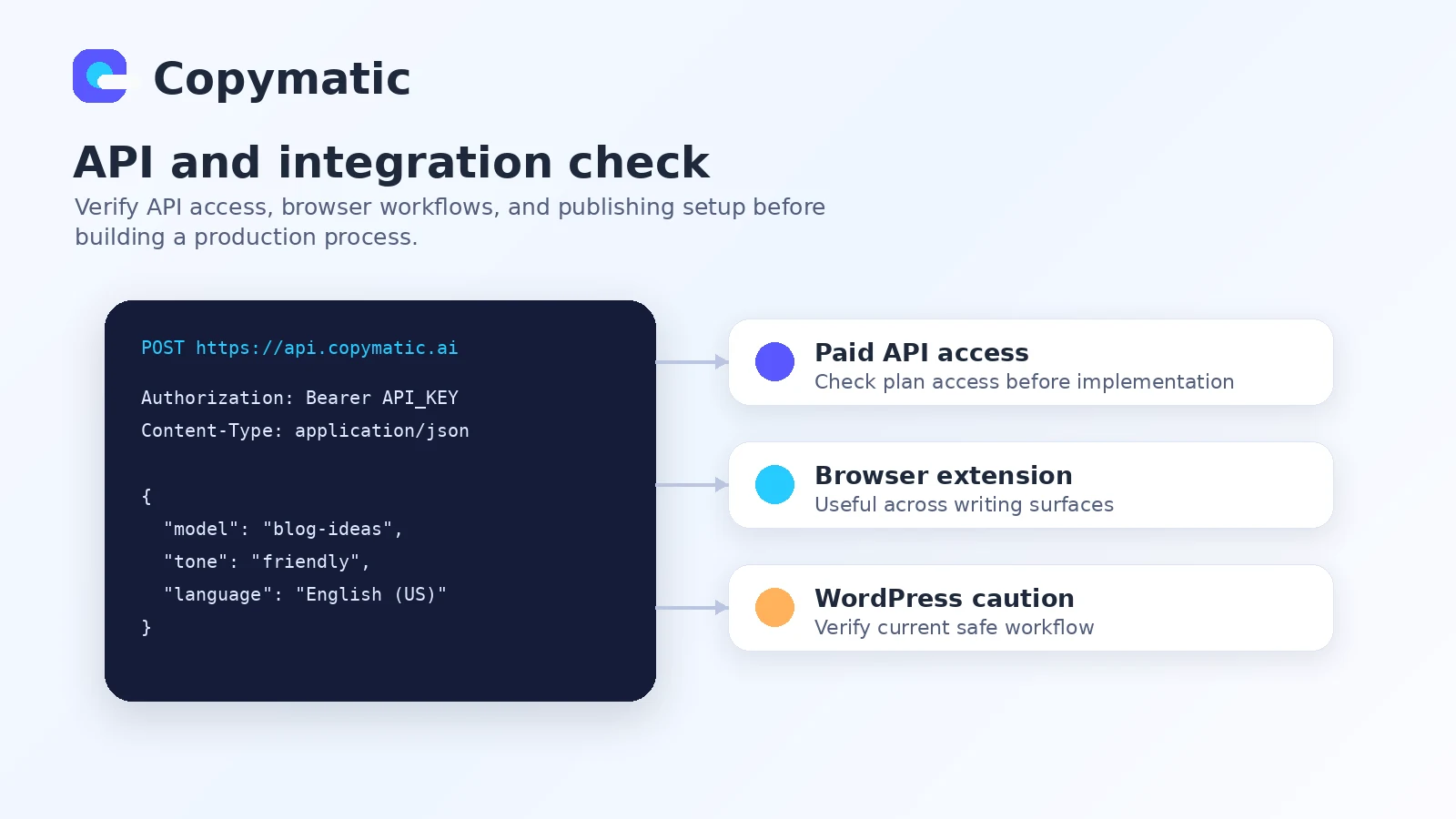
Copymatic documents an API route for paid members, with a request structure, API key requirement, model parameters, tone, creativity, language, and output controls.
This makes Copymatic more flexible than a dashboard-only writing tool. But API use should not be treated as casual. It needs testing for output consistency, limits, error handling, review workflow, and cost expectations.
Buyer note: confirm current plan-level API access before building anything around it.
Autopilot and SEO-adjacent features
The current pricing area mentions autopilot projects, automatic keyword research, content scheduling, internal and external linking, rank tracking, AI SEO recommendations, automatic publishing, and AI or stock images.
Those features make Copymatic look more like a content production system than a simple copy generator. I would still test them carefully. SEO-related features can sound attractive, but the buyer needs to know whether they are deep enough for the way the site actually publishes.
Buyer note: if SEO optimization is the main job, compare Copymatic with a more SEO-focused content platform before paying annually.
Pricing and plan value
Copymatic pricing needs careful reading.
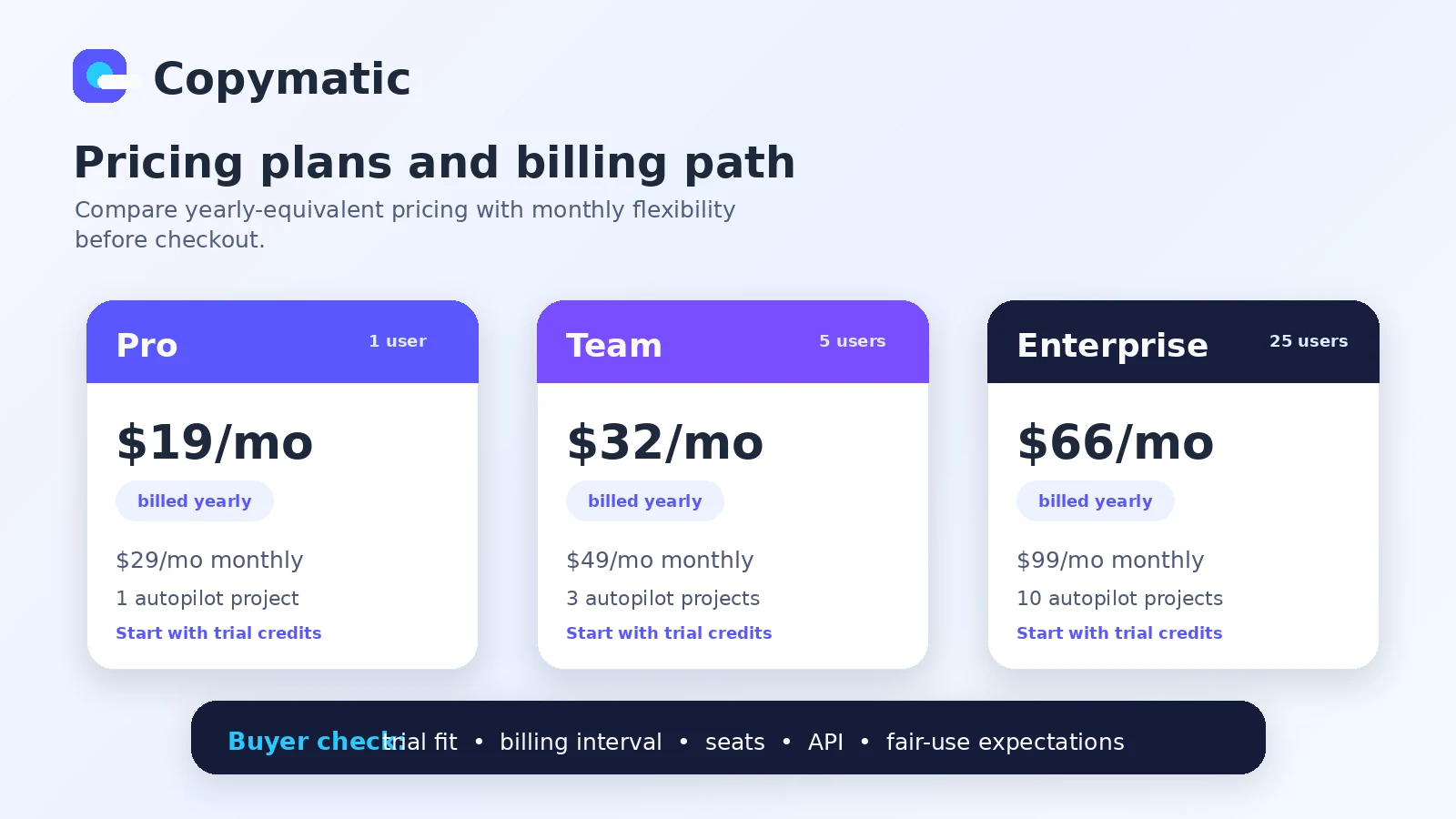
The public pricing section currently shows three main plan families with yearly billing highlighted: Pro from $19/month billed yearly, Team from $32/month billed yearly, and Enterprise from $66/month billed yearly. The help center also lists monthly prices of $29/month for Pro, $49/month for Team, and $99/month for Enterprise, with yearly checkout totals shown separately.
That difference is not unusual. Many SaaS products display the lower annual-equivalent price first. But it matters because the buyer may think they are looking at flexible month-to-month pricing when they are actually seeing annual billing.
The Pro path is the natural starting point for solo users. It includes one user seat in the help center pricing table, and the public pricing area highlights one autopilot project. This may be enough for a blogger or freelancer who wants to test repeat content drafting.
Team is more relevant when multiple users need access. The help center lists five user seats for Team. The buyer should compare that with the actual content team size, because paying for seats that do not become active production users weakens the deal.
Enterprise is more likely to fit larger teams or high-volume workflows. The help center lists 25 seats and a higher checkout total. I would not choose this plan until the team has tested output quality, editing effort, fair-use comfort, and whether Copymatic fits the operating workflow.
The free trial helps, but it is not a full proof of long-term value. Ten credits can test the core tools and a small amount of blog content, but it cannot fully validate a monthly content operation. Treat it as a screening test, not as final evidence.
Annual billing can be attractive because of the lower monthly-equivalent price. I would only choose annual after testing one real workflow and confirming cancellation/refund comfort. If the first drafts still need too much repair, monthly flexibility is safer.
Pricing check: If Copymatic fits your draft workflow, compare the live monthly and yearly checkout paths before committing.
Check Copymatic pricing Check current offers Read store guide
Free plan, trial, coupon, and checkout notes
Copymatic does not present a permanent free plan in the public pricing path I would rely on. The safer wording is that it offers a credit-based free trial.
The trial includes 10 credits, which the homepage says can be used to try blog content, copywriting, digital ads, marketing tools, and related AI tools. That is enough to understand the interface and run a small workflow test. It is not enough to know whether the tool can support months of content production.
The checkout order I would follow is simple:
- Start with the free trial credits.
- Test one real blog or marketing asset.
- Track editing time, not just generated word count.
- Compare monthly and yearly pricing.
- Check fair-use comfort if volume matters.
- Review cancellation and refund language.
- Only then check the coupon or offer path.
That last point is important. A coupon can improve a purchase, but it should not be the reason you buy an AI writer. If Copymatic produces usable drafts for your workflow, the Copymatic coupon page is worth checking before checkout. If the workflow does not fit, a discount only makes the wrong tool cheaper.
I would also be careful with refund assumptions. The terms include restrictive no-refund language for paid subscriptions and paid services, while also describing a 30-day satisfaction process for dissatisfied service customers. Because that wording is broad, buyers should verify the exact current checkout and cancellation terms before annual billing.
Offer check: Use the coupon route only after the trial proves Copymatic can reduce real editing work.
What I would check before buying Copymatic
If I were buying Copymatic for a real content workflow, I would check these points before paying:
- Monthly versus yearly billing: Confirm whether the price shown is monthly billing or annual-equivalent pricing.
- Trial-credit usefulness: Use the 10 credits on content you actually publish or sell, not on random prompts.
- Editing workload: Track how much human rewriting, fact-checking, and brand voice cleanup remains.
- Fair-use policy: If you care about high volume, confirm what happens near the monthly fair-use threshold.
- API access: If API use matters, verify current paid-plan access and test request behavior before implementation.
- WordPress publishing path: Do not rely on old plugin assumptions without checking the current safe workflow.
- Refund and cancellation terms: Read the live checkout and terms before choosing annual billing.
A simple test before paying
Before paying for Copymatic, I would run a small test like this:
- Pick one real topic, campaign, or product page you already need.
- Use Copymatic to create the outline or first draft.
- Generate at least one rewrite or variation.
- Edit the result as if it were going live.
- Track how much time the tool saved compared with your normal process.
- Check whether the output needed factual repair or only normal polish.
- Decide whether monthly or annual billing makes sense only after that edit.
This test is simple, but it is more useful than browsing the template list for ten minutes.
The mistake buyers often make here is testing the easiest possible prompt. Almost every AI writer can produce a decent paragraph about a generic topic. The real test is whether Copymatic helps with your actual niche, offer, brand voice, and publishing standard.
For a blogger, that means a real article. For a marketer, it means a real landing page or ad set. For an agency, it means a real client-style brief. For a technical buyer, it means a small API test with review steps built in.
Pros explained
Broad writing coverage
Copymatic’s biggest strength is coverage. It can support blogs, ads, landing pages, ecommerce copy, website copy, rewrites, social posts, grammar improvements, and more.
This matters for buyers who create many formats. It stops being enough when the buyer only needs one specialized workflow or when the output quality varies too much across templates.
Low-friction trial path
The credit-based free trial is useful because it lets buyers test the platform before paying.
The catch is that trial credits should be used carefully. A random prompt does not prove value. A real content task does.
Chrome extension and browser workflow
The Chrome extension can be helpful for people who write across different browser-based tools. It gives Copymatic a more flexible feel than a dashboard-only writer.
This matters most when the buyer writes in many places. It matters less if all content already goes through a structured editorial system.
API access for paid users
The documented API gives Copymatic another layer of flexibility. Technical buyers may use it to support structured content generation or internal workflows.
The limitation is that API access raises the bar. Buyers need to test output behavior, approval flow, and implementation details rather than treating API availability as a simple checkbox.
Cons explained
Pricing can be misread
The lower visible pricing is tied to yearly billing, while the help center lists higher monthly rates. This is not necessarily bad, but it is easy to misunderstand.
Buyers who want flexibility should compare the monthly price, not only the annual-equivalent number.
Unlimited wording needs fair-use context
Unlimited words sounds simple, but the help center describes a fair-use policy. For many small users, this may not be an immediate problem. For agencies and bulk publishers, it matters.
The risk is building a high-volume workflow before checking how the limit behaves.
Refund language is not clean enough for casual annual billing
The terms contain no-refund language for paid subscriptions and paid services, while also referencing a satisfaction process. That is not the same as a simple, clean SaaS refund window.
The safest move is to test first and avoid annual billing until the workflow value is proven.
WordPress integration needs verification
Copymatic’s site references a WordPress plugin, but public security references around the plugin mean buyers should verify the current state before relying on it.
This matters most for WordPress publishers who want direct import. Drafting inside Copymatic is one thing. Building a publishing workflow around a plugin is another.
Green flags and red flags
| Signal | What it means for buyers |
|---|---|
| Green flag: you publish multiple content formats every month | Copymatic’s broad template set may reduce repeated blank-page work |
| Green flag: you have a clear editorial checklist | AI drafts become more useful when humans know what to fix |
| Green flag: you need browser-based writing help | The Chrome extension may fit cross-site drafting workflows |
| Green flag: you need API-supported generation | API documentation gives technical buyers something concrete to evaluate |
| Red flag: you only want a cheap unlimited writer | Fair-use, output quality, and editing workload matter more than the headline word claim |
| Red flag: you expect final copy without review | Copymatic can draft, but it cannot replace buyer judgment, fact-checking, or brand control |
| Red flag: you need direct WordPress publishing | Verify the current safe publishing path before treating the plugin as a reason to buy |
| Red flag: you are buying only because of a coupon | Discount logic should come after workflow fit, not before it |
Copymatic vs alternatives
Copymatic’s direct alternatives are other AI writing and copy generation platforms. Some adjacent tools may overlap with SEO, automation, or content operations, but the closest comparisons are still writing-first tools.
Jasper vs Copymatic
Jasper is usually the stronger comparison for teams that care about brand campaigns, marketing workflows, and more polished business content operations. It may be a better fit when brand consistency, team processes, and campaign structure matter more than low-cost broad template access.
Copymatic may still make sense if the buyer wants a more straightforward writing workspace, a lower visible annual-equivalent entry point, browser assistance, and API-supported generation without moving into a heavier marketing platform.
Copy.ai vs Copymatic
Copy.ai is a better comparison when the buyer is thinking beyond content drafting and into go-to-market workflow automation. It may fit teams that want structured sales or marketing workflows, not only AI copy generation.
Copymatic may be the simpler fit if the main job is writing blog content, ads, landing pages, ecommerce copy, and rewrites from one dashboard.
Writesonic vs Copymatic
Writesonic is worth comparing if the buyer wants a broader AI writing workspace with more search, assistant, or content ecosystem features depending on the current plan. It may feel more ambitious for buyers who want writing plus wider AI content operations.
Copymatic may still be enough if the buyer wants a clear writing toolkit, Chrome extension support, and paid-member API access without choosing a broader platform.
Rytr vs Copymatic
Rytr is the lighter comparison. It is usually more relevant for buyers who want a simpler AI writing assistant for occasional copy, short-form drafts, and budget-conscious use.
Copymatic makes more sense when the buyer needs more content formats, long-form workflows, API access, or a larger writing surface than a lightweight assistant.
Trust, refund, and buyer-risk notes
The trust question with Copymatic is not whether it can generate text. It can. The trust question is whether the buyer understands the operating limits before building a workflow around it.
Pricing should be verified live. The public pricing section emphasizes yearly billing, while the help center lists both monthly and yearly prices. That means buyers should check the checkout toggle and total before assuming the lower number is the flexible monthly cost.
The free trial is useful but limited. Ten credits can show whether the interface and draft quality are promising. They cannot prove long-term value for a serious content calendar.
The fair-use policy matters for volume. If you publish a normal amount of content, the limit may not become an issue. If you are an agency, programmatic publisher, or automation-heavy buyer, it becomes part of the buying decision.
Refund and cancellation language should be read before paying. The terms include automatic renewal language and a 15-day cancellation notice policy, along with restrictive refund wording. I would not move into annual billing until Copymatic has already proven useful in a real workflow.
Data and privacy also deserve attention. Like most AI writing platforms, Copymatic may collect account, usage, website, business, and payment-related information to operate the platform. Buyers handling sensitive client material should be careful about what they paste into any AI writing tool.
WordPress buyers should do extra verification. The public homepage references a WordPress plugin, but public security references around the plugin mean current safe workflow matters more than old integration promises.
Final verdict
Copymatic is a practical AI writing tool if you need a broad drafting workspace for blogs, ads, landing pages, ecommerce copy, rewrites, and repeat marketing content.
I would consider it if your work involves multiple content formats and you already have a human editing process. In that situation, Copymatic can reduce blank-page time and help create useful first drafts, variations, and rewrites.
I would skip it if you only need occasional short copy, if you expect final publish-ready content without review, or if your main requirement is deep SEO optimization rather than general AI writing. I would also slow down if your plan depends on WordPress import, heavy automation, or very high monthly volume.
I would compare it with Jasper if brand campaign workflow matters more, Copy.ai if go-to-market automation is the bigger problem, Writesonic if you want a wider AI writing ecosystem, and Rytr if you want something lighter and simpler.
The safest next step is not to buy the annual plan immediately. Use the free trial credits on one real writing workflow. Edit the output. Measure the time saved. Then check live pricing, fair-use terms, refund language, API needs, and active offers.
For my money, Copymatic is not a tool I would judge by template count alone. It becomes interesting when the drafts actually reduce the work between idea and publishable content. If that does not happen in the trial, the smarter move is to compare alternatives before paying.
