Quick verdict
Post Planner is worth considering if your real problem is not just “I need a calendar,” but “I need a repeatable way to find, queue, recycle, and publish social posts without spending half the week inside social apps.”
That is the useful angle.
I would not judge Post Planner as a full enterprise social media suite. It is better understood as a practical social scheduler with content discovery, evergreen recycling, queue management, post previews, basic analytics, and lightweight AI help for captions, hashtags, and content ideas. For a small business, solo creator, local marketer, or lean team, that can be enough.
The caution is plan fit. Post Planner has a Free plan and a 7-day paid-plan trial, which is good for testing. But the buying decision depends on limits: social accounts, users, scheduled posts, daily posts per account, AI credits, analytics access, and content-plus features. The cheapest paid plan may look attractive until you realize your workflow needs more channels, more queue depth, or analytics that sit higher in the plan structure.
For my money, Post Planner makes the most sense when content curation and evergreen posting are part of your actual weekly process. It is less compelling if you already know what to post, only publish occasionally, or need social listening, a deep inbox, client approvals, and heavy reporting.
The safer path is to test one real week of posting before paying annually.
Next step: If Post Planner sounds like it fits your posting workflow, verify the current trial, plan limits, and buyer route before checkout.
Review snapshot
| Review point | Practical take |
|---|---|
| Best for | Small businesses, creators, local marketers, and lean teams that need affordable scheduling plus content ideas |
| Not ideal for | Enterprise teams, large agencies, social listening workflows, or buyers who need a deep unified inbox |
| Main use case | Scheduling posts, building content streams, recycling evergreen updates, and keeping multiple channels active |
| Free path | Free plan with tight limits, useful for basic testing rather than serious ongoing volume |
| Trial path | Paid plans are presented with a 7-day trial, but buyers should check live signup behavior |
| Pricing note | Public pricing varies by billing interval, so the monthly vs yearly toggle matters |
| Main strength | Scheduling plus content curation, not just a blank calendar |
| Main concern | Plan limits, analytics gates, renewal timing, and refund flexibility |
| Direct alternatives | Buffer, Later, SocialBee, Hootsuite, Loomly, Sendible, Planoly |
| Best next step | Test one real posting workflow before choosing a paid or annual plan |
What is Post Planner?
Post Planner is a social media scheduling and content curation tool built for people who need to keep social channels active without starting every post from a blank screen.
The product sits in a middle lane. It is more than a basic post scheduler because it includes content streams, curated sources, stock media, post ideas, quotes, queues, buckets, recycling, calendar previews, analytics, and AI-assisted caption or hashtag support. But it is not a full enterprise social management platform with deep listening, complex approval workflows, a mature social inbox, or white-label agency reporting.
That distinction matters because a buyer can easily compare the wrong things.
If your main problem is “we need a lightweight way to plan, queue, and reuse social content,” Post Planner belongs in the conversation. If your problem is “we need governance across multiple clients, approval chains, inbox triage, listening, and advanced reporting,” the comparison should move toward heavier tools.
Our review approach compares public product pages, pricing details, cancellation language, buyer workflow fit, and nearby social scheduling alternatives. I do not treat a low monthly price, free plan, or coupon route as proof that the product fits the buyer. With social scheduling tools, the real test is whether the weekly workflow gets easier after the tool is connected to the actual channels you manage.
The common wrong expectation is that Post Planner will solve strategy. It will not. It can help you find and schedule content. It can organize a queue. It can make recycling easier. But someone still has to decide what your brand should say, what content is actually useful, and when repeating content becomes helpful versus stale.
Who should use Post Planner?
Post Planner is a good fit for small businesses that need consistent posting but do not have a full marketing team. A local business, service provider, ecommerce shop, or small publisher can use queues and content streams to reduce the “what do we post today?” problem. The condition is that the buyer must still review relevance before publishing.
It also fits solo creators and consultants who already post across several channels. The value is not only scheduling. It is the ability to collect content ideas, reuse evergreen updates, and preview a calendar without bouncing between platforms. If you only post once in a while, that value drops quickly.
Lean marketing teams may find Post Planner useful when they want a simple operating rhythm: source content, prepare captions, fill buckets, schedule a queue, review performance, and recycle stronger posts. This is the workflow where the tool has a clearer reason to exist.
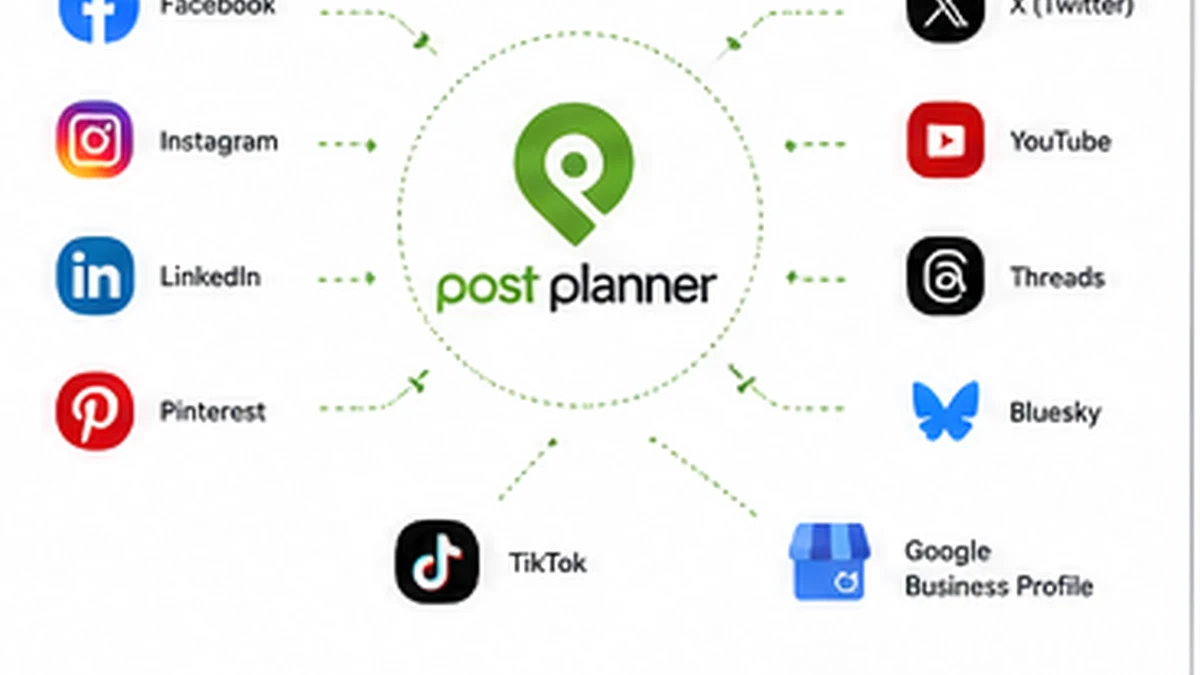
Local businesses managing multiple networks should also look at it carefully. Post Planner supports a broad mix of mainstream channels, which can matter if the business is posting across Facebook, Instagram, Google Business Profile, LinkedIn, Pinterest, TikTok, X/Twitter, YouTube, Threads, or Bluesky. The buyer check is whether the exact post formats needed are supported at the chosen plan level.
Finally, Post Planner can work for budget-conscious buyers who want a free plan or short trial before choosing a paid social tool. I would still avoid choosing a plan by price alone. Social accounts, users, scheduled posts, daily posts, AI credits, and analytics access can change the real value of each tier.
Who should avoid Post Planner?
I would be careful with Post Planner if you only need occasional posting. Native platform tools, a simple reminder system, or a lighter free scheduler may be enough if social publishing is not a recurring operational problem.
It is also not the first tool I would choose for a team that needs deep approval workflows. If every post must pass through clients, legal, managers, campaign owners, and analytics stakeholders, Post Planner may feel too light compared with heavier social media management platforms.
Agencies should slow down too. Post Planner can be useful for scheduling, but agencies often need client separation, approvals, reporting exports, inbox visibility, white-label presentation, and multi-user control. If those are core requirements, compare alternatives before paying annually.
I would also avoid it if your main need is social listening or community management. Scheduling a post and managing the conversation around that post are different jobs. Post Planner is closer to the first job.
The last buyer to avoid is the coupon-first buyer. A discount can improve a purchase that already makes sense, but it should not decide the purchase. If the tool does not fit your posting workflow, a better price only makes the wrong tool cheaper.
How Post Planner fits into a real workflow
A realistic Post Planner workflow starts before you open the composer.
First, list the networks you actually maintain. Then decide whether your social process needs scheduling only, content discovery, evergreen recycling, analytics, or a mix of all four. That matters because a buyer who only needs simple scheduling may not value Post Planner the same way as a buyer who needs content streams and repeatable queues.
A sensible workflow looks like this:
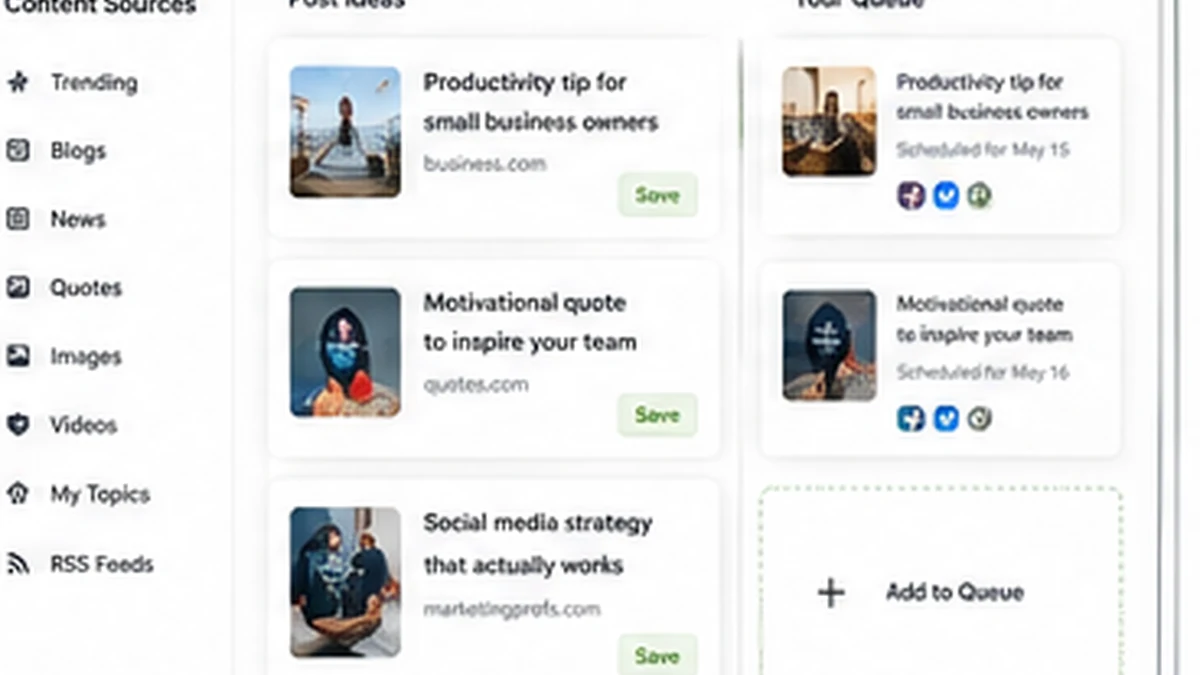
- Connect the actual social channels you manage.
- Build one or two content streams for your niche.
- Save sources that produce relevant articles, media, quotes, or post ideas.
- Create buckets for recurring post types.
- Schedule a short queue for the next week.
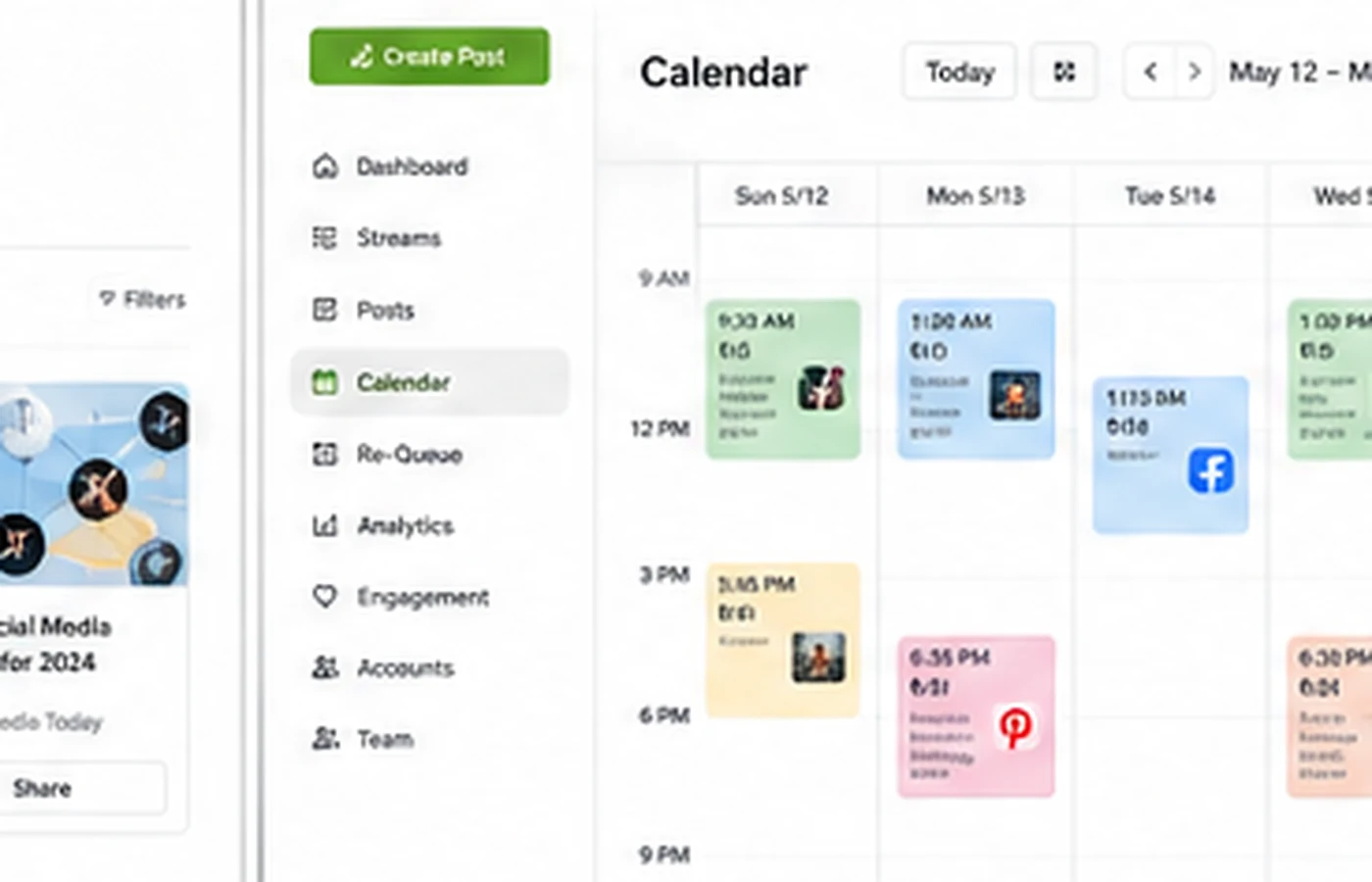
- Preview posts before they publish.
- Watch whether AI credits are useful or quickly limiting.
- Review performance and decide which posts are worth recycling.
That is where Post Planner becomes more believable. It is not just a place to put posts on a calendar. It is a system for feeding the calendar with curated content and keeping evergreen posts moving.
The human checkpoint still matters. Curated content can be irrelevant, overused, off-brand, or too generic. AI-generated captions can sound safe but dull. Recycling can save time, but it can also make a brand look lazy if repeated too often. The tool helps with mechanics. It does not replace judgment.
Workflow test: Use the trial to connect real channels, build one content stream, schedule a short queue, and see whether the process feels lighter after a normal week.
Real-world buyer scenarios
A local service business may use Post Planner to keep Facebook, Instagram, Google Business Profile, and LinkedIn active. The fit is good when the business needs predictable weekly posting but does not have someone writing social content every day. The risk is posting curated content that looks generic or disconnected from local trust.
A solo creator may use it to collect ideas, schedule posts across networks, and recycle evergreen updates. This makes sense if the creator already has content pillars. It fails when the creator expects the tool to invent a personal brand voice.
A small ecommerce brand may use Post Planner for product education, seasonal reminders, customer stories, and social proof posts. The buyer should test whether post previews, calendar planning, and queue structure make content easier to manage. If product tagging, deep commerce analytics, or visual-first Instagram planning matters more, a different tool may be stronger.
A lean agency may use Post Planner for simple client scheduling, but only if client reporting and approvals are not demanding. If multiple clients require separate approval paths, branded reports, inbox management, and detailed analytics, the agency should compare more robust platforms before committing.
Key features that actually matter
Multi-network scheduling
Post Planner’s broad network support is one of the practical reasons to consider it. For buyers managing several channels, one calendar can reduce the friction of logging into each platform separately.
Buyer note: check whether your specific post formats are supported, not just whether the network logo appears on the homepage.
Content streams and curation
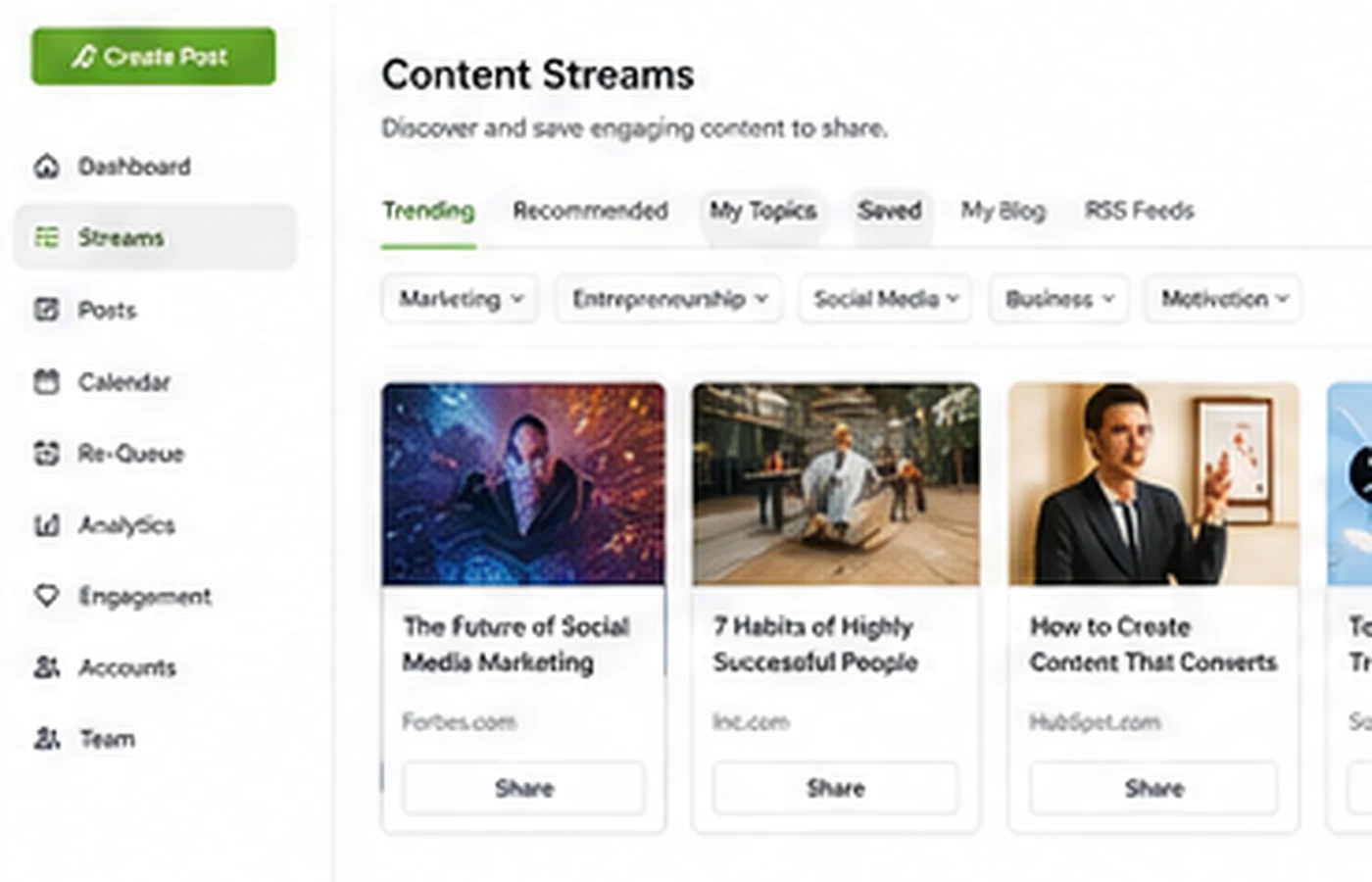
This is the feature that separates Post Planner from a plain scheduler. Content streams can help buyers source ideas from pages, feeds, articles, social sources, videos, stock media, and other content inputs.
Buyer note: relevance matters more than volume. A stream full of generic content does not save time if you need to filter most of it out.
Buckets, queues, and recycling
Queues and buckets are useful when your social strategy has repeatable categories: tips, customer stories, product education, testimonials, evergreen articles, quotes, or industry news. Recycling can help strong evergreen posts stay in circulation.
Buyer note: recycling needs oversight. Repeating good content is smart; repeating stale content too often hurts trust.
AI credits for captions and content support
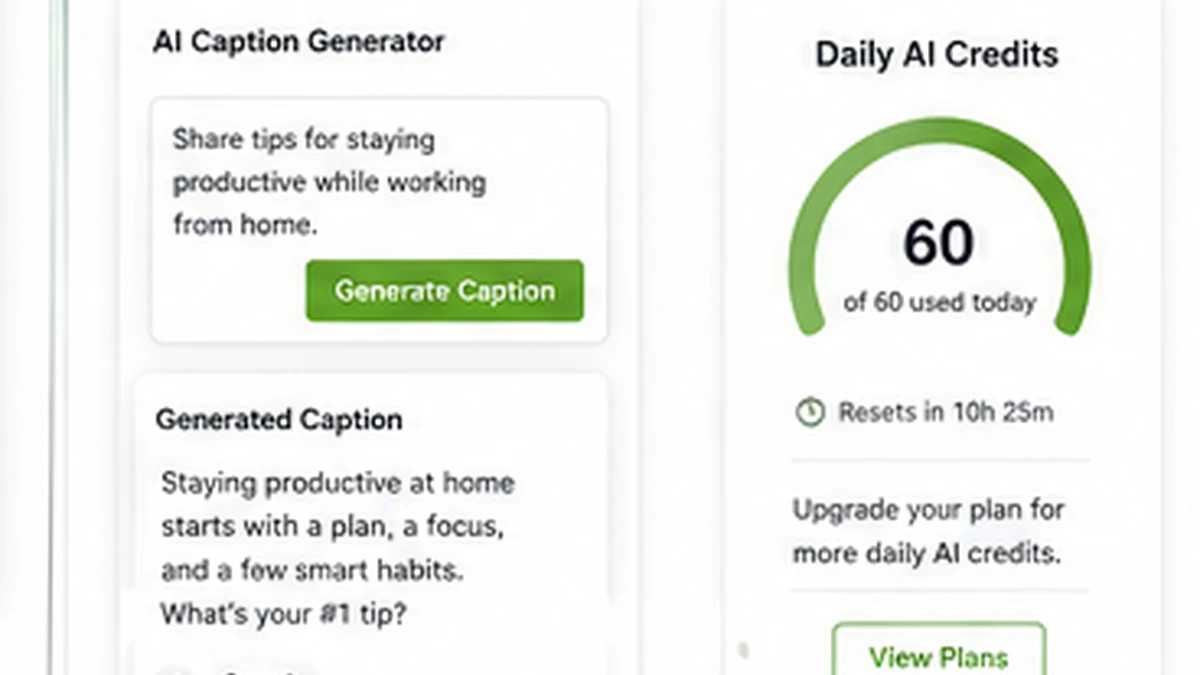
AI credits can help with captions, hashtags, and content generation. That is useful if you need first-draft wording, but it should not become the reason to buy the plan.
Buyer note: daily credit limits can matter. Test how fast you use credits during a realistic posting week.
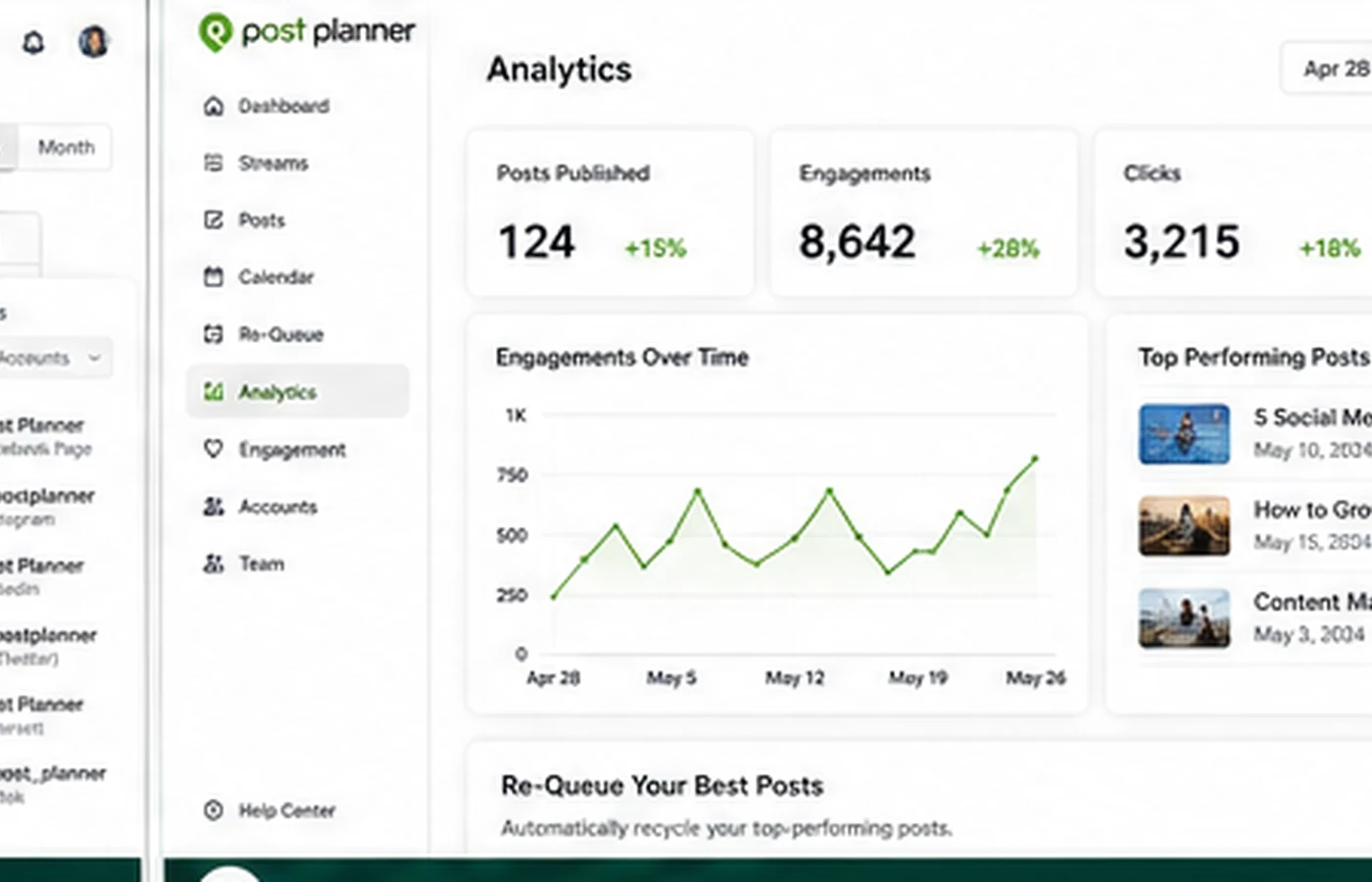
Analytics and re-queue decisions
Analytics become more useful once you have enough posts to learn from. The better use is not vanity reporting; it is deciding which content deserves to be reused, improved, or retired.
Buyer note: analytics access is plan-gated, so check whether the plan you are considering includes the level of performance review you actually need.
Pricing and plan value
Post Planner’s public pricing is fairly clear, but it still requires careful reading because the billing interval changes the visible monthly equivalent.
At the time of review, the public pricing page shows a Free plan plus Starter, Growth, Business, and Enterprise paths. The Free plan is useful for testing the basic idea, but it is limited: one social account, one user, a small scheduled-post queue, low daily posting volume, and a small daily AI credit allowance.
Starter is the first paid path and is aimed at a smaller workflow. Growth adds more room for social accounts, users, scheduled posts, daily posting, AI credits, content-plus access, and analytics. Business expands those limits again. Enterprise is the contact route for larger needs.
The important buying question is not “what is the cheapest plan?” It is “which plan stops getting in the way of my weekly workflow?”
For example, a buyer with one brand and a few channels might be fine testing Free or Starter. A team posting across many networks may need Growth or Business. A buyer who wants analytics and content-plus features should not assume the entry plan includes everything shown in marketing screenshots.
Annual billing can lower the effective monthly price, but it also increases commitment. I would not move to annual billing until the tool has survived a normal posting week, including content streams, post previews, queues, recycling, and AI credit usage.
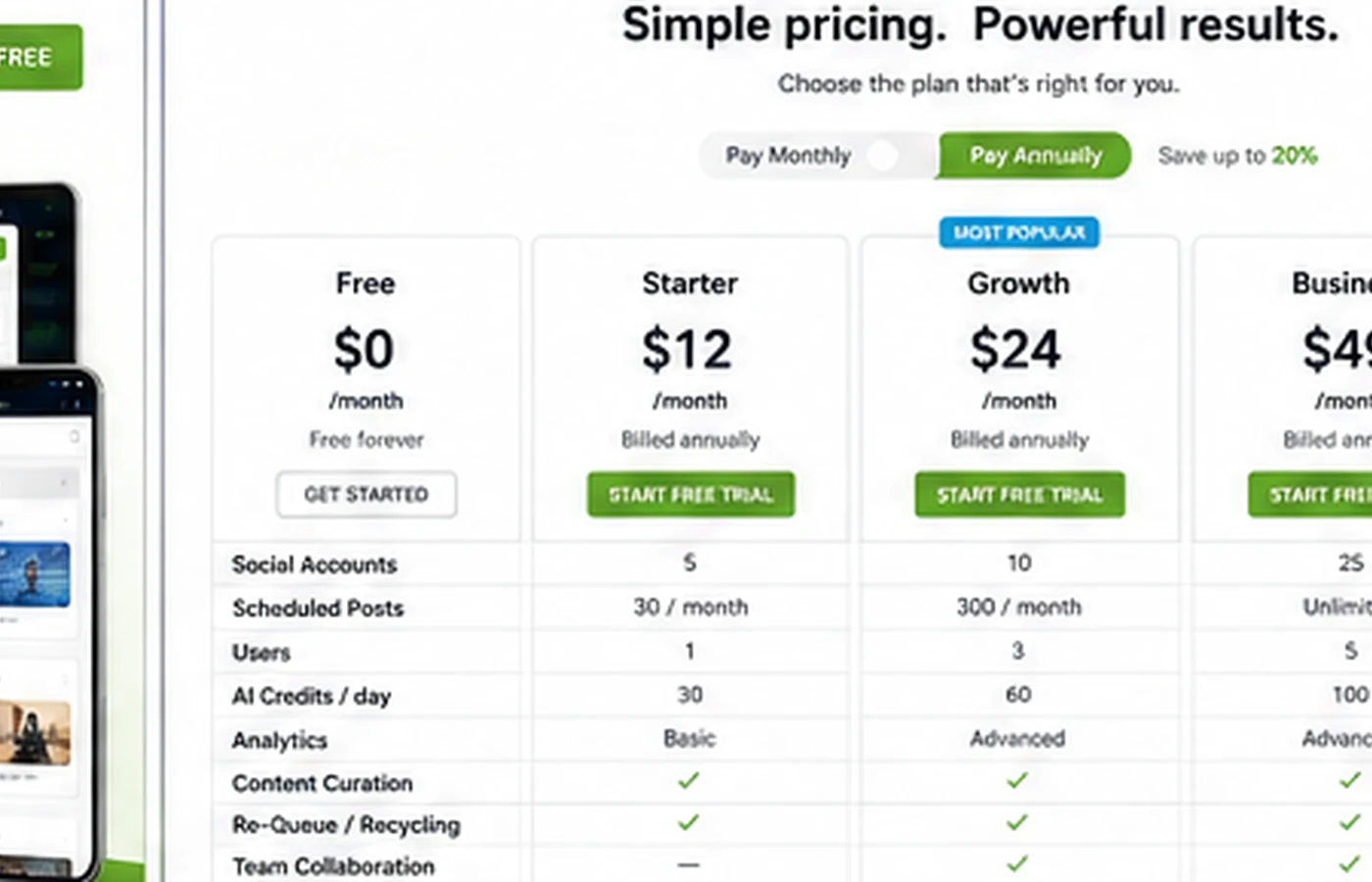
Pricing check: Before paying, compare the current monthly and yearly views against your real posting volume and plan-limit needs.
Free plan, trial, coupon, and checkout notes
The Free plan is useful as a basic test. It can show whether you like the interface and whether the scheduler concept fits your work. It is not the best proof of paid value because the limits are intentionally tight.
The 7-day trial is more important. That is the window where you should test the features that would actually justify paying: content streams, buckets, post recycling, calendar view, post previews, analytics if available, AI credit usage, and the number of channels you need.
Post Planner’s pricing FAQ also presents a public coupon path after the trial. I would treat that as a checkout detail, not the buying reason. Coupon language can change, and coupon availability should be checked on the live pricing or coupon route before assuming it applies.
The refund policy deserves attention. Public cancellation language says refunds for signup payments and annual subscription renewal payments are available only if the customer contacts support within 7 days from payment, with one refund per customer. It also says monthly subscription renewal payments are not refunded.
That means trial timing matters. If you are uncertain, cancel before renewal rather than relying on a refund later.
What I would check before buying Post Planner
If I were buying Post Planner for a real workflow, I would check these points before paying:
- How many social accounts do I need to connect now, not someday?
- How many users need access to the account?
- How many posts do I want scheduled at any given time?
- How many posts per account do I publish in a normal day?
- Will the daily AI credit limit support my caption and hashtag workflow?
- Do I need content-plus features and analytics, or is basic scheduling enough?
- Am I comfortable with the refund and renewal policy before annual billing?
The easy mistake is choosing by the lowest visible monthly number. The better way to judge Post Planner is to map your actual posting rhythm against the plan limits.
A simple test before paying
Before paying, I would run a small test like this:
- Connect only the channels you actually plan to use.
- Build one content stream around your real niche or audience.
- Save 10 to 20 pieces of content that might become posts.
- Create a one-week queue using buckets or categories.
- Use AI help for a few captions and watch credit usage.
- Preview every post and remove anything that feels generic or off-brand.
- Check whether the finished week took meaningfully less time than your current process.
If that test saves time and still leaves you with posts you are proud to publish, Post Planner deserves a closer look. If the content stream feels noisy, the queue feels awkward, or the limits get in the way immediately, the tool may not be the right fit.
Pros explained
The strongest pro is that Post Planner combines scheduling with content discovery. Many schedulers give you a calendar and a composer. Post Planner tries to help fill the calendar too. That matters for small businesses and creators who struggle more with ideas than with clicking publish.
The second pro is affordability. The lower tiers can make sense for buyers who do not need enterprise-level social management. A cheaper tool is not automatically better, but the pricing structure gives small teams a more approachable starting point than some heavier platforms.
The third pro is evergreen workflow support. Buckets, queues, shuffling, recycling, and re-queue logic can reduce repetitive work when the buyer has content worth reusing.
The fourth pro is the testing path. A Free plan and 7-day trial make it easier to evaluate before paying. That does not remove the need to read plan limits, but it gives buyers a practical way to avoid buying blindly.
Cons explained
The biggest con is that plan limits matter quickly. Social accounts, users, scheduled posts, daily posts, AI credits, analytics, and content-plus features can decide whether the product feels smooth or cramped.
The second con is that Post Planner is not a full social media operations platform. Buyers who need approvals, a social inbox, social listening, advanced reports, and agency workflows may outgrow it or need a different category of tool.
The third con is refund flexibility. Time-limited refund language and non-refunded monthly renewals mean buyers should make decisions during the trial or before renewal, not after a surprise charge.
The fourth con is content quality control. Curated content and AI-assisted captions can save time, but they can also make a brand sound generic if the buyer posts without review.
None of these issues makes Post Planner bad. They simply define the kind of buyer who should be careful.
Green flags and red flags
Green flag: you already post several times per week and need a cleaner system for content ideas, queues, and evergreen recycling.
Green flag: your team is small enough that you do not need enterprise approvals or complex client reporting.
Green flag: you can test the product during the trial with real channels, not just click around the dashboard.
Red flag: you are buying only because the price looks low.
Red flag: you expect content streams or AI captions to replace brand strategy.
Red flag: you need a social inbox, listening, campaign approval workflow, or agency-grade reporting.
Red flag: you plan to choose annual billing before proving that Post Planner saves time in a normal week.
Post Planner vs alternatives
Post Planner has several direct alternatives, but they do not all solve the same buyer problem.
Buffer vs Post Planner
Buffer is usually the cleaner comparison for buyers who want simple, polished scheduling with a generous free or low-cost path. Post Planner may make more sense if content discovery and evergreen recycling are the reason you are shopping.
The tradeoff is simplicity versus idea support. If you already know what to post, Buffer may feel cleaner. If you need help filling the calendar, Post Planner has a stronger angle.
Later vs Post Planner
Later is often a better comparison for visual-first planning, especially when Instagram, TikTok, or creator-style content calendars matter most. Post Planner is broader when the buyer wants curated sources, queues, and post recycling across several networks.
The tradeoff is visual planning versus content curation.
SocialBee vs Post Planner
SocialBee is a strong comparison when category-based evergreen scheduling is central. If your workflow is built around reusable categories, recurring content pillars, and structured queues, compare these two carefully.
Post Planner may still appeal when content streams and discovery are a bigger part of the weekly process.
Hootsuite vs Post Planner
Hootsuite is a heavier social media management platform. It makes more sense for buyers who need stronger team operations, inbox, monitoring, reporting, and broader management depth.
Post Planner is the lighter option for buyers who do not want to pay for or manage a larger social suite.
Planoly, Loomly, or Sendible vs Post Planner
Planoly may fit visual creators better. Loomly may fit calendar and collaboration workflows better. Sendible may fit agencies that need more client-oriented social management depth.
Post Planner remains most interesting when the buyer wants affordable scheduling plus a way to find and recycle social content.
Trust, refund, and buyer-risk notes
Post Planner has a clear enough product category. The trust question is less about what the tool claims to be and more about whether the buyer reads the plan and renewal details before paying.
The first risk is billing interval confusion. Monthly and yearly views can change the effective monthly price. Always check the active toggle and final checkout amount.
The second risk is plan-limit mismatch. A plan can look affordable but still be too small if your workflow needs more social accounts, more scheduled posts, more daily posts, more users, analytics, or content-plus features.
The third risk is refund timing. The public cancellation policy gives a narrow refund window for certain payments and excludes monthly renewal refunds. That makes trial discipline important.
The fourth risk is content quality. Scheduling faster does not automatically mean posting better. Content streams, stock media, post ideas, and AI captions still need brand filtering.
The fifth risk is overbuying. If you are not sure whether Post Planner will become part of your weekly process, start narrow. Prove the workflow first. Upgrade only when a real limit blocks a useful process.
Final verdict
Post Planner is a sensible tool for the right buyer: a small business, creator, local marketer, or lean team that needs affordable scheduling, content ideas, queues, and evergreen recycling across multiple social channels.
I would consider it if your weekly pain is real. You need to find content, organize it, schedule it, and reuse the good pieces without turning social posting into a daily distraction.
I would skip it if you only post occasionally, already have a simple scheduler that works, or need advanced social inbox, listening, approvals, reporting, and agency operations.
I would compare it with Buffer if clean scheduling is enough, Later or Planoly if visual planning matters most, SocialBee if evergreen categories are central, and Hootsuite, Loomly, or Sendible if you need heavier team or client management.
The safest next step is not to buy because a plan looks cheap. Test the actual workflow first. If Post Planner helps you create a cleaner weekly rhythm without making your brand sound generic, it can be a good fit. If the trial feels cramped or the content suggestions do not match your niche, compare alternatives before committing.
