Quick verdict
Ocoya is useful if you need more than a basic social scheduler. It is less convincing if you only want a place to queue a few posts.
The real buying question is not whether Ocoya can create captions, schedule posts, or connect social accounts. It can. The better question is whether your posting routine is mature enough to benefit from AI agents, workflow automation, approvals, integrations, and plan limits that include users, social profiles, AI credits, and automation runs.
That is where I would be careful.
Ocoya looks strongest for creators, freelancers, marketers, small teams, and agencies that already post regularly and want to reduce the manual work between idea, creative, caption, approval, and publishing. If you have one real campaign to run during the trial, the platform gives you enough to judge whether the workflow saves time.
I would not treat it as a casual impulse purchase. The trial is short, the pricing tiers create real limit differences, and the published terms are not generous on refunds. A coupon or annual discount may improve the purchase later, but it should not be the reason you start.
For my money, the safest Ocoya path is simple: prepare one real campaign, test the 7-day trial quickly, check credit and automation-run pressure, then choose the smallest plan that covers your real profiles and users. If you are not ready to run that test, wait.
Next step: If Ocoya still fits your social workflow, verify the current plan limits and trial route before entering payment details.
Review snapshot
| Review point | Practical take |
|---|---|
| Best for | Creators, freelancers, marketers, small teams, and agencies with repeatable social publishing routines |
| Not ideal for | Buyers who only need a free scheduler, a simple queue, or occasional post drafting |
| Main use case | AI-assisted social content creation, scheduling, approvals, and automation workflows |
| Pricing note | Public plans run from Bronze to Diamond, with limits around users, workspaces, profiles, AI credits, and automation runs |
| Trial path | 7-day free trial, best used with a prepared campaign |
| Main strength | Combines content creation, calendar planning, AI agents, integrations, and workflow automation |
| Main concern | Trial timing, refund strictness, credit limits, automation-run limits, and mixed public support/reliability signals |
| Direct alternatives | Nuelink, Post Planner, Vista Social |
| Adjacent route | Typefully for text-first creator publishing |
| Best next step | Test one real campaign before choosing monthly, annual, or agency-level usage |
What is Ocoya?
Ocoya is an AI-powered social media management platform for creating content, scheduling posts, coordinating workflows, and managing social publishing across connected channels.
In plain buyer language, it sits somewhere between a social media scheduler, an AI caption assistant, a campaign calendar, and a lightweight automation workspace. The current product messaging leans heavily into AI agents, scheduled triggers, RSS-style workflows, ecommerce-related triggers, integrations, team collaboration, and approval flows.
That makes Ocoya different from a simple post queue.
The common wrong expectation is assuming Ocoya is mainly a cheaper replacement for a social media manager or agency. I would not judge it that way. A tool can help you create and schedule content faster, but it does not automatically know your positioning, brand voice, customer psychology, offer timing, or campaign strategy.
The better way to judge Ocoya is to ask where it fits inside your current process:
- Do you already post consistently?
- Do you manage more than one profile?
- Do you repeat similar campaigns?
- Do you need approvals before publishing?
- Do you want AI help for captions or image ideas?
- Do you need automation from RSS, ecommerce, or recurring triggers?
If those questions sound relevant, Ocoya deserves a real test. If they sound heavier than your actual workflow, a simpler scheduler may be enough.
Our review approach compares public product pages, pricing details, terms, docs, buyer workflow fit, third-party feedback patterns, and nearby alternatives. I do not treat a coupon, low entry price, or AI feature list as proof that a product fits the buyer.
Who should use Ocoya?
Ocoya is most believable when the buyer already has social publishing pressure.
A solo creator can use it to turn a weekly content idea into posts across a few profiles. In that case, Bronze may be enough if the creator stays within the profile and credit limits. The condition is discipline: the creator still needs a calendar, a posting rhythm, and a reason to publish consistently.
A freelancer managing client content may get more value from Ocoya because the work repeats. Captions, campaign variations, approvals, and scheduling can become annoying when handled manually across separate tools. The buyer should verify whether the plan includes enough profiles, users, and workspaces before assuming the entry plan is enough.
A small marketing team may use Ocoya to coordinate posts, review drafts, and keep campaigns visible in one calendar. This is where approval workflows matter more. A team does not only need post creation; it needs a way to prevent random publishing, missed deadlines, and disconnected campaign notes.
An agency should look at Ocoya only if the profile count, users, workspaces, client approval needs, and automation runs line up with real accounts. Agencies are the easiest buyers to over-plan. Paying for a larger tier before the client workflow is active can turn a useful tool into unnecessary monthly overhead.
An ecommerce marketer may also find Ocoya interesting if product updates, blog posts, or recurring promotions need to become social content. The tool is more useful when there is a repeatable source of input, not just a vague wish to post more often.
Who should avoid Ocoya?
I would avoid Ocoya if you only need a basic scheduler.
There are cheaper and simpler ways to queue posts if your workflow is just “write post, pick date, publish.” Ocoya becomes more compelling when AI creation, multiple profiles, workflows, approvals, or automation matter.
I would also be careful if you are not ready to test during the trial. Seven days can disappear quickly. If you sign up casually, connect nothing, draft two posts, and forget the billing deadline, you have not really evaluated the product.
Buyers who want flexible refunds should slow down too. Ocoya’s published terms are strict. That does not mean every support case will be handled the same way, but it does mean a careful buyer should treat the trial as the main protection, not a refund request after payment.
Ocoya may also be too broad for creators focused on one text-first channel. If your main work is writing LinkedIn or X posts with a clean drafting interface, an adjacent tool like Typefully may be a more natural comparison.
Finally, brands with no posting cadence should not expect Ocoya to create a strategy by itself. It can support the workflow. It cannot replace knowing who you are speaking to, what offer you are promoting, and why a post needs to exist.
How Ocoya fits into a real workflow
A practical Ocoya workflow starts before the platform.
You need a campaign idea, target channels, brand assets, and a posting cadence. Without that, the AI features may feel entertaining but not useful.
A realistic workflow looks like this:
- Choose one campaign, product update, blog post, or recurring content theme.
- Connect only the social profiles you need for the test.
- Draft several post ideas or use Ocoya’s AI help to generate variations.
- Check whether captions, images, hashtags, and formatting still need human editing.
- Place the posts on the calendar.
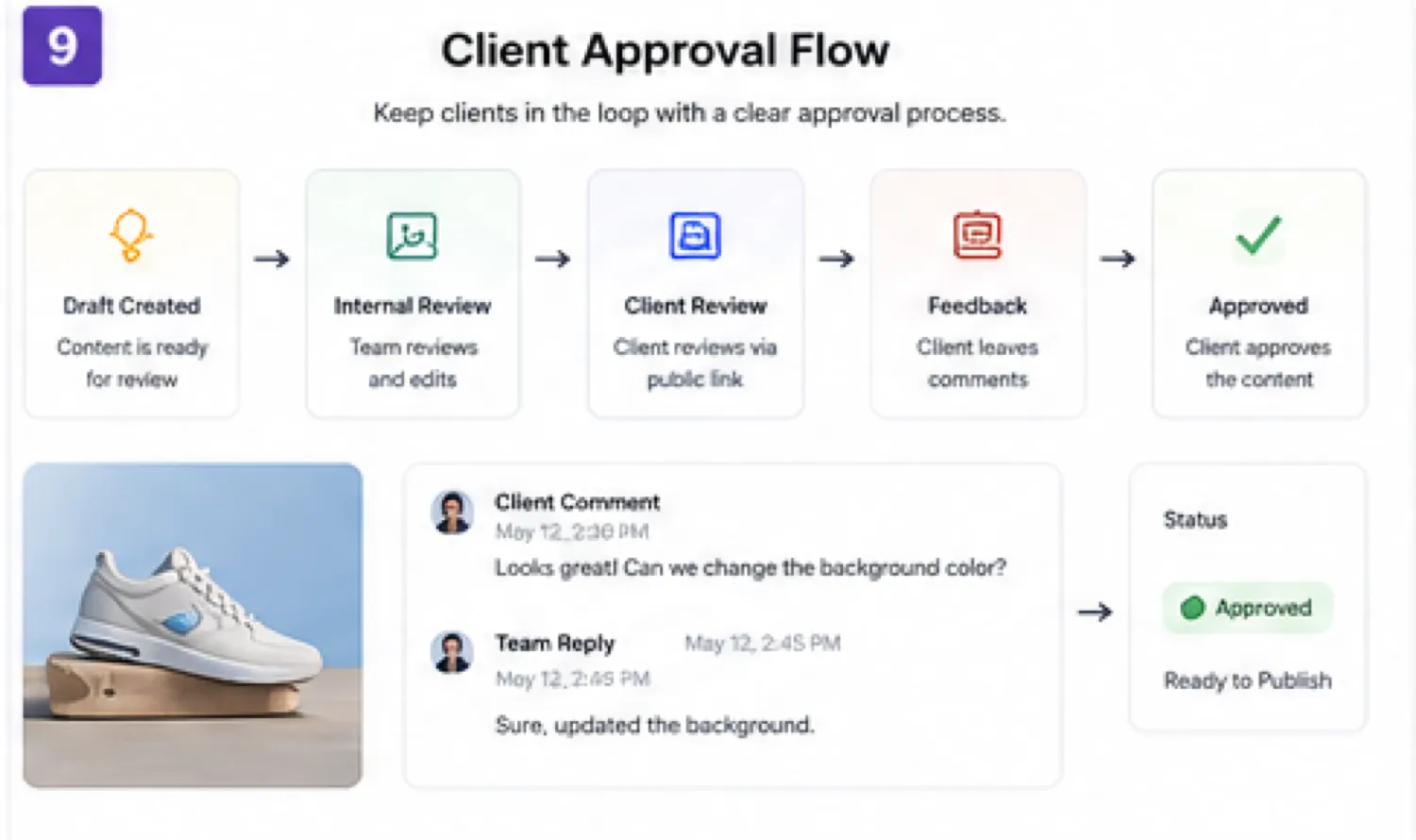
- Use approval flow if another person or client needs to review the content.
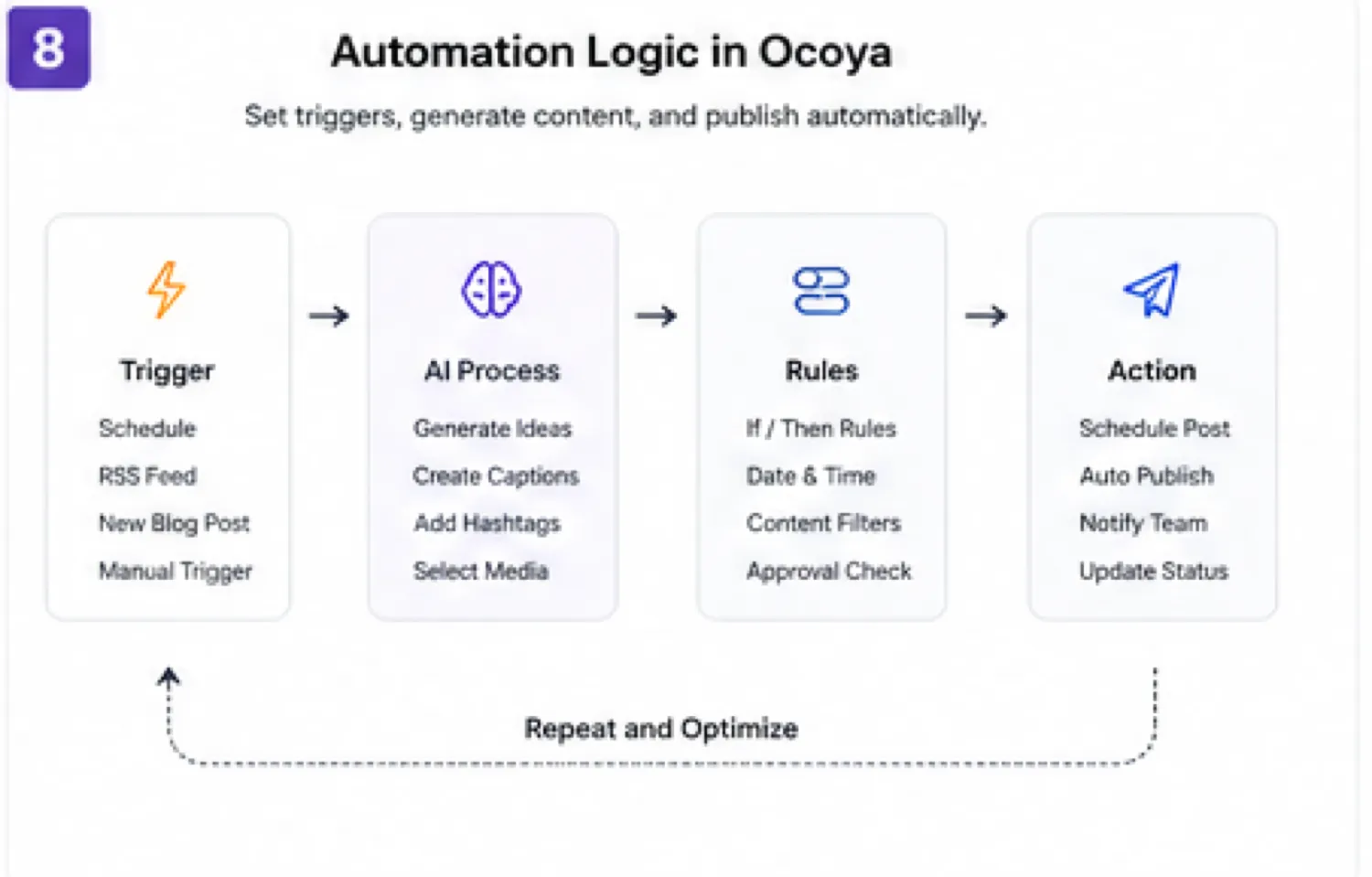
- Test one automation if your use case depends on it.
- Check how many credits and automation runs the test consumed.
- Decide whether the saved time justifies the plan.
The mistake buyers often make here is judging the tool by one nice-looking AI caption. That is too shallow. The better test is whether Ocoya helps you move from idea to approved, scheduled content faster than your current process.
Workflow test: If Ocoya's value depends on automation or approvals, test those steps before comparing annual pricing.
Real-world buyer scenarios
A solo creator with five or fewer social profiles is the cleanest small test. The creator can use Ocoya to draft captions, plan a week of posts, and see whether AI creation actually reduces friction. The risk is that the creator may not use the tool often enough to justify a paid plan.
A freelancer managing two or three clients should test the approval and workspace flow. This buyer may save time if Ocoya keeps content organized and prevents last-minute manual posting. The risk is plan pressure: users, profiles, credits, and workspaces may matter quickly.
A small ecommerce brand can test product-to-social workflows. This is useful if new products, blog posts, or promotions regularly need posts. The risk is output sameness. AI captions still need editing so every product update does not sound like the same template.
An agency should treat Ocoya as an operations tool, not only a creative tool. Approval links, campaign planning, automation runs, and social profile limits matter more than whether the AI writer can produce a few decent captions. If agency reporting, advanced analytics, or mature social inbox workflows matter more, Vista Social may be a stronger comparison.
Key features that actually matter
AI content creation
Ocoya’s AI content creation is useful when it shortens the draft stage. Captions, campaign copy, hashtags, and image ideas can help a marketer get unstuck.
Buyer note: do not publish AI output without editing. The value is draft acceleration, not strategy replacement.
Social calendar and scheduling
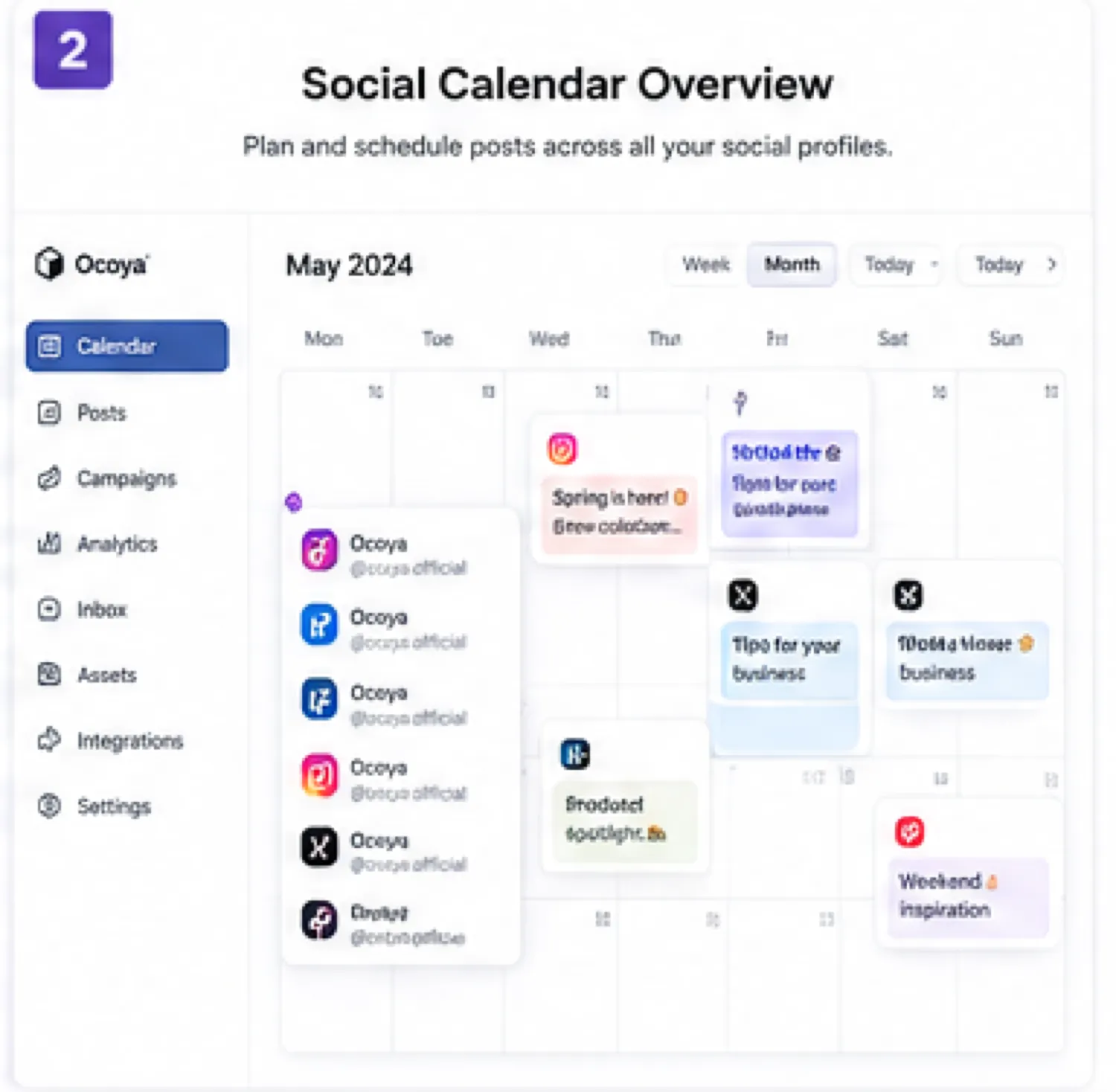
The calendar is the operational center. It matters because social marketing fails when content exists in random docs, chats, and reminders.
Buyer note: test how easy it is to move posts, preview channels, and keep cadence visible. A calendar that feels clunky will not survive weekly use.
AI agents and automation workflows
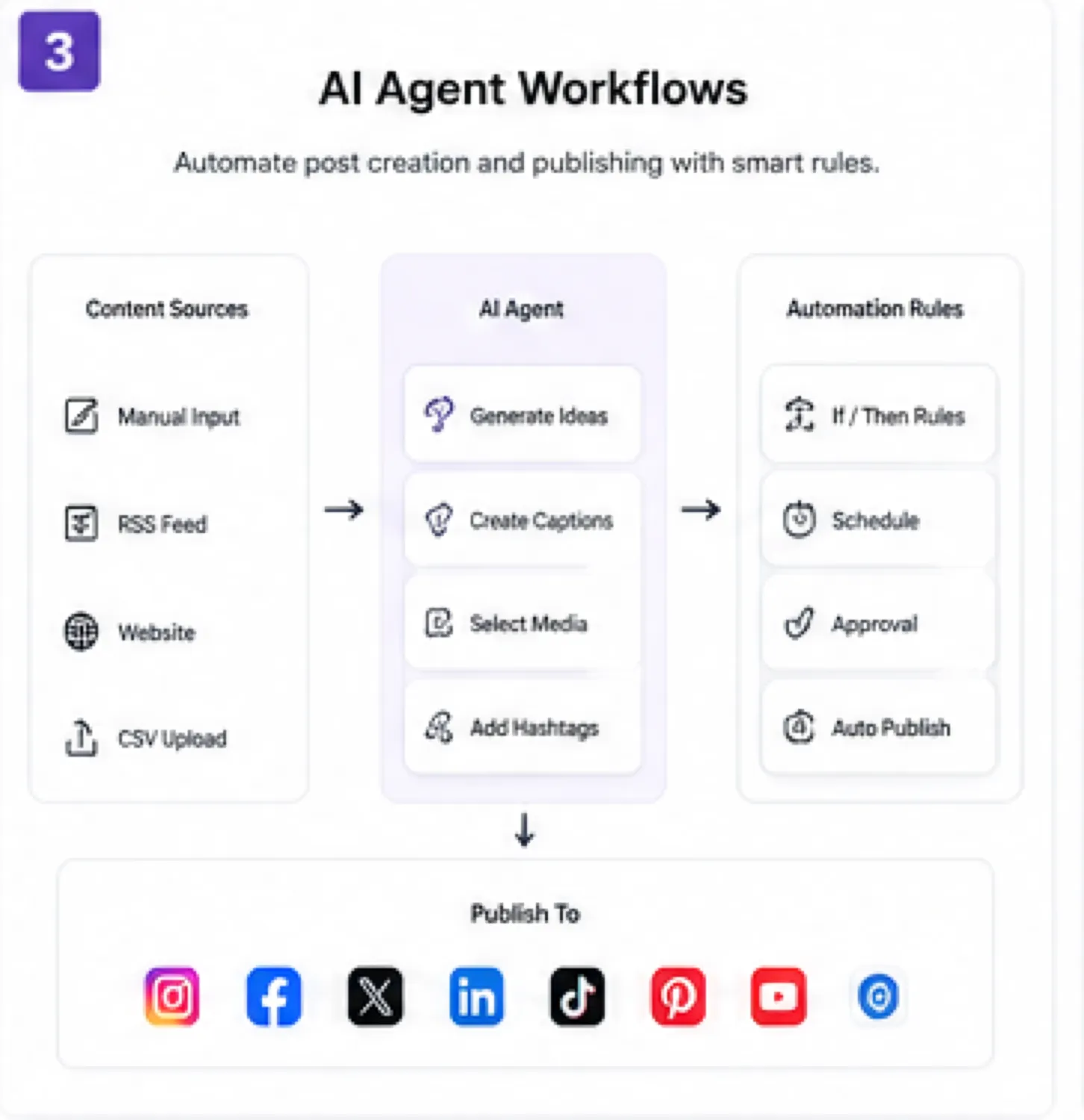
This is the more interesting part of Ocoya. Scheduled triggers, RSS-style inputs, ecommerce triggers, DM or comment workflows, and agent templates can reduce manual repetition for the right buyer.
Buyer note: automation is valuable only when it matches a process you already repeat. Do not pay for automation capacity just because it sounds advanced.
Integrations
Ocoya supports social, ecommerce, design, and automation-related integrations. This matters if your workflow already depends on connected channels and external content sources.
Buyer note: verify the exact integration you need. Some channels and features may have beta status, limits, or platform-specific behavior.
Team and approval workflows
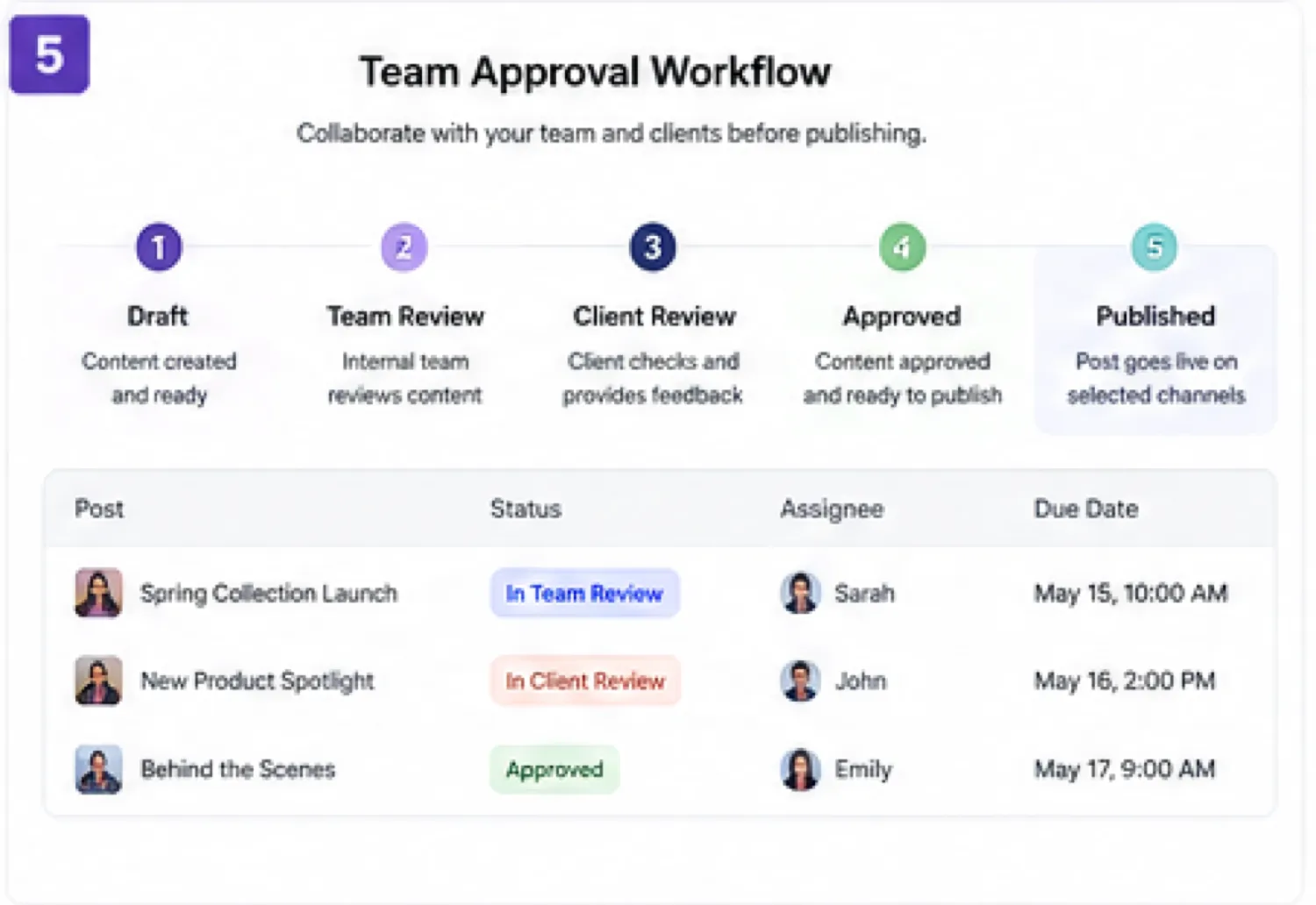
Approvals matter for agencies, client work, and internal teams. A solo creator may not need them, but a team can waste time without them.
Buyer note: count real users and reviewers before choosing a tier. Future client hopes are not the same as current workflow needs.
Pricing and plan value
Ocoya’s public pricing is clear enough to evaluate, but not simple enough to buy by headline price alone.
At the time of review, the public pricing page shows Bronze at $15 per month, Silver at $39 per month, Gold at $79 per month, and Diamond at $159 per month on monthly billing. The page also presents yearly billing with 20% savings and a 7-day free trial.
The important part is not just the price. Each plan changes limits around:
- workspaces
- users
- social profiles
- AI credits
- automation runs
- agency or team capacity
Bronze is the cleanest entry point for one user with a small number of profiles. It can be enough for a solo creator or narrow test. It is probably too tight for multi-client work.
Silver becomes more realistic for small teams because it expands users, workspaces, profiles, credits, and automation runs. Gold and Diamond are more agency-oriented, but I would not jump there unless the workload is already proven.
Annual billing can make sense only after the trial proves Ocoya fits. I would not use annual savings as the starting argument. With strict refund language, a buyer should think of yearly billing as a second decision, not the first one.
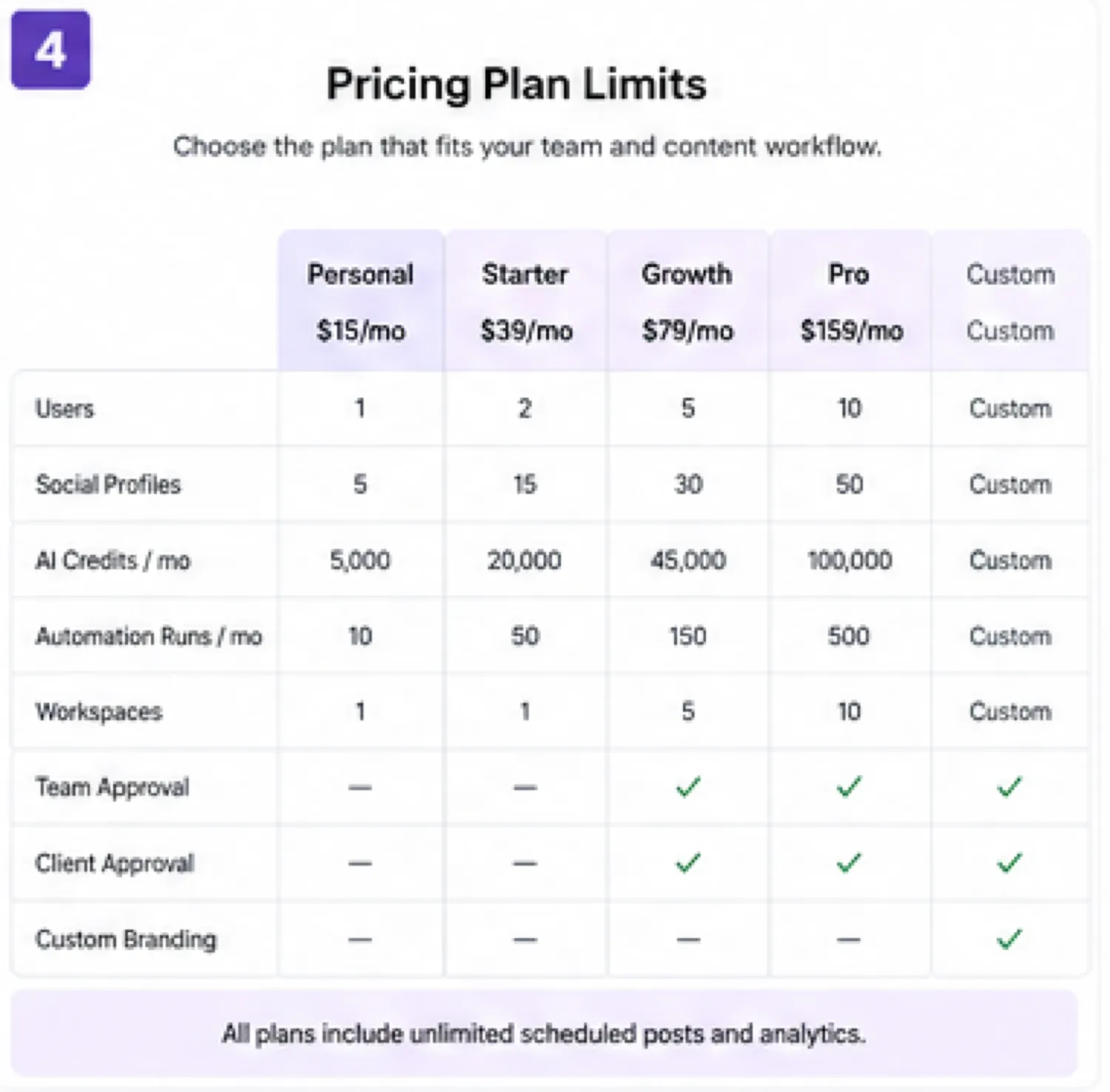
Pricing check: Before choosing a tier, compare your real profile count, users, credits, and automation needs against the current pricing page.
Free plan, trial, coupon, and checkout notes
Ocoya’s safer evaluation path is the 7-day trial.
That trial is useful, but it is short. I would not start it on a day when you are busy or unsure what to test. Start it when you already have a campaign, a few social profiles, and a clear list of tasks to run.
The coupon path should come later. A discount can improve the purchase, but it should not be the reason you buy. The first filter is workflow fit. The second filter is plan limits. The third filter is billing risk. Only after those are clear should you check the Ocoya coupon page or current deal route.
The annual billing discount can be useful for a team that already knows it will use Ocoya weekly. It is risky for a buyer who has not tested credit usage, automation needs, and cancellation steps.
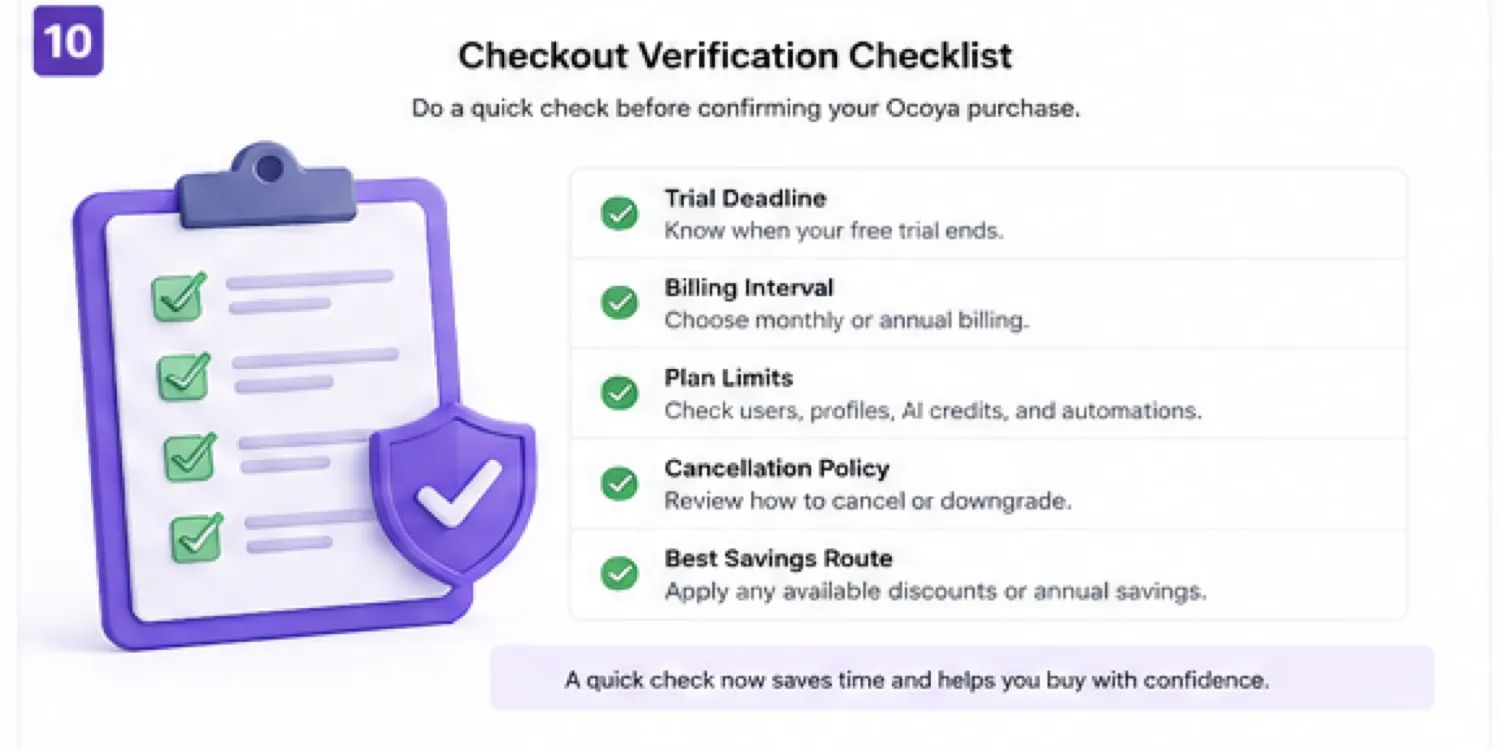
Before checkout, I would verify:
- the trial end date
- whether payment is required for the trial
- the selected billing interval
- the cancellation path
- AI credit limits
- automation-run limits
- the number of connected profiles
- whether the current offer is actually applied
What I would check before buying Ocoya
If I were buying Ocoya for a real workflow, I would check these items before paying:
- Does the trial cover the exact campaign I need to run?
- How many social profiles do I actually manage right now?
- How many users or approvers need access today?
- How quickly do AI credits run down during a normal week?
- How many automation runs does one campaign consume?
- Can I cancel easily before the trial ends if the fit is weak?
- Would Nuelink, Post Planner, Vista Social, or Typefully fit the job better?
For my money, the first thing to verify is credit pressure. A plan can look affordable until the actual workflow uses more AI credits or automation capacity than expected.
The second thing is cancellation timing. With a short trial and strict refund language, forgetting the billing deadline is a real buyer mistake.
A simple test before paying
Before paying for Ocoya, I would run a small test like this:
- Pick one real campaign, not a fake sample topic.
- Connect only the social profiles needed for that campaign.
- Create five to ten posts using a mix of AI assistance and manual editing.
- Schedule those posts across the calendar.
- Test one approval flow if you work with a client or team.
- Run or simulate one automation that you would actually use again.
- Check credit use, automation-run use, and how much editing was still required.
That test should answer the buying question better than any feature list.
If Ocoya saves real time and the tier limits still look comfortable, a paid plan may make sense. If the workflow feels forced, a cheaper scheduler or narrower social tool is probably safer.
Pros explained
Ocoya’s first real advantage is workflow consolidation. Many social teams bounce between caption tools, design tools, calendars, spreadsheets, and approval messages. Ocoya tries to reduce that spread by putting AI content, scheduling, workflows, and approvals closer together.
The second advantage is pricing transparency. The tiers are not vague. You can see users, workspaces, profiles, credits, and automation runs. That helps buyers compare plans before checkout, even if they still need to test real usage.
The third advantage is automation depth. Ocoya is more interesting when the buyer needs recurring workflows, not just manual scheduling. Scheduled triggers, RSS inputs, ecommerce triggers, and agent-style workflows can matter for repeat campaigns.
The fourth advantage is team and agency fit. Workspaces and approval flows can reduce friction when content needs review before publishing.
The fifth advantage is developer and integration potential. Official API documentation gives technical buyers more room than a basic consumer scheduler, although plan-level access and implementation effort still need verification.
Cons explained
The first drawback is the short trial. Seven days is enough only if you prepare. It is not enough for a relaxed evaluation across multiple campaigns.
The second drawback is limit pressure. AI credits and automation runs are easy to underestimate. A buyer who only compares monthly prices may choose a plan that does not fit real usage.
The third drawback is refund flexibility. The published terms are strict, so the trial and cancellation timing matter more than post-payment negotiation.
The fourth drawback is mixed public feedback. Capterra feedback includes positive comments around ease of use and all-in-one workflow, but also mentions limits, speed, customization, integration issues, bugs, or AI limitations. Trustpilot feedback is notably more negative, with some reviewers complaining about billing, cancellation, and support. I would not ignore either side.
The fifth drawback is category fit. Ocoya may be too much if you only need basic scheduling, but not mature enough if you need an enterprise-grade social management suite with deep reporting, inbox management, governance, and support expectations.
Green flags and red flags
A green flag is already having a recurring posting routine. Ocoya is easier to justify when weekly content creation and scheduling already happen.
Another green flag is needing approvals. If posts must pass through a client or internal reviewer, Ocoya’s workflow features can matter more than a simple queue.
A third green flag is repeatable content input. Blogs, product updates, ecommerce changes, and recurring campaigns are better matches than random one-off ideas.
A red flag is buying only because the monthly price looks manageable. The plan limit is the real decision.
Another red flag is starting the trial without a campaign. That creates a high chance of wasting the trial window.
A third red flag is expecting AI to replace social strategy. Ocoya can help produce and schedule content. It cannot decide your positioning, offer, audience, or brand judgment for you.
Ocoya vs alternatives
Nuelink vs Ocoya
Nuelink is a strong direct comparison if your main need is social scheduling and automation. It may feel cleaner for buyers who want automated posting workflows without a broader AI social workspace.
Ocoya makes more sense if AI agents, captions, design-adjacent creation, approvals, and ecommerce-style workflows are part of the buying reason.
Post Planner vs Ocoya
Post Planner is a more focused route for buyers who care about content discovery and scheduling. It can be easier to understand if the workflow is mostly finding, planning, and posting social content.
Ocoya is broader. That breadth helps if you want AI creation and automation, but it can be unnecessary if the buyer wants a simple content queue.
Vista Social vs Ocoya
Vista Social is the stronger comparison when the buyer wants a mature social media management platform. It may be more appropriate for teams that care about broader social operations, reporting, engagement, and management depth.
Ocoya deserves attention when AI workflows and content automation are the differentiator. The tradeoff is maturity versus AI-assisted workflow breadth.
Typefully vs Ocoya
Typefully is an adjacent route, not a one-to-one replacement. It is better for text-first creators focused on writing and scheduling posts, especially for creator-led social publishing.
Ocoya is broader for multi-channel teams that need AI creation, scheduling, workflows, and approvals. If you mainly write threads or text posts, Typefully may be simpler. If you manage broader social campaigns, Ocoya may fit better.
Trust, refund, and buyer-risk notes
Ocoya’s buyer risk is not hidden, but it does need attention.
The pricing page is clear about tier names, prices, trial, and limits. That is good. The risk is that buyers may focus on the starting price and ignore AI credits, automation runs, social profiles, and users.
The terms are stricter than many buyers may expect. Published language says sales are final, no money-back guarantee is offered, and buyers are charged if they do not cancel within the 7-day trial period. It also says a refund may be assessed only in certain occasions. That means the trial is the main decision window.
Support and reliability deserve a practical check. Some public reviews praise Ocoya’s ease of use and all-in-one content workflow. Others complain about performance, limits, bugs, posting issues, cancellation, billing, or customer support. Public feedback is mixed enough that I would test the exact workflow before annual billing.
Data and access also matter. Social scheduling tools require connected accounts. If you manage client brands, check permissions, approval flow, and account security expectations before connecting everything.
API and automation buyers should verify current access, documentation, plan eligibility, and implementation effort. API availability does not automatically mean the chosen plan is right for a technical workflow.
The coupon route is secondary. Check active offers only after Ocoya has passed the workflow test.
Final verdict
I would consider Ocoya if you already manage recurring social content and want AI creation, scheduling, automation, approvals, and integrations in one workspace.
I would skip it if you only need a basic scheduler, have no clear posting cadence, or are not ready to use the 7-day trial properly.
I would compare it with Nuelink if scheduling automation is the main job, Post Planner if content discovery and simple planning matter more, Vista Social if you need a more mature social management suite, and Typefully if your workflow is mostly text-first creator publishing.
The safest next step is not to buy the biggest plan or chase a coupon. It is to prepare one real campaign, test Ocoya inside the trial window, watch credit and automation usage, confirm cancellation and billing terms, and then decide whether the smallest workable tier makes sense.
