Quick verdict
Paraphrase Tool is worth considering if you need a quick rewriting assistant, not a shortcut that removes the need for judgment.
That difference matters more than the low price.
The product gives buyers a broad set of writing utilities: paraphrasing modes, Compose mode, translation, plagiarism checking, citation help, grammar-style checks, AI detection, and multilingual support. On paper, that makes it look like a very inexpensive writing suite. In practice, the buying decision is narrower: does it help you rewrite your own working text faster while preserving meaning, tone, and integrity?
If the answer is yes, Paraphrase Tool can make sense for bloggers, students, non-native English writers, freelancers, and small content operators who need draft-level phrasing support. If the answer is no, the annual price will not fix the mismatch.
The main strength is simple access. You can test the rewrite flow without treating it like a large content platform. The main caution is also simple: rewritten text still needs human review, and the public refund language is not perfectly clean across the Contact FAQ and Terms page. I would be especially careful before choosing annual billing only because the effective monthly price looks low.
For my money, the safest path is to test it with your own writing first, then compare monthly billing, annual billing, and prepay credits before committing. If you still need a broader buying route, check the Paraphrase Tool store guide before moving to checkout or active offers.
Next step: If Paraphrase Tool still fits your rewriting workflow, verify the current buyer route before checkout.
Review snapshot
| Review point | Practical take |
|---|---|
| Best for | Writers who need quick phrasing options before manual editing |
| Not ideal for | Teams that need brand governance, approvals, shared workspaces, or strict refund certainty |
| Main use case | Rewriting draft text, testing alternate phrasing, translating, checking writing, and supporting light content work |
| Pricing note | Public pricing shows monthly, annual, and prepay credit routes, but checkout should be verified live |
| Free/trial path | Free access and trial language are visible, though buyers should confirm which modes and limits apply |
| Main strength | Broad rewriting utility in a lightweight web tool |
| Main concern | Refund, renewal, and output-quality risk if buyers move too quickly into annual billing |
| Direct alternatives | QuillBot, Wordtune, Grammarly |
| Adjacent route | AI-Writer.com for article-generation use cases |
| Best next step | Test real writing samples before choosing monthly, annual, or credits |
What is Paraphrase Tool?
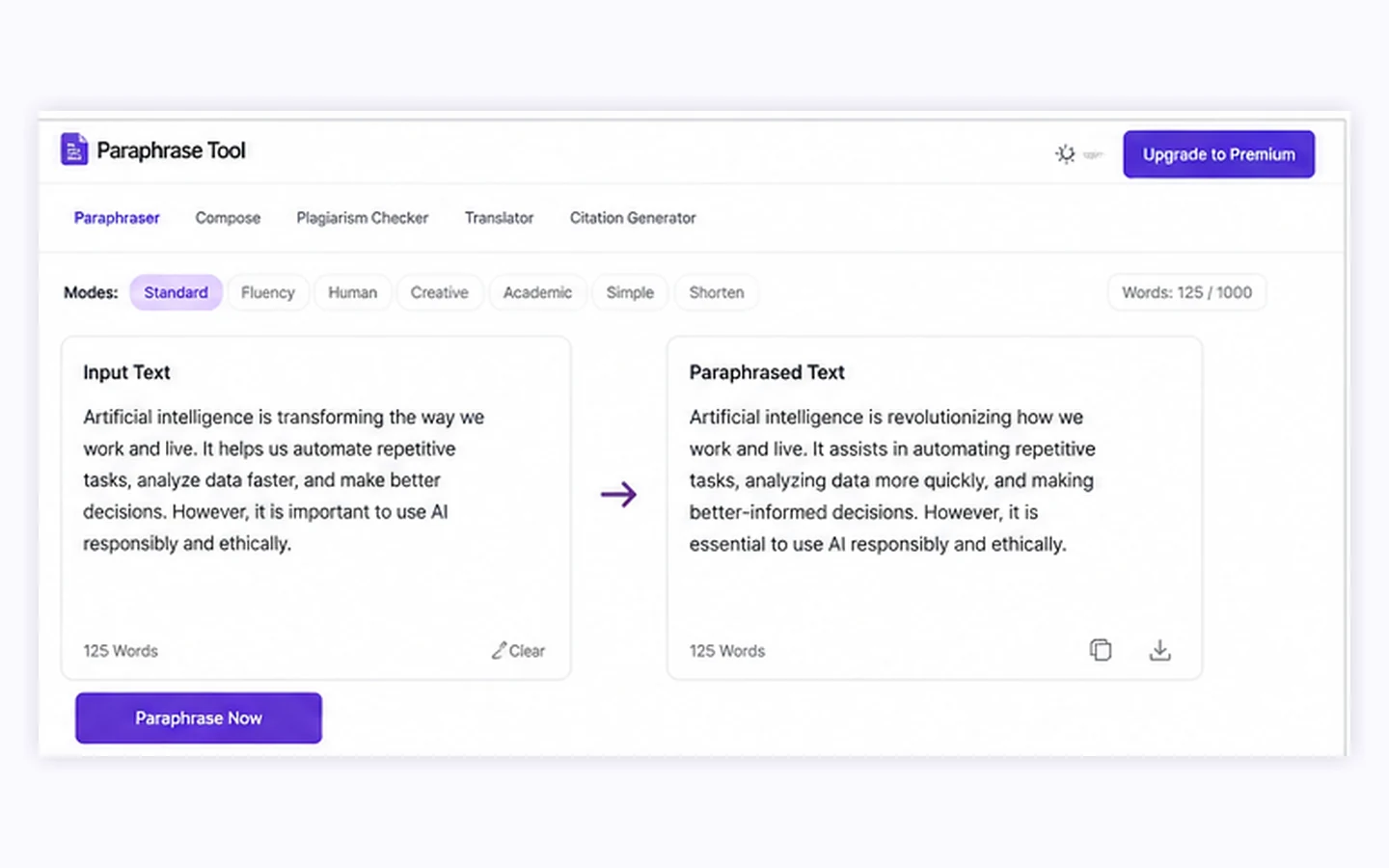
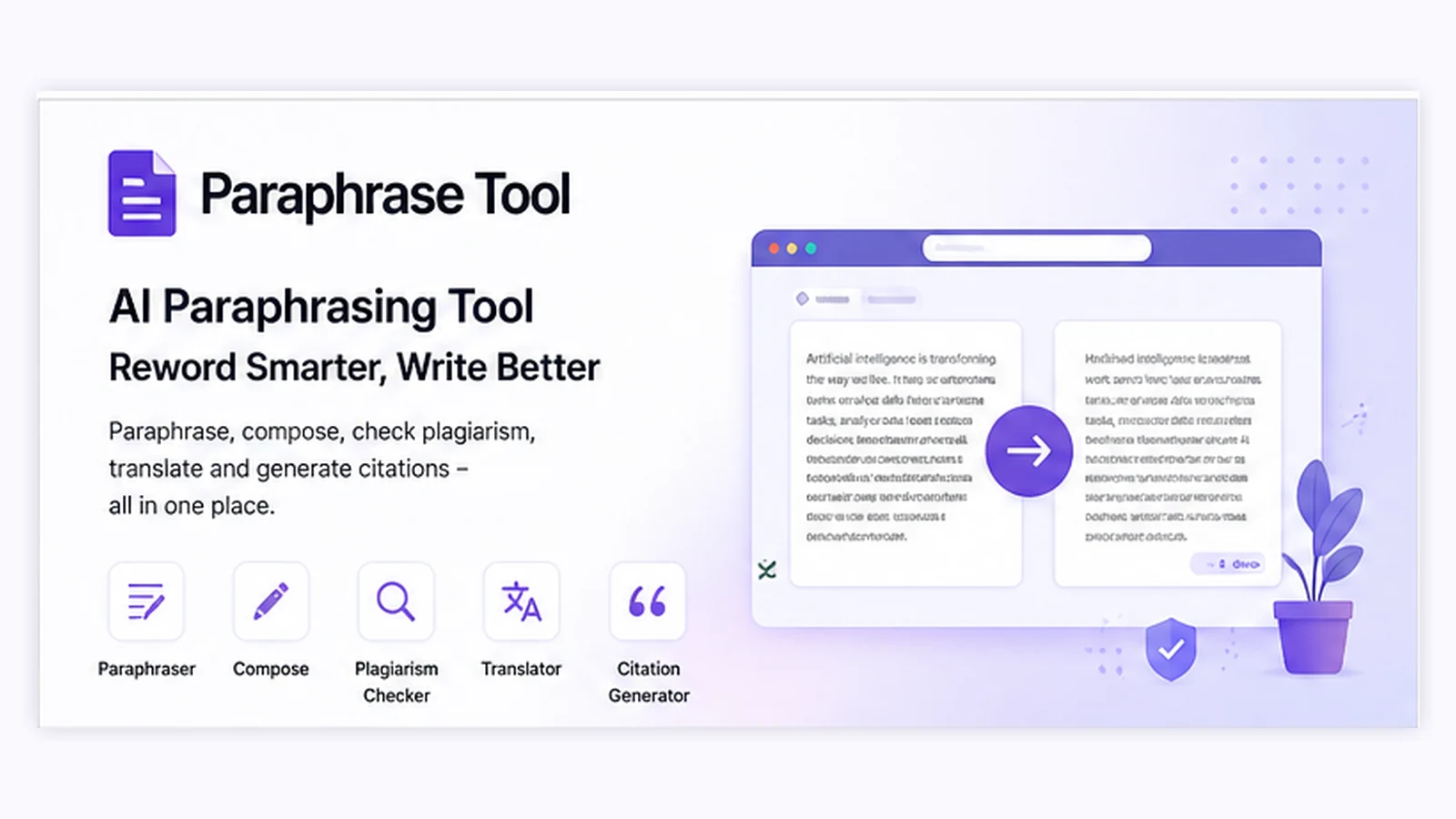
Paraphrase Tool is a web-based AI writing utility focused on rewriting text in different styles while supporting nearby writing tasks such as composing from keywords, translating, checking grammar-style issues, checking plagiarism, creating citations, and reviewing AI-related signals.
I would not judge it as a simple spinner. That would be too shallow.
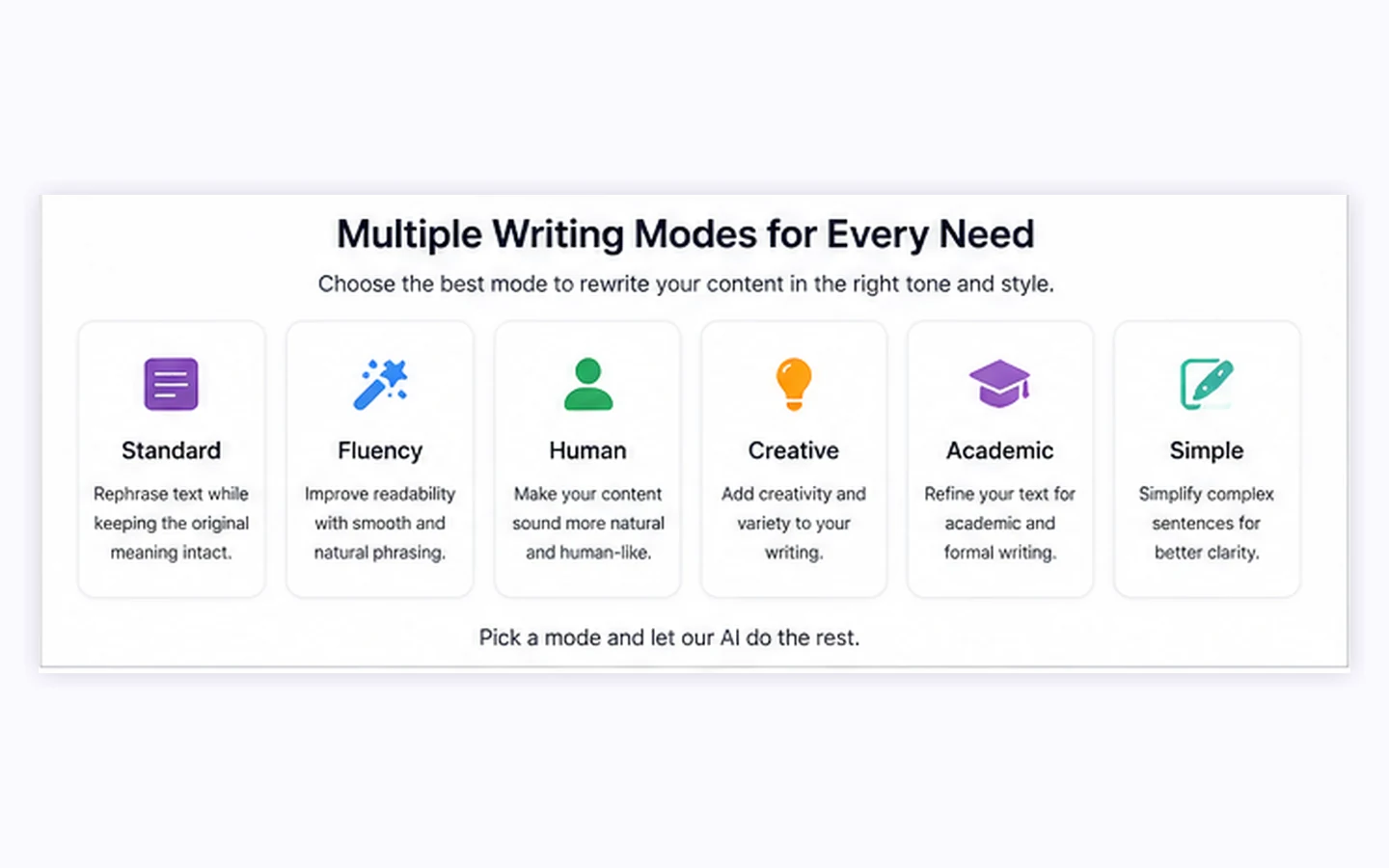
The better way to understand it is as a writing-support tool for people who often get stuck at the wording stage. You paste or write text, choose a mode, compare the output, and decide whether the new phrasing preserves what you meant. The product also promotes support for more than 100 languages and multiple writing styles, which makes it more flexible than a one-mode rewrite box.
The common wrong expectation is that a paraphrasing tool can make writing “safe” by changing the words. That is not the right way to use this kind of product. Rewriting can clarify meaning, improve flow, and give you new phrasing options. It cannot replace citation habits, subject knowledge, brand voice review, or ethical writing judgment.
Our review approach compares public product pages, pricing details, help and policy language, buyer workflow fit, and nearby alternatives. I do not treat a low annual price, a free mode, or a coupon route as proof that the product belongs in every writing process.
Who should use Paraphrase Tool?
Paraphrase Tool is most useful for buyers who already know they need frequent rewriting support.
Bloggers can use it to clean up rough paragraphs, test alternate wording, and reduce repetitive phrasing before a final editorial pass. The condition is that the blogger still checks facts, search intent, and voice after the rewrite. If you publish the output without editing, the tool becomes risky.
Freelancers may find it useful for early draft cleanup. For example, a writer can paste a stiff paragraph, compare a few versions, and choose the phrasing that sounds clearer. The value is not in pretending the tool wrote the finished piece. The value is in speeding up the middle stage between rough draft and polished copy.
Non-native English writers can use Paraphrase Tool as a phrasing comparison tool. Seeing several ways to express the same idea can help with fluency and vocabulary. The buyer still needs to check meaning carefully, especially when the text involves technical, legal, academic, or client-sensitive language.
Students and researchers may use it carefully for understanding how to restate their own notes or improve clarity. The word “carefully” is doing real work here. A paraphrasing tool should not be used to disguise uncited source material or avoid learning proper citation. If academic integrity matters, the safest approach is to use the output as a learning aid, not a submission shortcut.
Small content operators may also like the bundled utility angle. Compose mode, translation, plagiarism checking, citation creation, and AI detection can reduce tool switching for lightweight work. That only matters if the limits, quality, and paid modes match actual usage.
Who should avoid Paraphrase Tool?
I would avoid Paraphrase Tool if you need a full editorial platform.
Teams that need brand voice controls, approval workflows, shared libraries, user permissions, content calendars, or advanced governance should probably compare broader writing and content platforms first. Paraphrase Tool looks more like a personal writing utility than a team operations layer.
I would also be careful if your main reason for buying is the low annual effective price. A cheap plan can still be the wrong plan if you only use the tool twice or if the refund language makes you uncomfortable after checkout.
Academic users who want to reword source material without understanding it should avoid this category entirely. The better use is learning how to explain ideas in your own words, then citing sources properly where needed. The tool can support that process, but it should not replace it.
Buyers expecting publish-ready output should slow down too. Paraphrased text can still sound awkward, flatten nuance, miss context, or change emphasis. The tool gives options. It does not guarantee judgment.
Finally, buyers with strict privacy requirements should read the current privacy policy and terms before uploading sensitive documents. A lightweight web tool can be useful, but not every document belongs in an online rewriting workflow.
How Paraphrase Tool fits into a real workflow
A good Paraphrase Tool workflow starts before you paste anything.
First, choose a piece of writing you actually care about. A generic sample will not tell you much. Use a rough blog paragraph, email draft, study note, product blurb, or landing page section that represents your real work.
Second, decide the goal. Are you trying to simplify the text? Make it more fluent? Shorten it? Try a more persuasive version? Translate it? Check whether the rewrite still sounds like you? The clearer the goal, the easier it is to judge whether the tool helped.
Third, run the text through one or two relevant modes, not every mode at once. Too many outputs can create the illusion of progress without improving the final writing.
Fourth, compare the rewritten version against the original meaning. This is the step buyers skip too often. A rewrite that sounds smoother but changes the claim is not an improvement.
Fifth, manually edit. I would treat Paraphrase Tool as a suggestion engine. The final voice, citations, claim accuracy, and context are still on the writer.
Workflow check: If the tool only feels useful with a perfect test sample, run it on real writing before choosing a paid route.
Real-world buyer scenarios
A blogger with messy draft paragraphs is a reasonable fit. The tool can produce alternate wording, simplify long sentences, and help break repetitive phrasing. The risk is over-smoothing the article until it loses voice. I would test it on three real paragraphs before paying.
A marketer rewriting short web copy may also benefit. Product blurbs, email sections, and quick promotional lines can be good candidates for phrasing variation. The limitation is claim control. If the rewrite makes a product promise stronger than the original, the marketer still needs to fix it manually.
A student using the tool for learning can get value from comparing versions of the same idea. But the tool should not become a way to avoid source understanding. If the assignment requires citation, the citation requirement does not disappear because the words changed.
A small agency may find Paraphrase Tool too thin if multiple people need shared standards. In that case, the better question is whether a grammar assistant, brand voice platform, or content operations tool would be more useful than a dedicated paraphraser.
Key features that actually matter
Multiple rewriting modes
The mode variety is the core feature. Different rewrite goals require different outputs: clearer, shorter, more fluent, more formal, more persuasive, or easier to understand. This matters because one rewrite style rarely fits every use case.
Buyer note: test the exact mode you expect to use most. Do not assume all modes will fit your writing.
Compose mode
Compose mode turns keywords into draft content. This can help when you are stuck at the blank-page stage, especially for short paragraphs, letters, essays, or article ideas. I would still treat it as first-draft support, not finished content.
Buyer note: if your main need is full article generation, compare AI-Writer.com or another article-focused tool before choosing a paraphraser.
Translation and multilingual support
Support for many languages is a real strength for buyers who write across languages or want to compare phrasing in a second language. The caution is that translation and paraphrasing together can change meaning faster than buyers expect.
Buyer note: use extra review for legal, technical, medical, academic, or client-facing language.
Plagiarism, citation, and writing checks
The bundled tools can help during review, especially if you want fewer tool switches. But these features should be treated as support signals, not final guarantees.
Buyer note: do not use a paraphraser as a substitute for attribution. If the idea came from a source, the source still matters.
AI detection and humanizer-adjacent tools
Paraphrase Tool includes AI-related writing checks, but I would not make the buying decision only around detector scores or humanizer language. The safer buyer job is draft improvement, not chasing a number.
Buyer note: if your main job is originality checking or AI-detection reporting, compare detection-first tools separately instead of treating Paraphrase Tool as a complete verification platform.
Pricing and plan value
Paraphrase Tool looks inexpensive, but the details matter.
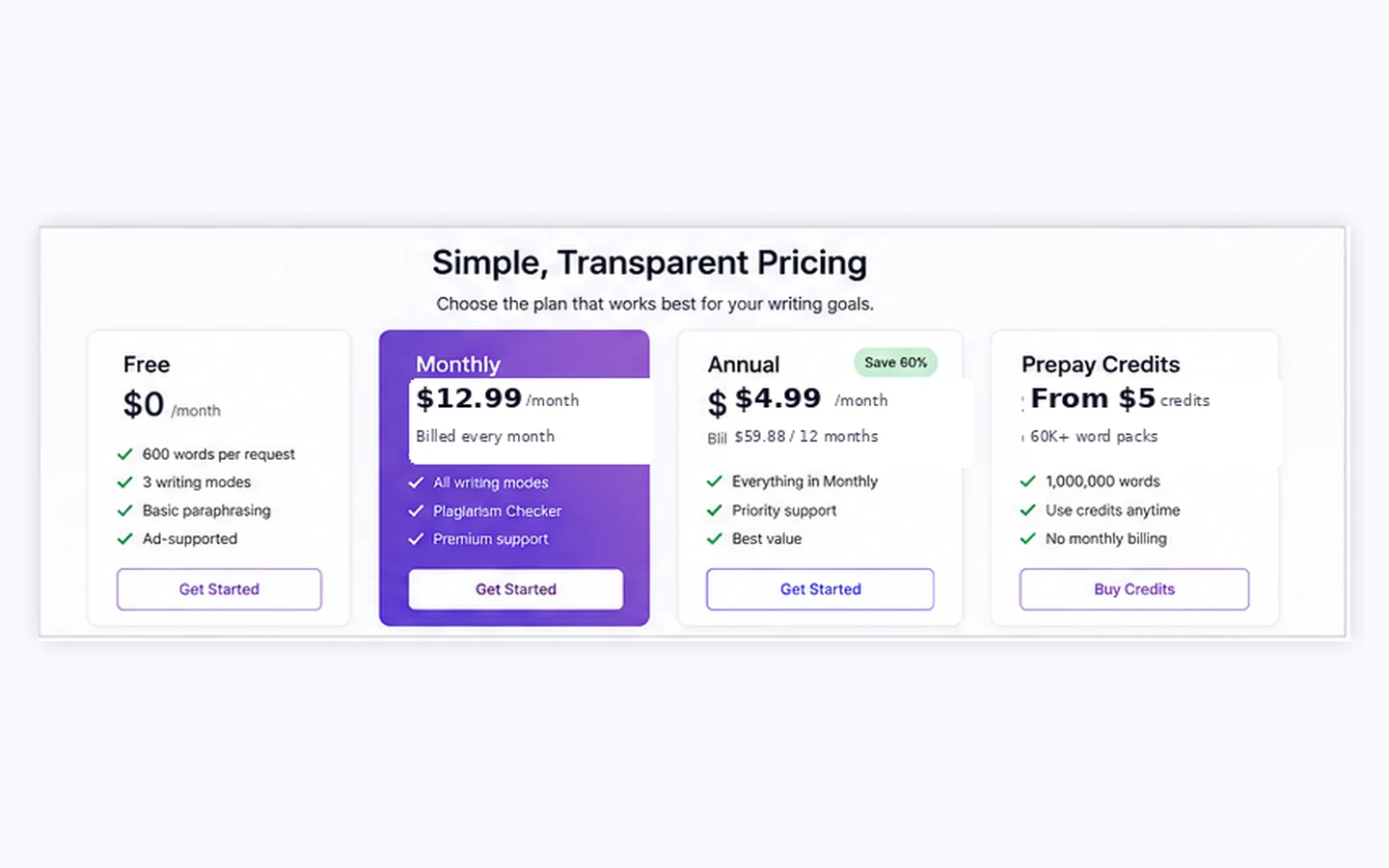
At the time of review, the public pricing block shows a monthly subscription at $12.99 per month, an annual option advertised as $4.99 per month with $59.88 billed every 12 months, and prepay credits starting at $5 for 60K words. The annual number is attractive, but it is still an upfront commitment.
The biggest buyer mistake is treating the lowest effective monthly price as the safest path. It is not always safer. Monthly billing may cost more per month, but it is easier to test without committing to a full year. Prepay credits may be better for occasional users who only need a few rewrite sessions. Annual billing only makes sense if you already know the tool will be used regularly.
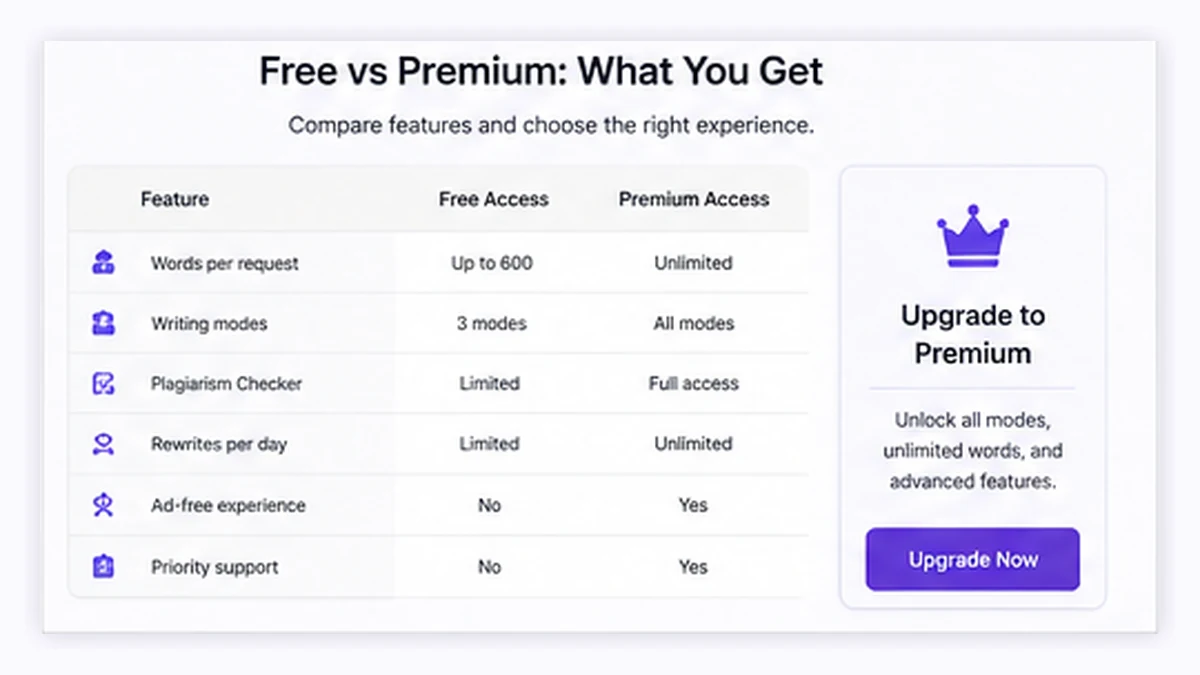
The free and trial language is also worth checking live. The official site promotes free modes and paid plans, while the Terms mention free trial behavior. Before paying, buyers should confirm which modes, limits, plagiarism checks, citation tools, and generation features are available in the plan they choose.
For my money, pricing is reasonable only if the tool becomes part of a repeated writing process. If you only need one rewrite today, start free or consider credits before choosing a subscription.
Pricing check: Compare the current monthly, annual, and credit paths before assuming the lowest visible monthly number is the safest deal.
Free plan, trial, coupon, and checkout notes
The safer order is free test first, plan comparison second, coupon or deal route last.
Paraphrase Tool’s public site leans into free use, free modes, and a low-cost paid path. That is good for evaluation. You can test whether the rewrite output feels useful before handing over money.
The coupon angle should stay secondary. During this review, I would not treat public coupon hunting as the main savings path. The more reliable buyer decision is to compare free access, monthly billing, annual billing, and prepay credits. If an active offer exists, it can improve the purchase, but it should not be the reason you buy.
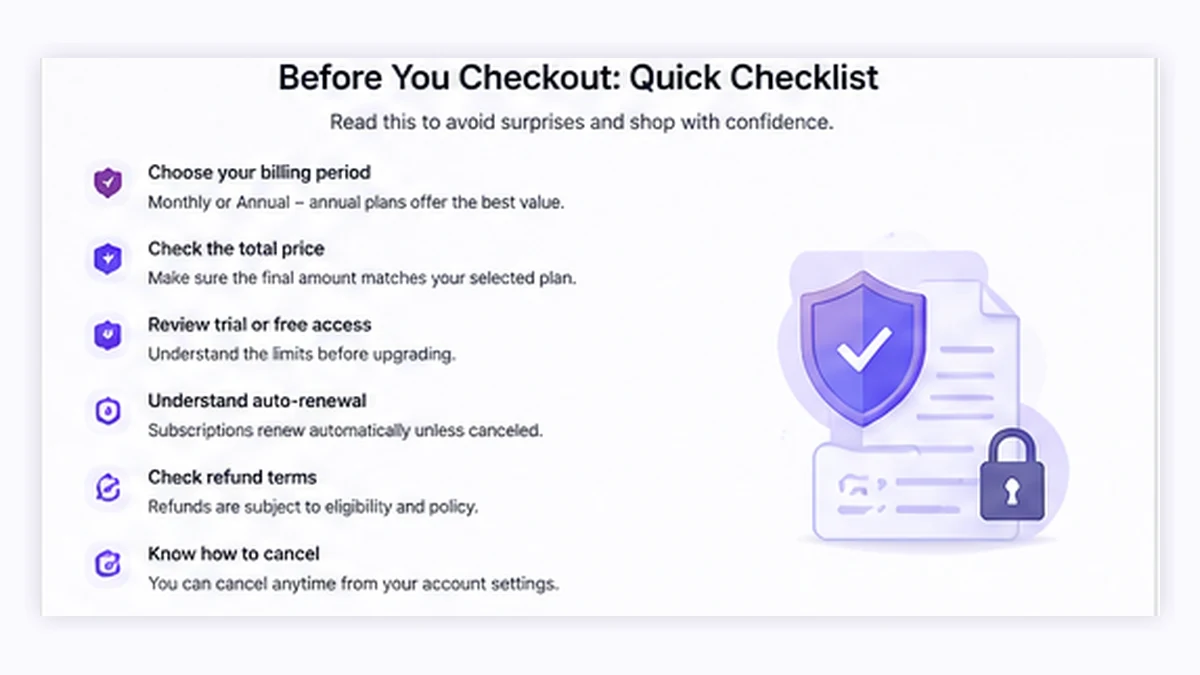
The checkout caution is refund language. The Contact FAQ describes a narrow refund path after the trial period ends, while the Terms page uses stricter nonrefundable language for paid services. I would not panic over that mismatch, but I would not ignore it either. Before annual billing, confirm the current checkout, renewal, cancellation, and refund terms.
What I would check before buying Paraphrase Tool
If I were buying this for a real writing workflow, I would check these items first:
- Which rewrite modes are free, trial-only, or paid.
- Whether the mode I like works on my normal text length.
- Whether monthly billing is enough for testing before annual billing.
- Whether prepay credits fit occasional use better than a subscription.
- How cancellation works inside the account area.
- Whether refund language at checkout matches the Contact FAQ and Terms page.
- Whether the tool handles my writing type without changing meaning.
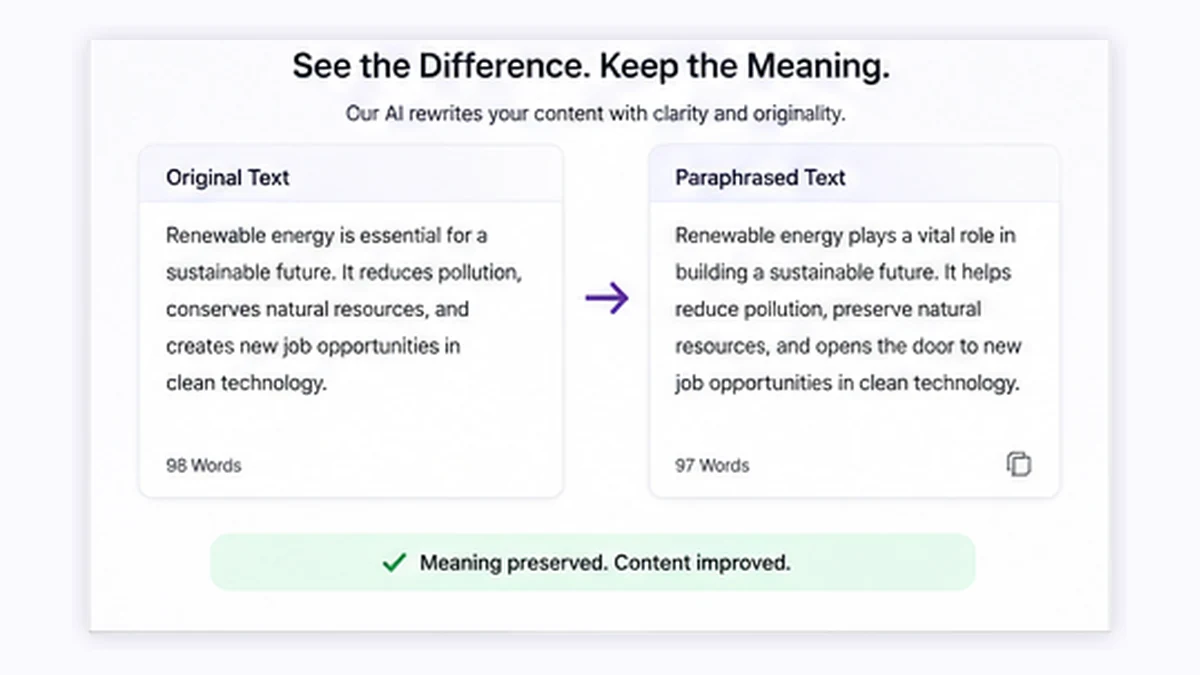
The last point is the most important. A paraphrasing tool can be cheap and still be wrong for your writing if it changes the claim, flattens the tone, or encourages lazy review habits.
A simple test before paying
Before paying, I would run a small test like this:
- Choose three real writing samples: one blog paragraph, one short marketing paragraph, and one sentence that is hard to phrase well.
- Run each sample through the mode you expect to use most.
- Compare whether the rewritten text preserves the original meaning.
- Check whether the output still sounds like your voice or brand.
- Review whether you had to do heavy manual editing.
- Estimate how often you would use the tool in a normal month.
- Choose free access, credits, monthly billing, or annual billing based on that usage.
If the test only saves a few minutes once, a subscription may not be necessary. If it improves repeated drafting work every week, the paid path becomes easier to justify.
Pros explained
The first real pro is speed. Paraphrase Tool can give you wording alternatives quickly, which helps when a paragraph is technically correct but awkward. That matters for people who often know what they want to say but struggle with phrasing.
The second pro is breadth. Paraphrasing, composing, translation, plagiarism checking, citation help, grammar-style checks, and AI detection make it more than a single-purpose rewording box. This does not make it a full writing platform, but it does make lightweight writing work easier to keep in one place.
The third pro is the buying flexibility. Monthly billing, annual billing, and prepay credits give buyers different ways to approach cost. I like that more than a single annual-only plan, as long as buyers verify live checkout terms.
The fourth pro is beginner accessibility. A complicated content platform can be too much for someone who only wants wording options. Paraphrase Tool is easier to understand: enter text, choose a mode, review the result.
Cons explained
The biggest con is that paraphrasing can create false confidence. A text may look different while still being unclear, inaccurate, poorly cited, or off-brand. Buyers who expect a tool to solve writing responsibility will be disappointed.
The second con is refund clarity. The Contact FAQ and Terms page do not create the cleanest buyer story. I would treat the refund path as something to verify at checkout, especially before annual billing.
The third con is team weakness. Paraphrase Tool is not the obvious choice for content teams that need shared workflows, editorial governance, permissions, or brand voice systems. It is better understood as a personal or lightweight writing assistant.
The fourth con is limited outside proof. There are third-party listings and reviews, but the public review base is not large enough to treat as definitive. A buyer should rely more on testing real writing than on ratings alone.
Green flags and red flags
Green flags are easy to spot.
If you can run your own writing through the free experience and quickly find a mode that improves clarity without changing meaning, that is a good sign. If you use the tool several times in a week and still find the output helpful after editing, that is a stronger sign. If prepay credits cover your occasional use, you may not need the subscription at all.
The red flags are just as important.
If you only want the tool to make text look different, slow down. If annual billing is attractive only because the monthly equivalent looks low, verify refund and renewal terms first. If your writing involves sensitive data, academic submission, legal language, medical claims, or client-confidential material, check privacy and usage terms before uploading anything.
A discount can make a useful tool cheaper. It cannot make a risky writing habit safe.
Paraphrase Tool vs alternatives
Paraphrase Tool sits in a crowded category, so the best comparison depends on the real job.
QuillBot vs Paraphrase Tool
QuillBot is usually the stronger direct comparison if your main need is dedicated paraphrasing with a familiar workflow and stronger name recognition. Paraphrase Tool may still make sense if you like its broader mode mix, language coverage, or credit-based buying path.
Wordtune vs Paraphrase Tool
Wordtune is a better comparison for sentence-level rewriting and tone refinement. If your work happens paragraph by paragraph and you want polished phrasing choices, Wordtune may feel more focused. Paraphrase Tool may fit better if you want a wider bundle of paraphrasing, composing, translation, and checking utilities.
Grammarly vs Paraphrase Tool
Grammarly is not a one-to-one paraphraser, but it is a strong adjacent route for everyday writing clarity across apps. If your problem is grammar, tone, and writing assistance in many places, compare Grammarly before committing. Paraphrase Tool is more focused on web-based rewriting and writing utilities.
AI-Writer.com vs Paraphrase Tool
AI-Writer.com is an adjacent route, not a direct replacement. It is more relevant when the buyer wants article generation or research-style draft creation. Paraphrase Tool is better when the buyer already has working text and wants to reshape it.
Trust, refund, and buyer-risk notes
The trust picture is mixed but manageable if buyers do not rush.
The official product page is clear enough about the broad toolset: paraphrasing modes, Compose mode, multilingual support, translation, plagiarism checking, citations, and AI detection. Pricing is also visible enough to compare monthly, annual, and credit paths.
The part that needs caution is refund and renewal. The Contact FAQ mentions a narrow post-trial refund route, while the Terms page says paid services are generally nonrefundable except where required by law or granted at the company’s discretion. That does not mean buyers should avoid the product. It means buyers should treat annual billing as a decision, not an impulse.
Privacy is another practical point. The privacy policy explains that the operator may collect information depending on website use, including automatically collected technical information, account or contact information when submitted, and transaction-related information. For normal low-sensitivity writing, that may be acceptable. For confidential documents, I would check the policy carefully before uploading.
Output reliability is the final buyer risk. Paraphrasing can help with clarity, but it can also change nuance. The safest workflow is to use the tool for suggestions, then read the result as an editor.
Final verdict
I would consider Paraphrase Tool if you need a lightweight rewriting assistant, use multiple languages, want quick phrasing options, and are willing to manually review the final text.
I would skip it if you need team controls, brand governance, advanced editorial workflow, or a tool that guarantees finished writing. I would also slow down if you are only attracted to the annual effective monthly price.
I would compare it with QuillBot if paraphrasing is the main job, Wordtune if sentence-level tone refinement matters most, Grammarly if you need app-wide writing assistance, and AI-Writer.com if article generation is the real goal.
The safest next step is not to chase the cheapest plan first. Test the tool with real writing, check whether the output still needs reasonable editing, then choose the billing path that matches actual use. If that process feels too heavy for a simple paraphraser, that is useful information too.
