
Paraphrase Tool Pricing & Writing Fit
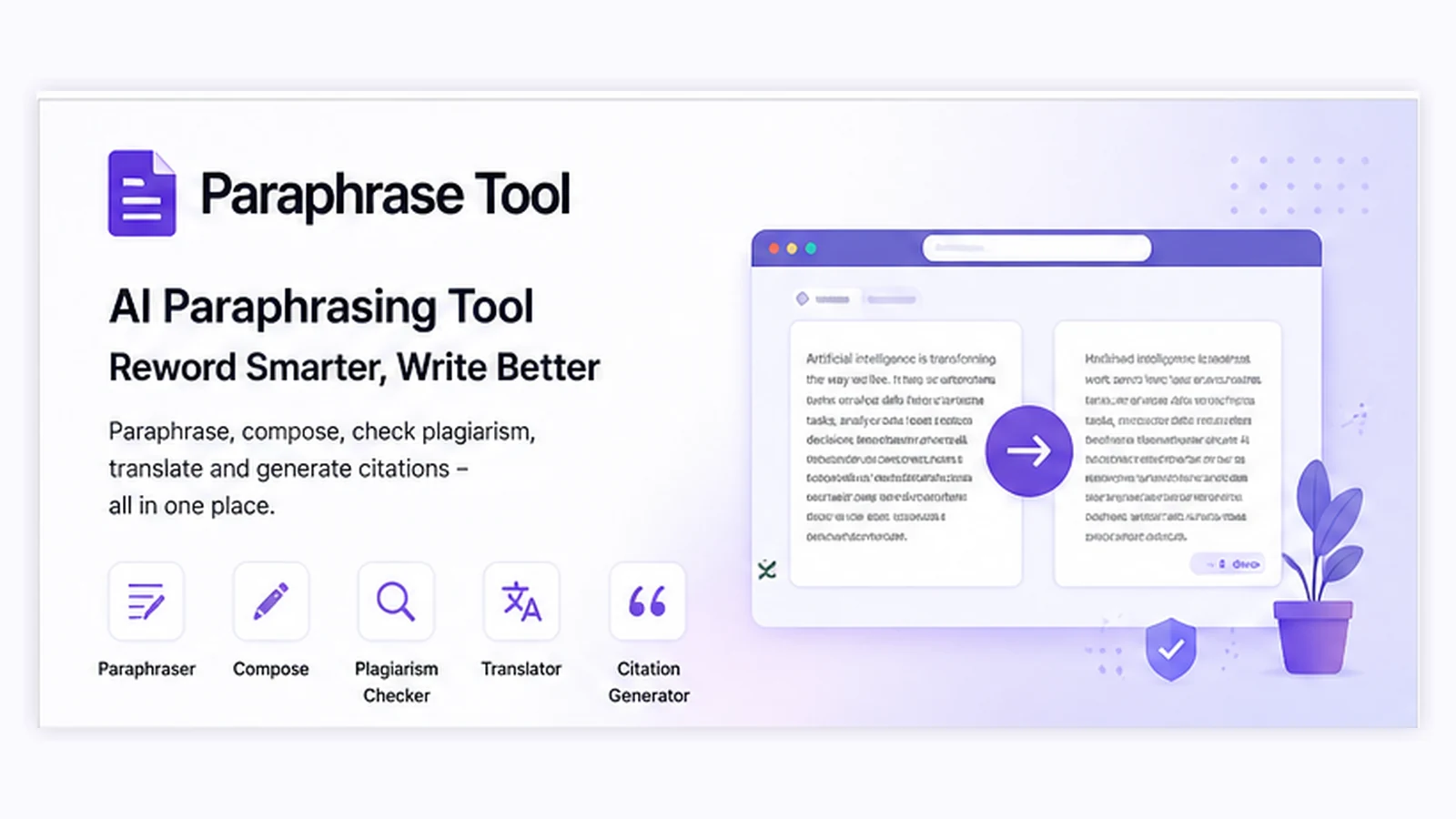
Paraphrase Tool is best understood as a web-based rewriting and writing-assist suite, not just a one-button spinner. It focuses on paraphrasing, composing from keywords, plagiarism checks, translation, citation help, grammar-style checks, and AI detection across a broad language range. The buyer question is not whether it can rewrite text, but whether its mode choices, free access, and annual pricing make sense for a real writing workflow.
Fit → price → checkout
Use these routes after the official-site check: coupon first, review for fit, compare if unsure.
Paraphrase Tool pricing snapshot
Fast commercial checks before pricing, coupons, or a deeper review.
Paraphrase Tool product tour
The most useful tour angle is the writing workflow itself: paste text, choose a mode, compare rewrite options, then check whether the paid plan unlocks enough value for repeated use.
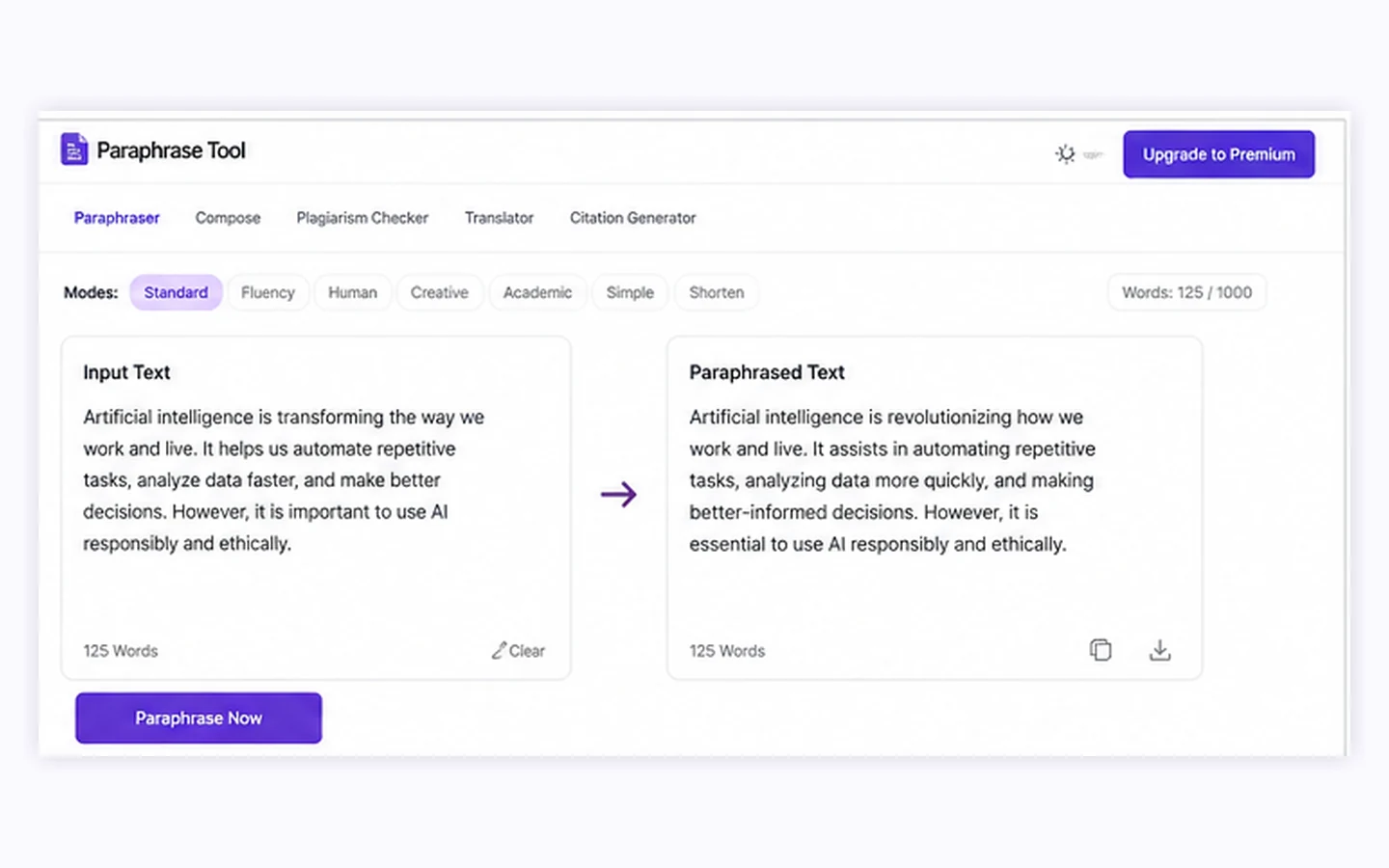
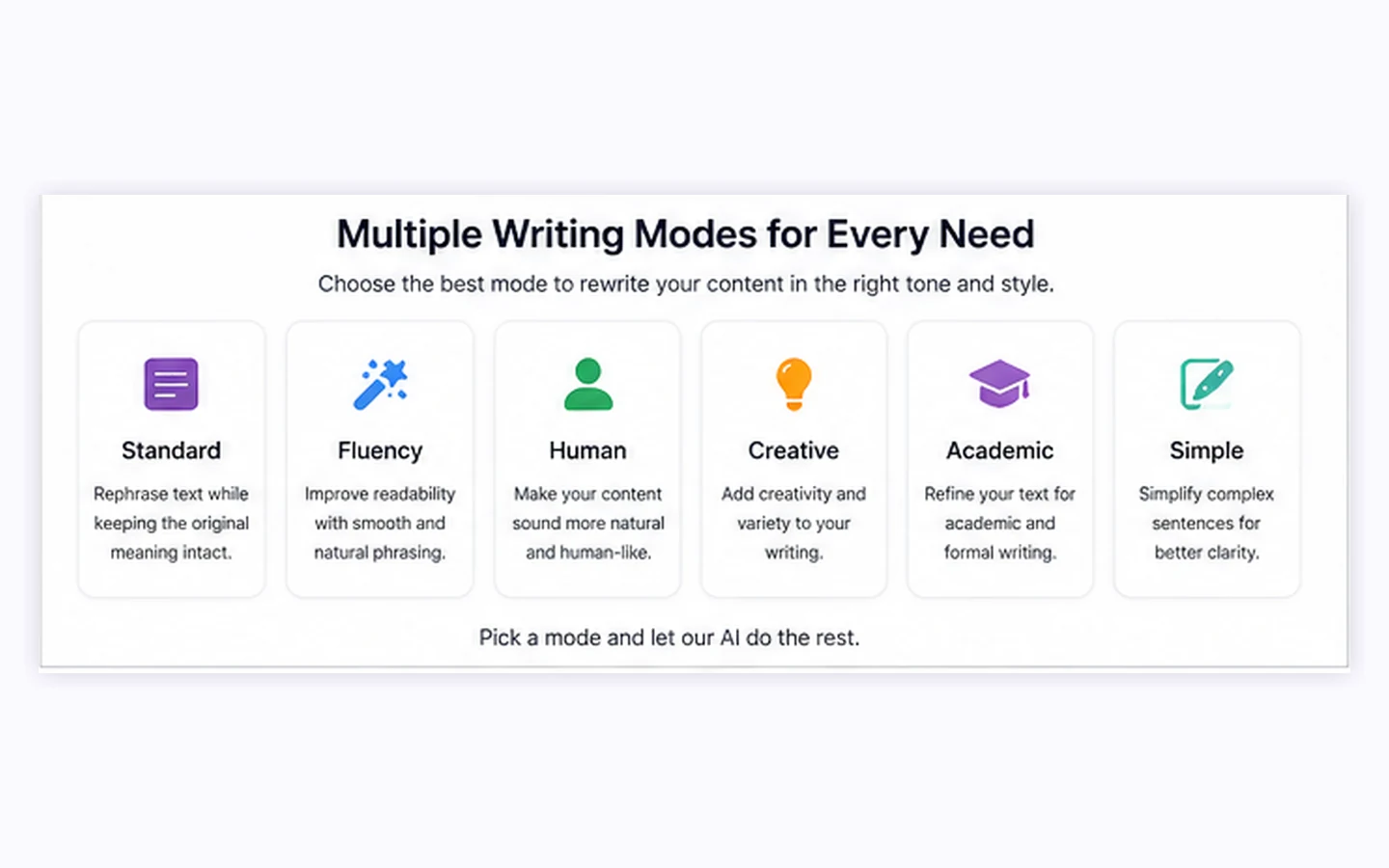
Paraphrase Tool belongs on a store page because the buying decision is broader than a simple rewrite button. The right buyer needs to know what the tool does, how the free and paid paths differ, where the annual price becomes attractive, and what to double-check before using it for academic, marketing, or client-facing writing.
What Paraphrase Tool actually does
Paraphrase Tool is a browser-based writing utility for rewriting text, changing phrasing, generating draft content from keywords, checking plagiarism, translating, creating citations, and running related writing checks. Its strongest everyday use case is not replacing an editor. It is helping a writer generate alternate phrasings faster so the final version can be reviewed with better judgment.
- Paste or upload text, then choose a rewrite or checking mode.
- Use paraphrasing for wording options, not as a substitute for citation or originality checks.
- Treat Compose mode as a draft helper for ideas, not a finished writing guarantee.
Pricing and plan fit
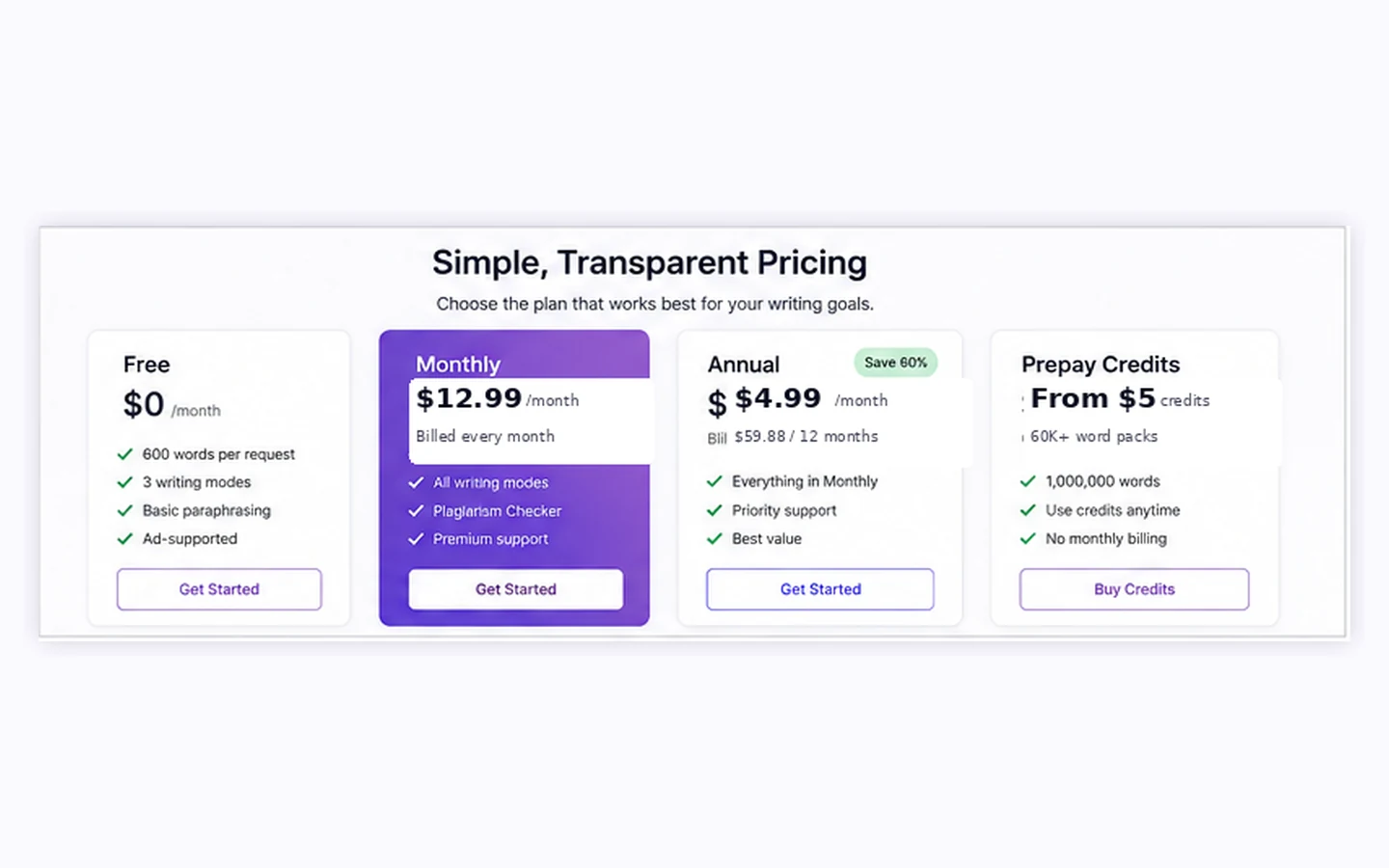
The official pricing block shows three buyer paths: a monthly subscription at $12.99, an annual plan advertised at $4.99 per month with $59.88 billed every 12 months, and prepay credits that start at $5 for 60K words. That structure is friendly to regular users who can justify annual billing, but occasional users should compare credits and free access first.
- Monthly billing is simpler if you only need short-term access.
- Annual billing is cheaper per month but creates a bigger upfront commitment.
- Prepay credits may fit one-off rewrite volume better than a subscription.
Free use, trial value, and paid-plan pressure
Paraphrase Tool publicly leans into free access, free modes, and a short trial path. That is useful for evaluation, but the buyer still needs to verify which modes, character limits, plagiarism checks, and generation features are available without paying. A free test is enough to judge interface fit. It is not enough to prove the paid plan will be worth it for a full content workflow.
- Use free access to test rewrite quality on your real writing.
- Check whether premium modes are required for the tone or output length you need.
- Do not upgrade until the exact limits are clear.
Watch a second walkthrough before relying on AI paraphrasing
A broader paraphrasing walkthrough is useful because it reminds buyers to evaluate AI rewriting as a process: preserve meaning, avoid plagiarism problems, cite sources properly, and edit the final wording. That matters more than the tool brand alone, especially for students, researchers, and non-native English writers.
- Watch for how the examples preserve meaning, not just how different the wording looks.
- Use the video as a checklist for reviewing output quality before paying.
- Apply the same caution to Paraphrase Tool, QuillBot, and other rewriting tools.
Refund, renewal, and checkout checks
This is the part buyers should not skip. The Contact FAQ mentions a narrow refund route if cancellation happens within the first three days after the trial period ends, minus processor fees. The Terms page also says paid services are generally nonrefundable unless required by law or granted by the company. Because those two public messages are not perfectly aligned, annual buyers should verify the current checkout and cancellation language before paying.
- Check whether a trial is active before entering payment details.
- Confirm whether renewal is automatic and how cancellation works.
- Save the current pricing and refund language before buying an annual plan.
Best next step for buyers
The safest path is simple: test the free experience with real text, read the review if output quality still feels uncertain, then compare monthly, annual, and credit-based pricing before checkout. If your main need is academic paraphrasing, keep citation and integrity requirements in the center of the decision. If your main need is marketing copy, compare whether Paraphrase Tool gives enough control compared with broader writing assistants.
- Start with free testing if you are still judging quality.
- Move to the review page if workflow fit is the real question.
- Move to the coupon or live deal path only after the product clears the fit check.
Best savings path from this store page
This is the clearest savings route to check once the product already looks like a fit.
Paraphrase Tool shows annual billing as its best-value plan at $4.99 per month, billed $59.88 every 12 months. This is the strongest official saving path and does not require a coupon code.
$12.99/month billed monthly.
Prepay credits start at $5 for 60K words.
Use comparison routes when the category fit is still open
Use these comparison routes when the product still looks plausible, but the category fit is not fully settled.
A stronger first comparison for buyers who want a well-known paraphrasing workflow with synonym control and academic-friendly writing tools.
A better fit when the buyer needs grammar, tone, and writing clarity across everyday apps rather than a dedicated paraphrasing page.
Worth checking when sentence-level rewriting and tone refinement matter more than bundled plagiarism or citation utilities.
More relevant for buyers who want AI article generation and research-style writing support instead of focused paraphrasing.
Verification points worth checking before you click out
Where this store usually fits best in the workflow
Bloggers can use Paraphrase Tool to generate alternate wording for rough paragraphs, then edit for accuracy, voice, and search intent before publishing.
Marketers can test headline, email, or short landing page phrasing, but final claims and brand language still need manual review.
Non-native English writers can compare phrasing options and simplify sentences, as long as they treat the output as guidance rather than final authority.
The bundled checking and citation tools can be useful during writing review, but buyers should verify limits and avoid using paraphrasing as a shortcut around attribution.
Practical checkpoints before and after signup
- Choose two or three real writing samples instead of testing with generic filler text.
- Decide whether your main need is paraphrasing, composing, plagiarism checking, or translation.
- Compare the rewrite against the original meaning, not only against AI detector scores.
- Check whether the mode you like is free, trial-only, or part of a paid plan.
- Compare monthly billing, annual billing, and prepay credits against expected usage.
- Read the latest refund and cancellation language before choosing annual billing.
- Track whether the tool saves editing time on real writing work.
- Recheck renewal terms before the next billing cycle.
Fast-read signals for workflow fit and buying friction
Questions readers usually ask before choosing this store
What does Paraphrase Tool do?
Paraphrase Tool rewrites text in different modes, supports composing from keywords, and includes related writing utilities such as translation, plagiarism checking, citation creation, grammar-style checks, and AI detection. It is most useful as a drafting and editing assistant, not as a replacement for human judgment.
Is Paraphrase Tool free?
The official site promotes free modes and trial access, while also showing paid monthly, annual, and prepay credit options. Buyers should test the free experience first, then verify which modes and limits require payment before upgrading.
How much does Paraphrase Tool cost?
The public pricing block shows $12.99 per month, an annual option advertised as $4.99 per month with $59.88 billed every 12 months, and prepay credits starting at $5 for 60K words. Pricing can change, so the current checkout page should be verified before purchase.
Does Paraphrase Tool have a coupon code?
A verified public coupon code was not found during this refresh. The safer savings path is to compare free use, annual billing, and prepay credits, then use the DealBestDaily live deal route only after confirming the product fits your workflow.
Who should avoid Paraphrase Tool?
It is probably not the best fit for teams that need brand governance, users who expect publish-ready AI output, or buyers who are uncomfortable with mixed refund signals. It also should not be used to disguise uncited source material or bypass academic integrity rules.
Choose the next route that matches what you still need to decide
The strongest next click depends on whether you still need product judgment, a savings route, or a broader category comparison.