Quick verdict
GeneratePress is worth considering if you want a fast, clean WordPress foundation and you already understand that a theme is not the same thing as a finished website.
That distinction matters more than the price.
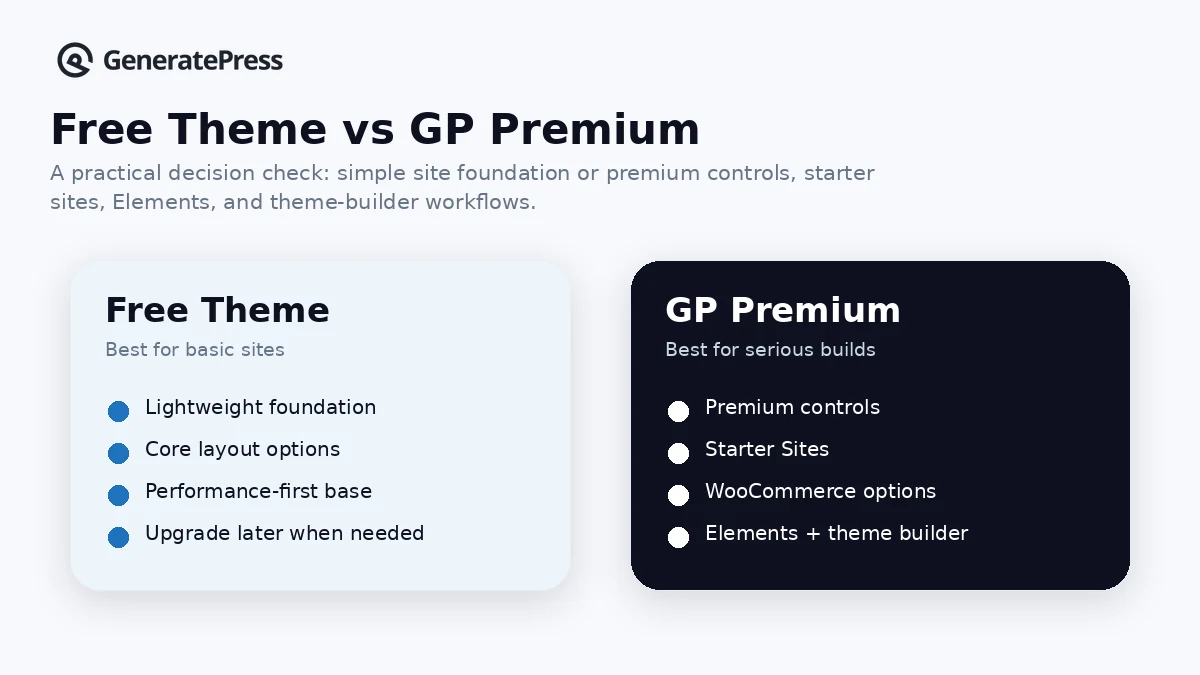
The attractive part of GeneratePress is not that it tries to be everything. It does the opposite. The free theme gives you a lightweight base. GP Premium adds theme-level controls, starter sites, Elements, WooCommerce options, and support. GeneratePress One becomes more interesting if you also want GenerateBlocks Pro, GenerateCloud, reusable patterns, future products, and priority email support under one annual subscription.
For my money, the safest way to judge GeneratePress is not to ask, “Is this the best WordPress theme?” The better question is, “Do I want a lean WordPress theme system that I can build on top of without dragging a heavy builder into every project?”
If the answer is yes, GeneratePress deserves a serious look. If you want hosting, funnel pages, CRM, checkout, email marketing, and a beginner wizard in one account, this is the wrong category. You would be asking a WordPress theme to solve a hosted-platform problem.
The main buying risk is overbuying. GP Premium may be enough for many site owners. GeneratePress One is better only when the broader ecosystem will actually be used.
Next step: If GeneratePress still fits your WordPress workflow, check the current product layer before choosing GP Premium or the full bundle.
Review snapshot
| Review point | Practical take |
|---|---|
| Best for | WordPress users who want a lightweight theme foundation and optional premium controls |
| Not ideal for | Buyers who want a hosted all-in-one website builder or heavy visual design system |
| Main use case | Building fast blogs, affiliate sites, small business sites, client sites, and block-editor layouts |
| Free path | Free GeneratePress theme available for WordPress |
| Lowest paid path | GP Premium is the theme-focused paid product |
| Bundle path | GeneratePress One bundles GP Premium, GenerateBlocks Pro, GenerateCloud, future products, and priority support |
| Main strength | Clean theme-first workflow with a performance and maintainability bias |
| Main concern | Buyers may pay for the full ecosystem before knowing whether they need Blocks and Cloud |
| Direct alternatives | Astra, Kadence, Blocksy |
| Adjacent route | Elementor if the buyer wants a fuller visual page-builder workflow |
| Best next step | Test the free theme or one real page layout before annual billing |
What is GeneratePress?
GeneratePress is a lightweight WordPress theme ecosystem. The free theme gives you the foundation. GP Premium adds deeper theme controls and site-building features. GenerateBlocks Pro extends the WordPress block editor. GenerateCloud helps builders manage and reuse pattern libraries across sites. GeneratePress One bundles the suite into one annual subscription.
That makes GeneratePress different from a hosted site builder.
You still need WordPress hosting. You still need to choose plugins carefully. You still need backups, caching, security, content structure, and normal WordPress maintenance. GeneratePress can make the theme layer cleaner, but it does not remove the responsibilities that come with running a WordPress site.
This is also not a “flashy template first” product in the way many beginners imagine a website tool. GeneratePress is more restrained. Its value comes from speed, clean structure, theme controls, starter sites, hooks, block-based building, and a workflow that can stay manageable over time.
Our review approach compares public product pages, pricing details, license rules, refund terms, WordPress ecosystem fit, buyer workflow, and nearby alternatives. I would not treat a coupon, bundle, or low annual price as proof that GeneratePress fits the project. The theme has to match how you actually build.
The easy mistake is buying the bundle because it looks like the best value on paper. The better way to judge it is to decide which layer you need first: free theme, GP Premium, or the full GeneratePress One stack.
Who should use GeneratePress?
GeneratePress makes the most sense for WordPress buyers who care about speed, control, and long-term site maintainability.
A blogger or affiliate publisher may like it because the free theme and GP Premium can provide a clean base without forcing a heavy builder into every page. That matters when the site depends on content speed, internal links, tables, comparison blocks, schema plugins, ads, and a stable theme layer.
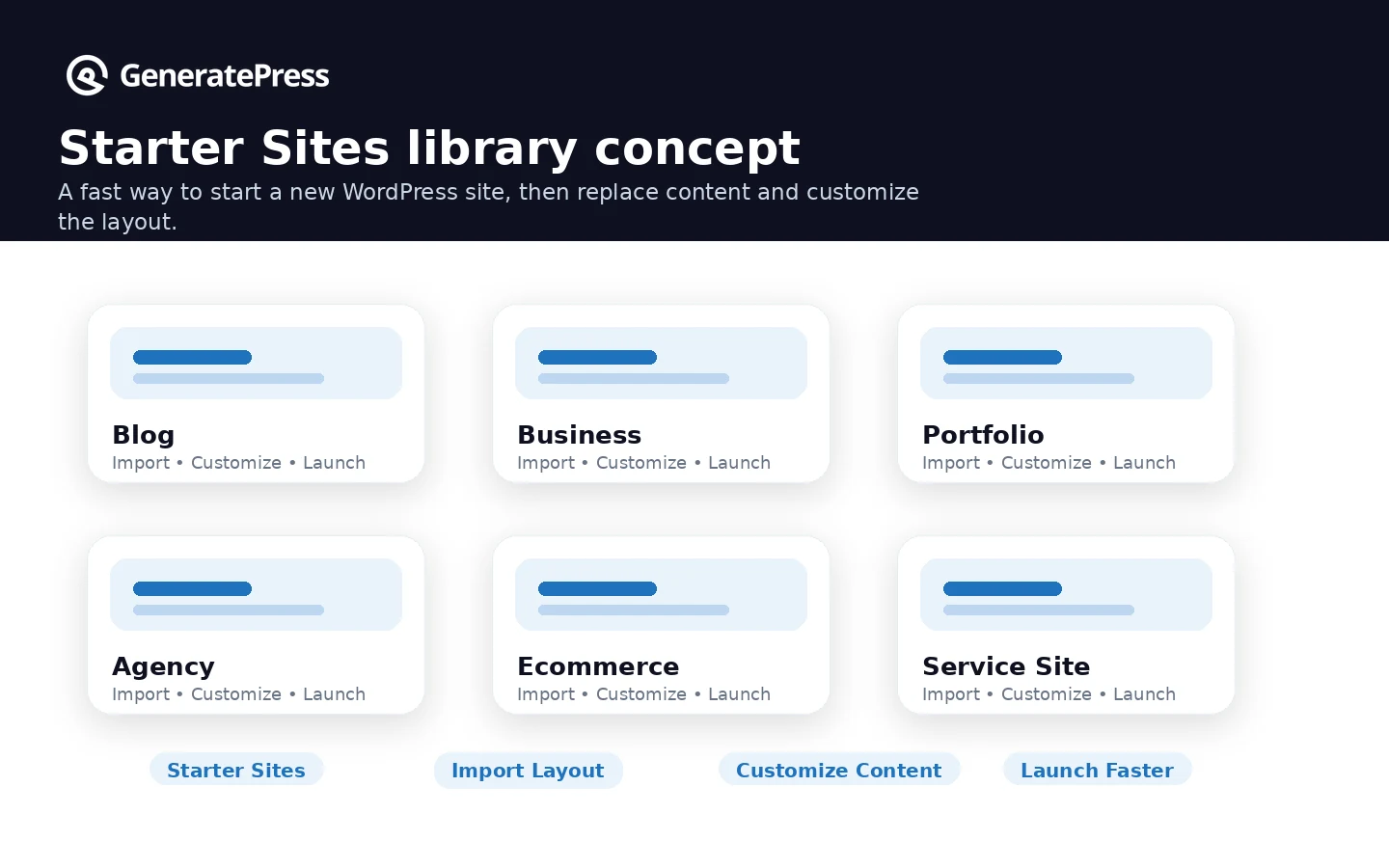
A small business site owner may consider GeneratePress when they want a professional WordPress site without bloated theme effects. Starter sites can shorten the setup process, but the buyer should still be comfortable replacing content, adjusting layouts, and making WordPress decisions.
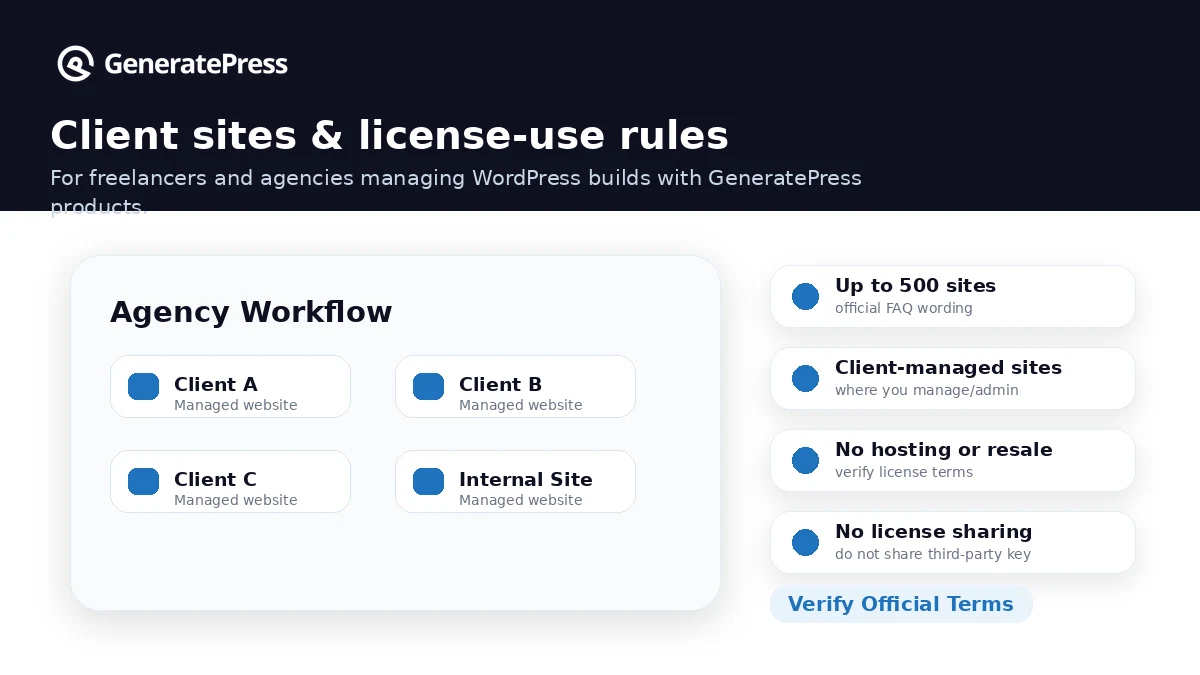
A freelancer or agency may find the strongest fit. The 500-site license language can be attractive for managed client work, provided the agency is truly building, developing, and managing those websites. I would still read the client-site license wording carefully before using it inside a productized service.
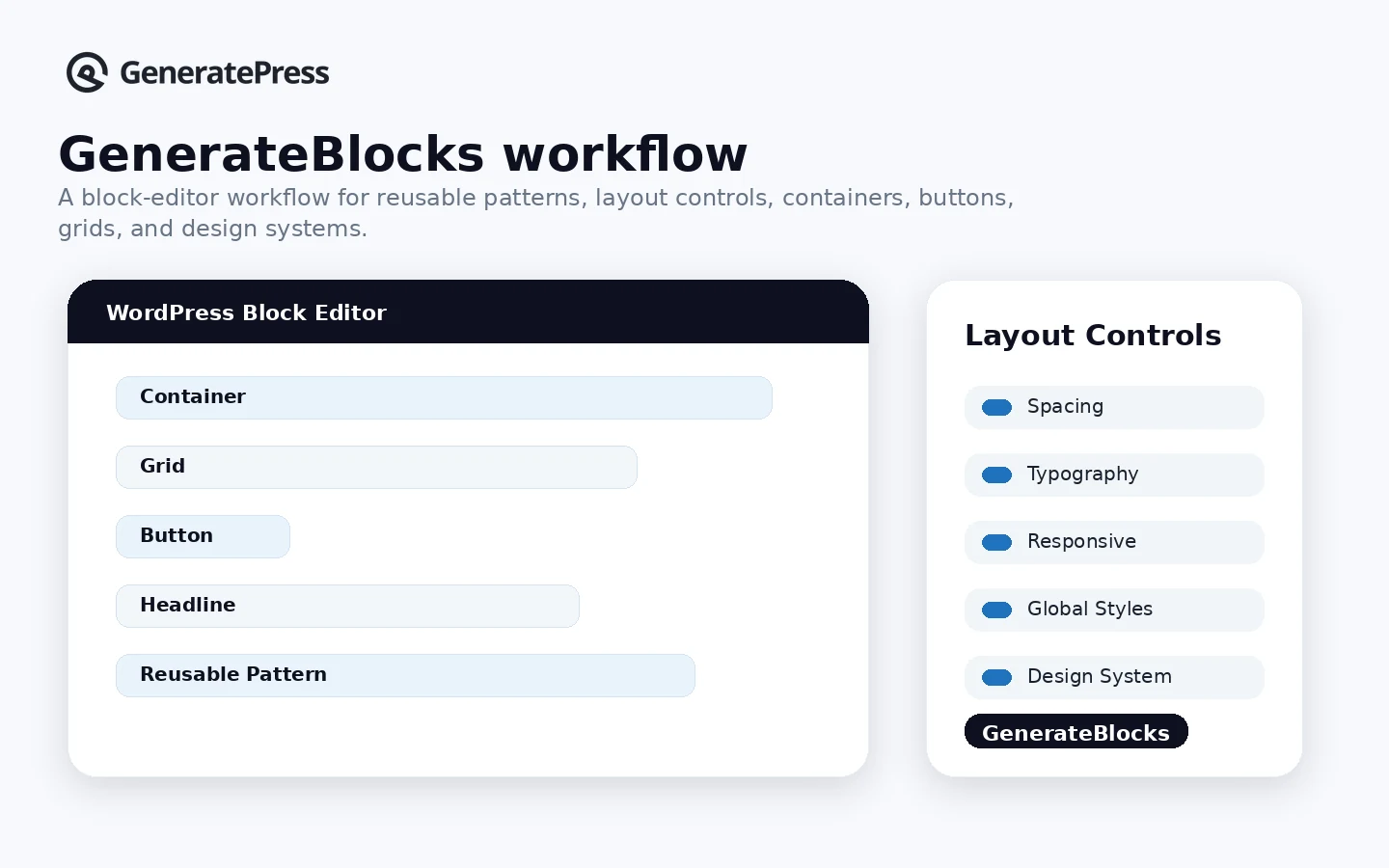
A block-editor user may be a strong GeneratePress One candidate. If GenerateBlocks Pro, patterns, starter sites, and GenerateCloud become part of the normal workflow, the bundle starts to make more sense than buying only the theme.
A WooCommerce builder may also consider GeneratePress, especially when the goal is a lighter theme layer. The caution is that WooCommerce success still depends on hosting, product structure, checkout plugins, filters, performance tuning, and store-specific decisions beyond the theme.
Who should avoid GeneratePress?
GeneratePress is not the right first choice if you want a hosted all-in-one website platform. It will not replace Shopify, Wix, Webflow, Squarespace, ClickFunnels, or a full marketing suite. It is a WordPress theme ecosystem, not a business-in-a-box platform.
Beginners who want every design choice handled by a wizard may also feel friction. GeneratePress can be beginner-friendly, but it still assumes you are willing to work inside WordPress. The product will not magically decide your content hierarchy, homepage sections, plugin stack, or brand system.
Design-heavy teams should be careful too. If the main requirement is full visual control, popups, animations, complex landing-page sections, and designer-driven pages, Elementor or another visual builder may feel more natural. GeneratePress can pair with page builders, but its own personality is leaner and more theme-first.
Buyers who only need one simple free blog layout should not rush into a paid plan. The free theme may be enough. A paid license makes sense only when the premium modules, starter sites, support, GenerateBlocks features, or client-site workflow creates real value.
I would also be cautious if you are buying only because you saw a deal page. GeneratePress is already priced in a straightforward annual way. A discount can help, but it should come after product-layer fit, not before it.
How GeneratePress fits into a real workflow
A practical GeneratePress workflow starts before the purchase.
First, choose hosting and install WordPress. Then test the free GeneratePress theme on a real page or staging site. Do not judge it only from screenshots. Put in your header, navigation, content width, typography, a blog post, a landing page, and a mobile view.
If the free theme gives you enough structure, stop there for the moment.
If you start hitting theme-level limits, GP Premium becomes the next check. This is where starter sites, theme builder controls, Elements, hooks, WooCommerce options, local fonts, spacing, typography, and support may matter.
If you are building pages and reusable sections inside the block editor, then GenerateBlocks Pro enters the decision. If you manage patterns across multiple websites, GenerateCloud may matter. Only at that point does GeneratePress One become a serious bundle rather than a nice-looking upsell.
The review checkpoint is simple: build one real page before committing to the broader stack. A homepage mockup is useful. A real blog post is better. A WooCommerce product page or client landing page is even better if that is the actual use case.
Real-world buyer scenarios
Affiliate publisher building multiple content sites
GeneratePress can be a strong fit for an affiliate publisher who wants fast pages, predictable layouts, clean content areas, and a theme that does not fight SEO and monetization plugins. GP Premium may be enough if the main need is theme control and starter sites.
The risk is assuming the theme alone will solve site performance. It will not. Hosting quality, image handling, ad scripts, caching, plugin discipline, and content structure still matter.
Freelancer standardizing client websites
A freelancer may like GeneratePress because it can create a repeatable client-site stack without starting from scratch every time. The 500-site license language is attractive, but the buyer should verify that their client work fits the official managed-client usage rules.
If the freelancer also uses GenerateBlocks Pro and reusable pattern libraries, GeneratePress One becomes more interesting. If not, GP Premium may be the cleaner paid route.
Small business owner rebuilding a WordPress site
A business owner may use GeneratePress to replace a heavy theme with a cleaner foundation. This can be a smart move when the site is simple: service pages, blog posts, contact page, local SEO content, and perhaps a few landing pages.
Where it may fail is expectation. GeneratePress is not going to write the content, choose the conversion strategy, configure SEO plugins, or manage hosting problems. It gives you a cleaner theme layer to work from.
WooCommerce store owner wanting a lighter theme
GeneratePress can fit a WooCommerce store that wants fewer theme-level performance problems. GP Premium includes WooCommerce controls, but the buyer should still test product pages, cart, checkout, filters, plugin compatibility, mobile experience, and speed under real store conditions.
If the store needs advanced merchandising, complex templates, or deep design work, compare it with Astra, Kadence, Blocksy, or Elementor before choosing.
Key features that actually matter
Lightweight theme foundation
The core GeneratePress appeal is speed and simplicity. The theme is positioned around performance, stability, accessibility, and clean code. That matters for buyers who do not want their theme to become the first performance problem they have to fix.
Buyer note: lightweight does not mean automatically fast. A bad host, oversized images, unnecessary plugins, and advertising scripts can still slow the site down.
GP Premium modules
GP Premium is where GeneratePress becomes more flexible. Theme Builder, Site Library, styling controls, WooCommerce controls, hooks, layout options, sticky navigation, mobile header, and related modules help serious site owners shape the theme without switching to a full visual builder.
Buyer note: the paid theme layer is useful only if you need those controls. Do not pay for modules you cannot name.
Starter sites and patterns
Starter sites can reduce setup time, especially for buyers who do not want to design every page from a blank canvas. Patterns help block-editor users build repeatable sections without starting over each time.
Buyer note: a starter site is a shortcut, not a finished business website. You still need to replace copy, adjust branding, check mobile layout, and remove sections that do not fit.
GenerateBlocks Pro
GenerateBlocks Pro matters if your layout workflow lives inside the WordPress block editor. It gives the ecosystem a stronger page-building angle without forcing a heavier page builder into the stack.
Buyer note: if you do not plan to build with blocks and patterns, GenerateBlocks Pro may not justify the upgrade path.
GenerateCloud
GenerateCloud is more relevant to builders managing multiple websites or reusable pattern libraries. For a single simple blog, it may be unnecessary. For an agency or publisher standardizing site sections, it can make more sense.
Buyer note: this is the feature that often separates “GP Premium is enough” from “GeneratePress One may be worth it.”
Pricing and plan value
GeneratePress pricing is clearer than many WordPress product stacks, but the decision still needs buyer discipline.
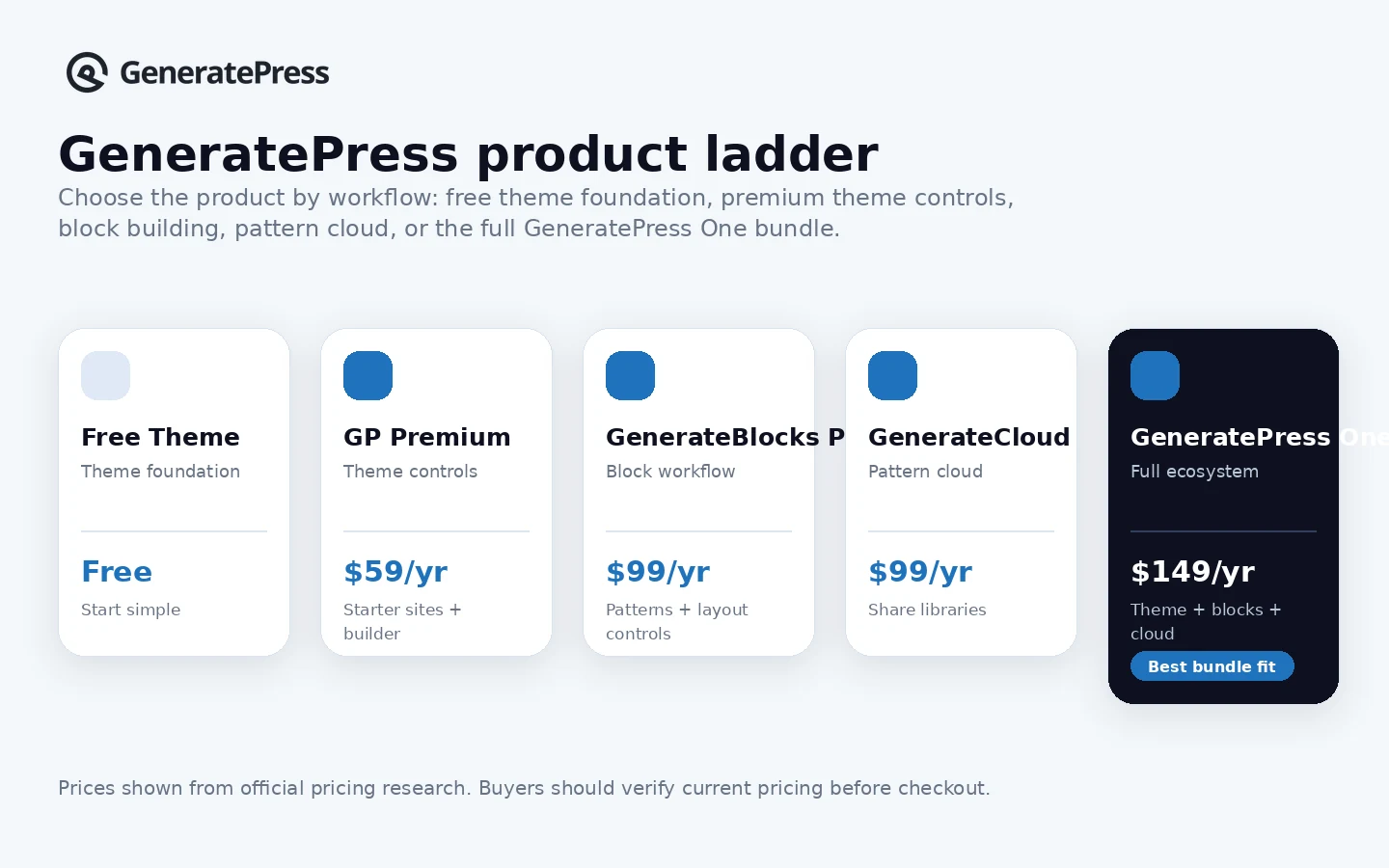
The current public pricing page shows GeneratePress One at $149/year. It includes GP Premium, GenerateBlocks Pro, GenerateCloud, starter sites, patterns, future products, and priority email support. Individual products are listed separately: GP Premium at $59/year, GenerateBlocks Pro at $99/year, and GenerateCloud at $99/year.
That makes the bundle look attractive. In many cases, it is.
But the cheapest-looking bundle is not automatically the best deal. GeneratePress One is a strong value only if you will use enough of the ecosystem. If the project only needs premium theme controls, GP Premium may be the better first purchase. If the project needs blocks, patterns, shared libraries, and priority support, GeneratePress One becomes much easier to justify.
The free theme is also part of the pricing story. GeneratePress is not a normal SaaS product where the buyer has to pay before understanding the interface. You can test the free theme inside WordPress and see whether the basic foundation makes sense.
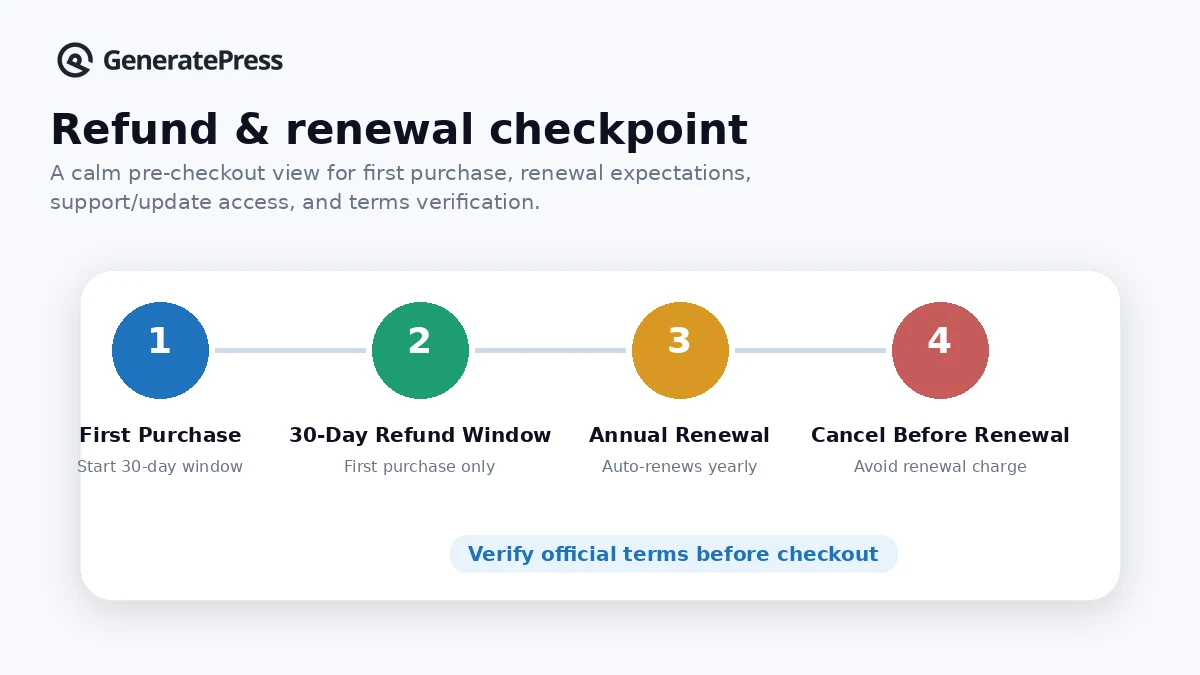
Annual renewal matters. The license renews yearly unless canceled, and canceling means the license expires on the anniversary date and you lose future updates and support. That does not necessarily break an existing site immediately, but it does change maintenance risk over time.
Plan check: If the paid layer makes sense, verify the current annual price, renewal behavior, refund rules, and product bundle before checkout.
Check GeneratePress pricing Read store guide Check current offers
Free plan, trial, coupon, and checkout notes
GeneratePress does not need to be treated like a normal free-trial SaaS. The free theme is the low-risk evaluation path. Install it, build a small page, check the mobile layout, and decide whether the premium controls would solve a real problem.
There is a 30-day first-purchase refund window, but buyers should read the refund and terms language before relying on it. The refund policy is friendly on first purchase, while the terms add boundaries around renewals, upgrades, later purchases after a previous refund, disabled licenses, and requests outside the first 30 days.
I would treat the first month as the evaluation window. If you buy GP Premium or GeneratePress One, test the actual workflow early. Do not wait until renewal time to discover the product layer was wrong.
Coupon logic should stay secondary. GeneratePress is not the kind of product I would buy because of a random coupon claim. The better savings path is practical: use the free theme first, choose GP Premium if theme controls are enough, choose GeneratePress One only if Blocks and Cloud belong in the workflow, then check the current offer path before checkout.
If a public coupon page shows an active route, use it after product fit is clear. Do not let the coupon decide the stack.
What I would check before buying GeneratePress
If I were buying GeneratePress for a real WordPress workflow, I would check these points before annual billing:
- Whether the free theme already solves the basic site need.
- Whether the paid need is GP Premium only or the full GeneratePress One ecosystem.
- Whether GenerateBlocks Pro is part of the actual page-building workflow.
- Whether GenerateCloud matters for one site, multiple sites, or client work.
- Whether the 500-site and client-site license language fits the way the buyer serves clients.
- Whether annual auto-renewal, cancellation timing, and refund exclusions are acceptable.
- Whether an alternative theme or visual builder better matches the buyer’s design expectations.
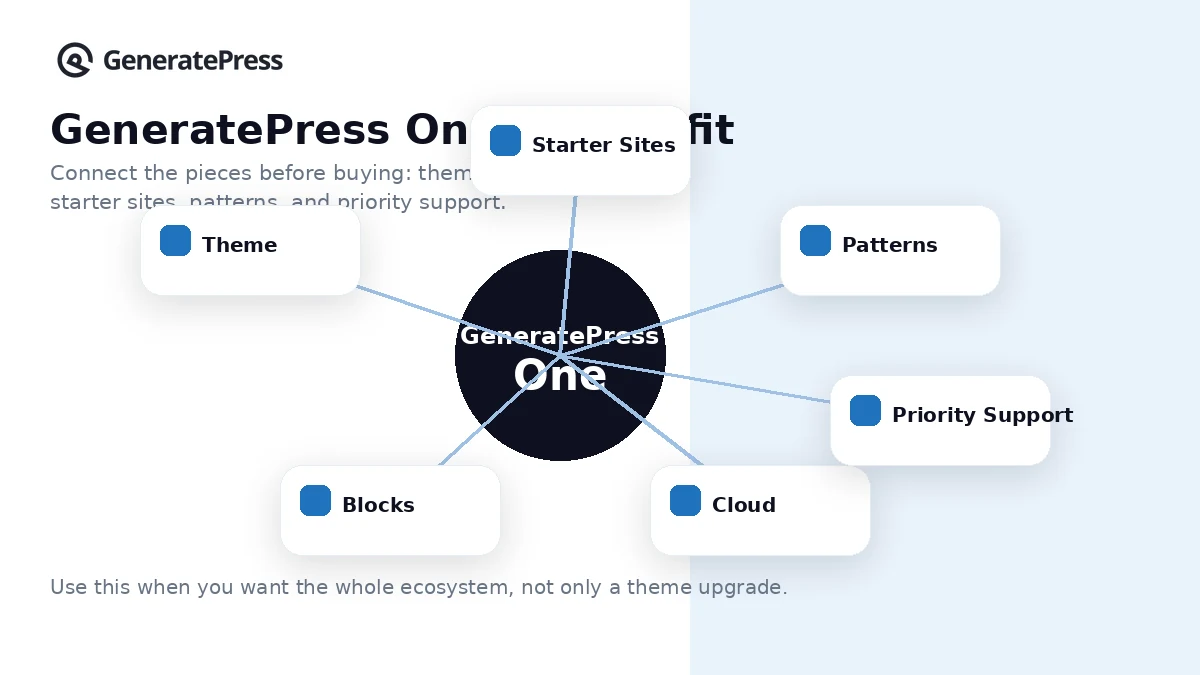
The point is not to make GeneratePress look risky. It is to buy the right part of the product. A theme-only buyer and an agency building repeatable block-based client sites should not make the same purchase by default.
A simple test before paying
Before paying, I would run a small test like this:
- Install the free GeneratePress theme on a staging site or low-risk WordPress install.
- Build one real blog post or service page, not a decorative demo page.
- Check header, navigation, typography, content width, sidebar, footer, and mobile behavior.
- List the exact premium controls that would improve the page.
- Compare GP Premium against GeneratePress One based on actual missing features.
- If client work is involved, read the license language before using it in a service package.
- If the paid plan is purchased, test the paid features during the first 30 days rather than waiting.
This kind of test keeps the decision grounded. GeneratePress is easier to judge from a real page than from a pricing table.
Pros explained
The first real pro is the lightweight foundation. GeneratePress has a clear identity: fast, stable, accessible, and WordPress-native. For content sites and long-term builds, that can matter more than dramatic templates.
The second pro is the free-to-paid ladder. Buyers can start with the free theme, move to GP Premium when premium modules are needed, and only consider GeneratePress One when the broader ecosystem fits. That is healthier than forcing everyone into the top plan.
The third pro is agency and freelancer fit. A 500-site license can be useful when the buyer manages client websites directly. This can create a consistent build stack across projects, though the client-site terms need to be respected.
The fourth pro is the block-editor direction. GenerateBlocks Pro, patterns, starter sites, and GenerateCloud make the ecosystem more compelling for builders who want to stay inside WordPress rather than rely on a heavier page builder.
The fifth pro is pricing clarity. The public pricing page is easier to understand than many WordPress ecosystems. The hard part is not finding the number. The hard part is choosing the right layer.
Cons explained
The first con is that GeneratePress is not a hosted platform. A buyer still has to manage WordPress hosting, plugins, security, backups, caching, updates, and content. That is fine for WordPress users, but it can surprise beginners looking for an all-in-one builder.
The second con is that the bundle can be overkill. GeneratePress One looks like strong value, but only if the buyer will use GP Premium, GenerateBlocks Pro, GenerateCloud, patterns, and priority support. Otherwise, GP Premium may be enough.
The third con is design expectation. GeneratePress is clean and flexible, but it may not satisfy buyers who want maximal drag-and-drop spectacle, hundreds of flashy templates, or a builder that handles every visual detail without WordPress knowledge.
The fourth con is renewal and refund nuance. The first-purchase refund window is useful, but renewals and later purchases are treated differently. Buyers should test early and cancel before renewal if updates and support are no longer needed.
The fifth con is that performance still depends on the full stack. GeneratePress can reduce theme bloat, but it cannot rescue a site overloaded with poor hosting, unoptimized images, too many plugins, and heavy scripts.
Green flags and red flags
Green flags are easy to spot with GeneratePress.
You already use WordPress. You care about speed and maintainability. You want a clean theme layer. You are comfortable making site-building decisions. You can name the premium modules you need. You know whether Blocks and Cloud belong in your workflow. You understand that the theme is one part of the stack, not the whole stack.
Those are good signals.
The red flags are different.
You are buying only because a bundle looks cheap. You want hosting included. You expect a no-thinking design wizard. You need a visual builder more than a theme foundation. You are not sure whether client-site usage fits the license language. You plan to ignore renewal timing and refund boundaries. You assume a lightweight theme alone will solve performance problems.
Those are slow-down signals.
GeneratePress is a strong product for the right buyer, but it rewards careful setup more than impulse buying.
GeneratePress vs alternatives
Astra vs GeneratePress
Astra is a direct alternative for buyers comparing lightweight WordPress themes. It may be the stronger comparison if the buyer wants a very mainstream theme ecosystem, broad starter templates, and beginner-friendly onboarding.
GeneratePress may still make more sense when the buyer wants a leaner theme-first foundation and is comfortable building a cleaner, more controlled WordPress stack. If template volume and beginner polish matter more than restraint, compare Astra carefully.
Kadence vs GeneratePress
Kadence is another direct route for buyers who want a block-friendly WordPress theme ecosystem. It may appeal to users who want richer theme controls and a different design interface.
GeneratePress may fit better if the buyer values its lightweight foundation, GenerateBlocks pairing, and less visually busy theme personality. The tradeoff is not simply speed. It is workflow preference.
Blocksy vs GeneratePress
Blocksy is worth comparing if the buyer wants a fast modern theme with strong header, footer, and WooCommerce-oriented controls. It can feel more feature-rich out of the box for some site owners.
GeneratePress may be stronger for buyers who prefer a cleaner, more modular theme approach and want to pair it with GenerateBlocks and patterns. I would compare both on a staging site rather than judging from feature lists.
Elementor vs GeneratePress
Elementor is an adjacent route, not a pure one-to-one replacement. It is better for buyers who want a full visual page-builder workflow with deep drag-and-drop design control.
GeneratePress is better for buyers who want a theme-first WordPress base and do not want a heavier visual builder to drive the entire site. Some buyers use GeneratePress with page builders, but the decision should be intentional.
Trust, refund, and buyer-risk notes
GeneratePress has several trust signals that matter: long-standing WordPress presence, a free theme, public pricing, documentation, support resources, a clear product ladder, and a visible refund policy.
The buyer-risk side is mostly commercial and workflow-related.
First, do not buy on headline price alone. GP Premium and GeneratePress One solve different buyer problems. The bundle can be excellent value for builders who will use the whole ecosystem, but unnecessary for a single basic site.
Second, read the license language. The ability to use a license across many sites can be valuable, especially for client work, but it is not the same as reselling the license key or handing it to third parties.
Third, understand annual renewal. Canceling means the license expires at the anniversary date, and updates and support stop after expiration. For a simple site, that may be acceptable. For client sites or security-sensitive builds, it matters more.
Fourth, treat the refund window as an evaluation period. If you buy, test immediately. Build a page, use the paid modules, contact support if there is a blocker, and decide before the first 30 days are gone.
Fifth, remember that a theme is not a full performance strategy. GeneratePress can be a cleaner foundation, but the final site still depends on hosting, caching, images, plugins, scripts, and maintenance discipline.
Final verdict
I would consider GeneratePress if you want a lightweight WordPress foundation, care about site speed and maintainability, and prefer a cleaner theme-first workflow over a heavy all-in-one builder.
I would start with the free theme if the project is still exploratory. I would choose GP Premium if the theme controls, starter sites, Elements, WooCommerce options, and support solve the real problem. I would choose GeneratePress One only if GenerateBlocks Pro, GenerateCloud, patterns, future products, and priority support are part of the workflow you will actually use.
I would skip GeneratePress if you want hosting, marketing automation, CRM, checkout, email, and site building in one hosted platform. I would compare Astra, Kadence, and Blocksy if you are still deciding between lightweight WordPress themes. I would compare Elementor if the real need is visual page building rather than a lean theme base.
The safest judgment is simple: GeneratePress is a strong WordPress theme ecosystem, but it is strongest when you buy the right layer. Test the foundation first, name the premium features you need, read the renewal and refund rules, then decide whether GP Premium or GeneratePress One actually fits the site you are building.
