Quick verdict
DeeVid AI is worth considering if you want fast AI-generated video drafts, not if you expect the control of a traditional video editor.
That difference matters more than the feature list.
The current public positioning is broad: text-to-video, image-to-video, video-to-video, AI ads, avatars, AI music, text-to-speech, image generation, and templates from one workspace. On paper, that sounds like a creative shortcut for social videos, product clips, ad concepts, and lightweight promotional content. In practice, the buying decision is narrower: can DeeVid AI help you produce usable video ideas without burning through credits faster than expected?
For my money, DeeVid AI makes the most sense for creators and marketers who need quick motion concepts, short social clips, product-style visuals, or ad variations. It is less convincing for buyers who need frame-level editing, reliable refund flexibility, deep team approvals, or production-grade post-processing inside the same tool.
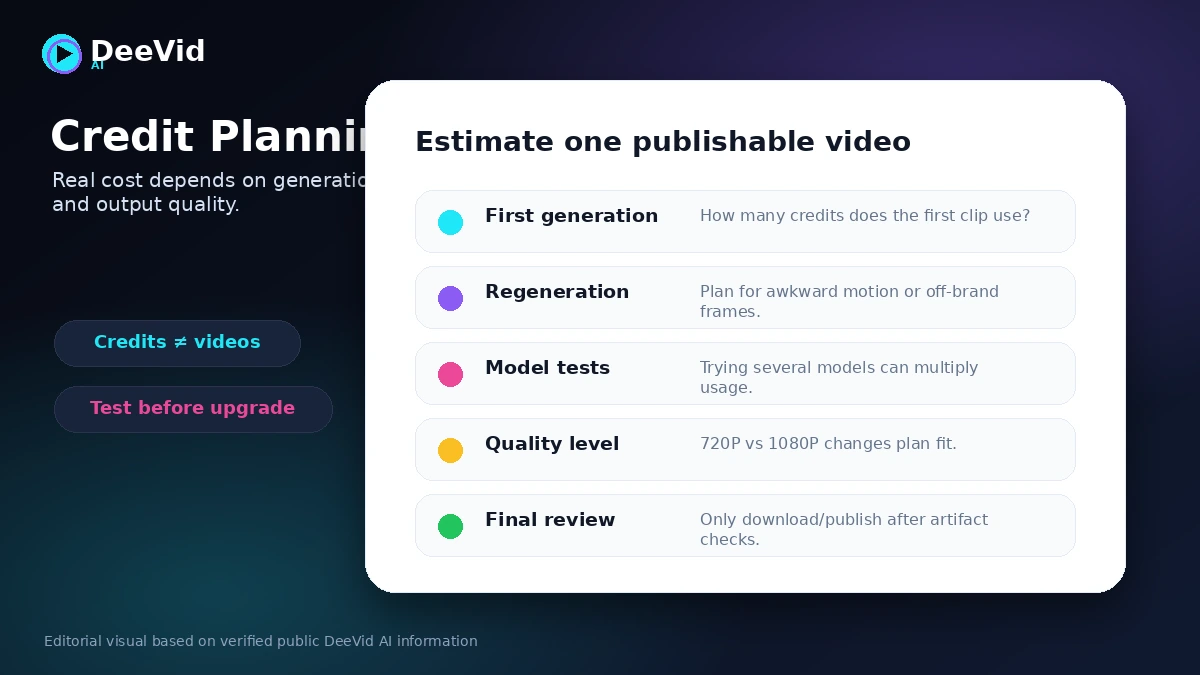
The biggest strength is speed and range. The biggest risk is credit planning. AI video usually needs iteration. One prompt may not produce the clip you want. Regenerations, model choices, resolution settings, and experiments can change the real cost of a finished asset.
The safest path is simple: use the free signup credits on a real project first, then check the current Lite, Pro, or Premium plan only after you know how many credits your normal workflow consumes.
Next step: If DeeVid AI still fits your creative workflow, test the official buyer route before choosing a recurring credit plan.
Review snapshot
| Review point | Practical take |
|---|---|
| Best for | Creators, marketers, e-commerce sellers, and small businesses making short AI video drafts |
| Not ideal for | Buyers needing precise timeline editing, predictable refunds, API workflows, or enterprise approvals |
| Main use case | Turning prompts, product images, or existing clips into quick social, ad, or concept videos |
| Pricing model | Credit-based subscription with Lite, Pro, and Premium tiers |
| Free test path | New users receive 20 free credits, positioned as enough to experience core features |
| Main strength | Broad prompt-led video and media generation from one workspace |
| Main concern | Credit burn, output variation, and strict refund language |
| Direct alternatives | Runway, Pika, Luma AI, Kling AI |
| Best next step | Test a real prompt with free credits before monthly or annual billing |
What is DeeVid AI?
DeeVid AI is an AI video and image generation platform built around prompt-led creation. The product lets buyers create videos from text prompts, animate still images, transform existing videos, and use related creative tools such as AI ads, avatars, AI music, text-to-speech, and image generation.
I would not describe it as a normal video editor.
A normal editor gives you a timeline, tracks, manual cuts, frame-level adjustments, audio layers, and detailed post-production control. DeeVid AI is closer to a creative generation workspace. You bring a prompt, image, video, or idea. The system generates an output. Then you decide whether the result is usable, needs regeneration, or needs polishing somewhere else.
That makes it attractive for speed. It also creates the main buying risk. The value depends less on whether DeeVid AI has many tools and more on whether the generated output is good enough for your use case before your credits disappear.
Our review approach compares the current public product pages, pricing details, refund language, commercial-use statements, buyer workflow fit, and nearby AI video alternatives. I do not treat a low entry price, a template gallery, or a yearly discount as proof that the product fits every buyer.
The common wrong expectation is thinking DeeVid AI will replace a video production workflow. For some creators, it can replace the first draft or concept stage. For polished ads, brand-sensitive product videos, or client work, it should be treated as a starting point that still needs human review.
Who should use DeeVid AI?
DeeVid AI fits creators who need short-form visual ideas quickly. If your work depends on TikTok, Reels, Shorts, or quick social experiments, the ability to turn text or images into motion can be useful. The condition is that you are comfortable judging the result and trying variations when the first output misses the mark.
It also fits marketers testing ad concepts. A small team can use DeeVid AI to explore hooks, product scenes, motion styles, or visual angles before paying for a larger production process. That is a good use case because the goal is not always final polish. Sometimes the goal is faster creative direction.
E-commerce sellers may find value if they already have product images and want lightweight image-to-video motion. The buyer check here is product accuracy. If generated motion distorts the product, changes important details, or creates unrealistic claims, the clip needs more review before it goes near an ad campaign.
Beginners who dislike traditional video editing may also like DeeVid AI. Prompt-led tools remove some timeline friction. But beginners should still start small, because AI video can look cheap when the prompt is vague or when motion details are not checked carefully.
DeeVid AI also makes sense for buyers who want access to multiple creative models or effects from one interface. The official homepage highlights several named video and image models. That can be convenient, but it does not remove the need to test which model produces the right output for your brand or content style.
Who should avoid DeeVid AI?
Avoid DeeVid AI if you need exact editing control. If your workflow depends on precise cuts, brand-safe transitions, manual audio timing, frame-level corrections, detailed captions, or version approvals, you will probably still need a dedicated video editor or a deeper creative production suite.
I would also be careful if you are refund-sensitive. DeeVid AI’s public refund language is strict, and the terms make clear that dissatisfaction with AI-generated output is not automatically treated as a refund reason. That puts more responsibility on the buyer to test before paying.
One-off users should slow down too. If you only need one quick clip, the free credits may be enough to learn whether the tool works for you. A recurring plan makes more sense when AI video generation is part of a repeatable workflow.
Teams should be cautious if they need documented governance, approval flows, API access, admin controls, or client review processes. DeeVid AI may still help with ideation, but it should not be assumed to replace a structured production system.
Finally, avoid buying because the entry price looks low. Credit-based tools can feel inexpensive until repeated generations are needed. The better question is not “Can I afford the Lite plan?” It is “How many usable finished clips do I get for the credits I buy?”
How DeeVid AI fits into a real workflow
A realistic DeeVid AI workflow starts before the prompt.
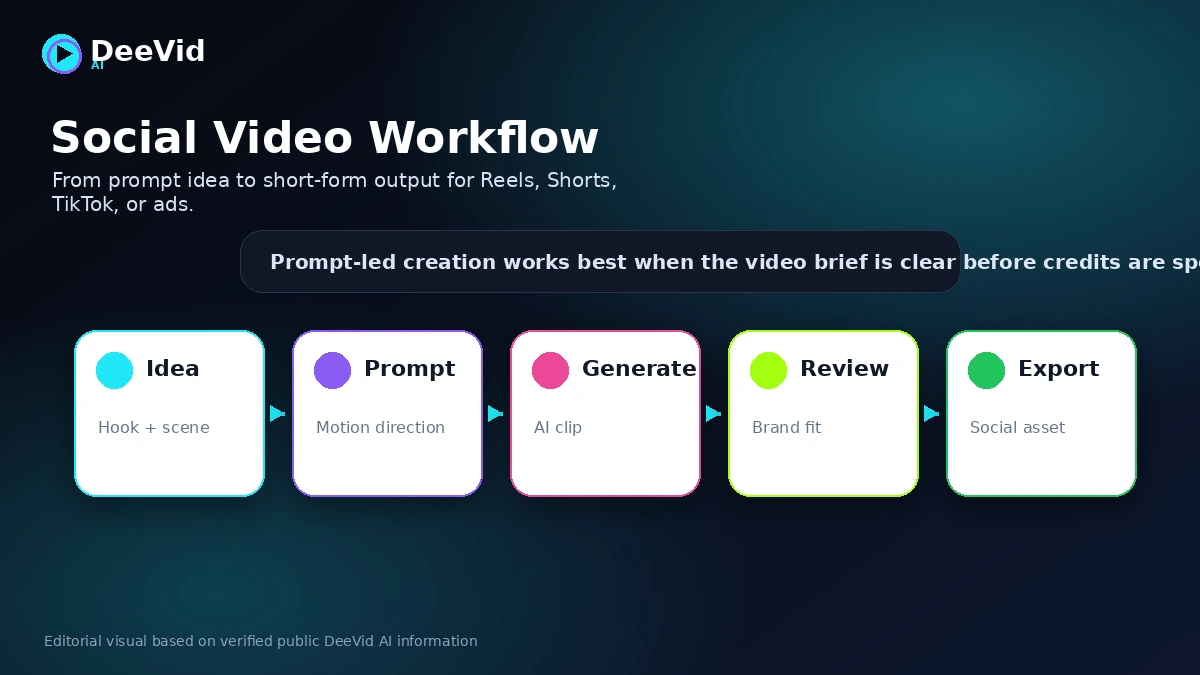
First, define the purpose of the video. Is it a social teaser, product animation, ad concept, avatar clip, or style experiment? Then prepare the input: a text prompt, product image, reference image, or source clip. The clearer the input, the better the first generation is likely to be.
Next comes generation. DeeVid AI can turn written prompts into videos, animate images, and transform existing videos into new styles. The tool may save time here because you are not starting from a blank editing timeline. You are asking the system to create a draft.
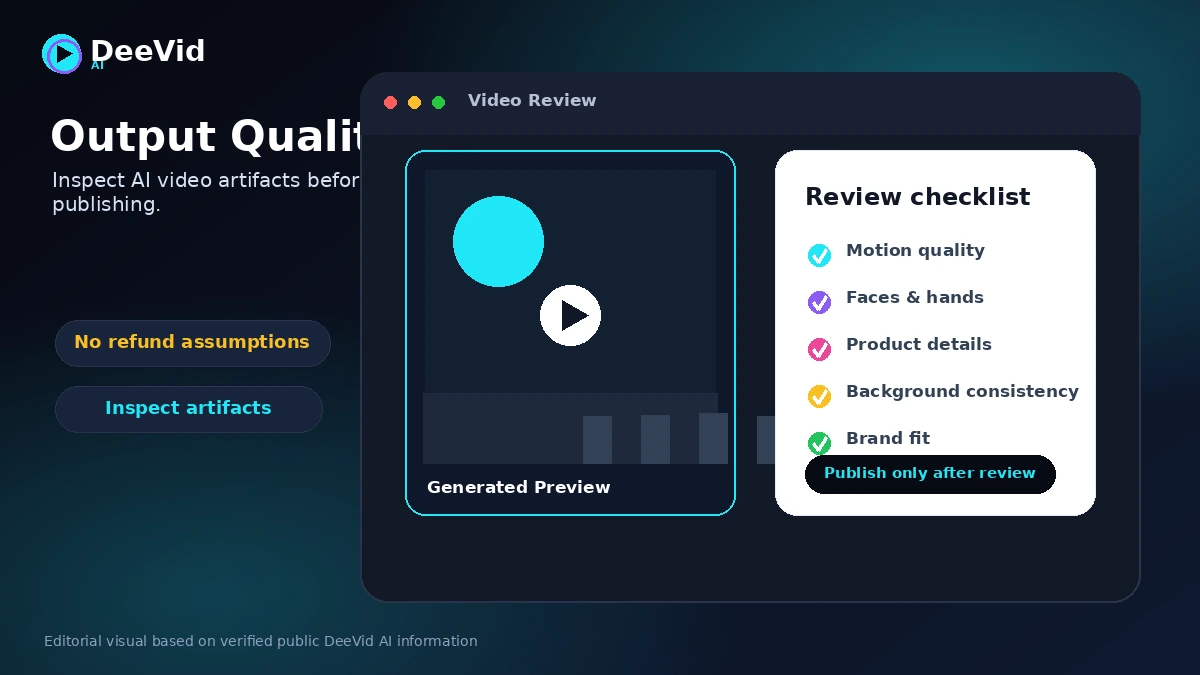
The decision point comes after the output. This is where buyers should slow down. Check motion quality, faces, hands, product details, text artifacts, brand tone, background consistency, and whether the clip says or implies anything you would not want in public.
Then decide whether to regenerate, revise the prompt, switch model or format, download, or polish the clip in another editor. This is also where credits matter. A workflow that needs five attempts for one usable video has a very different cost than a workflow that gets usable drafts in one or two attempts.
Workflow check: Use DeeVid AI only after you have a real video task to test, not just a curiosity prompt.
Real-world buyer scenarios
A solo creator making Shorts may use DeeVid AI to turn rough ideas into quick visual clips. This can work well when the creator needs motion, scene variety, and fast output more than perfect control. The risk is that weak prompts can lead to generic or inconsistent clips, so the creator should test with the exact type of content they publish.
A marketer testing ad angles may use DeeVid AI for early creative direction. Instead of commissioning a full product shoot for every idea, the team can test product scenes, hooks, or visual concepts. That does not mean every output is ad-ready. Brand claims, product accuracy, captions, and platform rules still need review.
An e-commerce seller may start with product photos and use image-to-video to add movement. This is a strong use case when the product can be shown simply. It becomes weaker if the product has precise details, regulated claims, or visual elements that cannot be distorted.
A small agency may use DeeVid AI for moodboards, rough creative options, or low-cost client concepts. I would be careful here. Client work usually needs consistency and revision control. DeeVid AI may help with speed, but agency buyers should compare it with Runway or another production-oriented tool before building client deliverables around it.
Key features that actually matter
Text-to-video generation
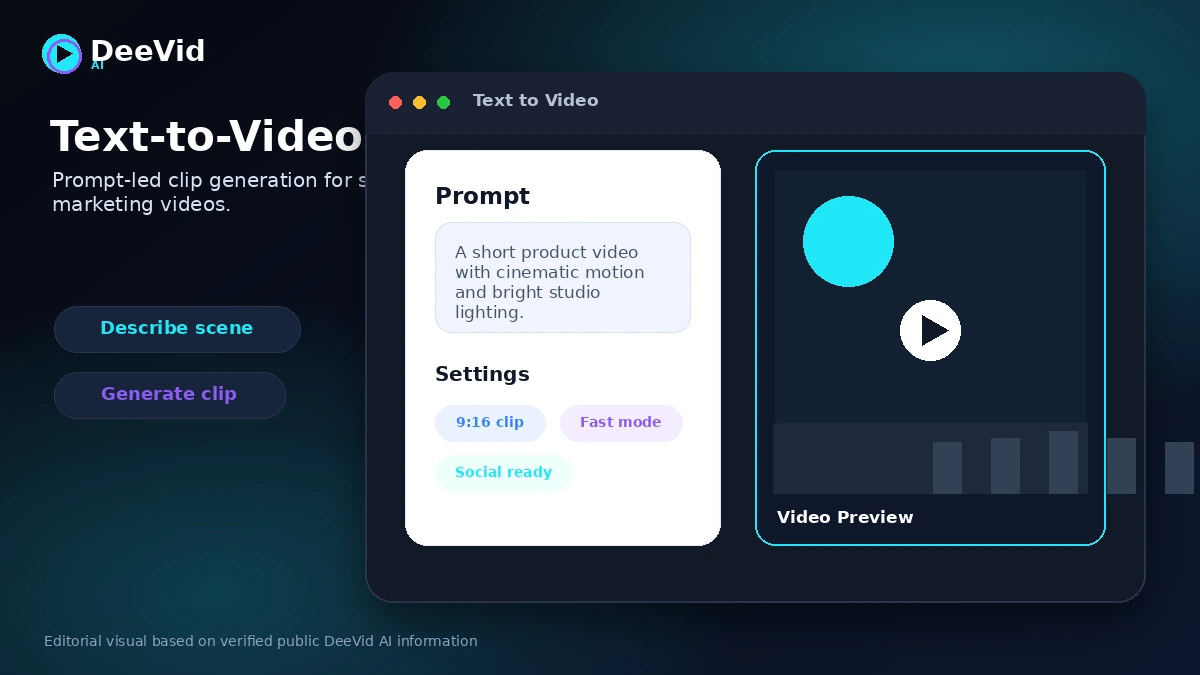
Text-to-video is the headline use case. You describe a scene, idea, or script direction, and DeeVid AI creates a video from that prompt.
The value is speed. The limitation is control. Buyers should not expect the first result to match a detailed creative brief perfectly. The prompt needs to describe scene, motion, style, subject, pacing, and intended use as clearly as possible.
Buyer note: test one real prompt before paying. A random demo prompt will not tell you whether DeeVid AI works for your business or content style.
Image-to-video animation
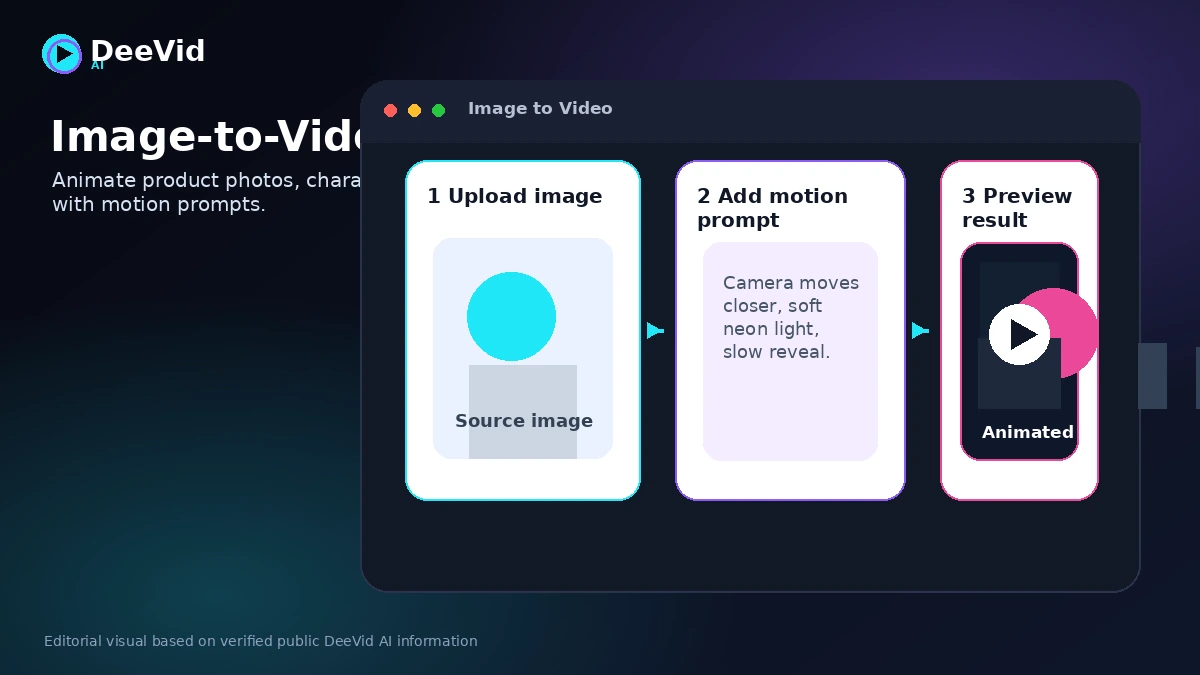
Image-to-video is often the more practical workflow for small businesses and creators because it starts from an asset you already trust. Product photos, character art, campaign visuals, and static brand images can become short motion clips.
This is useful when the source image is clean and the desired motion is simple. It may disappoint when the image contains complex hands, faces, logos, text, or product details that must remain exact.
Buyer note: inspect the output closely before using it in paid ads or client-facing content.
Video-to-video transformation
Video-to-video lets buyers transform existing video into another style or visual direction. This is useful for remixing, mood exploration, or creative effects.
It is not the same as professional post-production. A style transformation can be interesting, but it may not preserve every detail of the original clip. Buyers should check whether the transformed output still matches the intended message.
Buyer note: use this for creative exploration before assuming it can handle production-critical edits.
AI ads, avatars, music, and text-to-speech
DeeVid AI includes adjacent creative tools beyond basic video generation. AI ads, avatar clips, music, and text-to-speech can help when a buyer wants an all-in-one creative draft workflow.
The risk is breadth without depth. A broad tool can be convenient, but each feature still needs its own quality check. Voice, lip sync, brand tone, background music, and message accuracy can all affect whether the final clip is usable.
Buyer note: do not judge the whole product by one feature. Test the exact tool you plan to use most.
Commercial-use positioning and watermark removal
The pricing page positions paid plans as removing watermarks and allowing commercial use. That is important for creators and marketers who want to use outputs in social, advertising, or promotional content.
Still, commercial use does not remove the buyer’s responsibility. The terms state that users are responsible for verifying potential copyright and third-party rights issues before using generated content commercially.
Buyer note: treat commercial-use language as a starting point, not a full legal clearance guarantee.
Pricing and plan value
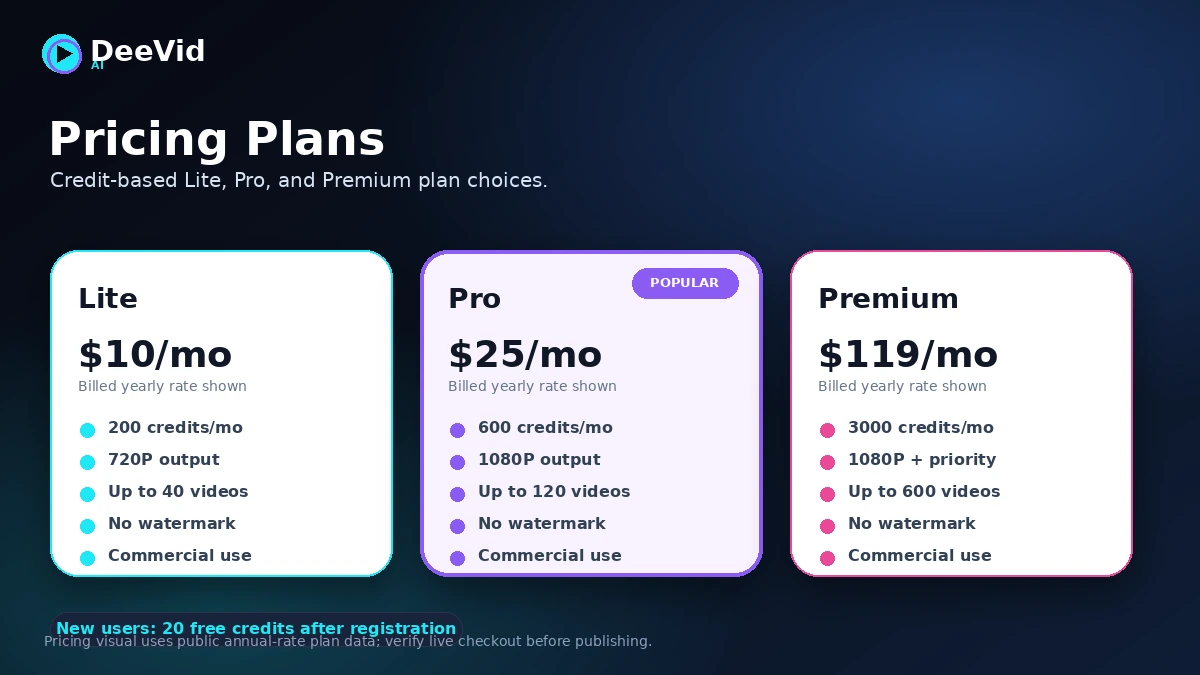
DeeVid AI uses credit-based pricing. At the time of review, the public pricing page showed a yearly pricing view with Lite at $10 per month billed yearly, Pro at $25 per month billed yearly, and Premium at $119 per month billed yearly. The page also displays higher reference monthly prices beside those discounted yearly figures.
Lite includes 200 credits per month and is positioned for beginners and casual content makers. Pro includes 600 credits per month and adds higher production capacity with 1080P output. Premium includes 3000 credits per month and is positioned for high-volume professional use.
New users receive 20 free credits, described as approximately enough for four videos. That is useful, but it is not a full production plan. It is a test path.
The pricing question is not only the headline monthly number. The real question is credit efficiency. If one usable clip takes one generation, Lite may feel reasonable. If one usable clip takes several attempts, the plan can feel tighter than the table suggests.
I would also be careful with annual billing. The discounted yearly price is attractive only after you know DeeVid AI fits your workflow. If you are still unsure about output quality, credit burn, or refund comfort, monthly testing is safer than a one-year commitment.
Pricing check: If DeeVid AI fits your use case, verify the current pricing toggle, credits, renewal terms, and output resolution before checkout.
Free plan, trial, coupon, and checkout notes
The best evaluation path is the free signup credits. DeeVid AI gives new users 20 free credits, and the pricing page frames that as enough to experience the core features before choosing a plan.
Use those credits carefully.
A good test is one real text-to-video prompt, one image-to-video prompt if that matters to your workflow, and one regeneration. That gives a better sense of credit usage than generating a random sample clip you will never publish.
For savings, the safer route is the official pricing page and plan selection. DeeVid AI shows a yearly discount on the pricing page, and buyers can upgrade plans or purchase more credit packs. I would treat random coupon claims as secondary unless the discount is verified at live checkout.
Do not let a deal path drive the decision. A discount can reduce the cost, but it does not solve output quality, credit burn, refund limitations, or workflow mismatch.
What I would check before buying DeeVid AI
If I were buying DeeVid AI for a real content workflow, I would check these points first:
- Whether the free credits produce at least one usable clip for my actual use case.
- How many credits one finished result costs after prompt revisions and regenerations.
- Whether 720P output on Lite is enough or whether Pro-level 1080P output is required.
- Whether the current price is monthly, yearly, or a discounted yearly equivalent.
- Whether the refund and cancellation wording is acceptable before entering payment details.
- Whether commercial-use terms are sufficient for my planned social, ad, or client use.
- Whether I still need a separate editor for captions, audio, brand polish, or final formatting.
A simple test before paying
Before paying, I would run a small test like this:
- Choose one real video use case: product clip, social post, ad concept, or image animation.
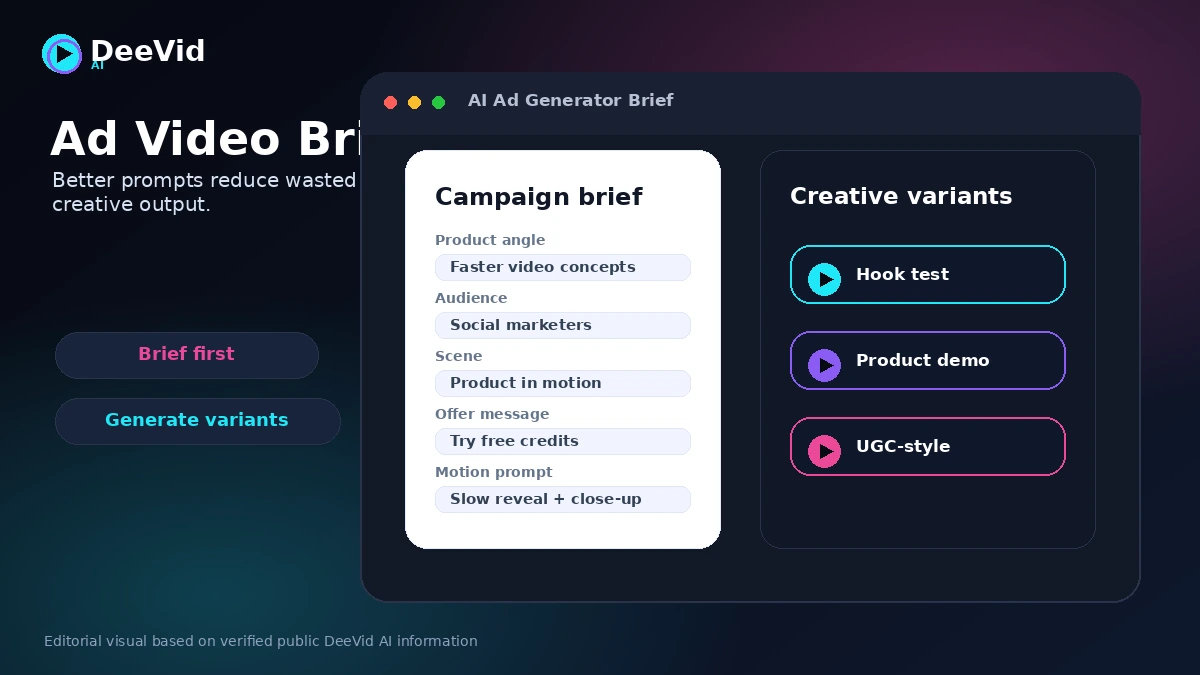
- Write a specific prompt with subject, motion, style, audience, and desired output format.
- Generate one clip and judge the first result without making excuses for it.
- Revise the prompt once and generate again.
- Track how many credits were used before the output became usable.
- Check whether the result still needs editing outside DeeVid AI.
- Decide whether Lite, Pro, or no paid plan makes sense based on that real test.
This test is intentionally small. The goal is not to prove that DeeVid AI can generate something interesting. The goal is to learn whether it can generate something useful for the kind of work you actually repeat.
Pros explained
The first real pro is range. DeeVid AI covers text-to-video, image-to-video, video-to-video, AI ads, avatars, music, text-to-speech, and image generation. For a creator who wants one place to experiment, that breadth is convenient.
The second pro is the free-credit entry path. A limited free test does not prove paid value, but it does reduce the risk of buying without seeing the product at all. With AI video, that matters because output quality varies.
The third pro is pricing clarity around credits. Lite, Pro, and Premium show different credit allowances and output quality levels. Buyers still need to calculate real usage, but the plan structure is easier to understand than a completely opaque pricing model.
The fourth pro is commercial-use positioning and watermark removal for paid users. If a buyer needs public-facing clips, watermarks matter. Paid output being positioned for commercial use is useful, as long as the buyer still checks the terms and content rights responsibilities.
The final pro is speed. DeeVid AI can help buyers move from idea to motion faster than a traditional production process. That does not guarantee final quality, but it can make early creative testing much easier.
Cons explained
The first con is credit burn. AI video is rarely a one-shot process. If your creative direction requires multiple attempts, the real cost of a usable clip can rise quickly.
The second con is output unpredictability. AI-generated videos can have motion artifacts, facial issues, product distortion, strange hands, inconsistent backgrounds, or visual details that do not match the prompt. This is not unique to DeeVid AI, but buyers need to plan around it.
The third con is refund comfort. DeeVid AI’s public refund language is strict, and buyers should not assume subjective dissatisfaction with generated output will qualify for a refund. This makes free-credit testing more important.
The fourth con is limited production control. DeeVid AI is useful for generation and experimentation, but it is not the same as a manual video editing suite. Many buyers will still need another tool for subtitles, cuts, audio polish, brand review, or final formatting.
The fifth con is team workflow uncertainty. DeeVid AI may work well for individuals and small creative testing, but buyers who need approval flows, API documentation, brand governance, or enterprise procurement should compare more mature options before committing.
Green flags and red flags
A green flag is a buyer who already knows the exact video use case. “I need three product motion clips per week for social testing” is a better starting point than “I want to play with AI video.”
Another green flag is a buyer who can tolerate iteration. DeeVid AI is more believable when the workflow already includes prompt revision, quality review, and final editing.
A third green flag is using free credits before selecting a plan. That shows the buyer is treating the tool as a workflow decision rather than a novelty purchase.
The red flags are different.
A buyer who expects perfect output on the first generation should slow down. A buyer who needs guaranteed refund flexibility should read the terms before paying. A buyer who wants a full post-production system should compare Runway or a traditional editor. A buyer who is attracted mainly by the yearly discount should test monthly or free first.
The biggest red flag is ignoring credit usage. In AI video, the cost is not just the listed plan. It is the number of attempts needed to get something worth publishing.
DeeVid AI vs alternatives
Runway vs DeeVid AI
Runway is usually the stronger comparison when the buyer wants a more mature creative production environment. If you care about deeper editing control, creative tooling, and a workflow closer to professional production, start with the Runway store guide.
DeeVid AI may still make sense if you want a broader beginner-friendly workspace with prompt-led video, AI ads, avatars, and related creative tools in one place.
Pika vs DeeVid AI
Pika is worth comparing when the buyer wants playful social video, remix culture, and quick creative experiments. It can be a better fit for creators who care more about viral-style motion ideas than a broad toolbox.
DeeVid AI may be better when you want text-to-video, image-to-video, video-to-video, ads, avatars, and related media tools under one account.
Luma AI vs DeeVid AI
Luma AI is a strong comparison for buyers focused on cinematic prompt-to-video or image-to-video output. If your priority is visual quality and motion feel, compare Luma carefully before choosing a broader tool.
DeeVid AI may still win for buyers who value templates, ad workflows, and simple multi-tool access more than a single model direction.
Kling AI vs DeeVid AI
Kling AI is relevant when model quality, motion realism, and value-to-output ratio are the key questions. Buyers who already know they want to compare AI video model performance should put Kling on the shortlist.
DeeVid AI may make more sense when the buyer wants a more packaged creative workflow rather than focusing only on one model or generation style.
Trust, refund, and buyer-risk notes
DeeVid AI’s trust question is not only whether the tool can create impressive clips. It is whether buyers understand the commercial terms before spending money.
The refund policy is the first serious checkpoint. Public policy language says refunds are generally not offered for purchases or subscriptions because AI video generation involves infrastructure costs. The terms also state that AI output may not meet expectations and that subjective dissatisfaction is not necessarily a valid refund reason.
That is not a small detail.
With AI video tools, output quality can vary even when the tool is working as designed. If a clip looks strange, fails the creative brief, or needs several retries, the buyer may still have consumed credits. This is why I would not move straight into annual billing without a real test.
Commercial use also needs a careful read. DeeVid AI positions paid output for commercial use, but the terms place responsibility on users to verify third-party rights, copyright risk, and suitability before using generated content commercially.
There is also a cancellation check. Public pages describe recurring subscriptions, cancellation from the account page, and renewal behavior. Because cancellation and refund timing can affect buyers differently by plan and region, confirm the current terms before choosing yearly billing.
The safe buyer mindset is this: test free, measure credits, verify output quality, read refund terms, then choose the smallest plan that supports the workflow.
Final verdict
I would consider DeeVid AI if you regularly create short-form videos, product clips, ad concepts, or image-to-video experiments and you are comfortable reviewing AI output before publishing.
I would skip it if you need precise manual editing, guaranteed output consistency, flexible refunds, documented team governance, or a production workflow that does not depend on repeated generations.
I would compare it with Runway if production control matters more, Pika if social remixing is the main goal, Luma AI if cinematic motion is the priority, and Kling AI if model quality and credit value are the main comparison points.
The safest next step is not to choose the biggest plan. Use the free credits first. Test a real creative task. Count the credits used. Check the output carefully. Then decide whether DeeVid AI belongs in your repeatable video workflow or whether a more specialized AI video tool is the cleaner fit.
