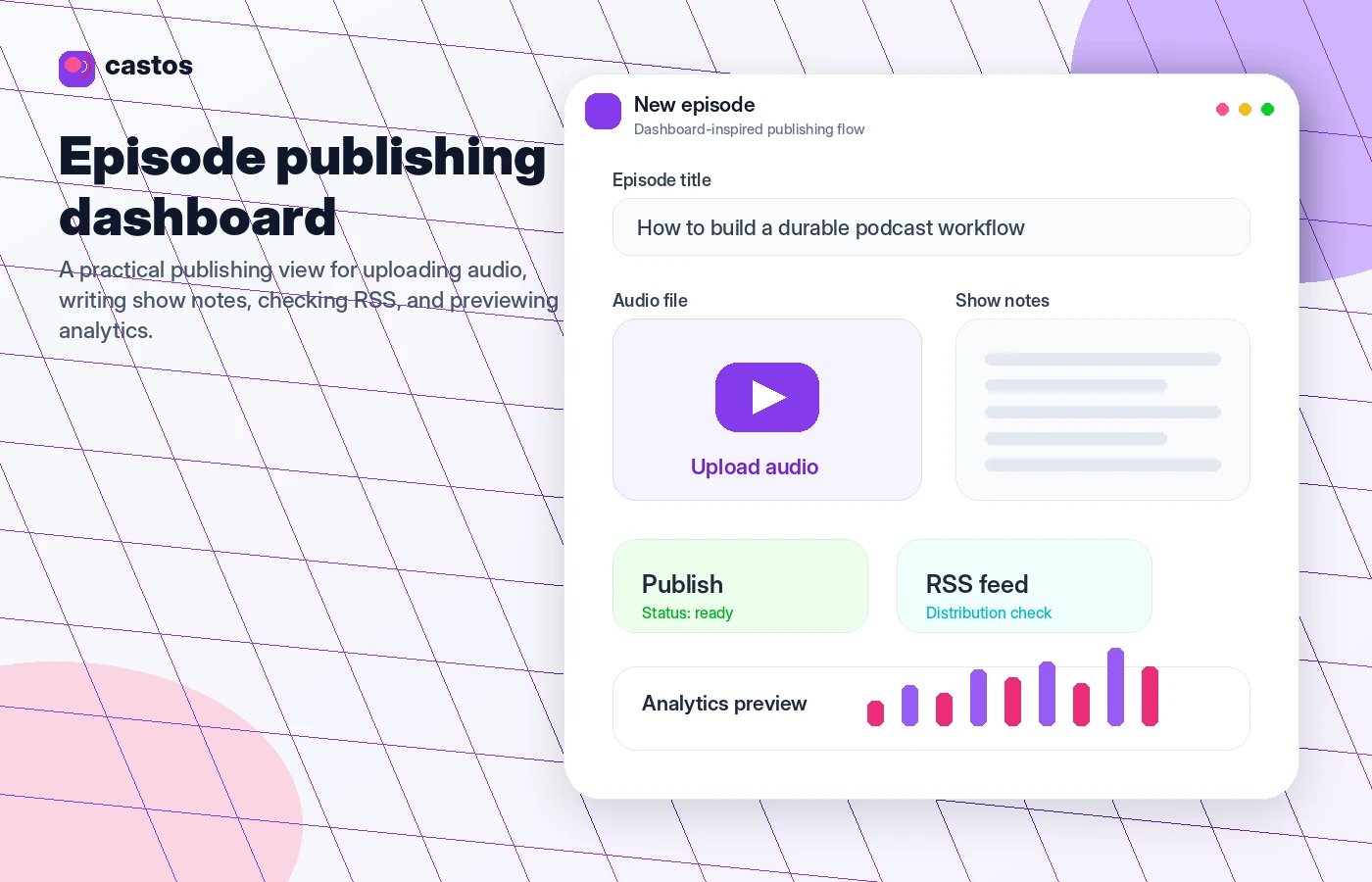
Quick verdict
Castos is worth considering if podcasting is already more than a casual experiment for you.
That is the real dividing line.
If you are trying to publish one episode, test your microphone, and see whether you enjoy podcasting, Castos may feel like more platform than you need. There are beginner-friendly podcast hosts with free or lower-risk starter paths. But if you already know you want a serious show workflow — public episodes, RSS distribution, a WordPress site, private feeds, analytics, transcripts, team access, migration help, or YouTube republishing — Castos becomes much easier to understand.
I would not judge Castos only by its $19/month entry price. The buying decision is more practical: does this platform reduce enough publishing friction to justify a paid podcast host?
For WordPress-first creators, the answer may be yes. Castos owns the Seriously Simple Podcasting plugin, and that gives it a stronger story than a generic hosting dashboard. For memberships, courses, companies, and private listener communities, the private podcasting features can also make sense. For audio-first creators who want extra reach, YouTube republishing can change the value of a higher plan.
The caution is the commercial side. Castos has a trial, clear public pricing, and annual savings, but its refund policy is strict enough that I would treat the trial as the real safety net. Do not move to annual billing until you know the dashboard, WordPress workflow, private subscriber limits, and republishing features match your actual show.
Next step: If Castos still fits your podcast workflow, verify the current plan limits and trial route before checkout.
Review snapshot
| Review point | Practical take |
|---|---|
| Best for | Serious podcasters, WordPress-first creators, publishers, businesses, private-feed communities, and teams that want a repeatable hosting workflow |
| Not ideal for | Beginners who only want a free forever test, buyers who need a generous refund window, or creators who do not need WordPress/private feeds/republishing |
| Main use case | Hosting and distributing podcasts while managing episodes, RSS, analytics, transcripts, private feeds, and growth workflows |
| Starting price | Current public pricing starts with Essentials at $19/month, with annual billing positioned as two months free |
| Trial path | 14-day trial is the safest first step before monthly or annual billing |
| Main strength | Serious podcast hosting with WordPress workflow and unlimited public hosting on the entry paid plan |
| Main concern | Refund flexibility is limited, and higher-value features can depend on plan fit |
| Direct alternatives | Transistor, Buzzsprout, Podbean, Captivate |
| Best next step | Publish a real test episode during the trial before choosing monthly, annual, or a higher-tier workflow |
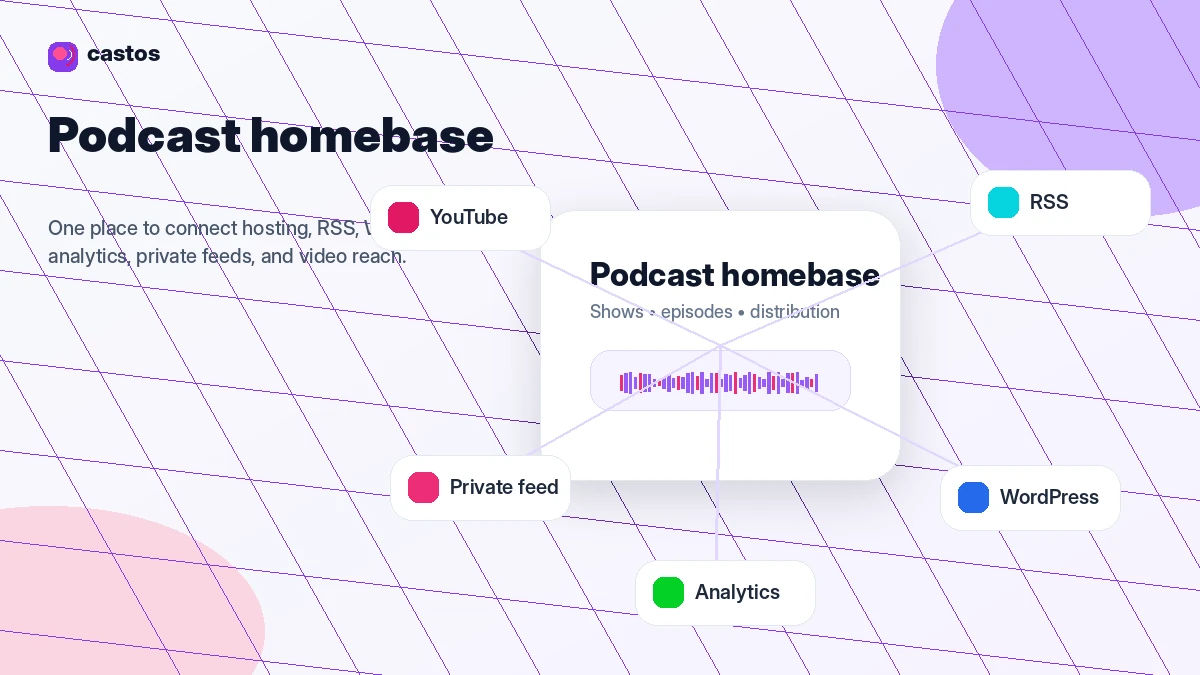
What is Castos Podcast?
Castos is a podcast hosting platform for creators and organizations that want to host, distribute, manage, and grow one or more shows from a more serious publishing base.
At the simplest level, it gives you podcast hosting, RSS distribution, episode publishing, analytics, and podcast management. The more interesting parts are around workflow: WordPress publishing through Seriously Simple Podcasting, private podcasting for members or internal audiences, transcript and analytics features, migration support, YouTube republishing, video hosting on higher plans, and API access for technical teams.
That makes Castos different from a bare-bones place to park MP3 files.
The homepage positioning is around control: publish unlimited episodes, run multiple shows, use WordPress if your website is the hub, and avoid anxiety around basic storage or overage-style limitations. That is a strong fit for a creator who wants the podcast to become part of a larger content engine.
The common wrong expectation is thinking Castos is automatically the best first host for every new podcaster. I would be careful with that. A brand-new creator who has no publishing cadence, no website, no private audience, and no plan beyond “maybe I will try this” may not need a paid platform immediately.
Our review approach looks at public product pages, pricing details, help documentation, refund terms, workflow fit, and nearby alternatives. I do not treat a low monthly price, annual discount, or coupon path as proof that a podcast host fits the buyer. The better question is whether the platform supports the way you actually plan to publish.
Who should use Castos Podcast?
Castos makes the most sense for podcasters who already expect to publish regularly.
A weekly or biweekly show benefits more from a serious hosting workflow than a one-off experiment does. If you already know you will have multiple episodes, show notes, RSS distribution, analytics checks, and maybe sponsor or audience growth goals, Castos starts to look more practical.
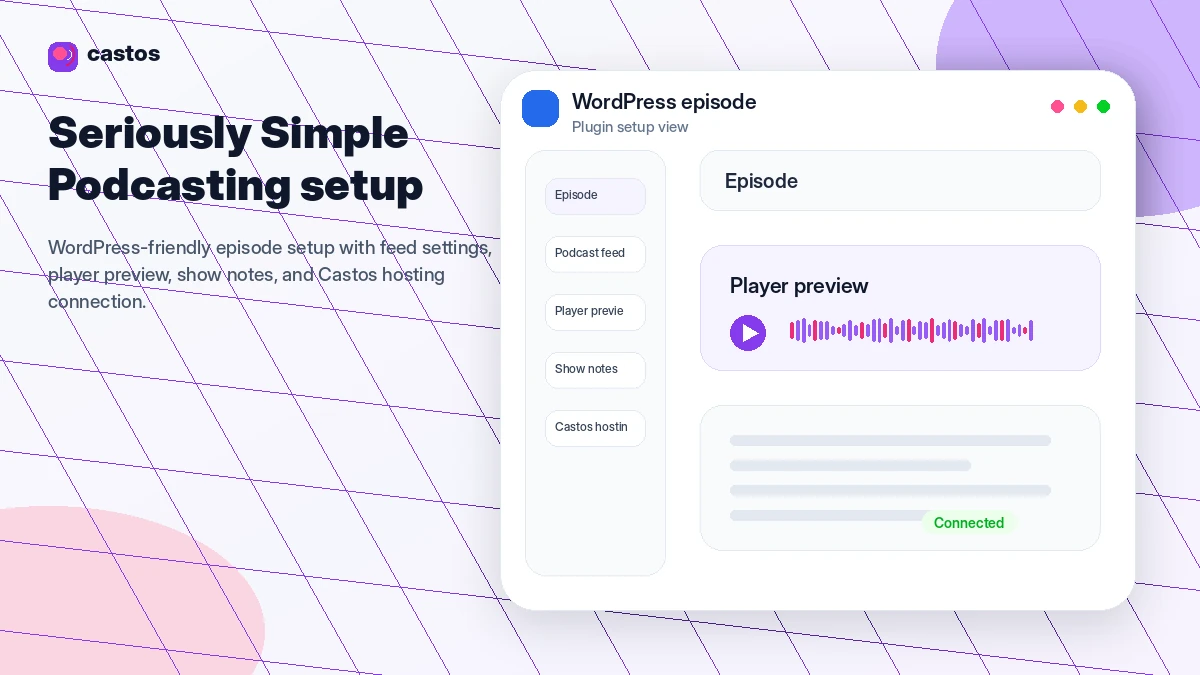
WordPress-first creators are another strong fit. If your website is your content hub, Castos has a clear advantage through Seriously Simple Podcasting. Managing your podcast closer to your website can reduce the friction between episode pages, show notes, embedded players, RSS management, and long-term search visibility.
Castos is also relevant for memberships, course creators, schools, communities, and companies that need private podcast feeds. This is not just a public-show host. If listeners need restricted access, private subscribers and private feed management become part of the decision.
Audio-first creators who want to repurpose episodes to YouTube should also compare Castos seriously. Automatic republishing can help a show get more mileage from each episode, although buyers should verify which plan includes the workflow they need.
Finally, Castos can fit publishers or agencies moving from another host. Migration support, RSS redirect guidance, and multiple-show management matter more when you are not starting from zero.
Who should avoid Castos Podcast?
Castos is not the first tool I would recommend for someone who only wants the cheapest possible podcast experiment.
If you are unsure whether you will publish more than one or two episodes, a free or simpler beginner host may be a safer first stop. The issue is not that Castos is overpriced. The issue is that the value shows up when you actually use the hosting workflow.
I would also be careful if you need refund flexibility after purchase. Castos publishes a clear refund policy, and it is not a broad “change your mind” safety net. That does not make Castos unusual in SaaS, but it does change the buying behavior. You should test first, then pay.
Teams that do not use WordPress, private feeds, YouTube republishing, transcripts, video hosting, or API access should also avoid overbuying. It is easy to look at a higher plan and assume “more features” means “better choice.” The better question is whether those features remove real work from your podcast operation.
Castos may also be too focused if you want a built-in recording studio, heavy editing suite, full monetization marketplace, or all-in-one community platform. It is a podcast host with growth and workflow features, not a replacement for every production and audience tool around your show.
And if you are buying only because you found a coupon claim somewhere, slow down. A discount can make a good platform cheaper. It cannot make an unfocused podcast workflow suddenly useful.
How Castos Podcast fits into a real workflow
A realistic Castos workflow starts before you upload an episode.
First, you decide the shape of the show. Is it public? Private? Audio only? Video as well? Tied to WordPress? Republished to YouTube? Connected to a membership, course, company, or podcast network?
That decision matters because Castos plan fit depends on more than “can I upload an episode?”
A simple public-show workflow may look like this:
- Record and edit the episode outside Castos.
- Upload the final audio file.
- Add title, show notes, metadata, and episode details.
- Publish through the RSS feed.
- Embed or sync the episode with a website or WordPress workflow.
- Check analytics after release.
- Repeat the process on a consistent schedule.
For a WordPress-first buyer, the workflow gets more interesting. Seriously Simple Podcasting can keep podcast publishing closer to the website instead of forcing the creator to manage the show in one place and the content archive somewhere else.
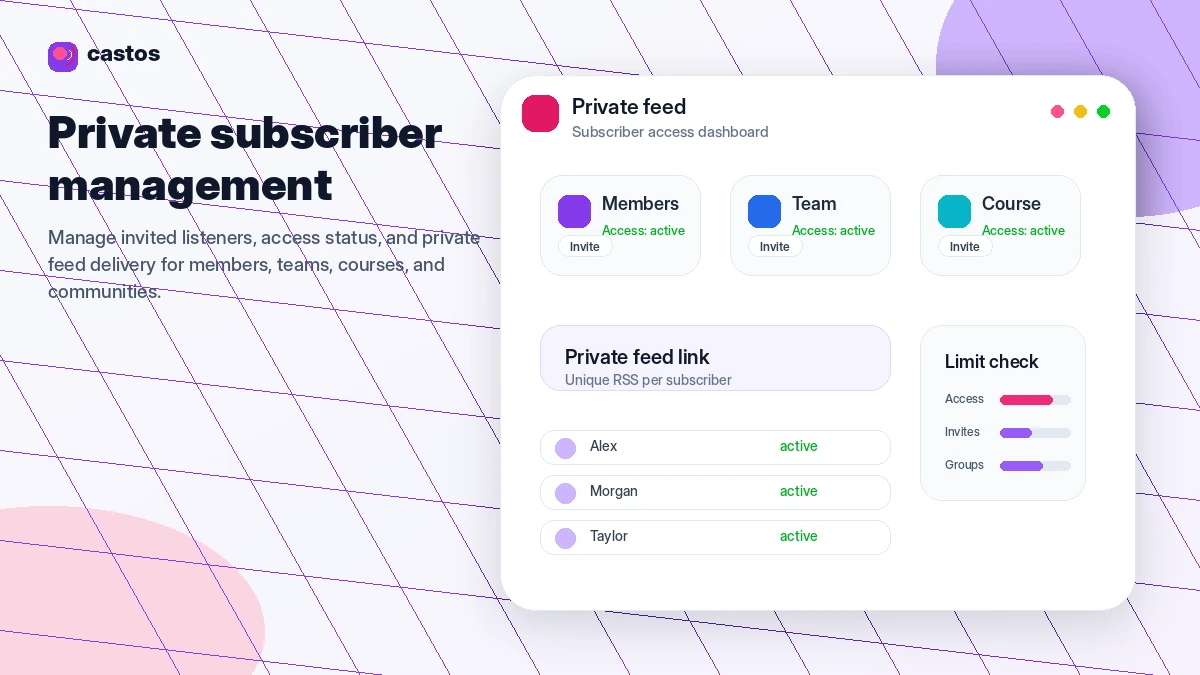
For private podcasts, the workflow changes again. You are not only publishing; you are managing listener access. That could be members, students, employees, course buyers, or internal teams. In that case, the private subscriber limits become part of pricing, not just a technical detail.
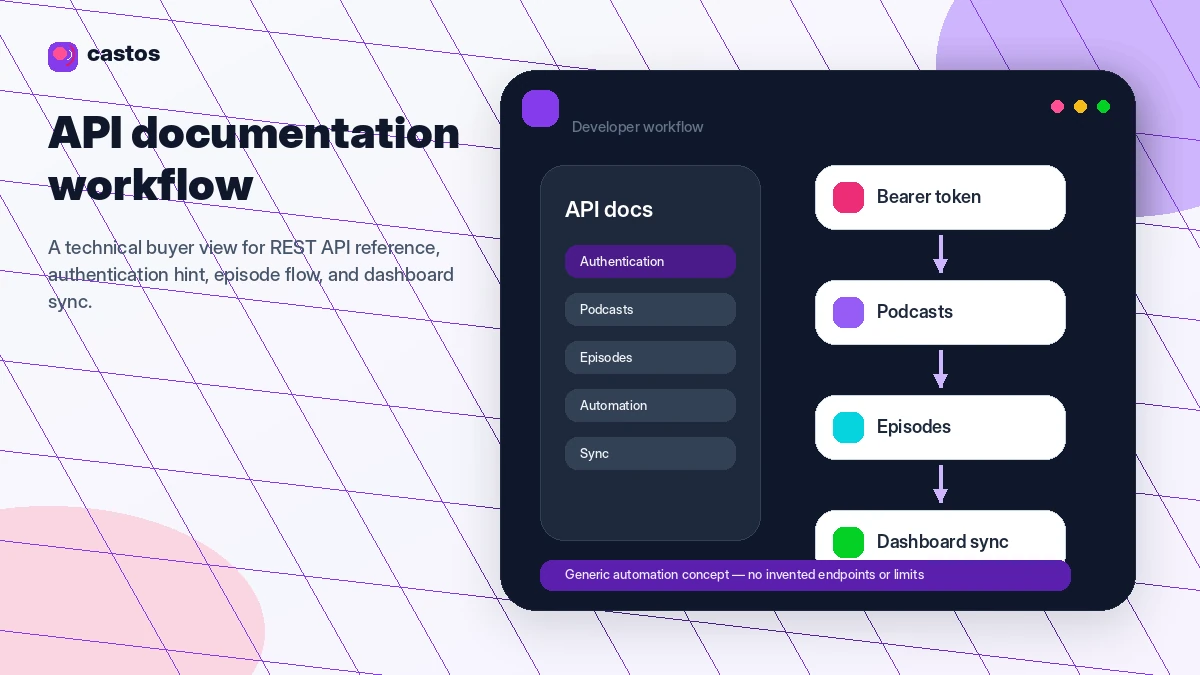
Workflow check: If your show depends on WordPress, private feeds, or republishing, test those exact steps during the trial instead of judging Castos from the pricing table alone.
Real-world buyer scenarios
The solo creator with a serious publishing plan
A solo creator who already knows they will publish weekly can make sense of Castos quickly. The value is not just hosting. It is the ability to run the show without worrying about storage, basic episode volume, and disconnected publishing tools.
The risk is buying too much too early. If this buyer does not need private subscribers, video hosting, team access, or republishing, the entry plan may be enough to start.
The WordPress publisher
This is one of the clearest Castos scenarios.
A site owner already publishing articles, show notes, newsletter content, or course pages may prefer a podcast workflow that stays close to WordPress. Castos plus Seriously Simple Podcasting can reduce the split between the podcast host and the website.
The test is simple: during the trial, the buyer should publish a real episode, inspect the player and feed behavior, and decide whether the plugin workflow feels easier than managing the show in a separate host dashboard.
The membership or private training buyer
A paid community, school, course creator, or company may need private podcast feeds. Castos can make sense here because private podcasting is built into the product story rather than treated as a side note.
The plan risk is subscriber count. Private listener limits can move the buyer into a higher plan or add-on path. Before paying annually, this buyer should estimate actual private subscribers, not just current listeners.
The audio creator who wants YouTube reach
Many podcasters want YouTube visibility but do not want to build a separate video production workflow for every episode. Castos can help when YouTube republishing is part of the selected plan.
The caution is that republishing is not the same as a complete YouTube content strategy. It may give the audio show more reach, but the buyer still needs titles, thumbnails, packaging, and a reason for viewers to watch.
Key features that actually matter
Unlimited public hosting on the entry paid plan
Castos is attractive because its entry plan is positioned around unlimited podcasts, episodes, and downloads. That matters for creators who do not want basic publishing volume to become a constant mental tax.
Buyer note: unlimited hosting is only valuable if you are actually publishing. If your show is still uncertain, the trial matters more than the promise of unlimited capacity.
WordPress publishing through Seriously Simple Podcasting
This is the feature that makes Castos feel more distinct.
Seriously Simple Podcasting lets WordPress users manage podcast publishing, RSS, players, imports, and related workflow closer to their own site. For a WordPress creator, that can be a real operational advantage.
Buyer note: test the plugin before committing. A feature can be strong on paper and still feel wrong for your specific publishing process.
Private podcasting
Private podcasting is useful for memberships, employee communications, paid communities, schools, training programs, and internal content.
The value is access control. Instead of making every episode public, you can deliver audio to a defined audience.
Buyer note: private subscriber limits are part of the buying decision. Do not choose a plan until you know your current and near-future audience size.
YouTube republishing
YouTube republishing can help audio-first podcasters turn each episode into another distribution asset without manually rebuilding a video workflow from scratch.
Buyer note: this is a growth feature, not a magic audience switch. It is more useful when the buyer already understands how YouTube fits the show’s discovery plan.
API and team workflow
Castos documents API access and offers team-oriented capabilities on higher plans. This matters for agencies, publishers, organizations, and technical buyers who want to connect podcast operations to a larger content stack.
Buyer note: do not assume API access is relevant just because it exists. Technical teams should verify endpoints and plan fit before designing around it.
Pricing and plan value
Castos pricing is clear enough to discuss, but I would still verify the live pricing page before checkout.
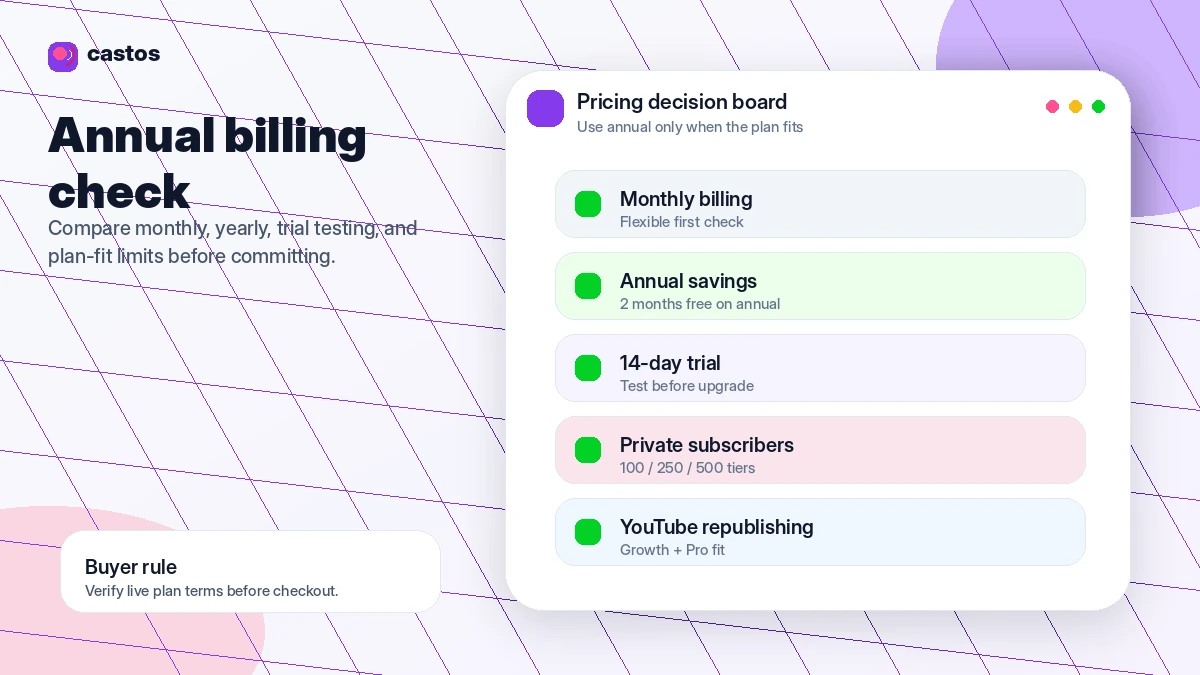
At the time of this review, public Castos pricing shows four main paths: Essentials at $19/month, Growth at $49/month, Pro at $99/month, and Castos Premium starting from $499/month. Annual billing is positioned as two months free, and the public pricing FAQ states that monthly and annual packages include a 14-day trial.
The practical question is not “which plan looks best?”
The practical question is “which plan removes the exact friction in my podcast workflow?”
Essentials is the natural first paid step for many straightforward public podcasts. It is where Castos makes the most sense for creators who want serious hosting without immediately paying for growth or organizational features.
Growth is more relevant when YouTube republishing, advanced analytics, onboarding, audiogram-style promotion, or private subscriber capacity matter. Pro becomes more realistic for video podcasting, more transcripts, higher private subscriber needs, team access, and priority support. Premium is a larger-organization path with enterprise-style needs such as SSO, contracts, invoices, onboarding, and increased limits.
The buyer mistake here is moving to annual billing because it looks cheaper before proving the show workflow. Annual savings are only savings if you actually use the platform for the full year.
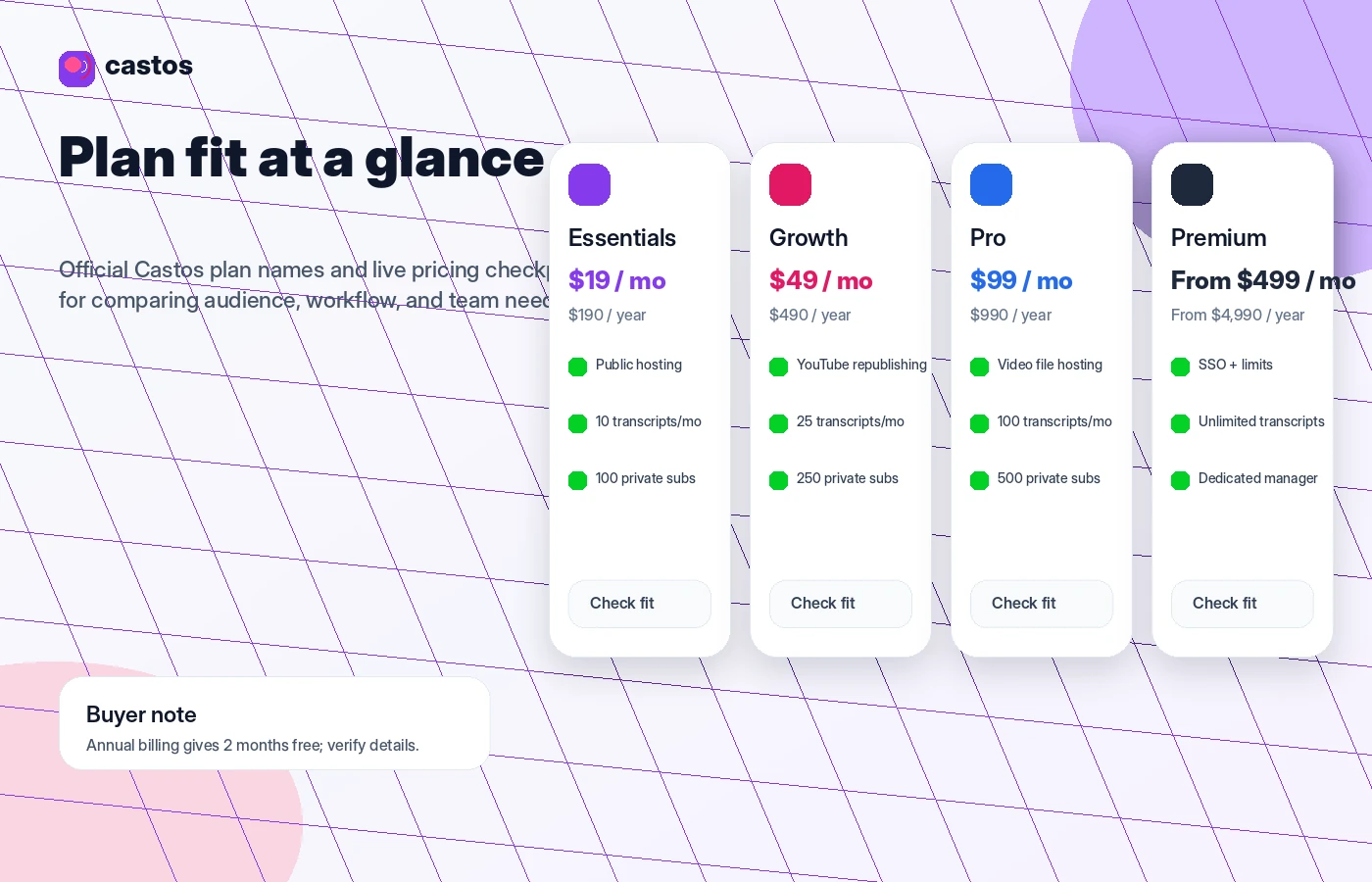
Pricing check: Before choosing monthly or annual billing, compare your real show workflow against the current Castos plan limits.
Free plan, trial, coupon, and checkout notes
Castos is not built around a free forever hosting plan. The safer entry path is the 14-day trial.
That trial should not be treated as a casual signup. Use it like a buyer test. Publish a real episode, connect WordPress if relevant, inspect the dashboard, check analytics, review player behavior, test private feed needs if they matter, and decide whether the platform feels like a real homebase.
The coupon path should come later.
A coupon or offer can reduce the cost, but it should not lead the decision. For Castos, the more reliable savings logic is usually trial first, smallest suitable plan second, annual billing only after fit is proven. If a public coupon claim appears outside the official flow, verify it at checkout before relying on it.
For the current commercial route, use the Castos store guide and check the Castos coupon page only after the product fit is clear.
The refund policy is the part I would read carefully. Castos states that refunds are not generally issued unless specific issues such as system malfunction or account termination without cause apply. The terms also suggest some subscription refund requests may be considered case by case, but I would not treat that as a broad safety net.
In plain English: test before you pay, especially before annual billing.
What I would check before buying Castos Podcast
If I were buying Castos for a real show, I would check these items before putting money into the subscription:
- Publishing cadence: Will you publish often enough for paid hosting to matter?
- WordPress need: Will Seriously Simple Podcasting actually reduce work for your site workflow?
- Private subscribers: Do your current and future listener counts fit the plan limit?
- YouTube republishing: Is this a real growth workflow or just a nice-to-have feature?
- Transcript usage: Does the included transcript allowance match your episode volume?
- Annual billing risk: Are you confident the show will stay active for the full year?
- Refund expectation: Have you read the current refund and cancellation terms before checkout?
A simple test before paying
Before paying for Castos, I would run a small test like this:
- Create or use a real episode file, not a fake sample.
- Upload the episode and complete the metadata as if it were going live.
- Check how the RSS feed, episode page, player, and dashboard feel.
- If you use WordPress, connect and test the Seriously Simple Podcasting workflow.
- If you need a private podcast, test the subscriber flow with a small audience.
- If YouTube republishing matters, verify the plan and setup requirements.
- Review the pricing and refund policy before choosing monthly or annual billing.
This test should reveal more than a feature list does. Podcast hosting is repetitive work. A platform that feels fine for one upload may become annoying after twenty episodes — or it may quietly remove enough friction to justify the cost.
Pros explained
Castos is strong for serious repeat publishing
The biggest advantage is not one flashy feature. It is the way Castos supports a repeatable publishing workflow for creators who already know they want to keep going.
Unlimited public hosting on the entry plan reduces the fear of basic publishing constraints. That matters more as a show grows.
The WordPress workflow is a real differentiator
Many podcast hosts can give you an RSS feed. Fewer have a strong WordPress-native story. If your website is the center of your brand, this is where Castos becomes more compelling.
Seriously Simple Podcasting can help keep episodes, show notes, players, and site content closer together.
Private podcasting expands the use case
Castos is not limited to public shows. Private feeds make it relevant for memberships, courses, internal company audio, coaching programs, communities, and paid listener access.
This gives Castos a stronger business use case than a basic hobby podcast host.
Pricing is clear enough to plan around
The public pricing structure is understandable: Essentials, Growth, Pro, and Premium, with annual savings and trial access. That makes it easier for buyers to map needs to a plan.
The caution is that plan fit still matters. Clear pricing does not mean every tier is right for every buyer.
Cons explained
There is no free forever plan for casual testing
Castos does offer a trial, but it is not the same as a permanent free hosting path. Some beginner podcasters may prefer to experiment on a host with a free plan before paying for serious infrastructure.
This is not a weakness for every buyer. It is a mismatch for uncertain beginners.
Refund flexibility is limited
This is probably the biggest commercial caution.
Castos publishes a refund policy that does not read like a generous post-purchase escape hatch. Buyers should assume the trial is the main safety step and should not rely on getting money back after changing their mind.
Higher-value use cases can push plan selection
Private subscribers, transcripts, video hosting, team seats, priority support, onboarding, and YouTube republishing can all influence plan choice.
That is not bad. But it means buyers should not judge Castos only by the entry price.
It may be too much for simple hobby use
If you only need a basic RSS feed and a small number of episodes, Castos may not be the leanest choice. Buzzsprout, Podbean, or another beginner-friendly route may feel easier depending on the workflow.
Green flags and red flags
| Signal | What it means |
|---|---|
| Green flag: You publish consistently | Castos becomes easier to justify when podcast hosting is part of a real ongoing content process. |
| Green flag: Your site runs on WordPress | The Seriously Simple Podcasting workflow gives Castos a practical reason to be on your shortlist. |
| Green flag: You need private feeds | Private podcasting can make Castos useful for memberships, courses, and internal audiences. |
| Green flag: You want YouTube republishing | This can help audio-first creators get more reach from each episode when the plan supports it. |
| Red flag: You only want to test one episode | A simpler free path may be a better first step. |
| Red flag: You expect broad refund flexibility | Read the refund policy before paying, especially before annual billing. |
| Red flag: You do not need the workflow features | If WordPress, private feeds, transcripts, and republishing do not matter, compare simpler hosts first. |
Castos Podcast vs alternatives
Castos has several direct podcast hosting alternatives. The right comparison depends on your real publishing style, not just which host has the lowest starting price.
Transistor vs Castos Podcast
Transistor is one of the closest direct comparisons for teams, brands, and creators managing multiple shows. It is often a strong fit when polished hosting, multiple podcasts, private podcasts, analytics, and team access matter.
Castos may still be stronger if WordPress publishing is central to your workflow. If your website is the hub and Seriously Simple Podcasting matters, Castos deserves a serious look.
Buzzsprout vs Castos Podcast
Buzzsprout is usually the easier beginner comparison. It has a clearer soft-start feel for creators who want to get a podcast online without thinking too much about private feeds, WordPress control, or advanced workflow decisions.
Castos is more compelling when the show is already becoming part of a business, website, membership, or long-term publishing system.
Podbean vs Castos Podcast
Podbean is worth comparing if monetization, broad hosting features, mobile tools, and a long-running podcast platform are important to you.
Castos may be the better fit if your priority is WordPress-connected publishing, private podcasting, or a cleaner homebase for multiple shows and serious creator workflows.
Captivate vs Castos Podcast
Captivate is a strong comparison for growth-minded podcasters who care about marketing tools, analytics, monetization, and professional podcast growth.
Castos may make more sense if you want a stronger WordPress-first workflow or private podcasting path. Captivate may be more attractive if your main buying reason is growth-focused podcast marketing and analytics.
Trust, refund, and buyer-risk notes
Castos feels relatively clear from a pricing and positioning standpoint, but there are still buyer risks worth checking.
First, verify current pricing before checkout. Public pricing can change, and plan limits matter more than the headline number. Essentials, Growth, Pro, and Premium serve different buyer types.
Second, read the refund policy. Castos is not presenting refunds as a broad “try it and ask later” path. That makes the 14-day trial more important. Use it seriously.
Third, compare monthly and annual billing carefully. Annual billing can be a real savings path, but only after the show workflow is proven. If the show might pause, change direction, or move platforms, monthly billing may be safer at first.
Fourth, check private subscriber limits. This matters for memberships, courses, internal communications, and paid private content. A private audience can grow faster than expected, and plan movement should be planned before launch.
Fifth, verify whether YouTube republishing, video hosting, transcripts, team seats, API access, and support level are included in the plan you intend to buy. These are not decorative details. They can change the total value of the subscription.
Finally, treat coupon claims as secondary. A deal is useful only after the host fits the show. If the workflow is wrong, a discount simply makes the wrong decision cheaper.
Final verdict
I would consider Castos if your podcast is already a real content channel or is clearly heading that way.
The strongest reasons to choose it are WordPress workflow, serious public podcast hosting, private feeds, multiple-show control, migration support, YouTube republishing, transcripts, analytics, and room to grow beyond a hobby setup. If those needs sound familiar, Castos is not just another host on a comparison table. It can become the operational homebase for the show.
I would skip or delay Castos if you are only testing podcasting, need a free forever plan, want the lowest possible first step, or are not ready to publish consistently. In that case, the safer move is to compare simpler beginner hosts before paying.
I would compare Castos with Transistor if you want polished multi-show hosting and private podcasts, Buzzsprout if you want beginner simplicity, Podbean if monetization and broad hosting features matter, and Captivate if growth-focused analytics and podcast marketing are the main priority.
For my money, the safest Castos path is simple: use the trial, publish a real test episode, test WordPress or private feeds if they matter, read the refund policy, and only then decide whether monthly or annual billing fits the show you are actually building.
