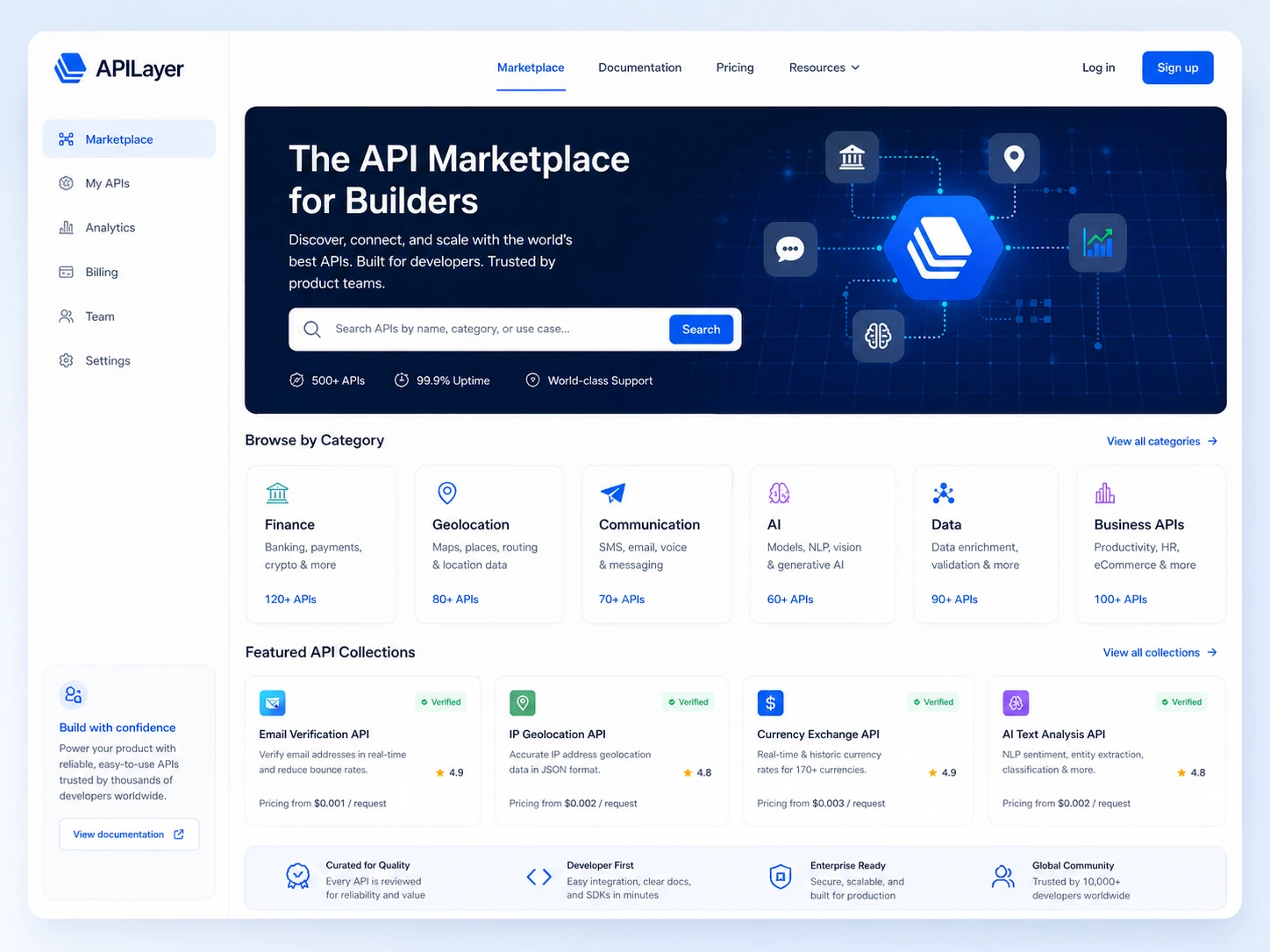
Quick verdict
APILayer is useful if you are looking for a specific API building block, not if you are casually shopping for “developer tools” in the abstract.
That distinction matters more than the marketplace branding.
The product looks simple from the outside: browse APIs, pick a listing, subscribe, test the docs, and integrate the endpoint into your app. The real buying decision is narrower. You need to know whether the exact API you choose has the right response format, request allowance, pricing tier, vendor terms, support level, and reliability profile for the feature you are building.
For my money, APILayer makes the most sense for developers and product teams that already have a clear data or utility need: currency rates, IP lookup, email validation, scraping, geolocation, finance data, PDF conversion, weather data, or another endpoint-backed workflow. In that situation, a curated API marketplace can shorten discovery time.
I would be careful if the project is still vague. APILayer does not have one universal price. Each API has its own listing and plan table, and the marketplace terms are strict about paid API purchases being final and non-refundable. That does not make APILayer a bad choice. It just means the safest path is to test before paying, not pay before testing.
The better question is not “Is APILayer good?” It is “Does this exact APILayer listing solve my product problem at the request volume I actually need?”
Next step: If APILayer fits the API category you need, start by checking the exact listing, free plan, live demo, and current buyer route before subscribing.
Review snapshot
| Review point | Practical take |
|---|---|
| Best for | Developers and product teams that need ready-made APIs for a known feature |
| Not ideal for | Non-technical buyers, no-code users, or teams that need one fixed all-inclusive platform price |
| Main use case | Discovering, testing, subscribing to, and integrating specific API endpoints |
| Pricing note | No universal APILayer price; pricing varies by individual API listing |
| Free path | Many APIs have free plans, but allowance depends on the selected listing |
| Main strength | Marketplace discovery plus docs, sample code, pricing, and live demo paths |
| Main concern | Request limits, vendor terms, cancellation timing, and non-refundable paid purchases |
| Direct external comparisons | RapidAPI, AbstractAPI, API Ninjas, provider-specific API vendors |
| Adjacent internal routes | Make, Jet Admin, Cloudways, Adminkit |
| Best next step | Pick one API use case, test it with realistic parameters, then compare paid tiers |
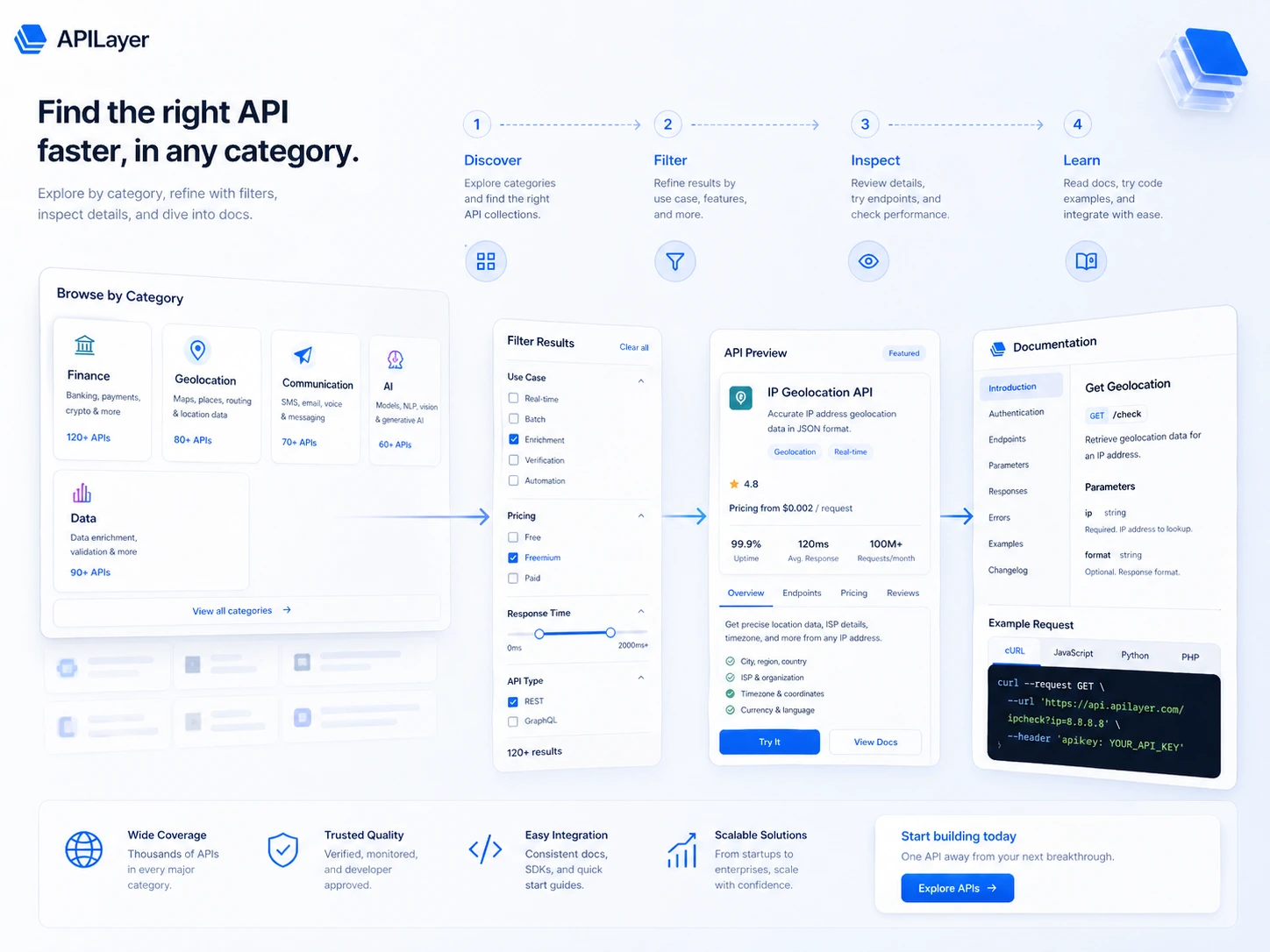
What is APILayer?
APILayer is an API marketplace for developers and product teams that want access to ready-made APIs across categories such as communication, geolocation, finance, AI, data processing, scraping, business data, validation, and similar developer utilities.
In plain English, APILayer helps you find an endpoint that can power a product feature without building the full data source, maintenance layer, or vendor search process yourself.
That can be valuable.
But APILayer is not a no-code automation app. It is not a managed hosting platform. It is not an admin dashboard builder. It is not one product with one neat subscription price. It is a marketplace where the real evaluation happens at the individual API level.
A common wrong expectation is to treat APILayer like a single SaaS suite. That is how buyers get sloppy. The APILayer brand may get you into the marketplace, but the selected API listing determines the practical value: docs, request limits, examples, sample response, vendor terms, support, and production fit.
Our review approach compares public product pages, marketplace documentation, pricing structure, terms, buyer workflow fit, third-party review patterns, and nearby alternatives. I would not treat a free plan, coupon path, or low first tier as proof that APILayer fits your product. The endpoint has to earn its place in the workflow.
Who should use APILayer?
APILayer is strongest for developers who already know what they need to integrate.
A SaaS builder adding a currency conversion feature, IP lookup, market data feed, PDF conversion step, weather widget, or validation endpoint can use APILayer as a faster discovery layer. The condition is simple: you should be able to test whether the response payload, parameters, and request allowance fit your product before paying.
Product teams can also benefit when they need to compare several API categories without searching every vendor one by one. APILayer centralizes discovery, pricing pages, documentation, and live demo paths. That can save time during early product research.
Startup founders with technical support may find APILayer useful for prototyping. A free plan or live demo can show whether an endpoint is promising before engineering time goes deeper. The caution is that prototype success does not automatically prove production fit. Request volume, support needs, uptime expectations, and vendor terms still matter.
Technical buyers managing multiple small data needs may also like the marketplace format. Instead of setting up separate vendor discovery for every utility API, they can compare listings from one starting point.
The product is less about browsing and more about narrowing. APILayer gets more useful when you move from “What APIs exist?” to “Can this exact API support this exact product feature?”
Who should avoid APILayer?
Non-technical buyers should be careful. APILayer is built around APIs, keys, documentation, sample code, requests, endpoints, and integration logic. If you want a visual workflow builder, a no-code automation platform like Make is likely the more natural direction.
Teams that need one predictable all-inclusive platform price should also slow down. APILayer does not work like one app with one plan table. Each API can have its own pricing, free tier, paid request allowance, custom volume path, and vendor terms.
I would also be cautious if your project is still experimental and you are tempted to pay before testing. The marketplace terms describe paid API purchases as final, non-cancellable, and non-refundable. That pushes the burden onto the buyer to validate the endpoint first.
APILayer is not ideal for teams that need deep enterprise procurement guarantees before even trying a tool. Some listings may work well. Others may need more scrutiny. If your use case is mission-critical, you should evaluate endpoint reliability, support, monitoring, fallback options, and vendor-specific terms before rollout.
Finally, avoid APILayer if you are looking for infrastructure hosting, dashboard UI templates, or internal tool builders. Cloudways, Adminkit, and Jet Admin are adjacent internal routes, but they solve different buyer problems.
How APILayer fits into a real workflow
A practical APILayer workflow starts before you create a paid subscription.
First, define the feature. Do you need exchange rates, IP intelligence, email validation, finance news, screenshot capture, scraping, weather data, or another data service? If you cannot name the API job, you are not ready to compare plans.
Second, open the relevant listings. Compare two or three candidate APIs, not the entire marketplace. Look for documentation clarity, required parameters, response examples, free plan allowance, rate limits, paid tiers, and whether the vendor is APILayer or a third party.
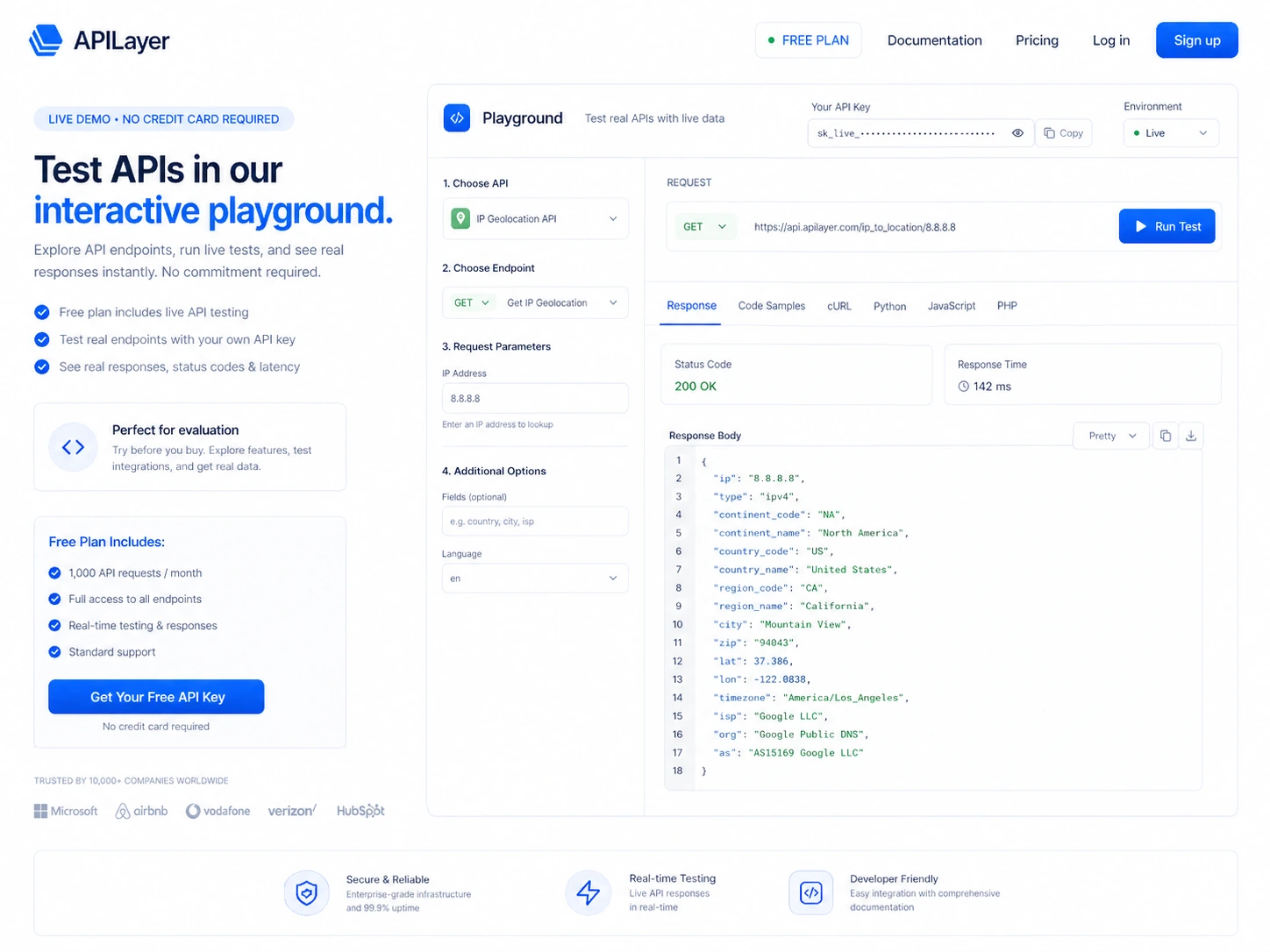
Third, use the live demo or playground where available. This is the step I would not skip. A live demo turns a marketing promise into a testable request. You can check the response shape, error behavior, authentication flow, and whether the endpoint returns data in a form your app can actually use.
Fourth, estimate monthly request volume. This is where buyers often underthink the cost. A developer may test 20 calls manually and forget that a production app could make thousands or millions of requests depending on user behavior.
Fifth, choose the paid tier only after the endpoint has passed a realistic test. The cheapest plan is not automatically the best deal if it throttles too quickly. The highest plan is not wise if your product is still unproven.
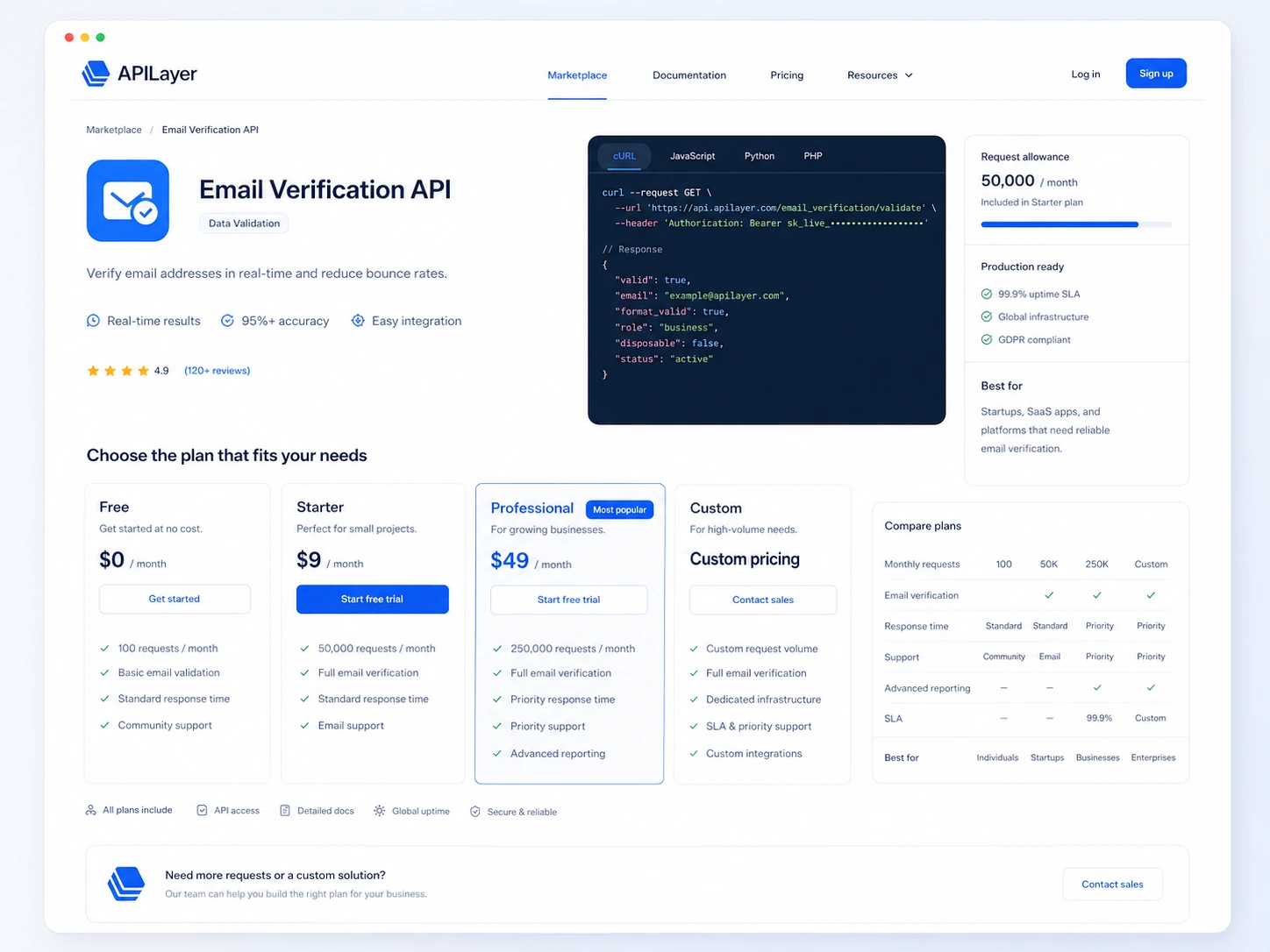
Workflow test: If you already know the API category you need, run the free plan or live demo before comparing paid request tiers.
Real-world buyer scenarios
A SaaS founder building a location-aware feature may use APILayer to test IP geolocation or mapping-adjacent data without sourcing every data provider manually. APILayer fits if the endpoint returns reliable data and the request limits match expected usage. It may fail if the app needs stronger uptime guarantees, regional compliance review, or a vendor contract beyond a simple marketplace subscription.
A developer adding currency or finance data may find APILayer useful because the marketplace can shorten API discovery. The risk is data quality and update frequency. Before paying, I would test sample responses, compare documentation, and check whether the API terms match the product’s financial-data use case.
A product team building an internal tool may consider APILayer for data enrichment, but APILayer is not the internal tool itself. If the real need is building an admin panel or dashboard, Jet Admin or Adminkit may be the adjacent route. APILayer is the data layer, not the full UI layer.
A non-technical founder trying to connect apps together should be careful. If the buyer does not want to manage API keys, endpoints, sample code, or request limits, a workflow automation route like Make may fit better than a direct API marketplace.
Key features that actually matter
API marketplace discovery
APILayer’s main feature is marketplace discovery. It helps developers browse API categories and move toward a specific listing.
This matters when the alternative is scattered vendor research. A curated marketplace can save time if it helps you find a credible endpoint quickly. It disappoints when buyers browse broadly without a defined API problem.
Buyer note: start from a product feature, not from a vague desire to “add APIs.”
Listing-level documentation and pricing
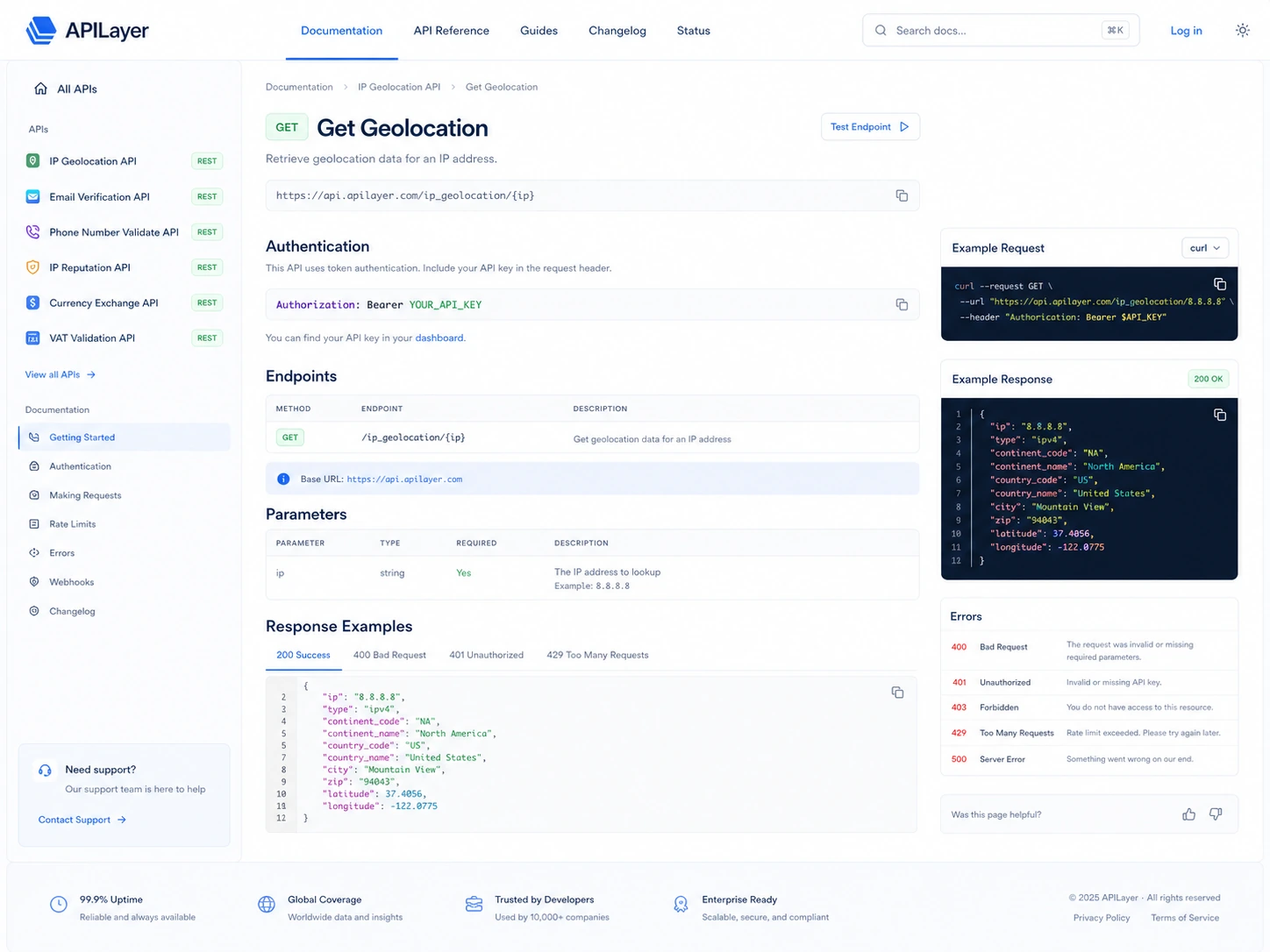
The useful evaluation work happens on each API detail page. Documentation, pricing, and request limits tell you whether the API is safe to test.
This matters because APILayer does not have one universal plan. A buyer must evaluate the selected API, not the brand average.
Buyer note: do not compare APILayer pricing until you know which listing you are actually buying.
Live demo and sample code
The live demo path is one of the more buyer-friendly parts of the workflow. It lets you test an endpoint in the browser and inspect sample code before deeper integration.
This matters because APIs can look fine until response shape, required parameters, rate limits, or error behavior collide with your app.
Buyer note: the demo should be tested with realistic parameters, not just a default example.
Free plan access
APILayer documentation says almost all APIs have a free plan. That is useful because API buying should begin with validation, not paid commitment.
The caution is that free plan allowance varies by API. A free test can prove endpoint fit, but it may not prove production economics.
Buyer note: free plan success is the beginning of evaluation, not the end.
Subscription and rate-limit management
APILayer’s subscription flow is built around choosing a plan and managing request limits. That fits developer-led evaluation.
It can disappoint buyers who underestimate usage volume. Rate limits are not just a technical detail. They are the commercial boundary of the plan.
Buyer note: estimate monthly requests before choosing the first paid tier.
Pricing and plan value
APILayer pricing should be treated as API-specific.
The current public products page explains that each API has its own pricing on the respective API page. That means there is no honest single “APILayer costs X per month” answer for the whole marketplace.
At the store level, the safest starting point is the free path. APILayer documentation says almost all APIs have a free plan, and marketplace listings often show free monthly request allowances. But serious usage depends on the selected API, request volume, paid tier, support needs, and custom plan requirements.
This is where the buyer mistake is easy: choosing the cheapest paid plan because the monthly number looks comfortable. For APIs, the real cost is tied to usage. If your app makes more calls than expected, a small plan can become the wrong plan quickly. If your app is still experimental, an annual or higher-volume commitment can be premature.
A paid APILayer plan makes more sense when three things are true:
- the endpoint has been tested with realistic parameters
- the response data fits the product workflow
- the request limit fits expected monthly usage with room for normal growth
If any of those are unclear, I would stay in free testing or live-demo mode longer.
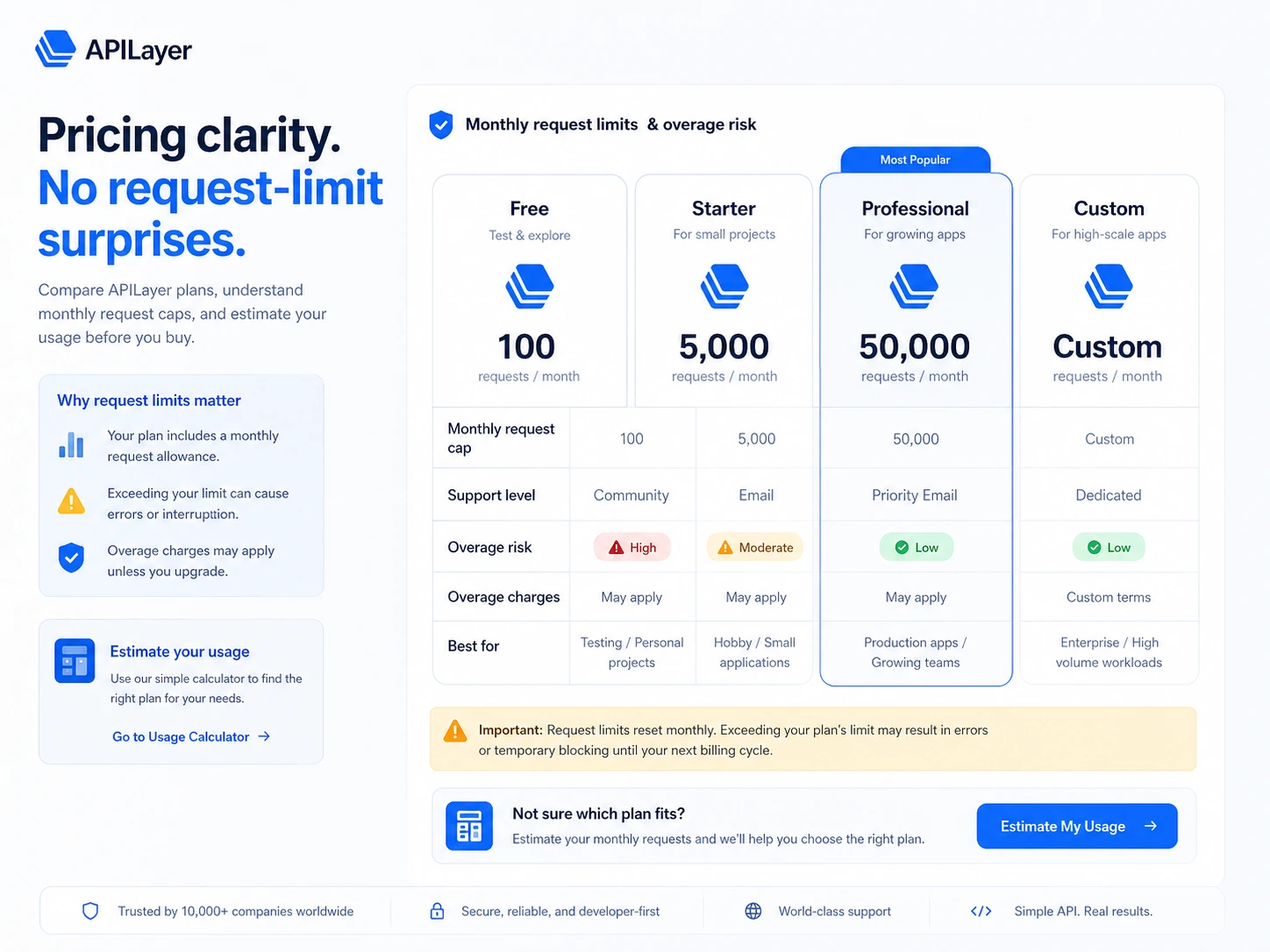
Pricing check: APILayer pricing depends on the selected API, so verify the current listing, request allowance, and renewal terms before choosing a paid tier.
Free plan, trial, coupon, and checkout notes
The free plan path is the most important savings route for APILayer. Not because free is always enough, but because APIs should be tested before they become dependencies.
APILayer documentation says almost all APIs have a free plan, and the getting-started workflow points buyers toward subscription, live demo testing, and API-key access. That gives developers a practical way to evaluate fit before committing to paid usage.
Trial language needs more caution. The marketplace terms say free trial periods may be offered for APIs. I would not assume every API has a trial. Treat trials as listing-specific and verify the selected API page before relying on one.
The coupon path should be secondary. If a current offer exists, it can improve the checkout decision. It should not drive the decision. A discount does not fix a weak endpoint, unclear documentation, poor response quality, or a paid plan that does not match your usage.
Before checkout, I would verify:
- the selected API’s current free allowance
- the paid tier’s monthly request limit
- whether the API is provided by APILayer or a third-party vendor
- cancellation timing
- renewal behavior
- any listing-specific terms
- whether paid purchases are refundable or not
For this category, the safest deal is the plan that matches your real request volume. Not the plan with the lowest headline price.
Offer caution: Use the APILayer coupon route only after the selected API, request limits, and checkout terms already make sense.
What I would check before buying APILayer
If I were buying APILayer for a real product workflow, I would check these before paying:
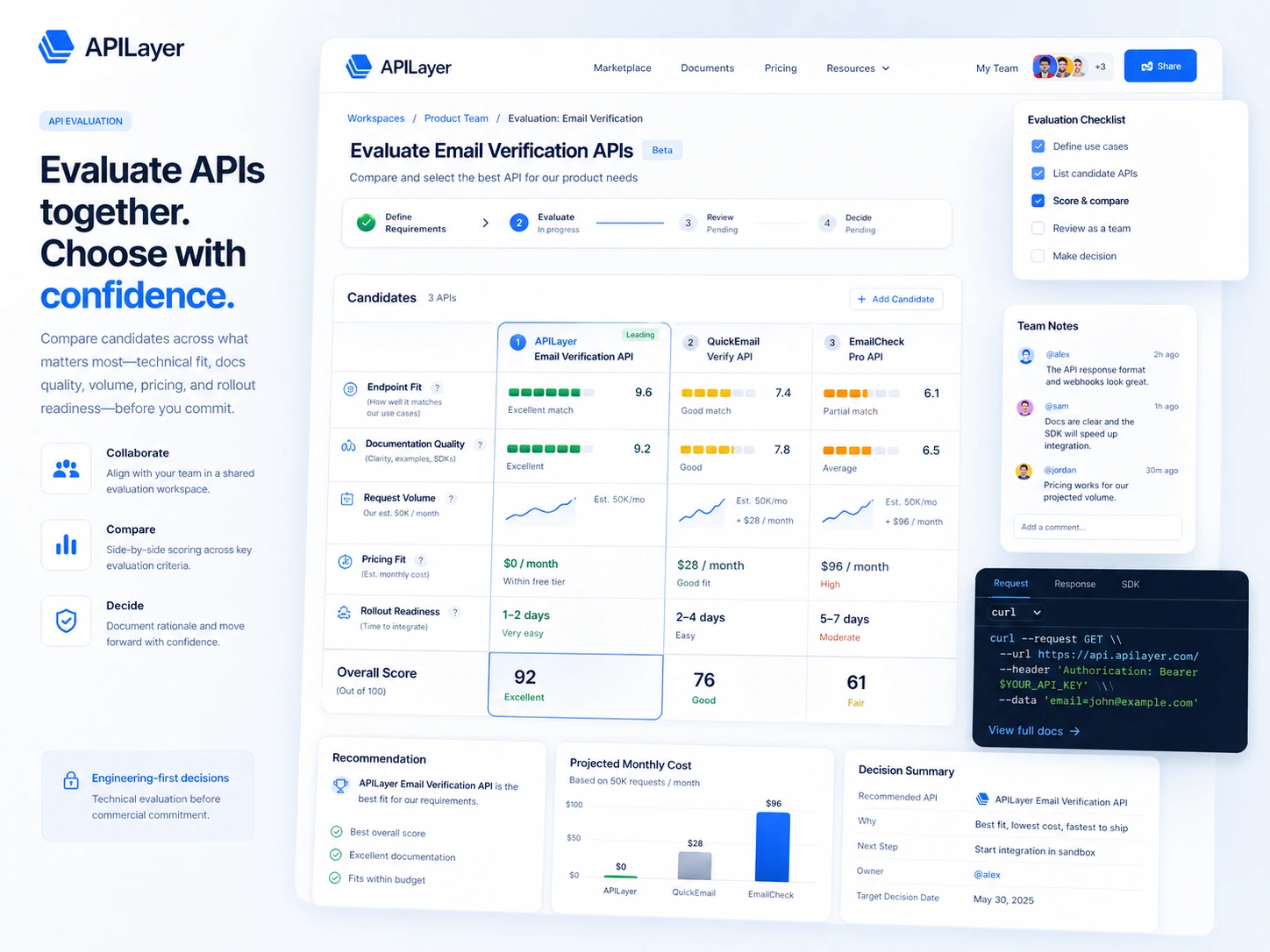
- The exact API listing. APILayer is not one product with one price. The listing is the buying unit.
- Free plan allowance. A free plan is useful only if it lets you test realistic payloads and workflows.
- Monthly request volume. Estimate expected calls before choosing a paid tier.
- Response shape and error behavior. A working demo matters more than a polished listing.
- Vendor terms. Third-party APIs can have separate terms, support expectations, and risk.
- Cancellation and renewal timing. Do not wait until after billing starts to understand the subscription path.
- Refund wording. Paid API purchases are described as final and non-refundable, so the evaluation should happen before checkout.
A simple test before paying
Before paying for an APILayer API, I would run a small test like this:
- Pick one real product feature that needs an API.
- Open the most relevant APILayer listing and read the docs.
- Subscribe to the free plan where available.
- Run the live demo with realistic parameters, not only the default sample.
- Copy a small sample into a development environment and check response handling.
- Estimate daily and monthly requests based on actual user behavior.
- Compare the paid tier only after the endpoint proves useful.
This test is not complicated, but it protects the buyer from a common API mistake: subscribing because the listing looks promising before the endpoint has been tested against the actual product logic.
Pros explained
APILayer’s biggest advantage is marketplace speed. If a developer knows the category they need, the marketplace can shorten the search. That matters for small teams that do not want to source every data vendor manually.
The second advantage is evaluation structure. Listing pages, docs, pricing, free plans, and live demos give a developer a path from discovery to testing. A marketplace without a test path would be much weaker.
The third advantage is category breadth. APILayer covers practical developer categories rather than only one API niche. That helps teams that need several utility APIs over time.
The fourth advantage is free-plan access on many APIs. It lowers the first-test barrier. This is especially useful because API buying should be proof-based. You want to see endpoint behavior before a paid subscription becomes part of the project.
The important caveat is that these pros matter only when the selected API is good. A marketplace can help you discover faster, but it cannot make every individual endpoint the right choice for every production use case.
Cons explained
The first drawback is pricing complexity. APILayer does not have one universal price. That is normal for an API marketplace, but it makes quick buyer comparisons harder.
The second drawback is refund rigidity. Paid API purchases are described as final, non-cancellable, and non-refundable in the marketplace terms. For an experimental project, that is a meaningful buyer risk.
The third drawback is third-party vendor exposure. Some APIs may involve vendor-specific terms. That means the buyer should not assume every listing has the same reliability, data handling, support, or compliance profile.
The fourth drawback is that APILayer is technical by design. Non-technical buyers may find the marketplace less useful than a no-code automation product. If the buyer cannot evaluate docs, endpoints, request limits, and response payloads, they may need developer support before subscribing.
These are not reasons to dismiss APILayer. They are reasons to evaluate it like an engineering dependency, not a normal SaaS app.
Green flags and red flags
Green flags are easy to spot when you know what to look for.
A strong APILayer fit usually means the buyer has a defined API need, the listing has clear docs, the live demo works with realistic parameters, the free plan is enough for initial validation, and the paid tier lines up with expected usage.
A weaker fit looks different. The buyer is browsing without a clear feature, the pricing tier is chosen before request volume is estimated, the docs feel thin, the endpoint has not been tested, or the project relies on a refund that may not be available.
The biggest green flag is a narrow use case.
The biggest red flag is vague enthusiasm.
APILayer is not something I would buy because it looks broadly useful. I would buy it because one specific API passed a real test and the plan limits made sense.
APILayer vs alternatives
APILayer’s alternatives need to be separated carefully. Some are direct API marketplace or API-provider comparisons. Others are adjacent internal DealBestDaily routes that solve different developer or operations problems.
RapidAPI vs APILayer
RapidAPI is one of the more direct external comparisons because both products sit in the API marketplace world. RapidAPI may be the broader comparison if the buyer wants a larger marketplace and more third-party API discovery.
APILayer may still make sense if the buyer prefers a curated catalog focused on utility and data APIs, and the exact listing fits the project.
The tradeoff is breadth versus selected endpoint fit. Do not choose based on marketplace size alone.
AbstractAPI vs APILayer
AbstractAPI is a more direct comparison for buyers who need specific utility APIs such as validation, enrichment, or data lookups. It may feel simpler if the buyer wants a focused provider rather than a broader marketplace.
APILayer may make more sense when the buyer wants to compare multiple API categories from one discovery layer.
The tradeoff is focused provider simplicity versus marketplace flexibility.
API Ninjas vs APILayer
API Ninjas can be a direct comparison for developers looking for many lightweight utility APIs. It may appeal to buyers who want a straightforward developer API catalog.
APILayer may be stronger if the selected APILayer listing has better docs, better limits, or a more suitable production plan for the specific endpoint.
The tradeoff is not brand versus brand. It is endpoint versus endpoint.
Make as an adjacent route
Make is not a direct APILayer replacement. It is an adjacent route for buyers whose real need is visual automation across apps.
Choose Make when you want to connect tools and automate workflows without writing API integration code. Choose APILayer when you need a specific API endpoint inside a product or app.
Jet Admin, Cloudways, and Adminkit as adjacent routes
Jet Admin is relevant if you need to build internal tools or admin panels. Cloudways is relevant if the buying problem is managed hosting. Adminkit is relevant if you need a dashboard template or UI starter.
These are not direct alternatives to APILayer. They are different developer-stack decisions that may sit near APILayer in a broader product build.
Trust, refund, and buyer-risk notes
The trust question with APILayer is not just “Does the marketplace exist?” It clearly does. The more important question is whether the selected API can be trusted for your exact use case.
Start with pricing verification. Each API has its own pricing. Do not rely on a store-level summary when the actual listing controls the cost.
Then check plan limits. Rate limits define how many requests you can make in a period. If your app grows, this becomes a product cost issue, not just a developer note.
Refund language is a serious checkpoint. The marketplace terms say paid API purchases are final, non-cancellable, and non-refundable. That means the free plan, live demo, docs, and sample code are not optional niceties. They are the safest evaluation path.
Third-party API terms also matter. The marketplace terms explain that some APIs can be subject to vendor terms. For sensitive use cases, review those terms before building around the endpoint.
Support expectations should be practical. Public review signals are mixed: some buyers praise ease of implementation and range of APIs, while some public complaints focus on performance, support, billing, or cancellation issues. I would not overreact to any single review page, but I would treat those patterns as reasons to test carefully and keep billing records clean.
Data and reliability also matter. If the endpoint powers a customer-facing feature, plan for fallback behavior, error handling, monitoring, and request-volume changes.
The safest APILayer buyer is not the one who finds the cheapest tier. It is the one who tests the endpoint before the subscription becomes a production dependency.
Final verdict
I would consider APILayer if I had a clear API-backed feature to build and wanted a faster way to discover, test, and subscribe to a relevant endpoint.
I would not judge it only by the homepage or the marketplace category list. The real decision lives inside the selected API listing: docs, response examples, free allowance, paid tier limits, vendor terms, and refund risk.
I would skip APILayer if I needed a no-code automation tool, one fixed all-in-one platform price, managed hosting, dashboard UI, or a non-technical setup path. In those cases, adjacent tools such as Make, Cloudways, Jet Admin, or Adminkit may point you in a more accurate direction.
I would compare APILayer with direct API marketplace and API-provider alternatives if endpoint quality, support, or pricing is still uncertain.
The safest next step is narrow: choose one API use case, test the free plan or live demo, inspect the docs, calculate request volume, and only then decide whether a paid APILayer plan belongs in your product stack.
