Quick verdict
AI To Human Text Converter is worth a look if you need a simple way to smooth AI-assisted drafts before a human edit. I would not treat it as a magic shield against every AI detector, and I would be especially careful if the writing will be used in an academic, professional, legal, medical, or client-sensitive context.
The useful buyer question is narrower than the homepage language. It is not “can this make text look more human?” The better question is: does the tool improve your draft enough to save editing time while still preserving your meaning, voice, accuracy, and policy obligations?
That is where AI To Human Text Converter can make sense. The free 300-word entry point gives buyers a low-risk way to test a real paragraph before paying. The paid plans are mainly about capacity: more HumanizeAI words, more AI Writer words, more AI Detector words, plagiarism-checking allowance, grammar/paraphrasing tools, and API access.
The main caution is expectation control. The current public pages lean heavily into detector-oriented promises, but the terms also say the service does not guarantee 100% undetectable results. For my money, that means the product should be judged as a rewrite assistant and editorial checkpoint, not as proof that a draft is safe everywhere.
I would consider it if you repeatedly polish AI-assisted text and can prove value with your own samples. I would skip it if you only need a one-off rewrite or if your real problem is deeper editorial quality, citations, originality, or compliance.
Next step: If AI To Human Text Converter still fits your writing workflow, test the free tool first and verify the current buyer route before checkout.
Visit AI To Human Text Converter Check current offers Read store guide
Review snapshot
| Review point | Practical take |
|---|---|
| Best for | Writers, marketers, bloggers, students within allowed policy rules, and business users polishing AI-assisted drafts |
| Not ideal for | Buyers expecting guaranteed detector outcomes, full editorial governance, or a one-click replacement for human editing |
| Main use case | Converting stiff AI-generated drafts into more natural working text before manual review |
| Free path | Free 300-word session, useful for testing real samples before paying |
| Paid path | Essential, Standard, and Pro tiers increase monthly word limits and include API access, but checkout terms should be verified |
| Main strength | Simple humanizer workflow with visible word-limit based plans |
| Main concern | Detector claims, annual billing, short refund timing, and privacy handling require careful review |
| Direct alternatives | Phrasly, Twixify, WordAi, Paraphraser.io |
| Best next step | Run a real draft through the free path, then compare paid limits against monthly usage |
What is AI To Human Text Converter?
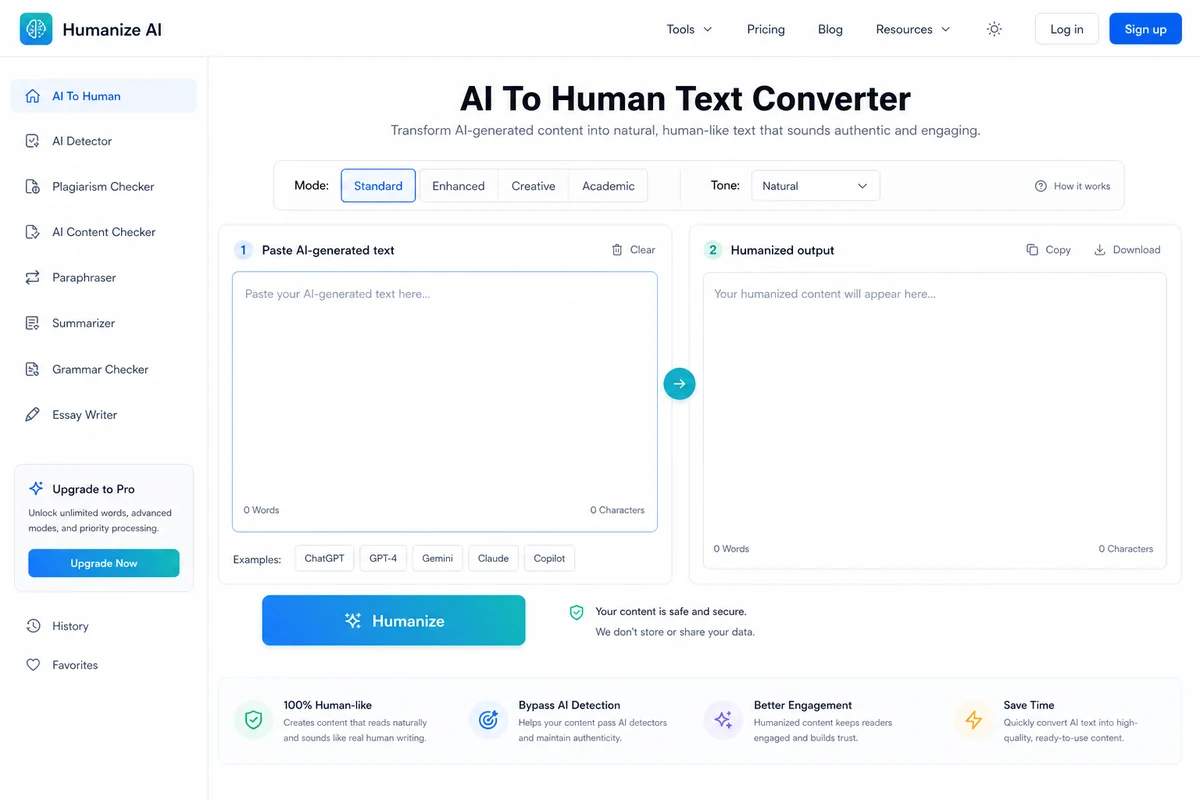
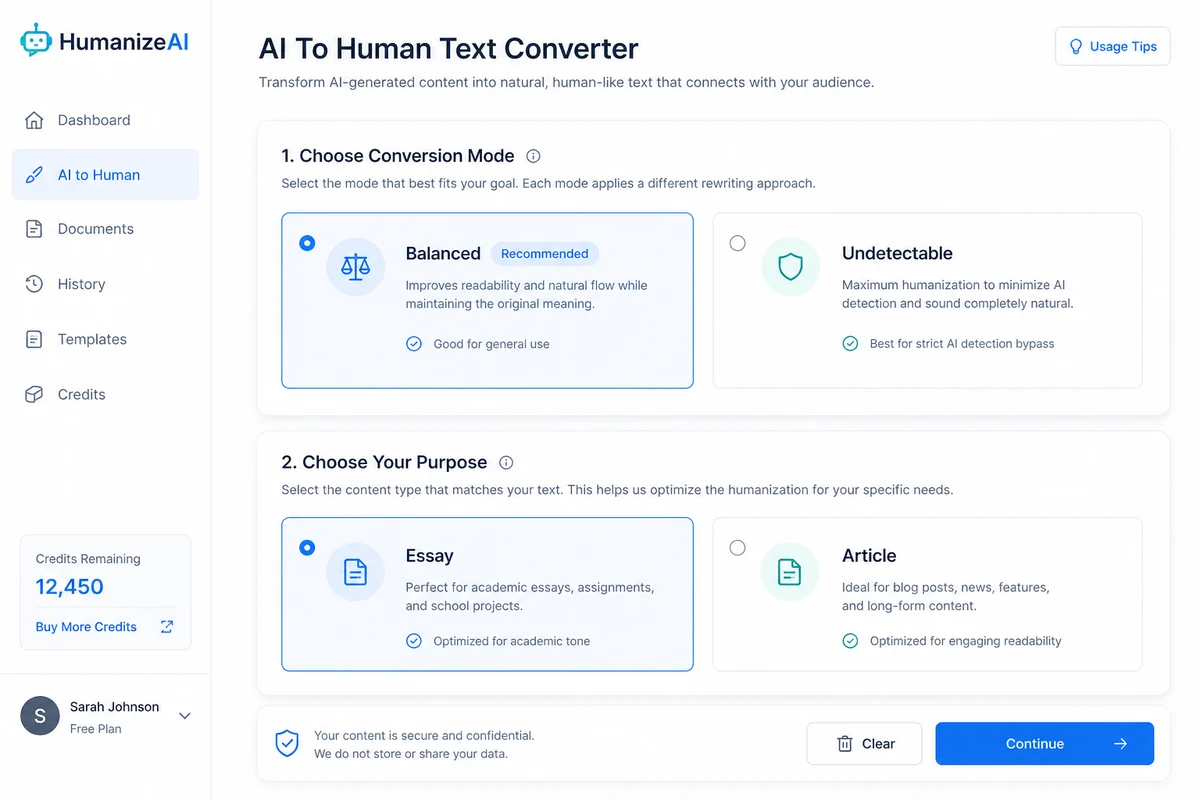
AI To Human Text Converter is a web-based AI humanizer. Its core job is simple: you paste AI-assisted text, choose a humanization mode, select a purpose such as Essay or Article, and generate a more natural-sounding version.
That makes it closer to a rewrite and polish tool than a full writing platform. It can sit after ChatGPT, Claude, Gemini, or another AI writing tool when the draft feels stiff, repetitive, overly patterned, or too obviously machine-written.
It is not a full editorial system. It does not replace fact-checking. It does not solve weak arguments. It does not make citations trustworthy. It does not give a buyer permission to ignore academic, professional, client, or platform rules.
Our review approach compares public product pages, pricing details, terms, privacy language, buyer workflow fit, and nearby alternatives. We do not treat a low monthly-looking price, a detector claim, or a coupon path as proof that the tool belongs in a serious workflow.
The most important thing to understand is the difference between readability improvement and detector certainty. Readability improvement is something a buyer can evaluate directly. You paste a real paragraph, read the output, and decide whether it sounds better. Detector certainty is much weaker. Detection tools vary, writing context matters, and the product’s own terms caution against expecting guaranteed results.
So the fair way to judge AI To Human Text Converter is not as a promise machine. Judge it as a draft-polishing layer.
Who should use AI To Human Text Converter?
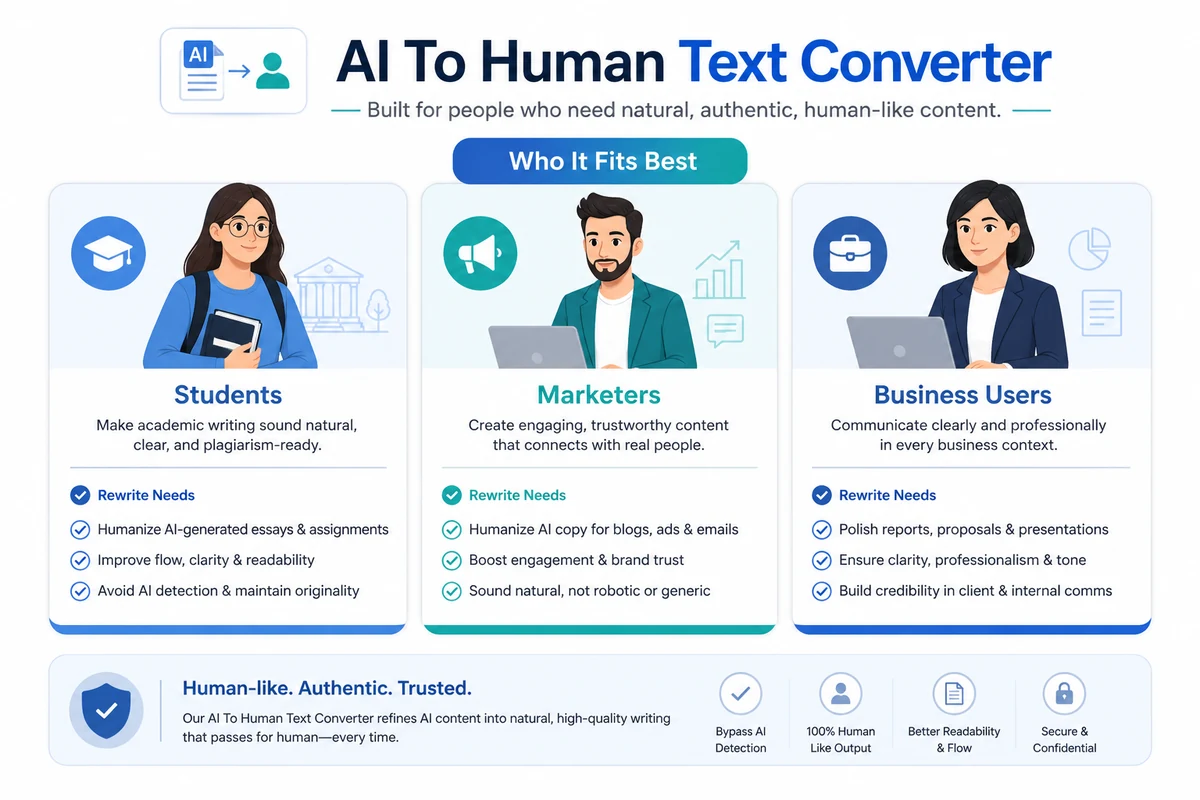
AI To Human Text Converter fits buyers who already use AI writing tools but still care about how the final text reads.
Content marketers and bloggers may find it useful when an AI-generated article draft sounds too rigid. The tool can help reshape the first pass before a real editor improves structure, examples, facts, and brand voice. The condition is important: if the draft is strategically weak, humanizing it will not make the article genuinely useful.
Freelancers and business writers may use it for emails, proposals, reports, or client-facing draft cleanup. In that context, the tool is mainly a tone smoother. I would still read every output carefully because a more natural sentence can still be inaccurate, vague, or too generic.
Students and researchers should be more cautious. The product’s public pages speak directly to academic writing, but school policies matter more than any tool promise. If your institution restricts AI-generated writing or detector avoidance, do not use a humanizer to hide prohibited work. A safer use is readability support for allowed working drafts, followed by your own rewriting, citations, and compliance with course rules.
Developers and workflow builders may care about API access. Paid tiers list Humanize AI API access, which could matter for automated text-processing workflows. I would not build around it until API documentation, quota behavior, rate limits, authentication, and billing rules are verified from the dashboard or support.
Budget-conscious testers also have a reasonable path. The free 300-word session is enough to test whether the tool handles your writing style before you even think about annual billing.
Who should avoid AI To Human Text Converter?
Avoid AI To Human Text Converter if your goal is to make prohibited work harder to detect. That is not a safe or ethical buying reason, and it creates risk for students, employees, contractors, and publishers.
I would also avoid it if you expect perfect detector outcomes. The product can help rewrite text, but no buyer should treat “more human-sounding” as the same thing as “accepted everywhere.” This matters most in education, hiring, regulated content, legal documents, financial writing, health content, and client-deliverable work.
It is also not the strongest fit for teams that need mature workflow control. If you need approvals, workspace roles, team governance, audit trails, editorial calendars, or brand review, a simple humanizer may be too narrow.
One-off users should be careful too. If you only need to polish a short paragraph once, the free path or a simpler paraphrasing tool may be enough. A subscription starts making sense only when the tool becomes part of a repeated writing process.
Finally, avoid buying just because the headline annual-billed price looks low. A cheap plan can still be the wrong plan if the word limits, refund timing, privacy handling, or output quality do not match your real use.
How AI To Human Text Converter fits into a real workflow
The best workflow starts before the tool.
First, write or generate a rough draft. Then decide what problem you are solving. Is the text too stiff? Too repetitive? Too formal? Too generic? Too close to the original AI structure? If you do not know what you want to improve, a humanizer can make the text different without making it better.
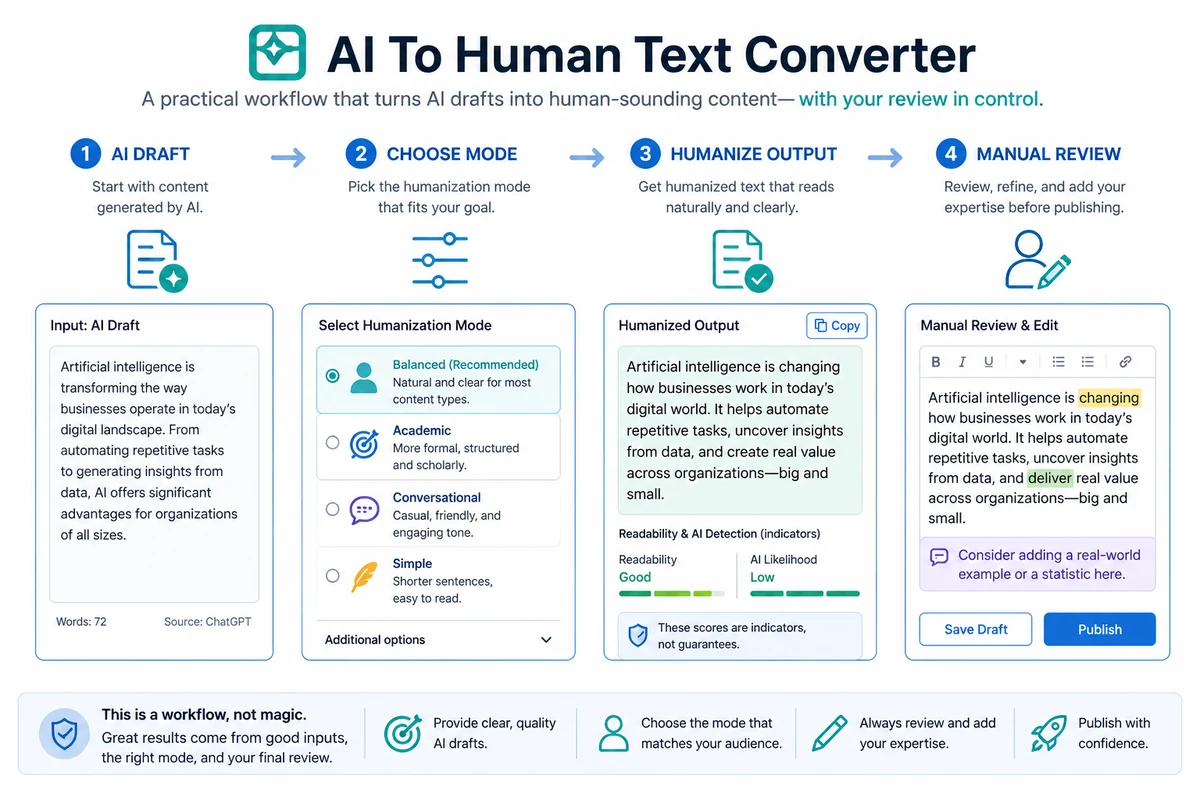
A careful workflow looks like this:
- Start with a real AI-assisted draft, not a throwaway sample.
- Paste a short section into the free tool.
- Try the lighter humanization mode first.
- Compare the meaning, tone, structure, and accuracy against the original.
- Edit manually for facts, examples, citations, brand voice, and policy fit.
- Only then decide whether the paid word limits matter.
The tool helps most in the middle of that process. It can give you a revised draft faster than rewriting every awkward line yourself. But the final decision still belongs to the writer or editor.
Workflow check: If your goal is repeated draft cleanup, run one real sample before comparing paid plans or current offers.
Real-world buyer scenarios
A blogger using AI to outline posts may use AI To Human Text Converter to soften awkward transitions and repetitive phrasing. This can help if the article already has a real angle, useful examples, and a human edit afterward. It may fail if the article is thin from the start.
A freelance writer may use it before sending a client draft. The benefit is speed: awkward AI phrasing becomes easier to revise. The risk is overtrusting the output and delivering text that still lacks insight, accuracy, or a client-specific voice.
A student may want help making a working draft easier to read. This is where policy matters. If AI writing is allowed as support, the tool may help with clarity. If the assignment forbids AI-generated work or detector evasion, using a humanizer to hide the source of the text can create serious problems.
A developer may want to plug humanization into a larger content workflow. That is the most technical use case, and also the one that needs the most verification. API access on a pricing page is not enough by itself. Rate limits, quota handling, billing behavior, and output reliability all matter before building around it.
Key features that actually matter
Free 300-word testing path
The free entry point is one of the product’s strongest buyer-friendly details. A humanizer is hard to judge from claims alone. You need to see what it does to your own writing.
Buyer note: use the free path with a real sample from your normal workflow. Do not test it only with a generic paragraph that does not represent your actual content.
Balanced and Undetectable modes
The mode choice matters because lighter rewriting and more aggressive detector-oriented rewriting are not the same thing. A stronger rewrite may change rhythm, phrasing, and emphasis more heavily.
Buyer note: compare the modes side by side. If the more aggressive output distorts your point or voice, it is not a better result just because it looks less AI-like.
Essay and Article purposes
Purpose selection can help the tool frame the output for common writing contexts. Essay-style text and article-style text do not usually need the same tone.
Buyer note: this is useful only if the output still respects the real context. A school paper, SEO blog post, proposal, and technical explanation need different standards.
Paid word limits across multiple tools
The paid tiers are not only about humanization. They also list AI Writer, AI Detector, plagiarism checking, grammar checking, paraphrasing, and API access. The real paid decision is therefore a capacity decision.
Buyer note: compare the HumanizeAI word limit first. Extra tool categories are helpful only if you will actually use them.
API access
API access can matter for agencies, developers, or internal workflow builders. It turns the product from a manual web tool into something that may fit automated processing.
Buyer note: do not assume API access is production-ready for your use case until you check documentation, limits, billing, authentication, and support expectations.
Pricing and plan value
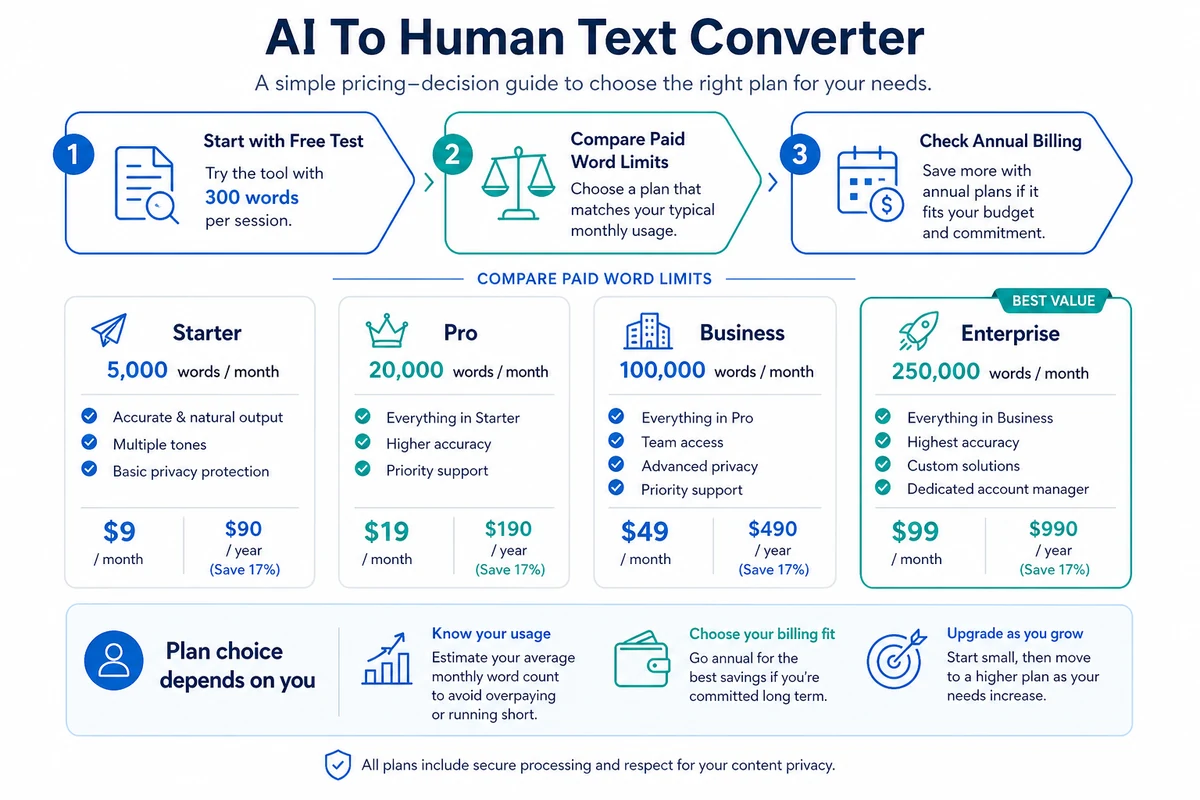
AI To Human Text Converter has a free entry path and three visible paid tiers. At the time of review, the public pricing page shows annual-billed monthly-equivalent pricing: Essential at $7 per month billed $84 annually, Standard at $12 per month billed $144 annually, and Pro at $29 per month billed $348 annually.
That pricing looks inexpensive on the surface. The careful buyer should look past the headline number.
Essential lists 30,000 HumanizeAI words per month, 100,000 AI Writer words per month, 150,000 AI Detector words per month, 25,000 Plagiarism Check words per month, grammar checking, paraphrasing, and Humanize AI API access.
Standard raises the HumanizeAI allowance to 75,000 words per month and increases the other listed word limits. Pro raises HumanizeAI to 225,000 words per month and increases the other listed limits again.
The practical question is not “which plan is cheapest?” It is “how many humanized words will I really process every month?”
If you only polish short paragraphs occasionally, the free path may be enough. If you process long blog posts, batches of marketing copy, recurring client drafts, or API-driven text, a paid plan may become easier to justify.
Annual billing deserves a pause. The public page presents savings compared with monthly billing, but annual billing means paying for the year upfront. I would not choose annual billing until the tool has already proven value on real drafts.
Pricing check: Before choosing a paid plan, confirm the live billing interval, annual charge, word limits, and refund timing.
Free plan, trial, coupon, and checkout notes
The free path is the safest starting point. The official FAQ says the free tool allows 300 words per session without a credit card. That is enough to test tone, meaning preservation, readability, and whether the output feels easier to edit.
I would treat the free path as more valuable than a coupon at first. A discount can improve the purchase, but it cannot prove the output is right for your content.
There does not appear to be a traditional full premium trial presented as the main buying path. The practical trial is the free session. Use it before upgrading.
The pricing FAQ states a 3-day money-back guarantee. That is a short window. If you are considering a paid plan, do your serious testing before checkout, not after you have already committed.
If you use the AI To Human Text Converter coupon page, keep it secondary. Check active offers only after you know the tool fits your workflow, your content type, and your monthly volume.
Offer caution: Use the coupon route only after the free sample proves the workflow fit. A lower price does not fix poor output quality.
What I would check before buying AI To Human Text Converter
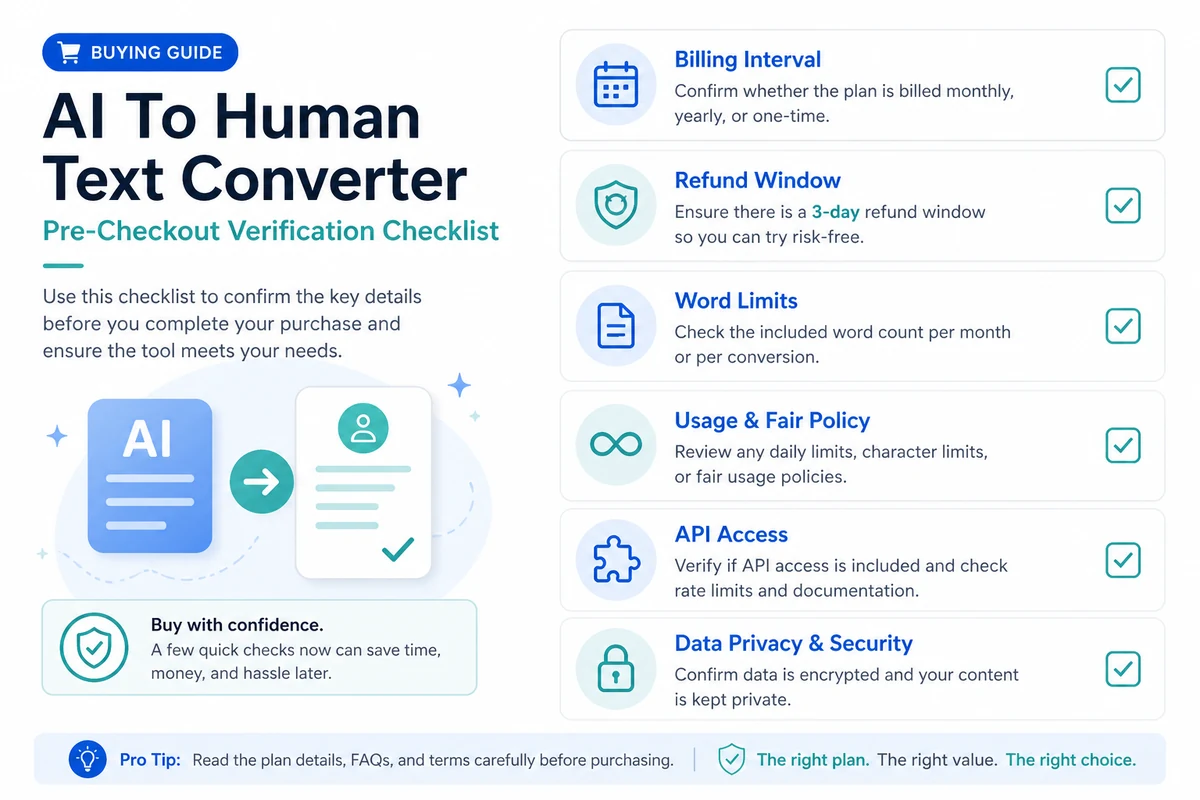
If I were buying this for a real writing workflow, I would check these points first:
- Output quality on my own drafts. The free test should use the same type of text I actually plan to process.
- Meaning preservation. A smoother paragraph is not useful if it changes the original claim, citation, tone, or nuance.
- Monthly HumanizeAI word limits. This is the main capacity number for most buyers.
- Annual billing and renewal behavior. A monthly-equivalent price can hide a larger upfront annual payment.
- Refund timing. A 3-day refund window leaves little room for casual testing after purchase.
- Privacy handling. Account history, temporary storage, deletion controls, and sensitive content rules matter if the text is confidential.
- API details. Developers should verify documentation, quotas, billing, and support before building around the tool.
A simple test before paying
Before paying, I would run a small test like this:
- Choose a real AI-assisted draft from your normal workflow.
- Cut a 250 to 300-word section that includes your typical tone and complexity.
- Run it through the free tool using a lighter mode first.
- Compare the output line by line against the original meaning.
- Edit the result manually and ask whether it saved time.
- Repeat with a second sample that is harder, such as a technical paragraph, academic explanation, or client-facing section.
- Estimate monthly word volume only after the output proves useful.
This test is intentionally small. A humanizer should earn trust through repeated examples, not through homepage promises.
Pros explained
The first real advantage is the free test path. With humanizer tools, this matters more than almost any feature list. You can see quickly whether the product improves your own draft or simply rewrites it into a different kind of generic text.
The second advantage is simplicity. AI To Human Text Converter does not require a complicated setup for the basic workflow. Paste text, choose settings, generate output, and review. For casual users, that simplicity is a strength.
The third advantage is visible word-limit pricing. The paid tiers clearly frame the purchase around monthly usage. That helps buyers compare plans by workload instead of guessing what “premium” means.
The fourth advantage is API availability in paid tiers. This will not matter to every buyer, but it gives developers and workflow builders a reason to look closer.
These pros are real, but they are not unlimited. They matter most when the buyer already has a repeatable draft cleanup problem.
Cons explained
The biggest drawback is detector uncertainty. The product category itself invites overconfidence. A better detector result does not automatically mean the writing is ethical, accurate, accepted, or safe in every context.
The second drawback is the short refund timing. Three days is not much time if you are evaluating longer workflows, team use, API behavior, or varied content types.
The third drawback is annual-billed pricing presentation. The headline monthly-equivalent number may look friendly, but the buyer should confirm the upfront charge and renewal behavior before paying.
The fourth drawback is limited visible team workflow depth. If you need roles, approvals, audit trails, shared projects, or serious governance, this product may be too narrow.
None of these issues make the tool unusable. They simply mean the buyer should test first and buy only when the workflow fit is obvious.
Green flags and red flags
A green flag is the free 300-word session. It gives buyers a real way to test output before paying.
Another green flag is the visible tier structure. Word limits are listed clearly enough for a buyer to estimate whether Essential, Standard, or Pro is even relevant.
API access is also a green flag for technical buyers, provided they verify the details before building anything serious.
The red flags are mostly about expectation. Be careful if the buying reason is “I need this to pass every detector.” Be careful if the writing will be graded, regulated, confidential, or client-sensitive. Be careful if you are choosing annual billing before you have processed several real samples.
I would also treat aggressive detector-oriented marketing as a reason to slow down, not speed up. The safer judgment is to test the product as a rewrite assistant first.
AI To Human Text Converter vs alternatives
AI To Human Text Converter should be compared mainly with humanizer, rewriting, and paraphrasing tools. Detection-first tools can be relevant as adjacent review routes, but they are not direct replacements if your main job is rewriting draft text.
Phrasly vs AI To Human Text Converter
Phrasly is a more direct comparison if the buyer wants a humanizer workflow with a stronger AI-writing compliance angle. I would compare it first if the main need is rewriting AI-assisted drafts while also thinking about how the text may be reviewed.
AI To Human Text Converter may still make sense if you prefer the simple free test path and visible word-limit pricing.
Twixify vs AI To Human Text Converter
Twixify is another direct humanizer route for buyers focused on reshaping AI-assisted drafts. It may be worth comparing if you want a tool that leans more explicitly into rewriting style and detector-oriented positioning.
AI To Human Text Converter has the advantage of a straightforward web workflow and a pricing page that clearly lists word limits.
WordAi vs AI To Human Text Converter
WordAi is more of an SEO rewriting and bulk paraphrasing comparison. It can be a better fit for buyers who process larger content batches and care more about rewriting variation than quick humanizer testing.
AI To Human Text Converter is simpler for short-form or mid-length draft cleanup.
Paraphraser.io vs AI To Human Text Converter
Paraphraser.io is an adjacent but useful route if the buyer mainly wants paraphrasing, grammar-style cleanup, or basic rewriting without a heavy detector-oriented frame.
AI To Human Text Converter is more relevant when the buyer specifically wants humanization settings and a free test path tied to AI-assisted drafts.
Trust, refund, and buyer-risk notes
The trust question is not only whether the site works. It is whether the buyer understands the limits.
Pricing should be verified at live checkout. The public pricing page shows annual-billed monthly-equivalent numbers, but buyers should confirm whether they are choosing monthly or annual billing, what the upfront charge is, and when renewal happens.
Refund timing also matters. The pricing FAQ says there is a 3-day money-back guarantee. That is useful, but short. Do not leave the first serious test until day three.
Privacy deserves attention. The privacy page says submitted text and converted output are stored in account history for logged-in users, while users without an account have submissions and conversions stored temporarily during processing and automatically deleted after 24 hours. That may be fine for casual content, but sensitive client, legal, medical, financial, or academic material needs more caution.
Terms also matter. The terms say the service is designed for legitimate content enhancement, users are responsible for submitted content and converted text, and the service does not guarantee 100% undetectable results.
That combination points to a practical buyer rule: use the product for legitimate draft improvement, not for hiding prohibited work or outsourcing judgment.
Final verdict
I would consider AI To Human Text Converter if you regularly work with AI-assisted drafts and need a simple, low-friction way to make them read more naturally before manual editing.
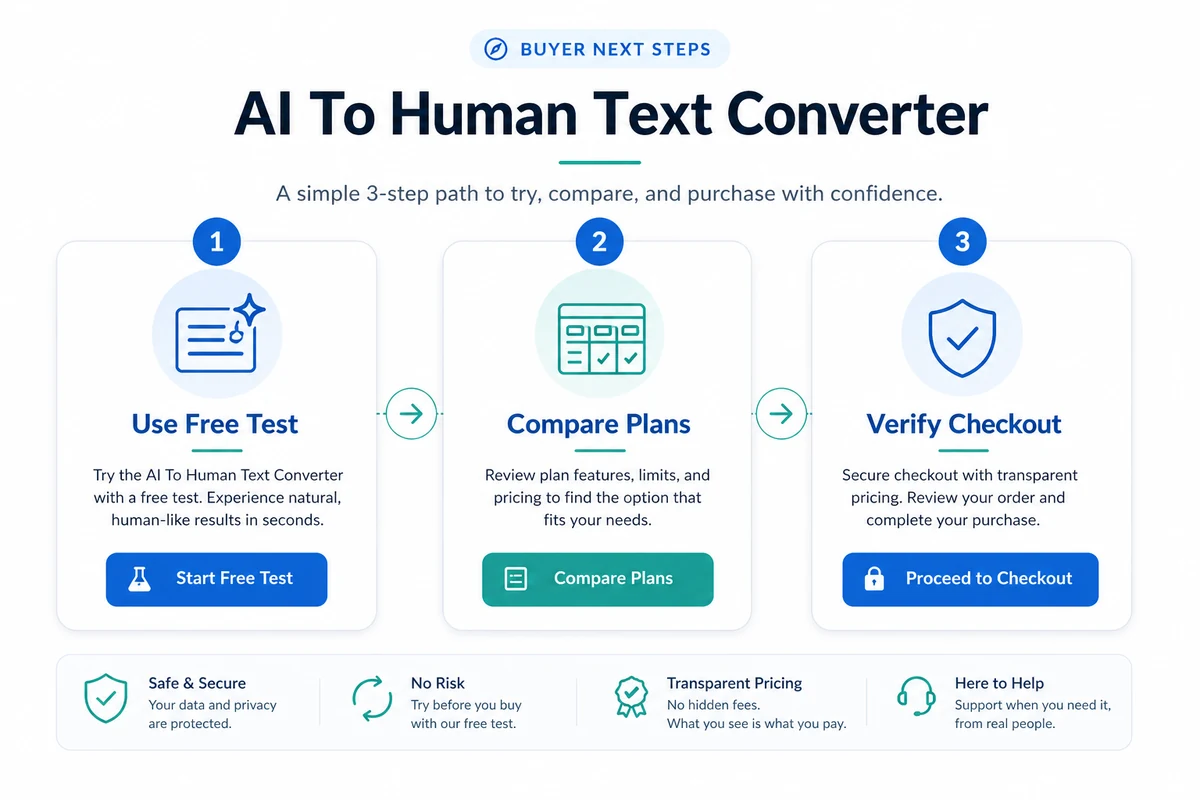
I would start with the free 300-word session, not a paid plan. If the output preserves meaning, saves editing time, and handles your normal content style well, then the paid tiers become easier to judge by monthly word volume.
I would skip it if your goal is guaranteed detector avoidance, if your work is restricted by strict academic or professional rules, or if you need a full editorial governance system rather than a simple humanizer.
I would compare it with Phrasly or Twixify for direct humanizer workflows, WordAi for bulk SEO rewriting, and Paraphraser.io for simpler paraphrasing-style cleanup.
The safest next step is boring but useful: test one real draft, read the output carefully, confirm the current pricing and refund terms, and only pay if the tool clearly improves a workflow you will repeat.
