
AI To Human Text Converter Pricing & Fit
AI To Human Text Converter is best treated as an AI humanizer and text-polishing tool rather than a broad business SaaS product. It is aimed at users who paste AI-generated drafts, choose a humanization mode, and want cleaner, more natural output before publishing, submitting, or reviewing content. The buying decision is less about a huge feature set and more about word limits, ethical use, API access, and whether the output quality holds up on the buyer's own samples.
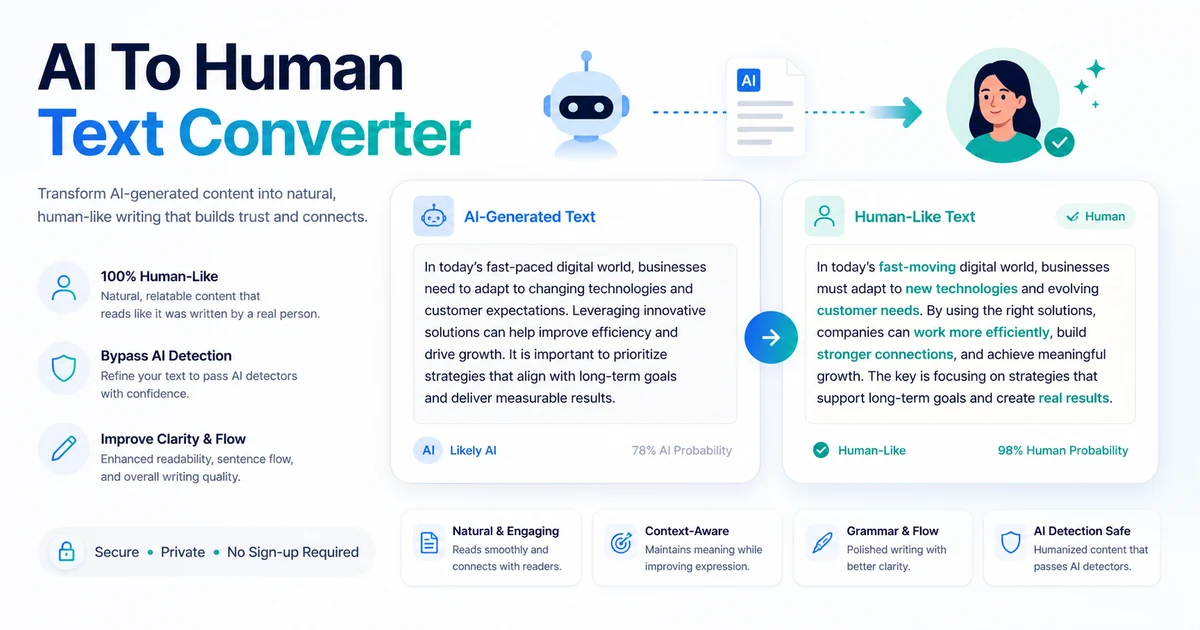
Fit → price → checkout
Use these routes after the official-site check: coupon first, review for fit, compare if unsure.
AI To Human Text Converter pricing snapshot
Fast commercial checks before pricing, coupons, or a deeper review.
AI To Human Text Converter product tour
The product tour should focus on the buyer's real decision points: how the text box works, what mode selection changes, how pricing scales by word limits, and where the terms limit detector-related expectations.
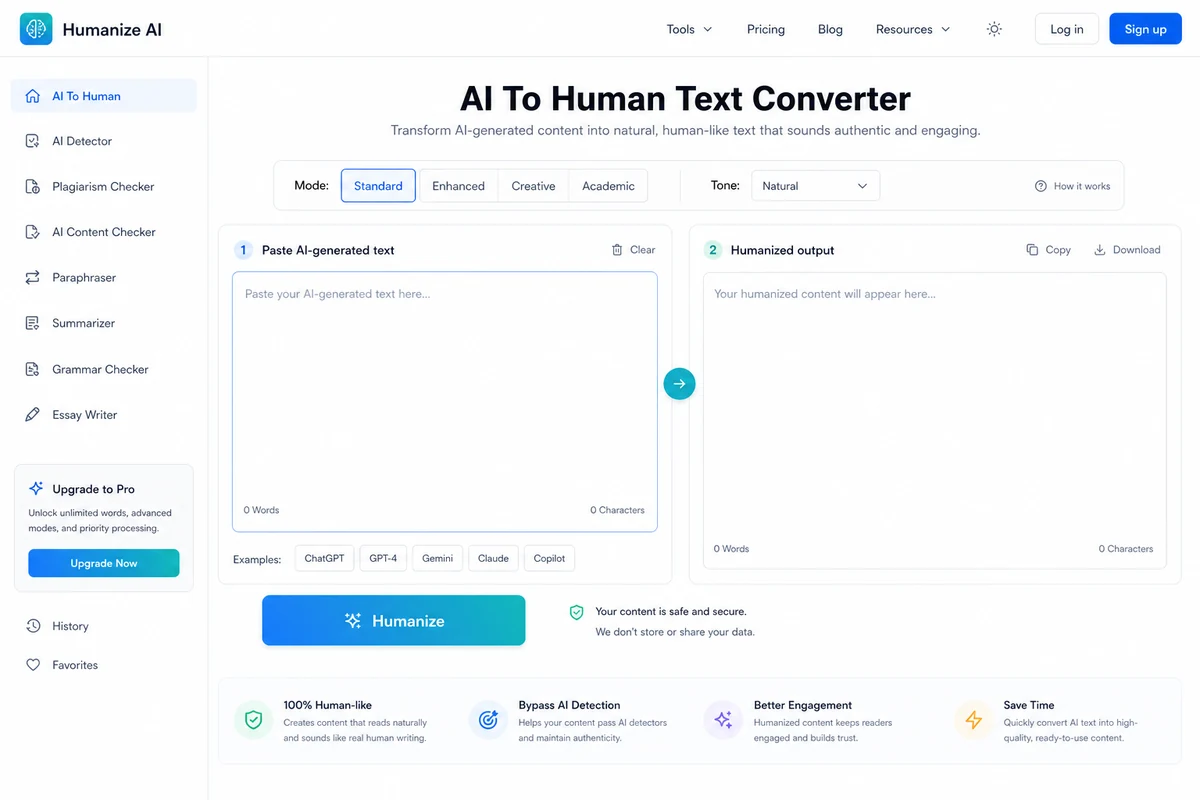
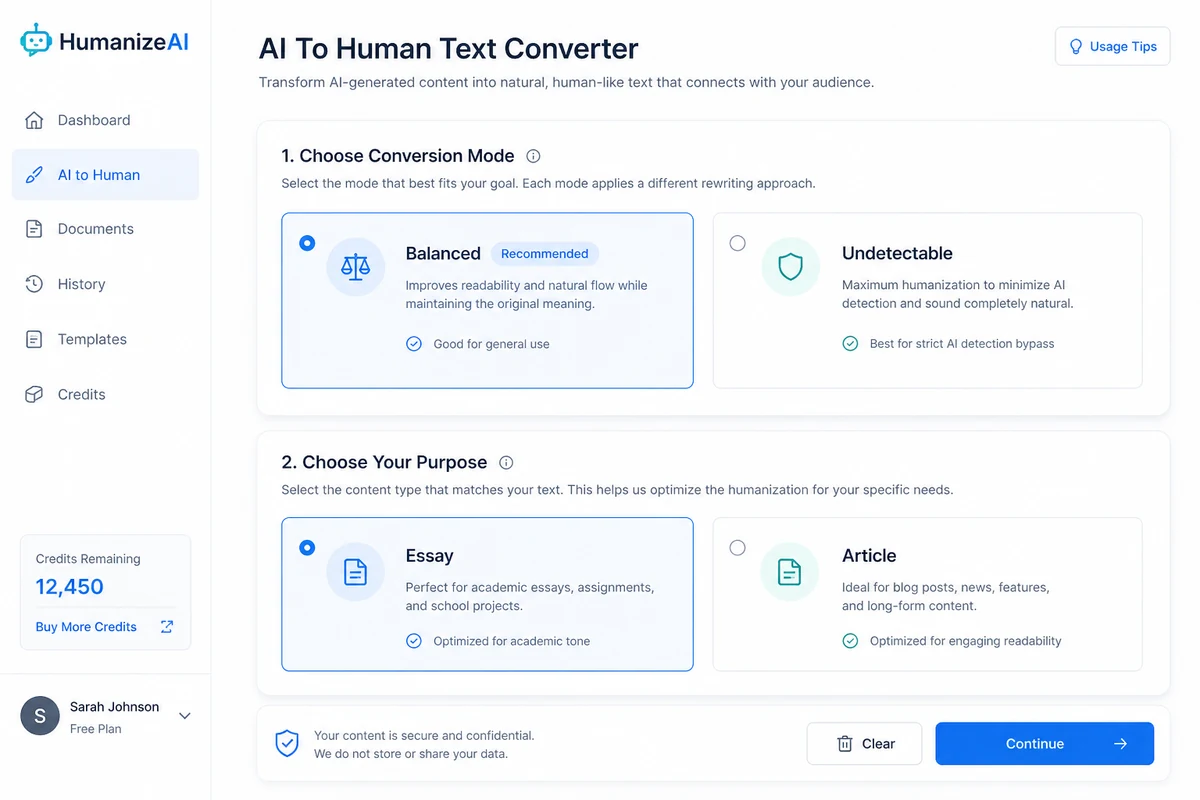
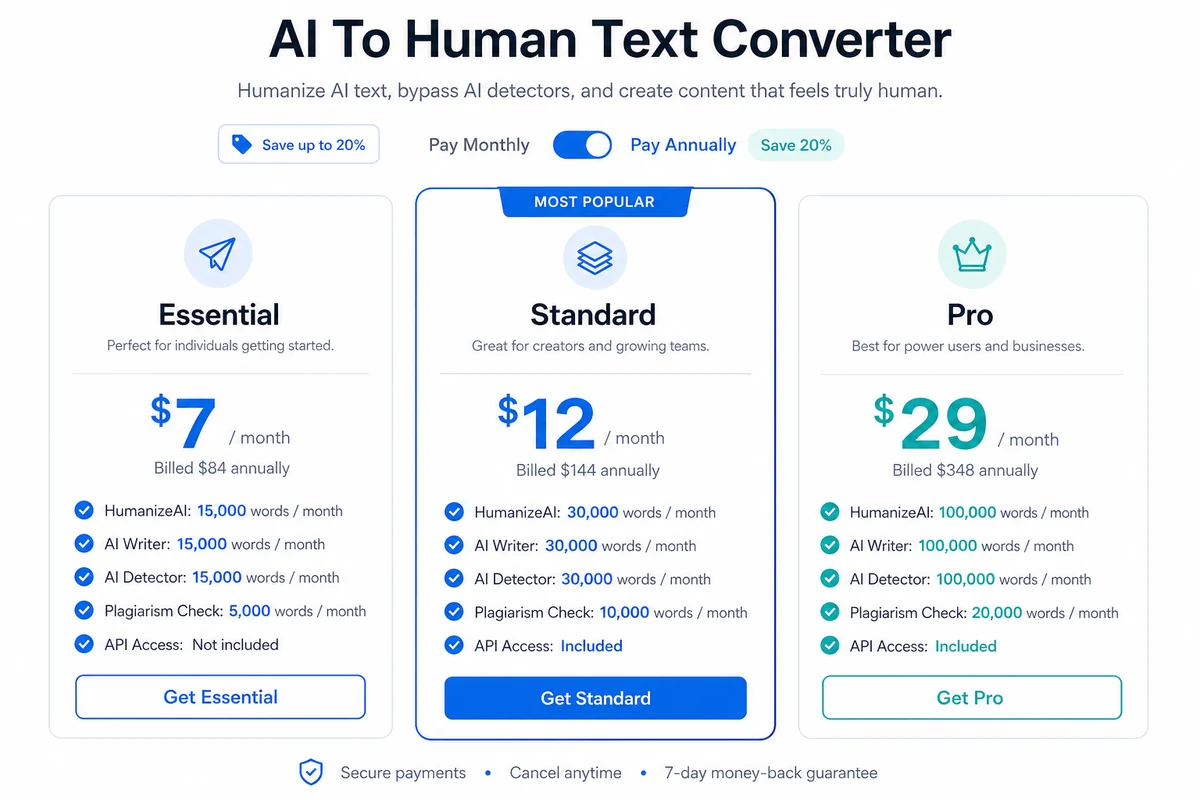
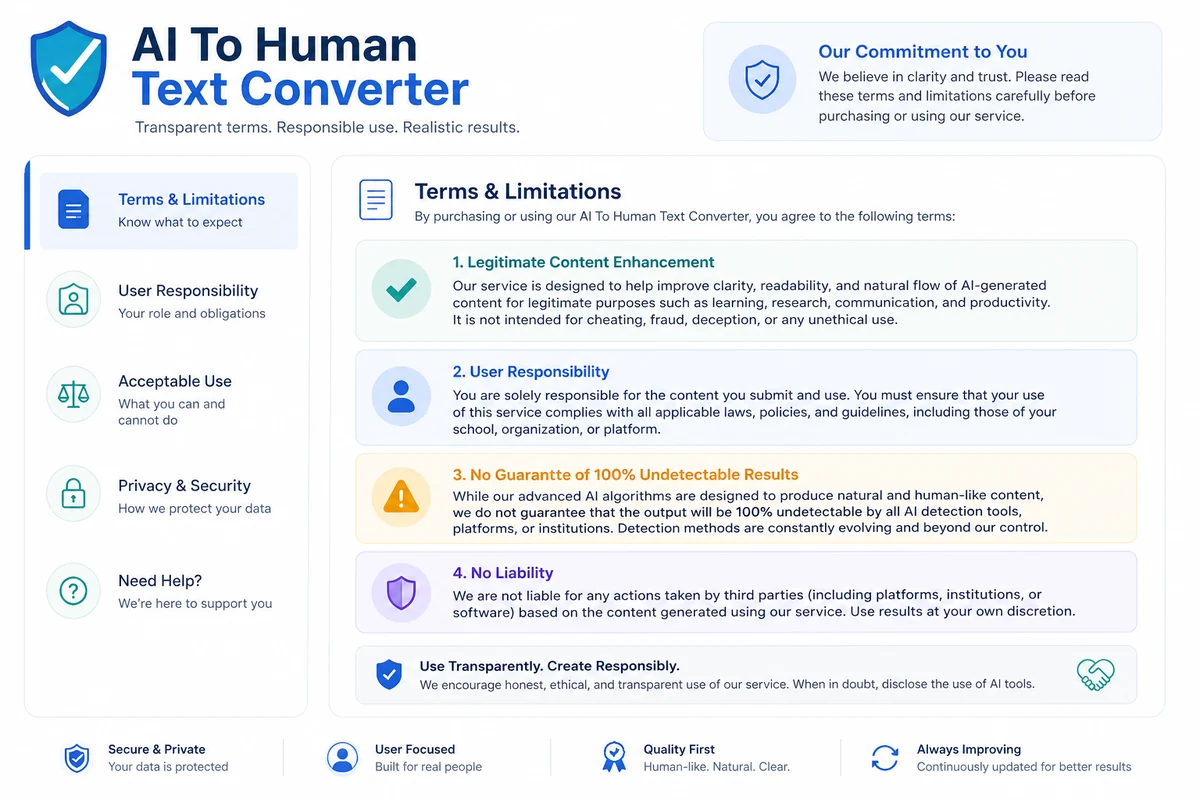
AI To Human Text Converter is a focused web tool for rewriting AI-generated drafts into more natural text. The buyer question is not whether it can make text sound smoother, because the free tool makes that easy to test. The more important question is whether its word limits, detector-related claims, API access, and refund window fit the way you actually write.
What AI To Human Text Converter actually does
The tool takes AI-generated text and rewrites it into a more natural style. The public workflow is simple: paste text, choose a mode, select a purpose such as Essay or Article, then generate a revised version. That makes it useful for draft polishing, tone cleanup, and checking whether AI-written content feels less mechanical before a human edit.
The careful buyer should separate two things. Improving readability is realistic and easy to judge. Relying on any tool to beat every detector is much less certain, especially because the official terms do not guarantee 100% undetectable results.
- Paste AI-generated text into the web tool.
- Choose Balanced or Undetectable mode.
- Use Essay or Article formatting based on the draft type.
- Review output manually before publishing or submitting.
Who it fits best
AI To Human Text Converter fits buyers who already use ChatGPT, Claude, Gemini, or another AI writer and need a quick second step for polish. It is especially relevant for marketers, bloggers, students, researchers, and business professionals who want drafts to read less stiff before review.
It is not a replacement for judgment. If your content must meet academic, legal, medical, financial, or client standards, the output should be treated as draft material and checked carefully before use.
- Content marketers polishing AI-assisted blog drafts
- Students improving readability while respecting school rules
- Business users revising emails, reports, or proposals
- Developers testing API-based humanization workflows
Pricing and plan-fit logic
The free tier is useful for testing because it allows 300 words per session without a credit card. Paid tiers increase monthly word capacity across HumanizeAI, AI Writer, AI Detector, Plagiarism Check, Grammar Checker, and AI Paraphraser features. The visible annual-billed paid path starts at $7 per month for Essential, then moves to $12 for Standard and $29 for Pro.
The safest pricing decision is to calculate monthly text volume first. If you only humanize a few paragraphs occasionally, the free tier may be enough. If you process long articles, client copy, or API-based workflows, the paid tiers make more sense.
- Free users should test quality on real examples.
- Essential is the lowest visible paid entry.
- Standard and Pro are mainly capacity upgrades.
- Annual billing should be chosen only after usage is predictable.
Where the product can disappoint
The biggest risk is expecting certainty from a category that cannot honestly promise certainty. AI detectors change, writing context matters, and the official terms state that the service does not guarantee 100% undetectable results. That does not make the tool useless, but it does mean buyers should judge the output as writing, not only as a detector score.
Another practical limit is workflow maturity. The public pages do not clearly show team dashboards, editorial approvals, or enterprise controls. Buyers who need those features should compare broader writing platforms or contact support before subscribing.
- Detector results can vary by tool and content type.
- Humanized output still needs fact checking and editing.
- Team governance features are not clearly positioned.
- The refund window is short, so testing first matters.
What to verify before checkout
Before paying, verify the exact plan limits and the billing interval shown at checkout. The pricing page shows annual-billed monthly-equivalent prices and mentions a 50% annual saving path, but the buyer should still confirm the final charge, renewal behavior, add-on pricing, and refund timing.
API buyers should be even more careful. Paid tiers list Humanize AI API access, but a serious workflow needs clarity on rate limits, word limits, authentication, and whether API usage shares the same monthly quota.
- Check whether you are buying monthly or annual billing.
- Confirm the exact HumanizeAI and AI Detector word limits.
- Review the 3-day refund window before purchase.
- Contact support if you need education pricing or API details.
Best next step for a cautious buyer
The best next step is simple: test the free 300-word session with a real draft, compare the output against your own writing standards, and only then look at paid word limits. Buyers still deciding on fit should read the review first. Buyers who already know they need the tool can check pricing and any current DealBestDaily routing before upgrading.
- Use the free tool first.
- Run at least one real sample, not a throwaway test.
- Compare paid plans by monthly volume.
- Move to the coupon page only after the workflow fit is clear.
Best savings path from this store page
This is the clearest savings route to check once the product already looks like a fit.
AI To Human Text Converter states that the tool is 100% free and unlimited, making the free path the main offer rather than a paid discount.
No signup needed
Fast and Deep mode path
Use comparison routes when the category fit is still open
Use these comparison routes when the product still looks plausible, but the category fit is not fully settled.
Better fit when the buyer wants a combined humanizer and detection workflow with a more established AI-writing compliance angle.
Worth checking for buyers who want AI humanizer and rewriting features with a more direct anti-detector positioning.
Better known for SEO rewriting and bulk paraphrasing rather than quick detector-focused humanization.
A simpler fit for buyers who mainly need paraphrasing, grammar, and rewriting tools instead of detector-oriented positioning.
Verification points worth checking before you click out
Where this store usually fits best in the workflow
Use the tool to smooth robotic phrases, repetitive sentence patterns, and awkward AI transitions before a final human edit.
Marketers can test whether AI-assisted drafts read more naturally while preserving keywords and topic structure.
Students should use the tool only within allowed policy boundaries and still verify citations, originality, and their own voice.
Developers can consider paid plans if API access is necessary, but API limits and quota behavior should be verified first.
Practical checkpoints before and after signup
- Prepare a real sample that represents the type of content you expect to humanize.
- Decide whether readability, tone, or detector confidence is the main goal.
- Compare the monthly word limits against your real workload.
- Confirm annual billing, refund timing, and checkout total before payment.
- Read the text aloud and edit anything that sounds generic, exaggerated, or inaccurate.
- Check facts, citations, and policy compliance before publishing or submitting.
Fast-read signals for workflow fit and buying friction
Questions readers usually ask before choosing this store
Is AI To Human Text Converter free?
Yes. The official FAQ says the free tool allows 300 words per session without a credit card. Paid plans are mainly for higher monthly word limits and premium features.
What is the cheapest paid plan?
The visible annual-billed pricing page lists Essential at $7 per month, billed $84 annually. Buyers should confirm the current checkout price and whether they are choosing monthly or annual billing.
Does AI To Human Text Converter guarantee that text will pass every AI detector?
No. The homepage markets detector-focused humanization, but the terms say the service does not guarantee 100% undetectable results. Treat detector claims as something to test, not as a promise.
Does it offer API access?
The pricing page lists Humanize AI API access in the paid tiers. Buyers who need automation should verify API limits, quota handling, and technical details before choosing a plan.
What is the safest next step before buying?
Run a real draft through the free 300-word session, check whether the output still sounds accurate and natural, then compare paid word limits and the 3-day refund window before checkout.
Choose the next route that matches what you still need to decide
The strongest next click depends on whether you still need product judgment, a savings route, or a broader category comparison.